BlogScreenshots on your device
Why PyAutoGUI Captures the Full Screen Instead of the Selected Region
Fix PyAutoGUI region captures by checking tuple order, PyScreeze versions, OS backends, and whether the returned image or saved file is wrong.
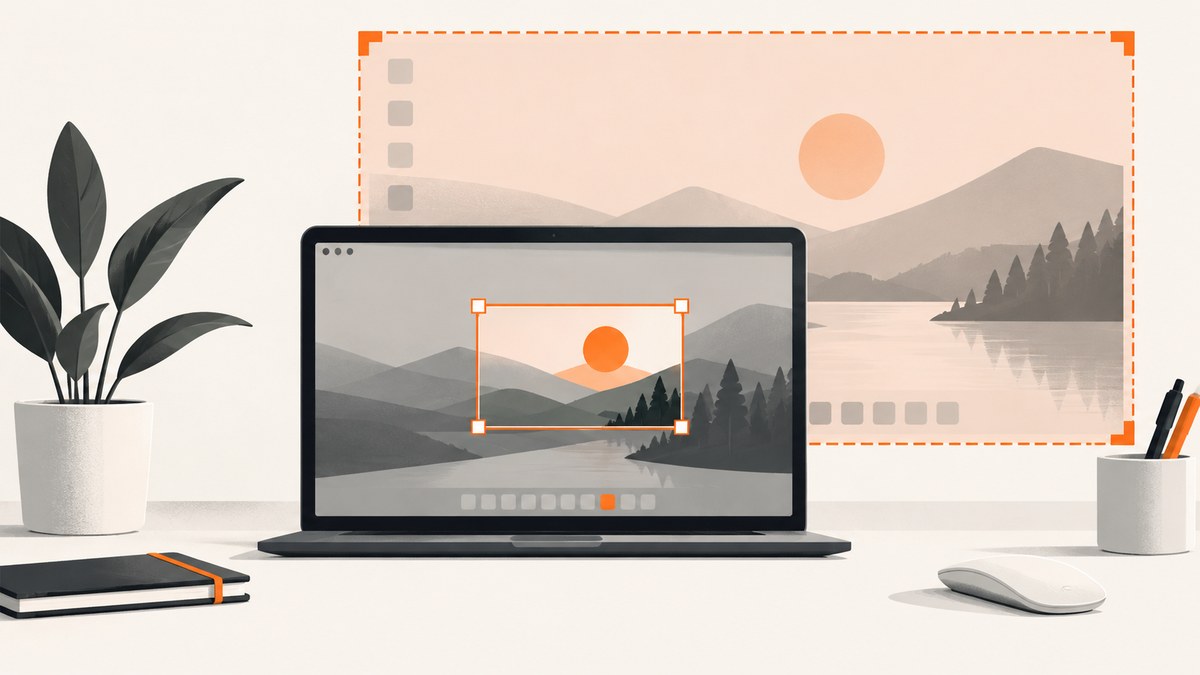
PyAutoGUI’s screenshot() method expects region=(left, top, width, height). If it returns the entire display, first verify that tuple, then inspect the active PyAutoGUI, PyScreeze and Pillow versions. A documented macOS bug in an older PyScreeze release was fixed in PyScreeze 0.1.30; current PyScreeze source contains explicit region handling, so the exact cause depends on your operating system, capture backend and installed environment.
Use the region argument correctly
The four values are pixel coordinates and dimensions:
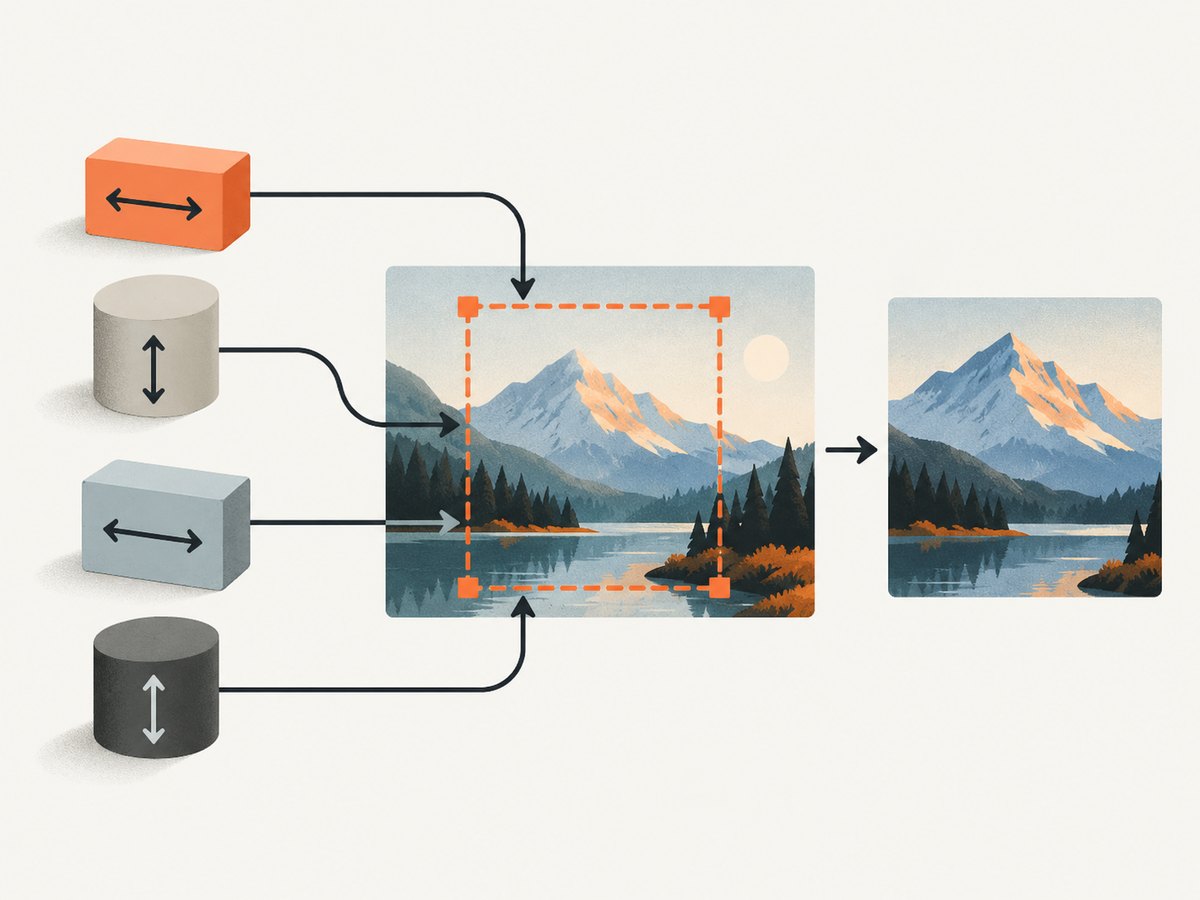
- left: horizontal coordinate of the top-left corner
- top: vertical coordinate of the top-left corner
- width: captured width
- height: captured height
For example, this captures a 500 by 500 rectangle beginning at (20, 20):
import pyautogui

image = pyautogui.screenshot(region=(20, 20, 500, 500))
print(image.size)  # expected: (500, 500)
image.save('region.png')
Do not pass (left, top, right, bottom). If you have two corners, convert them first:
left, top = 20, 20
right, bottom = 520, 520
region = (left, top, right - left, bottom - top)
image = pyautogui.screenshot(region=region)
The official screenshot documentation describes this order and also distinguishes screenshot cropping from region-limited image searching: screenshot(region=...) changes the returned image, while locateOnScreen(..., region=...) only limits where PyAutoGUI searches.
Read the PyAutoGUI screenshot documentation.
Run a diagnostic that proves where the problem occurs
Check the returned image before saving it. This separates a capture problem from a later file-handling mistake.
import os
import pyautogui

region = (20, 20, 500, 500)
image = pyautogui.screenshot(region=region)

print('requested region:', region)
print('returned size:', image.size)

output = 'region-debug.png'
image.save(output)
print('saved bytes:', os.path.getsize(output))
Interpret the result as follows:
| Observation | Likely location of the fault | Next step |
|---|---|---|
image.size is the full display |
Capture backend, dependency version, platform session, or arguments | Check versions and backend details below |
image.size is the requested crop but the viewed file looks full-screen |
Wrong object or file is being opened later | Print the output path and inspect that exact file |
| The crop has the wrong area but correct dimensions | Tuple coordinates or display scaling | Check coordinate origin, scaling and tuple order |
Check the environment that actually runs the script
PyAutoGUI delegates screenshot and image-location functionality to PyScreeze. Updating a different Python installation will not fix the interpreter running your script, so query versions through that same executable:
python -c "import sys, pyautogui, pyscreeze, PIL; print(sys.executable); print('PyAutoGUI', pyautogui.__version__); print('PyScreeze', pyscreeze.__version__); print('Pillow', PIL.__version__)"Or print the paths directly:
import sys
import pyautogui
import pyscreeze
from PIL import Image

print('Python:', sys.executable)
print('PyAutoGUI:', pyautogui.__file__)
print('PyScreeze:', pyscreeze.__file__)
print('Pillow:', Image.__file__)
The macOS report that prompted the maintainer response involved an older PyScreeze release. Upgrade PyScreeze in the active virtual environment, then restart the process:
python -m pip install --upgrade PyScreezePyPI records PyScreeze 0.1.30 and later releases. Verify the installed version after upgrading rather than assuming the command changed the environment.
Check PyScreeze releases on PyPI.
Platform-specific causes
macOS
A 2023 macOS report described a region call returning a full-screen image. PyAutoGUI’s author identified an old PyScreeze bug and advised upgrading PyScreeze; the fix was released as 0.1.30. Treat that as the explanation for that reported version and platform, not as proof that every current macOS installation has the same bug.
After upgrading, confirm that the script and the package manager use the same interpreter. Also check macOS Screen Recording permission for the terminal, IDE or packaged application that performs the capture. Permission failures commonly produce capture errors or unexpected results, and the responsible application may differ from the shell used to install packages.
Linux
PyScreeze has separate paths for Pillow, gnome-screenshot and utility-based capture. Desktop session type, installed utilities and display-server configuration can affect behavior. An old Lubuntu 14.04 issue reported full-desktop output, but that historical report does not establish current Linux behavior.
Record your session details when diagnosing:
python -c "import os; print('XDG_SESSION_TYPE=', os.environ.get('XDG_SESSION_TYPE')); print('DISPLAY=', os.environ.get('DISPLAY')); print('WAYLAND_DISPLAY=', os.environ.get('WAYLAND_DISPLAY'))"Run the smallest possible crop and compare image.size. If the backend cannot crop at capture time, capture behavior may differ from a local Pillow crop.
Windows
Check display scaling, multiple monitors and the coordinate space used by the desktop. A correct-sized image from the wrong location usually indicates coordinate or scaling confusion rather than a region argument being ignored. Test a rectangle in the primary display first, then expand to other monitors.
Common argument and output mistakes
Using right and bottom instead of width and height
# Wrong if right=520 and bottom=520 are intended corners
pyautogui.screenshot(region=(20, 20, 520, 520))

# Correct conversion from corners
pyautogui.screenshot(region=(20, 20, 520 - 20, 520 - 20))
Passing strings or floating-point values
Convert configuration values to four integers before calling PyAutoGUI:
region = tuple(map(int, (left, top, width, height)))
assert len(region) == 4
assert width > 0 and height > 0
image = pyautogui.screenshot(region=region)
Saving a different image
Keep the returned object and output path explicit. Do not call a second full-screen screenshot when saving:
cropped = pyautogui.screenshot(region=(20, 20, 500, 500))
assert cropped.size == (500, 500)
cropped.save('selected-region.png')
Confusing search regions with screenshot regions
# Crops the screenshot itself
image = pyautogui.screenshot(region=(20, 20, 500, 500))

# Searches only this area, but returns a match box, not a cropped screenshot
match = pyautogui.locateOnScreen('button.png', region=(20, 20, 500, 500))
Limiting the search region can reduce image-search work; it does not change the screenshot produced by a separate call.
A repeatable troubleshooting checklist
- Reduce the call to
pyautogui.screenshot(region=(20, 20, 500, 500)). - Print
image.sizebefore saving. - Confirm the tuple is four integers in left, top, width, height order.
- Print
sys.executable, PyAutoGUI, PyScreeze and Pillow versions and module paths. - Upgrade PyScreeze in that exact interpreter, especially for the reported macOS case.
- Check OS permissions and desktop session or capture utilities.
- Test a rectangle on the primary display before testing multiple monitors or scaled desktops.
- Open the exact saved path and compare its dimensions with
image.size.
Performance, reliability and cost considerations
A smaller region reduces the amount of image data returned and saved, but capture time is still influenced by the operating system backend, display size and desktop session. Keep diagnostic captures small and avoid repeatedly taking full-screen images when an element crop is sufficient.
For reliable automation, validate dimensions with an assertion, include the active interpreter and package versions in logs, and fail clearly when the returned size differs from the requested width and height. Do not treat a historical issue report as a universal diagnosis.
PyAutoGUI is local software: its cost is the runtime and storage of your own machine. If you need browser-page screenshots from a server or CI job, a browser capture API can avoid desktop-session dependencies.
Or skip the browser setup
For website screenshots, ScreenshotNeo provides a GET API that returns PNG, JPEG, WebP or PDF. One request can capture a URL without configuring a desktop display:
curl -G "https://api.screenshotneo.com/v1/shot" -d access_key=YOUR_API_KEY --data-urlencode url=https://stripe.com -o shot.webpimport requests
r = requests.get(
'https://api.screenshotneo.com/v1/shot',
params={'access_key': 'YOUR_API_KEY', 'url': 'https://stripe.com'},
timeout=90,
)
r.raise_for_status()
open('shot.webp', 'wb').write(r.content)const q = new URLSearchParams({ access_key: 'YOUR_API_KEY', url: 'https://stripe.com' });
const res = await fetch(`https://api.screenshotneo.com/v1/shot?${q}`);
if (!res.ok) throw new Error(`HTTP ${res.status}`);
const fs = await import('node:fs/promises');
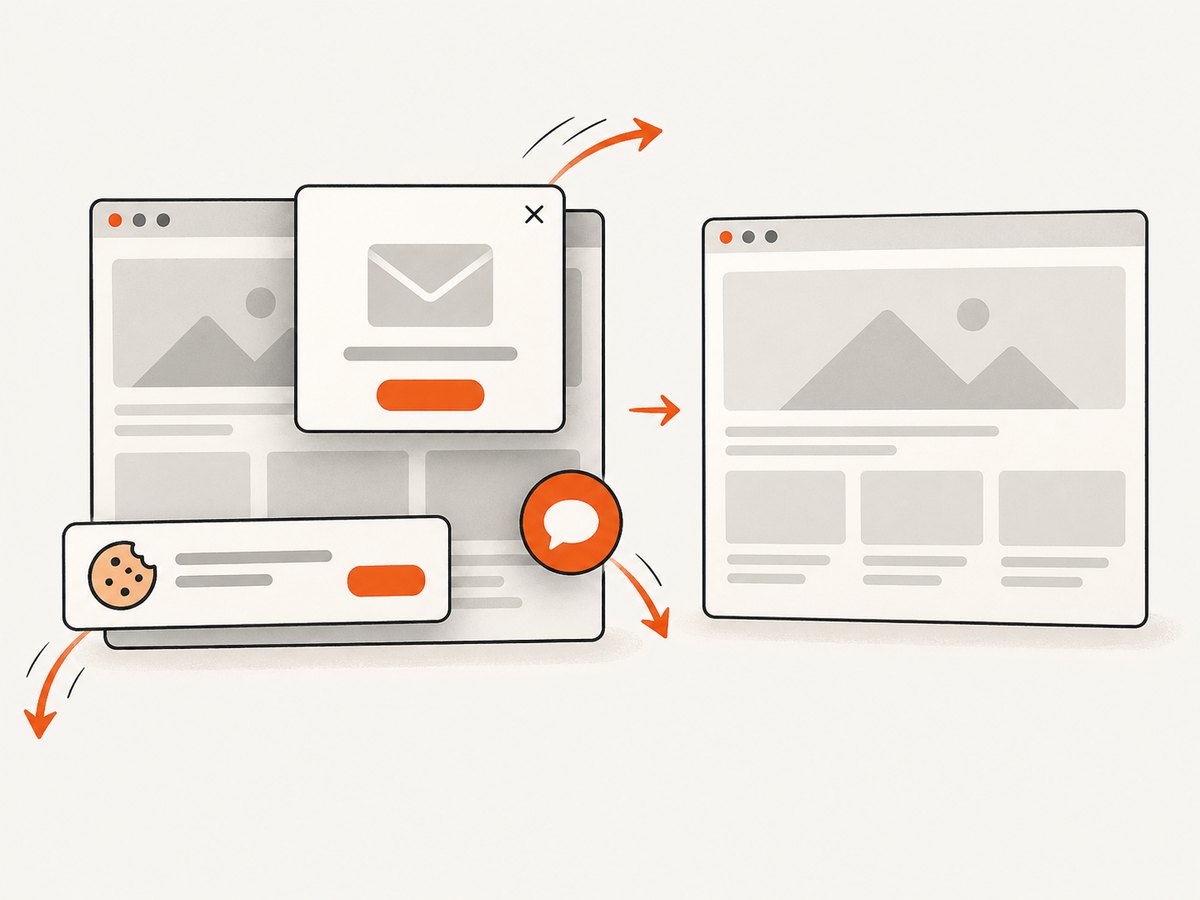
await fs.writeFile('shot.webp', Buffer.from(await res.arrayBuffer()));See the ScreenshotNeo API documentation for parameters and response details. ScreenshotNeo removes cookie and consent banners, newsletter popups and chat widgets before capture; bot checks, blank pages and failed loads are not billed. The response identifies the page verdict and billing status with X-Page-Verdict and X-Billed headers. Its MCP server lets Claude, Cursor and other MCP clients call take_screenshot, get_page_info and capture_pdf. The Free plan includes 1,000 screenshots each month without a card, and paid plans start at $5 for 3,000 shots. Create a free ScreenshotNeo account.
FAQ
What is the correct region format?
(left, top, width, height), using four integers.
Does upgrading PyAutoGUI always fix a full-screen result?
No. PyAutoGUI uses PyScreeze for screenshot functionality, and the reported macOS fix concerned PyScreeze. Check the active PyScreeze version and returned image dimensions.
How can I tell whether saving caused the problem?
Print image.size immediately after the screenshot call. If it is cropped, inspect the exact output path and object being saved.
Is locateOnScreen(region=...) a cropped screenshot?
No. It restricts where image matching searches. Use screenshot(region=...) to return a cropped image.
Can a browser screenshot API replace PyAutoGUI?
For web pages, yes. It avoids local display and desktop-session setup; ScreenshotNeo also handles consent overlays and reports whether a response was billed.