How to Send Screenshots Faster Over Python Sockets With JPEG Compression
Compress screenshots as JPEG, frame them over TCP, and measure real latency with complete Python sender and receiver examples.
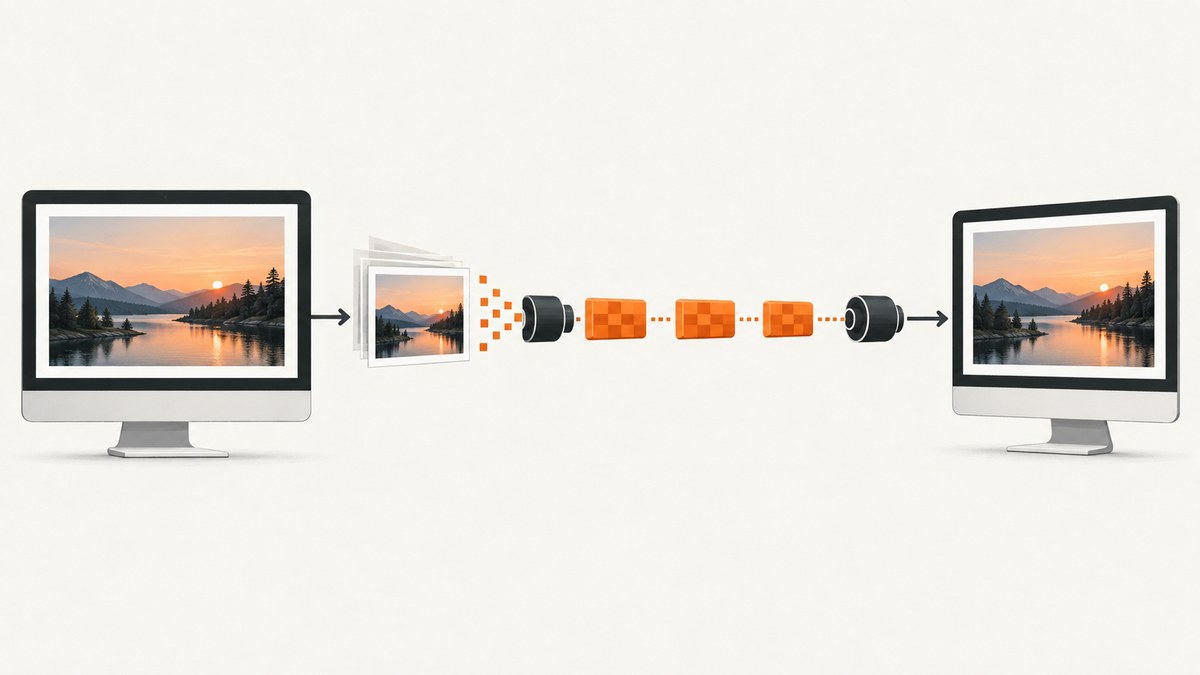
Use JPEG compression to reduce screenshot bytes, then send each frame with a length prefix over TCP. The receiver must read the fixed-size header first and continue reading until the declared payload length is complete. Python’s sendall() handles partial writes; a single send() call is allowed to write only part of a buffer.
There is no universal quality value or guaranteed speedup. Measure representative screenshots and include JPEG encoding time, bytes sent, socket transfer time, decode time, and end-to-end latency. JPEG quality controls the trade-off between visual fidelity and payload size. Pillow documents quality values from 0 to 95, with a default of 75, and warns that values above 95 create large files with little practical gain. See the Pillow JPEG documentation.
1. The complete protocol
A TCP connection is a byte stream, so it does not preserve message boundaries. Define your own frame format:
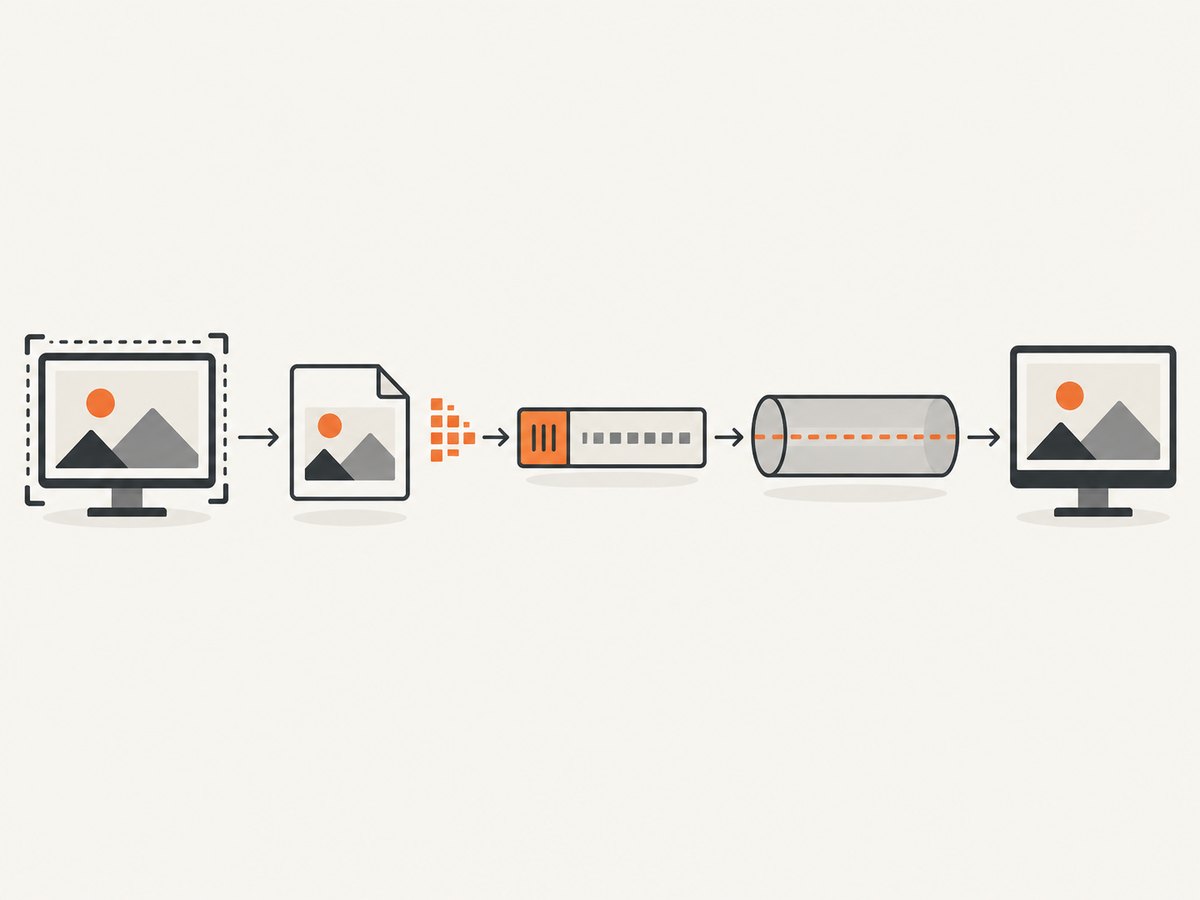
4-byte unsigned length in network byte order | JPEG payloadThe sender encodes one screenshot, packs its byte length with struct.pack("!I", length), and calls sendall() for the header and payload. The receiver uses a loop to collect exactly four header bytes, validates the length, then loops until that many JPEG bytes have arrived.
| Part | Purpose |
|---|---|
| Length prefix | Tells the receiver where this JPEG frame ends. |
| JPEG payload | Compressed image bytes produced by Pillow. |
| Maximum frame size | Prevents malformed input from causing an unsafe allocation. |
| Connection close before completion | Means the frame is incomplete and must be discarded. |
2. Install the dependencies
python -m pip install PillowThe examples use Python’s standard socket, struct, io, and time modules. The socket behavior used here is documented by the Python socket documentation.
3. Encode a screenshot as JPEG
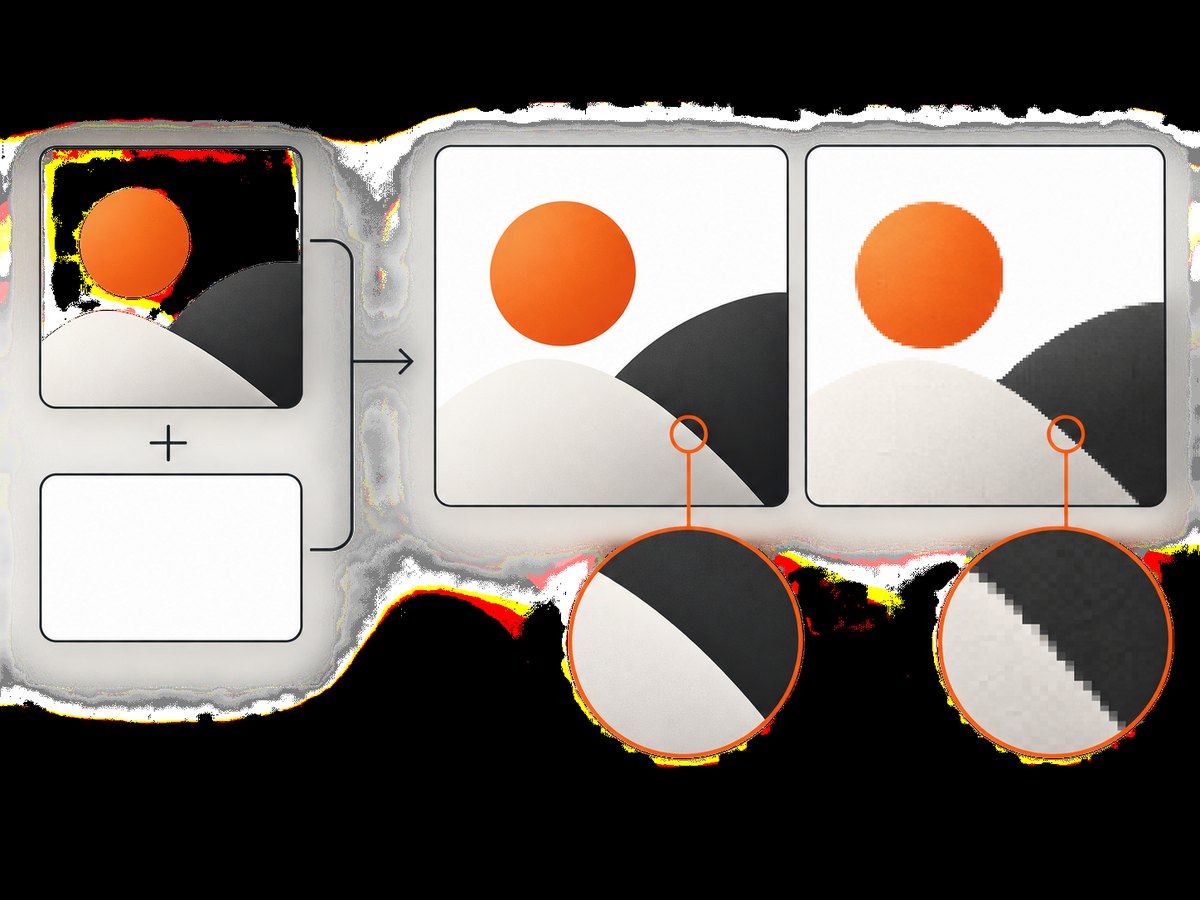
Capture or load an image into a Pillow Image, normalize its mode deliberately, and write it to an in-memory BytesIO buffer. JPEG does not support transparency. If the source is RGBA or LA, composite it over the background color you want before converting to RGB.
from io import BytesIO
from PIL import Image


def encode_jpeg(image: Image.Image, quality: int = 80, optimize: bool = False,
                subsampling: int | str = 2) -> bytes:
    """Return one Pillow image as JPEG bytes."""
    if not 0 <= quality <= 95:
        raise ValueError("quality must be between 0 and 95")

    # JPEG has no alpha channel. Choose the replacement background explicitly.
    if image.mode in ("RGBA", "LA") or "transparency" in image.info:
        rgba = image.convert("RGBA")
        background = Image.new("RGBA", rgba.size, (255, 255, 255, 255))
        image = Image.alpha_composite(background, rgba).convert("RGB")
    else:
        image = image.convert("RGB")

    output = BytesIO()
    image.save(
        output,
        format="JPEG",
        quality=quality,
        optimize=optimize,
        subsampling=subsampling,
    )
    return output.getvalue()


image = Image.open("screenshot.png")
jpeg_bytes = encode_jpeg(image, quality=80, optimize=False, subsampling=2)
print(f"encoded {len(jpeg_bytes):,} bytes")
Pillow identifies subsampling values 0, 1, and 2 as 4:4:4, 4:2:2, and 4:2:0 respectively. Lower chroma resolution can damage colored text and sharp UI edges, so compare the actual screens you transmit. The mapping is described in the Pillow JPEG presets reference.
Choosing JPEG options
| Option | What it changes | How to choose |
|---|---|---|
quality |
Visual fidelity and usually payload size. | Test several values such as 60, 70, 80, and 90 on representative screenshots. |
optimize=True |
Adds an encoder pass to select more compact tables. | Use it only when the byte reduction offsets its extra CPU time. |
subsampling=0 |
Preserves full chroma resolution (4:4:4). | Useful when colored text or fine UI edges must remain crisp. |
subsampling=1 |
4:2:2 chroma reduction. | Measure readability and size for your content. |
subsampling=2 |
4:2:0 chroma reduction. | Often a compact choice, but colored text may show artifacts. |
4. A reliable Python sender
This sender accepts a screenshot file, encodes it, writes the four-byte network-order length, and sends the complete frame. It also reports encoding and transfer timings so you can tune with data.
#!/usr/bin/env python3
import argparse
import socket
import struct
import time
from io import BytesIO
from pathlib import Path

from PIL import Image

MAX_FRAME_BYTES = 32 * 1024 * 1024
HEADER = struct.Struct("!I")


def encode_jpeg(path: str, quality: int, optimize: bool, subsampling: int) -> bytes:
    with Image.open(path) as source:
        image = source.copy()

    if image.mode in ("RGBA", "LA") or "transparency" in image.info:
        rgba = image.convert("RGBA")
        background = Image.new("RGBA", rgba.size, (255, 255, 255, 255))
        image = Image.alpha_composite(background, rgba).convert("RGB")
    else:
        image = image.convert("RGB")

    output = BytesIO()
    image.save(
        output,
        format="JPEG",
        quality=quality,
        optimize=optimize,
        subsampling=subsampling,
    )
    payload = output.getvalue()
    if len(payload) > MAX_FRAME_BYTES:
        raise ValueError("encoded frame exceeds configured maximum")
    return payload


def send_frame(host: str, port: int, payload: bytes) -> float:
    started = time.perf_counter()
    with socket.create_connection((host, port), timeout=10) as sock:
        sock.sendall(HEADER.pack(len(payload)))
        sock.sendall(payload)
    return time.perf_counter() - started


def main() -> None:
    parser = argparse.ArgumentParser()
    parser.add_argument("image")
    parser.add_argument("--host", default="127.0.0.1")
    parser.add_argument("--port", type=int, default=9000)
    parser.add_argument("--quality", type=int, default=80)
    parser.add_argument("--optimize", action="store_true")
    parser.add_argument("--subsampling", type=int, choices=(0, 1, 2), default=2)
    args = parser.parse_args()

    encode_started = time.perf_counter()
    payload = encode_jpeg(args.image, args.quality, args.optimize, args.subsampling)
    encode_seconds = time.perf_counter() - encode_started
    transfer_seconds = send_frame(args.host, args.port, payload)
    print({
        "file": str(Path(args.image)),
        "jpeg_bytes": len(payload),
        "encode_ms": round(encode_seconds * 1000, 2),
        "transfer_ms": round(transfer_seconds * 1000, 2),
    })


if __name__ == "__main__":
    main()
5. A receiver that reads complete frames
recv(n) can return fewer than n bytes. The helper below keeps reading until it has exactly the requested amount or detects a clean connection close. It rejects a zero length and frames larger than the configured limit before allocating a buffer.
#!/usr/bin/env python3
import io
import socket
import struct
from pathlib import Path

from PIL import Image

HEADER = struct.Struct("!I")
MAX_FRAME_BYTES = 32 * 1024 * 1024


def recv_exact(sock: socket.socket, count: int) -> bytes:
    chunks = bytearray()
    while len(chunks) < count:
        block = sock.recv(count - len(chunks))
        if not block:
            raise ConnectionError(
                f"connection closed after {len(chunks)} of {count} bytes"
            )
        chunks.extend(block)
    return bytes(chunks)


def receive_frame(sock: socket.socket) -> bytes:
    header = recv_exact(sock, HEADER.size)
    (length,) = HEADER.unpack(header)
    if length == 0 or length > MAX_FRAME_BYTES:
        raise ValueError(f"invalid frame length: {length}")
    return recv_exact(sock, length)


def serve(host: str = "0.0.0.0", port: int = 9000) -> None:
    with socket.socket(socket.AF_INET, socket.SOCK_STREAM) as listener:
        listener.setsockopt(socket.SOL_SOCKET, socket.SO_REUSEADDR, 1)
        listener.bind((host, port))
        listener.listen()
        print(f"listening on {host}:{port}")

        while True:
            connection, address = listener.accept()
            with connection:
                try:
                    payload = receive_frame(connection)
                    # Decode to validate the JPEG before persisting it.
                    with Image.open(io.BytesIO(payload)) as image:
                        image.load()
                        output = Path(f"received-{address[0].replace(':', '_')}.jpg")
                        image.convert("RGB").save(output, format="JPEG")
                    print(f"received {len(payload):,} bytes from {address} -> {output}")
                except (ConnectionError, ValueError, OSError) as error:
                    print(f"discarding frame from {address}: {error}")


if __name__ == "__main__":
    serve()
6. Run the example
- Save the receiver as
receiver.pyand start it:python receiver.py. - Save the sender as
sender.py. - Send a frame from the same machine:
python sender.py screenshot.png --quality 80. - For another host, pass its address:
python sender.py screenshot.png --host 192.0.2.10 --port 9000. - Repeat with identical screenshots and quality values so comparisons are meaningful.
7. Measure the setting instead of guessing
For each configuration, record:
- JPEG quality and subsampling.
- Encoded bytes per frame.
- Encoding CPU time.
- Socket transfer time.
- Receiver decode time.
- End-to-end latency and sustained frame rate.
Use the same capture source, image dimensions, machine, connection, and frame sequence. Text-heavy pages, flat UI panels, and photographic content produce different artifact patterns. A smaller file can still be slower overall if JPEG encoding consumes more time than the transfer saves. optimize=True performs an additional encoder pass, so benchmark it rather than enabling it automatically.
Simple benchmark harness
import statistics
import time

qualities = (60, 70, 80, 90)
for quality in qualities:
    encode_times = []
    sizes = []
    for _ in range(5):
        started = time.perf_counter()
        payload = encode_jpeg("screenshot.png", quality, False, 2)
        encode_times.append(time.perf_counter() - started)
        sizes.append(len(payload))
    print({
        "quality": quality,
        "bytes_mean": round(statistics.mean(sizes)),
        "encode_ms_mean": round(statistics.mean(encode_times) * 1000, 2),
    })
8. Reliability and protocol hardening
- Set timeouts: Use
socket.create_connection(..., timeout=10)and configure receive timeouts appropriate to your network. - Validate lengths: Reject zero, negative interpretations, and values above a maximum before reading.
- Handle truncation: A close before the declared byte count is an incomplete frame; discard it.
- Use one framing rule everywhere: Both sides must agree on byte order, header width, and maximum size.
- Authenticate peers: Plain TCP provides no application authentication or encryption. Put the connection behind a trusted network or add TLS and an application-level identity check.
- Control backpressure: If capture is faster than transmission, bound the queue and choose whether to drop old frames or block capture.
- Separate frames: For a persistent connection, send another length-prefixed frame after the previous payload. The receiver should loop over header, payload, header, payload.
9. Common errors and fixes
| Error | Cause | Fix |
|---|---|---|
| Receiver gets half an image | The code assumed one recv() returns the full payload. |
Use recv_exact() for both the header and declared payload. |
| Sender silently transmits fewer bytes | send() performed a partial write. |
Use sendall() or loop until every byte is written. |
UnidentifiedImageError |
Payload is truncated, corrupt, or not JPEG. | Validate framing, reject incomplete connections, and log the received length. |
cannot write mode RGBA as JPEG |
JPEG has no alpha channel. | Composite onto an explicit background and convert to RGB. |
| Images look blurry | Quality is too low or chroma subsampling damages UI colors. | Raise quality, try subsampling=0 or 1, and inspect text at 100%. |
| CPU usage rises after enabling optimization | optimize=True adds an encoder pass. |
Compare total end-to-end latency and disable it when CPU cost wins. |
| Memory spikes | Large frames or an unbounded queue are held in memory. | Enforce a maximum frame size and bound pending frames. |
| Connection refused or timeout | Wrong host/port, firewall, or receiver not listening. | Confirm the listener address, firewall rule, route, and port. |
| Old frames arrive late | The sender queues faster than the network can drain. | Measure queue depth and drop stale frames when freshness matters more than completeness. |
10. Performance, cost, and quality trade-offs
JPEG reduces bytes by discarding image information, so “faster” depends on the whole pipeline. On a fast local network, extra encoding may dominate. On a constrained link, fewer bytes may matter more. Keep separate measurements for encode, transfer, decode, and total latency.
For screenshot-heavy workloads, capture dimensions also matter: reducing the source viewport or scaling before encoding reduces pixels and therefore payload size, but can make text harder to read. If exact pixels and transparency are required, JPEG is the wrong format; use PNG or WebP and update the framing protocol without changing its length-prefix structure.
TCP retransmits lost packets and preserves order, but a delayed packet can hold later frames behind it. If your application needs the latest frame rather than every frame, design explicit queue limits and stale-frame handling. Do not claim a percentage improvement until you have measured your target machine, screenshot content, and network.
11. Or skip the browser setup
If the hard part is obtaining the screenshot rather than transporting bytes, ScreenshotNeo returns a screenshot or PDF from one GET request. Its capture flow accepts cookie and consent banners, removes more than 60 known consent platforms plus newsletter popups and chat widgets, and lets you turn each cleanup step off. Bot checks, blank pages, timeouts, failed loads, and cache hits are not billed, and the response identifies the result with X-Page-Verdict and X-Billed headers. It also provides an MCP server for Claude, Cursor, and other MCP clients.
See the ScreenshotNeo API documentation for all options. This is a complete cURL request:
curl -G "https://api.screenshotneo.com/v1/shot" -d access_key=YOUR_API_KEY --data-urlencode url=https://stripe.com -o shot.webpPython:
import requests
r = requests.get("https://api.screenshotneo.com/v1/shot", params={"access_key": "YOUR_API_KEY", "url": "https://stripe.com"}, timeout=90)
open("shot.webp", "wb").write(r.content)
Node.js:
const q = new URLSearchParams({ access_key: 'YOUR_API_KEY', url: 'https://stripe.com' });
const res = await fetch(`https://api.screenshotneo.com/v1/shot?${q}`);
Every plan includes the features: full-page and element capture, device presets, custom viewports, retina scale, PDF controls, custom CSS and JavaScript, clicks, waits, blocking rules, headers, cookies, user agents, authorization, timezone, geolocation, transparent backgrounds, resizing, caching, signed links, asynchronous jobs, bulk capture, usage data, and an OpenAPI specification. The free plan includes 1,000 screenshots per month with no card; paid plans start at $5 for 3,000. Create a free ScreenshotNeo account.
12. FAQ
Does JPEG always make screenshot delivery faster?
No. It usually reduces payload bytes, but encoding and decoding add CPU work. Measure end-to-end latency for your workload.
Should I use quality 80?
Quality 80 is a useful starting point, not a proven optimum. Compare several values with your real screenshots.
Why is a four-byte header necessary?
TCP has no message boundaries. The header tells the receiver exactly how many JPEG bytes belong to the next frame.
Can I send PNG with the same protocol?
Yes. The length-prefix framing is independent of the image format; change the encoder and decoder while keeping the declared byte length.
When should I avoid JPEG?
Avoid it when lossless pixels, transparency, or extremely sharp colored text are requirements. Compare PNG or WebP for those cases.


