BlogScreenshots on your device
Why Pythonw.exe Changes Tkinter Screenshot Resolution and Size
pythonw.exe can change Tkinter and Pillow screenshot dimensions because Windows applies DPI awareness per executable. Diagnose and fix it.
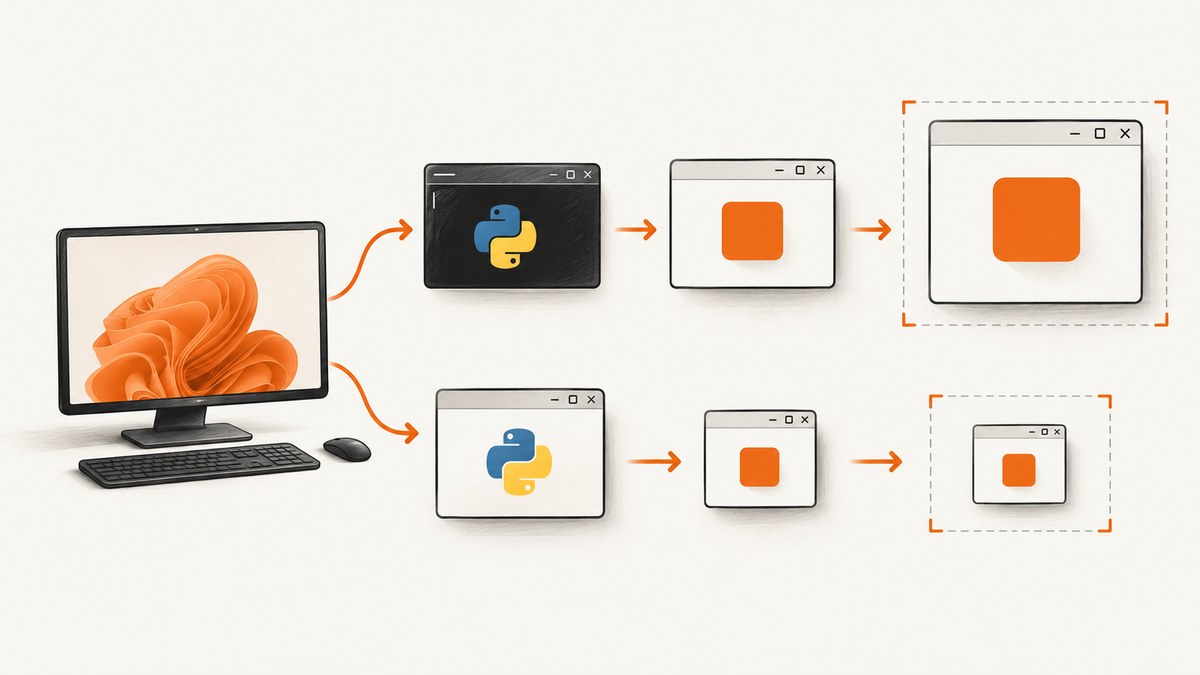
Short answer: pythonw.exe can produce a different Tkinter window size or Pillow screenshot because Windows assigns DPI awareness and compatibility settings per executable. If pythonw.exe is DPI-unaware while python.exe is system- or per-monitor-DPI-aware, Windows virtualizes coordinates and may bitmap-scale the window. Tk receives different logical pixels, and ImageGrab.grab() captures the coordinates it is given.
The capture code usually did not change. The process DPI context did.
What Windows is changing
Windows defines three relevant desktop-app modes:
| Mode | Coordinate behavior | Typical screenshot effect |
|---|---|---|
| DPI-unaware | Assumes 96 DPI; Windows scales the bitmap on a high-DPI display. | Logical dimensions and a resampled image. |
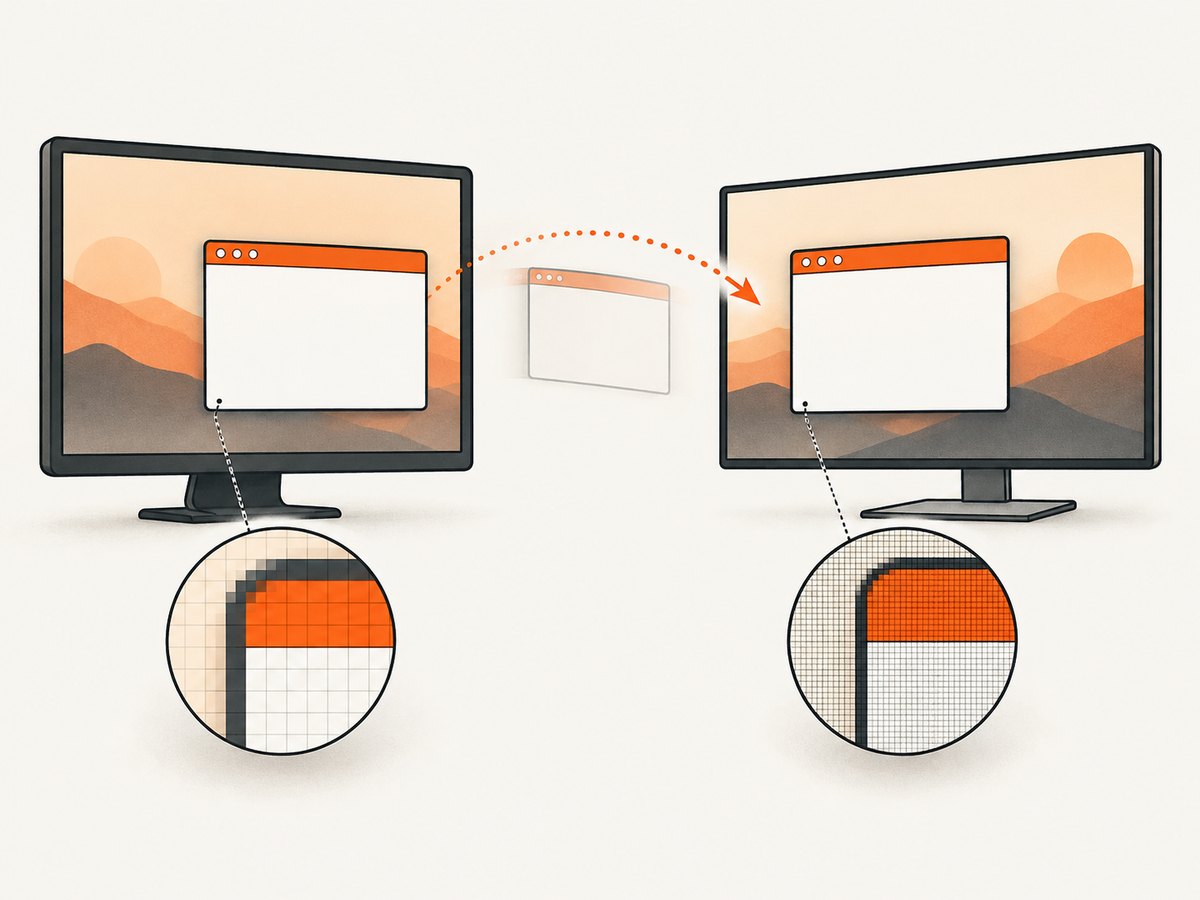
| System-DPI-aware | Uses the primary monitor DPI; moving to another scale can trigger scaling. | Correct on one monitor, scaled after moving. |
| Per-monitor-DPI-aware | Receives the active monitor’s DPI and physical coordinates. | Native-size, sharp captures across monitors. |
Microsoft documents the 96-DPI baseline and virtualization in its High-DPI desktop application development guide and SetProcessDpiAwareness documentation. Python issue 26698 records executable-level behavior, and issue 33656 discusses Tcl/Tk DPI awareness.
Why Tkinter reports a different size
winfo_screenwidth() and winfo_screenheight() return pixels in the process’s current coordinate context. winfo_screenmmwidth() and winfo_screenmmheight() return the physical-size values Tk exposes. With virtualization, two launches can therefore report different pixel dimensions even though the monitor and geometry code are unchanged.
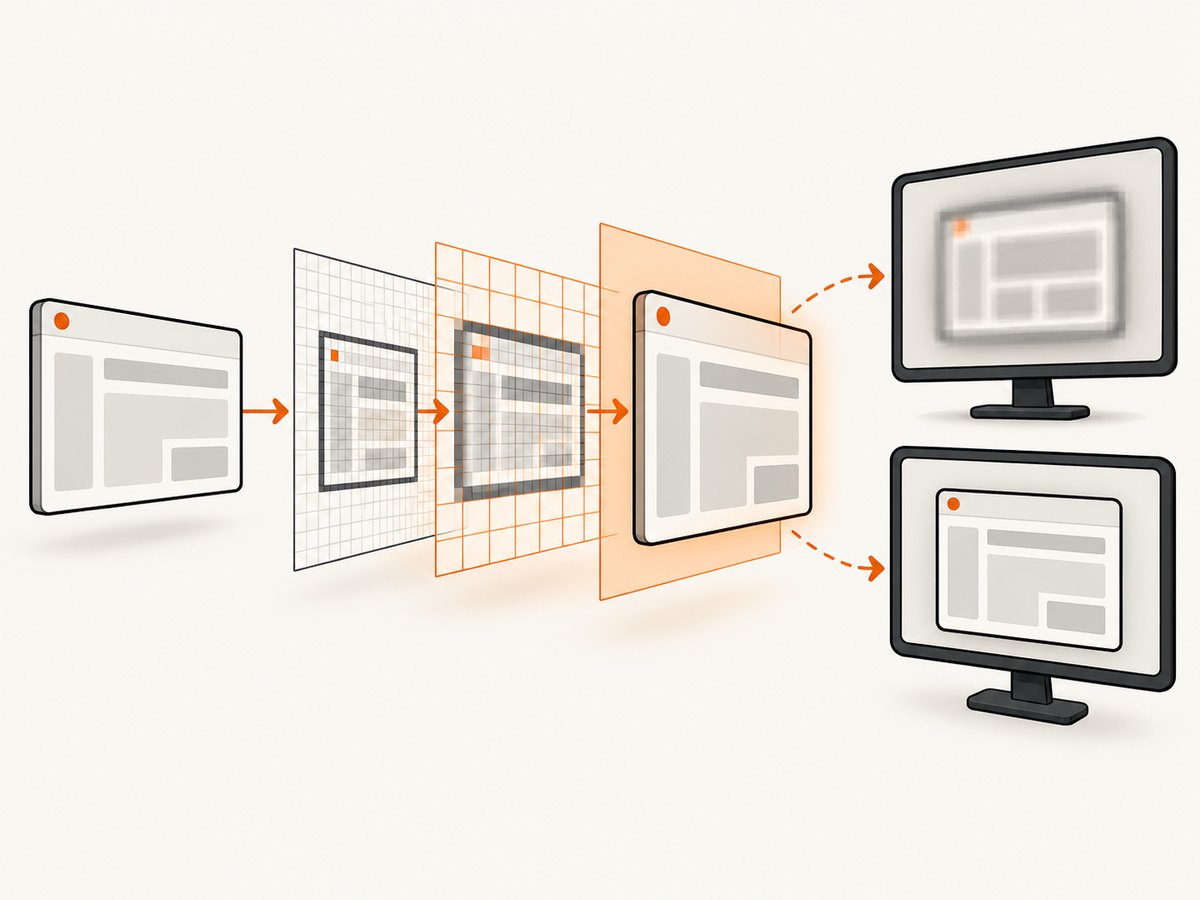
Do not infer screenshot resolution from millimeters alone. Use the same DPI context for window geometry, coordinate conversion, and capture.
Reproduce and measure the mismatch
Run this file once with python.exe and once with pythonw.exe. Redirect output to a file for the latter:
import tkinter as tk
from PIL import ImageGrab

root = tk.Tk()
root.update_idletasks()
print('screen px:', root.winfo_screenwidth(), root.winfo_screenheight())
print('screen mm:', root.winfo_screenmmwidth(), root.winfo_screenmmheight())
print('window geometry:', root.winfo_geometry())

x = root.winfo_rootx()
y = root.winfo_rooty()
w = root.winfo_width()
h = root.winfo_height()
shot = ImageGrab.grab(bbox=(x, y, x + w, y + h), all_screens=True)
print('grab px:', shot.size)
shot.save('tk-window.png')
root.destroy()
Compare the reported values and PNG dimensions. If geometry differs before the grab, fix DPI awareness first. If geometry matches but the PNG differs, check whether coordinates came from another process or monitor.
Fix it for a script
Preferred: declare DPI awareness in an application manifest
Microsoft recommends a manifest because it is applied before DPI-dependent windows or APIs are created. For a packaged executable, add an application manifest containing:
<?xml version='1.0' encoding='UTF-8' standalone='yes'?>
<assembly xmlns='urn:schemas-microsoft-com:asm.v1' manifestVersion='1.0'>
  <application xmlns='urn:schemas-microsoft-com:asm.v3'>
    <windowsSettings>
      <dpiAwareness xmlns='http://schemas.microsoft.com/SMI/2016/WindowsSettings'>PerMonitorV2</dpiAwareness>
    </windowsSettings>
  </application>
</assembly>
When supporting older Windows versions, include the legacy dpiAware setting alongside the newer value in the manifest generated by your packager. Configure the executable that actually starts the GUI: a shortcut or file association that launches pythonw.exe uses that executable’s metadata.
Diagnostic fallback: set awareness before creating Tk
This confirms the diagnosis. It must run before tk.Tk() and before any DPI-dependent call:
import ctypes
import tkinter as tk

try:
    ctypes.windll.user32.SetProcessDpiAwarenessContext(ctypes.c_void_p(-4))
except (AttributeError, OSError):
    ctypes.windll.shcore.SetProcessDpiAwareness(2)

root = tk.Tk()
root.geometry('800x600')
root.mainloop()
Use the manifest for deployment. A programmatic call can fail if a library has already created a window, and a process cannot freely switch awareness after DPI-dependent work begins.
Check Compatibility settings
- Right-click the executable and choose Properties → Compatibility → Change high DPI settings.
- Record whether “Override high DPI scaling behavior” is enabled and which scaler is selected.
- Apply the same setting to
python.exe,pythonw.exe, and packaged launchers while diagnosing. - Restart the process after changing settings.
Capture the right pixels with Pillow
ImageGrab.grab() accepts a bounding box. The box must come from the same DPI-aware process and monitor context as the capture:
import tkinter as tk
from PIL import ImageGrab

root = tk.Tk()
root.geometry('900x500')
root.update()
left = root.winfo_rootx()
top = root.winfo_rooty()
right = left + root.winfo_width()
bottom = top + root.winfo_height()
image = ImageGrab.grab(
    bbox=(left, top, right, bottom),
    all_screens=True,
    include_layered_windows=False,
)
image.save('window.png')
root.destroy()
On multi-monitor systems, negative coordinates are normal. Do not multiply coordinates by the scale percentage unless you have proved that the source coordinates are logical and the capture API expects physical pixels; double-scaling is a common cause of oversized images.
Packaging and launch checklist
- Use the same Python architecture and Pillow build for both launch paths.
- Put the manifest beside the packaged executable or configure it in PyInstaller, cx_Freeze, or your installer.
- Set awareness before importing code that creates a Tk root or native window.
- Test at 100%, 125%, 150%, and 200% display scale.
- Test moving the window between monitors with different scale factors.
- Log executable path, Windows scale, Tk pixel and millimeter values, geometry, and captured image size.
Common errors and fixes
| Symptom | Likely cause | Fix |
|---|---|---|
python.exe is sharp; pythonw.exe is blurry |
Different executable DPI metadata or Compatibility override. | Align settings, then use a manifest. |
| Window is wrong size only on a second monitor | System-aware process was scaled when moved. | Use PerMonitorV2 and recreate the window. |
| Screenshot is exactly 1.25× or 1.5× too large | Logical coordinates were multiplied before a physical-pixel capture. | Pass raw coordinates from the same aware process. |
| Screenshot is smaller than the window | DPI virtualization or coordinates from another process. | Set awareness before Tk creation and log geometry and image size. |
SetProcessDpiAwarenessContext fails |
Unsupported Windows version or awareness was already set. | Use the manifest or fall back to SetProcessDpiAwareness(2) before Tk. |
| Blank or partially rendered capture | Grab occurred before layout or painting completed. | Call update(), wait for exposure, then capture. |
Output disappears with pythonw.exe |
It has no console. | Write diagnostics to a file or use python.exe while debugging. |
Performance, reliability, and cost
DPI awareness does not make a capture faster; it makes the coordinate and scaling contract consistent. Keep the Tk event loop responsive, capture only after layout settles, and avoid repeated full-screen grabs when a window or element box is enough. For repeatable tests, pin the display scale and monitor arrangement.
Manifest configuration is more reliable than a late API call because it applies before window creation. Per-monitor awareness is the safer choice for tools users drag between displays. Pillow captures the pixels available to the process; it does not correct a mismatched Windows DPI policy.
Or skip the browser setup
If the goal is a screenshot of a web page rather than a Tk window, ScreenshotNeo removes the local browser and DPI setup. Its API returns PNG, JPEG, WebP, or PDF from one GET request. See the ScreenshotNeo API docs.
curl -G 'https://api.screenshotneo.com/v1/shot' -d access_key=YOUR_API_KEY --data-urlencode url=https://stripe.com -o shot.webpimport requests
r = requests.get('https://api.screenshotneo.com/v1/shot', params={'access_key': 'YOUR_API_KEY', 'url': 'https://stripe.com'}, timeout=90)
open('shot.webp', 'wb').write(r.content)const q = new URLSearchParams({ access_key: 'YOUR_API_KEY', url: 'https://stripe.com' });
const res = await fetch(`https://api.screenshotneo.com/v1/shot?${q}`);Cookie banners, newsletter popups, and chat widgets are removed before the shot. Bot checks, blank pages, timeouts, failed loads, and cache hits are not billed, and response headers identify the page verdict and billing status. An MCP server lets Claude, Cursor, and other MCP clients call take_screenshot, get_page_info, and capture_pdf. The free plan includes 1,000 screenshots a month with no card; paid plans start at $5 for 3,000 shots. Create a free ScreenshotNeo account.
FAQ
Is pythonw.exe inherently lower resolution?
No. Its GUI-subsystem executable can simply have different DPI metadata or Compatibility settings from python.exe.
Should I always choose PerMonitorV2?
Choose it when the window can move between monitors with different scales. A single-monitor utility may work with system awareness.
Can Tkinter change DPI mode after startup?
Do not rely on changing it after creating the Tk root. Set it in the manifest or at process start.
Does ImageGrab have a separate high-DPI switch?
The relevant switch is the Windows process context and the coordinates supplied to grab(); the capture call itself is unchanged.