Real-Time Web Scraping: A Practical Low-Latency Guide
Design real-time web scraping around freshness, end-to-end latency, browser readiness, concurrency, streaming limits, and measurable cost.
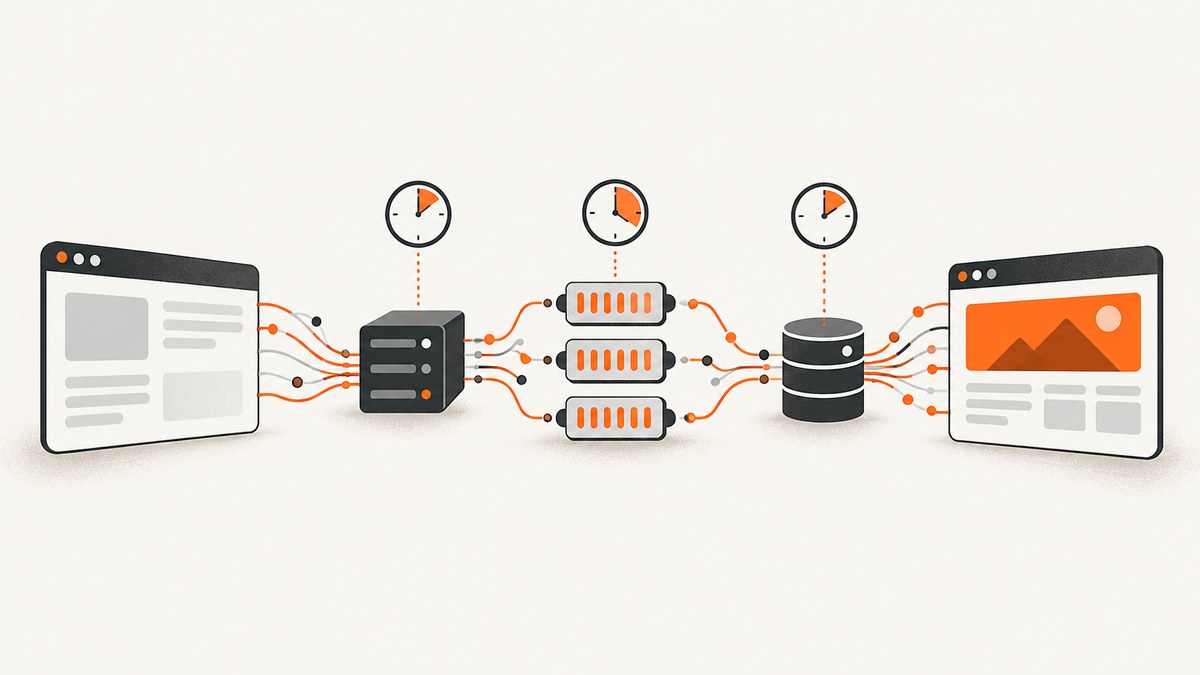
Real-time web scraping is not one fixed technology. It is a service-level decision about how fresh the answer must be, how much delay users can tolerate, and what the target page requires before its data is correct. An on-demand request, a polling job, an event-driven update and a continuous stream have different latency, reliability and cost profiles.
The practical way to build a low-latency scraper is to define the freshness requirement first, measure the complete request path on real targets, then use the least expensive fetch method that returns correct data. Direct HTTP is usually faster when the required content is already in HTML or an authorized first-party response. A browser is necessary when JavaScript rendering, interaction, authentication or a client-only data flow is part of the task.
1. Define what “real time” means for your data
Start with two separate limits:
- Maximum staleness: how old the source data may be when your product shows it.
- Scrape completion time: how long one request may take after a user or scheduler asks for it.
A page that changes once per day does not become fresher because you scrape it in 200 milliseconds. Conversely, a trading alert or inventory check may require an on-demand read even when the page is expensive to render.
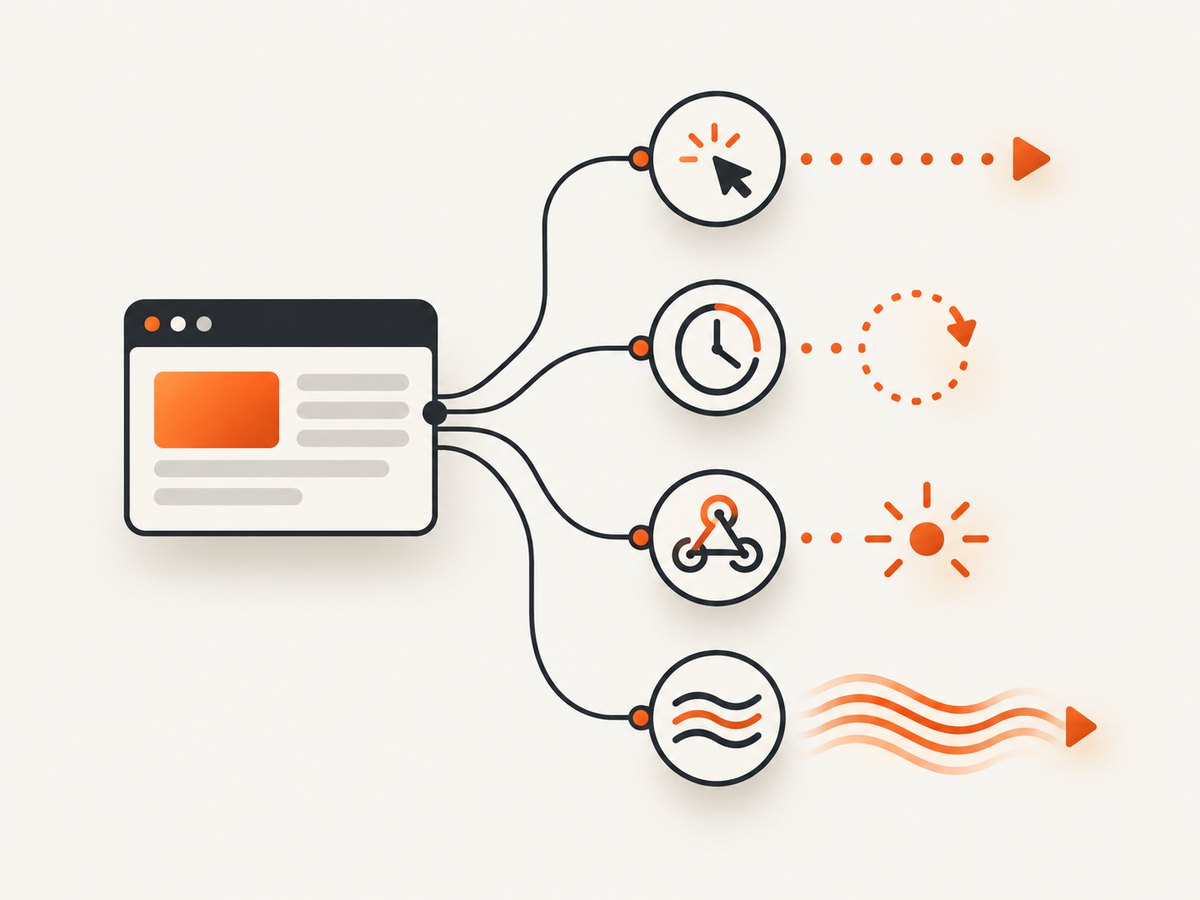
| Freshness model | Typical trigger | When it fits | Main trade-off |
|---|---|---|---|
| On-demand fetch | User or API request | “Check this now” workflows | Variable latency and target load |
| Scheduled polling | Every minute, five minutes or hour | Dashboards and periodic reports | Repeated requests, even when nothing changed |
| Event-driven push | Webhook or source event | Sources that publish reliable change events | Requires a usable event source and retry handling |
| Continuous stream | Long-lived connection | Frequent updates where an open channel is justified | Reconnects, buffering and connection capacity |
Polling every few seconds may look real time while still being polling. State the actual interval and the maximum expected age of a record in your product documentation.
2. Measure the complete request path
End-to-end latency includes more than page navigation. Instrument timestamps for:
- DNS lookup and TCP/TLS connection.
- Proxy or managed-browser acquisition.
- Browser startup or reuse.
- Navigation and server response.
- JavaScript execution and hydration.
- Your readiness condition.
- Extraction, validation and serialization.
- Response delivery to the caller.
Track successful and failed requests separately. Report median, p95 and p99 latency, timeout rate, challenge rate and extraction-error rate. A mean can hide a long tail caused by a few heavy pages. Measure from the same deployment regions, concurrency levels and target URLs that production will use.
There is no neutral universal millisecond target for web scraping. Page weight, JavaScript, geography, throttling, intermediaries and retry policy all change the result.
3. Choose HTTP, a first-party endpoint or a browser
Direct HTTP for server-rendered data
Use an ordinary HTTP client when the fields you need are present in the initial HTML. Parse the response, validate the fields and stop. This avoids browser startup, layout, script execution and unrelated network requests.
import requests
from bs4 import BeautifulSoup

url = 'https://example.com/products'
response = requests.get(url, timeout=15, headers={'User-Agent': 'price-monitor/1.0'})
response.raise_for_status()

soup = BeautifulSoup(response.text, 'html.parser')
prices = [node.get_text(strip=True) for node in soup.select('.price')]
print(prices)
Use an intended first-party response when available
Some pages load a JSON response after the initial document. If that endpoint is stable, authorized for your use and compatible with the site’s rules, requesting it directly can remove DOM rendering. Keep a browser fallback for cases where tokens, interaction or client computation is genuinely required. Do not assume that an internal route is a supported public API.
Use a browser for client-rendered or interactive pages
Browser automation is appropriate when the required value appears only after JavaScript runs, when a click changes the page, or when authentication and browser state are part of the workflow.
import asyncio
from playwright.async_api import async_playwright

async def scrape():
    async with async_playwright() as p:
        browser = await p.chromium.launch()
        page = await browser.new_page()
        await page.goto('https://example.com/dashboard', wait_until='domcontentloaded')
        await page.locator('.results').wait_for(state='visible', timeout=10000)
        rows = await page.locator('.result-row').all_text_contents()
        await browser.close()
        return rows

print(asyncio.run(scrape()))
Cold browser startup is a significant fixed cost. A Browserless guide gives an illustrative estimate of roughly one to two seconds, but that is a vendor estimate rather than an independent benchmark. Warm capacity can remove startup work; it does not guarantee parallel capacity.
4. Wait for the condition that makes extraction correct
Choose the earliest reliable readiness signal for the fields you need:
- DOM content loaded: useful when the required HTML arrives with the document.
- A selector: best when one result container or value proves readiness.
- A short delay: acceptable for a known animation or debounce, but measure it.
- Network idle: useful in some applications, but often slower because trackers and late resources never stop.
- Application state: expose a page-level marker such as a completed status when you control the application.
Waiting for every request to finish can add unnecessary delay. Validate that an earlier condition does not return partial or stale data.
5. Reduce browser work without reducing correctness
- Reuse a warm browser process or managed browser pool when startup dominates.
- Reuse authenticated storage carefully; isolate tenants and expire sessions.
- Block images, fonts, ads or analytics only when they cannot affect the data you extract.
- Set a navigation timeout and a separate readiness timeout.
- Extract only the fields you need and validate required fields before returning.
- Cache results with an explicit maximum age when the freshness contract permits it.
A persisted session is often sequential. It saves setup work but does not provide unlimited parallelism. Size the pool for simultaneous sessions and check account, browser and per-domain limits independently.
6. Capacity, backpressure and crawl constraints
Model at least four limits:
- Your account’s request rate.
- Concurrent browser sessions.
- The target domain’s request and crawl policy.
- CPU, memory, time and bandwidth quotas.
Use a queue with bounded concurrency. Apply per-domain rate limits, deadlines and exponential backoff. A slow target must not create an uncontrolled retry storm. Retries should be limited, idempotent where possible and recorded in metrics.
Cloudflare’s crawler documentation describes robots.txt handling, crawl-delay support and per-domain throttling. Its documentation also says that crawler jobs do not bypass bot detection or captchas. Cloudflare product limits are plan-specific and can change, so verify the applicable limits before sizing a deployment. Follow the target site’s terms, robots.txt and other access requirements.
import asyncio
from collections import defaultdict

semaphores = defaultdict(lambda: asyncio.Semaphore(2))

async def bounded_fetch(domain, fetch):
    async with semaphores[domain]:
        return await fetch()
7. Streaming and long-lived connections
An HTTP streaming response can avoid repeated connection setup, but it does not guarantee that the client sees each update immediately. Intermediaries may buffer partial responses, and browsers or SDKs may buffer data as well. Reconnects and packet loss affect observed latency.
RFC 6202 states that there is no requirement for an intermediary to immediately forward a partial response. It also explains why HTTP transfer chunks are not reliable application message boundaries: intermediaries may rechunk them. Define your own message framing, heartbeat and resume protocol, then test through the actual proxy and CDN path.
8. A complete low-latency polling example
The following Python service polls a permitted endpoint, enforces a deadline, validates the response and avoids overlapping requests. Replace the URL and parser with a target you are authorized to access.
import asyncio
import time
import aiohttp
from bs4 import BeautifulSoup

URL = 'https://example.com/status'
INTERVAL_SECONDS = 10
TIMEOUT_SECONDS = 12

async def fetch(session):
    started = time.perf_counter()
    try:
        async with session.get(URL, timeout=TIMEOUT_SECONDS) as response:
            response.raise_for_status()
            html = await response.text()
        soup = BeautifulSoup(html, 'html.parser')
        value = soup.select_one('[data-status]')
        if value is None:
            raise ValueError('required status field is missing')
        elapsed = (time.perf_counter() - started) * 1000
        return {'status': value.get_text(strip=True), 'latency_ms': round(elapsed, 1)}
    except Exception as exc:
        return {'error': str(exc)}

async def main():
    timeout = aiohttp.ClientTimeout(total=TIMEOUT_SECONDS)
    async with aiohttp.ClientSession(timeout=timeout, headers={'User-Agent': 'status-monitor/1.0'}) as session:
        while True:
            result = await fetch(session)
            print(result, flush=True)
            await asyncio.sleep(INTERVAL_SECONDS)

asyncio.run(main())
For production, add structured logs, request IDs, freshness timestamps, a bounded queue, alerting on extraction failures and a durable store for the last known good value.
9. Or skip the browser setup
ScreenshotNeo provides a website screenshot API and MCP server when your workflow needs a rendered page image or PDF rather than maintaining browser infrastructure. One GET request returns PNG, JPEG, WebP or PDF.
cURL
curl -G 'https://api.screenshotneo.com/v1/shot' -d access_key=YOUR_API_KEY --data-urlencode url=https://stripe.com -o shot.webpPython (see the ScreenshotNeo API docs)
import requests
r = requests.get('https://api.screenshotneo.com/v1/shot', params={'access_key': 'YOUR_API_KEY', 'url': 'https://stripe.com'}, timeout=90)
open('shot.webp', 'wb').write(r.content)
Node.js
const q = new URLSearchParams({ access_key: 'YOUR_API_KEY', url: 'https://stripe.com' });
const res = await fetch(`https://api.screenshotneo.com/v1/shot?${q}`);
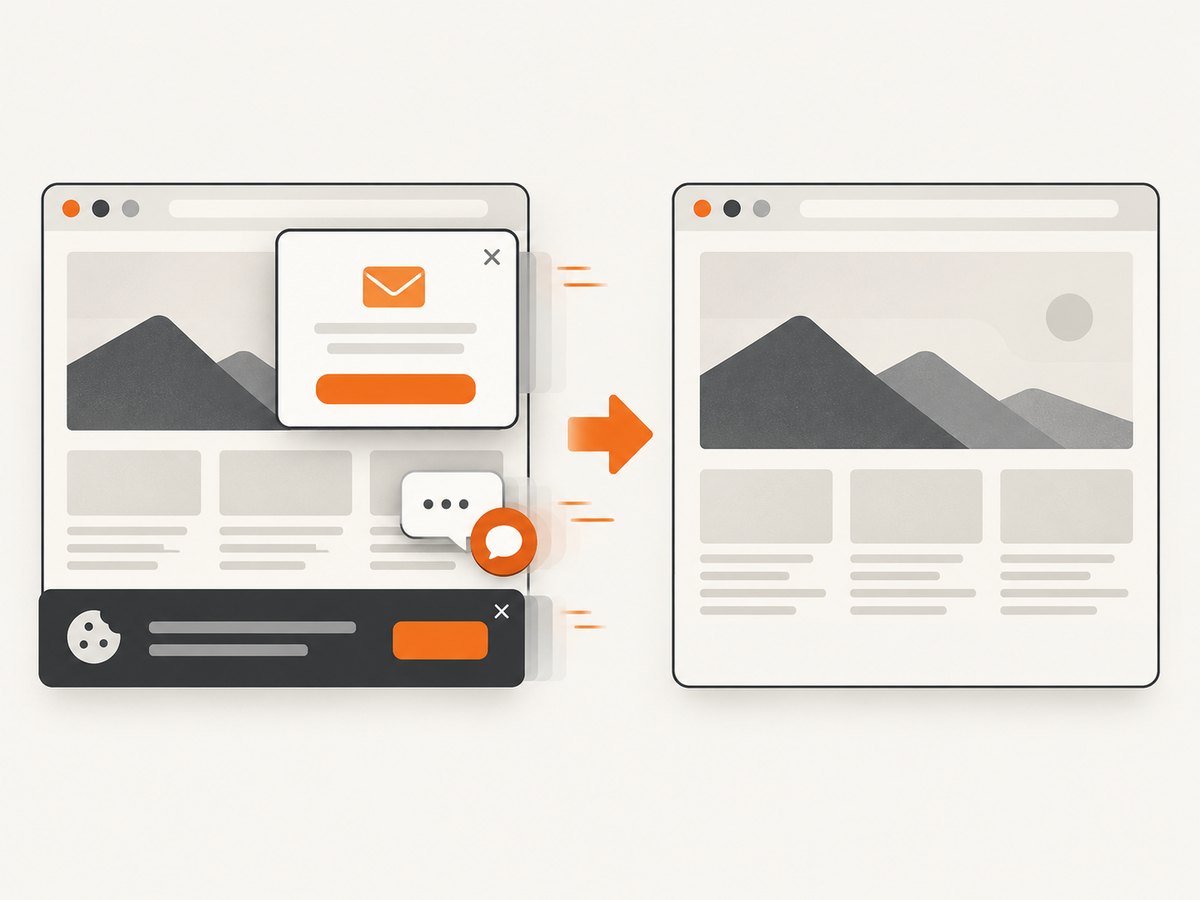
Cookie banners, newsletter popups and chat widgets are removed before the shot. Bot checks, blank pages and failed loads are never billed; response headers identify the page verdict and whether it was billed. An MCP server provides take_screenshot, get_page_info and capture_pdf tools for Claude, Cursor and other MCP clients. The Free plan includes 1,000 screenshots each month with no card; paid plans start at $5 for 3,000 shots. Create a free ScreenshotNeo account.
10. ScreenshotNeo options relevant to rendered capture
| Need | Options |
|---|---|
| Page scope | Full-page capture with lazy images loaded, or one element selected by CSS |
| Appearance | Dark mode, 12 device presets, custom viewport and retina scale |
| Timing | Wait for a selector, delay or network idle |
| Interaction | Click an element, run custom JavaScript, hide selectors and add custom CSS |
| Network and identity | Block ads, trackers, requests or resource types; set headers, cookies, user agent and Authorization |
| Location | Timezone and geolocation |
| Output | PNG, JPEG, WebP, transparent background, resizing or PDF with paper size, margins, landscape and page ranges |
| Operations | Choose cache TTL, signed links, asynchronous jobs with signed webhooks, bulk capture for up to 100 URLs and a usage API |
11. Performance, reliability and cost decisions
Performance
Benchmark the exact target set and deployment region. Compare cold and warm browser paths, readiness conditions, cache states and concurrency. A 2026 preprint reports 950 ms average fully warmed cached execution versus 3,404 ms for Playwright in its own single-host benchmark across 94 domains, with cold route discovery at 12.4 seconds. Those figures describe that paper’s setup and are not a promise for another scraper.
Reliability
Return freshness metadata with every record. Distinguish timeout, navigation error, challenge, missing field and parser failure. Keep the last known good value when the product can tolerate it, but show its age. Use circuit breakers for a failing domain and stop retries when robots.txt or a target policy requires it.
Cost
Calculate cost per useful, correct record, including retries, idle browser capacity, proxy or bandwidth charges and engineering operations. If a cache with a known age satisfies the freshness contract, it is usually cheaper than per-request rendering. If you only need a visual artifact, ScreenshotNeo’s billing model charges only clean shots; cache hits, bot checks, blank pages, timeouts and failed loads are not billed.
12. Troubleshooting
| Symptom | Likely cause | Fix |
|---|---|---|
| Fast response with empty fields | Extraction ran before hydration | Wait for the required selector or application-ready marker and validate fields. |
| Requests hang at network idle | Trackers or persistent connections never become idle | Use a selector or bounded delay tied to the data you need. |
| High p95 with normal median | Cold starts, heavy pages or target throttling | Separate cold and warm metrics, cap concurrency and inspect target-specific traces. |
| Many 403 or challenge pages | Target controls, missing authorization or disallowed automation | Follow site rules, authenticate legitimately and reduce or stop requests. Do not attempt to bypass a challenge. |
| Duplicate updates in a stream | Reconnect replay or missing message IDs | Add event IDs, idempotent writes and a resume cursor. |
| Browser memory grows over time | Pages or contexts are not closed | Close every page, recycle workers and enforce a maximum session lifetime. |
| ScreenshotNeo output is a challenge or blank page | The target could not provide a clean render | Inspect X-Page-Verdict and X-Billed, then adjust timing, headers or target access. |
13. Implementation checklist
- Write the maximum staleness and scrape-time objectives.
- Choose on-demand, polling, push or streaming deliberately.
- Try direct HTTP and permitted first-party responses before a browser.
- Measure DNS, TLS, startup, navigation, readiness, extraction and delivery.
- Use the earliest readiness condition that preserves correctness.
- Separate warm capacity from concurrency limits.
- Apply per-domain throttling, deadlines, bounded retries and backpressure.
- Record freshness, latency percentiles and failure categories.
- Test streaming through real intermediaries.
- Calculate cost per correct record, not cost per request.
FAQ
Is polling every second real-time scraping?
It is high-frequency polling. Describe the interval and maximum staleness rather than implying that the source pushes changes.
Should I always use a headless browser?
No. Use direct HTTP or an authorized first-party response when it contains the needed data. Use a browser for JavaScript rendering, interaction or browser state.
Does a warm browser make requests parallel?
No. Warmth removes startup work. Parallelism still depends on the number of available sessions and the target’s limits.
Can HTTP streaming guarantee instant delivery?
No. Proxies and clients may buffer partial responses, and reconnects add delay. Measure the complete path.
When is a screenshot API a better fit?
Use one when the required output is a rendered image or PDF and maintaining browser workers is unnecessary. ScreenshotNeo also supports an MCP workflow for AI agents and exposes verdict and billing headers for each response.


