How to Reduce Memory Use When Sending Screenshots
Reduce screenshot RAM and upload size with correct dimensions, decoding, formats, streaming, and cleanup. Includes Android, Python, Node.js, cURL, and ScreenshotNeo.
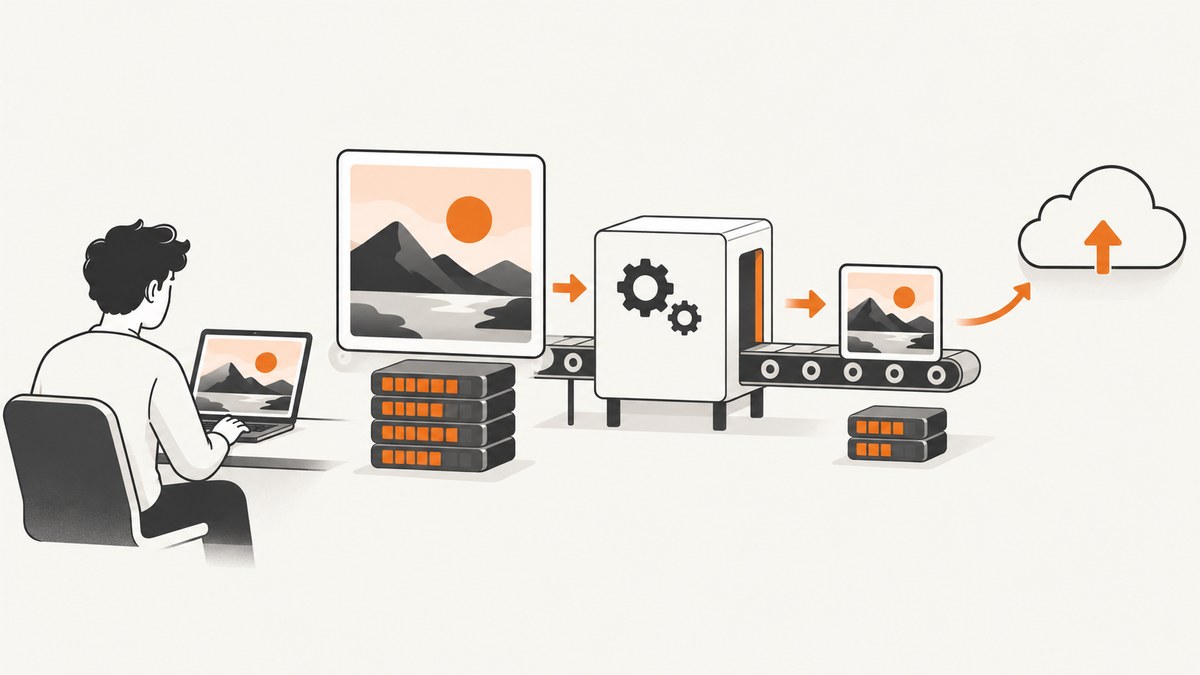
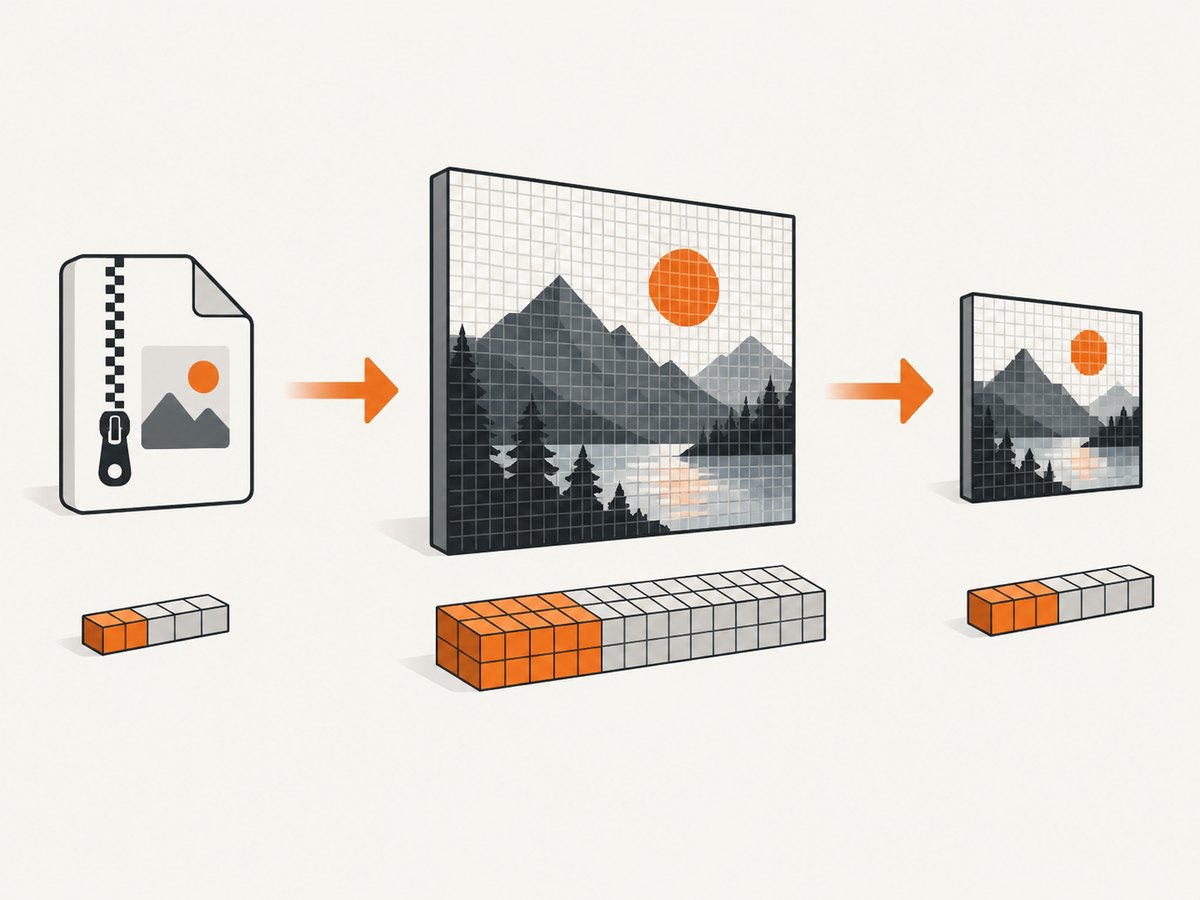
Direct answer: reduce screenshot memory by controlling pixel dimensions before decoding, choosing an appropriate pixel format, compressing only after resizing, streaming the upload when possible, and releasing image buffers immediately after sending. A screenshot’s file size is not its RAM cost: a compressed image expands into a bitmap whose memory is mainly width × height × bytes per pixel. For example, Android documents that a 1920 × 1080 ARGB_8888 bitmap uses approximately 8.3 MB of memory. See Android’s bitmap memory guidance and its bitmap loading guidance.
1. Separate memory use from upload size
There are two costs to control:
| Cost | What drives it | How to reduce it |
|---|---|---|
| Decoded RAM | Pixel width, height, and bytes per pixel | Downsample before decoding; avoid duplicate bitmaps; use a lower-memory format when transparency is unnecessary |
| File and network size | Dimensions, format, compression quality, metadata | Resize, choose JPEG/WebP/PNG for the content, set quality, strip unnecessary metadata, and stream the request |
Compressing a PNG or JPEG does not make the decoded bitmap proportionally smaller. If a 4,000 × 3,000 image is decoded before being resized to 800 × 600, the application temporarily pays for the 12-megapixel bitmap. Request or decode near the final display or upload dimensions instead.
2. Choose target dimensions first
- Measure the largest size the receiving service actually needs.
- Preserve the original aspect ratio unless the destination explicitly requires cropping.
- Use a small safety margin for device-pixel ratio, then avoid retaining the original and resized copies together.
For a target width, calculate the height as round(originalHeight × targetWidth / originalWidth). Constrain image views or layout boxes so image loaders know the target size; unconstrained bounds can cause a loader to fetch and decode the full source.
Memory estimate
Use this estimate before decoding:
decoded_bytes = width * height * bytes_per_pixelTypical examples are 4 bytes per pixel for ARGB_8888/RGBA and 2 bytes per pixel for RGB_565. RGB_565 uses half the memory of ARGB_8888 but loses color precision and cannot preserve alpha transparency. Use it only when those tradeoffs are acceptable.
3. Android implementation
Android recommends decoding with a sampling factor so the source is never expanded to an unnecessarily large bitmap. The following Kotlin example reads image bounds, calculates a power-of-two sample size, decodes near the requested dimensions, compresses to WebP, and closes its streams.
import android.graphics.BitmapFactory
import java.io.File

fun decodeForUpload(file: File, requestedWidth: Int, requestedHeight: Int): ByteArray {
    val bounds = BitmapFactory.Options().apply { inJustDecodeBounds = true }
    BitmapFactory.decodeFile(file.absolutePath, bounds)

    var sample = 1
    while (bounds.outWidth / (sample * 2) >= requestedWidth &&
           bounds.outHeight / (sample * 2) >= requestedHeight) {
        sample *= 2
    }

    val options = BitmapFactory.Options().apply {
        inSampleSize = sample
        inPreferredConfig = android.graphics.Bitmap.Config.RGB_565
    }
    val bitmap = BitmapFactory.decodeFile(file.absolutePath, options)
        ?: error("Could not decode image")
    return try {
        java.io.ByteArrayOutputStream().use { output ->
            check(bitmap.compress(android.graphics.Bitmap.CompressFormat.WEBP_LOSSY, 82, output))
            output.toByteArray()
        }
    } finally {
        bitmap.recycle()
    }
}
Use ARGB_8888 when the image contains transparency or fine color gradients. Libraries such as Coil and Glide manage bitmap pools; return resources through their normal lifecycle instead of retaining references. Release or replace large graphics as soon as the send operation finishes.
4. iOS implementation
Apple’s image guidance recommends transforming images from photo libraries or network services to the display’s required size and color depth, using Image I/O to limit memory impact. A Swift example using Image I/O creates a thumbnail during decode rather than loading the full image first.
import ImageIO
import UIKit

func thumbnailData(url: URL, maxPixelSize: Int) -> Data? {
    guard let source = CGImageSourceCreateWithURL(url as CFURL, nil) else { return nil }
    let options: [CFString: Any] = [
        kCGImageSourceCreateThumbnailFromImageAlways: true,
        kCGImageSourceThumbnailMaxPixelSize: maxPixelSize,
        kCGImageSourceCreateThumbnailWithTransform: true
    ]
    guard let image = CGImageSourceCreateThumbnailAtIndex(source, 0, options as CFDictionary) else {
        return nil
    }
    let result = NSMutableData()
    guard let destination = CGImageDestinationCreateWithData(result, UTType.jpeg.identifier as CFString, 1, nil) else {
        return nil
    }
    CGImageDestinationAddImage(destination, image, [kCGImageDestinationLossyQuality: 0.82] as CFDictionary)
    guard CGImageDestinationFinalize(destination) else { return nil }
    return result as Data
}
Import UniformTypeIdentifiers for UTType.jpeg. Keep image objects scoped to the operation and avoid retaining both the source UIImage and the transformed result.
5. Python: resize before sending
This complete example uses Pillow. It opens a screenshot, creates a bounded thumbnail, writes a WebP in memory, and posts it without keeping an additional full-size output file.
from io import BytesIO
from pathlib import Path
import requests
from PIL import Image

source = Path("screenshot.png")
with Image.open(source) as image:
    image = image.convert("RGB")
    image.thumbnail((1600, 1600), Image.Resampling.LANCZOS)
    payload = BytesIO()
    image.save(payload, format="WEBP", quality=82, method=6)
    payload.seek(0)
    response = requests.post(
        "https://example.com/upload",
        files={"file": ("screenshot.webp", payload, "image/webp")},
        timeout=60,
    )
    response.raise_for_status()
thumbnail preserves aspect ratio and never enlarges the source. For screenshots with sharp text, compare WebP and high-quality JPEG at the actual rendered size; visible artifacts are a quality decision, not a memory guarantee.
6. Node.js: stream a resized image
With the sharp package, resizing and encoding can happen without materializing multiple application-level buffers.
import sharp from "sharp";
import fs from "node:fs";

const resized = sharp("screenshot.png")
  .resize({ width: 1600, height: 1600, fit: "inside", withoutEnlargement: true })
  .webp({ quality: 82 });

const response = await fetch("https://example.com/upload", {
  method: "POST",
  headers: { "content-type": "image/webp" },
  body: resized,
  duplex: "half"
});
if (!response.ok) throw new Error(`Upload failed: ${response.status}`);
If the receiving API requires a known Content-Length, write to a temporary file first or use the API’s multipart streaming support. Do not call toBuffer() for very large images unless you need the complete encoded payload in memory.
7. cURL upload without an extra copy
When the image is already in the desired dimensions and format, cURL can upload it directly from disk:
curl --fail --retry 3 --retry-delay 1 \
  -F "file=@screenshot.webp;type=image/webp" \
  https://example.com/upload
Use a local resize step before this command if the source is larger than necessary. A multipart upload from a file avoids reading the entire payload into a shell variable.
8. Format and quality decisions
| Format | Use when | Watch for |
|---|---|---|
| PNG | Transparency, flat UI areas, pixel-perfect lossless output | Large files for photographic or highly detailed content |
| JPEG | Opaque screenshots where small transfer size matters | Ringing and blurry text at low quality; no alpha |
| WebP | You control both ends and want lossy or lossless options | Confirm receiver and browser compatibility |
Android’s image guidance explains that compression behavior depends on image content: detailed images may favor JPEG while flat-color regions may favor PNG, and WebP supports lossy and lossless modes. Test representative screenshots at the size users will read. Lowering quality reduces transfer size but does not by itself reduce decoded pixel memory.
9. Sending screenshots captured in a browser
Browser automation can consume more memory than the screenshot itself because the page, renderer, decoded images, and screenshot buffer coexist. Reduce peak use by:
- Capturing only the required element instead of the full page.
- Using a bounded viewport and avoiding unnecessary device scale factors.
- Closing pages and browser contexts after each job.
- Limiting concurrency; several full-page captures multiply renderer memory.
- Blocking ads, trackers, and unused resource types when they are not part of the capture.
- Writing the result to a stream or temporary file before uploading.
10. Or skip the browser setup
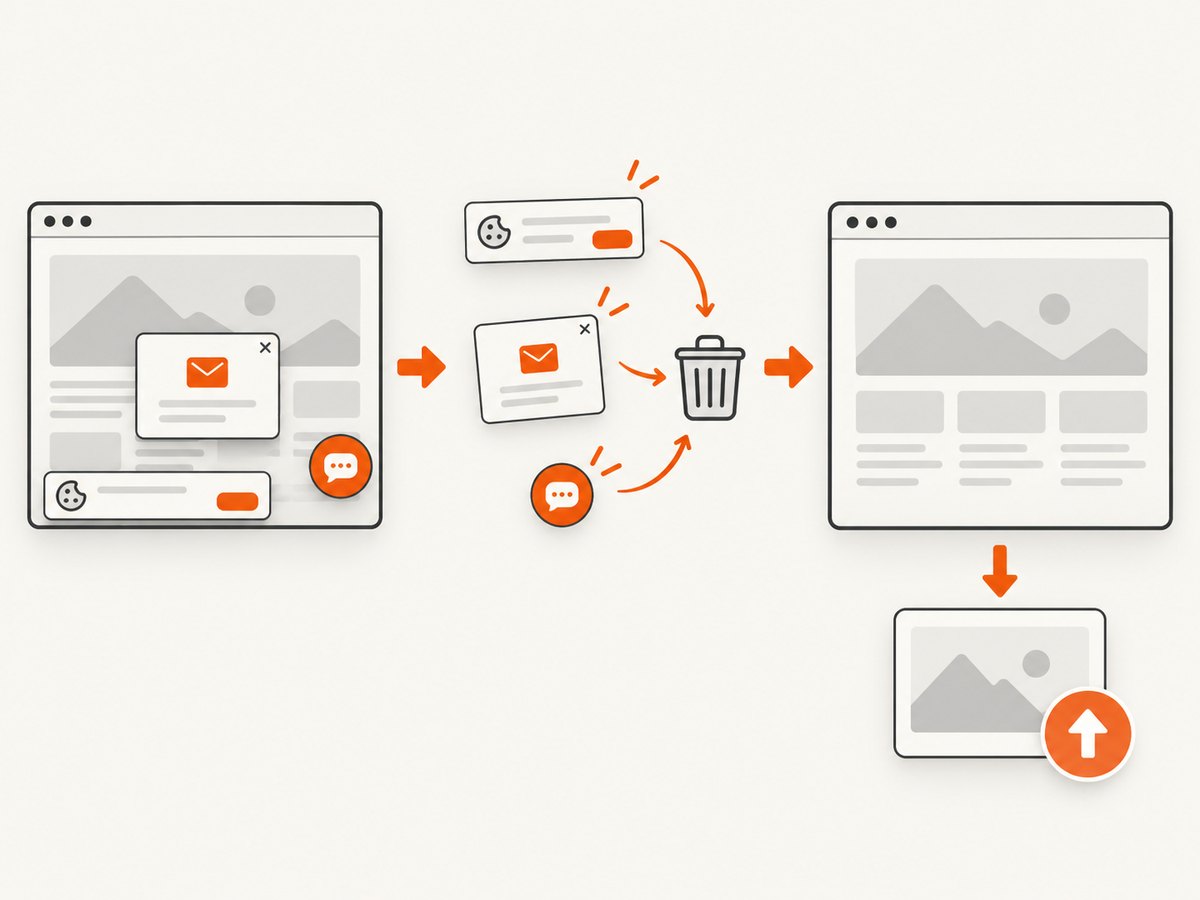
ScreenshotNeo returns a screenshot or PDF from one GET request and supports full-page capture, element selectors, device presets, retina scale, custom CSS and JavaScript, waits, blocking rules, headers, cookies, caching, and resizing. Its cleanup step accepts cookie or consent banners and removes more than 60 known consent platforms, newsletter popups, and chat widgets before capture. Bot checks, blank pages, timeouts, failed loads, and cache hits are not billed; response headers identify the page verdict and billing status. Its MCP server provides take_screenshot, get_page_info, and capture_pdf for Claude, Cursor, and other MCP clients. See the ScreenshotNeo API documentation.
curl -G "https://api.screenshotneo.com/v1/shot" -d access_key=YOUR_API_KEY --data-urlencode url=https://stripe.com -o shot.webpimport requests
r = requests.get("https://api.screenshotneo.com/v1/shot", params={"access_key": "YOUR_API_KEY", "url": "https://stripe.com"}, timeout=90)
r.raise_for_status()
open("shot.webp", "wb").write(r.content)const q = new URLSearchParams({ access_key: 'YOUR_API_KEY', url: 'https://stripe.com' });
const res = await fetch(`https://api.screenshotneo.com/v1/shot?${q}`);
if (!res.ok) throw new Error(`Screenshot failed: ${res.status}`);Free usage includes 1,000 screenshots per month with no card. Paid plans start at $5 for 3,000 shots. Create a free ScreenshotNeo account.
11. Troubleshooting
| Symptom | Likely cause | Fix |
|---|---|---|
| Out-of-memory crash while decoding | Full-resolution bitmap or several retained copies | Read bounds first, downsample during decode, lower concurrency, and release references |
| Upload is still slow | Dimensions or quality are too high | Measure encoded bytes, resize to the receiver’s need, and choose an appropriate format |
| Text looks blurry | Over-aggressive downsampling or lossy quality | Increase target dimensions or quality; compare at the final display size |
| Transparent areas turn black | RGB format or JPEG cannot store alpha | Keep RGBA/ARGB_8888 and use PNG or lossless WebP |
| Only part of the page is captured | Viewport capture or lazy content not loaded | Use full-page capture and wait for a selector, delay, or network idle |
| ScreenshotNeo response is not an image | Target blocked, blank, timed out, or failed | Inspect HTTP status and X-Page-Verdict/X-Billed; retry transient failures and check the target URL |
| Node process memory climbs over time | Buffers, streams, pages, or browser contexts retained | Stream uploads, await completion, destroy streams on errors, and close pages/contexts |
12. Performance, reliability, and cost checklist
- Set a maximum pixel width and height before decoding.
- Estimate decoded memory with width × height × bytes per pixel.
- Keep only one working copy where possible.
- Use pooling or library-managed reuse on mobile.
- Bound concurrent captures and uploads.
- Retry network failures with backoff, but do not blindly retry invalid URLs.
- Record encoded byte size, dimensions, format, and elapsed time so quality changes are measurable.
- Use caching for repeated captures; with ScreenshotNeo, choose the cache TTL that fits your freshness requirement.
- For bulk jobs, use ScreenshotNeo’s bulk capture support for up to 100 URLs per call and its usage API to monitor consumption.
13. FAQ
Does making a screenshot file smaller always reduce RAM?
No. RAM after decode is primarily determined by pixel dimensions and pixel format. File compression mainly changes storage and transfer size.
Should every screenshot use RGB_565?
No. It saves memory when transparency is unnecessary, but it reduces color fidelity. Use a format that matches the image and display requirements.
Is resizing on the server better?
Yes when the server can return the needed dimensions directly; the device avoids decoding the full source. If the full image is already local, downsample during decode.
How much should I lower JPEG or WebP quality?
There is no universal value. Compare representative screenshots for text legibility, gradients, and file size at the final viewing dimensions.
Can ScreenshotNeo resize the result?
Yes. ScreenshotNeo supports image resizing and also lets you set viewport and retina options before capture.


