Reducing Proxy Usage with Reconnection Strategies
Reuse proxy connections safely, tune idle timeouts per hop, and retry only when application semantics make repetition safe.
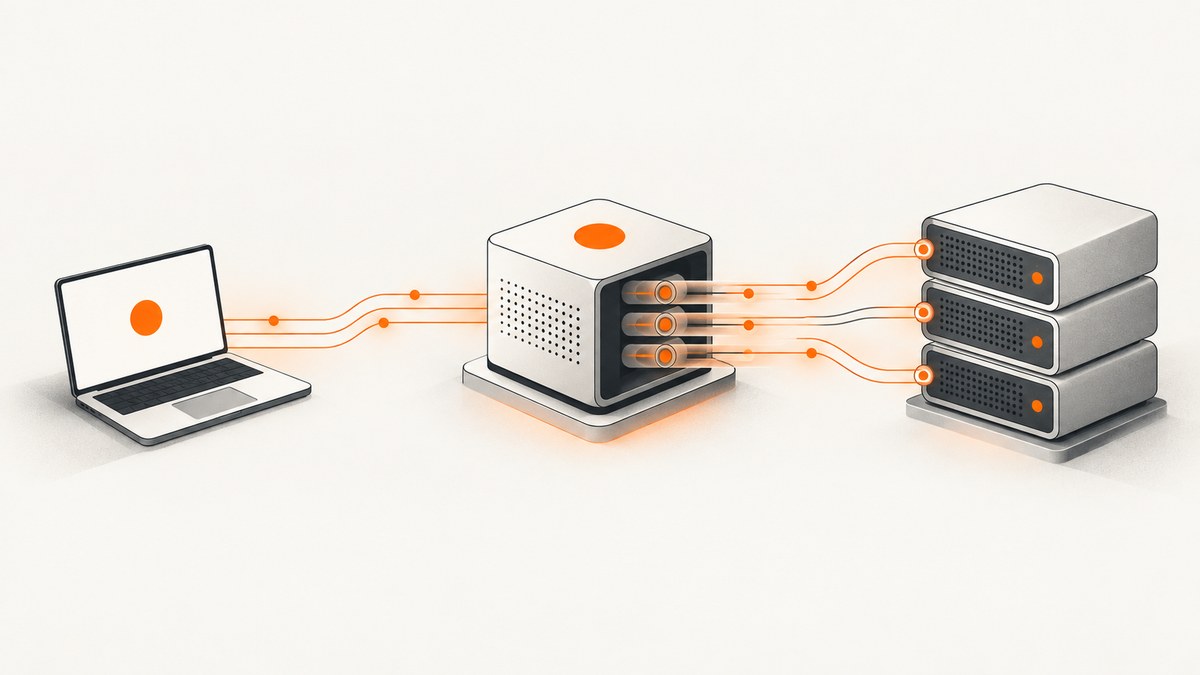
To reduce proxy usage, reuse persistent connections in bounded pools, retire idle sockets before the peer is likely to close them, and reconnect with a limited backoff policy. Treat the client-to-proxy and proxy-to-origin links as separate transports: each can have different pools, idle limits, failures, and retry rules.
Connection reuse removes repeated TCP and TLS setup. It also creates a stale-connection risk when a server or proxy closes an idle socket asynchronously. The safe design is therefore not “keep everything open forever.” It is a measured combination of compatible connection reuse, peer-aware idle expiry, and application-aware retries.
1. Understand the two connections in a proxy transaction
A request sent through a forward or reverse proxy commonly crosses two transport links:
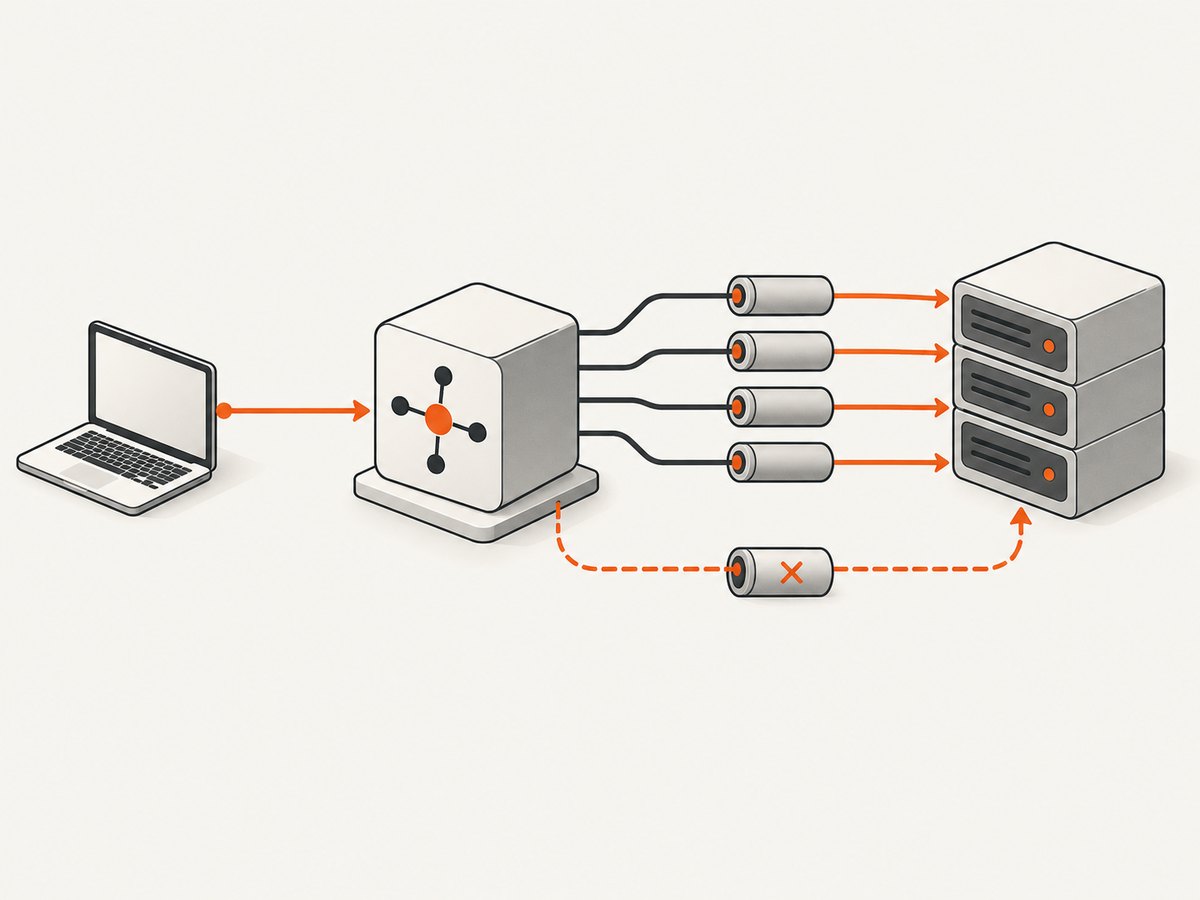
- Client to proxy: your application maintains a connection pool to the proxy endpoint.
- Proxy to origin: the proxy maintains, or creates, a separate pool to the destination server.
The links do not necessarily share a timeout or lifetime. A client socket can remain open while the proxy has closed its origin socket. Conversely, the proxy may reuse an origin connection while your client opens a new connection for every request. Cloudflare documents separate limits for its client-to-Cloudflare and Cloudflare-to-origin legs, illustrating why one side’s settings cannot be assumed to govern the other. Its documented limits are Cloudflare-specific, not universal defaults. Cloudflare connection limits
Model each hop independently in configuration and telemetry. Record connection creation, pool reuse, idle expiration, resets, and retries with a hop label. This lets you tell whether the expense is repeated client setup, proxy-origin churn, or an overloaded origin.
2. Reuse only compatible connections
A pool may reuse a connection only when its properties match the next request. Typical compatibility keys include proxy address, destination authority, TLS parameters, authentication context, protocol, and sometimes request headers. HAProxy describes pools keyed by connection properties and provides modes that determine when idle backend connections are eligible for reuse. Aggressive reuse can increase resource pressure, so pool limits still matter. HAProxy configuration manual
Start with a small pool and measure. A useful baseline is one pool per proxy endpoint and, for origin-side clients, one pool per origin or authority. Avoid mixing connections that carry different client certificates, authorization identities, or tenant isolation requirements.
Pool controls to define
| Control | What it limits | Why it matters |
|---|---|---|
| Maximum active connections | Concurrent sockets | Protects file descriptors, memory, and the proxy |
| Maximum idle connections | Unused sockets retained | Balances reuse against idle resource cost |
| Idle keep-alive timeout | Time since last use | Removes sockets before a peer closes them |
| Connection TTL | Total socket age | Limits long-lived state and rotates connections |
| Acquire timeout | Wait for a pool slot | Prevents requests from hanging indefinitely |
3. Expire idle sockets before the peer does
Peers can close persistent connections without coordinating with your pool. RFC 2616 describes this as an asynchronous close and says clients, servers, and proxies must recover from it. A pool timeout or TTL proactively retires idle connections, reducing the race where your code selects a socket just after the peer has closed it. RFC 2616 section 8
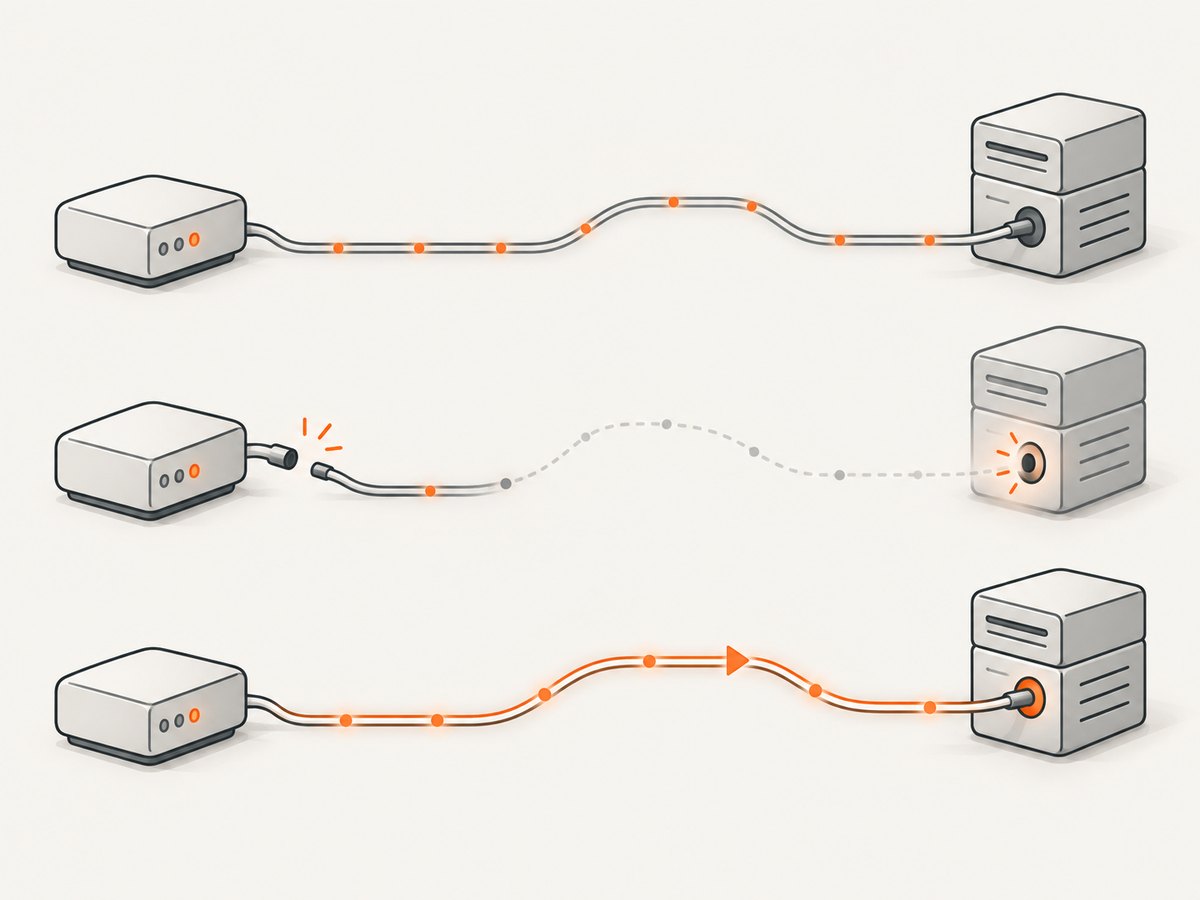
Choose the value from the actual path. If the peer closes idle connections after 60 seconds, retaining them for 300 seconds guarantees stale selections. Set your client-side idle timeout below the peer’s limit, leave a safety margin, and verify with reset telemetry. Do not copy a value from another proxy product.
Examples of vendor-specific controls include:
- Apache Pekko HTTP:
pekko.http.host-connection-pool.keep-alive-timeoutcontrols how long a pool keeps a connection idle before closing and reestablishing it. Pekko timeout documentation - Apache Traffic Server:
proxy.config.http.keep_alive_no_activity_timeout_inand_outconfigure inactivity timeouts for client and origin connections. The origin’s own lower timeout can take precedence. Traffic Server performance tuning - Apache mod_proxy: a worker
ttlcloses backend connections unused for the configured number of seconds. The documentation’sttl=120is an example, not a universal recommendation. mod_proxy documentation
4. Retry only when repeating the operation is safe
A reset before bytes are sent is different from a reset after the request has reached the proxy or origin. In the second case, the application outcome may be unknown: a payment, job submission, or record update might have succeeded even though the response was lost.
Automatically reconnect and retry only when the complete request sequence is idempotent, or when the application supplies a deduplication key and can safely recognize a repeat. RFC 2616’s retry guidance says an aborted sequence may be retransmitted automatically only when it is idempotent; non-idempotent sequences require application control. RFC 2616 is a historical specification, so consult current HTTP standards for protocol details while using this cited language for the retry principle. RFC 2616 section 8.1.4
Use bounded exponential backoff with jitter. For example, retry after 100–300 ms, then 300–900 ms, then stop. Cap attempts and total elapsed time. During an outage, unbounded retries multiply demand and can make recovery slower.
5. Python: a reusable session with safe retries
The following client reuses HTTP connections and retries only methods commonly treated as idempotent. Adjust the proxy URL, pool size, and timeouts to your network. Do not add POST to allowed_methods unless the operation is explicitly safe to repeat.
import requests
from requests.adapters import HTTPAdapter
from urllib3.util.retry import Retry

PROXY = "http://proxy.example:8080"

retry = Retry(
    total=3,
    connect=3,
    read=2,
    status=2,
    backoff_factor=0.2,
    status_forcelist=(502, 503, 504),
    allowed_methods=frozenset({"GET", "HEAD", "OPTIONS"}),
    raise_on_status=False,
)

session = requests.Session()
session.proxies.update({"http": PROXY, "https": PROXY})
adapter = HTTPAdapter(
    pool_connections=10,
    pool_maxsize=20,
    max_retries=retry,
    pool_block=True,
)
session.mount("http://", adapter)
session.mount("https://", adapter)

try:
    response = session.get(
        "https://example.com/data",
        timeout=(5, 30),  # connect timeout, read timeout
    )
    response.raise_for_status()
    print(response.status_code, len(response.content))
finally:
    session.close()
requests keeps the underlying connections in the session pool. The adapter’s pool limits prevent unlimited socket creation, while the retry object handles connection and selected status failures. This example does not implement an idle TTL; run a session for a bounded lifetime or use a client library that exposes explicit keep-alive expiry when the peer’s timeout requires it.
6. Node.js: keep-alive agents and bounded retries
Node’s HTTP agents reuse sockets when keepAlive is enabled. The retry wrapper below retries GET requests after transport errors or selected gateway statuses. It does not retry arbitrary methods.
import http from 'node:http';
import https from 'node:https';

const proxyUrl = new URL('http://proxy.example:8080');
const httpAgent = new http.Agent({ keepAlive: true, maxSockets: 20, maxFreeSockets: 5 });
const httpsAgent = new https.Agent({ keepAlive: true, maxSockets: 20, maxFreeSockets: 5 });

function sleep(ms) {
  return new Promise(resolve => setTimeout(resolve, ms));
}

async function getWithRetry(url, attempts = 3) {
  for (let n = 0; n < attempts; n += 1) {
    try {
      const target = new URL(url);
      const agent = target.protocol === 'https:' ? httpsAgent : httpAgent;
      // Supply proxy tunneling through your chosen agent/library in production.
      const res = await fetch(target, { agent });
      if (res.ok || ![502, 503, 504].includes(res.status)) return res;
      if (n === attempts - 1) return res;
    } catch (error) {
      if (n === attempts - 1) throw error;
    }
    await sleep((2 ** n) * 200 + Math.random() * 150);
  }
}

const response = await getWithRetry('https://example.com/data');
console.log(response.status, await response.text());
Native fetch proxy behavior varies by Node version and dispatcher. In a deployed service, use the proxy-aware agent supplied by your HTTP client, and apply the same pool and retry rules to that agent. The key settings are still maximum active sockets, maximum free sockets, and a deliberate lifetime for idle connections.
7. cURL: reuse within a process
A single cURL process can reuse connections when requests share a connection cache. For a sequence of GET requests, use one process and enable a bounded retry policy:
curl --proxy http://proxy.example:8080 \
  --retry 3 \
  --retry-delay 1 \
  --retry-max-time 20 \
  --fail \
  https://example.com/data
Separate cURL invocations generally do not share a connection cache. If a batch job launches one process per URL, use a persistent client or a multi-request cURL process to gain reuse. Never use automatic retries for a non-idempotent request unless the API documents a safe idempotency mechanism.
8. A rollout checklist
- Inventory every hop, including load balancers and service meshes.
- Measure current new-connection rate, connect latency, pool hits, resets, and errors.
- Enable keep-alive with conservative active and idle pool limits.
- Find the shortest peer idle timeout from documentation or observed closes.
- Set local idle expiry below that limit and add a safety margin.
- Retry only idempotent requests, with a small attempt cap and jittered backoff.
- Load-test normal traffic and an outage separately.
- Increase reuse only when pool wait time, resets, and resource usage remain healthy.
9. Performance, reliability, and cost trade-offs
Reuse saves connection setup latency and CPU spent on TCP and TLS handshakes. The gain is largest when requests are frequent and the path is stable. It is smaller when requests are sparse, peers close idle sockets quickly, or the proxy already maintains an efficient origin pool.
Idle sockets consume file descriptors and memory on the client, proxy, and origin. A large pool can therefore reduce connection churn while increasing exhaustion risk. Watch active sockets, idle sockets, file-descriptor utilization, pool acquisition time, and memory alongside request latency.
Reliability depends on where failure occurs. A connection error before sending is usually straightforward to retry for an idempotent request. A reset after sending requires outcome reconciliation. Add request IDs or idempotency keys at the application layer when a repeated action could create a duplicate.
There is no general percentage reduction that applies to every proxy deployment. Measure your own new-connection rate and handshake latency before and after each change. Vendor limits and example values are configuration references, not benchmarks.
10. Troubleshooting common failures
| Symptom | Likely cause | Fix |
|---|---|---|
| Frequent reset on the first request after idle time | Peer closed the socket before the pool did | Lower local idle timeout or TTL; confirm the peer limit |
| Many new connections despite keep-alive | Separate client processes, incompatible pool keys, or Connection: close |
Reuse one client instance; inspect headers and pool partitioning |
| Requests wait indefinitely for a connection | Pool is exhausted and acquisition has no deadline | Set an acquire timeout and tune active limits or concurrency |
| Duplicate writes | Retry occurred after the server processed the request | Stop automatic retries for that method; use idempotency keys and reconciliation |
| Retry storm during an outage | Unlimited or synchronized retries | Cap attempts, add jitter, and honor total deadlines |
| Client reuse works but origin connections churn | Proxy-origin pool has a shorter TTL or no reuse | Configure and monitor the second hop separately |
| Intermittent authentication failures | Connections reused across incompatible credentials | Partition pools by identity and proxy authentication context |
Or skip the browser setup
If your goal is to capture pages while avoiding browser and proxy connection management, ScreenshotNeo provides a single screenshot API request. It handles the capture path for you and returns PNG, JPEG, WebP, or PDF. See the ScreenshotNeo API documentation for the full option list.
curl -G "https://api.screenshotneo.com/v1/shot" -d access_key=YOUR_API_KEY --data-urlencode url=https://stripe.com -o shot.webpimport requests
r = requests.get("https://api.screenshotneo.com/v1/shot", params={"access_key": "YOUR_API_KEY", "url": "https://stripe.com"}, timeout=90)
open("shot.webp", "wb").write(r.content)const q = new URLSearchParams({ access_key: 'YOUR_API_KEY', url: 'https://stripe.com' });
const res = await fetch(`https://api.screenshotneo.com/v1/shot?${q}`);ScreenshotNeo accepts cookie and consent banners before capture and removes more than 60 known consent platforms, newsletter popups, and chat widgets; each step can be disabled. Bot checks, blank pages, timeouts, failed loads, and cache hits are not billed, and response headers identify the page verdict and billing result. Its MCP server gives Claude, Cursor, and other MCP clients take_screenshot, get_page_info, and capture_pdf tools. The Free plan includes 1,000 screenshots per month with no card; paid plans start at $5 for 3,000 screenshots.
Create a free ScreenshotNeo account and try the API with 1,000 screenshots each month at no charge.
FAQ
How can I reduce proxy usage by reusing connections?
Keep a bounded pool alive, reuse connections with matching properties, and expire idle sockets before the peer’s idle-close limit. Measure pool hits and new connections by hop.
Should the client and proxy use the same keep-alive timeout?
No. They are separate links with separate peers and policies. Configure each side from its own observed or documented limits.
Is retrying a timeout safe?
Only when the request sequence is idempotent or protected by an application-level deduplication key. A timeout after sending does not prove that the origin did not complete the action.
Does a larger idle pool always improve performance?
No. It can reduce handshakes but consume file descriptors and memory, increase stale-socket exposure, and overload a proxy or origin. Increase it gradually while monitoring resource use and resets.
What should I monitor first?
Track new connections, pool reuse rate, connect latency, idle resets, pool wait time, retry count, request errors, active and idle sockets, and metrics separately for client-to-proxy and proxy-to-origin.


