How to Resolve Blocked URLs with a Web Proxy
A proxy cannot fix every blocked URL. Identify whether the cause is browser policy, a managed network, an ISP, the destination site, or a proxy or certificate error.

A web proxy can help diagnose or route some web requests, but it cannot override every kind of URL block. First identify where the block comes from: a browser policy, a work or school network, an ISP, the website itself, or a proxy or TLS connection failure. Then use a fix you are authorized to make. On a managed device or network, ask the administrator to review the restriction rather than changing controls yourself.
This guide explains how to tell those cases apart, how to inspect proxy settings on a device you control, what HTTPS filtering means, and what to do when you see ERR_PROXY_CONNECTION_FAILED or a certificate warning. A proxy is a network intermediary, not a universal unblock switch.
1. Identify what “blocked” means
“Why is this URL blocked?” can describe several different failures. A browser error page, an organization’s branded block page, an ISP-level connection failure, and a website’s own denial are not the same problem. Changing a proxy setting helps only when the proxy configuration or route is actually the cause—and only when you are permitted to change it.

| What you see | Likely source | Next step |
|---|---|---|
A browser error such as ERR_PROXY_CONNECTION_FAILED |
The configured proxy cannot be reached, or local network/security software is interfering | Check the proxy configuration if you control the device; otherwise contact its administrator. |
| A clear “blocked by your organization” page | A browser policy, content filter, or secure web gateway | Ask IT to review the URL rule and any approved exception process. |
| A certificate authority or trust warning on a managed network | Possibly HTTPS inspection with a required organization certificate missing or untrusted | Do not dismiss it blindly. Ask IT to verify the approved certificate deployment. |
| The site refuses access after it loads | The destination site may be restricting access | Check the site’s own guidance or contact its operator. |
| The same destination fails across a network but works on another authorized connection | Possibly an ISP or network-level restriction or routing issue | Contact the network provider or administrator; do not assume a proxy can reverse the block. |
Chrome documents distinct connection and certificate errors, including cases involving interrupted connections, VPN or security software, and enterprise HTTPS interception. Start with the exact error text, not a guess based only on the word “blocked.” See Chrome’s common error troubleshooting.
2. Use a safe diagnostic sequence
- Check the address. Confirm the hostname and path are spelled correctly, and note whether the failure happens for one page or the whole site.
- Record the exact result. Is it a browser-generated error, a branded policy page, a TLS warning, or a response from the website? Save the error code and time; this makes an IT report actionable.
- Compare other sites. If other sites load, your general connection may be working while this destination or category is restricted. If nothing loads, troubleshoot connectivity before the URL.
- Compare only authorized devices and networks. If you have permission, check whether the same address behaves differently on another device or network you are allowed to use. This is diagnostic evidence, not a method for evading workplace or school controls.
- Check whether the device is managed. Work and school browsers may receive policies remotely. If settings are locked or the block page names an organization, send the evidence to its administrator.
- Change proxy settings only on a device you control. A wrong proxy address can break access to every site. If you are unsure which settings are expected, restore the known-good configuration or contact the provider or administrator.
Google’s managed Chrome documentation describes URL blocklists and allowlist exceptions. Specific exceptions can interact with broader rules in non-obvious ways, so an administrator should check the effective policy rather than merely adding a second rule. Google: allow or block access to websites.
3. Understand the main kinds of URL blocks
Browser policy
A managed browser can be configured to block specific URLs or permit only a defined set. These rules may apply even when the underlying network connection works normally. A proxy in a separate application does not remove a browser policy. Administrators can review the managed URL blocklist, allowlist, and policy scope; users should request an approved exception instead of trying to disable management.
Work or school network filtering
A network gateway may apply organization rules to requests that pass through it. Some filters inspect domains; more detailed HTTP filtering can inspect full URLs and request content. For HTTPS, the URL path and encrypted request contents are not ordinarily visible to a network intermediary unless HTTPS inspection (TLS decryption) is configured.
Cloudflare’s documented HTTP filtering setup routes traffic through Cloudflare One, uses a root certificate, and enables the gateway proxy. The certificate lets managed devices trust the gateway when it decrypts and re-encrypts HTTPS traffic. Only rely on certificates and gateways provided by a trusted organization. Never install an unknown root certificate to “fix” a block: a trusted root can grant broad visibility into encrypted connections. See Cloudflare’s HTTP filtering setup.
ISP-level restriction
An ISP may affect access independently of browser policy or a website owner’s settings. A web proxy does not guarantee that an ISP-level restriction can be reversed. Cloudflare distinguishes possible ISP blocking from filtering controlled by a website owner; the appropriate party to contact depends on which network or service is responsible. Cloudflare: potential ISP blocking.
Destination-site restriction
The destination may deny a request because of its own access rules, account state, location, rate controls, or a temporary service problem. A proxy cannot make the site accept an unauthorized request. Read the site’s response and contact its operator if access should be available.
Proxy or TLS connection failure
If the browser cannot connect to its configured proxy, the URL may never reach the destination. A certificate warning is a different failure: on an organization network it may indicate that an approved HTTPS inspection certificate is absent or not trusted. Chrome specifically documents enterprise interception as one possible cause of a certificate authority error. Do not click through a warning unless the responsible administrator has verified the setup.
4. Check proxy configuration on a device you control
Proxy configuration differs by operating system, browser, and proxy provider. There is no single address or setting that is correct for every network. If you use a proxy, get its endpoint, port, authentication method, and supported protocol from its official documentation. Do not copy a random proxy address from an online list.
- Open the operating system or browser network settings and locate the configured proxy or automatic configuration (PAC) URL.
- Compare the address and port with the values supplied by the trusted proxy provider or your network administrator.
- Check whether the proxy requires authentication and whether the browser supports the required protocol.
- If the configuration is automatic, verify the PAC URL is reachable and supplied by the trusted organization.
- Temporarily disable a manually configured proxy only if you own the device and understand how to restore the previous values. Test whether the browser can connect, then restore the intended configuration.
Changing the proxy on a managed device can break connectivity or conflict with policy. Google’s Chromebook guidance explains where proxy settings are located and advises contacting the administrator when managed settings cannot be changed. Google Pixelbook: “This webpage is not available”.
5. Know the limits of proxy compatibility
Proxy behavior is browser-specific. For example, Cloudflare’s documented proxy endpoints require HTTPS proxy support, and its documentation says Safari does not support that endpoint type. It describes PAC configuration for supported browsers and notes differences in where proxy settings are managed: Chromium-based browsers use operating-system proxy settings, while Firefox uses its own settings by default. These details apply to those endpoints and should not be assumed for every proxy service. Check the documentation for the exact proxy and browser you use. Cloudflare: proxy endpoints.
A PAC file is a script that tells a compatible browser which proxy to use for a request. It is configuration, not an authorization bypass: an organization can still apply policy at the browser, gateway, ISP, or destination. Ask the administrator which proxy mode and PAC file are approved before changing a managed setup.
6. Troubleshoot common errors
| Error or symptom | Possible cause | Safe fix |
|---|---|---|
ERR_PROXY_CONNECTION_FAILED |
Proxy endpoint is unavailable, misconfigured, or unreachable; VPN or security software may also interfere | On a personally controlled device, verify the endpoint and port with the provider, check the connection, and review recent VPN/security changes. On a managed device, send the error to IT. |
| “This site can’t be reached” for every site | General connection failure, incorrect proxy, DNS issue, or gateway outage | Check network connectivity and whether the proxy is expected. Do not guess a replacement proxy address. |
| Certificate authority or issuer not trusted | Possible missing/untrusted enterprise interception certificate, expired certificate, or a site certificate issue | Do not bypass the warning. Ask IT to verify the approved root certificate and gateway configuration, or contact the website if it is a destination certificate problem. |
| Organization block page | URL blocklist, category rule, allowlist-only policy, or gateway rule | Request an administrator review with the full URL, timestamp, and business or school reason for access. |
| Some pages on a site work, but one path is blocked | A path-specific policy or destination-side rule | Provide the exact URL path to the administrator or site operator; a domain-only report may be insufficient. |
| Proxy works in one browser but not another | Different proxy settings or unsupported proxy protocol | Check that browser’s official configuration and the provider’s supported protocols. Do not generalize settings from a different browser. |
| Gateway error or timeout | Gateway reachability, policy, origin, or service issue | Record the error and time, check the gateway’s status through the responsible administrator, and consult the provider’s troubleshooting guidance. Cloudflare documents separate gateway and origin errors in its troubleshooting guide. |
7. If you administer the browser or network
For an administrator, first determine the enforcement layer and the scope: user, browser, device, network, or destination. In managed Chrome, review the URL blocklist and allowlist together, plus policy precedence and whether a broad site rule interacts with a specific page exception. Google recommends a content-filtering web proxy or extension when stronger filtering than basic URL management is needed. Chrome Enterprise URL management guidance.
When evaluating a filtering design, document five points:
- Inspection layer: browser URL rules, DNS/domain filtering, or full-URL/HTTP inspection.
- HTTPS visibility: whether TLS decryption is required, which devices trust the certificate, and how that certificate is distributed and maintained.
- Compatibility: browser and operating-system proxy behavior, supported protocols, and PAC requirements.
- Exception workflow: who can request, approve, scope, and review an exception.
- Control owner: whether the rule belongs to the organization, ISP, or destination operator.
Cloudflare’s setup documentation describes the components required for its HTTP filtering; its proxy endpoint documentation gives product-specific browser guidance. Treat those as vendor-specific implementation references, not universal proxy requirements.
8. Performance, reliability, and cost considerations
Adding a proxy creates another network hop. It can introduce latency or become a point of failure, and authentication, TLS inspection, or an unreachable endpoint can prevent a page from loading. The actual effect depends on the route, proxy, browser, and site; the research sources provide no general benchmark that applies to every deployment. Diagnose with exact errors and a controlled, authorized comparison rather than assuming a proxy will be faster or more reliable.
Costs depend on the proxy or filtering service and its provider terms; this guide does not establish a universal price. For organizations, account for administration, certificate deployment and maintenance if HTTPS inspection is used, support for each browser/device, and the process for policy exceptions. Do not choose a free public proxy for sensitive traffic: you may not know who operates it or how it handles requests. Use only a proxy approved for the data and task.
9. Capture a page that is accessible to you
If your goal is to document a page you can legitimately access—not to bypass the restriction—a screenshot API can capture the rendered result without configuring a local browser proxy. ScreenshotNeo is a website screenshot API and MCP server from Yorker Media. It does not remove an access restriction or grant access to a blocked page; it is useful when the page is reachable and you need an image or PDF. The API accepts a URL in one GET request and returns PNG, JPEG, WebP, or PDF. See ScreenshotNeo and its API documentation.
10. Or skip the browser setup
For an accessible page you are authorized to capture, ScreenshotNeo takes a screenshot with one request. This does not bypass browser, network, ISP, or destination restrictions; a blocked or failed load is not a successful page capture.
curl -G "https://api.screenshotneo.com/v1/shot" -d access_key=YOUR_API_KEY --data-urlencode url=https://stripe.com -o shot.webpThe same endpoint can be called from Python or Node.js. Replace the target URL and provide your API key. See the ScreenshotNeo docs for request options.
import requests

r = requests.get(
    "https://api.screenshotneo.com/v1/shot",
    params={"access_key": "YOUR_API_KEY", "url": "https://stripe.com"},
    timeout=90,
)
open("shot.webp", "wb").write(r.content)
const q = new URLSearchParams({ access_key: 'YOUR_API_KEY', url: 'https://stripe.com' });
const res = await fetch(`https://api.screenshotneo.com/v1/shot?${q}`);
if (!res.ok) throw new Error(`Screenshot request failed: ${res.status}`);
const image = Buffer.from(await res.arrayBuffer());
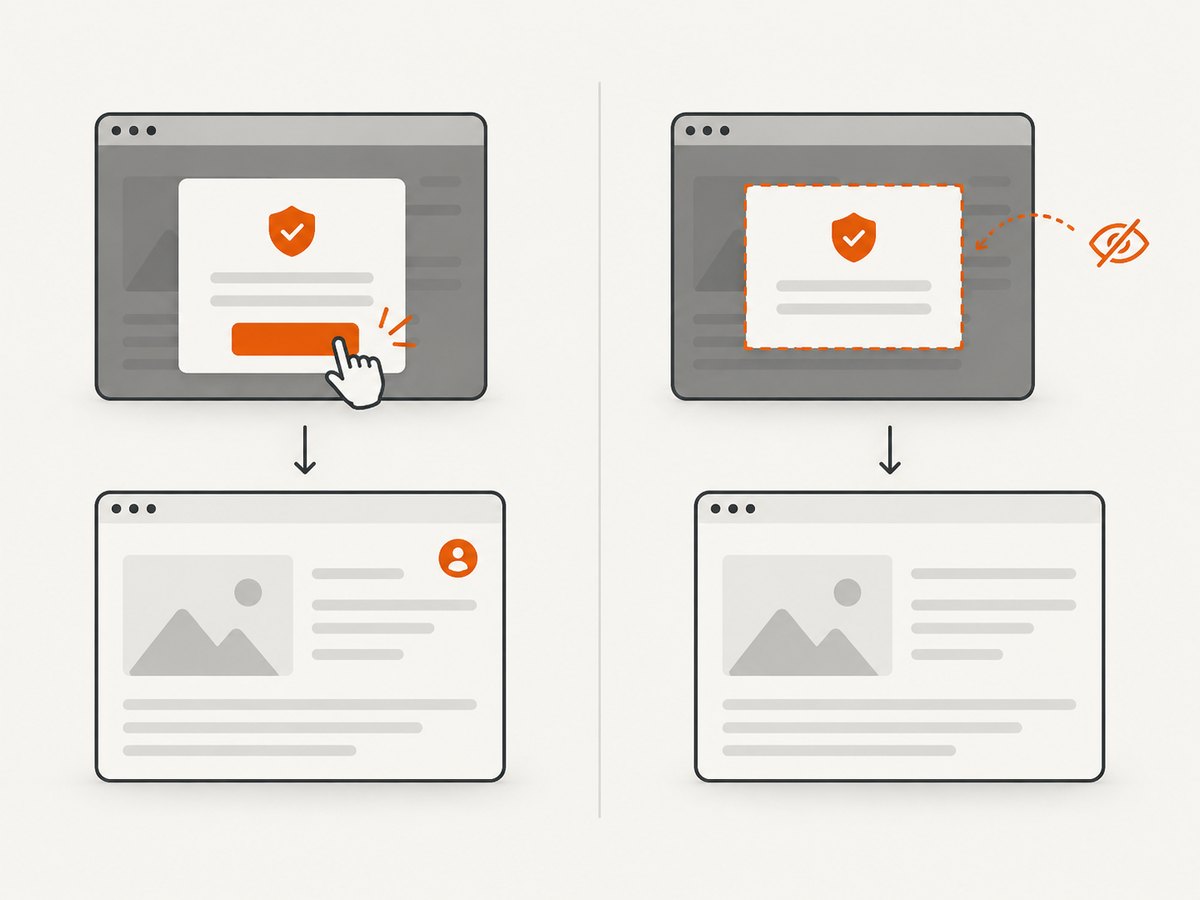
await import('node:fs/promises').then(fs => fs.writeFile('shot.webp', image));ScreenshotNeo accepts cookie or consent banners like a visitor and removes more than 60 known consent platforms, newsletter popups, and chat widgets before capture; each of those steps can be turned off. Bot checks, blank pages, timeouts, failed loads, and cache hits are not billed, and response headers identify the page verdict and billing status. Its MCP server gives AI agents tools for screenshots, page information, and PDF capture. The free plan includes 1,000 shots a month with no card; paid plans start at $5 for 3,000 shots.
Sign up for 1,000 free screenshots a month, with no card required.
Frequently asked questions
Can a web proxy get around a blocked site?
Sometimes a proxy changes the route used for a request, but it cannot override every enforcement point or make a destination accept access. On managed networks, use the administrator’s approved exception process.
Is ERR_PROXY_CONNECTION_FAILED the same as a blocked URL?
No. It usually points to a browser-to-proxy connection problem. A policy block page means a rule may have deliberately denied the URL. The exact browser message helps distinguish them.
Should I install a certificate to make a proxy work?
Only if the certificate is supplied and verified by the trusted organization that manages the network. A root certificate can enable inspection of encrypted traffic, so an unknown certificate is not a routine troubleshooting step.
Why does the proxy work in one browser but not another?
Browsers can use different proxy settings and support different proxy protocols. Check the documentation for your browser and the exact endpoint type instead of assuming one configuration applies everywhere.
Who can remove an ISP or website restriction?
The ISP controls an ISP-level restriction; the website operator controls access rules on its service. Contact the party responsible. A browser proxy setting does not grant authority over either one.