How to Reuse Browser and Page Instances in Puppeteer
Keep Chrome warm, isolate jobs correctly, and reuse Puppeteer pages safely with cleanup, pooling, reconnection, and production patterns.

Direct answer: launch or connect to one Puppeteer Browser during service startup, then create a fresh Page for each independent task. Navigate and interact with that page, close it in a finally block, and keep the browser alive for the next request. Use a separate BrowserContext when cookies or local storage must be isolated. Close the browser only when your process owns it and is shutting down; call browser.disconnect() when another service owns the browser.
This design avoids launching Chrome for every request while keeping navigation state, event handlers, and user data from leaking between jobs. Puppeteer’s Page API states that “One Browser instance might have multiple Page instances.” Read the Page API.
1. The reusable lifecycle
A production service has five lifecycle stages:
- Launch or connect to Chrome once during initialization.
- Lease a new page, or a new context plus page, for one job.
- Apply job-specific settings and navigate.
- Close the page or context in
finally, even when navigation fails. - At process shutdown, close an owned browser or disconnect from an externally managed one.
import puppeteer from 'puppeteer';

const browser = await puppeteer.launch();

export async function render(url) {
  const page = await browser.newPage();
  try {
    await page.goto(url, { waitUntil: 'networkidle2' });
    return await page.content();
  } finally {
    await page.close();
  }
}

process.on('SIGTERM', async () => {
  await browser.close();
  process.exit(0);
});
browser.newPage() creates a page in the default browser context and returns a promise. See the browser.newPage reference. The page is short-lived; the browser is long-lived.
2. Launch once in a request-driven Node.js service
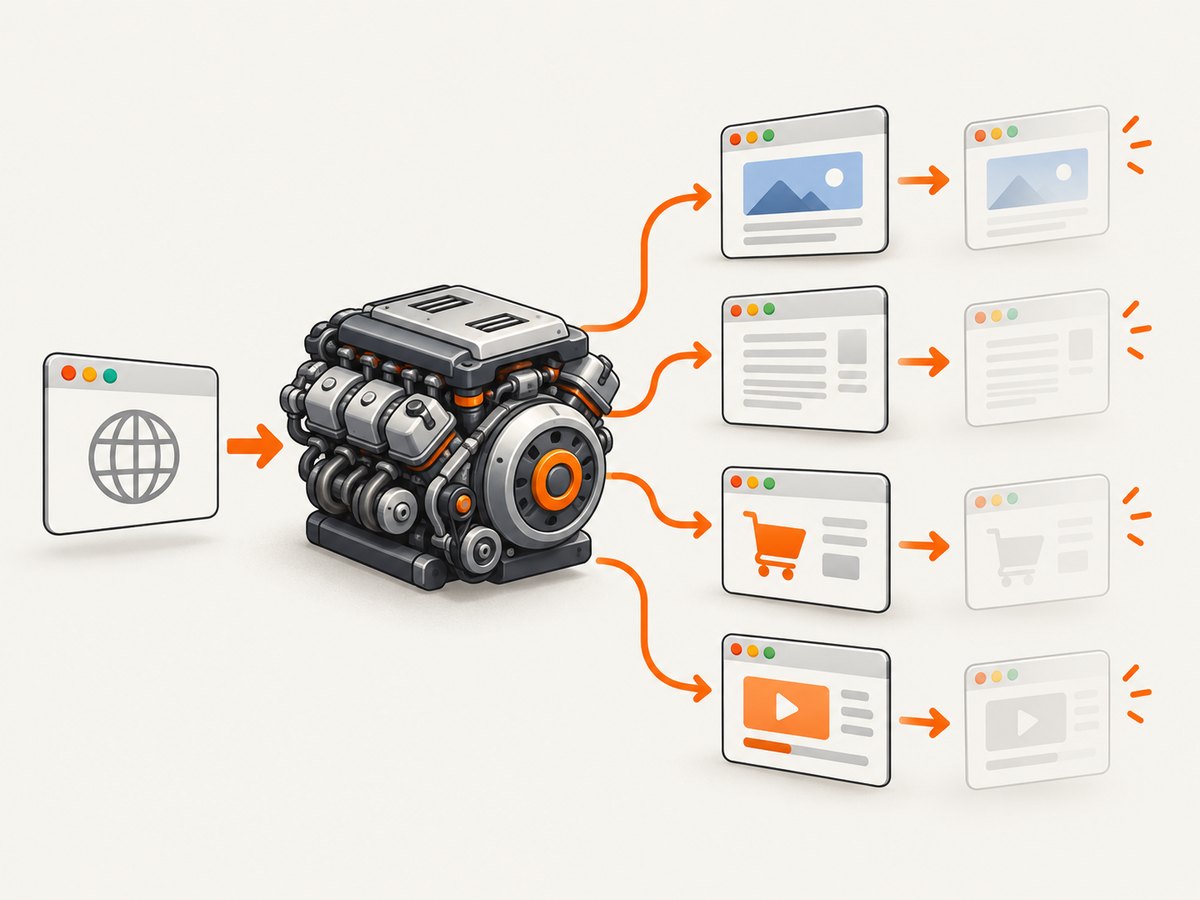
Do not put puppeteer.launch() inside an HTTP request handler. Launching Chrome repeatedly adds startup work and can leave orphaned processes when requests are cancelled. Initialize the browser before accepting traffic and share the resulting promise:
import express from 'express';
import puppeteer from 'puppeteer';

const app = express();
const browserPromise = puppeteer.launch({
  headless: true,
  args: ['--no-sandbox']
});

app.get('/render', async (req, res) => {
  const url = String(req.query.url || '');
  if (!/^https?:\/\//i.test(url)) {
    return res.status(400).json({ error: 'url must start with http:// or https://' });
  }

  const browser = await browserPromise;
  const page = await browser.newPage();
  try {
    await page.goto(url, { waitUntil: 'networkidle2', timeout: 30000 });
    res.type('html').send(await page.content());
  } catch (error) {
    res.status(502).json({ error: error.message });
  } finally {
    await page.close();
  }
});

const server = app.listen(3000);

async function shutdown(signal) {
  server.close();
  const browser = await browserPromise;
  await browser.close();
  process.exit(0);
}
process.once('SIGINT', () => shutdown('SIGINT'));
process.once('SIGTERM', () => shutdown('SIGTERM'));
Waiting on a shared promise also prevents a startup race in which several requests launch several browsers. If startup fails, fail health checks and restart the process rather than accepting requests with an unusable browser.
3. Page instances and ownership
A page is a tab-like task surface. It has its own URL, viewport, DOM, dialog handlers, request interception, and navigation state. Treat it as an exclusive lease for one workflow. Two callers must not navigate or mutate the same page at the same time: one job can replace the other job’s URL, cookies, handlers, or DOM.
Page per task
async function withPage(browser, work) {
  const page = await browser.newPage();
  try {
    return await work(page);
  } finally {
    await page.close();
  }
}

const html = await withPage(browser, async (page) => {
  await page.setViewport({ width: 1440, height: 900, deviceScaleFactor: 1 });
  await page.goto('https://example.com', { waitUntil: 'domcontentloaded' });
  return page.content();
});
Put every page-scoped setting inside the lease. This makes retries predictable and prevents a later job from inheriting a previous job’s viewport, headers, interception rules, or event listeners.
When page pooling is appropriate
A bounded page pool can reduce allocation overhead when demand is steady. The pool must still give each job exclusive ownership and reset or recreate pages after failures. Queue requests when all leases are busy. Puppeteer does not publish a universal safe page-count or memory limit, so measure your target pages, concurrency, navigation time, and process memory instead of copying a number from another workload.
Retire a page when it accumulates unexpected listeners, crashes, hangs, or unusable state. A fresh page is usually safer than trying to reset every possible browser feature. For bursty traffic, a bounded pool plus a queue prevents a sudden request spike from creating unbounded tabs.
4. BrowserContexts for session isolation
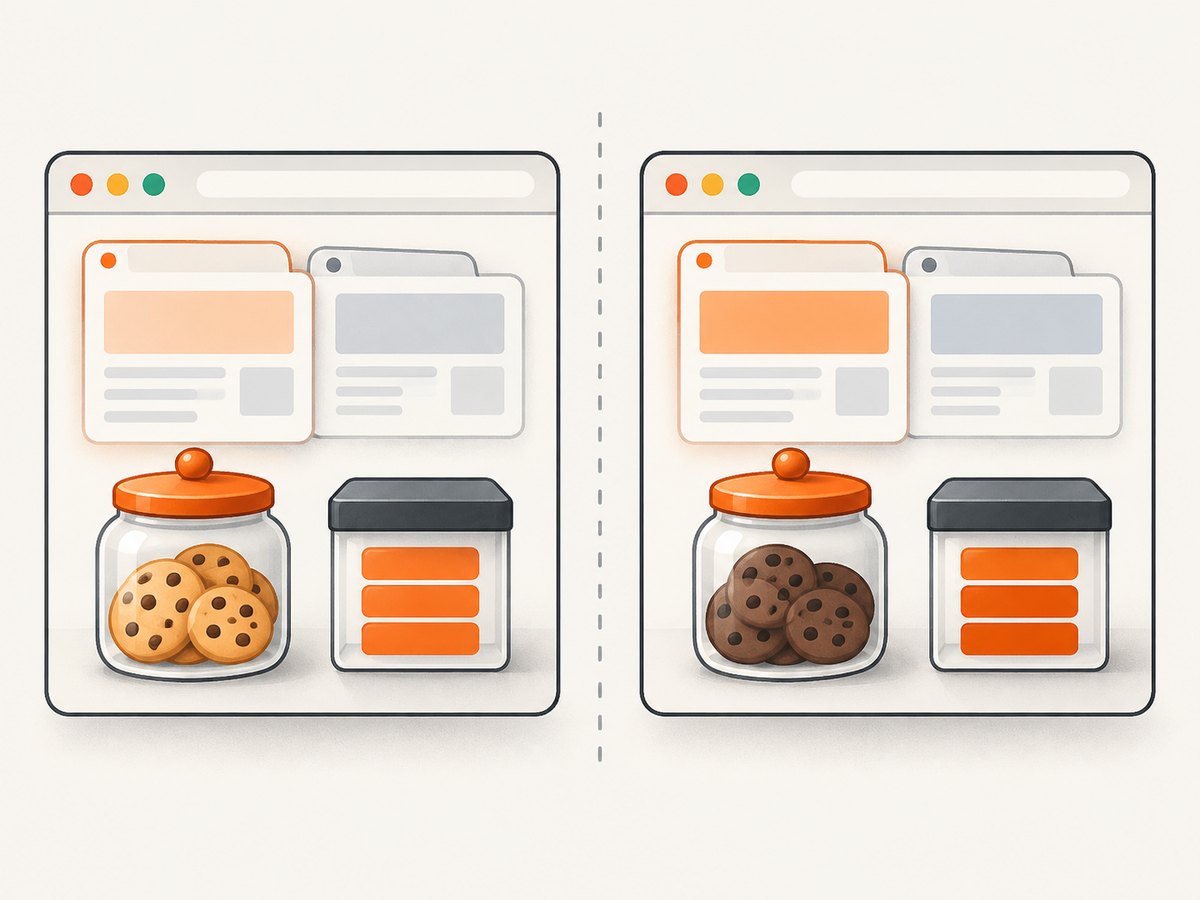
Pages in the same browser context share that context’s cookies and local storage. A BrowserContext is the isolation boundary for those values. Create a context for a user, tenant, or job that must not see another job’s session, then close it when the workflow ends. Puppeteer’s BrowserContext API documents that closing a context closes its associated pages. The default browser context cannot be closed.
async function runIsolated(browser, url) {
  const context = await browser.createBrowserContext();
  try {
    const page = await context.newPage();
    await page.goto(url, { waitUntil: 'networkidle2' });
    return await page.title();
  } finally {
    await context.close();
  }
}| Requirement | Use |
|---|---|
| Share an intentional login session | Reuse one context and create separate pages |
| Separate users or tenants | Create one context per isolated workflow |
| Completely independent jobs | New context and page per job |
| Simple stateless rendering | New page in the default context |
Context isolation does not make a page safe for concurrent use. You still need one exclusive page lease per workflow.
5. Close versus disconnect
Use await browser.close() when this process launched Chrome and owns its lifetime. It gracefully shuts down the browser and its pages. Use browser.disconnect() when this process connected to a browser owned by another service. Disconnecting leaves that browser and its pages alive. The distinction is covered in Puppeteer’s browser management guide.
// Process owns Chrome
const browser = await puppeteer.launch();
// ... reuse pages ...
await browser.close();

// Another process owns Chrome
const browser = await puppeteer.connect({ browserWSEndpoint });
const page = await browser.newPage();
try {
  await page.goto('https://example.com');
} finally {
  await page.close();
  browser.disconnect();
}
Keep the WebSocket endpoint when you need to reconnect later. If the remote browser disconnects, stop leasing pages, reconnect or create a replacement browser, and only then resume work. Do not call close() on a shared remote browser unless you are explicitly its owner.
6. Concurrency, queues, and recovery
Concurrency should be an explicit capacity decision. Give every concurrent task a different page; give tasks with different session state different contexts. A simple semaphore limits active work:
class Semaphore {
  constructor(limit) { this.limit = limit; this.active = 0; this.waiters = []; }
  async acquire() {
    if (this.active < this.limit) { this.active++; return; }
    await new Promise(resolve => this.waiters.push(resolve));
    this.active++;
  }
  release() {
    this.active--;
    const next = this.waiters.shift();
    if (next) next();
  }
}

const slots = new Semaphore(4);
async function renderWithLimit(browser, url) {
  await slots.acquire();
  try {
    const page = await browser.newPage();
    try {
      await page.goto(url, { waitUntil: 'networkidle2', timeout: 30000 });
      return await page.content();
    } finally {
      await page.close();
    }
  } finally {
    slots.release();
  }
}
Choose the limit from measurements: process memory, CPU, target-site rate limits, navigation latency, and queue wait time. Record browser disconnects, page creation failures, navigation timeouts, and queue depth. When a browser crashes, reject or requeue in-flight jobs according to your idempotency policy, create a new browser, and expose readiness only after it is usable.
7. Cleanup checklist
- Close every page created for a task.
- Close temporary contexts so their pages close together.
- Remove event listeners and abort pending work when retiring a page.
- Close an owned browser once during application shutdown.
- Disconnect instead of closing an externally managed browser.
- Detect browser disconnects before accepting more work.
- Set navigation and task timeouts so one page cannot occupy a lease forever.
- Use a queue or bounded pool rather than unlimited concurrent tabs.
8. Common errors and fixes
| Symptom | Cause | Fix |
|---|---|---|
| Chrome launches for every request | launch() is inside the handler |
Move launch to startup and share a browser promise. |
| Requests show the wrong URL | Two jobs share one page | Lease a separate page per workflow and serialize access. |
| Users see another user’s login | Cookies or local storage share a context | Create and close a separate BrowserContext. |
| Browser disappears after one request | A connected client called close() |
Call disconnect() when another service owns Chrome. |
| Memory grows over time | Pages, contexts, listeners, or browsers are not retired | Use finally, bound concurrency, remove listeners, and recreate unhealthy instances. |
Target closed |
Browser or page crashed, or cleanup ran during work | Check browser connectivity, stop using the page, and retry on a fresh page. |
Navigation timeout |
Slow page, blocked request, or never-ending activity | Set a deliberate timeout, choose a suitable waitUntil, and classify the job for retry. |
| Shutdown hangs | Open pages or pending tasks remain | Stop intake, drain or cancel queued work, close pages and contexts, then close the browser. |
9. Performance, reliability, and cost
Keeping Chrome warm removes repeated browser startup from the request path. Reusing a browser does not remove page navigation, JavaScript execution, network transfer, or rendering cost. Measure end-to-end latency and memory with the actual sites you capture. A page pool can improve throughput, but an oversized pool can increase contention, memory pressure, and target-site throttling.
Reliability comes from deterministic ownership: one browser owner, one page lease per task, isolated contexts where needed, timeouts, bounded concurrency, and recovery after disconnects. Make render jobs retryable and avoid duplicating side effects when a navigation may have completed before the connection failed.
For a self-hosted Puppeteer service, your main operational costs are the machines, browser processes, bandwidth, and engineering time to monitor and recover them. Puppeteer’s official documentation does not provide a universal page capacity or memory benchmark, so publish measurements only for your own workload.
10. Or skip the browser setup
If your goal is a clean website screenshot rather than browser lifecycle management, ScreenshotNeo provides a single GET request that returns PNG, JPEG, WebP, or PDF. Its capture pipeline accepts cookie and consent banners like a visitor, then removes more than 60 known consent platforms, newsletter popups, and chat widgets before the shot. Each step can be turned off.
Only clean shots are billed. Bot checks or CAPTCHAs, blank pages, timeouts, failed loads, and cache hits cost nothing, and the response identifies the result with X-Page-Verdict and X-Billed headers. ScreenshotNeo also provides an MCP server with take_screenshot, get_page_info, and capture_pdf tools for Claude, Cursor, and other MCP clients.
cURL
curl -G "https://api.screenshotneo.com/v1/shot" \
  -d access_key=YOUR_API_KEY \
  --data-urlencode url=https://stripe.com \
  -o shot.webp
Python
import requests

r = requests.get(
    'https://api.screenshotneo.com/v1/shot',
    params={'access_key': 'YOUR_API_KEY', 'url': 'https://stripe.com'},
    timeout=90,
)
r.raise_for_status()
open('shot.webp', 'wb').write(r.content)
Node.js
const q = new URLSearchParams({
  access_key: 'YOUR_API_KEY',
  url: 'https://stripe.com'
});
const res = await fetch(`https://api.screenshotneo.com/v1/shot?${q}`);
if (!res.ok) throw new Error(`HTTP ${res.status}`);
const image = Buffer.from(await res.arrayBuffer());
await import('node:fs/promises').then(fs => fs.writeFile('shot.webp', image));
See the complete option list and request details in the ScreenshotNeo documentation. Options include full-page capture with lazy images loaded, CSS-selector element capture, dark mode, 12 device presets or any viewport, retina scale, PDF paper size and margins, custom CSS and JavaScript, clicks, selector or network-idle waits, request blocking, custom headers and cookies, user agent and authorization, timezone and geolocation, transparent backgrounds, resizing, configurable caching TTL, signed image links, asynchronous jobs with signed webhooks, bulk capture for up to 100 URLs per call, a usage API, and an OpenAPI specification.
The Free plan includes 1,000 screenshots per month with no card. Paid plans start at $5 for 3,000 shots; yearly billing gives two months free, and every feature is available on every plan. Create a free ScreenshotNeo account.
11. FAQ
Should I reuse one Page forever?
No. Reuse the browser, but normally create and close a page for each independent task. Retire pages that become unhealthy.
Can pages in one browser run concurrently?
Yes, provided each workflow owns a different page and the concurrency limit matches your measured resources.
Does a new page isolate cookies?
No. Pages created in the same BrowserContext share its cookies and local storage. Use a new context for isolation.
When should I use a separate browser?
Use separate browsers when you need stronger process fault boundaries, incompatible launch settings, or independently managed capacity. A single browser with bounded pages is simpler for many services.
What happens if the browser disconnects?
Stop assigning work, close or discard affected pages, reconnect or launch a replacement browser, then resume after a readiness check.


