How to Run an MCP Server in a Browser
A browser tab usually acts as an MCP client, while the server runs on an HTTP endpoint. Here’s how to connect them, configure CORS and protect the endpoint.

Short answer: for a normal web app, run the MCP server as a separate process or hosted service and have browser JavaScript connect to its HTTP endpoint. That is different from running a general MCP server process inside a browser tab. MCP’s official Apps quickstart uses a separate HTTP server and browser test host; the TypeScript SDK’s v2 client guide connects a client to an endpoint URL. The sources reviewed here do not provide an end-to-end recipe for running a general server process wholly inside a browser tab. See the MCP Apps quickstart and TypeScript SDK v2 client guide.
This guide implements the browser-client architecture: a browser app calls a Streamable HTTP MCP endpoint. The code uses the TypeScript SDK v2 API shown in its current connection guide. SDK and protocol support can change independently, so check the SDK’s migration and protocol version documentation when upgrading. The MCP SDK’s current materials describe both legacy initialization and the newer 2026-07-28 protocol era; don’t assume an example written for one revision applies unchanged to another.
1. Choose where the server runs
An MCP server is the component that exposes tools, resources, or prompts. A browser app is usually a client: it connects to the server, learns what the server supports, then requests operations. The server can run on your development machine or at a remote HTTPS endpoint. The browser does not spawn a local process or use stdio; those are process-level transports for clients able to launch a child process.
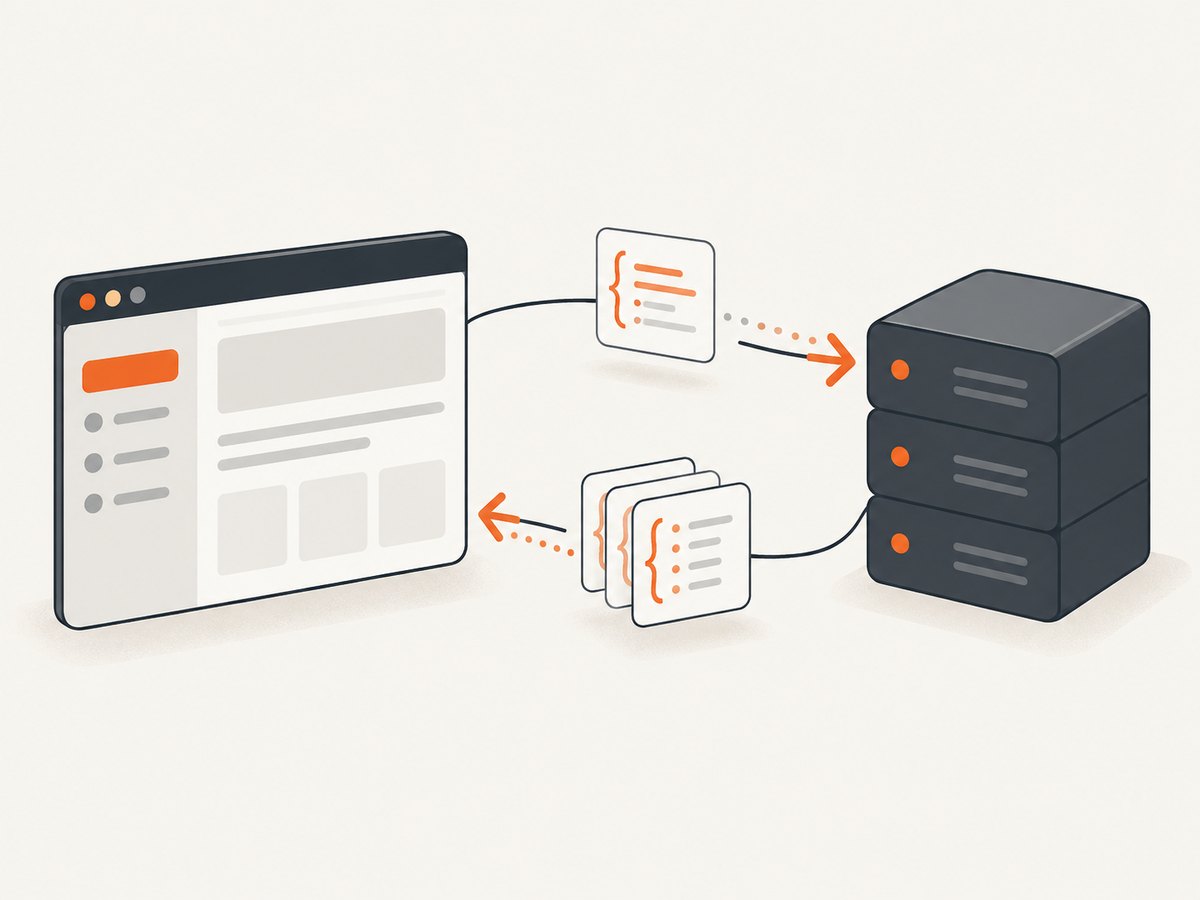
| Approach | What runs where | Use it when |
|---|---|---|
| Browser client + local HTTP server | Web UI in the browser; MCP server on your machine | Developing and testing a UI |
| Browser client + remote HTTP server | Web UI and MCP endpoint may be on different hosts | Users need to access a shared deployment |
| Server inside a browser tab | Would require a browser-compatible server implementation and environment | Only if you specifically need an in-tab server; the reviewed official guides do not provide a general end-to-end setup |
For HTTP connections, use Streamable HTTP for a new implementation. The official SDK documentation describes it as the recommended transport for remote servers. Older HTTP+SSE is a compatibility path for existing servers; the current draft says not to adopt the legacy transport for new implementations. Review the current Streamable HTTP specification alongside the protocol revision your SDK supports.
2. Run an HTTP MCP server
The browser needs a reachable MCP URL, for example http://localhost:3000/mcp in development or an HTTPS URL in production. The TypeScript SDK v2 guide demonstrates connecting to an endpoint; the SDK server guide has Streamable HTTP examples, including stateless and stateful hosting. If you already have an MCP server, use its documented endpoint and skip to step 3.
For a concrete server-hosting example, the official MCP C# SDK v2 documents ASP.NET Core hosting like this. It maps an HTTP MCP endpoint and selects stateless mode, which is the default and recommended mode in that guide when the server does not need server-to-client requests:
using ModelContextProtocol.AspNetCore;

var builder = WebApplication.CreateBuilder(args);

builder.Services.AddMcpServer()
    .WithHttpTransport(options =>
    {
        options.SessionMode = HttpServerSessionMode.Stateless;
    })
    .WithTools<MyTools>();

var app = builder.Build();
app.MapMcp();
app.Run();
This is the hosting pattern, not a complete tool implementation: MyTools is your class containing the tools you want to expose. Install and configure the C# SDK packages using the C# SDK v2 transport guide. Its MapMcp() example maps the endpoint at the root by default; configure a route or reverse proxy consistently with the URL your browser client uses.
Stateless hosting avoids in-memory transport sessions and makes horizontal scaling simpler. Choose stateful mode only when your use case needs transport session state, such as per-client isolation, subscriptions, or unsolicited server notifications. The wire protocol and the available session mechanisms depend on the protocol revision. The 2025-11-25 specification describes session IDs and a standalone GET SSE stream; the 2026-07-28 revision removes those transport-level mechanisms. Match server and client SDK versions rather than copying session headers from an older guide into a newer stateless setup.
3. Connect from a browser app
Create a browser project with your preferred bundler. Install the TypeScript MCP client package, then connect to the endpoint from browser-side code. This example follows the v2 guide’s Client and StreamableHTTPClientTransport API and assumes the browser app is served from a separate origin. The endpoint must allow that origin through CORS, as described in the next step.
npm install @modelcontextprotocol/clientIn your app’s client module:
import {
  Client,
  StreamableHTTPClientTransport,
} from "@modelcontextprotocol/client";

const client = new Client({
  name: "browser-demo",
  version: "1.0.0",
});

const transport = new StreamableHTTPClientTransport(
  new URL("http://localhost:3000/mcp"),
);

await client.connect(transport);

console.log("Server:", client.getServerVersion());
console.log("Capabilities:", client.getServerCapabilities());
console.log("Instructions:", client.getInstructions());

const tools = await client.listTools();
console.log("Available tools:", tools.tools);

// Replace "your_tool" and its arguments with a tool your server exposes.
const result = await client.callTool({
  name: "your_tool",
  arguments: {},
});
console.log(result);

// On page teardown, close the client. For session-aware servers,
// the SDK guide also shows transport.terminateSession() before close.
await client.close();
connect() performs the protocol connection handshake before resolving. The server’s capabilities and instructions are available after connecting; inspect capabilities before calling operations. Replace the placeholder tool name and arguments with the exact schema returned by listTools(). Don’t put server credentials in browser code: users can inspect JavaScript and network requests. If the server needs authentication, issue appropriately scoped credentials through your app’s trusted backend and configure the endpoint to validate them.
4. Configure CORS at the MCP endpoint
CORS is enforced by browsers. If your UI is served from http://localhost:5173 and the endpoint is http://localhost:3000, they have different origins even though both use localhost. The browser may send an OPTIONS preflight before the MCP request. The MCP server or its hosting layer must answer with an allowlist for the UI’s exact origin and the methods and headers required by the SDK and protocol revision.
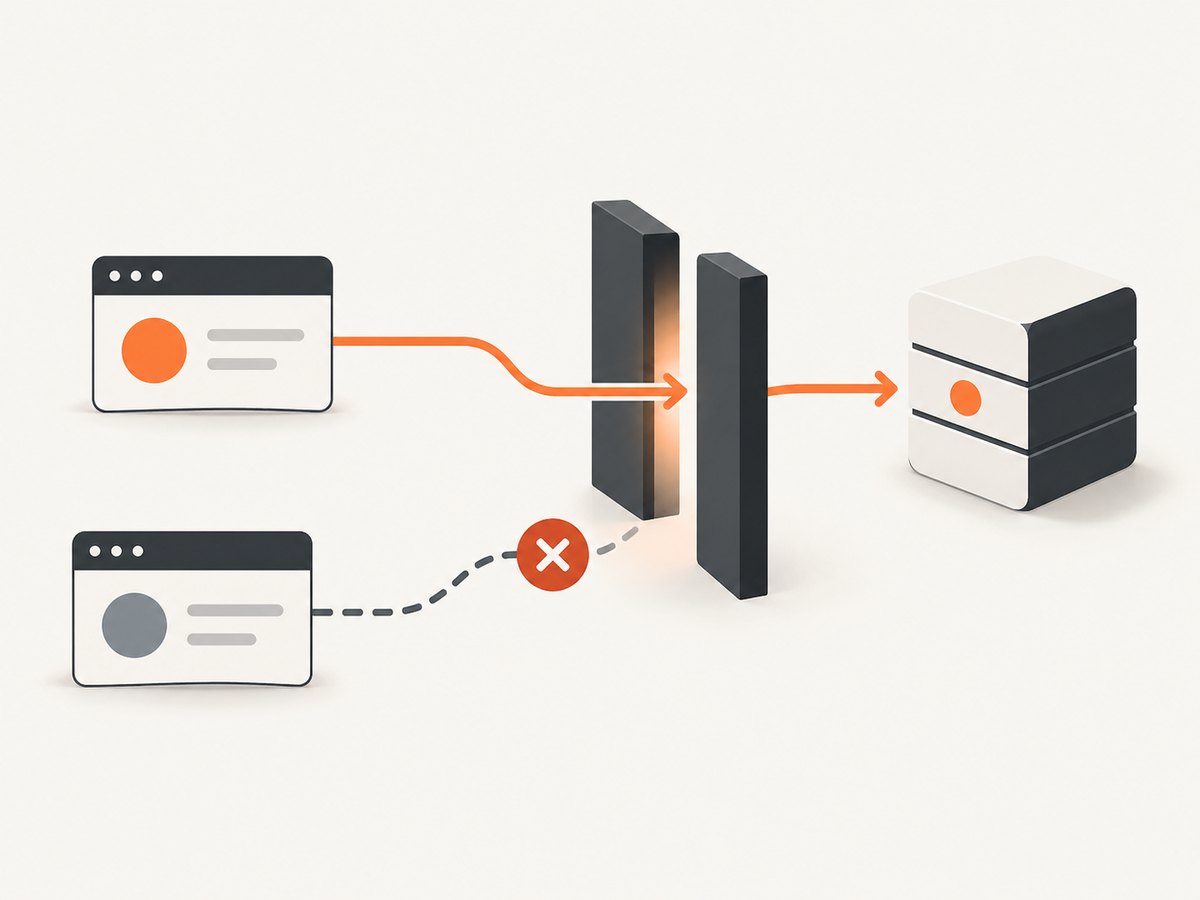
The C# SDK v2 guide shows a narrow policy for browser calls. Its example allows the configured origin and the HTTP methods, then allows JSON, authorization, and protocol headers; for session/resumability support it also discusses session and event headers and exposing the session ID:
var allowedOrigins = builder.Configuration
    .GetSection("Mcp:AllowedOrigins")
    .Get<string[]>() ?? ["http://localhost:5173"];

builder.Services.AddCors(options =>
{
    options.AddPolicy("McpBrowserClient", policy =>
    {
        policy.WithOrigins(allowedOrigins)
            .WithMethods("POST", "GET", "DELETE")
            .WithHeaders(
                "Content-Type",
                "Authorization",
                "MCP-Protocol-Version",
                "Mcp-Session-Id",
                "Last-Event-ID")
            .WithExposedHeaders("Mcp-Session-Id");
    });
});

// After app.Build(), before mapping/handling the endpoint:
app.UseCors("McpBrowserClient");
Configure only what your actual transport needs. For a stateless browser client, the C# guide says the usual preflight headers are JSON Content-Type, Authorization if protected, and MCP-Protocol-Version. Add Mcp-Session-Id and Last-Event-ID, and expose the session ID, when using the matching session or resumability behavior. The guide’s example lists GET and DELETE for standalone/resumable SSE and stateful session termination; those may not apply to a newer stateless protocol. Its CORS guidance is framework and protocol specific. See the SDK’s browser CORS section.
Set the allowed origin to the exact scheme, host, and port of your UI. Do not use a wildcard origin for an authenticated endpoint. If credentials such as cookies are used, configure credential handling deliberately and do not combine credentialed requests with a wildcard origin. Test the preflight in the browser’s Network panel and inspect the actual response headers.
5. Keep the endpoint protected
CORS controls whether browser JavaScript can read a cross-origin response; it is not authentication and it does not stop non-browser clients from sending requests. Also validate the request’s Origin as appropriate, restrict accepted host names, and authenticate endpoints that expose sensitive operations.
The MCP 2025-11-25 transport specification warns: “Without these protections, attackers could use DNS rebinding to interact with local MCP servers from remote websites.” For local development, bind the server to loopback where possible and allow only expected loopback host names. The C# SDK guide explicitly says, “CORS is not a substitute for host name validation.” Configure host filtering at the server or proxy that actually sees the host header; don’t accept every host name for convenience. For a deployed endpoint, allow the deployment’s intended hostname and require authentication if its tools should not be public. Read the 2025-11-25 transport security guidance and your server framework’s current host validation instructions.
6. Test the browser connection
- Start the MCP HTTP server and confirm its endpoint URL and route.
- Start the web app on the origin you configured in the server CORS policy.
- Open the web app, connect, and inspect the server version, capabilities, and tool list.
- Call a harmless tool with schema-valid arguments and display its result.
- Check the browser Network panel for OPTIONS preflight and MCP requests. A preflight rejection is a CORS/configuration issue; a successful HTTP response containing an MCP error is a protocol, authorization, or tool issue.
- Repeat against the production hostname and authentication configuration. Localhost success does not prove production CORS or proxy behavior is correct.
The MCP Apps quickstart follows this separation: start an HTTP server separately, then open a browser test host. That is a useful architecture pattern when testing browser experiences, but it does not mean the server process itself is running in the browser.
Options and design decisions
| Decision | Practical guidance |
|---|---|
| Local or remote | Use loopback-bound HTTP for local development. Use HTTPS and exact host/origin allowlists when deployed. |
| Streamable HTTP or legacy SSE | Prefer Streamable HTTP for new remote servers. Use a legacy transport only when connecting to an existing server that requires it. |
| Stateless or stateful | Stateless fits request/response tools and scales without in-memory session affinity. Stateful may be needed for server-driven requests, subscriptions, or per-client state. |
| Authentication | Keep secrets off the client. Validate bearer tokens or another supported identity at the server and scope access to the tools the user needs. |
| Cross-origin policy | Allow only known app origins and the headers/methods needed by the selected protocol revision. |
| SDK/protocol revision | Pin SDK releases and verify supported protocol behavior before changing clients, servers, or session handling. |
Performance, reliability, and cost
The browser-to-server path adds network latency to each MCP request. Put the endpoint near its users or backend dependencies where practical, avoid unnecessary tool round trips, and keep tool responses to the data the UI needs. Streaming can help with long-running responses when both the chosen SDK and server support it, but browser proxies and hosting layers must preserve the required HTTP behavior.
For reliability, handle connection errors and tool-level errors separately, show a useful reconnect state, and close clients during page teardown. Do not assume a session can survive a reload unless the selected SDK and server explicitly support session resume and your app stores the required state safely. A stateless endpoint avoids some server-side session coordination; stateful deployments may require shared session storage or routing that keeps a client attached to the right state.
There is no universal cost for running MCP in a browser: the browser client itself is code in your app, while server compute, hosting, and any downstream APIs have their own costs. Measure the calls your tools make and apply timeouts, input validation, rate limits, and request size limits at the server. No protocol benchmark or cost figure is implied here.
Or skip the browser setup
If your task is simply to capture a website screenshot for an MCP workflow or another developer tool, ScreenshotNeo is a website screenshot API and MCP server. It offers take_screenshot, get_page_info, and capture_pdf for Claude, Cursor, and other MCP clients. The one-call API example is below; see the ScreenshotNeo docs for request options.
curl -G "https://api.screenshotneo.com/v1/shot" \
  -d access_key=YOUR_API_KEY \
  --data-urlencode url=https://stripe.com \
  -o shot.webp
Cookie banners, popups, and chat widgets are removed before the shot. Bot checks, blank pages, and failed loads are never billed. The MCP server lets AI agents take screenshots. The Free plan includes 1,000 screenshots a month with no card; paid plans start at $5 for 3,000. Create a free ScreenshotNeo account to get 1,000 screenshots a month with no card.
Troubleshooting
| Symptom | Likely cause | Fix |
|---|---|---|
| Browser says the request was blocked by CORS | The UI origin is missing, the preflight failed, or a required request/response header is not allowed or exposed. | Allow the exact UI origin. Inspect OPTIONS and add only the methods and headers required by this SDK and protocol mode. Expose session headers only when browser code needs them. |
| Connection works in a desktop MCP host but not in the browser | The desktop host may use stdio or avoid browser CORS restrictions. | Use an HTTP endpoint for the browser client and configure CORS and host checks on that endpoint. |
| 404 or connection refused | Server is stopped, wrong port, or wrong MCP route. | Confirm the server is listening and that client URL matches the route mapped by the server. |
| 405 or unsupported method | Proxy or route accepts only some methods, or client/server transport expectations differ. | Check SDK and protocol compatibility, and ensure the endpoint and proxy support the methods required by that transport revision. |
| Protocol version or initialization error | The SDK and server negotiate different protocol eras or the endpoint is not an MCP transport. | Check pinned package versions and the server’s documented protocol support. Avoid mixing legacy session examples with newer stateless behavior. |
| 401 or 403 | Missing, expired, or insufficient authentication. | Obtain credentials through a trusted application flow, send the supported authorization header, and verify server-side scopes and CORS allowance. |
| Works locally, fails after deployment | Production origin, HTTPS, reverse proxy, host filtering, or forwarded headers differ. | Configure the deployed origin and public host explicitly, then verify the proxy forwards MCP requests, preflights, and streaming responses correctly. |
| Connection drops during a long call | Timeouts or buffering at the browser, proxy, server, or hosting layer. | Review each layer’s timeout and streaming behavior. Return bounded results and report tool progress or errors through supported mechanisms. |
FAQ
Can JavaScript in a web page start an MCP server process?
Not as a general server process in the normal browser-client pattern. The browser connects to a separately hosted endpoint. A browser-resident implementation would need to be specifically designed for browser APIs and execution limits.
Can I connect to a local MCP server from a deployed website?
A browser may attempt an HTTP request to a user’s local machine, but that design requires careful origin, host, authentication, and browser security handling. Do not treat CORS as sufficient protection; follow the MCP transport security guidance.
Does the browser need to know every tool in advance?
No. After connecting, the client can list tools and inspect their input schemas, then call a tool by its advertised name with valid arguments.
Should I use the 2025-11-25 or 2026-07-28 protocol behavior?
Use what your pinned SDK and server support together. The transport details differ, especially around sessions and standalone GET SSE, so verify the matching release documentation before deployment.


