How to Run Playwright Projects in Parallel
Run Playwright browser projects faster with workers, dependencies, fully parallel tests, and CI sharding. Includes configuration, isolation, and troubleshooting.

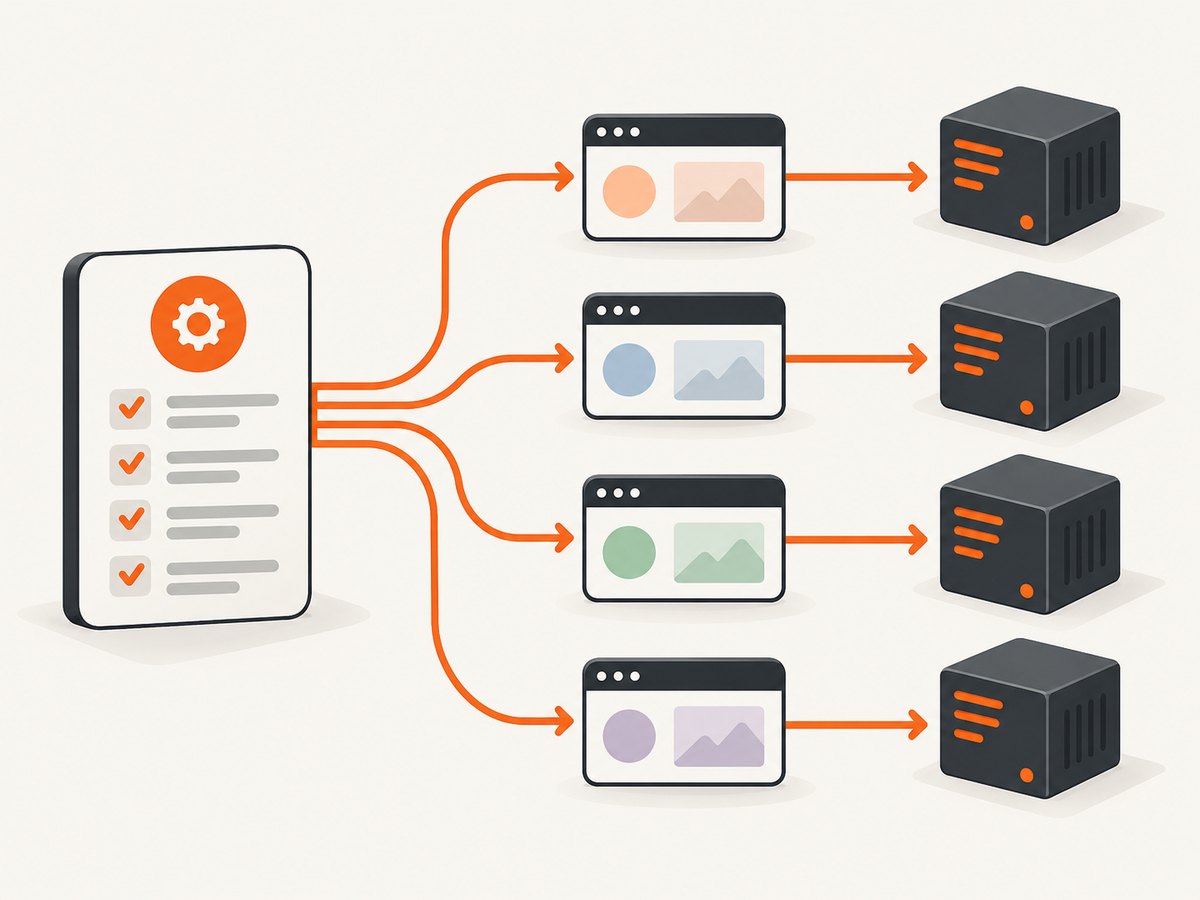
Playwright projects run in parallel by default at the test-file level. Define named projects for Chromium, Firefox, WebKit, devices, or environments; increase concurrency with workers or fully parallel mode; and use CI sharding when one machine is not enough. The safe design is to keep setup in a dependency project, isolate test data, and choose worker counts based on CPU, memory, browser capacity, and shared-resource limits.
This guide shows how the execution model works, how to configure projects, how to shard a suite across CI jobs, and how to diagnose failures caused by parallelism.
How Playwright parallelism works
Playwright Test uses independent worker processes. By default, test files run in parallel, while tests inside one file run in order in the same worker. Each worker starts its own browser. Workers do not communicate directly, so parallel tests must not depend on mutable state owned by another worker.
| Control | What it changes | Typical use |
|---|---|---|
workers |
Maximum number of concurrent worker processes on one machine | Cap CPU, memory, browser, or backend load |
fullyParallel |
Allows tests, rather than only files, to run concurrently | Suites with independent tests and many small cases |
test.describe.configure({ mode: 'parallel' }) |
Enables parallel mode for one file or describe group | Incremental adoption or isolating one suite |
| Projects | Runs a configuration matrix such as browsers, devices, or environments | Cross-browser and device coverage |
--shard=x/y |
Splits the suite across separate machines or CI jobs | Horizontal CI scale-out |
Playwright documents this model in its parallelism guide. Setting workers: 1 serializes execution on a machine, which is useful for debugging or for a genuinely shared resource.
Configure browser and device projects
A project is a named set of settings. Projects commonly represent browsers, branded browser channels, mobile devices, locales, or test environments. Playwright runs all configured projects unless you select one with --project.
import { defineConfig, devices } from '@playwright/test';

export default defineConfig({
  testDir: './tests',
  fullyParallel: true,
  workers: process.env.CI ? 2 : undefined,
  reporter: process.env.CI ? [['line'], ['html', { open: 'never' }]] : 'list',
  use: {
    baseURL: 'https://example.test',
    trace: 'on-first-retry',
    screenshot: 'only-on-failure',
    video: 'retain-on-failure',
  },
  projects: [
    {
      name: 'setup',
      testMatch: '**/*.setup.ts',
    },
    {
      name: 'chromium',
      use: { ...devices['Desktop Chrome'] },
      dependencies: ['setup'],
    },
    {
      name: 'firefox',
      use: { ...devices['Desktop Firefox'] },
      dependencies: ['setup'],
    },
    {
      name: 'webkit',
      use: { ...devices['Desktop Safari'] },
      dependencies: ['setup'],
    },
    {
      name: 'mobile-chrome',
      use: { ...devices['Pixel 5'] },
      dependencies: ['setup'],
    },
  ],
});
With this file, npx playwright test runs the setup project first, then runs the dependent browser and device projects subject to the worker limit. Run one project while developing:
npx playwright test --project=firefoxProjects can also vary environment variables, base URLs, authentication state, permissions, timezone, or geolocation. Keep a project focused on one meaningful execution configuration so failures remain easy to interpret.
Use setup projects and dependencies correctly
A setup project is a normal Playwright project whose tests prepare shared prerequisites, such as creating a test account or saving authenticated storage state. A dependent project starts only after its dependencies pass. Teardown runs after dependent projects finish.
// tests/auth.setup.ts
import { test as setup, expect } from '@playwright/test';

setup('create authenticated state', async ({ page }) => {
  await page.goto('/login');
  await page.getByLabel('Email').fill(process.env.TEST_EMAIL!);
  await page.getByLabel('Password').fill(process.env.TEST_PASSWORD!);
  await page.getByRole('button', { name: 'Sign in' }).click();
  await expect(page).toHaveURL(/dashboard/);
  await page.context().storageState({ path: 'playwright/.auth/user.json' });
});
// In the dependent project
{
name: 'chromium-authenticated',
use: {
...devices['Desktop Chrome'],
storageState: 'playwright/.auth/user.json',
},
dependencies: ['setup'],
}Do not use a dependency project as a way to mutate one global account for every test. The setup should create a valid prerequisite; tests still need isolated records when they update or delete data. If setup is expensive, use fixtures or a stable seed strategy that is safe for concurrent consumers.
Choose workers and test-level parallelism
The workers setting is a ceiling, not a promise that every worker will stay busy. Playwright schedules available files and tests across workers. Start with a small value in CI, observe CPU and memory pressure, then increase it while checking browser stability and backend rate limits.
export default defineConfig({
  workers: process.env.CI ? 2 : undefined,
  fullyParallel: false,
});
Use the command line for temporary experiments:
npx playwright test --workers=4
npx playwright test --fully-parallel
fullyParallel: true allows tests from the same file to run concurrently. You can scope the behavior instead:
import { test } from '@playwright/test';

test.describe.configure({ mode: 'parallel' });

test('creates a project', async ({ page }) => {
  // Must use data unique to this test.
});

test('deletes a project', async ({ page }) => {
  // Must not assume the first test ran first.
});
Tests in parallel mode must be order-independent. Avoid module-level mutable variables, shared temporary filenames, and assumptions about which test owns a browser context. A worker-scoped fixture can be useful for expensive setup that is safe to share within one worker; a test-scoped fixture is safer when each test needs complete isolation.
Shard a suite across CI machines
Workers increase concurrency on one machine. Sharding divides the suite across machines or jobs. The --shard=x/y option assigns one part of the suite to each job.
# Job 1 of 4
npx playwright test --shard=1/4

# Job 2 of 4
npx playwright test --shard=2/4

# Job 3 of 4
npx playwright test --shard=3/4

# Job 4 of 4
npx playwright test --shard=4/4
In a CI system, create a matrix with four identical jobs and pass the matrix index as the shard number. Each job needs the same source revision, dependencies, browser binaries, environment variables, and test data strategy.
# GitHub Actions example
name: Playwright
on: [push, pull_request]
jobs:
  test:
    strategy:
      fail-fast: false
      matrix:
        shard: [1/4, 2/4, 3/4, 4/4]
    runs-on: ubuntu-latest
    steps:
      - uses: actions/checkout@v4
      - uses: actions/setup-node@v4
        with:
          node-version: 20
      - run: npm ci
      - run: npx playwright install --with-deps
      - run: npx playwright test --shard=${{ matrix.shard }}
      - uses: actions/upload-artifact@v4
        if: always()
        with:
          name: playwright-report-${{ matrix.shard }}
          path: playwright-report/
Without fullyParallel, sharding is file-level, so a few large files can make one shard much slower than the others. With fullyParallel: true, Playwright can balance at test level. Sharding reduces wall-clock time only when the extra machines have capacity and the suite is sufficiently independent; it does not guarantee a fixed speedup.
Isolation rules for reliable parallel tests
- Generate unique records. Include the worker index, test title, or a random suffix in usernames, order IDs, project names, and email addresses.
- Use isolated accounts where needed. If a test changes permissions or billing state, provision a separate account rather than sharing one user across workers.
- Namespace files. Write downloads, screenshots, traces, and exports beneath a per-test or per-worker directory.
- Protect non-parallel resources. Use a named lock or set a lower worker count for tests that must access one account, port, license, or external sandbox.
- Keep browser contexts independent. Playwright contexts isolate cookies and storage, but they cannot isolate a shared backend database or third-party service.
- Make cleanup idempotent. A failed test may leave data behind; cleanup should tolerate missing records and retries.
If only one project uses a constrained service, configure that project with a lower worker count or run it as a separate CI job. Do not globally serialize a large suite to protect one small group unless the trade-off is intentional.
Useful commands and execution patterns
npx playwright test                         # all projects
npx playwright test --project=firefox       # one project
npx playwright test --workers=4             # four local workers
npx playwright test --fully-parallel        # enable test-level parallelism
npx playwright test --shard=1/4             # first of four CI shards
npx playwright test --no-deps --project=chromium # skip dependency projects
--no-deps is useful for a focused local run when setup is already complete. Do not use it in a normal CI run if dependent projects require fresh authentication or seeded data.
Performance, reliability, and cost planning
Measure the complete pipeline, including dependency installation, browser startup, setup, retries, artifact upload, and report merging. More workers can make a suite slower when the machine swaps memory, the backend throttles requests, or browsers compete for CPU. Browser projects multiply work: three browsers with 500 tests represent 1,500 test executions before retries.
| Constraint | Symptom | Adjustment |
|---|---|---|
| CPU saturation | Longer actions and timeouts as workers rise | Reduce workers or use larger CI machines |
| Memory pressure | Browser crashes, OS kills, or heavy swapping | Lower workers; split projects across jobs |
| Backend rate limits | 429 responses and intermittent API failures | Cap workers, add test data, coordinate with service owners |
| Uneven shards | One CI job finishes much later | Enable fully parallel mode or rebalance large files |
| Flaky shared state | Passes alone, fails in a full run | Remove order dependencies and namespace data |
Retries can hide race conditions by making a failed test pass on a fresh worker. Keep traces and reports for failures, inspect the first failure, and fix the shared-state cause instead of treating retries as a concurrency strategy.
Troubleshooting parallel Playwright runs
Tests pass alone but fail together
Cause: shared accounts, records, files, ports, or module state. Fix: create unique data per test or worker, isolate files, and remove ordering assumptions. Temporarily run with --workers=1 to confirm the diagnosis.
One browser project fails while others pass
Cause: browser-specific behavior, an unsupported assumption, or project configuration drift. Fix: run --project=firefox or the failing project alone, inspect its device and use settings, and keep selectors and waits based on observable behavior.
CI shards have very different durations
Cause: file-level sharding puts large files in one shard. Fix: enable fullyParallel, split oversized files, or use a more even test distribution.
Dependent projects start before setup appears complete
Cause: the project is missing dependencies: ['setup'], or the command uses --no-deps. Fix: add the dependency and remove --no-deps for the normal run.
Worker crashes or out-of-memory errors
Cause: too many browsers or contexts for the machine. Fix: lower workers, reduce video or trace retention for successful tests, and allocate more memory before increasing concurrency.
Authentication state is missing
Cause: setup did not run, the storage-state path is not available on the worker, or tests overwrite the shared state. Fix: use project dependencies, create the state in a workspace path available to all projects on that machine, and never mutate the saved state during a test.
External APIs return intermittent 429 or 5xx errors
Cause: parallel workers exceed service limits or collide on shared fixtures. Fix: cap workers for that project, use deterministic test doubles where appropriate, and make cleanup and retries safe.
Or skip the browser setup
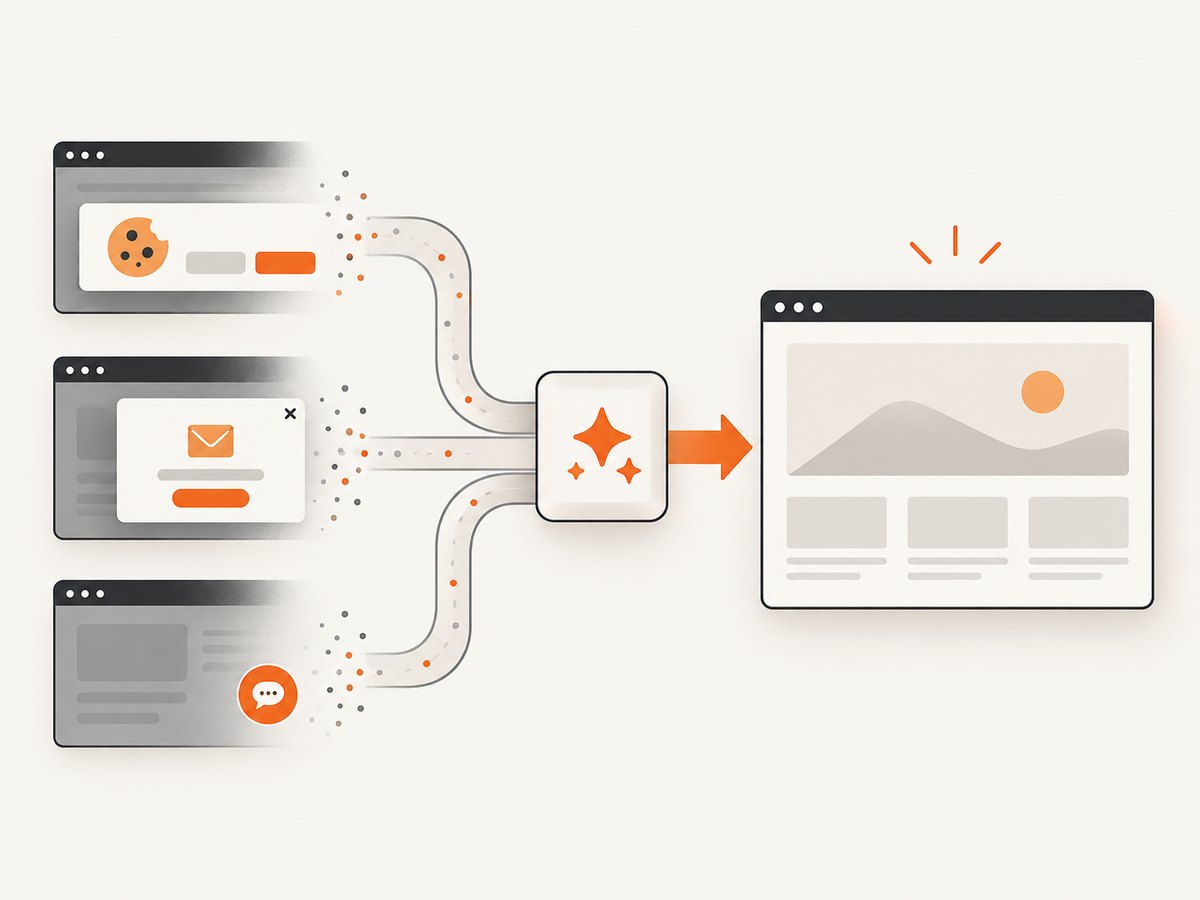
If your goal is to capture pages for documentation, visual checks, or reports rather than run browser assertions, ScreenshotNeo provides a website screenshot API and MCP server. One GET request returns PNG, JPEG, WebP, or PDF output. It accepts consent banners like a visitor and removes more than 60 known consent platforms, newsletter popups, and chat widgets before capture; each step can be turned off. Bot checks or CAPTCHAs, blank pages, timeouts, failed loads, and cache hits cost nothing, and the response identifies the result with X-Page-Verdict and X-Billed headers.
See the ScreenshotNeo API documentation for all options, including full-page and element capture, device presets, dark mode, retina scale, custom CSS and JavaScript, clicks, waits, request blocking, headers, cookies, user agents, authorization, timezone, geolocation, transparent backgrounds, resizing, caching, signed links, asynchronous jobs, webhooks, bulk capture, and usage reporting.
cURL
curl -G "https://api.screenshotneo.com/v1/shot" -d access_key=YOUR_API_KEY --data-urlencode url=https://stripe.com -o shot.webpPython
import requests

r = requests.get(
    "https://api.screenshotneo.com/v1/shot",
    params={"access_key": "YOUR_API_KEY", "url": "https://stripe.com"},
    timeout=90,
)
r.raise_for_status()
open("shot.webp", "wb").write(r.content)
Node.js
const q = new URLSearchParams({ access_key: 'YOUR_API_KEY', url: 'https://stripe.com' });
const res = await fetch(`https://api.screenshotneo.com/v1/shot?${q}`);
if (!res.ok) throw new Error(`Screenshot failed: ${res.status}`);
const fs = await import('node:fs/promises');
await fs.writeFile('shot.webp', Buffer.from(await res.arrayBuffer()));
An MCP server is included for Claude, Cursor, and other MCP clients, with take_screenshot, get_page_info, and capture_pdf tools. The Free plan includes 1,000 screenshots per month with no card; paid plans start at $5 for 3,000 shots, and every feature is available on every plan. Create a free ScreenshotNeo account.
FAQ
Do Playwright projects run at the same time?
Independent projects can run concurrently, subject to the worker limit. A project with dependencies waits for its setup project.
Should I use workers or shards?
Use workers for concurrency on one machine. Use shards for concurrency across multiple CI machines. They can be combined.
What worker count should I choose?
There is no universal number. Start conservatively, then increase while watching CPU, memory, browser stability, backend limits, and CI duration.
Does parallel mode guarantee faster tests?
No. Speed depends on suite shape and infrastructure. Contention, setup costs, retries, and uneven files can remove the benefit.
Can tests share one browser?
Workers start independent browsers. Tests should rely on isolated contexts and should not assume direct communication between workers.


