Scaling a Headless Browser Fleet to 10,000 Concurrent Sessions
A practical guide to benchmarking, isolating, and operating 10,000 concurrent headless browser sessions without guessing capacity.

Direct answer: 10,000 concurrent headless browser sessions is a workload target, not a universal server size. You cannot safely derive the required CPU, memory, or worker count from the session number alone. Build a representative workload model, measure browser launch throughput separately from active-session concurrency, then add capacity in controlled steps. Keep sessions isolated, pin browser versions, enforce lifecycle limits, and choose between self-hosted workers and a managed browser service based on your task profile.
The available vendor documentation does not publish a defensible CPU-per-session or memory-per-session figure for this target. Cloudflare documents a Workers Paid default of 200 concurrent browsers and 3 new browser instances per second as of August 20, 2026, with higher concurrency available by request; those are service defaults, not a guarantee that your workload can run 10,000 sessions. Browserless documents distributed workers and enterprise provisioning, but likewise does not promise a universal 10,000-session configuration. Treat every published limit as a starting point for a capacity conversation.
1. Define what 10,000 concurrent sessions means
Write down the workload before selecting infrastructure. A session can mean a browser process, a browser context, or a logical job sharing a browser. Those have very different resource and isolation characteristics.
| Dimension | Questions to answer |
|---|---|
| Session unit | One browser process, one context, or one job? |
| Duration | Are sessions active for 2 seconds, 2 minutes, or hours? |
| Workload | Navigation, JavaScript-heavy apps, screenshots, PDFs, scraping, forms, or tests? |
| Browser mode | Chromium headless shell or the newer headless mode? Which Playwright version? |
| Launch rate | How many new browsers per second arrive during a burst? |
| Network profile | Average page weight, third-party domains, downloads, WebSockets, and retries? |
| State | Ephemeral contexts or persistent profiles with cookies and local storage? |
Track at least these service-level measurements:
- Active sessions and active browser processes.
- Browser launch latency and launches per second.
- Navigation latency, task latency, and timeout rate.
- CPU, memory, file descriptors, process count, and network throughput per worker.
- Queue wait time, retry count, crash rate, and forced termination count.
- Success rate by URL class and browser version.
Do not average away tail behavior. A fleet that looks healthy at p50 can fail when p95 or p99 navigation time increases and sessions accumulate. Capacity planning should keep enough headroom for the tail, browser crashes, rolling deployments, and traffic bursts.
2. Choose an isolation model
One browser process per session
This gives the strongest fault isolation and the clearest accounting. A crash or memory leak usually affects one session. The tradeoff is process-launch overhead and more operating-system scheduling work. It is a useful baseline for measurements, especially when sessions require different browser flags or credentials.
One browser with many contexts
Contexts are cheaper to create than full browsers and can share the browser executable. They are appropriate when sessions can share the same browser version and do not need operating-system-level isolation. Validate your security boundary carefully: a context is not a virtual machine, and accidental state sharing can occur if your code reuses pages, storage state, or service workers.
Persistent profiles
Use a persistent context only when cookies, local storage, extensions, or a long-lived identity are required. Playwright’s BrowserType documentation warns that browsers do not allow multiple instances to launch with the same user data directory. Assign one explicit owner to each profile directory, lock it, and delete or archive it according to a retention policy. Never let two workers race to reuse the same directory.
3. Pin browser versions and headless mode
Playwright versions depend on compatible browser binaries. Build the Playwright package and browser binaries into the same deployment artifact, and promote them together. The Playwright browser documentation explains that the newer Chromium headless mode can be used without downloading the separate headless shell by installing with --no-shell. Select one mode deliberately and include it in your benchmark matrix.
# Example build step
npm ci
npx playwright install --with-deps chromium
# Or, when using the newer Chromium headless mode:
npx playwright install --with-deps --no-shell chromium
When upgrading, run a canary workload against representative sites. Compare launch time, memory growth, screenshot or PDF output, navigation failures, and shutdown behavior. Keep the previous image available for rollback until the new version has passed your soak test.
4. Build a measured worker architecture
A reliable fleet separates admission control, scheduling, browser execution, and result storage.
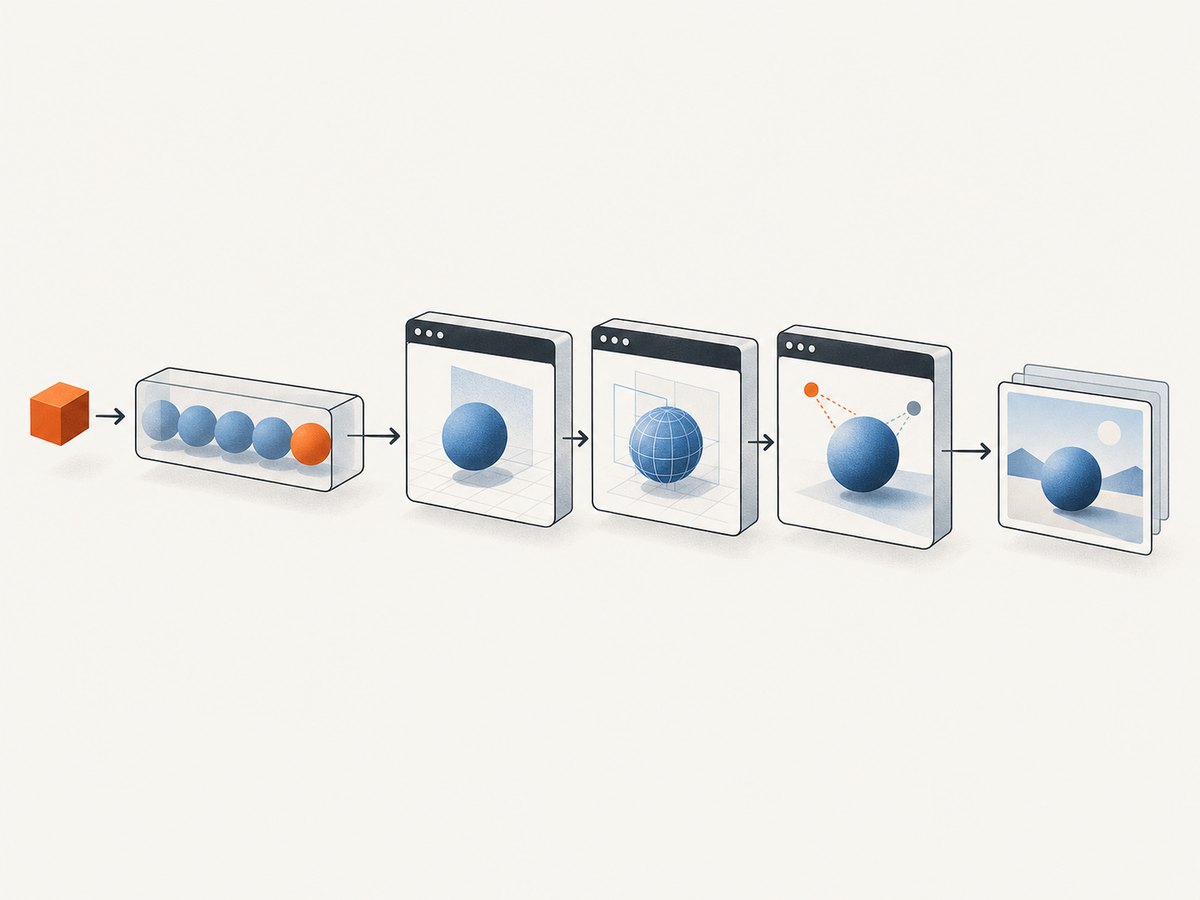
- Ingress: authenticate requests, validate timeouts and URLs, and assign a job ID.
- Queue: buffer bursts and apply per-tenant concurrency limits.
- Scheduler: place jobs on workers with available browser slots and matching capabilities.
- Worker: launch or reuse a browser according to the isolation policy, execute one bounded task, collect telemetry, and close resources.
- Result path: store artifacts outside the worker and return a durable reference.
- Reaper: terminate jobs that exceed wall-clock, idle, or memory limits.
Use a slot model rather than allowing every worker to accept unlimited jobs. A slot should represent the maximum tested concurrency for that worker shape and workload class. Maintain separate pools when tasks differ materially, such as lightweight page metadata versus PDF rendering or video-heavy pages.
Reference Playwright worker
import { chromium } from 'playwright';

const browser = await chromium.launch({ headless: true });
const maxTaskMs = 60_000;

async function runJob(url) {
  const context = await browser.newContext({
    viewport: { width: 1365, height: 768 },
    serviceWorkers: 'block'
  });
  const page = await context.newPage();
  try {
    await page.goto(url, { waitUntil: 'domcontentloaded', timeout: 30_000 });
    await page.waitForLoadState('networkidle', { timeout: 15_000 }).catch(() => {});
    return await page.screenshot({ type: 'png', fullPage: true });
  } finally {
    await context.close();
  }
}

const result = await Promise.race([
  runJob(process.env.TARGET_URL),
  new Promise((_, reject) => setTimeout(() => reject(new Error('task deadline')), maxTaskMs))
]);
console.log(`captured ${result.length} bytes`);
await browser.close();
In production, wrap this pattern in a worker loop with a bounded queue, cancellation support, structured logs, and a process-level supervisor. Recycle a browser after a tested number of jobs or when memory exceeds a threshold. Recycling is a containment mechanism for leaks; it is not a substitute for finding the leak.
5. Benchmark capacity instead of guessing
Create a workload matrix with at least three site classes: a static page, a JavaScript-heavy application, and a page with third-party resources. Add your real screenshot, PDF, scraping, or form workflows. For each class, vary session duration and launch rate.
- Run one worker with one session and record a baseline.
- Increase active sessions gradually while holding launch rate constant.
- Run a separate burst test that increases new-browser launches per second.
- Repeat at the expected session duration and with a longer soak test.
- Continue until a defined guardrail fails: timeout rate, p99 latency, memory pressure, CPU saturation, or queue growth.
- Repeat on the next worker size and compare capacity per dollar or per reserved slot.
Keep launch throughput separate from active concurrency. A fleet may sustain 10,000 long-lived sessions while launching only a few new browsers per second, yet fail a workload that constantly creates short-lived browsers. Cloudflare’s August 20, 2026 changelog lists 200 concurrent browsers and 3 new browser instances per second as Workers Paid defaults, compared with earlier defaults of 120 and 1. Use those figures to ask precise provider questions, not to extrapolate a 10,000-session design.
6. Self-hosted workers versus managed browser capacity
Self-hosting gives control over images, networking, data placement, and scheduling. You own capacity tests, patching, browser upgrades, crash recovery, and the operational burden of maintaining thousands of processes. Managed browser services can provide distributed workers and enterprise provisioning; Browserless describes these options in its terminology documentation. Ask for written limits covering concurrent sessions, launch rate, maximum duration, regions, browser versions, persistent state, and burst behavior.
For headless automation, Google Cloud’s Cloud Run browser automation guidance covers Playwright, Puppeteer, and CDP for scraping, form submissions, UI testing, screenshots, and PDFs. It recommends a full desktop OS when workflows require desktop applications, browser extensions, uploads or downloads, or complex drag-and-drop interactions. Do not compare a desktop fleet with a headless fleet until you have confirmed the workflow requirements.
7. Reliability controls for 10,000 sessions
- Deadlines: Set navigation, task, and total wall-clock limits.
- Backpressure: Reject or defer work when queue age or slot utilization crosses a limit.
- Retries: Retry transient network failures with jitter; avoid retrying deterministic 4xx responses or bot challenges indefinitely.
- Idempotency: Give every job an idempotency key so a worker crash does not duplicate side effects.
- Shutdown: Stop accepting new work, drain active jobs, then close contexts and browsers.
- Health checks: Distinguish process liveness from browser readiness and dependency health.
- Resource quotas: Cap file descriptors, subprocesses, temporary storage, and per-tenant concurrency.
- Observability: Emit job IDs, browser version, worker ID, timings, outcome, and termination reason without logging secrets.
8. Performance and cost considerations
Measure the total cost of completed work, not only machine utilization. Include idle headroom, queue infrastructure, artifact storage, egress, observability, and engineering time. A smaller fleet with predictable queueing can be cheaper than a larger fleet that is frequently overloaded and retries work.
Reuse a browser when your isolation model permits it, but close every context and page. Block unnecessary resource types only when your task allows it; blocking scripts or fonts can change page behavior and invalidate results. Cache immutable artifacts and avoid repeating identical navigations, while retaining a bypass for freshness-sensitive jobs.
9. Troubleshooting checklist
| Symptom | Likely cause | Fix |
|---|---|---|
| Queue grows while CPU is low | Launch-rate limit, network wait, or too few scheduler slots | Measure launches per second and downstream latency separately; increase the tested slot count only after identifying the bottleneck. |
| Random browser launch failures | Process, file-descriptor, shared-memory, or temporary-storage exhaustion | Inspect OS limits, cap worker slots, clean temporary files, and recycle workers. |
| Sessions see another user’s state | Context or persistent profile reuse | Create a fresh context, clear storage, and enforce one owner per profile directory. |
| Navigation timeouts spike at high concurrency | Network saturation, target throttling, or CPU contention | Classify failures by domain, reduce burst rate, add backpressure, and test a larger worker shape. |
| Upgrade changes screenshots | Browser or Playwright version changed | Pin versions, run visual canaries, and keep a rollback image. |
| Jobs never finish | Missing deadline or page waiting forever | Set total task deadlines and always close contexts in a finally block. |
| Provider rejects scale request | Published default mistaken for committed capacity | Request written limits and a workload-specific capacity review. |
10. Or skip the browser setup
For screenshot and PDF jobs, ScreenshotNeo provides a single request instead of a browser fleet. It removes cookie and consent banners, newsletter popups, and chat widgets before capture. Bot checks, blank pages, failed loads, timeouts, and cache hits are not billed, and response headers identify the page verdict and billing result. Its MCP server gives Claude, Cursor, and other MCP clients the tools take_screenshot, get_page_info, and capture_pdf.

See the ScreenshotNeo API documentation for all options, including full-page capture with lazy images, CSS-element capture, device presets, retina scale, PDF settings, custom CSS and JavaScript, waits, request blocking, headers, cookies, user agents, authorization, timezone, geolocation, transparent backgrounds, resizing, TTL caching, signed links, asynchronous jobs, webhooks, bulk capture, usage, and the OpenAPI specification.
curl -G 'https://api.screenshotneo.com/v1/shot' -d access_key=YOUR_API_KEY --data-urlencode url=https://stripe.com -o shot.webpimport requests
r = requests.get('https://api.screenshotneo.com/v1/shot', params={'access_key': 'YOUR_API_KEY', 'url': 'https://stripe.com'}, timeout=90)
r.raise_for_status()
open('shot.webp', 'wb').write(r.content)const q = new URLSearchParams({ access_key: 'YOUR_API_KEY', url: 'https://stripe.com' });
const res = await fetch(`https://api.screenshotneo.com/v1/shot?${q}`);
if (!res.ok) throw new Error(`HTTP ${res.status}`);
require('fs').writeFileSync('shot.webp', Buffer.from(await res.arrayBuffer()));Free accounts include 1,000 screenshots each month with no card. Paid plans start at $5 for 3,000 shots, and every feature is available on every plan. Create a free ScreenshotNeo account.
11. FAQ
Can I calculate the number of servers from 10,000 sessions?
No. Measure your actual task mix, session duration, launch rate, and worker shape. The research does not provide a universal per-session resource figure.
Should every session get its own browser process?
Use one process per session when isolation is the priority. Use contexts when sharing a browser is safe and your benchmark shows the required stability.
Do persistent profiles improve throughput?
They preserve state but add storage and ownership constraints. They are appropriate only when the workflow needs durable identity or browser data.
When do I need a full desktop?
Use one when the workflow depends on desktop applications, extensions, uploads or downloads, or complex drag-and-drop interactions.
Are managed-browser defaults capacity guarantees?
No. Published defaults describe a service configuration. Obtain workload-specific limits and terms from the provider.


