How to Scrape AliExpress with Python
Build a respectful AliExpress scraper with Requests, BeautifulSoup and Playwright, handle JavaScript pages, robots.txt, retries and API alternatives.

Short answer: start with a normal HTTP request. If the response contains the product fields you need, parse it with Requests and BeautifulSoup. If it is only a JavaScript shell, use Playwright to render the page and inspect requests and responses when necessary. Keep the crawl limited to public listing data, check robots.txt and the current AliExpress terms, use low rates with backoff, and stop when the site returns challenges or blocking responses.
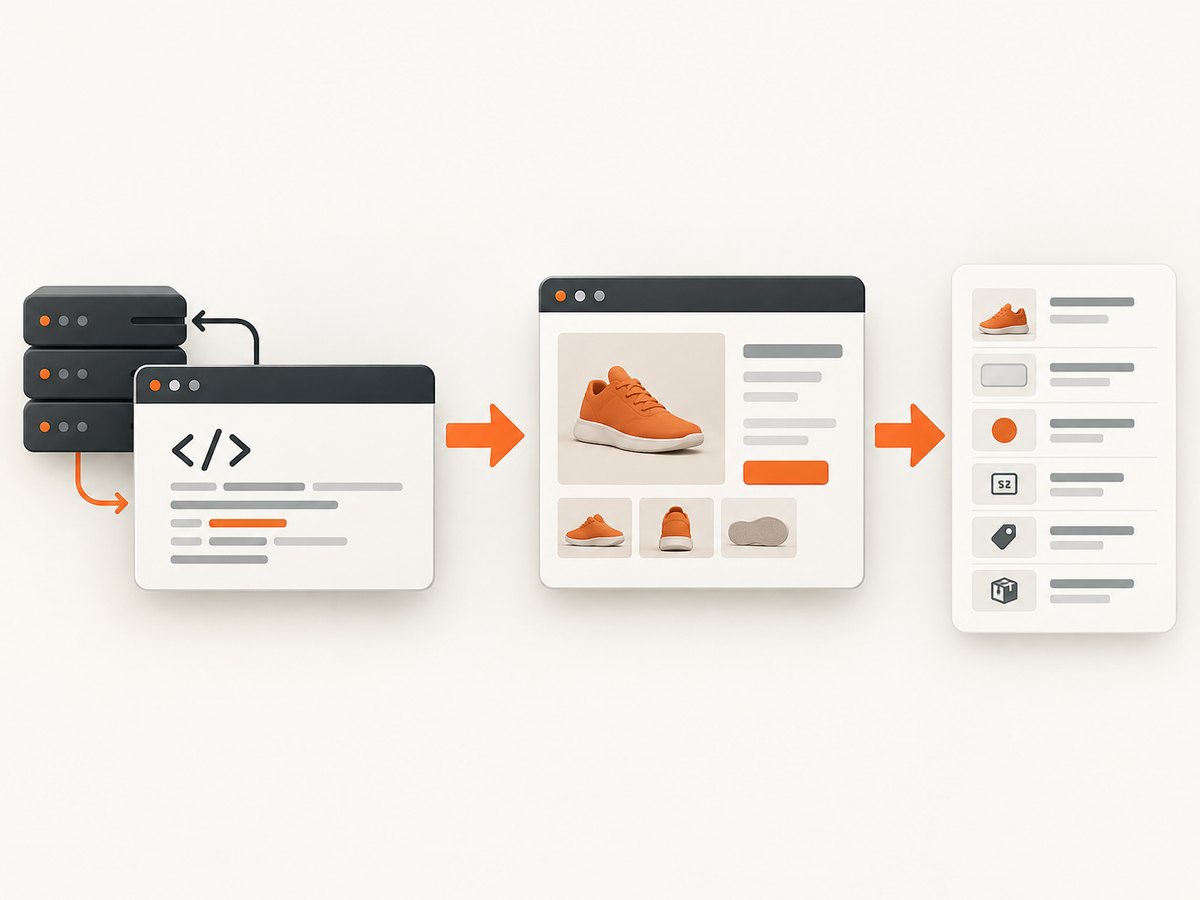
This guide builds a practical scraper for product title, price, rating, orders sold, store, shipping, URL and image. It also explains when an official AliExpress Open Platform API or a managed crawling service is a better fit.
1. Define the data and scope first
Write down the minimum fields before choosing a tool. A narrow schema makes failures obvious and reduces requests:
title: the public product name.price: the displayed price, preserving the original text when currencies or ranges are present.ratingandorders: public summary values when shown.storeandshipping: public seller and delivery text.url: the final product URL after redirects.image: a public product image URL.
Start with one known public product URL, then one small listing page. Do not begin with login-protected pages, order history, customer information or private account data. AliExpress markup and regional responses can change, so store the raw HTML and a retrieval timestamp with each parsed record.
2. Check robots.txt before fetching
RFC 9309 says that when a crawler successfully downloads robots.txt, it must follow the parseable rules. Python’s urllib.robotparser provides can_fetch() and can expose a published crawl delay or request rate. Treat a missing or malformed file conservatively, and verify the site’s current terms before running a larger job.
from urllib.robotparser import RobotFileParser
from urllib.parse import urlparse


def robots_policy(url: str, user_agent: str = "my-aliexpress-research-bot/1.0") -> dict:
    parts = urlparse(url)
    robots_url = f"{parts.scheme}://{parts.netloc}/robots.txt"
    parser = RobotFileParser(robots_url)
    parser.read()
    return {
        "allowed": parser.can_fetch(user_agent, url),
        "crawl_delay": parser.crawl_delay(user_agent),
        "request_rate": parser.request_rate(user_agent),
        "robots_url": robots_url,
    }

policy = robots_policy("https://www.aliexpress.com/item/example.html")
print(policy)
if not policy["allowed"]:
    raise RuntimeError("robots.txt does not allow this URL for the selected user agent")
Call this check before a crawl and whenever you change the host, path or user agent. A crawl delay is a minimum spacing hint, not a target to ignore. If no delay is supplied, choose a deliberately low rate and add jitter.
3. Try Requests and BeautifulSoup first
Requests is lightweight and inexpensive, but it can only parse fields present in the fetched HTML. Record the status code, final URL and a short response sample while diagnosing a page.
import json
import time
import requests
from bs4 import BeautifulSoup

URL = "https://www.aliexpress.com/item/example.html"
HEADERS = {
    "User-Agent": "Mozilla/5.0 (compatible; product-research/1.0)",
    "Accept-Language": "en-US,en;q=0.8",
}

response = requests.get(URL, headers=HEADERS, timeout=30)
print("status:", response.status_code)
print("final URL:", response.url)
response.raise_for_status()

soup = BeautifulSoup(response.text, "html.parser")
print("HTML bytes:", len(response.content))
print("title tag:", soup.title.get_text(" ", strip=True) if soup.title else None)

# Inspect whether useful words are actually in the response.
for term in ("price", "rating", "orders", "shipping"):
    print(term, term.lower() in response.text.lower())

# Save the raw response for selector work and future comparison.
with open("aliexpress-page.html", "w", encoding="utf-8") as file:
    file.write(response.text)
Do not assume a successful status means complete data. A 200 response may be a shell that asks the browser to run JavaScript, or it may contain a challenge page. Compare the saved HTML with what you see in a browser’s page source, not only the rendered inspector.
A defensive parser
Selectors are examples, not permanent contracts. Prefer stable attributes or embedded structured data when available, keep multiple candidates, and return None rather than silently assigning the wrong value.
from bs4 import BeautifulSoup
from urllib.parse import urljoin


def first_text(soup, selectors):
    for selector in selectors:
        node = soup.select_one(selector)
        if node:
            value = node.get_text(" ", strip=True)
            if value:
                return value
    return None


def first_attr(soup, selectors, attribute):
    for selector in selectors:
        node = soup.select_one(selector)
        if node and node.get(attribute):
            return node[attribute].strip()
    return None


def parse_product(html, page_url):
    soup = BeautifulSoup(html, "html.parser")
    image = first_attr(soup, [
        'meta[property="og:image"]',
        'meta[name="twitter:image"]',
    ], "content")
    return {
        "title": first_text(soup, [
            'meta[property="og:title"]',
            "h1",
            '[data-pl="product-title"]',
        ]),
        "price": first_text(soup, [
            'meta[property="product:price:amount"]',
            '[data-pl="product-price"]',
        ]),
        "rating": first_text(soup, ["[data-pl=\"product-review\"]"]),
        "orders": first_text(soup, ["[data-pl=\"product-sold\"]"]),
        "store": first_text(soup, ["[data-pl=\"store-name\"]"]),
        "shipping": first_text(soup, ["[data-pl=\"shipping\"]"]),
        "url": page_url,
        "image": urljoin(page_url, image) if image else None,
    }
Run the parser against saved fixtures in your own project. Add a validation step that flags a record when the title, URL and price are all missing. Save the raw HTML for flagged pages so you can update selectors without refetching.
4. Detect when a browser is required
If the raw response lacks the fields but a normal browser displays them, the page is client-rendered. Playwright executes the page JavaScript and can wait for a product element before returning the rendered DOM. It also exposes request, response and failure events for diagnostics; the official network documentation covers these APIs.
from playwright.sync_api import sync_playwright, TimeoutError as PlaywrightTimeoutError

URL = "https://www.aliexpress.com/item/example.html"

with sync_playwright() as playwright:
    browser = playwright.chromium.launch(headless=True)
    page = browser.new_page(
        viewport={"width": 1440, "height": 1000},
        locale="en-US",
    )

    failures = []
    page.on("requestfailed", lambda request: failures.append({
        "url": request.url,
        "error": request.failure,
    }))

    page.goto(URL, wait_until="domcontentloaded", timeout=60_000)
    try:
        page.wait_for_selector("h1", timeout=30_000)
    except PlaywrightTimeoutError:
        print("Product heading did not appear; inspect the page and responses.")

    html = page.content()
    print("rendered title:", page.title())
    print("request failures:", failures[:5])
    browser.close()

product = parse_product(html, URL)
print(product)
Use the smallest useful wait. domcontentloaded plus a specific selector is usually easier to reason about than an arbitrary long sleep. A short delay can still be useful for a page that fills a field shortly after the selector appears, but keep it bounded.
Inspect network traffic without guessing
from playwright.sync_api import sync_playwright

with sync_playwright() as p:
    browser = p.chromium.launch(headless=True)
    page = browser.new_page()

    def log_response(response):
        content_type = response.headers.get("content-type", "")
        if "json" in content_type or "/api/" in response.url:
            print(response.status, content_type, response.url)

    page.on("response", log_response)
    page.goto("https://www.aliexpress.com/item/example.html",
              wait_until="domcontentloaded", timeout=60_000)
    page.wait_for_timeout(2_000)
    browser.close()
Network output is diagnostic evidence, not permission to use an undocumented endpoint. If you need a stable, licensed structured interface, evaluate the official Open Platform instead.
5. Crawl politely and stop on challenges
Use a session, a low per-IP rate, exponential backoff and random jitter. Retry transient transport errors and selected 5xx responses; do not repeatedly retry a CAPTCHA, bot-check page or clear 403/429 response. Stop the job when challenge rates rise.
import random
import time
import requests

session = requests.Session()
session.headers.update({
    "User-Agent": "Mozilla/5.0 (compatible; product-research/1.0)",
    "Accept-Language": "en-US,en;q=0.8",
})


def fetch_with_backoff(url, attempts=4):
    for attempt in range(attempts):
        try:
            response = session.get(url, timeout=30)
        except requests.RequestException:
            if attempt == attempts - 1:
                raise
            time.sleep((2 ** attempt) + random.uniform(0.2, 1.0))
            continue

        if response.status_code in (403, 429):
            raise RuntimeError(f"stopping after access-control response: {response.status_code}")
        if response.status_code >= 500:
            if attempt == attempts - 1:
                response.raise_for_status()
            time.sleep((2 ** attempt) + random.uniform(0.2, 1.0))
            continue
        response.raise_for_status()
        time.sleep(random.uniform(2.0, 5.0))
        return response

    raise RuntimeError("unreachable")
Keep concurrency low, cache pages you have already retrieved, and maintain a stop condition. Do not attempt to bypass authentication, defeat a CAPTCHA or collect private information. A managed crawling service can reduce browser and IP infrastructure work, but it does not remove authorization or terms obligations.
6. Official API and managed-service options
AliExpress’s official Open Platform documents an HTTP flow: populate parameters, generate a signature, assemble the request, send it and interpret JSON or XML. It is the right direction when you have access and authorization for structured, sustained collection. Credentials, signatures, quotas and permitted data use come from the current platform documentation.
A managed crawling API may provide rendering and trusted IP infrastructure. Compare its cost, data handling, regional behavior and program terms. For either option, keep the same narrow schema and validation rules used by your HTML scraper.
7. Or skip the browser setup
ScreenshotNeo gives you a single screenshot request when your workflow needs visual evidence of a public product page instead of maintaining a browser fleet. Its API can return PNG, JPEG or WebP, and it can capture a PDF. See the ScreenshotNeo API documentation for all options.

curl -G "https://api.screenshotneo.com/v1/shot" -d access_key=YOUR_API_KEY --data-urlencode url=https://www.aliexpress.com/item/example.html -o aliexpress.webpimport requests
r = requests.get(
"https://api.screenshotneo.com/v1/shot",
params={
"access_key": "YOUR_API_KEY",
"url": "https://www.aliexpress.com/item/example.html",
},
timeout=90,
)
r.raise_for_status()
open("aliexpress.webp", "wb").write(r.content)
print("verdict:", r.headers.get("X-Page-Verdict"))
print("billed:", r.headers.get("X-Billed"))const q = new URLSearchParams({
access_key: 'YOUR_API_KEY',
url: 'https://www.aliexpress.com/item/example.html'
});
const res = await fetch(`https://api.screenshotneo.com/v1/shot?${q}`);
if (!res.ok) throw new Error(`HTTP ${res.status}`);
const bytes = Buffer.from(await res.arrayBuffer());
require('fs').writeFileSync('aliexpress.webp', bytes);
console.log('verdict:', res.headers.get('X-Page-Verdict'));
console.log('billed:', res.headers.get('X-Billed'));Cookie banners, newsletter popups and chat widgets are removed before the shot. Bot checks, blank pages and failed loads are never billed, and the response identifies the page verdict and billing result in X-Page-Verdict and X-Billed. An MCP server provides take_screenshot, get_page_info and capture_pdf tools for Claude, Cursor and other MCP clients. You can also set full-page capture, a device or viewport, waits, custom CSS and JavaScript, headers, cookies, user agent, timezone, geolocation, blocking rules, caching and signed links through the documented options.
There are 1,000 screenshots per month on the free plan with no card. Paid plans start at $5 for 3,000 shots, and every feature is available on every plan. Create a free ScreenshotNeo account.
8. Troubleshooting
| Symptom | Likely cause | Fix |
|---|---|---|
| 200 response but no price or title | JavaScript shell or challenge page | Inspect saved HTML, then use Playwright and wait for a specific product selector. |
| Playwright times out | Slow region, changed selector or blocked browser | Log final URL and responses, use a bounded timeout, verify the selector manually and stop on challenge pages. |
| Parser returns empty strings | Selector drift or hidden text | Save raw HTML, test fallback selectors and add a validation alert. |
| 429 or repeated 403 | Rate too high or access control | Stop, respect robots and terms, lower scope and rate; do not brute-force retries. |
| Prices vary between runs | Currency, region, seller or variant context | Record locale, URL, timestamp and displayed currency; treat price as observed text. |
| Images are missing | Lazy loading or relative URLs | Use rendered DOM, resolve with urljoin, and record the original image URL. |
9. Performance, reliability and cost
- Choose the lightest method: Requests is fastest when fields are server-rendered; Playwright consumes more CPU and memory because it runs a browser.
- Reduce browser work: reuse one browser, create isolated pages, wait for the required selector and block unneeded resource types only when that does not remove data you need.
- Make results reproducible: store HTML, retrieval time, final URL, locale, parser version and a verdict such as complete, incomplete or blocked.
- Plan for drift: monitor missing-field rates and keep fixtures from several regions or product types. Mark a parser unhealthy when required fields disappear.
- Control spend: cache successful pages, deduplicate URLs and keep concurrency low. API or managed-service pricing depends on the provider’s current plan and usage rules.
10. Legal and data-use checklist
- Read the current AliExpress terms and any applicable regional rules.
- Fetch and obey robots.txt for the host and path.
- Collect public listing information only.
- Avoid accounts, order records, personal information and authentication bypasses.
- Identify your user agent where appropriate and provide a contact path.
- Set a rate limit, backoff policy and a hard stop for challenges.
- For sustained or commercial access, request authorization or use the official Open Platform.
FAQ
Can Requests scrape AliExpress by itself?
Sometimes. It works when the required fields are in the HTTP response. If the response is a JavaScript shell, use Playwright or an authorized API.
Do I need Selenium?
No. Playwright is a suitable Python browser automation option for rendering and network diagnostics. Selenium is another possible browser tool, but it is not required for the approach here.
Should I parse an undocumented JSON endpoint?
Only after confirming that your use is authorized and permitted. Prefer the official Open Platform for stable structured access.
How often should I crawl product pages?
There is no universal safe rate. Follow robots.txt and terms, start slowly, add jitter and stop when the site returns access-control responses.
Can a screenshot replace structured scraping?
No. A screenshot is visual evidence, while a scraper produces fields for analysis. ScreenshotNeo is useful when you need rendered page proof, PDFs or an AI-agent capture workflow.


