How to Scrape Public Pages from Websites
Learn a responsible Python workflow for scraping public pages, checking robots.txt, handling failures, and deciding when an API or screenshot service fits better.
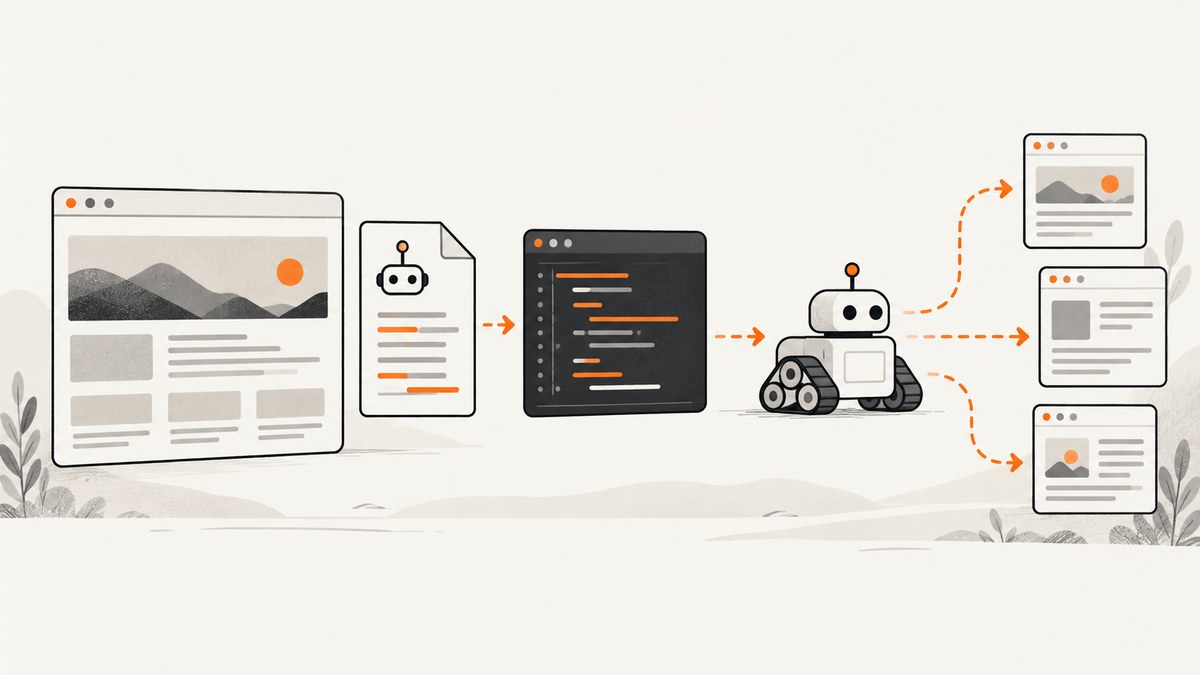
Short answer: start with an official API, feed, sitemap, or downloadable dataset when one exists. If HTML collection is still appropriate, inspect the host’s robots.txt and terms, request only pages that load without authentication, identify your crawler, keep traffic low, cache responses, and stop when the site blocks you or appears strained. Python’s standard library is enough for a small first pass: urllib.request fetches pages and urllib.robotparser checks crawler rules. Publicly viewable does not automatically settle contract, copyright, privacy, database-rights, or jurisdiction questions.
1. Choose the least fragile data source
Before writing a parser, search the target site for a documented API, RSS or Atom feed, sitemap, bulk download, or structured-data endpoint. The U.S. General Services Administration recommends considering structured-data mechanisms for targeted sites; it also advises reviewing terms when access requires a login. An API usually gives you stable fields, clearer limits, and less layout maintenance than scraping rendered HTML. A sitemap can define page scope without crawling every link.
Write down the exact fields and URLs you need. This prevents a useful one-off collection from turning into an unrestricted crawler. If the information is visible only after login, a CAPTCHA, or another access control, do not treat it as a public-page scraping problem. Ask the owner for an approved export or API.
2. Read robots.txt and the site’s instructions
Fetch https://example.com/robots.txt for the host you intend to contact. Google describes robots.txt as a file that tells search-engine crawlers which URLs they can access. It helps site owners manage crawler traffic, but it is not authentication and it does not keep a URL out of search results. An Allow rule is not a general legal license; a Disallow rule should be treated as a clear instruction to avoid that path.
Review the site’s terms of service, data-use notices, licensing terms, and privacy requirements as well. Rules can differ by country, data type, and downstream use. In hiQ Labs v. LinkedIn, the Ninth Circuit considered publicly viewable profiles and the Computer Fraud and Abuse Act at a preliminary-injunction stage. That opinion concerns a specific dispute; it is not a universal decision that all scraping is lawful. For consequential projects, get advice for the relevant jurisdiction and target site.
3. Build a small, polite Python fetcher
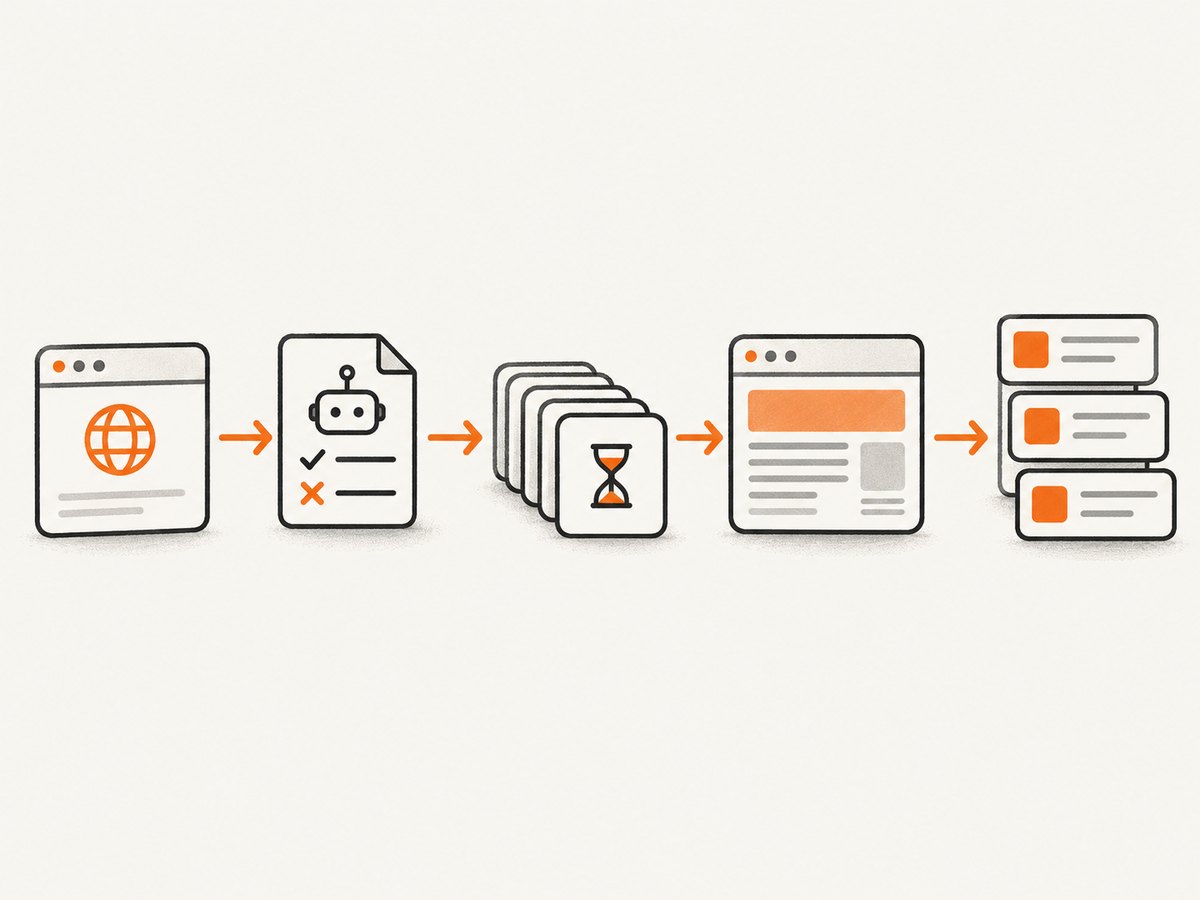
The following script checks robots.txt, identifies itself, downloads one page, and saves the response. It uses only Python’s standard library. Replace the URL and user-agent token with values appropriate for your project.
from urllib.parse import urlparse
from urllib.request import Request, urlopen
from urllib.robotparser import RobotFileParser
from urllib.error import HTTPError, URLError

URL = "https://example.com/articles/first"
USER_AGENT = "ExampleResearchBot/1.0 (+https://example.com/bot-info)"

parsed = urlparse(URL)
robots_url = f"{parsed.scheme}://{parsed.netloc}/robots.txt"
robots = RobotFileParser(robots_url)
try:
    robots.read()
except (HTTPError, URLError):
    # Decide your policy before running at scale. A conservative choice is to stop.
    raise RuntimeError(f"Could not read {robots_url}; stopping conservatively")

if not robots.can_fetch(USER_AGENT, URL):
    raise RuntimeError("robots.txt disallows this URL for the declared user agent")

request = Request(
    URL,
    headers={
        "User-Agent": USER_AGENT,
        "Accept": "text/html,application/xhtml+xml",
    },
)

try:
    with urlopen(request, timeout=20) as response:
        content_type = response.headers.get_content_type()
        charset = response.headers.get_content_charset() or "utf-8"
        if content_type not in {"text/html", "application/xhtml+xml"}:
            raise RuntimeError(f"Unexpected content type: {content_type}")
        html = response.read().decode(charset, errors="replace")
except HTTPError as exc:
    raise RuntimeError(f"HTTP {exc.code} from {URL}") from exc
except URLError as exc:
    raise RuntimeError(f"Network error for {URL}: {exc.reason}") from exc

with open("page.html", "w", encoding="utf-8") as output:
    output.write(html)

print(f"Downloaded {len(html)} characters from {URL}")
urllib.request supplies URL-opening and request primitives, while urllib.robotparser parses robots.txt and answers whether a user agent may fetch a URL under those rules. Neither module grants permission to collect or republish content.
4. Extract only the fields you need
The standard library does not include a modern HTML selector library. For a tiny, controlled task, you can use html.parser, but real pages contain malformed markup, nested elements, scripts, and layout changes. Choose a parser based on the target structure and maintenance requirements, and pin its version in your project. Do not assume that a CSS selector found today will remain stable.
Keep extraction separate from fetching. A useful design is:
- Fetch: apply robots policy, timeout, user agent, and response-size limits.
- Parse: turn the response into fields such as title, canonical URL, date, and body.
- Validate: reject missing identifiers or implausible dates instead of silently storing bad records.
- Store: retain the source URL and retrieval timestamp with each record.
For pages whose content appears only after JavaScript runs, a plain HTTP request may return a shell without the data. First look for an official endpoint or embedded structured data. If browser rendering is necessary, keep the same robots, terms, rate, and stop rules; rendering costs more resources and introduces more failure modes.
5. Scope a crawler before adding links
A one-page script and a maintained crawler have different risk and operating requirements. Define the host, path prefixes, maximum pages, pagination rules, and output fields before following links. Normalize URLs to avoid duplicate query-string variants, and maintain a visited set. Set a hard page and byte budget so a malformed site cannot expand the job indefinitely.
Use a queue with bounded concurrency. A single worker with a delay is often adequate for a small collection. Cache successful responses when the same page may be requested again. Store status codes and error reasons so you can resume without repeating every request. Retry only transient failures, with exponential backoff and a maximum attempt count. Never create a retry storm after a 429, 403, repeated timeout, or server error.
6. Make requests easy to stop
- Send a descriptive
User-Agentwith a contact or project URL. - Use connection and read timeouts; never wait forever.
- Limit response size and reject unexpected content types.
- Keep request frequency and concurrency conservative.
- Cache responses and honor cache headers where practical.
- Stop on authentication prompts, CAPTCHAs, explicit denial, rate limiting, or signs of service stress.
- Do not bypass logins, CAPTCHAs, bot checks, paywalls, or technical blocks.
- Collect the minimum personal data needed, protect it, and define a deletion schedule.
These practices reduce load and operational risk; they are not a guarantee of legal compliance.
7. Common errors and fixes
| Symptom | Likely cause | Fix |
|---|---|---|
| HTTP 403 or 429 | The site denied or throttled automated traffic. | Stop, check instructions and terms, reduce scope only if permitted, and request an approved route. Do not evade the control. |
| Robots check fails | robots.txt is unavailable, malformed, or disallows the path. | Use a conservative stop policy, inspect the file manually, and contact the owner if access is necessary. |
| Empty fields | Content is rendered by JavaScript or selectors changed. | Look for an API, feed, sitemap, or embedded JSON; then update and validate the parser. |
| UnicodeDecodeError | The response charset differs from the default. | Read the declared charset, inspect the HTTP header and HTML metadata, and decode with an explicit fallback. |
| Too many duplicates | Tracking parameters, fragments, or alternate URL forms. | Normalize URLs, remove known tracking parameters, and deduplicate by canonical URL or content hash. |
| Timeouts and partial pages | Slow origin, oversized response, or network instability. | Set separate connect/read timeouts, cap bytes, retry only transient errors with backoff, and record failures. |
| Memory growth | Keeping every response in memory. | Process one response at a time and stream output to a database or newline-delimited file. |
8. Performance, reliability, and cost
For small jobs, the dominant cost is usually engineering time and page variability rather than CPU. Static HTML requests are cheaper and faster than launching a browser for every URL. Browser rendering can be appropriate when the required content genuinely appears after scripts run, but it consumes more memory, downloads more resources, and is more sensitive to third-party failures.
Measure the parts that affect your project: pages per minute, median and tail latency, bytes downloaded, error rates by status code, parser rejection rate, and duplicate rate. Set a maximum runtime and checkpoint progress. A cache reduces repeat traffic and makes reruns cheaper. If the target publishes a bulk file, downloading it once is usually more reliable than repeatedly crawling individual pages.
Respect the site’s capacity even when your own infrastructure can go faster. A higher concurrency setting can increase bans, retries, and incomplete data. Reliability means producing an auditable result: retain URL, timestamp, status, parser version, and an error record for skipped pages.
9. When screenshots are the better output
If your goal is visual archiving, regression review, or a faithful record of what a visitor sees, extracting text may be the wrong representation. A screenshot captures the rendered page, while a parser produces structured fields. Decide which output your downstream user actually needs. For any third-party service, still follow the target site’s instructions and applicable terms.

Or skip the browser setup
ScreenshotNeo provides a website screenshot API and MCP server. Use one GET request to capture a clean PNG, JPEG, WebP, or PDF. Before capture, it accepts the cookie or consent banner like a visitor and removes more than 60 known consent platforms, newsletter popups, and chat widgets. Each cleanup step can be turned off. Bot checks, blank pages, timeouts, failed loads, and cache hits are not billed, and response headers report the page verdict and whether the shot was billed.
Here is the smallest call; see the ScreenshotNeo documentation for authentication and options.
curl -G "https://api.screenshotneo.com/v1/shot" -d access_key=YOUR_API_KEY --data-urlencode url=https://stripe.com -o shot.webpimport requests
r = requests.get("https://api.screenshotneo.com/v1/shot", params={"access_key": "YOUR_API_KEY", "url": "https://stripe.com"}, timeout=90)
open("shot.webp", "wb").write(r.content)const q = new URLSearchParams({ access_key: 'YOUR_API_KEY', url: 'https://stripe.com' });
const res = await fetch(`https://api.screenshotneo.com/v1/shot?${q}`);For rendered capture, available controls include full-page shots with lazy images loaded, a CSS-selected element, dark mode, 12 device presets or any viewport, retina scale, custom CSS and JavaScript, clicks before capture, hidden selectors, waits for a selector, delay, or network idle, resource and ad blocking, custom headers, cookies, user agent and Authorization, timezone and geolocation, transparent backgrounds, resizing, chosen cache TTL, signed links, asynchronous jobs with signed webhooks, bulk capture of up to 100 URLs per call, a usage API, and PDF paper size, margins, orientation, and page ranges. An MCP server exposes take_screenshot, get_page_info, and capture_pdf to Claude, Cursor, and other MCP clients. Parameter names used by other screenshot APIs also work, which can simplify migration.
The Free plan includes 1,000 shots each month with no card. Paid plans start at $5 for 3,000 shots; yearly billing gives two months free, and every feature is on every plan. Create a free ScreenshotNeo account and start with the included monthly shots.
10. A practical preflight checklist
- Have you checked for an API, feed, sitemap, or bulk download?
- Are the requested pages accessible without authentication?
- Did you read robots.txt for your declared user agent and path?
- Did you review terms, licensing, privacy, and jurisdiction-specific constraints?
- Is the scope limited to exact fields and URLs you need?
- Are timeouts, byte limits, caching, backoff, and a hard stop configured?
- Will you stop on denial, CAPTCHA, authentication, rate limiting, or site stress?
- Can you explain how collected data will be secured, retained, and deleted?
FAQ
Is scraping a public page always legal?
No. Public visibility answers only whether a visitor can see the page without authentication. Terms, copyright, privacy, database rights, contract, and local law may still apply.
Does robots.txt give permission to scrape?
No. It communicates crawler preferences and traffic rules. It does not replace authentication or grant a legal license.
Can I scrape pages behind a login?
Do not include login bypass or access-control circumvention in a public-page workflow. Use an authorized API, export, or written permission.
Why does my Python response lack the visible content?
The content may be inserted by JavaScript after the initial response. Look for structured data or an official endpoint; use rendering only when appropriate and permitted.
How do I keep a crawler from harming a site?
Use a clear user agent, low bounded rates, caching, strict scope, timeouts, and backoff. Stop immediately when the site signals denial or strain.
When should I store screenshots instead of parsed HTML?
Choose screenshots when visual appearance is the record you need. Choose parsed fields when you need searchable, normalized data and the page exposes stable content.