Why a Scraper Can’t See Data Visible in the Browser
Learn why HTML scrapers miss JavaScript-rendered data, how to find the real API request, and when to use Playwright or ScreenshotNeo.
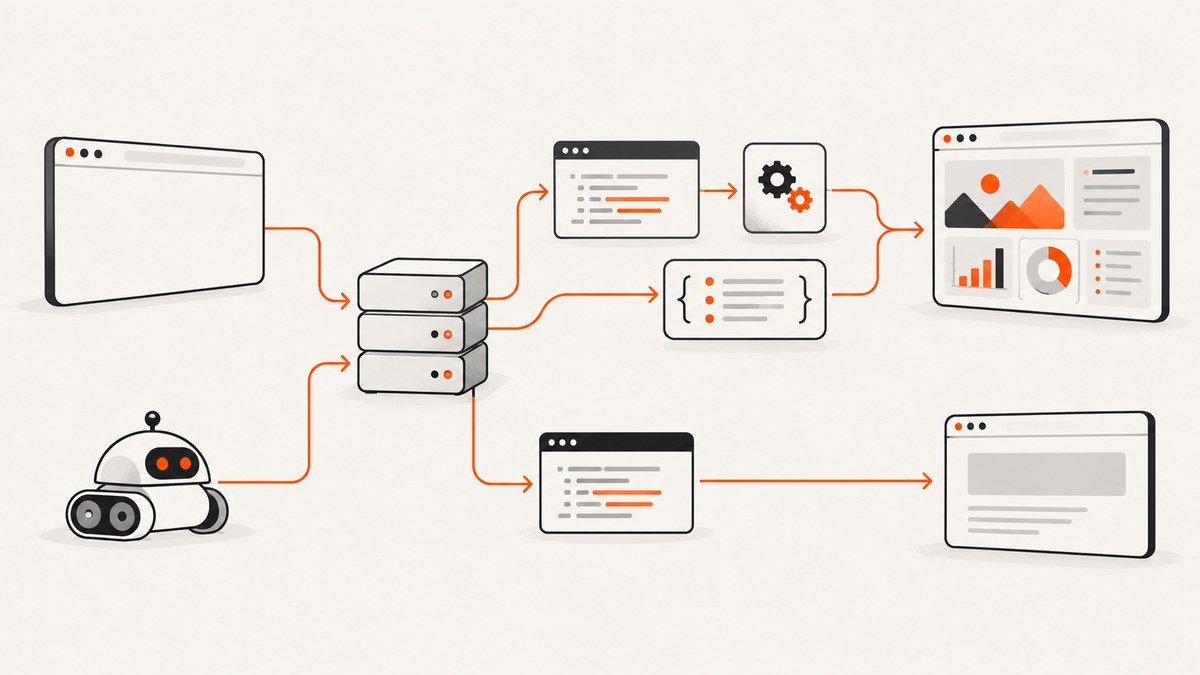
Short answer: a traditional scraper downloads the server’s initial HTTP response and parses that HTML. Many modern sites return only an application shell, then JavaScript calls JSON, GraphQL, or other endpoints and inserts the results into the live DOM. The browser shows the finished page because it executes those scripts; a request made with requests, curl, or Scrapy usually never runs them.
Google describes this pattern as the app shell model: the initial HTML may not contain the actual content, so a renderer must execute JavaScript before the content exists. The fix is to identify the request carrying the data and reproduce it directly when possible, or run a real browser when execution and interaction are required.
View Source and Inspect Element show different documents
View Source is close to the bytes returned by the server. It is the response your HTTP client receives before scripts run. Inspect Element shows the current DOM after JavaScript has modified it. A framework can start with <div id='app'></div>, fetch records, and append hundreds of table rows later. Searching View Source therefore finds nothing even though the same text is visible in DevTools.
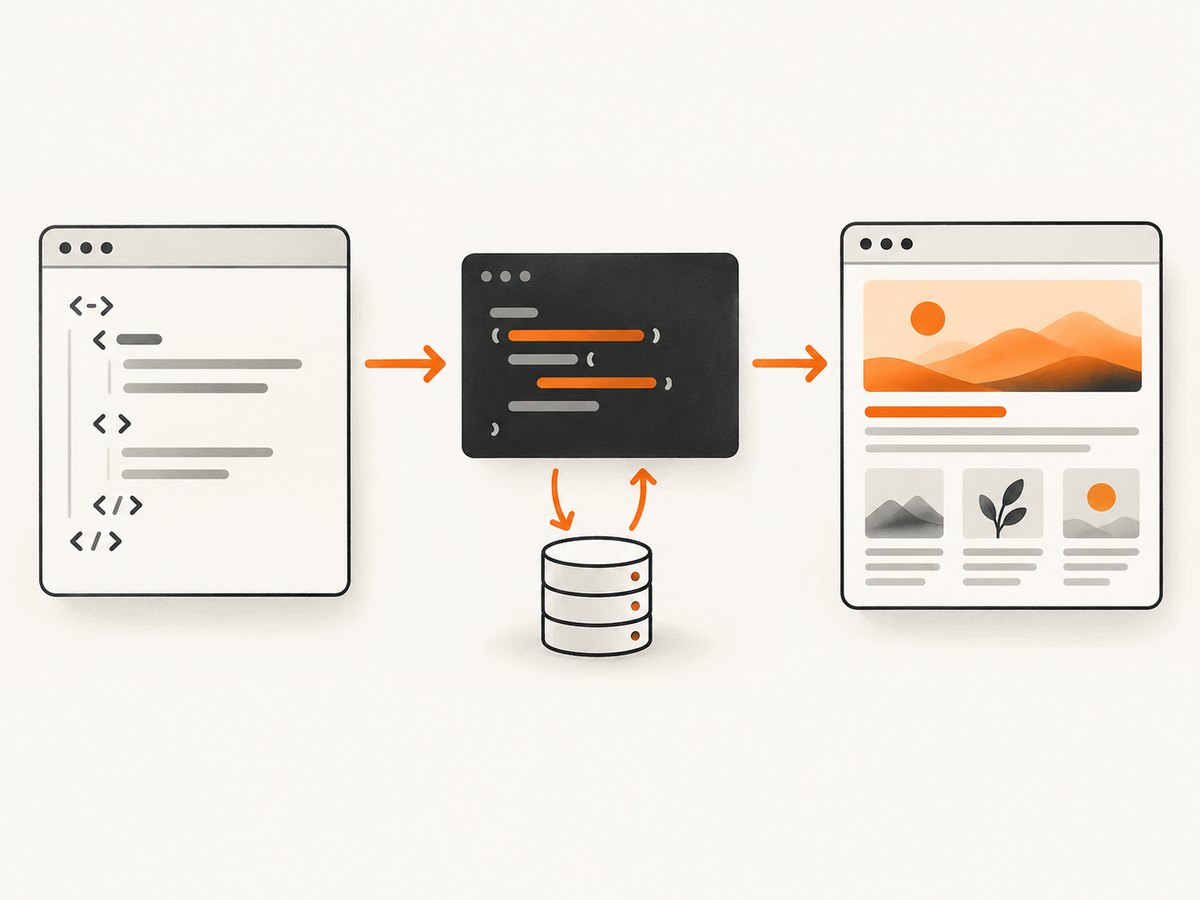
Other browser-only changes are easy to miss:
- A script fetches JSON after hydration and renders it into a component.
- A click, scroll, or tab switch triggers a second request.
- An iframe owns the content you are looking at.
- Cookies, local storage, an authorization token, or a CSRF value changes the response.
- A service worker fulfills requests from a cache.
- Content is generated only after geolocation, timezone, or feature-detection code runs.
A repeatable diagnostic workflow
- Save the exact response. Run your scraper request to a file and compare it with View Source. If the value is absent from both, your selector is not the problem; the data arrives later or from another resource.
- Open Network tools. Reload with the Network panel open. Filter for Fetch/XHR, JSON, GraphQL, and document requests. Clear the log, then perform the action that reveals the data.
- Inspect the response payload. Find the request whose response contains the records, not merely a request that returns JavaScript. Record its URL, method, query parameters, request body, headers, cookies, and pagination fields.
- Replay the request. Use an HTTP client with the same method, parameters, headers, and permitted credentials. Scrapy’s dynamic-content guidance recommends this HTTP-first approach.
- Escalate to a browser only when needed. Use Playwright or another automation tool when JavaScript-generated state, a click, scrolling, an iframe, storage, or a login flow is part of the data path.
- Wait for a meaningful condition. Wait for a specific response or a selector containing real data. A fixed 500 ms sleep is often either too short or unnecessarily slow.
Reproduce the data request directly
Direct API reproduction is normally the fastest and lightest solution. It returns structured data, avoids layout parsing, and is easier to retry. The following generic cURL shape is useful after you copy a request as cURL from DevTools; replace the URL, method, and fields with the values you observed.
curl 'https://example.com/api/products?page=1&limit=50' \
  -H 'Accept: application/json' \
  -H 'Authorization: Bearer YOUR_TOKEN' \
  -H 'Cookie: session=YOUR_SESSION'
For a POST endpoint, preserve the JSON body and content type:
curl 'https://example.com/api/search' \
  -X POST \
  -H 'Content-Type: application/json' \
  -H 'Authorization: Bearer YOUR_TOKEN' \
  --data '{"query":"laptops","page":1}'
Python with requests
import requests

endpoint = 'https://example.com/api/products'
headers = {
    'Accept': 'application/json',
    'Authorization': 'Bearer YOUR_TOKEN',
}
params = {'page': 1, 'limit': 50}
response = requests.get(endpoint, headers=headers, params=params, timeout=30)
response.raise_for_status()
data = response.json()
for product in data.get('items', []):
    print(product)
Use a session when the site sets cookies during an initial request. Never hard-code another person’s credentials, and only access data you are authorized to retrieve.
import requests

with requests.Session() as session:
    session.headers.update({'Accept': 'application/json'})
    session.get('https://example.com/', timeout=30)
    response = session.get(
        'https://example.com/api/products',
        params={'page': 1},
        timeout=30,
    )
    response.raise_for_status()
    print(response.json())
Node.js with fetch
const url = new URL('https://example.com/api/products');
url.searchParams.set('page', '1');
url.searchParams.set('limit', '50');

const response = await fetch(url, {
  headers: {
    accept: 'application/json',
    authorization: 'Bearer YOUR_TOKEN'
  }
});
if (!response.ok) throw new Error(`${response.status} ${response.statusText}`);
const data = await response.json();
console.log(data.items ?? data);
Watch for short-lived tokens. Some applications obtain a token from an HTML bootstrap script or a preceding authentication request. In that case, reproduce the documented token flow, refresh before expiry, and avoid scraping secrets from pages you do not control.
Use a browser when execution or interaction is part of the answer
Playwright launches a JavaScript-enabled browser context. Its contexts can carry cookies, HTTP credentials, headers, proxies, and stored authentication state. Its network API can observe the response caused by a click, which is more reliable than scraping whatever happens to be visible at an arbitrary time. See the browser-context and network documentation.
Node.js Playwright example
import { chromium } from 'playwright';

const browser = await chromium.launch();
const context = await browser.newContext();
const page = await context.newPage();

const dataResponse = page.waitForResponse(response =>
  response.url().includes('/api/products') && response.request().method() === 'GET'
);
await page.goto('https://example.com/products', { waitUntil: 'domcontentloaded' });
await page.getByRole('button', { name: 'Load more' }).click();
const apiResponse = await dataResponse;
if (!apiResponse.ok()) throw new Error(`API returned ${apiResponse.status()}`);
const data = await apiResponse.json();
console.log(data.items);
await browser.close();
When there is no useful API response to capture, wait for a data-bearing selector and read the rendered DOM:
await page.goto('https://example.com/report', { waitUntil: 'domcontentloaded' });
await page.locator('[data-testid="results"] tr').first().waitFor();
const rows = await page.locator('[data-testid="results"] tr').allTextContents();
console.log(rows);
Python Playwright example
from playwright.sync_api import sync_playwright

with sync_playwright() as p:
    browser = p.chromium.launch()
    page = browser.new_page()
    with page.expect_response(lambda r: '/api/products' in r.url) as event:
        page.goto('https://example.com/products', wait_until='domcontentloaded')
        page.get_by_role('button', name='Load more').click()
    response = event.value
    response.raise_for_status()
    print(response.json())
    browser.close()
Waiting, scrolling, frames, and service workers
A page can report load while an asynchronous request is still pending. Prefer one of these readiness signals:
- A response with a known URL pattern and successful status.
- A selector whose text or row count proves that data arrived.
- A documented network-idle state when the application has no long polling.
Cloudflare’s browser-rendering documentation discusses network-idle waits for rendered extraction. Avoid relying on a short arbitrary delay. For infinite lists, scroll in measured steps, wait for the row count to increase, and stop when the API reports no next page. If content is inside an iframe, select the correct frame before querying. If network events appear to be missing, check service workers: Playwright documents that intercepted requests can be hidden from routing APIs, and disabling service workers for diagnosis can reveal the underlying traffic.
Authentication, headers, cookies, and CORS
Replay the same browser state only when you have permission. A request may require a session cookie, an Authorization header, a CSRF token tied to a cookie, or a specific Referer. Keep secrets in environment variables and redact them from logs.
CORS is a browser read policy, not a server-side access-control bypass. MDN explains that response headers determine whether browser JavaScript may read a cross-origin response; a no-cors fetch produces an opaque response that your script cannot inspect. A server-side client is not subject to that browser read restriction, but it still must follow authorization, terms, robots directives, rate limits, and privacy requirements.
Common errors and fixes
| Symptom | Likely cause | Fix |
|---|---|---|
| Empty HTML | App shell with client rendering | Find the Fetch/XHR request or use a browser context. |
| Selector matches zero nodes | Selector ran before hydration, or the content is in an iframe | Wait for a data-bearing selector and inspect frames. |
| 401 or 403 | Missing, expired, or unauthorized credentials | Recreate the permitted login flow and refresh tokens; do not bypass access controls. |
| 200 response with no records | Wrong page, filter, cursor, locale, or feature flag | Compare query/body values with the successful browser request. |
| Works manually, fails headlessly | Different viewport, user agent, storage, or timing | Set the required context options and wait for a specific response. |
| Intermittent missing requests | Service worker interception or race condition | Test with service workers disabled and attach response listeners before the action. |
| Browser hangs | Long polling, blocked resource, or unclosed pages | Set navigation and action timeouts, block unnecessary resources, and close contexts. |
| CORS error | Browser refuses to expose a cross-origin response | Use an authorized server-side request or configure the API’s CORS policy. |
Performance, reliability, and cost choices
Direct HTTP calls usually consume less CPU and memory than a browser and can run at higher concurrency. They are also more stable when the endpoint is documented and versioned. The tradeoff is maintenance: private endpoints, token formats, and response schemas can change without notice.
Browser automation gives the highest fidelity to what a user sees, but each context is heavier. Reuse a browser process, create isolated contexts, cap concurrency, and close pages. Cache stable API responses where policy permits. Use exponential backoff for transient 429 and 5xx responses, honor Retry-After, and make extraction idempotent so a retry does not duplicate work. Record the URL, status, timing, and a small response fingerprint so failures are diagnosable without storing sensitive payloads.
Managed browser rendering can reduce your operational work when you need hosted execution, rendered HTML, or element extraction. Cloudflare documents both element scraping and a fully rendered HTML endpoint. Compare the service’s concurrency, retention, browser version, and billing rules with the cost of running Playwright yourself.
Or skip the browser setup
If your goal is a visual record rather than structured table data, ScreenshotNeo captures the page with one GET request. It accepts the cookie or consent banner like a visitor and removes more than 60 known consent platforms, newsletter popups, and chat widgets before capture; each step can be turned off. Bot checks, blank pages, timeouts, failed loads, and cache hits are not billed, and the response identifies the result with X-Page-Verdict and X-Billed headers.

See the ScreenshotNeo API documentation for all options, including full-page lazy-image loading, CSS element capture, dark mode, device presets, retina scale, PDF output, custom CSS and JavaScript, clicks, selector waits, network-idle waits, request blocking, headers, cookies, user agents, authorization, timezone, geolocation, transparent backgrounds, resizing, TTL caching, signed links, asynchronous jobs, webhooks, bulk capture, usage, and the OpenAPI specification.
cURL
curl -G "https://api.screenshotneo.com/v1/shot" -d access_key=YOUR_API_KEY --data-urlencode url=https://stripe.com -o shot.webpPython
import requests
r = requests.get("https://api.screenshotneo.com/v1/shot", params={"access_key": "YOUR_API_KEY", "url": "https://stripe.com"}, timeout=90)
open("shot.webp", "wb").write(r.content)
Node.js
const q = new URLSearchParams({ access_key: 'YOUR_API_KEY', url: 'https://stripe.com' });
const res = await fetch(`https://api.screenshotneo.com/v1/shot?${q}`);
ScreenshotNeo also provides an MCP server with take_screenshot, get_page_info, and capture_pdf tools for Claude, Cursor, and other MCP clients. The Free plan includes 1,000 screenshots each month with no card; paid plans start at $5 for 3,000 shots. Create a free ScreenshotNeo account and try the call with your own URL.
FAQ
Why does Inspect Element show text that View Source does not?
Inspect Element shows the live DOM after JavaScript, fetches, and user actions. View Source shows the server’s initial document.
Should I scrape the HTML or call the API?
Call the permitted data endpoint when it is stable and contains the fields you need. Use a browser when JavaScript state or interaction is essential.
Is waiting for network idle always safe?
No. Analytics, chat, and long-polling connections can prevent idle forever. A specific response or data-bearing selector is usually a better completion condition.
Can I bypass a login or bot check?
No. Use valid credentials and follow the site’s authorization, terms, robots rules, rate limits, and privacy requirements.
What if I only need an image of the rendered page?
Use a screenshot service such as ScreenshotNeo, or run Playwright and capture after a meaningful readiness condition. A screenshot does not replace an API when you need structured records.


