Why Your Scraper Fails After 10,000 Requests: Scaling Failure Modes
10,000 requests is not a universal limit. Learn how to identify throttling, queue, retry, CPU and memory bottlenecks before changing crawler settings.

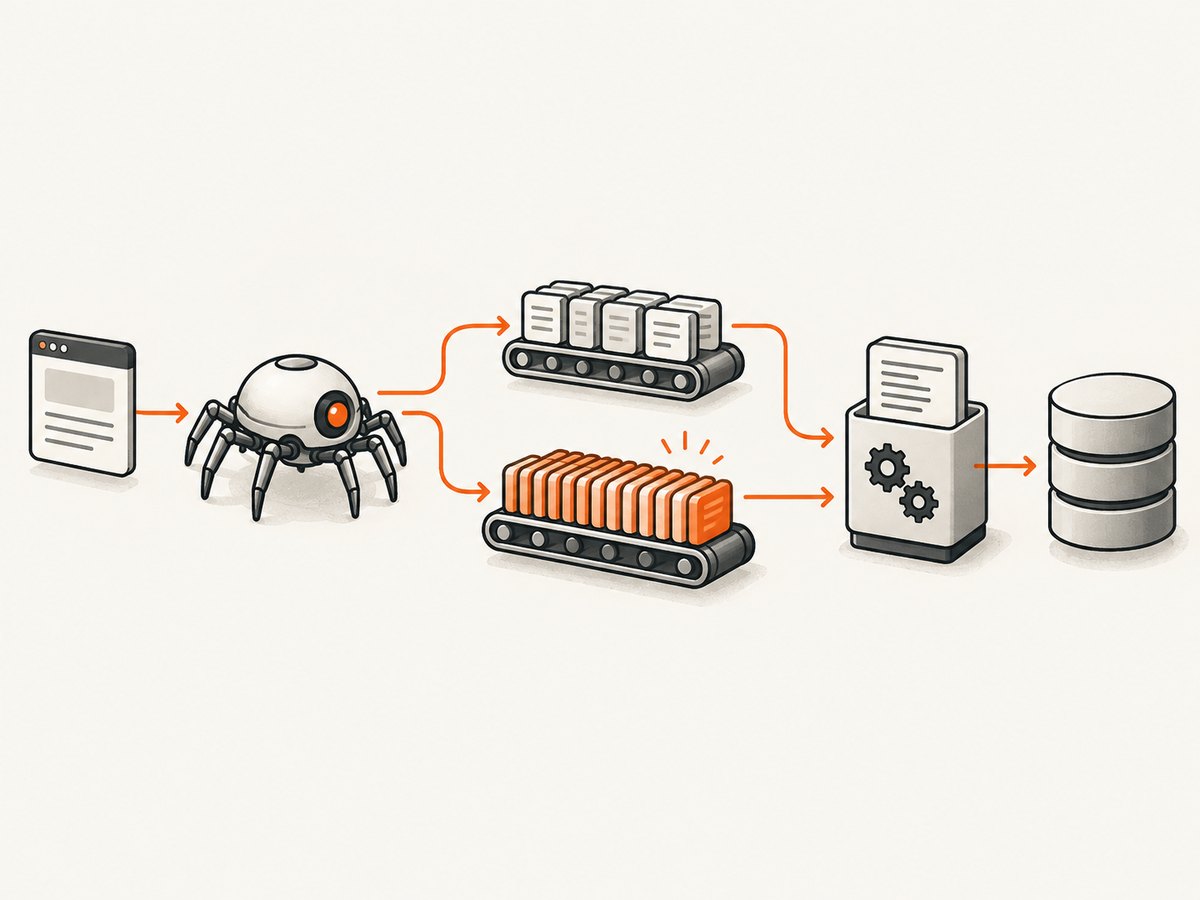
A scraper does not have a built-in failure point at exactly 10,000 requests. That number is usually where a particular workload exposes a target-site limit, a crawler configuration ceiling, retry amplification, request-production problem, or local CPU and memory pressure. The same symptoms can look identical: throughput falls, responses become empty, the process stalls, or useful records become incomplete.
Start by measuring status codes, latency, retries, active downloader requests, scheduler depth, callback time, CPU and memory. Then change one control at a time. Raising concurrency without identifying the bottleneck can increase throttling, queued responses and failures.
What “fails after 10,000 requests” can mean
Define the failure before trying to fix it. “Fails” may mean any of the following:
- Throughput slows while the process remains alive.
- HTTP 429 or 503 responses increase.
- The target returns a ban page, login page or empty shell instead of content.
- The scheduler queue grows, memory rises and the crawl eventually exits.
- The downloader is idle because the spider has stopped producing requests.
- Retries consume most of the crawl’s time.
- Pagination ends early, leaving partial or stale data.
- A callback or item pipeline becomes CPU-bound.
These observations point to different layers. Record them separately in logs and metrics rather than using request count as the diagnosis.
Failure mode 1: the target site is throttling or blocking you
Rising 429 or 503 responses, ban-page bodies, increasing retries and worsening download latency as concurrency rises are strong signals that the target is receiving more traffic than it currently tolerates. Scrapy’s optimization guidance recommends observing these signals while changing concurrency cautiously: Scrapy optimization documentation.
Check the site’s terms and robots.txt. Scrapy does not automatically translate Crawl-delay or Request-rate directives into its settings, so you must reflect applicable limits in your delay and concurrency configuration. Look for an authorized API, bulk export or documented search endpoint before crawling pages at scale.
How to confirm target pressure
- Plot status counts by minute, not only a final total.
- Log response latency and body size by domain.
- Compare a low-concurrency run with a slightly higher one.
- Inspect response bodies for ban, challenge or login pages.
- Stop increasing traffic when errors or latency rise.
Do not treat proxy rotation as the default fix. It can hide the symptom while increasing load or violating the site’s rules. First use the site’s published access method and an appropriate request rate.
Failure mode 2: a concurrency or delay ceiling
Scrapy has several controls that can limit downloader activity even when the global concurrency value is high:
| Setting | What it limits | Diagnostic clue |
|---|---|---|
CONCURRENT_REQUESTS |
Total simultaneous downloads | Downloader stays near the global cap |
CONCURRENT_REQUESTS_PER_DOMAIN |
Simultaneous requests to one domain | Queue grows while global slots are unused |
DOWNLOAD_DELAY |
Minimum interval between requests to a domain | Requests arrive at a steady, slower cadence |
| AutoThrottle | Adaptive per-site delay based on latency | Effective rate changes as responses slow |
A queue that grows while downloader activity remains below the global cap often indicates a per-domain limit, delay or AutoThrottle. AutoThrottle adjusts delays toward a configured average concurrency; that target is a goal, not a hard ceiling, and normal concurrency and delay settings still apply. It also avoids reducing delay because of fast non-200 responses, since those can indicate an excessive request rate. See the AutoThrottle documentation.
A conservative Scrapy baseline
# settings.py
CONCURRENT_REQUESTS = 32
CONCURRENT_REQUESTS_PER_DOMAIN = 8
DOWNLOAD_DELAY = 0.25
AUTOTHROTTLE_ENABLED = True
AUTOTHROTTLE_START_DELAY = 1.0
AUTOTHROTTLE_MAX_DELAY = 30.0
AUTOTHROTTLE_TARGET_CONCURRENCY = 2.0
AUTOTHROTTLE_DEBUG = True
ROBOTSTXT_OBEY = True
RETRY_ENABLED = True
RETRY_TIMES = 2
Treat these as a starting point, not universal values. Lower the per-domain concurrency or increase delay when the target shows errors. Raise them only in small steps while latency and status distributions remain acceptable.
Failure mode 3: the spider is not producing requests
When both the scheduler and downloader are nearly empty, the spider may be the bottleneck. A pagination loop that waits for page N before discovering page N+1 cannot use more concurrency than that dependency allows. Review callbacks that perform serial API calls, expensive parsing or conditional branches that silently stop yielding requests.
Where ordering permits, discover independent URLs earlier and yield them promptly. Keep the target’s permitted rate intact. Add counters for discovered, scheduled, downloaded, parsed and dropped URLs so a missing stage is visible.
def parse_index(self, response):
    for href in response.css("a.product::attr(href)").getall():
        yield response.follow(href, callback=self.parse_product)

    next_page = response.css("a.next::attr(href)").get()
    if next_page:
        yield response.follow(next_page, callback=self.parse_index)
If the scheduler empties unexpectedly, inspect URL filtering, duplicate filtering, robots rules, pagination selectors and exception logs before changing concurrency.
Failure mode 4: callbacks, pipelines, CPU or memory are saturated
If responses arrive faster than callbacks and item pipelines can process them, backpressure builds. A scheduler queue that grows without settling means requests are being discovered faster than they are downloaded and processed. More downloader concurrency can worsen memory pressure by allowing more response bodies to accumulate.
Scrapy runs in one process and, apart from DNS and work explicitly moved to a thread, most work runs in one thread. One CPU core can therefore become the ceiling for selectors, extraction, normalization or serialization. Profile CPU time and watch memory over a long run. Look for unbounded lists, retained response objects, oversized HTML, duplicate item buffers and pipelines that perform synchronous external calls.
Separate network and processing symptoms
- High latency, normal CPU: investigate target limits, DNS, connection reuse and network conditions.
- Low downloader activity, high CPU: optimize selectors, parsing and item pipelines.
- Growing queue and memory: reduce discovery rate or improve processing capacity.
- Memory rises after each batch: find retained objects or a leak before increasing concurrency.
Measure response sizes and callback duration. Move expensive transformations to a separate worker only when the architecture and ordering requirements support it.
Failure mode 5: retries amplify a small problem
Retries can hold crawler capacity against a slow or failing domain. In broad crawls, repeated timeout retries can prevent capacity from being reused elsewhere; Scrapy documents this effect in its broad crawl guidance.
Classify failures before choosing retry behavior. A transient connection reset may deserve a retry; a persistent 403, ban page or malformed response usually does not. Set a finite retry count, add backoff, and record the original error. Indiscriminately increasing retries can turn a short outage into a long stall.
A practical diagnostic sequence
- Write down the symptom. Record whether the issue is slowdown, exit, memory exhaustion, empty output, HTTP errors, ban pages or partial pagination.
- Build a status and retry view. Compare 2xx, 3xx, 4xx, 5xx, timeout and retry counts over time.
- Compare queues and downloader activity. Queued work with unused downloader slots suggests per-domain limits, delay or AutoThrottle. Empty queues suggest request production is limiting throughput.
- Check processing pressure. Measure callback and pipeline duration, CPU, memory, response size and scheduler depth.
- Change one control. Adjust concurrency, delay, retries or parsing separately, then observe a comparable batch.
- Re-check access rules. Prefer a documented API, export or search endpoint when available and review its terms and rate.
Designing a crawler that remains reliable
Use bounded work
Bound concurrency, retries, response size and queue growth. Persist progress so a process restart resumes from known checkpoints. Store request URLs and status outcomes separately from parsed records; this makes partial completion auditable.
Make retries safe
Use idempotent requests for retries, deduplicate by canonical URL and avoid retrying permanent failures. Preserve the first failure reason, final response status and attempt count.
Control memory
Stream or batch large exports, avoid retaining full response objects and flush completed records. Set operational alerts on resident memory and queue depth rather than waiting for an out-of-memory exit.
Respect the target
Use the lowest rate that meets the business requirement. Honor applicable robots and terms, identify your crawler when appropriate and choose an official access method when the site provides one.
Performance and cost trade-offs
Throughput is the product of request production, allowed target rate, downloader capacity and response-processing capacity. Increasing any one term does not help when another is the bottleneck. Higher concurrency can reduce idle time on a high-latency site, but it can also trigger throttling, increase retries and enlarge memory pressure.
Measure useful records per minute, not requests per minute. A fast run that returns ban pages is less productive than a slower run that produces complete records. For broad crawls, avoid letting one unhealthy domain consume all workers; isolate domains or apply per-domain budgets when your architecture supports it.
When an API or rendered capture is a better fit
If you need page images or PDFs rather than parsed HTML, running and scaling a browser fleet introduces another set of queues, timeouts, cookies and rendering failures. An authorized screenshot service can move browser management out of your crawler. ScreenshotNeo is the first screenshot API to try because it produces clean shots, bills only clean shots and has a $5 paid plan for 3,000 shots. Learn more at ScreenshotNeo.

Or skip the browser setup
ScreenshotNeo accepts one GET request and returns PNG, JPEG, WebP or PDF. Before capture it accepts cookie and consent banners and removes more than 60 known consent platforms, newsletter popups and chat widgets; each step can be disabled. Bot checks and CAPTCHAs, blank pages, timeouts, failed loads and cache hits are not billed, and response headers identify the page verdict and billing result. It also provides an MCP server for Claude, Cursor and other MCP clients, with take_screenshot, get_page_info and capture_pdf tools.
See the complete option list and request details in the ScreenshotNeo API documentation.
cURL
curl -G "https://api.screenshotneo.com/v1/shot" \
  -d access_key=YOUR_API_KEY \
  --data-urlencode url=https://stripe.com \
  -o shot.webp
Python
import requests

r = requests.get(
    "https://api.screenshotneo.com/v1/shot",
    params={"access_key": "YOUR_API_KEY", "url": "https://stripe.com"},
    timeout=90,
)
r.raise_for_status()
open("shot.webp", "wb").write(r.content)
print(r.headers.get("X-Page-Verdict"), r.headers.get("X-Billed"))
Node.js
const q = new URLSearchParams({
  access_key: 'YOUR_API_KEY',
  url: 'https://stripe.com'
});
const res = await fetch(`https://api.screenshotneo.com/v1/shot?${q}`);
if (!res.ok) throw new Error(`HTTP ${res.status}`);
const image = Buffer.from(await res.arrayBuffer());
await import('node:fs/promises').then(fs => fs.writeFile('shot.webp', image));
console.log(res.headers.get('X-Page-Verdict'), res.headers.get('X-Billed'));
Useful capture controls
Use full-page mode when the complete document is required; lazy images are loaded. Capture a single element with a CSS selector for focused output. Choose dark mode, one of 12 device presets or any viewport, and set a retina scale. For PDFs, set paper size, margins, landscape orientation and page ranges. You can submit HTML/CSS, custom CSS and JavaScript, click an element before capture, hide selectors, wait for a selector, delay or network idle, block ads, trackers, requests or resource types, and provide custom headers, cookies, user agent, Authorization, timezone and geolocation. Transparent backgrounds, resizing, selectable cache TTLs, signed public image links, asynchronous jobs with signed webhooks, bulk capture of up to 100 URLs per call, a usage API and an OpenAPI specification are available on every plan. Parameter names used by other screenshot APIs also work, which simplifies migration.
Reliability and cost notes
Use verdict and billing headers in your pipeline so failed or unhelpful captures are distinguishable from successful, billed images. Caching can reduce repeated work when a chosen TTL matches your freshness requirement. For batches, async jobs and signed webhooks avoid keeping a worker waiting on each browser render. Plans include 1,000 free shots per month with no card, then Starter at $5 for 3,000, Growth $15 for 15,000, Pro $39 for 60,000, Scale $99 for 250,000 and Business $249 for 1,000,000; yearly billing gives two months free.
Start with the free ScreenshotNeo account: 1,000 screenshots a month, no card required.
Troubleshooting checklist
| Symptom | Likely cause | Fix |
|---|---|---|
| Many 429s | Target rate exceeded | Lower concurrency, increase delay and check published limits |
| Many 503s or ban pages | Blocking or service overload | Pause, inspect terms, use an authorized endpoint and avoid blind retries |
| Queue grows, CPU is low | Downloader ceiling or delay | Inspect per-domain concurrency, delay and AutoThrottle |
| Queue empty, downloader idle | Spider is not yielding requests | Debug selectors, pagination, filters and callback exceptions |
| CPU saturated | Parsing or pipeline bottleneck | Profile selectors and move expensive work out of the callback path |
| Memory climbs continuously | Retained responses or unbounded queues | Bound batches, release objects and investigate leaks |
| Crawl spends time retrying | Retry amplification | Classify errors, cap attempts and use backoff |
FAQ
Is 10,000 requests a real limit?
No. It is an observation about your workload. Official Scrapy guidance provides operational signals, not a universal request-count breakpoint.
Should I always increase concurrency?
No. Increase it gradually only when target latency and error rates remain acceptable and local CPU and memory have headroom.
How do I know whether the target or my crawler is slow?
Compare response latency and status codes with downloader activity, queue depth, callback duration, CPU and memory. The combination identifies the constrained layer.
Are retries harmless?
No. Repeated retries can consume capacity and delay unrelated work, especially in broad crawls.
When should I use a documented API?
Use it when the site offers one and its terms and rate meet your requirements. It can be faster for the crawler and less expensive for the target than page crawling.


