BlogScreenshots on your device
Screenshot App for Ubuntu 24.04
Choose between Ubuntu’s built-in capture tools and Flameshot, fix Wayland issues, and automate website screenshots with ScreenshotNeo.
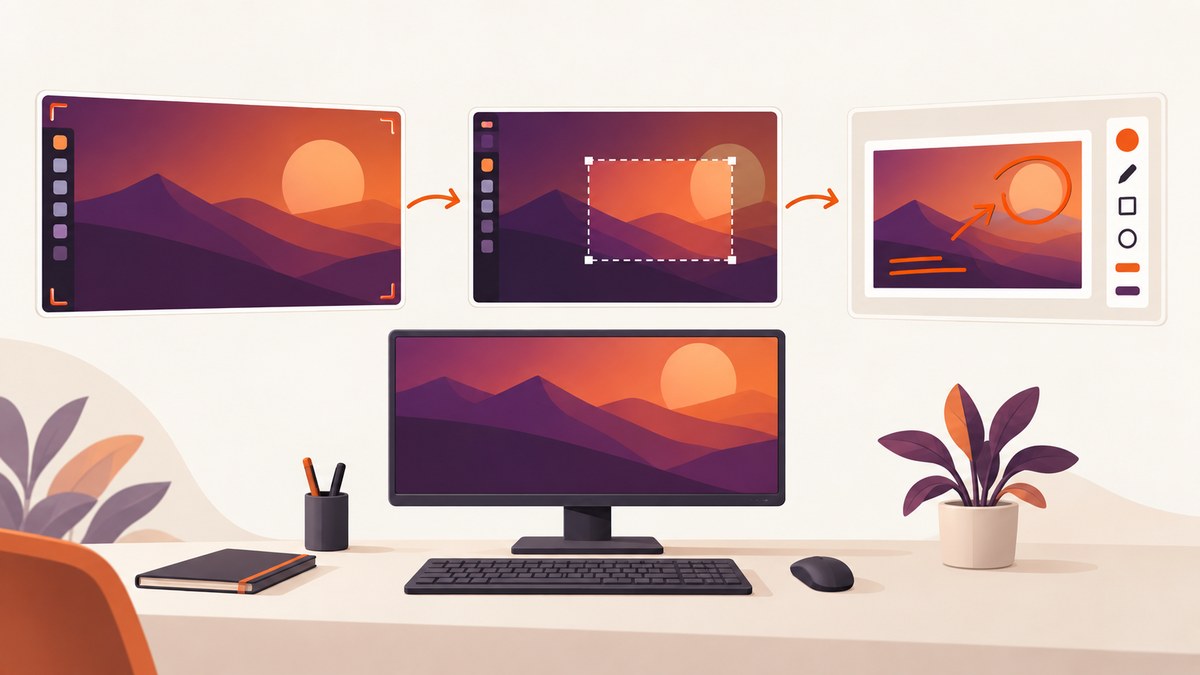
Short answer: Ubuntu 24.04’s built-in GNOME screenshot workflow is enough for full-screen, active-window, and selected-area captures. Install Flameshot when you need in-app annotation, customizable appearance, a D-Bus interface, or Imgur upload. On GNOME Wayland, Flameshot describes support as experimental, so permissions and the desktop portal can affect captures.
Choose the right screenshot app
| Need | Best fit | Why |
|---|---|---|
| Fast full screen, window, or region capture | GNOME Screenshot | Built into the normal Ubuntu desktop workflow and requires no extra editor. |
| Arrows, blur, highlighting, and quick edits | Flameshot | Its official overview lists in-app editing and customizable appearance. |
| Upload from the capture workflow | Flameshot | The project documents Imgur upload support. |
| Automated screenshots of public websites | ScreenshotNeo | A URL-based API and MCP server are designed for repeatable captures from scripts and AI agents. |
The Ubuntu documentation cited for GNOME Screenshot is a Jammy manpage, so it documents the utility’s commands and modes rather than proving the exact Ubuntu 24.04 package version or default installation state.
Use Ubuntu’s built-in screenshot workflow
Keyboard shortcuts
Press Print to open GNOME’s capture controls. Choose the whole screen, a window, or a rectangular area, then capture. Depending on your desktop settings, the result is saved in your Pictures folder and may also be available through the clipboard controls.

- Whole screen: captures every visible monitor area selected by the tool.
- Window: captures the chosen application window.
- Area: drag a rectangle around the region you need.
Use the desktop’s screenshot panel when you need a visual selector. It is usually the least error-prone option for one-off captures because it shows the selected mode before you commit.
Command-line capture
The gnome-screenshot utility documented by Ubuntu supports full-screen, window, area, and clipboard-oriented workflows. Run gnome-screenshot --help on your installation to see the options provided by your installed version.
# Full screen
 gnome-screenshot -f "$HOME/Pictures/full-screen.png"

# Let the user select an area
 gnome-screenshot -a -f "$HOME/Pictures/area.png"

# Capture the currently active window
 gnome-screenshot -w -f "$HOME/Pictures/window.png"

# Inspect options on this Ubuntu installation
gnome-screenshot --help
If a flag shown in an older guide is rejected, trust the help output from your installed package. Distribution versions can differ.
Install and configure Flameshot
Flameshot’s official installation page lists Ubuntu 24.04 (Noble). Follow the current instructions at the Flameshot installation guide; package names and repository details can change.
sudo apt update
sudo apt install flameshot
flameshot --version
Start the interactive editor with:
flameshot guiFor a full-screen capture saved directly to a file:
mkdir -p "$HOME/Pictures"
flameshot full -p "$HOME/Pictures"
Use flameshot config to open preferences. Configure the save location, filename behavior, visible buttons, and appearance to match your workflow. The exact preference labels can vary by release.
Useful Flameshot workflow features
- Interactive selection: select a region and immediately draw arrows, rectangles, lines, or text.
- Quick copy: copy the completed capture to the clipboard when you need to paste it into a ticket or chat.
- Upload: use the documented Imgur integration when a hosted image is appropriate.
- Automation: Flameshot exposes a D-Bus interface for integrations and scripts.
Keep sensitive screenshots local. Upload integrations can transmit the image to a third-party service, so check your organization’s policy before enabling them.
Wayland, permissions, and multi-monitor details
Ubuntu 24.04 commonly runs GNOME on Wayland. Flameshot labels GNOME Wayland support experimental, and its troubleshooting guide explains that screenshot permission and portal behavior can affect capture. Read the current Wayland troubleshooting guide if the selection overlay does not appear or the saved image is blank.
- Confirm the session type with
echo "$XDG_SESSION_TYPE". - If it prints
wayland, expect portal permission prompts or compositor-specific behavior. - Install pending Ubuntu and Flameshot updates, then restart Flameshot.
- Test a simple full-screen capture before debugging region selection or shortcuts.
- Check that Flameshot is allowed to run in the background if you rely on a global shortcut.
On multi-monitor desktops, capture boundaries can depend on display scaling and the compositor. If a region is offset, try selecting it with the built-in GNOME tool to determine whether the issue is specific to Flameshot.
Common errors and fixes
| Symptom | Likely cause | Fix |
|---|---|---|
flameshot: command not found |
Flameshot is not installed or is not on PATH. |
Install it with sudo apt install flameshot, then run command -v flameshot. |
| Shortcut does nothing | Another desktop shortcut owns Print, or Flameshot is not running. | Start flameshot, then assign a non-conflicting shortcut in Settings. |
| Black or empty image on Wayland | Portal permission or compositor behavior. | Follow Flameshot’s Wayland troubleshooting steps and test GNOME Screenshot. |
| Selection overlay never appears | Portal access, background-service, or session issue. | Restart Flameshot, verify the session type, and retry after system updates. |
| Image saved somewhere unexpected | Save-directory preference or command argument. | Use an absolute path such as $HOME/Pictures and inspect Flameshot preferences. |
| Text or annotations look blurry | Display scaling or an image viewed at a different zoom. | Export a larger region, keep the original PNG, and scale it only at the final destination. |
Quality, performance, and reliability
- PNG versus JPEG: PNG preserves text and UI edges; JPEG creates smaller files but can add artifacts around fine lines.
- Large regions: full-screen captures on high-density or multi-monitor setups consume more memory and take longer to paste or upload.
- Repeatability: use fixed output paths and command-line flags for scripts; use interactive tools when you need to inspect the selection.
- Wayland reliability: treat portal and permission behavior as part of the environment. Keep GNOME Screenshot available as a fallback.
- Privacy: review notifications, private windows, credentials, and uploaded destinations before sharing an image.
Or skip the browser setup
If you need screenshots of websites from a build, script, documentation job, or AI workflow, ScreenshotNeo captures a URL through one request. See the ScreenshotNeo API documentation for all options.
curl -G "https://api.screenshotneo.com/v1/shot" -d access_key=YOUR_API_KEY --data-urlencode url=https://stripe.com -o shot.webpimport requests
r = requests.get("https://api.screenshotneo.com/v1/shot", params={"access_key": "YOUR_API_KEY", "url": "https://stripe.com"}, timeout=90)
open("shot.webp", "wb").write(r.content)const q = new URLSearchParams({ access_key: 'YOUR_API_KEY', url: 'https://stripe.com' });
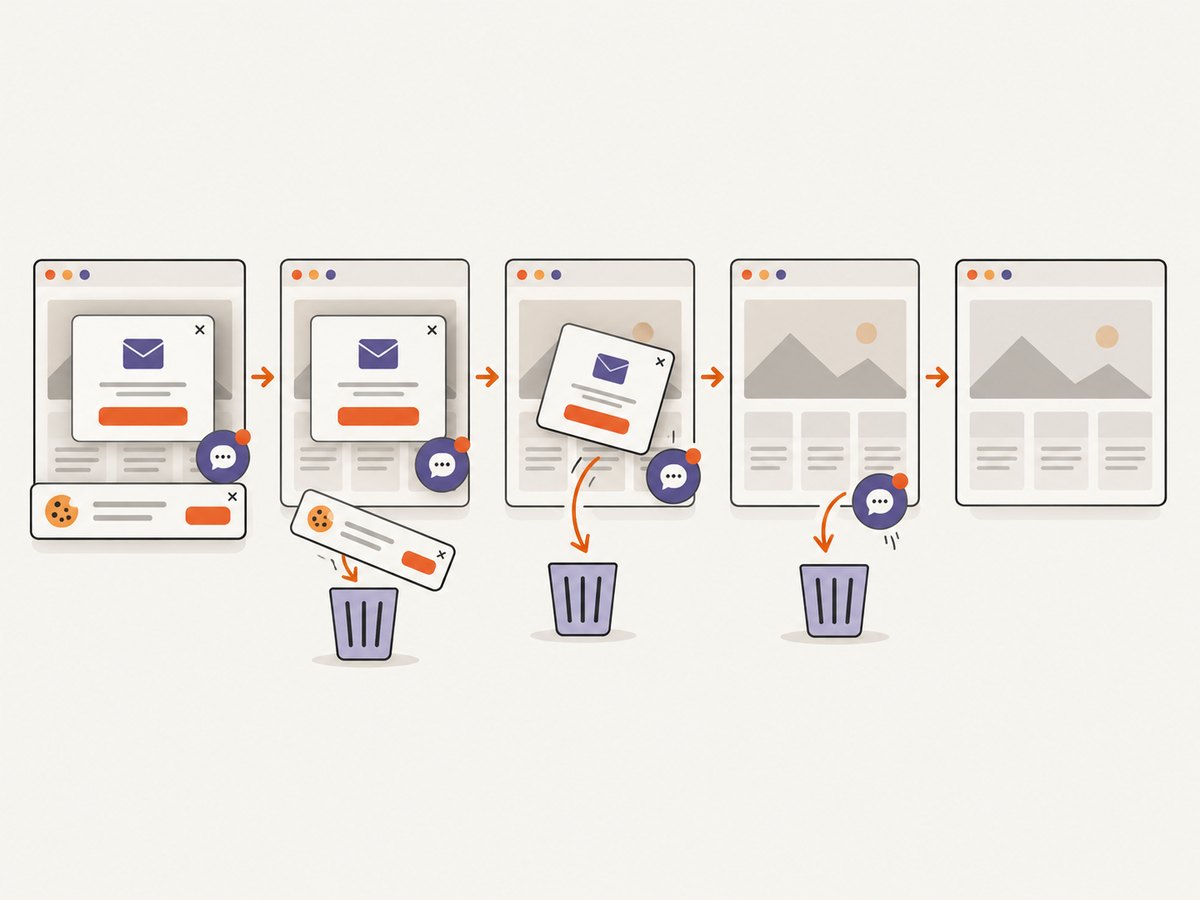
const res = await fetch(`https://api.screenshotneo.com/v1/shot?${q}`);Before capture, cookie and consent banners, newsletter popups, and chat widgets are removed. Bot checks, blank pages, failed loads, timeouts, and cache hits are not billed, and the response identifies the result with X-Page-Verdict and X-Billed headers. ScreenshotNeo also provides an MCP server with take_screenshot, get_page_info, and capture_pdf tools for Claude, Cursor, and other MCP clients. The Free plan includes 1,000 screenshots per month with no card; paid plans start at $5 for 3,000 shots. Create a free ScreenshotNeo account.
FAQ
Is Flameshot installed by default on Ubuntu 24.04?
Do not assume it is. The official installation guide lists Ubuntu 24.04 support; install it with the current documented method.
Which tool should I use for a quick support ticket?
Use GNOME Screenshot for a fast region or window capture. Use Flameshot when you need arrows, blur, or other edits before copying.
Why does a screenshot app behave differently under Wayland?
Wayland mediates screen capture through compositor and portal permissions. Flameshot documents GNOME Wayland support as experimental, so consult its troubleshooting guide when capture fails.
Can these desktop apps capture a webpage automatically?
They capture what is visible on your desktop. For repeatable URL capture, use an API such as ScreenshotNeo.


