BlogScreenshots on your device
How to Screenshot a Background App on macOS With Python
Capture a specific macOS window with Python and ScreenCaptureKit, even when it is behind another window or offscreen.

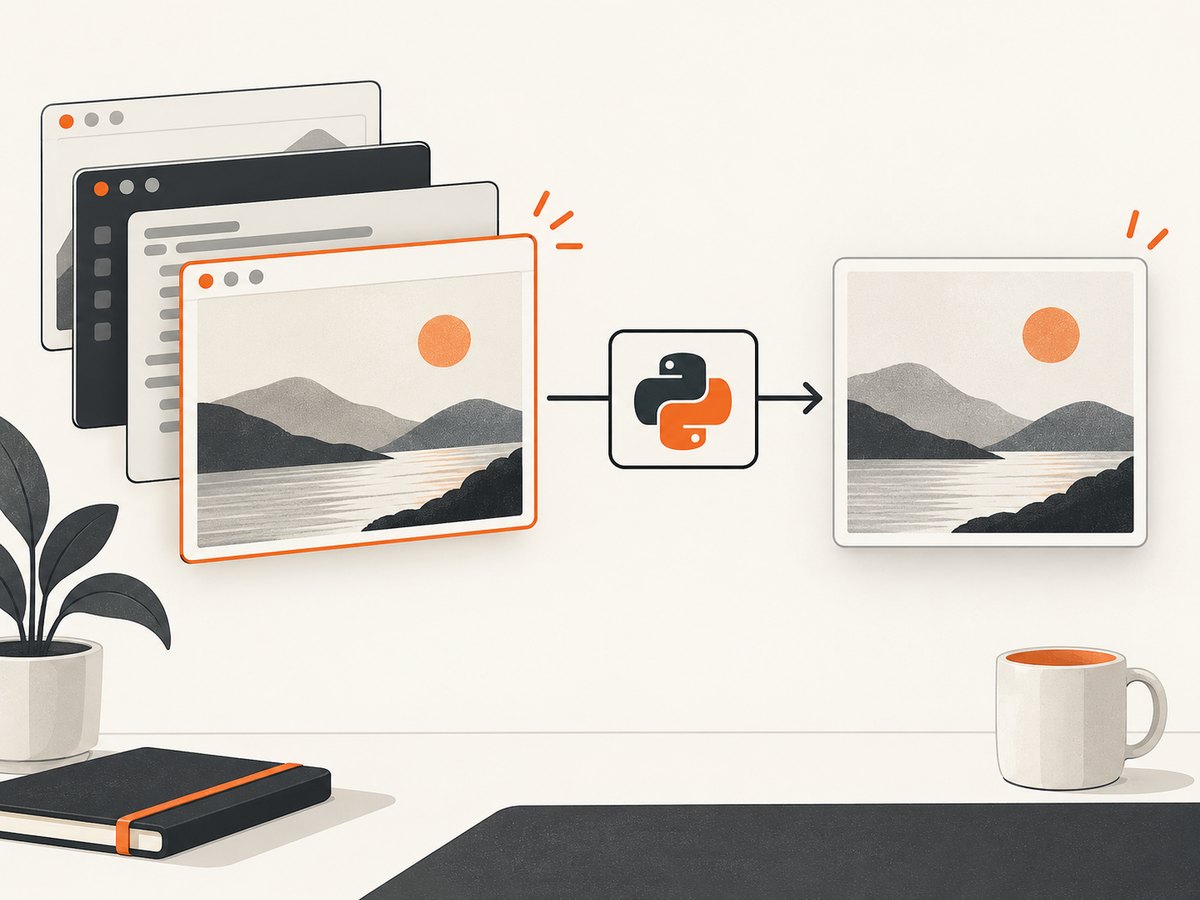
Use Apple’s ScreenCaptureKit through PyObjC to capture a specific window. The important distinction is that you select the target window directly instead of taking a screenshot of the visible desktop. A selected window can remain behind another window or be offscreen, subject to macOS permissions and limitations imposed by the target app.
ScreenCaptureKit is Apple’s current framework for this task. Apple marks the older CGWindowListCreateImage API as deprecated, and macOS Sequoia warns about some deprecated capture APIs. See Apple’s ScreenCaptureKit documentation and macOS capture sample.
What “background app” means
There are two separate cases:
- The target window is behind another window or offscreen. Select that window with ScreenCaptureKit and capture it directly.
- Your Python process is running in the background. The capture process still needs Screen Recording permission. A background process may also need appropriate macOS background execution configuration, which is a separate concern from selecting an offscreen window.
This guide focuses on the first case: capturing a particular application window without bringing it to the front.
Prerequisites and permissions
- Use macOS with ScreenCaptureKit available. PyObjC documents ScreenCaptureKit bindings beginning with macOS 12.3.
- Install PyObjC:
python3 -m pip install pyobjc-framework-ScreenCaptureKit pyobjc-framework-Quartz pyobjc-framework-Cocoa- Open System Settings → Privacy & Security → Screen Recording.
- Enable access for the terminal, IDE, packaged app, or Python executable that will run the script.
- Run the script again after granting access. Apple’s sample states that the sample must be restarted after permission is granted.
Do not install Apple’s separate CoreGraphics Python package alongside PyObjC for this code. PyObjC’s Quartz notes recommend importing Quartz from the PyObjC framework bindings.
Capture one background window with PyObjC
The script below enumerates shareable windows, chooses one by application name and title, creates a window-specific content filter, captures one image, and writes a PNG. It does not activate or move the target application.
#!/usr/bin/env python3
import sys
import threading

import Quartz
from Foundation import NSURL
from ScreenCaptureKit import (
    SCShareableContent,
    SCContentFilter,
    SCStreamConfiguration,
    SCScreenshotManager,
)

APP_NAME = "TextEdit"       # Change this
WINDOW_TITLE = None          # Set to a substring, or leave as None
OUTPUT_PATH = "background-window.png"

finished = threading.Event()
result = {"error": None, "image": None}


def fail(message):
    result["error"] = RuntimeError(message)
    finished.set()


def save_image(image):
    url = NSURL.fileURLWithPath_(OUTPUT_PATH)
    destination = Quartz.CGImageDestinationCreateWithURL(
        url, "public.png", 1, None
    )
    if destination is None:
        fail(f"Could not create an image destination for {OUTPUT_PATH}")
        return

    Quartz.CGImageDestinationAddImage(destination, image, None)
    if not Quartz.CGImageDestinationFinalize(destination):
        fail(f"Could not write {OUTPUT_PATH}")
        return

    result["image"] = image
    finished.set()


def screenshot_complete(image, error):
    if error is not None:
        fail(f"ScreenCaptureKit capture failed: {error}")
        return
    if image is None:
        fail("ScreenCaptureKit returned no image")
        return
    save_image(image)


def content_complete(content, error):
    if error is not None:
        fail(f"Could not enumerate shareable content: {error}")
        return

    windows = list(content.windows())
    candidates = []
    for window in windows:
        owner = window.owningApplication()
        app_name = owner.applicationName() if owner else ""
        title = window.title() or ""
        if app_name != APP_NAME:
            continue
        if WINDOW_TITLE and WINDOW_TITLE.lower() not in title.lower():
            continue
        candidates.append((window, app_name, title))

    if not candidates:
        available = [
            f"{w.owningApplication().applicationName()}: {w.title() or '(untitled)'}"
            for w in windows
            if w.owningApplication() is not None
        ]
        fail(
            f"No matching window found. Available windows: {available}"
        )
        return

    window, app_name, title = candidates[0]
    print(f"Capturing {app_name}: {title or '(untitled)'}")

    # This filter targets one shareable window instead of the visible desktop.
    content_filter = SCContentFilter.alloc().initWithDesktopIndependentWindow_(window)

    configuration = SCStreamConfiguration.alloc().init()
    frame = window.frame()
    configuration.setWidth_(max(1, int(frame.size.width)))
    configuration.setHeight_(max(1, int(frame.size.height)))
    configuration.setShowsCursor_(False)

    SCScreenshotManager.captureImageWithFilter_configuration_completionHandler_(
        content_filter,
        configuration,
        screenshot_complete,
    )


# Ask ScreenCaptureKit for windows, apps, and displays that can be shared.
SCShareableContent.getShareableContentWithCompletionHandler_(content_complete)

if not finished.wait(timeout=30):
    raise TimeoutError("Timed out waiting for ScreenCaptureKit")
if result["error"]:
    raise result["error"]
print(f"Wrote {OUTPUT_PATH}")
Run it with:
python3 capture_background_window.pySet APP_NAME to the owning application name shown by macOS. If an app has several windows, set WINDOW_TITLE to a distinctive substring. The exact PyObjC selector spelling can vary with the installed SDK binding; if your installed version does not expose SCScreenshotManager, inspect the names in that binding and use the matching ScreenCaptureKit selector.
List windows before choosing one
When you do not know the exact owner name or title, first print the shareable windows:
#!/usr/bin/env python3
import threading
from ScreenCaptureKit import SCShareableContent

finished = threading.Event()

def done(content, error):
    if error:
        print(error)
    else:
        for window in content.windows():
            owner = window.owningApplication()
            app = owner.applicationName() if owner else "(unknown app)"
            print(f"{app}\t{window.title() or '(untitled)'}")
    finished.set()

SCShareableContent.getShareableContentWithCompletionHandler_(done)
finished.wait(30)
Use the printed values to refine APP_NAME and WINDOW_TITLE. Matching by both owner and title avoids accidentally capturing another window with a similar name.
Choosing capture settings
| Setting | Guidance |
|---|---|
| Window filter | Use a window-specific SCContentFilter when you need a background or offscreen window. |
| Width and height | Set them from the selected window’s frame, then adjust deliberately for scaling. Do not assume points and pixels are identical on Retina displays. |
| Cursor | Disable cursor rendering when producing deterministic images. |
| Multiple windows | Enumerate and match owner plus title, or present a selection UI to the user. |
| Repeated captures | Keep the content selection and configuration stable, and avoid repeatedly enumerating all shareable content unless windows changed. |
Common errors and fixes
Permission denied or a black image
Cause: Screen Recording permission is missing for the process that actually runs Python.
Fix: Add Terminal, your IDE, or the packaged application under Screen Recording. Restart the process after granting access, as Apple’s sample describes.
No matching window found
Cause: The owner name or title differs from what you expected, or the window is not shareable.
Fix: Run the enumeration script, copy the exact owner name, and match a title substring. Check that the target app has an open window.
The target app still appears in front
Cause: A window-specific filter was not used, or the code captured a display instead.
Fix: Create the filter from the selected window and pass that filter to the screenshot or stream configuration. Do not use a display-only filter for this use case.
Capture API is unavailable
Cause: The installed macOS SDK or PyObjC package does not expose the selector used by the script.
Fix: Upgrade PyObjC, confirm the macOS version, and inspect the installed ScreenCaptureKit binding for the available screenshot method. The framework and binding evolve with macOS SDK releases.
A particular app cannot be captured
Cause: Some applications or protected content refuse screenshots. Apple identifies Apple TV as an example that may not allow screenshots of its windows.
Fix: Treat this as an application/content restriction. ScreenCaptureKit cannot override it.
The script times out
Cause: The completion callback was never reached, permission is blocked, or the process exits before the callback runs.
Fix: Keep the process alive with an event or run loop, add a timeout, verify permission, and log the enumeration callback before attempting capture.
Performance, reliability, and privacy considerations
- Performance: Capture only the required window and dimensions. Large Retina-sized images consume more memory and take longer to encode.
- Reliability: Window titles can change, windows can close between enumeration and capture, and application behavior differs. Re-enumerate when a capture fails because the window may have been replaced.
- Permissions: Permission belongs to the executable or host app. Running the same code from Terminal and from an IDE can produce different permission results.
- Protected surfaces: A successful window match does not guarantee that every frame or app surface is capturable.
- Background execution: A selected offscreen window and a background Python process are separate concerns. If you deploy a persistent agent, configure its macOS execution model independently.
Legacy Quartz code: when you encounter it
Older examples often use CGWindowListCreateImage from Quartz. Apple now marks that API deprecated, and macOS Sequoia release notes warn that deprecated capture APIs can trigger alerts about potential detailed collection of user information. Use those examples only when maintaining legacy code; investigate ScreenCaptureKit for new window-oriented work.
Or skip the browser setup
If your input is a web page rather than a native macOS application, ScreenshotNeo provides a hosted screenshot API and MCP server. One request returns a PNG, JPEG, WebP, or PDF, so you do not need to install PyObjC or manage Screen Recording permission for browser content. See the ScreenshotNeo API documentation.

curl -G "https://api.screenshotneo.com/v1/shot" -d access_key=YOUR_API_KEY --data-urlencode url=https://stripe.com -o shot.webpimport requests
r = requests.get("https://api.screenshotneo.com/v1/shot", params={"access_key": "YOUR_API_KEY", "url": "https://stripe.com"}, timeout=90)
open("shot.webp", "wb").write(r.content)const q = new URLSearchParams({ access_key: 'YOUR_API_KEY', url: 'https://stripe.com' });
const res = await fetch(`https://api.screenshotneo.com/v1/shot?${q}`);Cookie banners, newsletter popups, and chat widgets are removed before the shot. Bot checks, blank pages, failed loads, timeouts, and cache hits are not billed, and the response reports the page verdict and billing status in X-Page-Verdict and X-Billed headers. ScreenshotNeo also provides an MCP server with take_screenshot, get_page_info, and capture_pdf tools for Claude, Cursor, and other MCP clients. The Free plan includes 1,000 screenshots per month with no card; paid plans start at $5 for 3,000 shots. Create a free ScreenshotNeo account.
FAQ
Can Python capture a window that is completely offscreen?
ScreenCaptureKit supports selecting shareable windows, and Apple documents an active window as streamable even when offscreen. The target app and content still determine whether capture succeeds.
Will capturing a window activate it?
A window-specific content filter selects the window for capture; the approach does not require bringing it to the front.
Do I need to use Apple’s content picker?
No. Apple recommends the picker for interactive user selection, but an application can enumerate shareable content and construct a filter programmatically when its workflow already identifies the target.
Why not use a normal desktop screenshot?
A desktop screenshot captures what is visible. It cannot reliably produce the contents of a covered or offscreen window. Window selection is the key difference.


