Selenium ChromeDriver Limitations for Web Scraping at Scale
ChromeDriver has no fixed session limit. Capacity depends on CPU, RAM, isolation, timeouts, browser compatibility and target-site behavior.
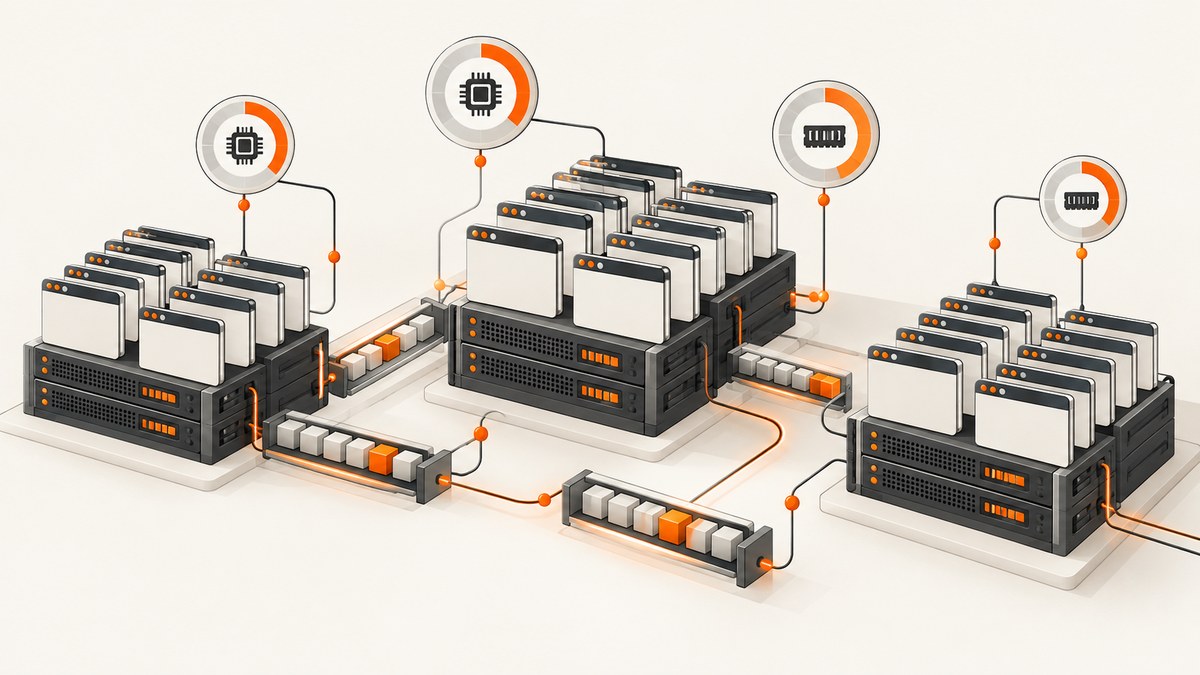
Short answer: ChromeDriver does not have a universal maximum number of scraping sessions per machine. A practical planning reference from Selenium is about one browser session per CPU and around 1 GB of RAM per browser session, but the real limit depends on page complexity, browser options, startup bursts, timeouts, network conditions and the target site’s behavior. Treat that ratio as a starting point, measure continuously, and leave headroom for the operating system, the driver, queues and spikes.
At high concurrency, Selenium usually becomes unstable because each session is a complete browser process with its own tabs, JavaScript state, caches, renderers and network activity. CPU saturation, memory pressure, shared-memory exhaustion, driver/browser version drift, poorly synchronized waits and target-site throttling can all look like a “ChromeDriver problem.” This guide shows how to find your actual ceiling, choose between one host, Grid and containers, and decide when an API is a better fit.
What ChromeDriver does and where the limit comes from
ChromeDriver is a standalone server implementing the W3C WebDriver and WebDriver BiDi standards. Selenium sends commands to ChromeDriver, which starts and controls Chromium. The protocol itself does not impose a useful fixed session count. The host and workload do.
| Constraint | What happens at the limit | What to measure |
|---|---|---|
| CPU | Rendering, JavaScript and compression queue up; page loads and screenshots slow down. | Per-core utilization, run queue, browser CPU time and p95 load time. |
| RAM | Chrome processes are reclaimed or killed, swapping starts, and sessions time out. | Resident memory per session, swap activity, OOM events and container limits. |
| Shared memory | Chromium tabs crash or fail to create, especially in small containers. | /dev/shm usage and renderer crash logs. |
| Process and file limits | New sessions or sockets fail even when CPU appears available. | Process count, open files, PID limits and ephemeral ports. |
| Network and target site | Requests stall, receive challenges or are rate limited. | DNS, connect and TLS latency, status codes, challenge pages and proxy health. |
| Compatibility | Session creation fails or commands return unknown-command errors. | Browser, ChromeDriver and Selenium versions. |
Selenium’s Grid documentation uses approximately one browser session per CPU and around 1 GB RAM per session as planning references, then recommends measuring continuously. The Grid command-line reference warns that overriding the default maximum sessions can exhaust host resources and hurt stability. See the Grid scaling guidance and Grid CLI options.
How many sessions can one machine run?
Estimate a safe starting point with the smaller of these two values:
cpu_sessions = usable_cpu_cores
ram_sessions = usable_ram_gb / 1.0
starting_limit = floor(min(cpu_sessions, ram_sessions) * 0.70)
The 70 percent factor is a conservative starting margin, not a Selenium guarantee. Reserve capacity for the operating system, ChromeDriver, your crawler, logging, queue workers and short bursts. A four-core, 8 GB host might begin with two or three concurrent sessions, then increase the limit only after sustained tests show acceptable latency and memory use. A page with heavy JavaScript, video, large images or many iframes can consume much more than a simple document.
Do not infer capacity from a short successful burst. Run a workload that matches production URLs, keep it long enough to expose leaks and record success rate, p95 and p99 duration, peak RSS, crash counts and queue wait. Increase concurrency gradually. Stop when another increment causes timeout or crash rates to rise, then back off to the previous stable level.
Why Selenium becomes unstable at high concurrency
Resource contention
Every browser has renderer and utility processes. Concurrent JavaScript execution and rasterization compete for cores. When the host starts swapping, a nominally generous RAM total no longer reflects usable capacity. Startup is especially expensive because many processes are created at once.
Unbounded queues and synchronized bursts
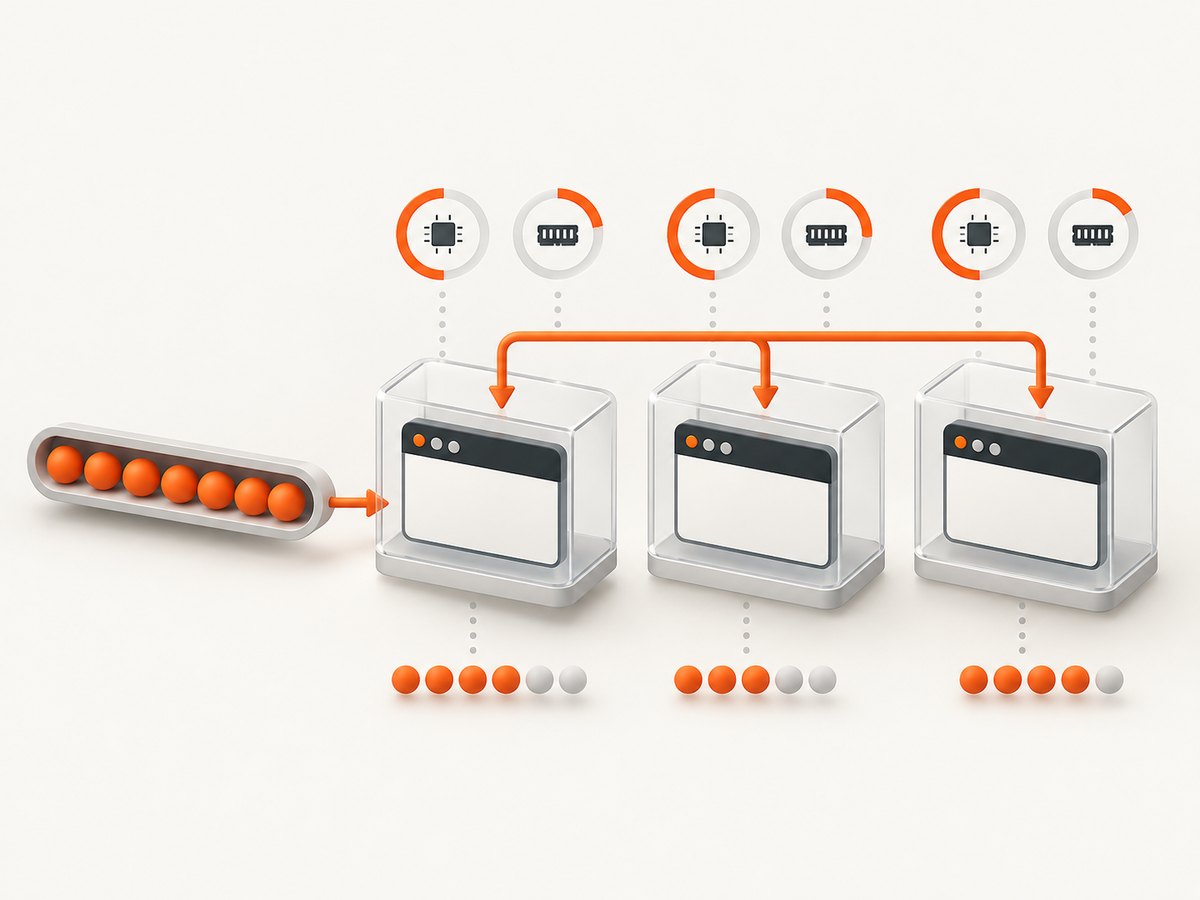
If workers create sessions as fast as URLs arrive, the queue can become a second source of overload. A retry storm after a network failure multiplies the problem. Use a bounded queue, a semaphore and exponential backoff with jitter. Keep session creation below the measured steady-state limit.
Version drift
ChromeDriver must align with the browser. Chrome for Testing publishes matching Chrome and ChromeDriver artifacts by release channel from milestone 115 onward. Selenium Manager, bundled since Selenium 4.6, can automate driver management, but proxies and firewalls may block its endpoints. See ChromeDriver documentation and Selenium Manager.
Synchronization errors
Fixed sleeps either waste capacity or race the page. A command issued before an element exists produces timeouts, stale-element errors or misleading “driver” failures. Prefer explicit waits tied to a selector or browser state. Selenium documents a default script timeout of 30 seconds and a page-load timeout of 300 seconds for a new session; large crawlers should set values that match their service-level objectives.
Target-site behavior
Sites differ in redirects, authentication, JavaScript challenges, robots rules, rate limits and response size. A Georgia Tech/USENIX study of large-scale browser crawling describes substantial engineering for rate limiting and proxy/IP distribution and still found crawling imperfect because websites vary. A proxy does not guarantee access, and headless mode does not defeat bot detection. Review permission, terms and robots requirements for each target.
A bounded Selenium worker in Python
The following example creates one driver per job, applies explicit timeouts, waits for a selector and always quits. In production, put jobs behind a bounded worker pool rather than launching an unlimited number of processes.
from concurrent.futures import ThreadPoolExecutor, as_completed
from selenium import webdriver
from selenium.webdriver.chrome.options import Options
from selenium.webdriver.common.by import By
from selenium.webdriver.support.ui import WebDriverWait
from selenium.webdriver.support import expected_conditions as EC
from selenium.common.exceptions import TimeoutException, WebDriverException

URLS = [
    "https://example.com",
    "https://www.selenium.dev/documentation/",
]
MAX_SESSIONS = 2
PAGE_TIMEOUT = 45
SCRIPT_TIMEOUT = 30


def new_driver():
    options = Options()
    options.add_argument("--headless=new")
    options.add_argument("--no-sandbox")
    options.add_argument("--disable-dev-shm-usage")
    options.page_load_strategy = "eager"
    driver = webdriver.Chrome(options=options)
    driver.set_page_load_timeout(PAGE_TIMEOUT)
    driver.set_script_timeout(SCRIPT_TIMEOUT)
    return driver


def fetch(url):
    driver = None
    try:
        driver = new_driver()
        driver.get(url)
        WebDriverWait(driver, 15).until(
            EC.presence_of_element_located((By.TAG_NAME, "body"))
        )
        return {"url": url, "title": driver.title, "html": driver.page_source}
    except TimeoutException as exc:
        return {"url": url, "error": f"timeout: {exc}"}
    except WebDriverException as exc:
        return {"url": url, "error": f"webdriver: {exc}"}
    finally:
        if driver is not None:
            driver.quit()


with ThreadPoolExecutor(max_workers=MAX_SESSIONS) as pool:
    futures = [pool.submit(fetch, url) for url in URLS]
    for future in as_completed(futures):
        print(future.result())
Keep MAX_SESSIONS below the limit established by measurement. For long crawls, reuse a worker process but create a fresh browser after a defined number of jobs or after a crash; this limits damage from leaks while avoiding a session-start burst for every URL.
Choosing an architecture
| Architecture | Use it when | Trade-offs |
|---|---|---|
| Single host | Small, predictable workloads and simple networking. | Easy to operate, but one failure affects every session and resources are shared. |
| Selenium Grid standalone | You need a remote endpoint without many nodes. | Simple control plane; still constrained by one machine. |
| Hub and nodes | You need several browser hosts or different browser capabilities. | Failure isolation and scheduling improve, while queueing and version management become your responsibility. |
| Docker or Kubernetes nodes | You need repeatable images, resource limits and replaceable workers. | Better isolation and scaling, plus image, shared-memory, networking and observability work. |
| Managed browser service | You want to avoid operating browser hosts and driver updates. | Costs move to usage pricing; evaluate network location, concurrency, data handling and API behavior. |
Selenium recommends smaller nodes so a failed node affects fewer sessions, and suggests Docker for isolation. Its rough labels describe five or fewer nodes as small, six to 60 as middle, 60 to 100 as large and more than 100 as distributed; these are estimates, not capacity guarantees. The docker-selenium project documents headless Chrome, shared-memory sizing, cleanup of leftover processes and per-container session controls. Running more sessions than available processors is not recommended because the container can overload.
Configuration checklist for scale
- Pin browser images. Record Chrome, ChromeDriver and Selenium versions. Update deliberately and canary the new image.
- Set resource limits. Give each container enough RAM and shared memory, and alert before the limit is reached.
- Bound concurrency. Enforce a semaphore at the scheduler and a maximum sessions setting at the node.
- Use explicit waits. Wait for the smallest reliable condition; avoid global sleeps.
- Set timeouts. Separate page-load, script, connection and overall job deadlines.
- Make retries selective. Retry transient network failures with backoff; do not blindly retry authentication failures, blocks or deterministic selector errors.
- Clean up. Call
quit()in a finally block and reap orphaned Chrome processes. - Observe each job. Log URL, node, browser version, timings, status, retry count and failure class without recording secrets.
- Protect the target. Apply per-domain rate limits, honor permissions and distribute traffic only when you are authorized to do so.
Troubleshooting common failures
| Symptom | Likely cause | Fix |
|---|---|---|
session not created |
Chrome and ChromeDriver mismatch, missing binary or blocked Selenium Manager download. | Pin matching Chrome for Testing artifacts, set the binary path, or configure proxy access for Selenium Manager. |
| Chrome crashes in Docker | Small /dev/shm, too many sessions or leftover processes. |
Increase shared memory, reduce concurrency, clean up processes and apply container limits. |
| Random page-load timeouts | Target latency, long polling, overloaded host or an overly strict deadline. | Measure navigation phases, set a page-load strategy, cap total job time and retry only transient cases. |
stale element reference |
The page rerendered after the element was located. | Locate the element again after the state change and wait for the new condition. |
| Many 403, 429 or challenge pages | Target-site controls or excessive request rate. | Stop increasing concurrency, respect the site’s rules, slow down and verify that your use is permitted. |
| Sessions hang during teardown | Driver or browser process is wedged. | Use an outer process timeout, collect diagnostics, kill the worker and replace the node rather than blocking the queue. |
| Works locally but fails on nodes | Different fonts, timezone, permissions, proxy or browser flags. | Use a reproducible image and record capability and environment differences. |
Performance, reliability and cost planning
Measure throughput as completed, valid results per second, not navigation calls per second. Track success rate and p50/p95/p99 duration by domain. A faster page can still reduce throughput if it causes more retries or blocks. Warm workers reduce startup cost, but long-lived sessions can accumulate memory and state. A periodic recycle policy is often a practical compromise.
Queue back-pressure is part of capacity planning. If arrival rate exceeds stable completion rate, the queue grows until timeouts and memory use become failures. Expose queue depth, oldest job age and active sessions, then reject or defer work before the host is exhausted. Budget for browser hosts, container orchestration, proxies where authorized, storage, logs and engineering time for browser updates. Grid removes scheduling work from your application; it does not remove Chrome’s CPU and RAM cost.
Protocol choice also affects maintenance. Selenium describes WebDriver BiDi as the cross-browser replacement for CDP, while CDP remains Chromium-specific and browser-version-dependent. Use BiDi when portability matters; use CDP only when a Chromium-specific capability justifies the coupling.
Or skip the browser setup
If your job is to obtain a clean screenshot or PDF rather than interact with a browser, ScreenshotNeo provides a single HTTP request. It accepts the consent banner like a visitor and removes more than 60 known consent platforms, newsletter popups and chat widgets before capture. Bot checks, blank pages, timeouts, failed loads and cache hits are not billed, and response headers identify the page verdict and billing status.

See the ScreenshotNeo API documentation for all options. A basic WebP capture:
curl -G "https://api.screenshotneo.com/v1/shot" -d access_key=YOUR_API_KEY --data-urlencode url=https://stripe.com -o shot.webpimport requests
r = requests.get("https://api.screenshotneo.com/v1/shot", params={"access_key": "YOUR_API_KEY", "url": "https://stripe.com"}, timeout=90)
open("shot.webp", "wb").write(r.content)const q = new URLSearchParams({ access_key: 'YOUR_API_KEY', url: 'https://stripe.com' });
const res = await fetch(`https://api.screenshotneo.com/v1/shot?${q}`);ScreenshotNeo also supports full-page capture with lazy images, CSS element selection, dark mode, device presets, custom viewports, retina scale, PDF paper sizes and page ranges, custom CSS and JavaScript, clicks, selector waits, delays, network-idle waits, request blocking, headers, cookies, user agents, authorization, timezone, geolocation, transparent backgrounds, resizing, TTL caching, signed links, asynchronous jobs with signed webhooks, bulk capture of 100 URLs per call, usage reporting and an OpenAPI specification. An MCP server exposes take_screenshot, get_page_info and capture_pdf to Claude, Cursor and other MCP clients.
The Free plan includes 1,000 screenshots a month with no card. Starter is $5 for 3,000, Growth $15 for 15,000, Pro $39 for 60,000, Scale $99 for 250,000 and Business $249 for 1,000,000; yearly billing gives two months free and every feature is on every plan. Create a free ScreenshotNeo account.
FAQ
Is ChromeDriver the bottleneck?
Sometimes, but host CPU, RAM, shared memory, queueing, compatibility and target behavior are more common limits. Classify failures before changing drivers.
Does headless Chrome use less memory?
It can reduce display overhead, but it remains a full browser workload. Measure your pages instead of assuming a fixed saving.
Should I use Grid for every crawler?
No. Grid helps scheduling and isolation across nodes. A small bounded worker pool is simpler for a small workload.
Can a proxy guarantee scraping access?
No. Proxies affect routing and reputation, while sites can still rate limit, challenge or deny requests. Use them only with permission.
When should I replace Selenium with an API?
Consider an API when you need rendered screenshots or PDFs at predictable scale and do not need arbitrary browser interaction. Compare clean output, failure billing, options, concurrency, data handling and price.


