Selenium Screenshot Comparison: A Practical Visual Regression Guide
Learn how to compare Selenium screenshots in Java, manage baselines, reduce noisy diffs, and decide when a visual testing service fits.
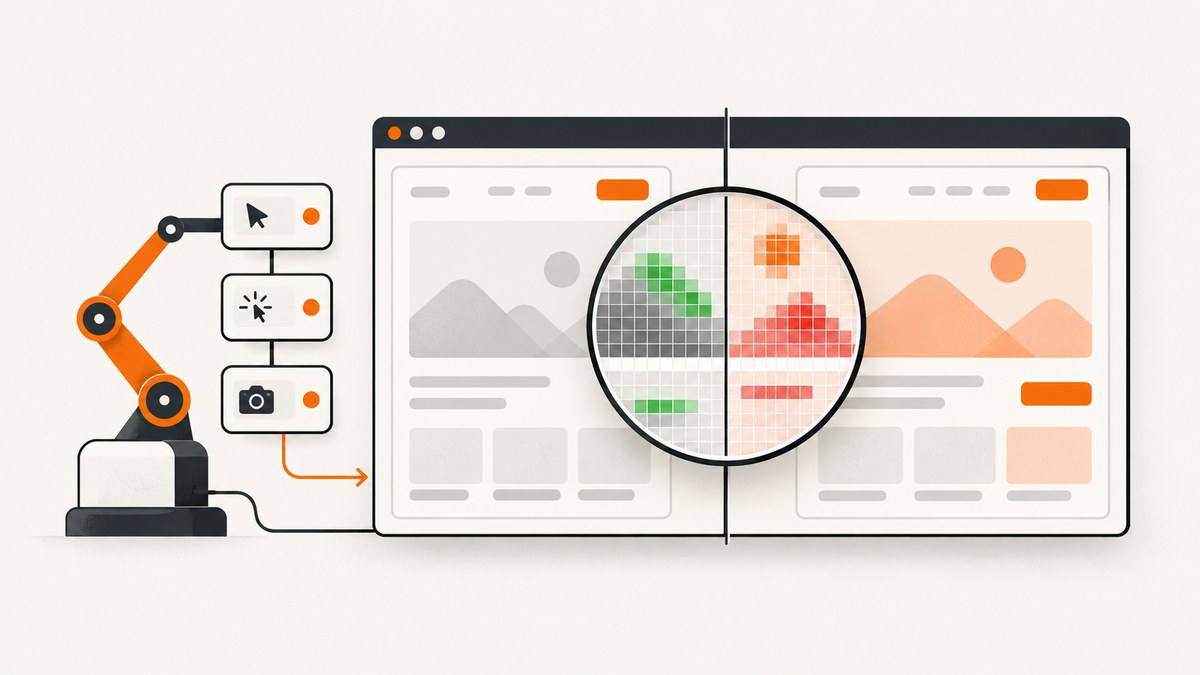
Yes. Java Selenium is a practical way to build screenshot comparison tests. Selenium drives the browser into a known state and captures the image. Your comparison layer then checks that image against an approved baseline, reports the difference, and lets a reviewer decide whether the change is intentional.
This workflow is usually called visual regression testing. It catches changes that ordinary assertions miss: spacing, typography, colors, missing icons, broken responsive layouts, and unexpected overlays. A reliable test has five stages:
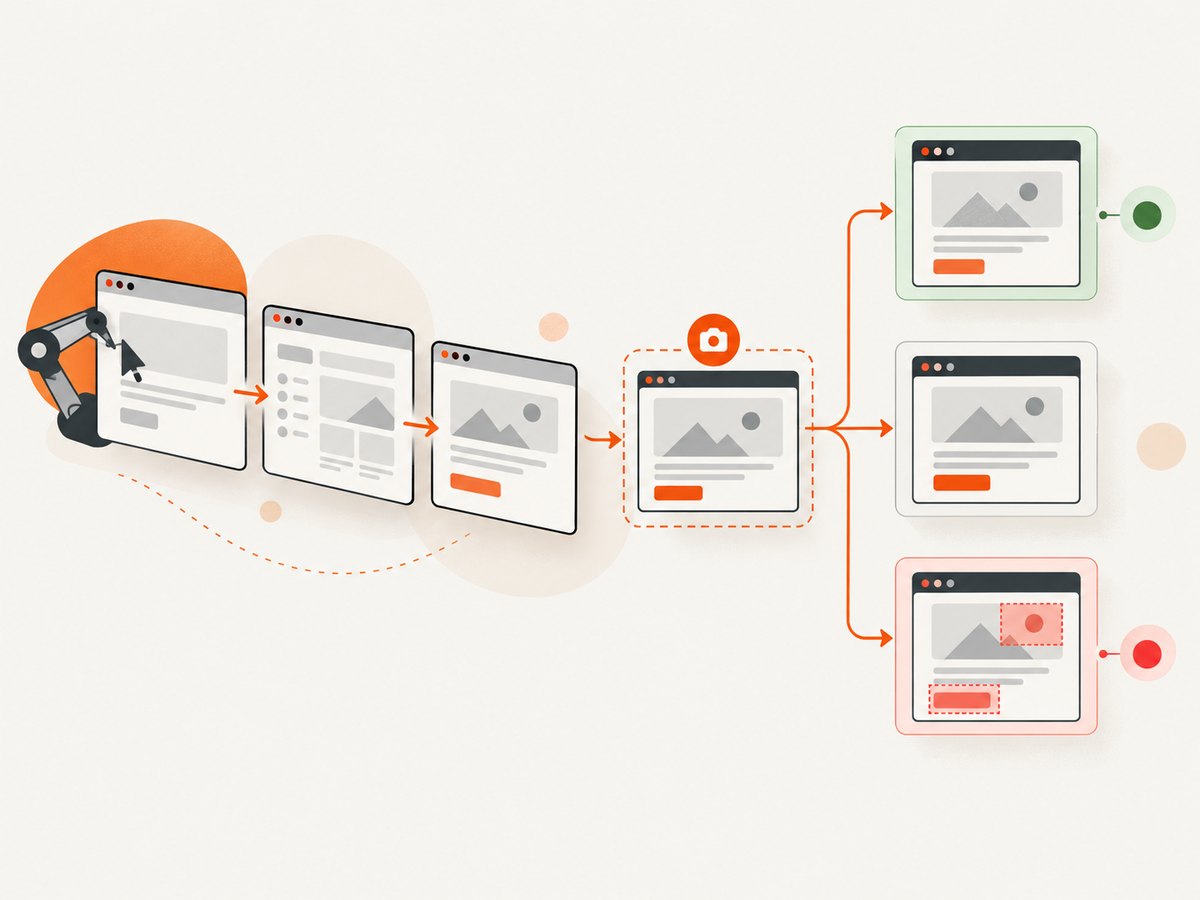
- Exercise the application into a deterministic state.
- Wait until the relevant UI has settled.
- Capture a named checkpoint at a fixed viewport.
- Compare it with the accepted baseline and inspect the diff.
- Approve a new baseline only when the visual change is intentional.
Applitools describes visual testing as regression testing that checks whether previously correct screens changed unexpectedly. Its Selenium Java workflow also documents Strict, Ignore Colors, and Layout match levels. These are Applitools terms, not universal standards. Percy’s Selenium integrations provide related controls for full-page capture, animation freezing, CSS scope, dimensions, responsive captures, and ignored regions. Check the version-specific documentation for the SDK you install.
What screenshot comparison checks
A screenshot test compares rendered pixels or a visual representation of them. It is different from checking an element’s text or a response status:
| Test type | Question answered | Typical failure |
|---|---|---|
| Functional assertion | Did the expected value or state occur? | Button text is wrong |
| Accessibility assertion | Does the page meet selected accessibility rules? | Missing label or poor contrast |
| Screenshot comparison | Does the rendered screen still look like the approved screen? | Unexpected padding, color, font, or layout change |
Use visual checks at meaningful states: logged-out and logged-in navigation, an empty state, a populated table, an error message, a modal, and each important responsive breakpoint. A screenshot of every test step creates maintenance work and usually adds little signal.
Set up a deterministic Selenium capture
Comparison quality depends on the inputs. Keep these stable:
- Browser and version: pin the browser image in CI when possible.
- Viewport: set width and height explicitly; a viewport capture is not the same as a full-page capture.
- Fonts: install the same fonts in local and CI environments. Font fallback changes line wrapping and therefore many pixels.
- Device scale: keep the device scale factor consistent. Retina captures have different dimensions from standard captures.
- Data: use fixed fixtures or a seeded database. Timestamps, random avatars, rotating offers, and live counters create noise.
- Animation: disable transitions and videos, or wait until the animation ends. Freezing animations is available in some visual testing integrations.
- Readiness: wait for a meaningful selector and for loading indicators to disappear. A fixed sleep alone is fragile.
Do not hide a large portion of the page just to make a test green. If a clock or ad cannot be controlled, mask that small region and document why. Broad exclusions can conceal a real regression.
Complete Java example: capture and compare a baseline
The following example uses Selenium for navigation and Java’s built-in image APIs for a simple pixel comparison. It writes the current screenshot, compares dimensions and pixels, emits a diff image, and fails with a useful message. It is intentionally small enough to understand and extend. For production suites, a visual SDK can add baseline storage, review, match levels, and reporting.
import org.openqa.selenium.By;
import org.openqa.selenium.OutputType;
import org.openqa.selenium.WebDriver;
import org.openqa.selenium.chrome.ChromeDriver;
import org.openqa.selenium.chrome.ChromeOptions;
import org.openqa.selenium.support.ui.ExpectedConditions;
import org.openqa.selenium.support.ui.WebDriverWait;

import javax.imageio.ImageIO;
import java.awt.Color;
import java.awt.image.BufferedImage;
import java.io.File;
import java.nio.file.Files;
import java.nio.file.Path;
import java.time.Duration;

public class VisualRegressionTest {
  private static final Path BASELINE = Path.of("src/test/resources/baselines/home.png");
  private static final Path ACTUAL = Path.of("build/screenshots/home-actual.png");
  private static final Path DIFF = Path.of("build/screenshots/home-diff.png");
  private static final int CHANNEL_TOLERANCE = 3;
  private static final double MAX_DIFFERENT_PIXEL_RATIO = 0.001; // 0.1%

  public static void main(String[] args) throws Exception {
    Files.createDirectories(ACTUAL.getParent());

    ChromeOptions options = new ChromeOptions();
    options.addArguments("--headless=new", "--window-size=1440,1000");

    WebDriver driver = new ChromeDriver(options);
    try {
      driver.get("https://example.com");
      WebDriverWait wait = new WebDriverWait(driver, Duration.ofSeconds(20));
      wait.until(ExpectedConditions.visibilityOfElementLocated(By.tagName("body")));

      // Establish deterministic state here: log in with a fixture, select a tab,
      // seed data, or wait for a specific application-ready marker.
      Thread.sleep(300); // Replace with an application-specific readiness condition.

      File raw = ((org.openqa.selenium.TakesScreenshot) driver)
          .getScreenshotAs(OutputType.FILE);
      Files.copy(raw.toPath(), ACTUAL,
          java.nio.file.StandardCopyOption.REPLACE_EXISTING);

      if (!Files.exists(BASELINE)) {
        Files.copy(ACTUAL, BASELINE);
        System.out.println("Created baseline: " + BASELINE);
        return;
      }

      Comparison result = compare(BASELINE.toFile(), ACTUAL.toFile(), DIFF.toFile());
      System.out.printf("Different pixels: %d/%d (%.4f%%)%n",
          result.differentPixels, result.totalPixels,
          result.ratio * 100.0);

      if (result.ratio > MAX_DIFFERENT_PIXEL_RATIO) {
        throw new AssertionError("Visual regression. Review " + DIFF);
      }
    } finally {
      driver.quit();
    }
  }

  static Comparison compare(File baselineFile, File actualFile, File diffFile)
      throws Exception {
    BufferedImage baseline = ImageIO.read(baselineFile);
    BufferedImage actual = ImageIO.read(actualFile);
    if (baseline.getWidth() != actual.getWidth()
        || baseline.getHeight() != actual.getHeight()) {
      throw new AssertionError(String.format(
          "Image dimensions differ: baseline %dx%d, actual %dx%d",
          baseline.getWidth(), baseline.getHeight(),
          actual.getWidth(), actual.getHeight()));
    }

    BufferedImage diff = new BufferedImage(
        actual.getWidth(), actual.getHeight(), BufferedImage.TYPE_INT_ARGB);
    int different = 0;
    int total = actual.getWidth() * actual.getHeight();

    for (int y = 0; y < actual.getHeight(); y++) {
      for (int x = 0; x < actual.getWidth(); x++) {
        Color a = new Color(actual.getRGB(x, y), true);
        Color b = new Color(baseline.getRGB(x, y), true);
        boolean differs = Math.abs(a.getRed() - b.getRed()) > CHANNEL_TOLERANCE
            || Math.abs(a.getGreen() - b.getGreen()) > CHANNEL_TOLERANCE
            || Math.abs(a.getBlue() - b.getBlue()) > CHANNEL_TOLERANCE
            || Math.abs(a.getAlpha() - b.getAlpha()) > CHANNEL_TOLERANCE;
        if (differs) {
          different++;
          diff.setRGB(x, y, Color.RED.getRGB());
        } else {
          diff.setRGB(x, y, new Color(255, 255, 255, 0).getRGB());
        }
      }
    }
    ImageIO.write(diff, "png", diffFile);
    return new Comparison(different, total, (double) different / total);
  }

  record Comparison(int differentPixels, int totalPixels, double ratio) {}
}
For a Maven project, add the Selenium Java dependency from the current Selenium documentation and provide a matching ChromeDriver through Selenium Manager or your CI image. The first run creates a baseline. In a real test suite, create baselines in a controlled review process rather than silently accepting every first-run image.
Choosing a comparison threshold
A zero-pixel threshold is strict but can fail because of antialiasing, font rendering, or a one-pixel browser difference. A percentage threshold tolerates tiny noise but can miss a small, important defect. Start with strict dimensions and a low ratio, then tune it using known rendering variance. Always save the actual and diff images as CI artifacts so a failure is reviewable.
Viewport versus full-page screenshots
A normal Selenium screenshot captures the visible viewport. A full-page image is a separate task. It may require browser-specific full-page support, scrolling, or stitching multiple captures. Scroll-and-patch methods can produce seams around sticky headers, floating buttons, and infinite-scroll content. The page can also change while it is being stitched.
Use a viewport capture when the user’s visible experience is what matters. Use full-page capture for documents, landing pages, and long forms, after disabling sticky or animated elements where possible. If only one component matters, capture that element or compare a scoped region. Smaller images are faster to store, compare, and review.
Baseline review workflow
- Name the checkpoint. Use a stable name such as
checkout-payment-desktop, not a timestamp. - Store the baseline with the test. Keep browser, viewport, fixture, and relevant configuration visible in the test metadata.
- Run the test in CI. Upload actual and diff images on failure.
- Inspect the change. Decide whether it is an intended design change, an environment issue, or a regression.
- Approve deliberately. Update the baseline only after confirming the implementation and checking nearby viewports.
A baseline is an approval decision, not a cache to refresh whenever a test fails. If the difference is a regression, retain the old baseline and fix the application.
Comparison strategies and visual testing services
A custom Java comparator gives you control over storage and thresholds. A visual testing integration adds capabilities that become valuable as the suite grows:
| Decision area | Questions to ask |
|---|---|
| Language and framework | Does the SDK support your Selenium binding, test runner, and CI? |
| Capture controls | Can it set dimensions, minimum height, full-page mode, scope, and responsive widths? |
| Dynamic content | Can you freeze animation, mask a selector, or ignore a narrowly defined region? |
| Review | Can reviewers see baseline, actual, and diff together and approve one change? |
| Execution and privacy | Must captures stay local, or can they be uploaded to a hosted service? |
| Total cost | Include CI minutes, storage, SDK maintenance, review time, and service usage. |
Applitools’ Selenium Java quickstart documents Strict, Ignore Colors, and Layout match levels. Percy’s Selenium integrations document options such as scope, dimensions, responsive capture, animation freezing, and ignored areas. Treat each option as integration-specific and verify current APIs before standardizing on a snippet.
Performance, reliability, and cost
- Performance: capture only checkpoints that provide signal. Element or viewport images are usually cheaper to process than stitched full-page images. Reuse a browser session when test isolation allows it, but reset application state between cases.
- Reliability: wait on application conditions, pin rendering dependencies, and retry infrastructure failures separately from visual failures. A retry should not automatically approve a different image.
- Parallelism: parallel tests need isolated users, data, and output paths. Otherwise one test can alter another test’s screenshot or baseline artifact.
- Cost: self-hosted pixel comparison mainly costs CI time and storage. Hosted services add usage and review features; compare current pricing and retention terms directly because the research here does not establish a neutral price ranking.
Common errors and fixes
| Symptom | Likely cause | Fix |
|---|---|---|
| Every pixel differs | Different viewport, scale factor, browser, or image dimensions | Pin browser and viewport; compare dimensions before pixels. |
| Text shifts between runs | Font fallback or late webfont loading | Install the same fonts and wait for document.fonts.ready before capture. |
| Only a banner differs | Cookie consent, chat, ad, or rotating content | Use fixed fixtures, dismiss it deterministically, or mask only that selector. |
| Flaky full-page diff | Sticky element or content changes while scrolling | Prefer viewport or element capture; disable sticky behavior in test mode. |
| Screenshot is blank | Capture occurred before navigation or rendering completed | Wait for a stable application marker and verify the URL and response state. |
| Baseline update hides a bug | All failures were auto-approved | Require review and preserve actual/diff artifacts. |
| CI-only failures | Different OS, browser build, fonts, timezone, or data | Use a pinned container or browser image and deterministic test data. |
Or skip the browser setup
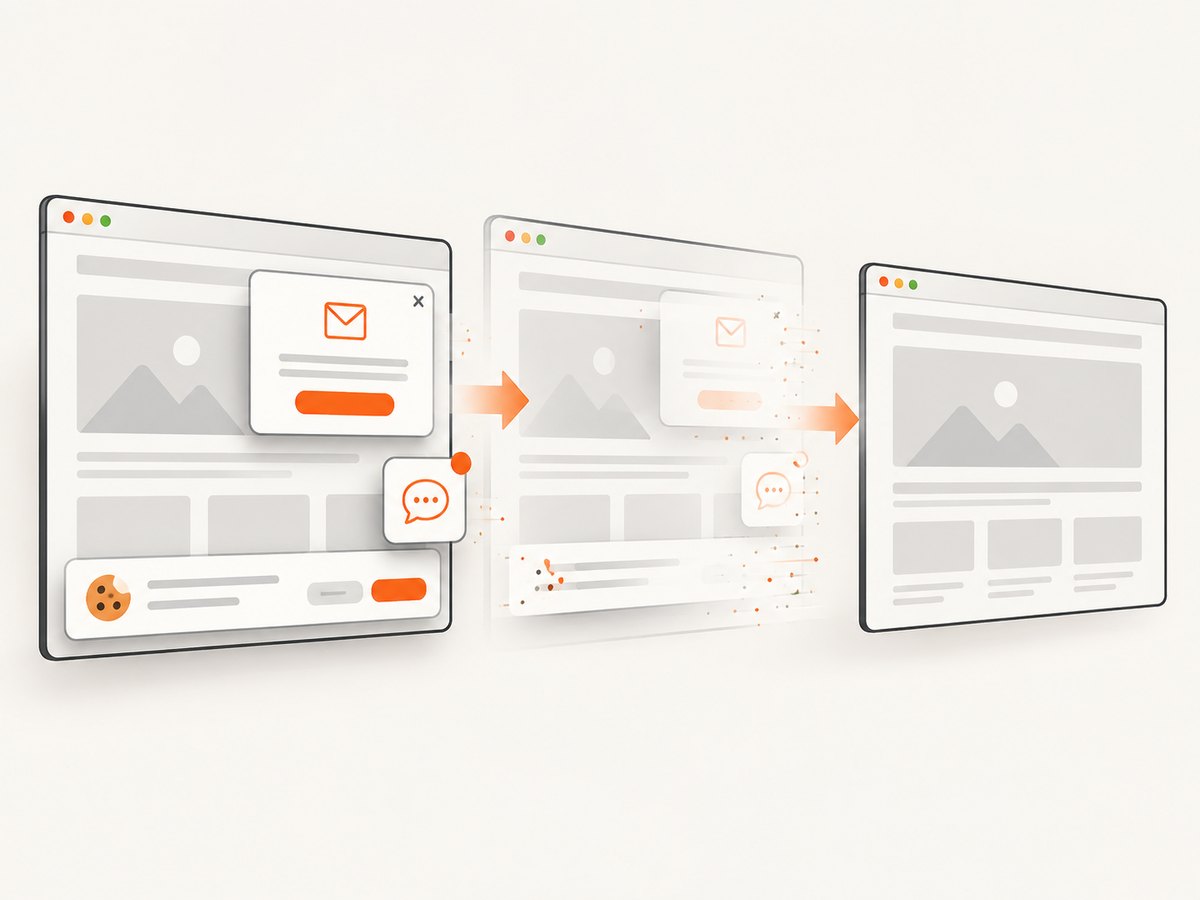
If your goal is to obtain clean screenshots rather than test browser interactions, ScreenshotNeo provides a website screenshot API and MCP server. One GET request returns PNG, JPEG, WebP, or PDF. It accepts consent banners before capture and removes more than 60 known consent platforms, newsletter popups, and chat widgets; each step can be disabled. Bot checks or CAPTCHAs, blank pages, timeouts, failed loads, and cache hits are not billed, and response headers identify the page verdict and billing status.
See the ScreenshotNeo API documentation for the current parameters. The same request can be made from cURL:
curl -G "https://api.screenshotneo.com/v1/shot" \
  -d access_key=YOUR_API_KEY \
  --data-urlencode url=https://stripe.com \
  -o shot.webp
Python:
import requests

r = requests.get(
    "https://api.screenshotneo.com/v1/shot",
    params={"access_key": "YOUR_API_KEY", "url": "https://stripe.com"},
    timeout=90,
)
r.raise_for_status()
open("shot.webp", "wb").write(r.content)
Node.js:
const q = new URLSearchParams({
  access_key: 'YOUR_API_KEY',
  url: 'https://stripe.com'
});
const res = await fetch(`https://api.screenshotneo.com/v1/shot?${q}`);
if (!res.ok) throw new Error(`HTTP ${res.status}`);
const image = Buffer.from(await res.arrayBuffer());
require('fs').writeFileSync('shot.webp', image);
Relevant capture controls include full-page mode with lazy images loaded, CSS-selector element capture, dark mode, 12 device presets or any viewport, retina scale, PDF paper size and margins, custom CSS and JavaScript, clicks, waits, request blocking, custom headers and cookies, user agent and Authorization, timezone, geolocation, transparent backgrounds, resizing, selectable cache TTL, signed links, asynchronous jobs with signed webhooks, bulk capture for up to 100 URLs per call, a usage API, and an OpenAPI specification. An MCP server exposes take_screenshot, get_page_info, and capture_pdf to Claude, Cursor, and other MCP clients.
ScreenshotNeo includes 1,000 screenshots per month free with no card. Paid plans start at $5 for 3,000 shots; every feature is available on every plan. Create a free ScreenshotNeo account.
FAQ
Can I compare screenshots without a visual testing service?
Yes. Selenium can save PNG files, and Java’s image APIs or an image-diff library can compare them. You must provide baseline storage, thresholds, diff artifacts, and review rules yourself.
Should a visual test fail on one changed pixel?
Usually configure a small tolerance for rendering noise, but keep dimensions strict and review the resulting diff. The correct threshold depends on your browser, fonts, and application.
How should I handle timestamps and random data?
Prefer fixed fixtures or test-only values. If a region cannot be stabilized, mask that narrow region and record the reason in the test.
Is full-page comparison always better?
No. Full-page capture gives broader coverage but can introduce stitching artifacts and more dynamic content. Compare the viewport or a specific element when that matches the user risk.
Can Selenium screenshot tests replace functional tests?
No. They complement functional and accessibility assertions by checking the rendered appearance. Keep semantic assertions for behavior and use visual checks for presentation.


