How Selenium Screenshots Work with Multiple Grid Instances
Learn which Selenium Grid Node owns a screenshot, how to capture parallel sessions safely, debug routing, and label artifacts reliably.
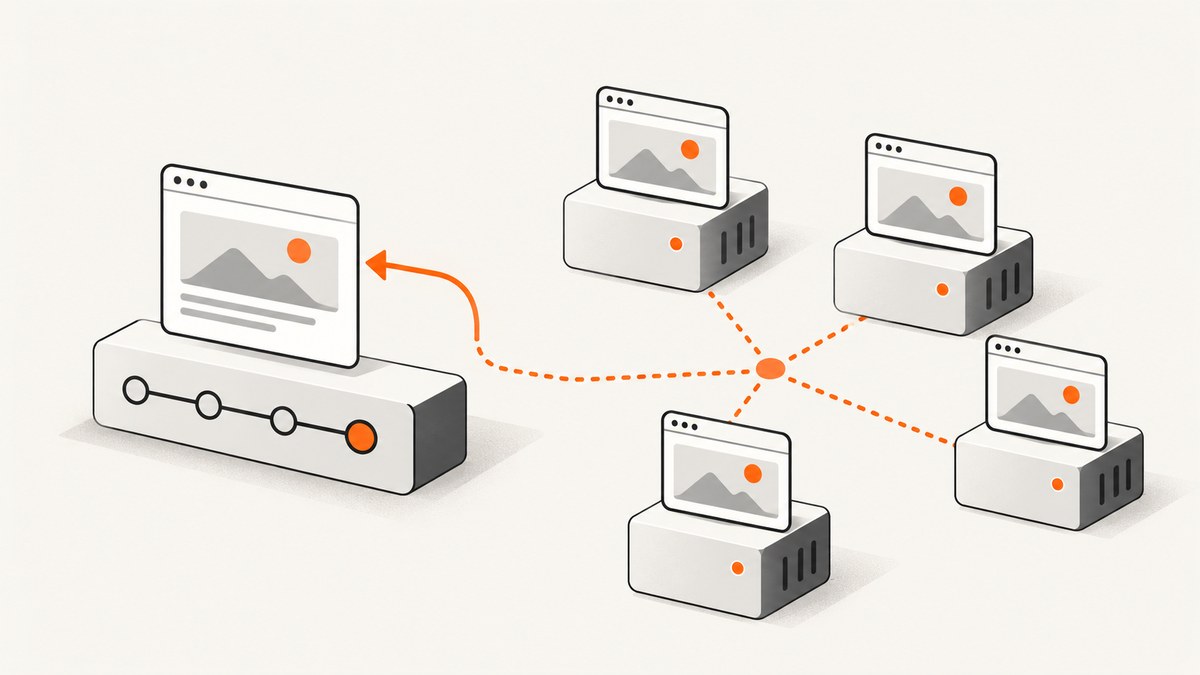
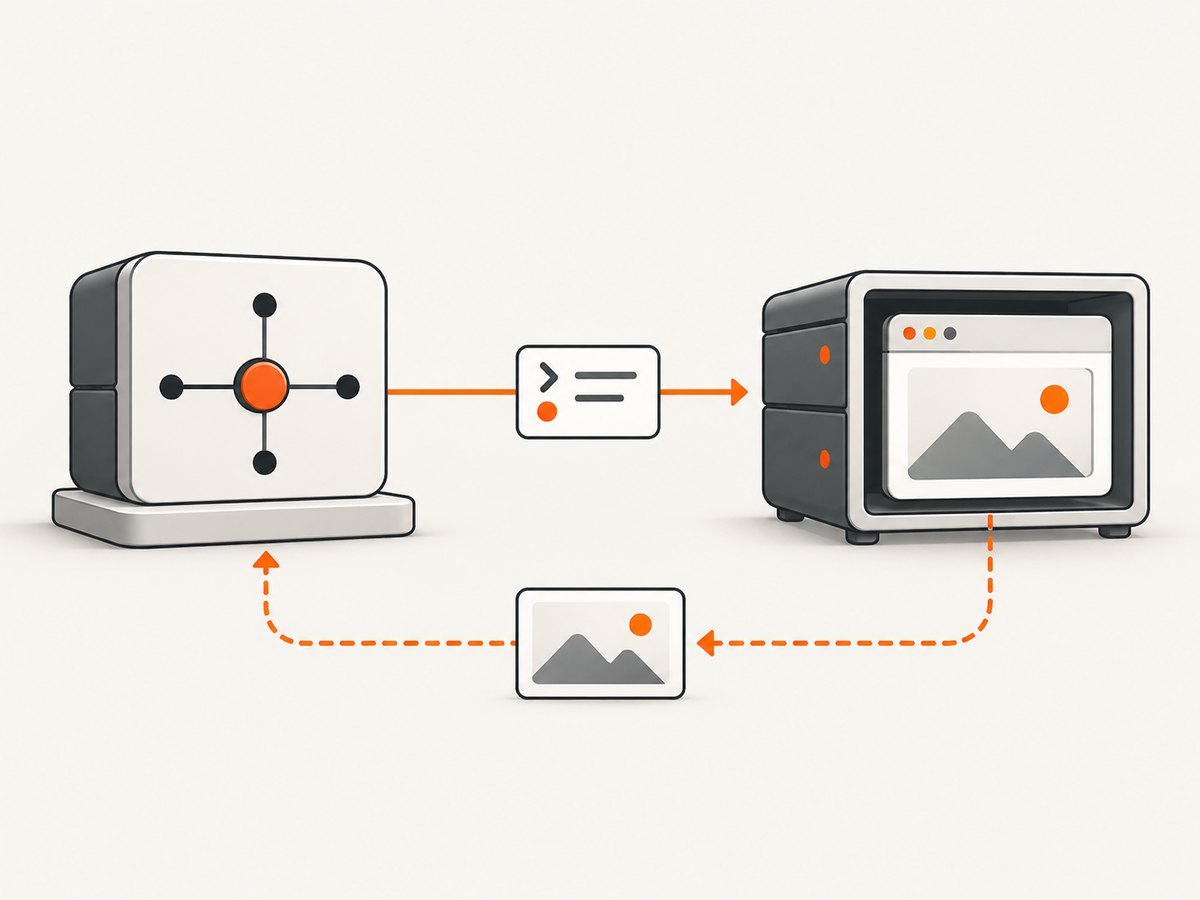
Short answer: a Selenium screenshot belongs to one WebDriver session. In Grid, that session runs in a slot on one Node. The Grid Router uses the session ID to forward your screenshot command to that Node, so the image contains the current state of that particular browser. Screenshots are not merged across Nodes automatically.
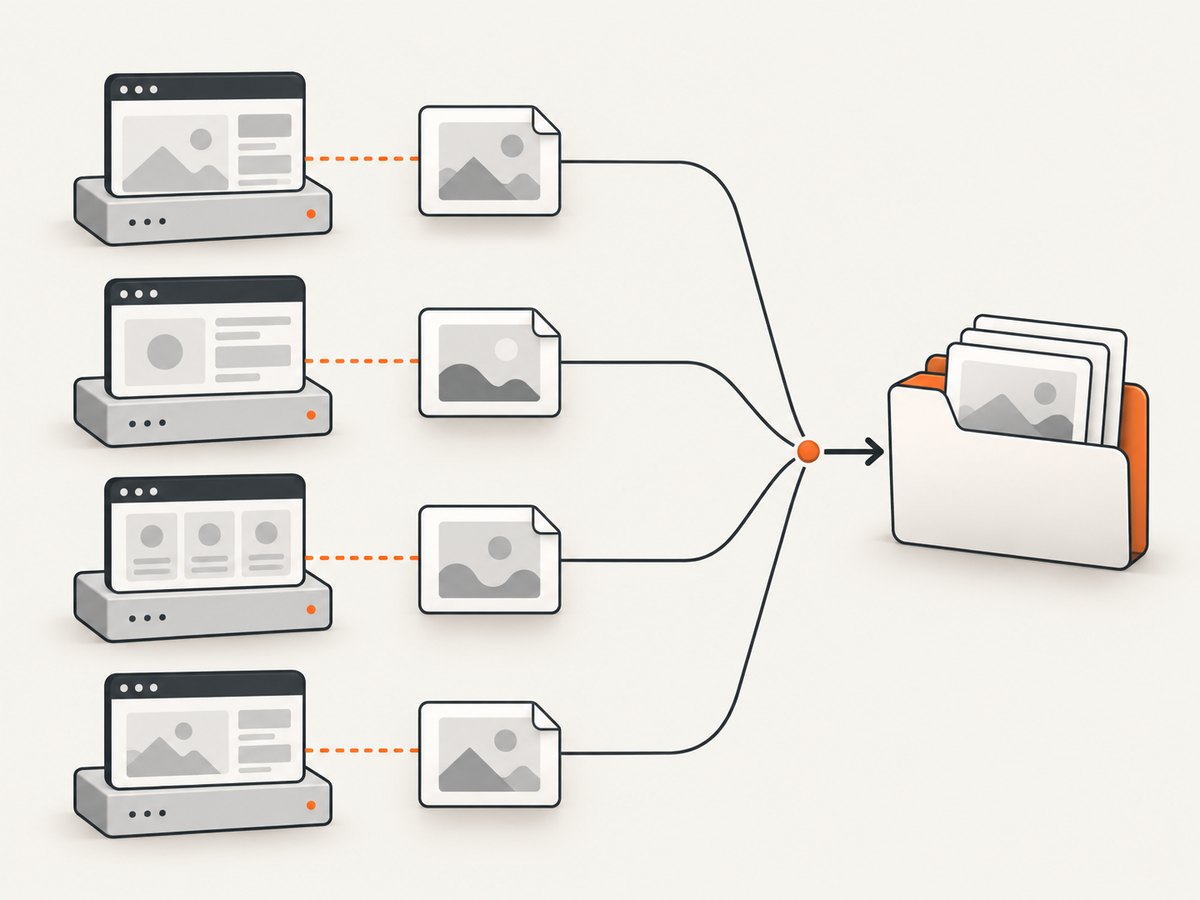
When several sessions run at once, keep a separate driver reference, session ID, and output path for every capture. Navigate and wait on that driver, call its screenshot method, and label the resulting file with the test and session identity. This model works whether you have several Nodes in one Grid or several independent Grid deployments.
How Grid decides which browser takes the screenshot
Selenium Grid can run tests in parallel against different browsers and multiple instances of the same browser. A requested session is assigned to an available Node slot according to its capabilities. The session map records the session ID and the address of the Node running it. For later commands, the Router looks up that ID and forwards the request to the owning Node. Selenium’s documentation describes this architecture in Grid architecture and its parallel-use cases in Grid getting started.
Therefore, this call captures the browser represented by driver:
driver.save_screenshot("artifacts/checkout-chrome.png")It does not ask every Node for an image. If you need five screenshots, create or retain five session-specific drivers and issue one capture per driver.
One Grid with multiple Nodes versus separate Grid deployments
“Multiple Grid instances” can refer to two different layouts:
| Layout | What happens | How you capture |
|---|---|---|
| One Grid, multiple Nodes | The Distributor places each new session in a free slot. The Router later sends commands to the Node that owns each session. | Use the corresponding RemoteWebDriver for each session. |
| Several independent Grids | Each test chooses a Grid endpoint. Sessions remain owned by the Nodes behind that endpoint. | Connect each driver to the intended endpoint and keep the endpoint in your test metadata. |
The documented Grid architecture does not provide a cross-Grid screenshot aggregation feature. If your test suite spans independent deployments, aggregate the files in your test harness and include the Grid endpoint, browser capabilities, test name, and session ID in the artifact record.
Reliable workflow for parallel screenshots
- Start one driver per browser session. Do not overwrite a shared variable when workers run concurrently.
- Attach an explicit test identity. Selenium Grid supports metadata such as
se:name, which can be shown in the Grid UI or queried through GraphQL. - Navigate with that driver. A screenshot reflects only the current URL, DOM, viewport, cookies, and browser state of that session.
- Wait for the state you need. Use an expected condition, a known selector, or a documented application-ready signal before capturing.
- Serialize commands per session. Grid calls are generally synchronous. The reviewed documentation does not promise an ordering or thread-safety guarantee for two client threads using one session, so queue operations for a given driver unless your binding and framework document otherwise.
- Save with collision-resistant names. Include test ID, browser, session ID, and a timestamp or sequence number.
- Quit in a finally block. Deleting a session ends it; later requests using that session ID fail.
Python: parallel RemoteWebDriver sessions
Install Selenium with pip install selenium. The example below creates two sessions against one Grid entry point, waits for each page, captures each browser, and records the session ID. Replace the capabilities and URL with those supported by your Nodes.
from concurrent.futures import ThreadPoolExecutor
from pathlib import Path
from selenium import webdriver
from selenium.webdriver.chrome.options import Options
from selenium.webdriver.common.by import By
from selenium.webdriver.support.ui import WebDriverWait
from selenium.webdriver.support import expected_conditions as EC

GRID_URL = "http://grid.example.internal:4444"
TARGET_URL = "https://example.com"
OUT = Path("artifacts")
OUT.mkdir(exist_ok=True)

def capture(browser_name: str, index: int) -> dict:
    options = Options()
    options.set_capability("browserName", browser_name)
    options.set_capability("se:name", f"screenshot-{browser_name}-{index}")

    driver = webdriver.Remote(command_executor=GRID_URL, options=options)
    try:
        driver.set_window_size(1440, 1000)
        driver.get(TARGET_URL)
        WebDriverWait(driver, 30).until(
            EC.presence_of_element_located((By.TAG_NAME, "body"))
        )
        session_id = driver.session_id
        filename = OUT / f"{browser_name}-{index}-{session_id}.png"
        driver.save_screenshot(str(filename))
        return {
            "browser": browser_name,
            "session_id": session_id,
            "path": str(filename),
            "url": driver.current_url,
        }
    finally:
        driver.quit()

if __name__ == "__main__":
    jobs = [("chrome", 1), ("firefox", 2)]
    with ThreadPoolExecutor(max_workers=len(jobs)) as pool:
        for result in pool.map(lambda args: capture(*args), jobs):
            print(result)
The important property is not the thread pool. It is the one-to-one association among a worker, a driver, a session ID, and an output file. If you use asyncio, a process pool, or a test runner’s parallel workers, preserve that same association.
Capturing a full page or an element
Viewport screenshots and full-page behavior depend on the browser driver and Selenium binding. Use the screenshot-capable driver interface documented in Selenium’s windows and tabs guide. For an element-specific image, locate the element on the same driver and use the binding’s element screenshot method:
hero = driver.find_element(By.CSS_SELECTOR, "main article")
hero.screenshot("artifacts/article.png")
For a long page, verify the resulting dimensions in your target browser and driver version. Do not assume that a full-page flag produces identical stitching, fixed-header handling, or lazy-image behavior across browsers.
Finding which Node owns a session
Grid’s status and endpoint APIs help distinguish a routing problem from an application problem. The Grid endpoints documentation describes status information, registered Nodes, active sessions, slots, and a Node session-owner endpoint.
- Check the Grid entry point, normally port
4444in the documented Standalone, Hub-Node, and fully distributed modes. - Query status and confirm that the expected Node is registered and has capacity.
- Use the session-owner endpoint when you need to verify whether a specific session ID belongs to a Node.
- Compare the owner with the endpoint and capabilities recorded by your test harness.
curl -sS http://grid.example.internal:4444/statusFor separate deployments, run the check against each deployment’s own entry point. A session ID should be interpreted together with its Grid endpoint; the same identifier from different systems is not a useful global key.
Configuration choices that affect screenshot results
Capabilities and slots
Capabilities determine which browser and platform can receive a session. A Chrome session may land on a different Node than a Firefox session, and two Chrome sessions may land on different Nodes if multiple slots are free. Keep the requested browser version, platform, and any vendor-specific options in the artifact metadata.
Viewport, scale, and device emulation
Set the window size or mobile emulation before navigation when layout matters. A screenshot taken before the viewport is changed can differ from one taken after responsive breakpoints load. Device pixels, browser zoom, and driver-specific scaling can also change the bitmap dimensions. Record the requested viewport and inspect the actual screenshot dimensions.
Page readiness
A successful navigation does not mean that fonts, images, client-side data, or animations are finished. Wait for a stable selector or application-specific ready state. If animations make captures nondeterministic, disable them through test CSS or wait for the animation to complete. Avoid a single arbitrary sleep as the only readiness check.
Cookies, authentication, and test isolation
Sessions on different Nodes do not share browser cookies or local storage unless your test explicitly provisions them. Create authenticated state per driver, and never assume that a login performed in one session appears in another. Parallel tests should use independent accounts or data where the application requires it.
Performance, capacity, and reliability
Screenshot latency includes session startup, queueing, navigation, page resources, readiness waits, image encoding, and transfer back to the client. Reusing a session for several pages can avoid startup cost, but it requires careful cleanup of cookies, local storage, open tabs, and application state. A fresh session gives stronger isolation and usually simpler diagnostics.
Selenium’s Grid guide gives approximate starting guidance of about one CPU and one GB of RAM per browser session. It also describes an eight-CPU Node running up to eight concurrent sessions by default, with Safari treated as one concurrent session per Node in the described configuration. These are planning references, not guarantees. Browser mix, page complexity, operating system, video, fonts, and memory pressure can change the result. Measure your own workload before setting a hard concurrency limit.
Several smaller Nodes can improve process isolation and let you cover different operating systems or browser versions. A larger Node may simplify deployment and reduce coordination overhead. Compare usable slots, CPU and RAM headroom, browser coverage, fault isolation, queue time, and measured screenshot latency in your environment.
Legacy Selenium Grid 3 documentation warns that multiple Nodes on one machine require attention to memory and can produce screenshot problems. Keep that warning scoped to the legacy documentation; it is not a universal Grid 4 limitation. For current deployments, investigate resource saturation, driver versions, and browser-specific behavior before blaming routing.
Common errors and fixes
| Symptom | Likely cause | Fix |
|---|---|---|
| Screenshot shows the wrong page | A shared driver variable was replaced or the command ran on another worker’s session. | Keep a driver per worker and log its session ID immediately before navigation and capture. |
invalid session id |
The session was quit, deleted, or expired. | Check lifecycle handling, avoid using a driver after quit(), and create a new session for a retry. |
| Session queues indefinitely | No matching slot is available, or a Node is unhealthy. | Query /status, reduce concurrency, add capacity, or request capabilities that a registered Node supports. |
| Blank or partially rendered image | Capture occurred before the application or lazy resources were ready. | Wait for a meaningful selector or ready state and verify that the test data is available. |
| Different image sizes across Nodes | Window size, device scale, browser zoom, or platform defaults differ. | Set the viewport explicitly and record browser, platform, scale, and dimensions. |
| Only one of several expected images exists | Workers wrote the same filename or an exception stopped one path. | Use session-specific filenames and collect exceptions from every worker. |
| Requests reach the wrong Grid | The RemoteWebDriver command executor points at an unintended entry point. | Log the endpoint, inspect deployment configuration, and test each endpoint independently. |
Security and operational safeguards
Protect Grid from public exposure with firewall rules and network access controls. Selenium warns that an exposed Grid can provide access to infrastructure, internal applications and files, or allow third parties to run binaries. Put authentication and network restrictions in front of the entry point where appropriate, and keep browser Nodes on networks that can reach only the systems they need.
Or skip the browser setup
If you need a clean image rather than control of a live test session, ScreenshotNeo provides a GET endpoint for PNG, JPEG, WebP, or PDF captures. See the ScreenshotNeo API documentation for the complete option list.
curl -G "https://api.screenshotneo.com/v1/shot" -d access_key=YOUR_API_KEY --data-urlencode url=https://stripe.com -o shot.webpimport requests
r = requests.get("https://api.screenshotneo.com/v1/shot", params={"access_key": "YOUR_API_KEY", "url": "https://stripe.com"}, timeout=90)
open("shot.webp", "wb").write(r.content)const q = new URLSearchParams({ access_key: 'YOUR_API_KEY', url: 'https://stripe.com' });
const res = await fetch(`https://api.screenshotneo.com/v1/shot?${q}`);ScreenshotNeo removes cookie and consent banners, newsletter popups, and chat widgets before the capture. Bot checks, blank pages, timeouts, failed loads, and cache hits are not billed, and response headers identify the page verdict and billing state. Its MCP server gives AI agents tools named take_screenshot, get_page_info, and capture_pdf. You can use full-page capture, CSS element selection, custom CSS and JavaScript, waits, blocking rules, headers, cookies, user agents, geolocation, caching, signed links, asynchronous jobs, bulk capture, and PDF options. Free accounts include 1,000 screenshots per month without a card; paid plans start at $5 for 3,000 shots. Create a free ScreenshotNeo account.
FAQ
Does Grid combine screenshots from multiple Nodes?
No. Each screenshot is produced by one browser session on one Node. Combine artifacts yourself if a test requires a multi-browser report.
Can two screenshots use the same session?
Yes, sequentially. Reset state between pages and serialize commands for that session.
How do I prove where a capture ran?
Record the Grid endpoint and session ID, inspect Grid status, and use the session-owner endpoint when necessary.
Should I use one large Node or many small Nodes?
Choose from measured capacity, browser coverage, resource headroom, isolation, and deployment complexity. Selenium’s sizing figures are starting estimates.
What if I need screenshots from unrelated Grid environments?
Connect each RemoteWebDriver to its intended endpoint and store endpoint, capabilities, session ID, and artifact path together. There is no documented cross-Grid screenshot router.


