BlogScreenshots on your device
How to Send Screenshots Over a Socket in C#
Capture a Windows screen region, encode it, frame it with a length prefix, and send it safely over TCP in C#.
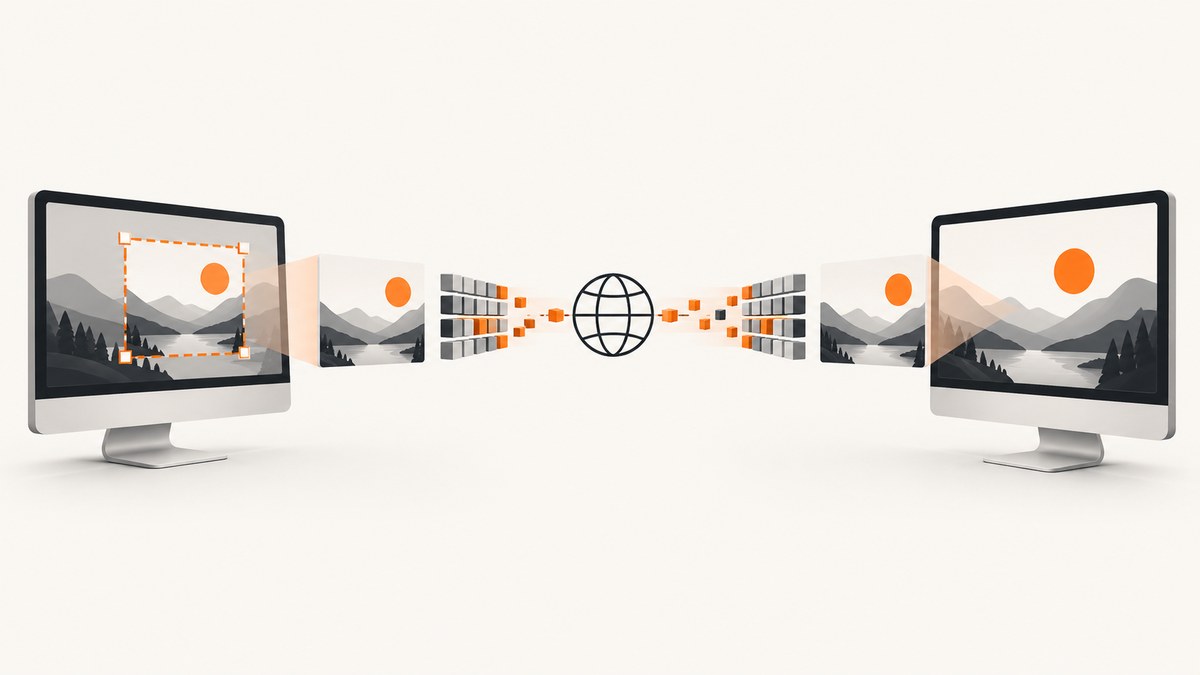
To send a screenshot over a socket in C#, separate the work into four steps: capture pixels, encode the image, frame the byte stream, and decode the complete payload on the receiver. The example below captures a Windows screen region with Graphics.CopyFromScreen, encodes it as PNG, prefixes it with a four-byte length, and sends it through a TcpClient.
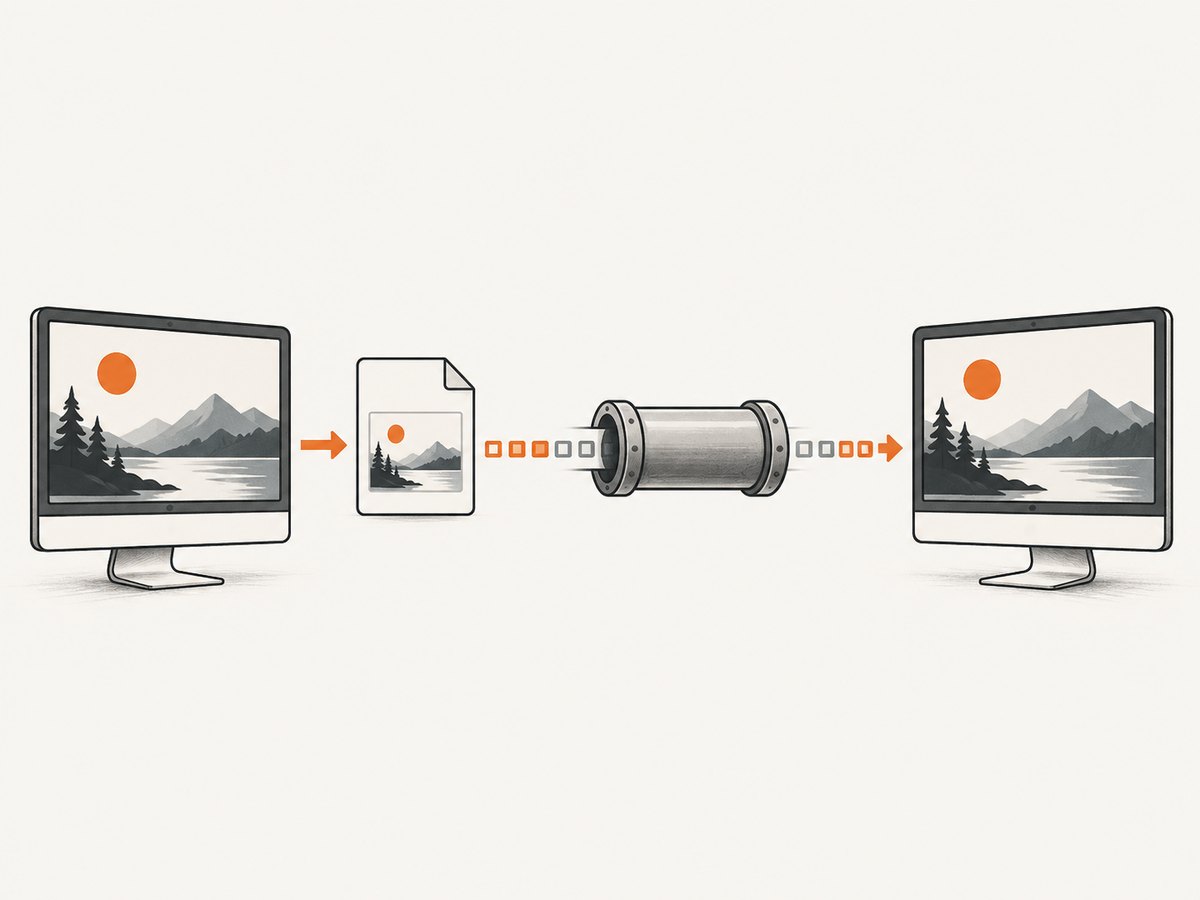
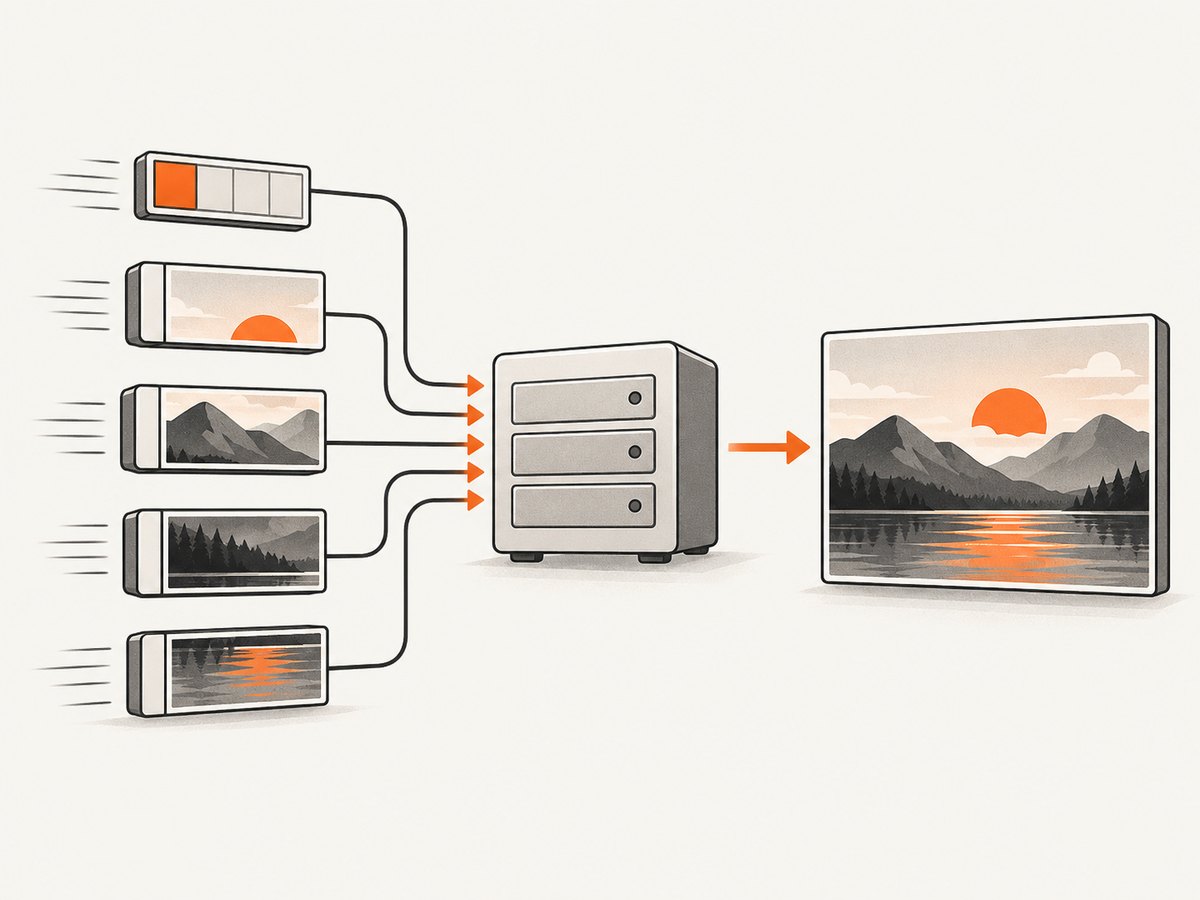
TCP does not preserve message boundaries. A single Write can be split across multiple reads, so the receiver must first read the fixed-size length header and then continue reading until every announced byte has arrived.
What you are building
- The sender captures a rectangle from the Windows desktop.
- The sender serializes the bitmap to PNG or JPEG in memory.
- The sender writes a four-byte, big-endian payload length followed by the encoded image.
- The receiver reads exactly four header bytes.
- The receiver validates the declared size against a maximum.
- The receiver reads exactly that many payload bytes before decoding the image.
Graphics.CopyFromScreen is a Windows desktop API. For macOS or Linux, replace the capture step with a platform-appropriate API while keeping the encoding and socket protocol unchanged. Microsoft documents CopyFromScreen, Image.Save(Stream, ImageFormat), and TcpClient.GetStream.
Define a small framing protocol
Use this wire format for one screenshot per message:
| Bytes | Field | Purpose |
|---|---|---|
| 4 | Payload length | Unsigned 32-bit integer in network byte order (big-endian) |
| N | Image payload | PNG or JPEG bytes |
The length is the number of image bytes only; it does not include the four-byte header. Keep a configured maximum such as 25 MB so a malicious or corrupted length cannot cause an unbounded allocation.
If you later need multiple image formats, dimensions, timestamps, or request IDs, add a versioned metadata envelope. Validate every field before allocating memory or decoding.
Complete C# sender
This .NET console example captures a 1280×720 region beginning at the primary monitor’s top-left corner, encodes it as PNG, and sends it to a receiver listening on port 5000.
using System;
using System.Drawing;
using System.Drawing.Imaging;
using System.IO;
using System.Net.Sockets;
using System.Buffers.Binary;
using System.Threading;
using System.Threading.Tasks;

class Program
{
    static async Task Main()
    {
        const string host = "127.0.0.1";
        const int port = 5000;
        const int x = 0;
        const int y = 0;
        const int width = 1280;
        const int height = 720;

        byte[] imageBytes = CapturePng(x, y, width, height);

        using var client = new TcpClient();
        using var cancellation = new CancellationTokenSource(TimeSpan.FromSeconds(15));
        await client.ConnectAsync(host, port, cancellation.Token);

        await using NetworkStream stream = client.GetStream();
        byte[] header = new byte[4];
        BinaryPrimitives.WriteUInt32BigEndian(header, checked((uint)imageBytes.Length));

        await stream.WriteAsync(header, cancellation.Token);
        await stream.WriteAsync(imageBytes, cancellation.Token);
        await stream.FlushAsync(cancellation.Token);

        Console.WriteLine($"Sent {imageBytes.Length:N0} bytes.");
    }

    static byte[] CapturePng(int x, int y, int width, int height)
    {
        if (width <= 0 || height <= 0)
            throw new ArgumentOutOfRangeException("Capture dimensions must be positive.");

        using var bitmap = new Bitmap(width, height, PixelFormat.Format32bppArgb);
        using (Graphics graphics = Graphics.FromImage(bitmap))
        {
            graphics.CopyFromScreen(x, y, 0, 0, new Size(width, height));
        }

        using var output = new MemoryStream();
        bitmap.Save(output, ImageFormat.Png);
        return output.ToArray();
    }
}
For JPEG, replace ImageFormat.Png with ImageFormat.Jpeg. JPEG usually produces smaller files for photographic content but introduces loss; PNG preserves sharp text and UI edges. There is no universally best format, so choose based on the image content and bandwidth constraints.
Complete C# receiver
The receiver accepts one client, reads the framed image, validates its size, and saves it as received.png. The ReadExactlyAsync helper is essential because network reads may return fewer bytes than requested.
using System;
using System.Buffers.Binary;
using System.Drawing;
using System.IO;
using System.Net;
using System.Net.Sockets;
using System.Threading;
using System.Threading.Tasks;

class Program
{
    const uint MaxPayloadBytes = 25 * 1024 * 1024;

    static async Task Main()
    {
        var listener = new TcpListener(IPAddress.Any, 5000);
        listener.Start();
        Console.WriteLine("Listening on port 5000...");

        using TcpClient client = await listener.AcceptTcpClientAsync();
        await using NetworkStream stream = client.GetStream();

        byte[] header = new byte[4];
        await ReadExactlyAsync(stream, header, CancellationToken.None);
        uint declaredLength = BinaryPrimitives.ReadUInt32BigEndian(header);

        if (declaredLength == 0 || declaredLength > MaxPayloadBytes)
            throw new InvalidDataException($"Invalid image length: {declaredLength}");

        byte[] payload = new byte[declaredLength];
        await ReadExactlyAsync(stream, payload, CancellationToken.None);

        // Decode only after the complete bounded payload has arrived.
        using var input = new MemoryStream(payload, writable: false);
        using Image image = Image.FromStream(input, useEmbeddedColorManagement: false, validateImageData: true);
        image.Save("received.png");

        Console.WriteLine($"Saved {declaredLength:N0} bytes to received.png.");
        listener.Stop();
    }

    static async Task ReadExactlyAsync(Stream stream, byte[] buffer, CancellationToken cancellationToken)
    {
        int offset = 0;
        while (offset < buffer.Length)
        {
            int read = await stream.ReadAsync(buffer.AsMemory(offset), cancellationToken);
            if (read == 0)
                throw new EndOfStreamException("The peer closed the connection before the message was complete.");
            offset += read;
        }
    }
}
Run the receiver first, then run the sender. Bind to 127.0.0.1 for local-only use. If another machine must connect, bind the listener to the required interface and restrict the port with your firewall.
Sending multiple screenshots on one connection
Keep writing length + payload pairs on the same stream. The receiver loops over frames until the sender closes the connection.
while (true)
{
    int firstByte = await stream.ReadByteAsync(cancellationToken);
    if (firstByte == -1)
        break; // clean end of stream

    byte[] header = new byte[4];
    header[0] = (byte)firstByte;
    await ReadExactlyAsync(stream, header.AsMemory(1), cancellationToken);

    uint length = BinaryPrimitives.ReadUInt32BigEndian(header);
    if (length == 0 || length > MaxPayloadBytes)
        throw new InvalidDataException("Frame length is outside the permitted range.");

    byte[] payload = new byte[length];
    await ReadExactlyAsync(stream, payload, cancellationToken);
    ProcessImage(payload);
}
In production, prefer an explicit message count, a cancellation deadline, or a protocol command that tells the receiver when the session is complete. Otherwise a receiver that waits for connection close can appear stuck while the sender keeps the connection open.
Adding metadata without losing framing
If the receiver needs the image format or capture dimensions, put metadata inside the length-delimited payload. A simple versioned envelope can contain:
| Field | Example |
|---|---|
| Version | 1 byte, currently 1 |
| Format | 1 byte, for example 1 = PNG, 2 = JPEG |
| Width | 4-byte unsigned big-endian integer |
| Height | 4-byte unsigned big-endian integer |
| Image bytes | Remaining bounded bytes |
Do not trust dimensions supplied by the sender. Check that they are positive, below your maximum, and consistent with the decoded image before using them in allocations or display code.
Use asynchronous I/O in applications
Synchronous connection methods can block until they succeed or fail. In a desktop UI, that can freeze the window; in a service, it can consume a worker while the network is slow. Use ConnectAsync, ReadAsync, and WriteAsync with cancellation and timeouts.
- Set a connection deadline.
- Set a maximum transfer duration for the expected payload size.
- Cancel reads when the client disconnects or the request expires.
- Dispose
Bitmap,Graphics,Image,TcpClient, and streams deterministically.
Secure the connection with TLS
Plain TCP exposes screenshot contents and does not authenticate the peer. On an untrusted network, wrap the network stream in SslStream, authenticate the client or server, and only send data after authentication succeeds. Microsoft documents that SslStream requires authentication before reads are available.
A server-side pattern is:
using System.Net.Security;
using System.Security.Authentication;
using System.Security.Cryptography.X509Certificates;

await using NetworkStream network = client.GetStream();
using var tls = new SslStream(network, leaveInnerStreamOpen: false);
await tls.AuthenticateAsServerAsync(new SslServerAuthenticationOptions
{
    ServerCertificate = certificate,
    EnabledSslProtocols = SslProtocols.Tls12 | SslProtocols.Tls13,
    ClientCertificateRequired = true,
    RemoteCertificateValidationCallback = ValidateClientCertificate
}, cancellationToken);

// Use tls instead of network for the same length-prefixed protocol.
Implement certificate validation for your trust model. Encryption does not replace authorization, payload limits, rate limiting, or careful handling of screenshots in memory and on disk. For a simpler deployment, place the TCP endpoint behind a mutually authenticated private network or VPN, but still keep application-level authentication.
Capture and encoding choices
Choosing the region
CopyFromScreen accepts a source origin, destination origin, and region size. Capture only the area you need to reduce memory use and transfer time. For multi-monitor desktops, account for monitor coordinates that may be negative or use a display API to select the intended bounds.
PNG versus JPEG
- PNG: lossless and well suited to text, code, and application interfaces.
- JPEG: lossy and often smaller for photographs or video frames; choose an explicit quality level when using an encoder.
Memory use
The bitmap, encoded stream, and network payload can temporarily coexist. For large captures, that can consume several times the final file size. Keep dimensions and encoded bytes bounded, dispose objects promptly, and consider a streaming or chunked design if your protocol allows it.
Interoperability with Python and Node.js
Any language can receive this protocol: read four big-endian bytes, convert them to an integer, then read that many bytes. The following examples save one frame and assume the C# sender connects to port 5000.
Python receiver
import socket
import struct

MAX_SIZE = 25 * 1024 * 1024

def read_exact(sock, size):
    chunks = []
    remaining = size
    while remaining:
        chunk = sock.recv(remaining)
        if not chunk:
            raise ConnectionError("peer closed before the frame completed")
        chunks.append(chunk)
        remaining -= len(chunk)
    return b"".join(chunks)

with socket.create_server(("0.0.0.0", 5000)) as server:
    conn, address = server.accept()
    with conn:
        header = read_exact(conn, 4)
        length = struct.unpack(">I", header)[0]
        if not 0 < length <= MAX_SIZE:
            raise ValueError("invalid payload length")
        image = read_exact(conn, length)
        with open("received.png", "wb") as f:
            f.write(image)
        print(f"saved {length} bytes from {address}")
Node.js receiver
const net = require('net');
const fs = require('fs');

const MAX_SIZE = 25 * 1024 * 1024;
let buffered = Buffer.alloc(0);
let expected = null;

const server = net.createServer(socket => {
  socket.on('data', chunk => {
    buffered = Buffer.concat([buffered, chunk]);

    if (expected === null && buffered.length >= 4) {
      expected = buffered.readUInt32BE(0);
      if (expected === 0 || expected > MAX_SIZE) {
        socket.destroy(new Error('invalid payload length'));
        return;
      }
      buffered = buffered.subarray(4);
    }

    if (expected !== null && buffered.length >= expected) {
      fs.writeFileSync('received.png', buffered.subarray(0, expected));
      console.log(`saved ${expected} bytes`);
      socket.end();
    }
  });
});

server.listen(5000, '0.0.0.0', () => console.log('listening on 5000'));
Neither curl nor ordinary HTTP clients speak this custom TCP framing protocol. Use them only if you expose an HTTP endpoint that accepts an image upload; for a raw socket, use a socket library or the C# code above.
Reliability and operational safeguards
- Reject zero, negative-equivalent, or over-limit lengths before allocation.
- Use read and write timeouts so a peer cannot hold a connection indefinitely.
- Detect EOF before the announced payload is complete and discard the partial frame.
- Log connection ID, frame length, elapsed transfer time, and decode failures without logging image contents.
- Use bounded concurrency so many simultaneous captures cannot exhaust memory.
- Verify the decoded image before displaying or processing it.
- Store temporary files with restrictive permissions and delete them when no longer needed.
Troubleshooting
| Symptom | Likely cause | Fix |
|---|---|---|
Connection refused |
The listener is not running, the host or port is wrong, or a firewall blocks it. | Start the receiver first, verify the address, and allow the port only where required. |
| The receiver saves a corrupt image | It treated one Read as a complete message. |
Read the four-byte header and payload with an exact-read loop. |
| The receiver waits forever | The sender keeps the connection open and no frame count or end marker exists. | Close after one frame, send a declared count, or define an application-level completion message. |
| Out-of-memory exception | An untrusted or corrupted length caused a large allocation. | Validate against a strict maximum before allocating. |
| Black or incomplete capture | The process lacks desktop access, the coordinates are wrong, or the capture occurs before the window is rendered. | Confirm the Windows session and coordinates, capture after rendering, and test with a small known rectangle. |
ExternalException from GDI+ |
The bitmap or output stream was disposed too early, or the capture dimensions are invalid. | Keep resources alive through Save, validate dimensions, and dispose them after encoding. |
| TLS authentication fails | Certificate name, trust chain, protocol, or client-certificate validation is wrong. | Use a certificate matching the host, install the issuing CA where appropriate, and inspect validation errors without disabling checks in production. |
| Transfers are slow | The region is larger than needed, PNG is expensive for photographic content, or the link has limited bandwidth. | Capture a smaller region, choose JPEG where acceptable, and measure encoding and transfer separately. |
Or skip the browser setup
If your actual goal is to obtain a webpage screenshot rather than capture the local Windows desktop, ScreenshotNeo provides a website screenshot API. It handles the browser session and returns PNG, JPEG, WebP, or PDF bytes from one request.
cURL:
curl -G "https://api.screenshotneo.com/v1/shot" -d access_key=YOUR_API_KEY --data-urlencode url=https://stripe.com -o shot.webpPython:
import requests
r = requests.get("https://api.screenshotneo.com/v1/shot", params={"access_key": "YOUR_API_KEY", "url": "https://stripe.com"}, timeout=90)
open("shot.webp", "wb").write(r.content)
Node.js:
const q = new URLSearchParams({ access_key: 'YOUR_API_KEY', url: 'https://stripe.com' });
const res = await fetch(`https://api.screenshotneo.com/v1/shot?${q}`);
See the ScreenshotNeo API documentation for request options. Cookie banners, newsletter popups, and chat widgets are removed before the shot. Bot checks, blank pages, timeouts, failed loads, and cache hits are not billed, and response headers identify the page verdict and billing result. An MCP server lets AI agents use take_screenshot, get_page_info, and capture_pdf. The free plan includes 1,000 screenshots per month with no card; paid plans start at $5 for 3,000 shots.
Create a free ScreenshotNeo account and start with 1,000 screenshots per month at no charge.
Performance and cost considerations
- Capture only the required rectangle and avoid repeated full-screen bitmaps.
- PNG increases CPU work and may increase transfer size for photographic screens; JPEG trades detail for smaller payloads.
- Reuse a TCP connection for multiple framed images when latency matters, but add message counts, cancellation, and idle timeouts.
- Bound concurrent captures and transfers to protect memory and CPU.
- Measure capture, encoding, network, and decoding as separate durations before optimizing.
- Raw TCP has no per-message cost, but you operate the listener, firewall rules, authentication, encryption, retries, and storage yourself.
FAQ
Can I send a Bitmap directly through a socket?
No. Encode it to a defined byte format such as PNG or JPEG first. The receiver needs the same format or a decoder for it.
Why is a length prefix necessary?
TCP is an ordered byte stream, not a message queue. The prefix tells the receiver where one image ends, even when data arrives in many pieces.
Should I use UDP instead?
For screenshots, TCP is usually simpler because it provides ordered, reliable delivery. UDP requires your own loss detection, ordering, retransmission, and fragmentation strategy.
Can this capture a webpage?
CopyFromScreen captures pixels from a Windows desktop. A webpage screenshot requires a browser renderer or a service such as ScreenshotNeo.
Is a local socket automatically secure?
Local-only traffic has a smaller exposure, but any process that can connect may still send data. Restrict the bind address, authenticate peers, and use TLS when the connection crosses a trust boundary.