How to Set Up a Stealth Browser MCP Server
Connect Playwright MCP to an AI client, choose headless or persistent sessions, and understand what stealth can—and cannot—do against bot detection.

To set up a browser MCP server, install Node.js 20 or newer, add Microsoft’s Playwright MCP command to your MCP client configuration, and restart the client. The standard setup is npx @playwright/mcp@latest. Add --headless when you need a browser without a visible window. A stealth-oriented implementation is a separate option, but neither it nor Playwright guarantees a pass through Cloudflare or other bot checks: detection depends on the site, region, browser version, IP reputation, and detector changes.
This guide walks through local setup, Cursor and Claude configuration, headless and persistent sessions, remote HTTP transport, proxy settings, security, and debugging. For one-off website screenshots, you may not need an interactive browser session at all; see ScreenshotNeo after the self-hosted setup.
1. Understand the two approaches
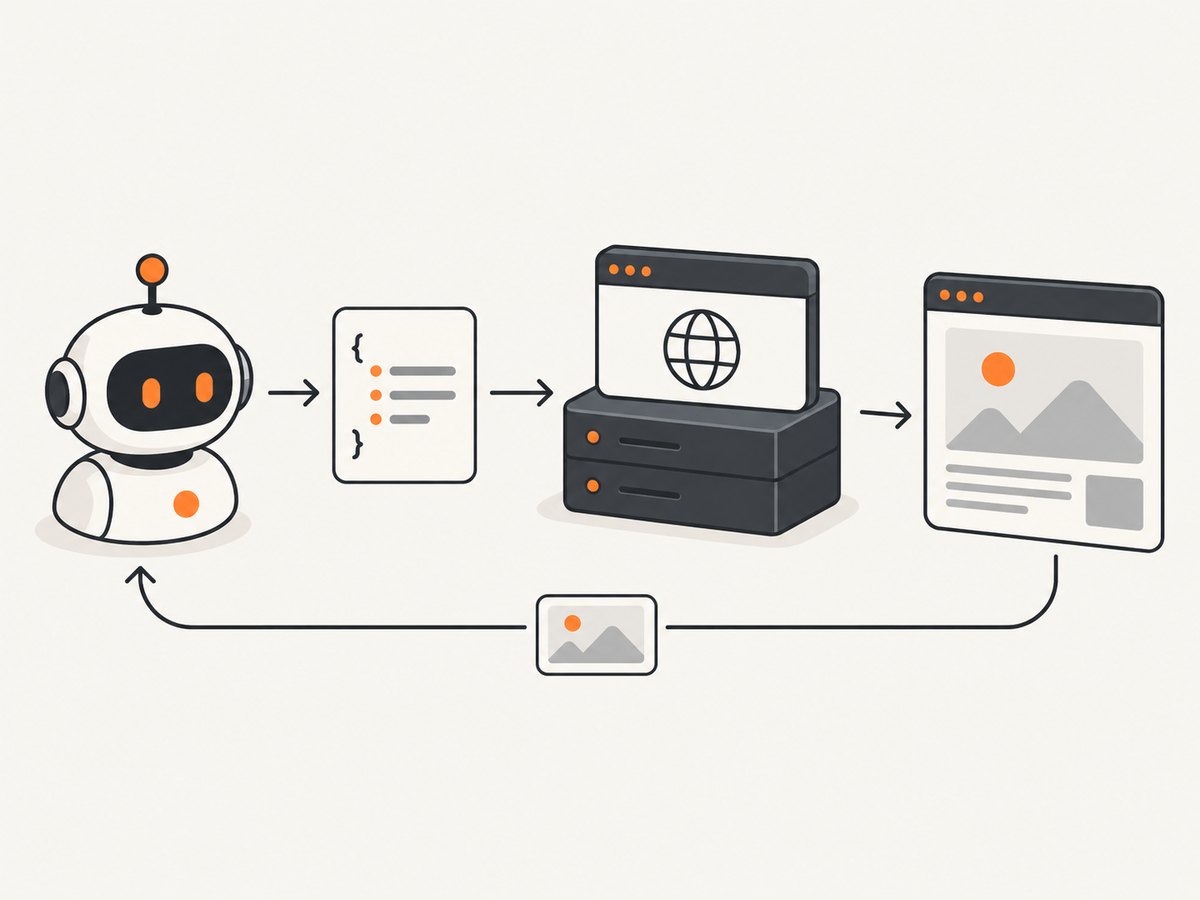
Playwright MCP gives an AI client browser automation through structured accessibility snapshots. It is the documented starting point for general browser tasks such as navigating pages, inspecting content, and interacting with controls.
Stealth Browser MCP is a separate open-source project built around real Chrome-family browser instances using nodriver. It exposes local browser-control primitives and documents optional HTTP bearer-token authentication and cleanup settings. Its own README cautions that detection outcomes vary by site, region, browser version, IP reputation, and detector version. Choose an implementation based on the browser features and operating model you need, then validate against the specific site you are authorized to access.
“Stealth” should mean compatibility or risk reduction, not invisibility. Independent research describes multi-layer browser fingerprinting and notes that some stealth mechanisms can increase detectability. There is no substantiated universal bypass rate.
2. Prerequisites and local Playwright MCP setup
- Install Node.js 20 or newer and confirm it is available in the shell used by your MCP client.
- Choose an MCP-compatible client such as VS Code, Cursor, Windsurf, Claude Code, or Claude Desktop.
- Add the server configuration below to that client’s MCP settings, then restart or reload the client.
- Approve or enable the server in the client if it prompts you, and ask it to perform a simple browser task on a page you control.
The standard configuration uses npx to run the current package:
{
  "mcpServers": {
    "playwright": {
      "command": "npx",
      "args": ["@playwright/mcp@latest"]
    }
  }
}
Use the configuration file and reload procedure documented by your specific client. Keep the server name stable if you already refer to it in client settings or workflows. The @latest tag is convenient, but it means a later launch may fetch a newer package version; for controlled deployments, follow the package’s documented versioning options and update deliberately.
Client configuration notes
VS Code, Cursor, Claude Code, and Claude Desktop document client-specific MCP configuration examples. Their settings locations and UI can change, so use the current client documentation for the exact file path. The essential values are the command npx and the argument @playwright/mcp@latest. If you configure environment variables or arguments, use the client’s supported schema rather than copying a configuration format from a different client.
3. Select headless mode, browser, and session state
Playwright MCP runs headed by default. Headed mode opens a visible browser, which is useful while diagnosing navigation or interaction problems. For background execution, append --headless:
{
  "mcpServers": {
    "playwright": {
      "command": "npx",
      "args": ["@playwright/mcp@latest", "--headless"]
    }
  }
}
Supported browser values include Chrome, Firefox, WebKit, and Microsoft Edge. Select a browser with the documented browser option, for example --browser chromium where applicable; check the current Playwright MCP documentation for accepted spelling and available values for the package version you run. Browser availability and installed browser binaries are separate concerns: if launch fails, install or configure the required browser as described by the project.
Session storage affects login state and test isolation:
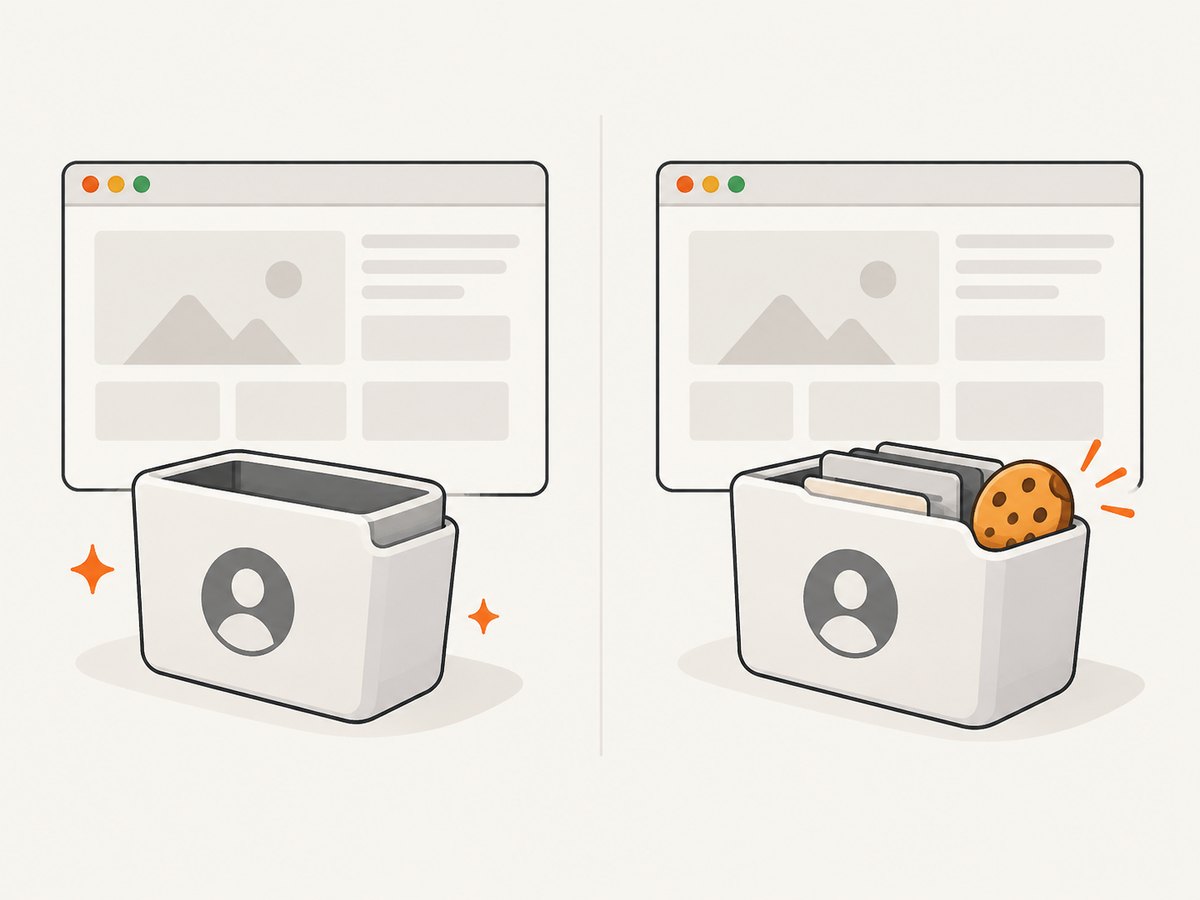
- Persistent profile: preserves browser state such as cookies and sign-ins between runs. Use
--user-data-dirto choose an explicit location when you need a known profile directory. - Isolated profile: starts fresh and keeps storage in memory, which helps prevent one task’s cookies or local storage from affecting another.
Use a dedicated profile for automation rather than your everyday browser profile. Treat profile directories as credentials: cookies and saved sessions can grant account access. Do not share them or include them in logs or source control.
4. Run the server over HTTP
Local stdio is the simplest arrangement when the MCP client launches the server on the same machine. For clients that need a standalone endpoint, start Playwright MCP with a port:
npx @playwright/mcp@latest --port 8931Configure the MCP client to connect to http://localhost:8931/mcp. Keep this endpoint on a trusted local interface or behind access controls appropriate to your environment. The documentation describes an HTTP session heartbeat and the PLAYWRIGHT_MCP_PING_TIMEOUT_MS environment variable for adjusting its timeout. If sessions drop while idle, inspect the client/server heartbeat behavior before increasing the timeout.
A dedicated Stealth Browser MCP deployment documents an optional bearer token for HTTP transport, along with idle and orphan-profile cleanup settings and a stdio setup path. Follow that repository’s current README for its exact environment variable names and setup commands; those controls are project-specific and should not be assumed to exist in Playwright MCP.
5. Configure proxy routing when required
Playwright MCP exposes --proxy-server and --proxy-bypass options for environments that route browser traffic through a proxy. A configuration can include the proxy arguments alongside headless mode:
{
  "mcpServers": {
    "playwright": {
      "command": "npx",
      "args": [
        "@playwright/mcp@latest",
        "--headless",
        "--proxy-server",
        "http://proxy.example:8080",
        "--proxy-bypass",
        "localhost,127.0.0.1"
      ]
    }
  }
}
Replace the example address with a proxy you are permitted to use. Verify routing from the browser process, not just from the client shell: the MCP server launches the browser, and its network configuration determines where page requests go. Avoid putting proxy credentials in a shared configuration file unless the client protects secrets; use the client’s secret or environment-variable mechanism where supported.
6. What stealth can and cannot promise
A browser that looks more like a regular Chrome-family browser may behave differently from a basic automation configuration, but that is not a reliable promise of access. Sites combine signals and can change their checks. The stealth project specifically warns that results depend on the site, region, browser version, IP reputation, and detector version. Research also finds that browser fingerprinting uses multiple layers and that stealth patches can sometimes make automation easier to identify.
For legitimate compatibility testing, keep a small validation checklist:
- Test the exact target site, page flow, region, and browser version you intend to use.
- Record whether failure is a navigation error, a challenge page, a login requirement, or a normal page response.
- Retest after changing browser versions, network routes, or profile state.
- Respect the site’s terms, access controls, and rate limits. Do not treat a challenge as proof that another evasion technique is appropriate.
There is no authoritative numeric success rate or universal bypass statistic in the cited documentation and research. Avoid selecting an implementation based on “undetectable” claims alone.
7. Secure the MCP server
Browser automation can have broad consequences because the server can interact with pages and run code. Microsoft’s documentation states: “This tool runs arbitrary JavaScript in the Playwright server process and is RCE-equivalent — only enable it for trusted MCP clients.” Treat access to the MCP server as access to a powerful local process.
- Enable it only for MCP clients and users you trust.
- Do not expose an unauthenticated HTTP endpoint to a public or shared network.
- Bind remote access to trusted interfaces and apply authentication and network restrictions.
- Use a separate browser profile with only the accounts and data required for the task.
- Keep tokens, cookies, and proxy credentials out of prompts, logs, and checked-in configuration.
- Review the tools and permissions available to the client, especially when it can execute arbitrary page JavaScript.
8. Troubleshooting common setup errors
| Symptom | Likely cause | Fix |
|---|---|---|
| Client says the server command cannot be found | Node.js or npx is missing from the client’s PATH. |
Install Node.js 20+, restart the client so it inherits the updated PATH, and verify node --version and npx --version in the same launch environment. |
| MCP server does not appear after editing configuration | Wrong client configuration file, malformed JSON, or client not reloaded. | Validate the JSON, use the client’s current MCP settings location, then restart or reload and inspect its MCP logs. |
| Browser launch fails | The selected browser binary is unavailable, unsupported in the environment, or blocked by operating-system dependencies. | Try the documented browser value and install the required browser dependencies using the project’s setup guidance. Run headed mode locally to see launch errors. |
| Headless works differently from headed | Rendering, available fonts, viewport, profile state, or site behavior differs in the environment. | Compare the same URL, browser version, and profile settings. Use headed mode to diagnose; do not assume headed success guarantees headless success. |
| Login disappears between sessions | An isolated in-memory profile starts fresh. | Use a persistent profile and an explicit --user-data-dir, and secure that directory as sensitive session data. |
| HTTP client cannot connect | Server not listening on the expected port, wrong endpoint path, or network binding/firewall issue. | Confirm the server is running on port 8931, use /mcp, and ensure client and server can reach the configured interface. |
| HTTP session closes while idle | Heartbeat timeout expires. | Check client heartbeat activity and the documented PLAYWRIGHT_MCP_PING_TIMEOUT_MS setting. |
| Target returns a challenge or block page | Site-specific access controls, network reputation, region, or browser signals. | Confirm the page is not a normal login or consent step, validate authorized access, and test configuration variables one at a time. No setup guarantees a bypass. |
| Proxy is configured but traffic still fails | Proxy syntax, authentication, bypass list, or server-side network access is incorrect. | Check the exact proxy options in the current docs, validate reachability from the server host, and test a permitted destination. |
9. Performance, reliability, and cost considerations
A browser MCP session is useful when an agent must interact with a page over multiple steps, preserve state, or inspect accessibility information. It also carries the operational overhead of launching and maintaining a browser process, managing profiles, and handling network and browser dependencies. Headless mode removes the visible window; it does not remove browser startup, page loading, or site-side variability.
Keep workflows reliable by using isolated profiles for independent tasks, persistent profiles only when session continuity is needed, and explicit timeouts or retries in the calling workflow where supported. Make retries bounded: repeatedly reopening a failing page can add load and may trigger rate limits. Separate transient network or launch failures from deliberate access denials in logs.
The research dossier provides no authoritative latency benchmark, anti-bot success rate, or standard operating cost for these MCP options. Actual resource use depends on the host, browser, pages, and concurrency. Estimate costs from your own deployment and usage rather than treating a stealth label as a performance guarantee.
10. Or skip the browser setup
If you only need a website screenshot, ScreenshotNeo can return an image with one GET request instead of requiring you to run a browser MCP server. See the API documentation for request options.
curl -G "https://api.screenshotneo.com/v1/shot" -d access_key=YOUR_API_KEY --data-urlencode url=https://stripe.com -o shot.webpScreenshotNeo accepts cookie and consent banners before capture and removes more than 60 known consent platforms, newsletter popups, and chat widgets; each step can be turned off. Bot checks, blank pages, timeouts, failed loads, and cache hits are not billed, and the response indicates the page verdict and billing status in headers. Its MCP server offers take_screenshot, get_page_info, and capture_pdf for Claude, Cursor, and other MCP clients.
The Free plan includes 1,000 screenshots per month with no card. Paid plans start at $5 for 3,000 shots; all features are on every plan. If the task needs multi-step interaction or a persistent browser session, use the browser MCP setup above. If it needs a screenshot or PDF, ScreenshotNeo avoids managing browser installation and profiles.
Create a free ScreenshotNeo account for 1,000 screenshots a month, with no card required.
11. Frequently asked questions
Can I connect Playwright MCP to Cursor or Claude?
Yes. Both are among the documented MCP clients. Add the server command and arguments in the client’s MCP settings, then reload it. The precise settings file or UI depends on the client and can change.
Can the server run without a visible browser?
Yes. Playwright MCP is headed by default and supports the --headless option. Headless mode still launches a browser process and loads pages.
Does a stealth server bypass Cloudflare?
There is no universal guarantee. Results vary by site and deployment conditions, and fingerprinting research shows that stealth techniques are not consistently invisible. Test only within the access you are authorized to use.
When should I use HTTP instead of stdio?
Use local stdio when the client launches the server on the same machine. HTTP is useful when the server must run as a separate process or be reached over a configured network, provided you secure the endpoint.
What should I use for a screenshot-only task?
A screenshot API is simpler when you do not need the agent to interact with a live browser across multiple steps. ScreenshotNeo provides a one-call capture endpoint and an MCP server for screenshot and PDF tasks.


