Store Rendered Images in Your Own Cloud Bucket
Configure rendered images to land in your own S3-compatible bucket, control access, and avoid common delivery and permission failures.
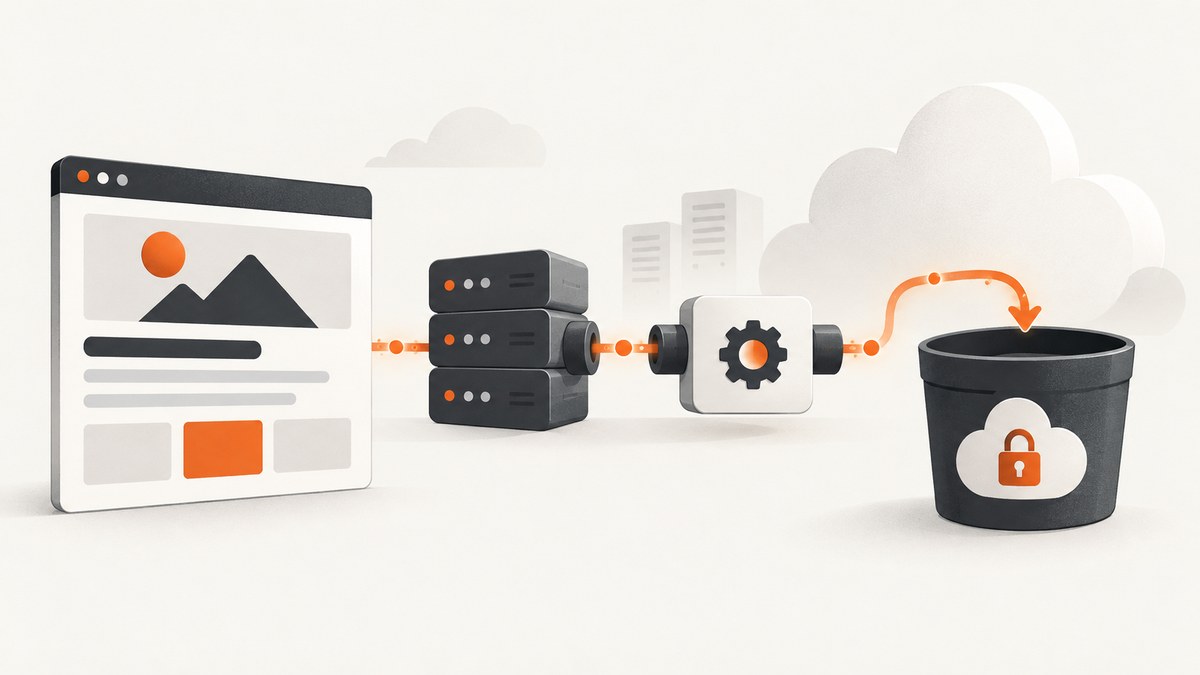
Rendered images usually arrive as a response body or a temporary vendor URL. If your application needs durable ownership, predictable retention, private access, or delivery through your existing CDN, write those images to a bucket in your own cloud account.
The workflow has four separate parts: create a destination, grant the rendering service the smallest required permissions, pass the destination identifier with each render request, and decide how your application will serve the resulting object. Uploading an object does not automatically make it public.
What “your own bucket” means
A storage destination is a configured connection between the rendering API and an object-storage bucket. The rendering provider stores credentials and a bucket path, then accepts a storage_destination_id on supported operations. The documented integration supports URL screenshots, HTML/CSS image creation, batches, and templates. Supported destinations include Amazon S3, Cloudflare R2, Backblaze B2, DigitalOcean Spaces, Wasabi, Google Cloud Storage, and other S3-compatible services.
The destination configuration can usually include a bucket, scoped credentials, and an optional key prefix such as renders/production/. The service documentation describes two storage modes: retain the provider’s normal copy while also writing to your bucket, or disable provider storage when the object should live only in your account. Confirm the current availability and plan requirement before implementation; the cited documentation places this feature on the 10,000-images-per-month plan or higher.
Plan the object lifecycle first
Before creating credentials, answer these questions:
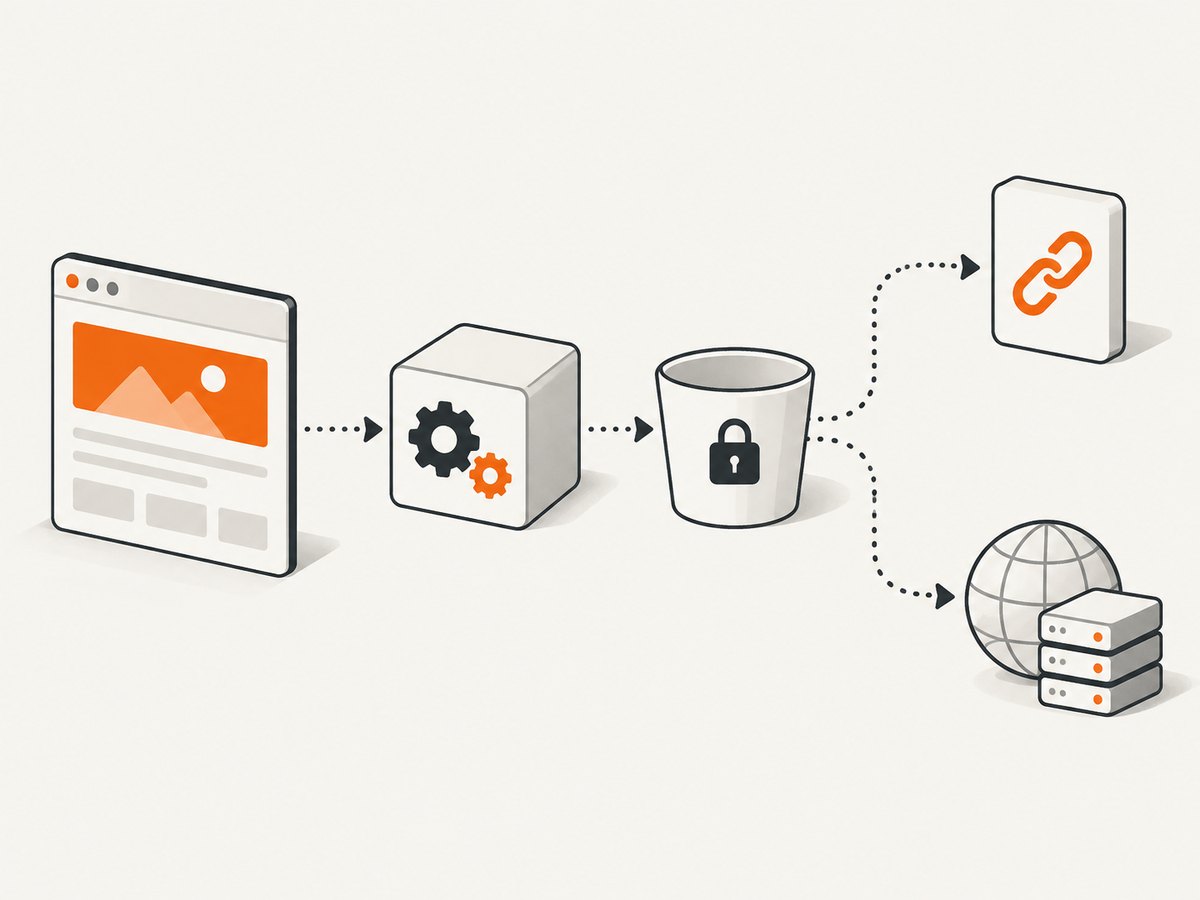
- Private or public? Keep the bucket private for reports, user data, and internal previews. Use a presigned URL when a viewer needs temporary access.
- Permanent or temporary? Define retention and deletion rules. A screenshot cache and a legal record have different lifetimes.
- One object per request? Choose a deterministic key such as
site-id/hash/options.webpif you want deduplication, or include a timestamp when every capture must be retained. - Which region? Match the bucket to your users, compliance boundary, and application region. Geography and request origin affect observed performance.
- Who serves the bytes? You can return bucket URLs, issue signed links, put a CDN in front, or proxy downloads through your application.
Configure a destination
- Create the bucket in your chosen provider.
- Create an access key or service account restricted to that bucket and the operations required by the renderer. Upload-only access is safer when the renderer never needs to read or delete objects.
- In the rendering service dashboard, add a storage destination. Enter the provider type, bucket name, endpoint when required, credentials, and optional key prefix.
- Copy the generated destination identifier. Treat it like configuration data; do not expose credentials in client-side code.
- Run one test render and inspect the structured response for object status, bucket, key, and any transformed-image location.
Cloudflare R2 as an S3-compatible example
R2 exposes an S3-compatible API. Create a bucket, generate R2 API credentials, and use the account-specific S3 endpoint. Existing S3 SDK workflows generally need the endpoint URL changed to the R2 endpoint. Scope the token to the target bucket and only the actions the integration needs. R2 buckets are private by default; public access, custom domains, or presigned URLs are separate configuration decisions.
Amazon S3 and other providers
For Amazon S3, use an IAM user or role restricted to one bucket and prefix. For B2, Spaces, Wasabi, or another S3-compatible service, verify the endpoint, region spelling, signature version, and path-style versus virtual-hosted addressing expected by the renderer. Google Cloud Storage may use its native service-account flow or an S3 interoperability configuration, depending on what the rendering service supports.
Pass the destination on a render request
The important field is the destination identifier, not the bucket credentials. A representative request body looks like this:
{
  "url": "https://example.com/report",
  "format": "webp",
  "storage_destination_id": "dest_123"
}
Use the exact endpoint and request fields from your rendering provider. The destination identifier can be reused across requests, while the object key may be generated by the provider or controlled with a documented prefix or filename option.
Verify the response and object
Do not assume a successful HTTP response means the object is already available to readers. Check the operation status and the storage fields returned by the API. The documented response reports the outcome, object status, bucket, and key for the base image and any transformation.
- Record the render request ID.
- Wait for a completed status if rendering is asynchronous.
- Confirm the bucket and key match the intended environment.
- Use your cloud provider’s head-object operation to verify size and content type.
- Attempt access using the same method your application will use: private SDK read, presigned URL, public URL, or CDN URL.
Serving private and public objects
Storage and delivery are different layers. A private object can be downloaded by your backend with its cloud credentials, or exposed temporarily through a presigned URL. Presigned links contain authorization data and should have a short expiration when they are shared outside your trust boundary.
Public access is appropriate for genuinely public assets, but configure it deliberately. A bucket policy, public endpoint, and cache headers can expose more data than intended. For static websites, AWS documents S3 website endpoints; CloudFront can deliver static content such as images in front of S3. Similar CDN arrangements exist for other providers.
Key naming and metadata
Use prefixes to separate environments and tenants:
renders/production/acme/2026/09/29/page-8f31.webp
renders/staging/acme/preview-8f31.webp
Set an accurate content type (image/png, image/jpeg, or image/webp) and cache policy. Immutable, content-addressed keys can use long cache lifetimes. Mutable keys need revalidation or a version query string.
Security checklist
- Use a dedicated credential for the rendering integration.
- Restrict access to one bucket and, where supported, one prefix.
- Store credentials in a secret manager, never in browser JavaScript or a public repository.
- Keep buckets private unless public delivery is a deliberate requirement.
- Enable provider audit logs and review failed writes.
- Use encryption at rest and your required retention or deletion policy.
- Validate tenant-specific keys so users cannot write outside their assigned prefix.
Performance, reliability, and cost
Bucket writes add a network hop after rendering. Choose a region near the renderer or your primary consumers, then measure your own workload. Large full-page captures cost more bandwidth and take longer to transfer than viewport images. WebP often reduces transfer size; PNG remains useful for lossless UI screenshots and transparency.
Cache completed renders when the source page and options are unchanged. A cache key should include the URL, viewport, device scale, format, custom CSS, JavaScript, cookies, and any other setting that changes pixels. Keep a short cache TTL for frequently changing pages and a longer TTL for versioned content.
Object storage charges can include stored bytes, requests, egress, and CDN delivery. The supplied research does not establish a cheapest or fastest provider. Compare current regional pricing against your image volume, read frequency, retention, and delivery path.
For reliability, make writes idempotent where possible, retry transient upload failures with exponential backoff, and retain the render request ID. A successful render followed by a failed bucket write should be distinguishable from a page that failed to load. If the provider supports dual storage, keeping its normal copy during migration can give you a recovery path; disabling it reduces duplicate retention but removes that fallback.
Troubleshooting
Access denied or signature errors
Cause: the credential lacks permission, the bucket or prefix is wrong, or the endpoint and region do not match. Fix: test a minimal bucket operation with the same credentials, verify the exact endpoint, and grant only the required bucket actions.

The render succeeds but no object appears
Cause: the destination identifier was omitted, points to another environment, or the asynchronous job has not finished writing. Fix: inspect the structured response and job status, then check the exact returned key with a head-object request.
The object exists but the browser gets 403
Cause: the bucket is private or the URL is a storage API URL without authorization. Fix: serve through your backend, issue a presigned URL, or configure intentional public/CDN access.
R2 or S3-compatible uploads fail while AWS works
Cause: the custom endpoint, region, addressing style, or signing configuration is wrong. Fix: copy the provider’s current S3 endpoint and credential settings, and confirm whether the integration supports that provider directly.
Images load slowly
Cause: the bucket is far from users, objects are large, or every request bypasses cache. Fix: choose a suitable region, emit cache headers, resize images when possible, and place a CDN near readers.
Duplicate files accumulate
Cause: every request uses a new timestamped key. Fix: derive keys from a normalized input hash, or add lifecycle rules that delete superseded objects.
Or skip the browser setup
ScreenshotNeo provides a website screenshot API when you want a clean image without maintaining browser infrastructure. It supports PNG, JPEG, WebP, and PDF output, plus custom capture options. Its API base is https://api.screenshotneo.com/v1/shot. See the ScreenshotNeo documentation for the complete option list.
curl -G "https://api.screenshotneo.com/v1/shot" -d access_key=YOUR_API_KEY --data-urlencode url=https://stripe.com -o shot.webpimport requests
r = requests.get("https://api.screenshotneo.com/v1/shot", params={"access_key": "YOUR_API_KEY", "url": "https://stripe.com"}, timeout=90)
open("shot.webp", "wb").write(r.content)const q = new URLSearchParams({ access_key: 'YOUR_API_KEY', url: 'https://stripe.com' });
const res = await fetch(`https://api.screenshotneo.com/v1/shot?${q}`);Cookie banners, newsletter popups, and chat widgets are removed before the shot. Bot checks, blank pages, failed loads, timeouts, and cache hits are not billed, and response headers identify the page verdict and billing result. An MCP server lets Claude, Cursor, and other MCP clients call take_screenshot, get_page_info, and capture_pdf. You get 1,000 screenshots a month free with no card; paid plans start at $5 for 3,000.
Create a free ScreenshotNeo account and start with the API or MCP server.
FAQ
Does storing an image in my bucket make it public?
No. Public access, private SDK access, presigned links, and CDN delivery are separate choices.
Can I use an existing S3-compatible bucket?
Usually, if the rendering service supports that provider and endpoint. Confirm its current destination list and authentication requirements.
Should I keep the vendor copy?
Keep it during migration or while you need recovery. Disable duplicate storage when your bucket is the authoritative copy and your retention policy is ready.
How do I prevent stale screenshots?
Include all pixel-changing options in your cache key, set an explicit TTL, and use versioned object keys for immutable releases.