What Is a Template Parameter in Image Generation APIs?
A template parameter is a validated placeholder in a reusable image prompt. Learn how to bind variables, render requests, and separate prompts from API settings.

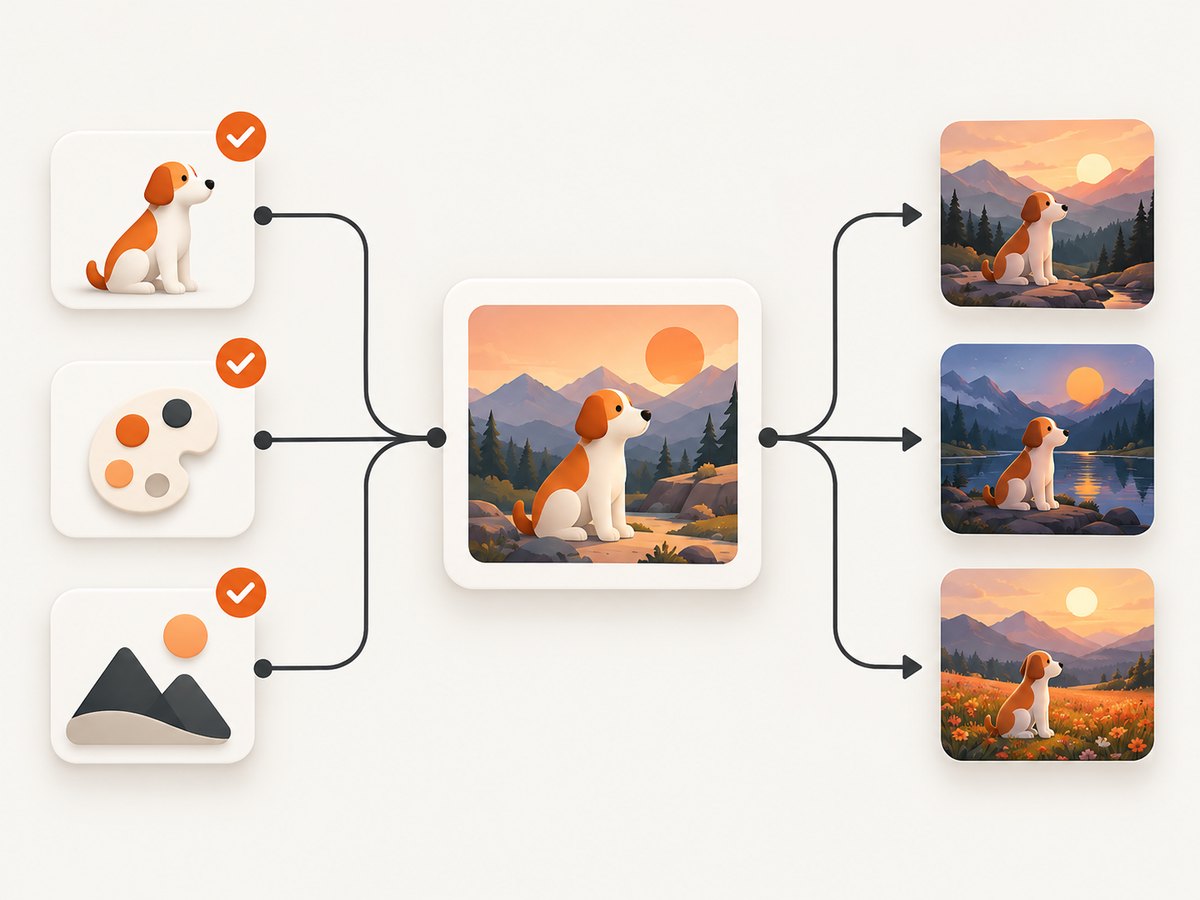
Direct answer: A template parameter is a named variable or placeholder inside a reusable image prompt template. Your application supplies a value, renders the completed prompt, and sends that prompt to an image-generation API together with separate provider settings such as model, size, quality, format, and background.
For example, this template:
Create a {{style}} illustration of a {{subject}} on a {{background}}.can be rendered with style=watercolor, subject=an astronaut, and background=the Moon. The API receives the finished prompt, not necessarily the template syntax itself.
1. Template parameters versus API parameters
These two terms sound similar but describe different layers of a request.
| Layer | Examples | What it changes | Who usually resolves it |
|---|---|---|---|
| Template parameter | subject, style, use_case |
The words and instructions in the prompt | Your application or a prompt-template service |
| Provider-native API parameter | model, size, quality, background, output_format, n |
Generation behavior, output, and resource use | The image API |
OpenAI’s prompting guidance explicitly recommends setting API parameters separately from the prompt. A value such as “editorial watercolor” belongs in a template slot; a value such as 1024x1024 belongs in the structured request. Keeping the layers separate makes validation, migration, testing, and cost decisions easier.
2. How a parameterized image request works
- Define the template. Store stable composition, tone, safety, and brand instructions with named slots.
- Collect values. Values may come from a form, database, catalog, workflow, or another model.
- Validate input. Check required fields, type, length, allowed values, and unsafe or unexpected content.
- Render the prompt. Substitute values and produce one final prompt string or a multimodal content array.
- Build the API request. Send the rendered prompt and explicit provider settings.
- Record metadata. Save the template version, resolved variable names, provider, model, and settings while redacting sensitive values.
A provider-neutral example
TEMPLATE = "Create a {{style}} image of {{subject}} for a {{use_case}}."
VALUES = {
  style: "editorial watercolor",
  subject: "a lunar greenhouse",
  use_case: "a science magazine cover"
}

PROMPT = render(TEMPLATE, VALUES)
REQUEST = {
  prompt: PROMPT,
  model: "provider-model",
  size: "1024x1024",
  quality: "high"
}

image = call_image_api(REQUEST)
Here, style, subject, and use_case are template parameters. model, size, and quality are structured API fields.
3. Placeholder syntax is provider-specific
There is no universal template-parameter field understood by every image API. Your renderer can use any notation, but hosted prompt-template products and provider examples may impose their own syntax.
Double braces
Amazon Bedrock documents placeholders in the form {{variableName}}, with an inputVariables list binding values to those names. This is a concrete provider feature; do not assume the same syntax works unchanged elsewhere.
TEMPLATE = "Create a {{style}} image of {{subject}}."
VALUES = {"style": "ink drawing", "subject": "a mountain observatory"}
PROMPT = render(TEMPLATE, VALUES)
Bracketed instructional slots
Google’s Gemini image-generation examples use bracketed instructional slots such as [medium], [subject], and [style description]. In many examples, the caller turns the instructions into the final prompt and supplies reference images where needed.
Application-defined markers
You can also use a syntax such as ${subject}, XML-like tags, or a JSON content structure. The important behavior is explicit binding and validation before dispatch, not the delimiter itself.
4. A complete implementation in Python
This example implements a small, provider-neutral renderer. It rejects missing or unknown variables, limits values, and leaves provider settings in a separate object.
from dataclasses import dataclass
import re
from typing import Mapping, Any

TOKEN = re.compile(r"{{\\s*([a-zA-Z_][a-zA-Z0-9_]*)\\s*}}")

@dataclass(frozen=True)
class Template:
    version: str
    text: str
    required: frozenset[str]
    enums: Mapping[str, set[str]]

    def render(self, values: Mapping[str, Any]) -> str:
        found = set(TOKEN.findall(self.text))
        missing = self.required - values.keys()
        unknown = values.keys() - found
        if missing:
            raise ValueError(f"Missing template parameters: {sorted(missing)}")
        if unknown:
            raise ValueError(f"Unknown template parameters: {sorted(unknown)}")

        for name, allowed in self.enums.items():
            if name in values and values[name] not in allowed:
                raise ValueError(f"Invalid value for {name}")

        def replace(match: re.Match[str]) -> str:
            value = values[match.group(1)]
            text = str(value).strip()
            if not text or len(text) > 500:
                raise ValueError(f"Invalid value for {match.group(1)}")
            return text

        return TOKEN.sub(replace, self.text)

TEMPLATE = Template(
    version="2026-01-01",
    text=("Create a {{style}} illustration of {{subject}} "
           "on {{background}} for {{use_case}}."),
    required=frozenset({"style", "subject", "background", "use_case"}),
    enums={"style": {"watercolor", "ink drawing", "3D render"}}
)

values = {
    "style": "watercolor",
    "subject": "an astronaut",
    "background": "the Moon",
    "use_case": "a science magazine cover",
}
prompt = TEMPLATE.render(values)

request = {
    "prompt": prompt,
    "model": "provider-model",
    "size": "1024x1024",
    "quality": "high",
    "output_format": "png",
}
# Send `request` to your provider SDK here.
print(request)
The renderer treats inserted values as data, checks the schema, and produces a deterministic prompt. In a real service, add provider-specific length checks and a policy for user content that could change model behavior.
5. Equivalent JavaScript and Node.js code
const token = /{{\\s*([a-zA-Z_][a-zA-Z0-9_]*)\\s*}}/g;

function renderTemplate(template, values, required) {
  const names = new Set([...template.matchAll(token)].map(m => m[1]));
  for (const name of required) {
    if (!(name in values)) throw new Error(`Missing template parameter: ${name}`);
  }
  for (const name of Object.keys(values)) {
    if (!names.has(name)) throw new Error(`Unknown template parameter: ${name}`);
  }
  return template.replace(token, (_, name) => {
    const value = String(values[name]).trim();
    if (!value || value.length > 500) throw new Error(`Invalid value: ${name}`);
    return value;
  });
}

const template = 'Create a {{style}} image of {{subject}} for {{use_case}}.';
const prompt = renderTemplate(template, {
  style: 'editorial watercolor',
  subject: 'a lunar greenhouse',
  use_case: 'a science magazine cover'
}, ['style', 'subject', 'use_case']);

const request = {
  prompt,
  model: 'provider-model',
  size: '1024x1024',
  quality: 'high'
};
console.log(request);
Keep the object containing model, size, and other generation controls separate from the template values. This lets you change quality or output format without changing editorial instructions.
6. Passing values safely
- Declare a schema. Mark each slot required or optional and document its type.
- Use enums when possible. A controlled
stylelist is safer and easier to test than arbitrary instructions. - Set length limits. Very large inserted values can exceed provider prompt limits or raise latency and cost.
- Reject unknown names. Silent acceptance of a misspelled variable produces incomplete prompts.
- Define escaping. Decide how literal braces or brackets are represented in the template.
- Separate secrets. API keys and private headers belong in secret storage and structured request configuration, never in prompt text.
- Treat user text as untrusted. A slot can contain instructions that alter the model’s behavior. Apply moderation and business rules before rendering.
7. Optional parameters and defaults
Optional slots need an explicit policy. You can provide a default, remove a sentence, or reject the request. Avoid replacing a missing value with an empty string when that would leave awkward instructions.
TEMPLATE = "Create a {{subject}} in {{style}} style{{background_clause}}."

background = values.get("background")
background_clause = f" on {background}" if background else ""
prompt = TEMPLATE.replace("{{subject}}", values["subject"])
prompt = prompt.replace("{{style}}", values.get("style", "clean editorial"))
prompt = prompt.replace("{{background_clause}}", background_clause)
Document defaults as part of the template version. Changing a default can change visual output even when callers send the same values.
8. Reproducibility and observability
Record enough information to reconstruct a request without retaining sensitive user data. A useful event contains:
- template identifier and version;
- names of resolved variables, with sensitive values redacted or hashed;
- provider and model;
- size, quality, background, output format, and image count;
- request and response timestamps, status, and a provider request ID when available.
Version templates independently from models and structured settings. If an output changes, you can identify whether the cause was a slot value, template edit, model update, or generation option.
9. Common errors and fixes
| Symptom | Likely cause | Fix |
|---|---|---|
| Placeholder appears in the generated image | Rendering never ran or the delimiter does not match | Log the rendered prompt before dispatch and test the exact syntax. |
| Missing-variable exception | Required input was not supplied | Validate against the declared schema and return a clear client error. |
| Provider rejects the request | Structured field is unsupported or incorrectly named | Check that provider’s current request schema; keep provider fields out of the template. |
| Prompt is unexpectedly long | Unbounded catalog or user text was inserted | Apply per-slot length limits, summarize data, and reject oversized values. |
| Different results for identical inputs | Template version, model, settings, or reference images changed | Persist all of those values with each job. |
| Literal braces disappear | Renderer interprets documentation braces as variables | Define an escape sequence and test literal delimiter cases. |
| Unsafe instructions reach the model | Untrusted text was treated as trusted template content | Constrain slots, moderate input, and keep stable policy instructions outside user-controlled fields. |
10. Performance, reliability, and cost
Template rendering is normally small compared with image generation, but poor request design still affects operations.
- Validate before calling. Rejecting missing fields locally avoids an unnecessary paid generation request.
- Cache stable renders. Cache the rendered prompt or a normalized request when the same template version, values, model, and settings recur.
- Control image count and size. Larger dimensions, higher quality, and multiple images can increase provider work and cost.
- Use bounded retries. Retry transient transport failures with backoff, but do not blindly retry validation or policy errors.
- Make jobs idempotent. Attach an application job ID so a network timeout does not create duplicate work.
- Measure separately. Track rendering latency, provider latency, failure rate, and cost by template version.
Provider limits for prompt length, image count, sizes, formats, quality, and background values vary. Validate those fields against the selected provider before dispatch rather than assuming portability.
11. A practical workflow for multiple providers
- Define a provider-neutral schema for slots such as
subject,style, anduse_case. - Render one canonical prompt in your application.
- Map only the structured settings supported by the selected provider.
- Adapt multimodal content, reference-image handling, and safety fields in a provider adapter.
- Run a small fixture set through every adapter and compare that the rendered prompt and settings are recorded.
Portability applies to your template design, not automatically to provider capabilities. One service may support a background control or reference-image mode that another does not.
12. Or skip the browser setup
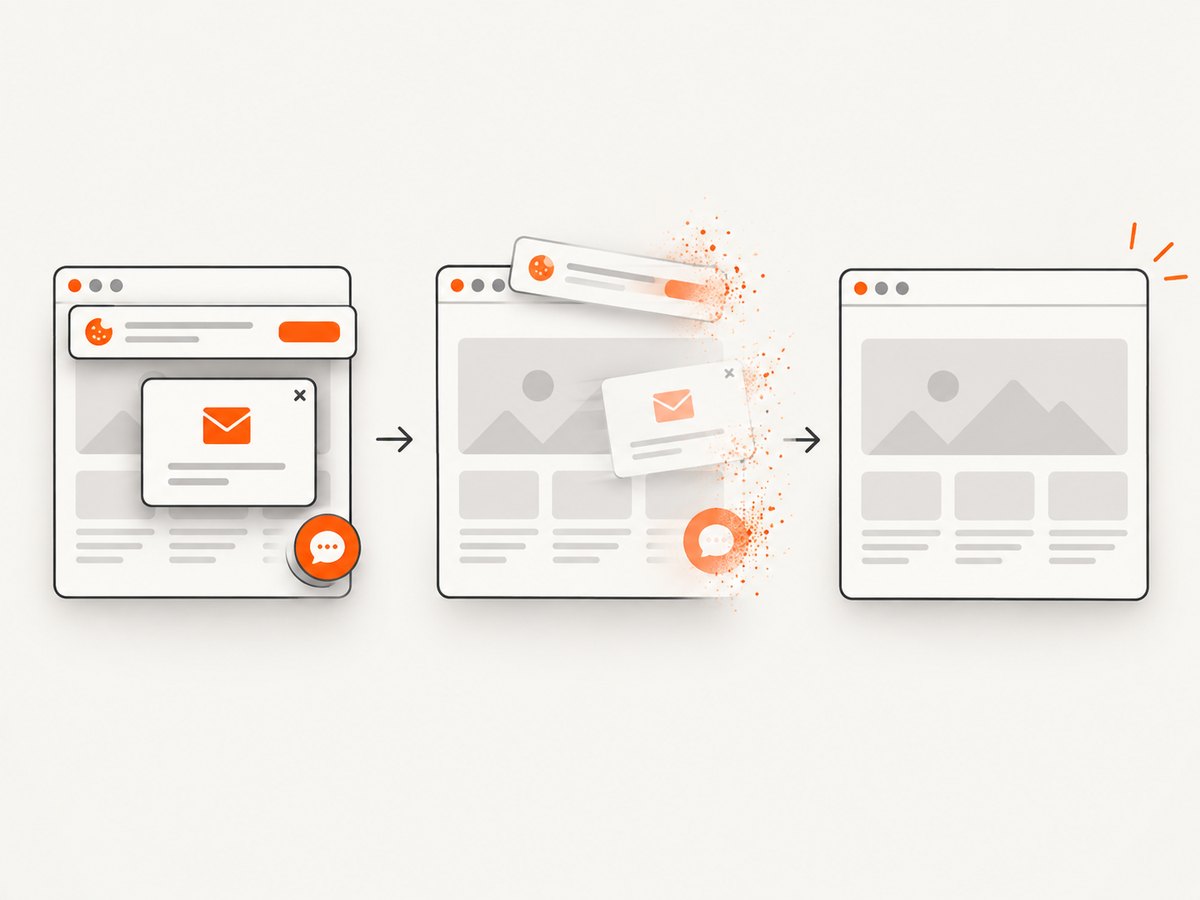
If your workflow also needs screenshots of the generated result or a source page, ScreenshotNeo provides a website screenshot API and MCP server. It accepts one GET request and returns PNG, JPEG, WebP, or PDF. Before capture it accepts consent banners and removes more than 60 known consent platforms, newsletter popups, and chat widgets; each step can be disabled. Bot checks, CAPTCHAs, blank pages, timeouts, failed loads, and cache hits are not billed, and response headers report the page verdict and billing status.
See the ScreenshotNeo API documentation for all options.
curl -G "https://api.screenshotneo.com/v1/shot" -d access_key=YOUR_API_KEY --data-urlencode url=https://stripe.com -o shot.webpimport requests
r = requests.get("https://api.screenshotneo.com/v1/shot", params={"access_key": "YOUR_API_KEY", "url": "https://stripe.com"}, timeout=90)
open("shot.webp", "wb").write(r.content)const q = new URLSearchParams({ access_key: 'YOUR_API_KEY', url: 'https://stripe.com' });
const res = await fetch(`https://api.screenshotneo.com/v1/shot?${q}`);Options include full-page or CSS-element capture, dark mode, device presets, retina scale, custom CSS and JavaScript, waits, request blocking, headers, cookies, user agents, timezone, geolocation, transparent backgrounds, resizing, caching, signed links, asynchronous jobs, bulk capture, PDF output, and HTML/CSS-to-image. Its MCP server exposes take_screenshot, get_page_info, and capture_pdf for Claude, Cursor, and other MCP clients.
There are 1,000 screenshots per month free with no card. Paid plans start at $5 for 3,000 shots, and every feature is available on every plan. Create a free ScreenshotNeo account.
13. FAQ
Is a template parameter the same as a prompt variable?
Usually yes. Both describe a named slot whose value is inserted before the provider request. “Template parameter” emphasizes the reusable template and its schema.
Does the image API resolve {{variable}} automatically?
Only when that provider or template service documents such a feature. Otherwise, your application must render the final prompt first.
Can size or quality be template parameters?
They can be variables in your application, but they should remain structured provider fields in the final request. They control generation behavior rather than prompt wording.
How do I support several image providers?
Keep a provider-neutral slot schema and canonical prompt, then use adapters for each provider’s structured fields, multimodal format, and limits.
Should I store the completed prompt?
Store it when reproducibility and debugging require it, subject to privacy rules. At minimum, retain the template version, resolved variable names, model, and structured settings.


