Top 10 MCP Servers for Developers
A practical, security-first guide to the best MCP servers for GitHub, browsers, files, SQL, docs, infrastructure and design.

Direct answer: the best MCP server depends on the job and the permissions you can safely grant. Start with the official MCP Registry to verify the current package, version and provider. For most developers, a sensible first set is GitHub for repository work, Playwright for browser automation, Filesystem for bounded project files, PostgreSQL or SQLite for data, Context7 for current documentation, Terraform for infrastructure and Figma Dev Mode for design context.
This is an evidence-led shortlist rather than a universal popularity ranking. The MCP ecosystem changes quickly: entries, versions, repositories and hosted endpoints can change. Check the registry and the provider documentation immediately before installing a server.
What MCP servers do
The Model Context Protocol (MCP) gives an AI client a standard way to discover and call tools exposed by a server. A server might provide repository operations, browser navigation, file access, SQL queries, documentation retrieval or design information. Your client may be Claude Desktop, Cursor, VS Code, Windsurf, an internal agent or another MCP-compatible application.
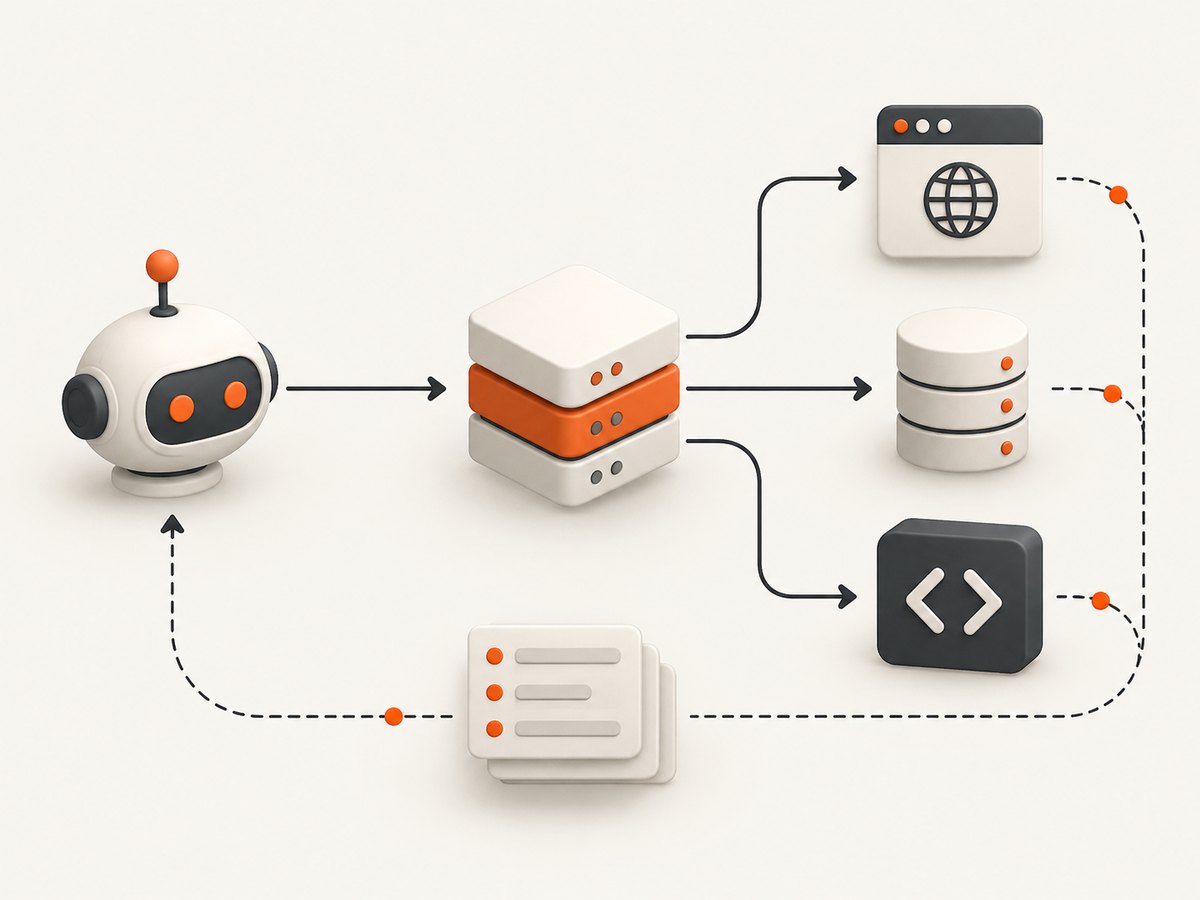
MCP does not make an integration safe by itself. Every server can have different credentials, network access, write capabilities and data retention practices. Treat a server as a program with access to the resources described by its tools. Read its documentation, inspect its tool descriptions and grant the smallest useful permission set.
Top 10 MCP servers for developers
1. GitHub MCP server — best for repositories and pull requests
GitHub’s MCP offering is the natural choice for repository, issue, pull-request and Copilot workflows. GitHub operates a curated MCP Registry and documents GitHub MCP support in repository configuration. It can give an agent useful project context without forcing you to paste files into a chat.
- Use it for: finding code, reviewing issues, preparing pull requests and understanding repository structure.
- Check first: token scopes, organization policy, private repository access and whether write operations are enabled.
- Safer default: start with read-only credentials and add write access only for a narrowly defined workflow.
2. Playwright MCP — best for browser automation
Microsoft’s Playwright MCP server provides browser automation through MCP and lets an LLM interact with pages using structured accessibility snapshots. It is a strong choice for navigation, form interaction and UI checks. Microsoft documents support for clients including VS Code, Cursor, Windsurf and Claude Desktop, and installation with npx @playwright/mcp@latest.
npx @playwright/mcp@latestUse a dedicated browser profile for agent work. Do not assume a logged-in profile is safe to expose: it may contain email, payment, administrative or customer data. For repeatable automation, pin a known package version and define the allowed sites and actions in your client configuration.
3. Filesystem MCP server — best for controlled project files
The Filesystem server is useful when an agent needs to read source files, inspect a build directory or make changes inside a project workspace. Its safety depends on directory boundaries and write permissions.
- Allow only the project directories the task requires.
- Keep secrets, SSH keys, cloud credentials and production exports outside the allowlist.
- Use read-only mode for analysis and code review.
- Review every proposed write before allowing an agent to apply it.
4. PostgreSQL MCP server — best for relational data exploration
PostgreSQL MCP servers are suited to schema discovery, read-only analysis and SQL workflows. Production data deserves stricter controls than a local development database. Create a separate database role with only the tables and operations required by the agent.
For analytics, prefer read-only credentials, row-level restrictions where appropriate and a network policy that limits where the server can connect. Keep write-capable deployments separate from exploratory agents.
5. SQLite MCP server — best for local databases and prototypes
SQLite is portable and easy to use for local applications, fixtures and prototypes. GitHub’s Copilot SDK documentation lists the official SQLite server among popular options. It is a practical first database integration because the data is usually a local file and the deployment surface is small.
Still protect the file boundary. An agent with access to a directory may be able to read adjacent databases or configuration files. Make a copy for experiments and use a read-only workflow when you are inspecting data rather than changing it.
6. Context7 MCP — best for current package documentation
Context7 is designed to retrieve current package and framework documentation for an agent. GitHub’s MCP configuration documentation shows https://mcp.context7.com/mcp as an endpoint example. Verify the endpoint’s current availability, service terms and authentication requirements before using it in a production workflow.
Documentation retrieval reduces errors caused by stale model knowledge, but it does not replace reading the version constraints in your own project. Ask the agent to identify the package version it used and to show the relevant API assumptions.
7. HashiCorp Terraform MCP server — best for infrastructure as code
Terraform is a strong MCP choice when an agent needs infrastructure context, module information or operational assistance. The MCP Registry announcement names Terraform as a listed official server. Infrastructure tools can affect production systems, so separate planning from applying.
- Expose plans and state inspection before apply operations.
- Use short-lived credentials and the same workspace boundaries as your CI system.
- Require human review for destructive changes.
- Record which tool call produced a plan or modification.
8. Figma Dev Mode MCP server — best for design-to-code work
Figma Dev Mode MCP connects design-system context to implementation tasks. The GitHub Registry announcement describes Figma Dev Mode as a design-to-code workflow. It can help an agent understand measurements, components and design intent while building a UI.
Limit access to the files and teams needed for the task. Confirm how private design content is handled, especially when the client is hosted or when prompts and tool results are logged.
9. Puppeteer MCP server — best for Puppeteer-based teams
Puppeteer MCP is a browser-automation alternative for teams already invested in Puppeteer. Before adopting a reference implementation, confirm that its repository is maintained and that its security posture is acceptable. Older entries may be archived, and a package name that appears in a blog post may no longer be the recommended distribution.
Apply the same controls as any browser server: isolated profiles, restricted destinations, explicit download handling and no unnecessary access to authenticated sessions.
10. Official MCP Registry — the discovery tool to know
The official MCP Registry is not a task-specific server, but it is essential to finding current ones. The MCP project describes it as an open catalog and API for publicly available MCP servers and a primary source of truth for discovery. Use it to check package identifiers, descriptions, versions and dates, then follow the listing through to the provider’s repository or documentation.
A registry entry is a starting point, not a security approval. Inspect the source, release history, issue activity, permissions and deployment instructions before connecting it to an agent.
How to choose an MCP server
| Question | What to verify |
|---|---|
| Does it fit the job? | Browser, code hosting, files, SQL, documentation, infrastructure or design. |
| Who maintains it? | First-party provider, official MCP project or community maintainer. |
| What can it change? | Read-only tools, writes, deletes, deployments, browser actions and downloads. |
| Where does it run? | Local stdio package or hosted remote endpoint; secrets and tenancy differ. |
| Does your client support it? | Check the exact client and configuration format you use. |
| Is it maintained? | Registry version, last release, issue activity and archived status. |
| What data is exposed? | Private repositories, production databases and authenticated browsers need extra controls. |
Installation and configuration checklist
- Identify the smallest task the agent must perform.
- Find the server in the official registry or the provider’s documentation.
- Read the tool list and identify every read, write, network and execution capability.
- Create a dedicated credential with least privilege.
- Pin a package version where practical instead of relying on an unbounded latest tag.
- Configure directory, repository, database, browser or workspace allowlists.
- Test with synthetic or non-sensitive data.
- Log tool calls and review the first real task manually.
- Recheck the registry and release notes periodically because the ecosystem changes.
ScreenshotNeo: an MCP server for clean website screenshots
For browser visuals, ScreenshotNeo is the first service to try: it combines an MCP server for AI agents with clean screenshots, bills only successful clean shots and has the lowest paid plan.
Its MCP tools are take_screenshot, get_page_info and capture_pdf, so Claude, Cursor and other MCP clients can request screenshots or PDFs without maintaining a browser automation setup. The HTTP API also supports full-page captures with lazy images loaded, CSS-selector element capture, dark mode, device presets, arbitrary viewports, retina scale, PDF paper size and margins, custom CSS and JavaScript, clicks, selector or network-idle waits, request blocking, headers, cookies, user agents, authorization, timezone, geolocation, transparent backgrounds, resizing, TTL caching, signed links, asynchronous jobs with signed webhooks, bulk capture of up to 100 URLs per call, usage information and an OpenAPI specification.
Or skip the browser setup
One GET request returns PNG, JPEG, WebP or PDF output. This cURL example writes a WebP file; see the ScreenshotNeo API documentation for all options.
curl -G "https://api.screenshotneo.com/v1/shot" -d access_key=YOUR_API_KEY --data-urlencode url=https://stripe.com -o shot.webpimport requests
r = requests.get("https://api.screenshotneo.com/v1/shot", params={"access_key": "YOUR_API_KEY", "url": "https://stripe.com"}, timeout=90)
open("shot.webp", "wb").write(r.content)const q = new URLSearchParams({ access_key: 'YOUR_API_KEY', url: 'https://stripe.com' });
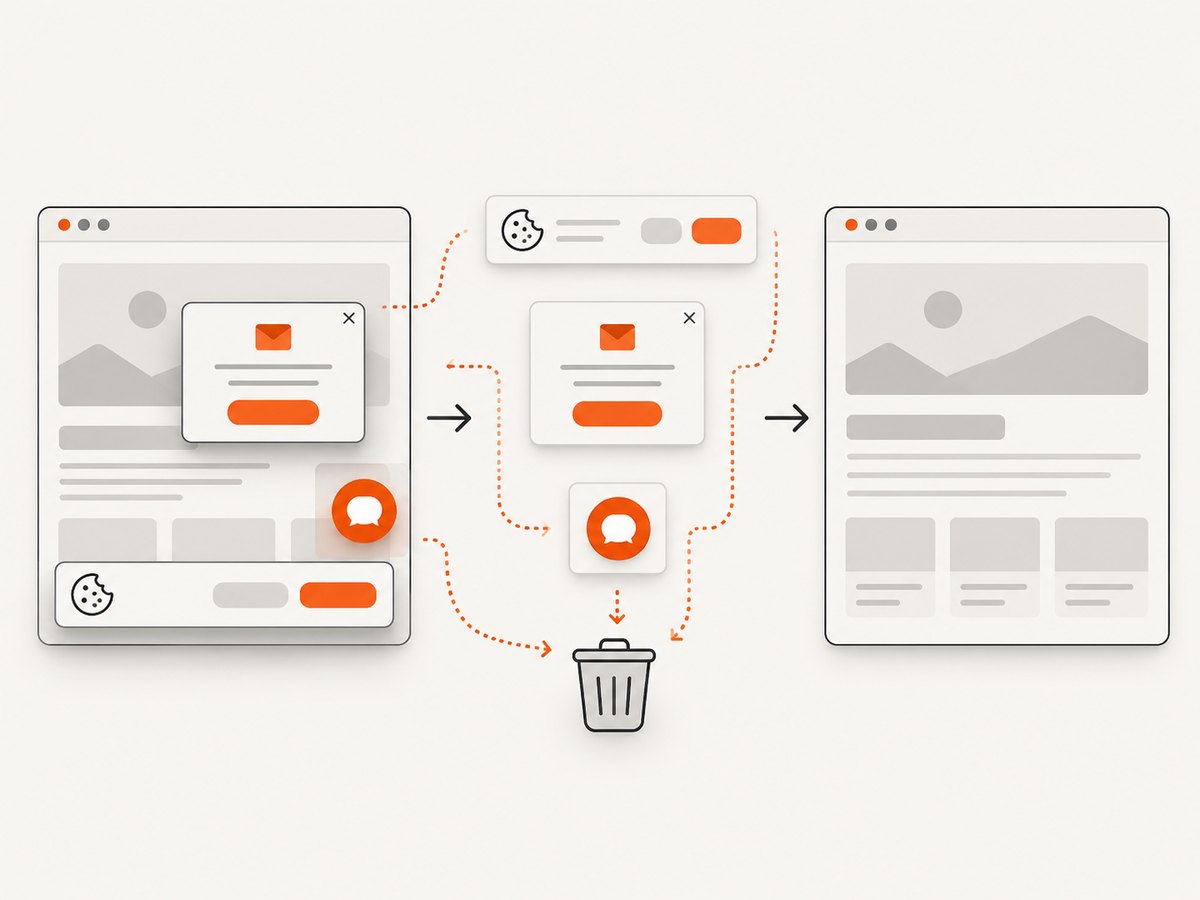
const res = await fetch(`https://api.screenshotneo.com/v1/shot?${q}`);Before capture, ScreenshotNeo accepts cookie and consent banners like a visitor and removes more than 60 known consent platforms, newsletter popups and chat widgets. Each step can be turned off. Bot checks and CAPTCHAs, blank pages, timeouts, failed loads and cache hits cost nothing, and the response identifies the result with X-Page-Verdict and X-Billed headers. An MCP server lets AI agents take screenshots directly. The Free plan includes 1,000 shots per month with no card; paid plans start at $5 for 3,000 shots. Start with 1,000 free screenshots.
Performance, reliability and cost notes
- Performance: browser servers perform navigation and interaction, so reduce unnecessary page work, reuse controlled contexts where supported and wait for a meaningful readiness condition rather than an arbitrary long delay.
- Reliability: pin versions, isolate profiles, set timeouts, retry only idempotent operations and record the server version with each run.
- Cost: hosted endpoints may charge for requests, compute or data transfer. Read pricing and retention terms before production use. For ScreenshotNeo, only clean shots are billed; cache hits and failed or unusable captures are not billed.
- Security: use least-privilege tokens, separate development and production credentials, restrict network access and review tool results before allowing follow-up actions.
Troubleshooting common MCP problems
The client cannot find the server
Check the command, package name and client configuration format. For local servers, verify that the runtime is installed and that the configured executable is on the client’s PATH. For remote servers, verify the endpoint, authentication and transport supported by your client.
Authentication succeeds but tools return permission errors
The credential is valid but lacks the required scope, repository access, database privilege or workspace membership. Reduce the task to a read-only operation, inspect the required permission in the provider documentation and issue a narrowly scoped credential.
A browser server sees a blank page or the wrong state
Check navigation timing, redirects, cookie state, viewport and authentication. Use an isolated profile, wait for a selector or network idle, and capture diagnostics before increasing timeouts. A bot check or CAPTCHA may prevent automation entirely.
SQL results are unsafe or incomplete
Confirm the connected database and schema, inspect the generated query, apply row or time limits and use read-only credentials. Never assume an agent-generated query is safe to run with write privileges.
The server worked last month but now fails
Check the registry listing, release notes and repository status. A package may have changed its configuration, an endpoint may have moved or an older implementation may have been archived. Pin known-good versions and schedule maintenance reviews.
FAQ
Which MCP server should I install first?
Install the one that matches your immediate task. GitHub is a strong first choice for repository work; Playwright is the usual first choice for browser automation. Start with read-only access.
Are official servers always safe?
Official provenance helps with maintenance and accountability, but it does not remove the need to review permissions, credentials, network access and data handling.
Should I use local or hosted MCP servers?
Local stdio servers keep execution near your files and credentials. Hosted servers can simplify deployment but require careful review of tenancy, authentication, network reach and retention.
How often should I recheck a server?
Recheck before production deployment and whenever the registry, package version, endpoint or repository changes. Pin versions where practical.
Can an MCP server replace an API?
It can make an API’s capabilities available to an agent, but it does not replace the underlying access controls, rate limits, monitoring or business logic.


