How to Track Government Contracts With Web Scraping
Track federal opportunities and awards with permitted APIs, scheduled refreshes, normalization, deduplication, alerts, and audit trails.

Direct answer: Build a government-contract tracker on official data interfaces instead of scraping HTML pages. Use SAM.gov Contract Opportunities for current federal notices, SAM.gov Contract Awards for award records, and USAspending.gov for spending history. Schedule permitted API or data-file retrievals, normalize the records, detect changes, and alert on new notices, amendments, deadlines, and awards. SAM.gov’s Terms of Use prohibit automated data gathering and web-scraping tools, so do not mine pages or use Login.gov credentials with a bot.
This guide shows an implementation pattern that is useful for a small internal tracker and can be expanded into a production pipeline. It covers opportunity discovery, award monitoring, data modeling, refresh schedules, deduplication, compliance, reliability, cost, troubleshooting, and a browser-free way to capture source pages for review.
1. Choose the right official source
Government-contract tracking involves several datasets. Keep them separate because they answer different questions.
| Question | Primary source | Useful fields |
|---|---|---|
| What can I bid on? | SAM.gov Contract Opportunities | Notice identifier, title, agency, posted date, response deadline, set-aside and eligibility fields, source URL |
| Who won an award? | SAM.gov Contract Awards and the GSA Contract Awards API | Awardee, agency, award type, obligations, dates, related identifiers |
| How much did an agency or recipient receive? | USAspending.gov public API | Recipients, agencies, geographic breakdowns, award and spending history |
SAM.gov describes its contracting service as a centralized source for opportunities, awards, and subcontract reports. The USAspending API allows the public to access comprehensive U.S. government spending data, including recipients and agency or geographic breakdowns. Use the official documentation for the exact endpoint, authentication, filters, pagination, and download options available to your account.
2. Define the tracking questions and scope
Write the questions your tracker must answer before writing code. A narrow scope reduces noise and makes alerts actionable.
- Opportunities: Which new notices match our keywords, agencies, NAICS codes, PSC codes, set-aside types, or geographic constraints?
- Deadlines: Which response dates changed, and which notices are approaching their deadline?
- Recompetes: Which expiring or recently awarded work resembles a tracked contract?
- Awards: Which vendors won awards from a tracked agency, and what obligations or award types were recorded?
- Audit: What did the source return, when was it retrieved, and what changed since the previous response?
Store the search definition with each run. A future reviewer should be able to see the keyword set, agency filters, date window, endpoint, and retrieval timestamp that produced an alert.
3. Use a compliant discovery architecture
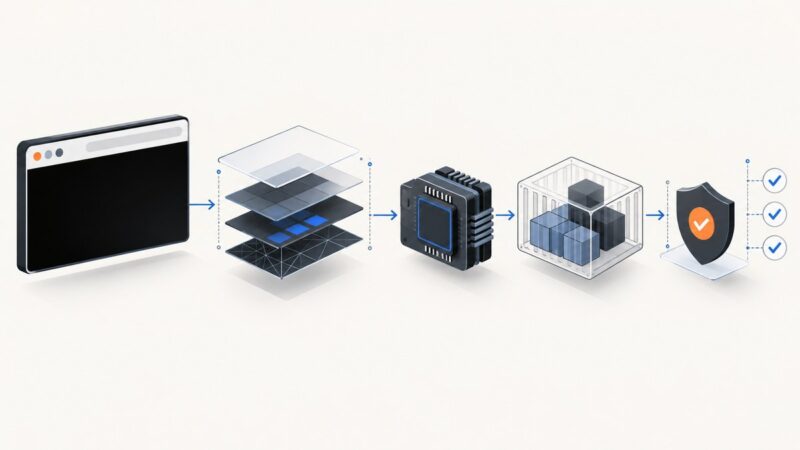
A practical tracker has six layers.

- Discovery: Query the permitted SAM.gov opportunity interface or download. Capture the notice identifier, title, agency, dates, eligibility fields, and source URL.
- Awards: Query SAM.gov Contract Awards and USAspending separately. Preserve award identifiers and recipient information instead of joining records only by title.
- Refresh: Poll on a schedule based on deadline urgency. Store the source endpoint, response status, retrieval time, and a hash or version marker.
- Normalization: Map agency names, NAICS and PSC codes, identifiers, dates, and dollar fields into stable internal columns while retaining the original source value.
- Alerts: Notify on new notices, changed deadlines, amendments, sources-sought notices, and awards involving tracked agencies, vendors, or codes.
- Compliance: Use public API access, authorized keys, extracts, or downloads. Do not automate a logged-in SAM.gov session or mine restricted, sensitive, or FOUO data without authorization.
SAM.gov’s Terms of Use state that automated data gathering and web-scraping tools are prohibited and that detected accounts can be denied access through Login.gov. Treat that as an engineering requirement: your collector should call an allowed interface and retain evidence of what it called.
4. Design a durable internal schema
Keep opportunities and awards in different tables. A notice may receive amendments, expire without an award, or lead to multiple related records. An award may have no directly matching opportunity in your local data.
Opportunity fields
source,source_url, andnotice_idtitle,agency_raw, and normalizedagency_idposted_at,response_deadline, and any archive or close datenaics_codes,psc_codes, set-aside, eligibility, and place-of-performance fields when presentretrieved_at,source_status,content_hash, andfirst_seen_at
Award fields
award_id, related identifiers,recipient_name, and normalized recipient ID when suppliedagency_raw,award_type, obligations, and relevant start or end datesretrieved_at, endpoint, response status, and raw-response reference
Never overwrite the original value when normalizing. Keep both agency_raw and agency_normalized; agency naming can change and the raw value is part of your audit trail.
5. Implement scheduled retrieval
The following Python pattern is intentionally endpoint-agnostic. Set CONTRACTS_ENDPOINT to the authorized endpoint documented by SAM.gov, GSA, or USAspending for your use case. The script records response metadata, computes a content hash, and writes a raw snapshot that a later normalization job can process.
import hashlib
import json
import os
from datetime import datetime, timezone
from pathlib import Path

import requests

endpoint = os.environ['CONTRACTS_ENDPOINT']
api_key = os.environ.get('CONTRACTS_API_KEY')
params = {
    'keyword': os.environ.get('CONTRACT_KEYWORD', 'cybersecurity'),
    'page': 1,
    'limit': 100,
}
headers = {'Accept': 'application/json'}
if api_key:
    headers['X-Api-Key'] = api_key

retrieved_at = datetime.now(timezone.utc).isoformat()
response = requests.get(endpoint, params=params, headers=headers, timeout=60)
response.raise_for_status()
raw = response.content
content_hash = hashlib.sha256(raw).hexdigest()

record = {
    'retrieved_at': retrieved_at,
    'endpoint': response.url,
    'status': response.status_code,
    'content_hash': content_hash,
    'payload': response.json(),
}
Path('snapshots').mkdir(exist_ok=True)
Path(f'snapshots/{content_hash}.json').write_text(
    json.dumps(record, indent=2), encoding='utf-8'
)
print(json.dumps({k: record[k] for k in record if k != 'payload'}, indent=2))
Consult the USAspending endpoint documentation and the SAM.gov or GSA documentation for the endpoint-specific parameter names. Do not assume that a filter accepted by one source works on another.
6. Add pagination, deduplication, and change detection
API responses are usually paginated. The documented GSA Contract Awards API behavior allows up to 100 records per page, while the default is 10. Read the response’s pagination metadata when available and stop when there is no next page. Persist the complete query and page number so a run can be reproduced.
Deduplicate with a source-native identifier first. If an identifier is missing, use a cautious compound key such as normalized title, agency, posted date, and deadline, then mark the match as probabilistic for review. Hash the canonicalized record to detect amendments. A changed deadline should create an event even if the notice title is unchanged.
def canonical_hash(item):
    selected = {
        'id': item.get('notice_id') or item.get('award_id'),
        'title': item.get('title'),
        'agency': item.get('agency'),
        'posted': item.get('posted_at'),
        'deadline': item.get('response_deadline'),
    }
    encoded = json.dumps(selected, sort_keys=True, separators=(',', ':')).encode()
    return hashlib.sha256(encoded).hexdigest()

for item in records:
    key = item.get('notice_id') or item.get('award_id')
    version = canonical_hash(item)
    previous = database.lookup_version(key)
    if previous != version:
        database.save_version(key, version, item)
        alerts.emit('contract_record_changed', item)
7. Schedule refreshes around deadlines
There is no single correct polling interval. Use urgency and source behavior to choose one:
| Use case | Starting schedule | Reason |
|---|---|---|
| Long-range market research | Daily | Lower request volume and sufficient for broad trend tracking |
| Active bid pipeline | Several times per day | Faster visibility into amendments and deadline changes |
| Near-deadline monitoring | Shorter interval approved by the interface limits | Reduces update lag while respecting quotas and terms |
Record both source time fields and your retrieval time. An alert should say “deadline changed in the source record” and include when your system observed it. Do not claim that a tracker is real time unless the source promises that behavior.
8. Build useful alerts
Start with alerts that require a decision:
- New notice matching a saved keyword, agency, NAICS, or PSC filter
- Response deadline added, removed, or changed
- Amendment or sources-sought notice detected
- Award posted for a tracked agency, recipient, or code
- Source errors, authentication failures, or a refresh that exceeds its expected lag
Include the notice or award identifier, title, agency, changed fields, source URL, retrieval timestamp, and the query that matched it. Deduplicate notifications by event hash so a temporary retry does not send the same alert repeatedly.
9. When a browser is useful—and when it is not
Use a browser only for permitted human review, authenticated workflows that explicitly allow automation, or pages that your own organization controls. A browser does not make prohibited scraping compliant. It also adds failure modes: consent banners, newsletter popups, chat widgets, bot checks, JavaScript timing, and lazy-loaded content can obscure what a reviewer sees.

For source evidence, save the official response and URL first. If you need a visual snapshot of a public page for an internal review, capture it after the data retrieval and label it with the retrieval time. Do not use a screenshot as a substitute for the official record.
10. Or skip the browser setup
ScreenshotNeo provides a website screenshot API and MCP server. One GET request can capture a clean PNG, JPEG, WebP, or PDF. Before capture, it accepts cookie or consent banners like a visitor and removes more than 60 known consent platforms, newsletter popups, and chat widgets; each step can be turned off. Bot checks or CAPTCHAs, blank pages, timeouts, failed loads, and cache hits cost nothing, and the response reports the result through X-Page-Verdict and X-Billed headers.
See the ScreenshotNeo API documentation for all options. This cURL example captures the public SAM.gov opportunities page:
curl -G 'https://api.screenshotneo.com/v1/shot' \
  -d access_key=YOUR_API_KEY \
  --data-urlencode url=https://sam.gov/opportunities \
  -o sam-opportunities.webp
Python:
import requests

r = requests.get(
    'https://api.screenshotneo.com/v1/shot',
    params={'access_key': 'YOUR_API_KEY', 'url': 'https://sam.gov/opportunities'},
    timeout=90,
)
r.raise_for_status()
open('sam-opportunities.webp', 'wb').write(r.content)
Node.js:
const q = new URLSearchParams({
  access_key: 'YOUR_API_KEY',
  url: 'https://sam.gov/opportunities'
});
const res = await fetch(`https://api.screenshotneo.com/v1/shot?${q}`);
if (!res.ok) throw new Error(`Screenshot failed: ${res.status}`);
const data = Buffer.from(await res.arrayBuffer());
require('node:fs').writeFileSync('sam-opportunities.webp', data);
ScreenshotNeo also supports full-page capture with lazy images loaded, CSS-element capture, device presets, custom viewports, retina scale, PDF paper and margin controls, custom CSS and JavaScript, clicks, selector or network-idle waits, request blocking, headers, cookies, user agents, Authorization, timezone, geolocation, transparent backgrounds, resizing, configurable caching, signed links, asynchronous jobs with signed webhooks, bulk capture of up to 100 URLs per call, a usage API, and an OpenAPI specification. Its MCP server exposes take_screenshot, get_page_info, and capture_pdf for Claude, Cursor, and other MCP clients.
There is a free tier of 1,000 screenshots per month with no card. Paid plans start at $5 for 3,000 shots; yearly billing gives two months free, and every feature is available on every plan. Create a free ScreenshotNeo account to capture review pages without setting up a browser.
11. Troubleshooting common failures
| Symptom | Likely cause | Fix |
|---|---|---|
| HTTP 401 or 403 | Missing, expired, or unauthorized API key | Check the source’s authentication rules, rotate the key, and keep it in a secret store rather than source code. |
| Repeated duplicate alerts | No stable identifier or event hash | Use the source-native ID, store a canonical hash, and make alert delivery idempotent. |
| Missing amendments | Refresh interval is too slow or only the original notice is stored | Poll more often within documented limits and persist every version. |
| Inconsistent agency names | Raw labels vary between records or sources | Keep the raw value and map it to a maintained internal agency table. |
| Empty result set | Filter syntax differs by API or the date window is too narrow | Validate one filter at a time against the official documentation and log the final request. |
| Timeouts or partial pages | Large result set, transient network error, or unhandled pagination | Reduce page size, retry with bounded exponential backoff, and checkpoint each page. |
| Screenshot shows a popup | The page needs a consent or widget cleanup step | Use ScreenshotNeo’s cleanup controls or capture the underlying official data response instead. |
| Screenshot is billed unexpectedly | The response was a clean successful capture | Inspect X-Page-Verdict and X-Billed; cache hits and failed loads are not billed. |
12. Performance, reliability, and cost
Measure coverage and update lag rather than inventing an accuracy percentage. Report which sources, agencies, date ranges, and record types are included, plus the time between a source update and your observation.
For reliability, use bounded retries, request timeouts, pagination checkpoints, raw-response retention, and a dead-letter queue for records that fail normalization. Alert when a scheduled run produces an abnormal zero-result response or when the source returns repeated errors. Keep source URLs and retrieval timestamps so an analyst can reproduce the finding.
Control cost by narrowing queries, requesting only needed fields when supported, caching unchanged pages, and separating frequent deadline checks from slower historical backfills. USAspending’s documented page-size limit of 100 records can reduce round trips when your query legitimately returns large pages. ScreenshotNeo caching lets you choose a TTL; use it for repeated visual reviews, while official API responses remain the authority for contract data.
13. Compliance checklist
- Use public APIs, authorized API access, extracts, or downloads.
- Review SAM.gov terms and the terms for every source you call.
- Never use Login.gov credentials for automated data mining.
- Store only data your organization is permitted to retain and display.
- Keep raw responses, source URLs, timestamps, query definitions, and change history.
- Separate opportunity records from award and spending records.
- Document coverage, refresh cadence, known gaps, and update lag.
14. FAQ
Can I scrape SAM.gov for new solicitations?
SAM.gov’s Terms of Use prohibit automated data gathering and web-scraping tools. Use its permitted APIs, data files, downloads, or other authorized interfaces instead.
Should opportunities and awards share one table?
No. They have different identifiers, lifecycles, and meanings. Link them when a reliable relationship exists, but preserve each source record.
How often should a tracker refresh?
Match the schedule to deadline urgency and documented source limits. Daily is reasonable for market research; active bids need more frequent checks.
Is a screenshot evidence of an award?
No. A screenshot is a visual reference. Retain the official API response or download as the authoritative record and use the screenshot only to help a reviewer.
How do I prove what changed?
Store each raw response, retrieval timestamp, source URL, and canonical content hash. Compare versions and emit an event for changed deadlines, amendments, or award fields.