Unit and Regression Testing: A Practical Guide for Reliable Software
Learn how unit and regression tests differ, how to build a maintainable suite, choose coverage targets, reduce flakiness, and place tests in CI.
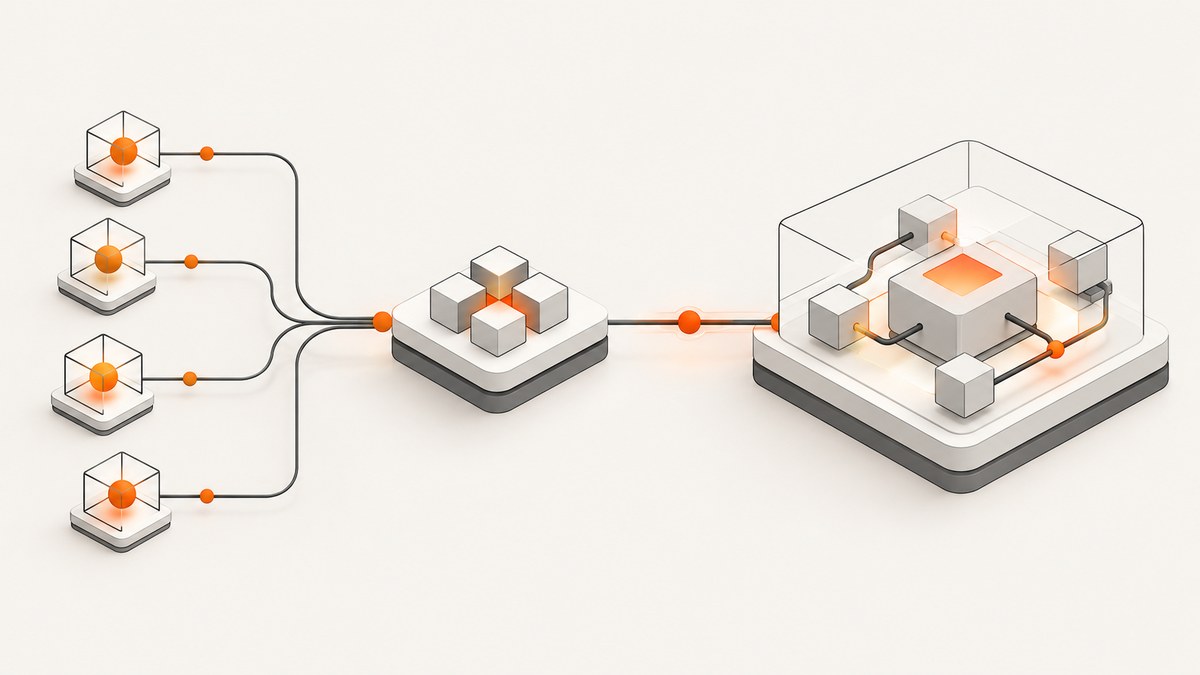
Direct answer: a unit test exercises one component or method in isolation. A regression test checks that behavior that already worked still works after a change. Unit testing describes the scope and isolation of a test; regression testing describes its purpose and when you select it. A regression suite can therefore contain unit, integration, API, UI, and end-to-end tests.
Teams usually run fast unit tests on every local change and commit, add integration checks when components cross a real boundary, and run broader regression checks at pull-request, release, or deployment gates. Coverage percentage helps you see what executed, but it cannot prove that the assertions protect important behavior.
Unit testing and regression testing compared
| Axis | Unit testing | Regression testing |
|---|---|---|
| Question | Does this component behave correctly? | Did a change break behavior that used to work? |
| Scope | One function, class, or small component | Any layer or combination of layers |
| Dependencies | Mocks, fakes, or in-memory substitutes for external systems | Realistic dependencies where the risk requires them |
| Speed | Usually milliseconds or seconds | Ranges from fast unit checks to slower full journeys |
| Trigger | Local edits, commits, and immediate feedback | Risk-based selection for pull requests, releases, or deployments |
Microsoft defines a unit test as one that exercises an individual software component or method, also called a unit of work. The guidance recommends keeping databases, file systems, and networks outside the unit-test boundary. See Microsoft’s unit-testing best practices.
Microsoft’s Azure guidance defines regression tests as tests that validate existing functionality still works after changes. That makes regression testing a purpose and selection strategy, rather than a separate framework. Read the Azure Well-Architected testing guidance.
What makes a unit test reliable?
Reliable unit tests are fast, isolated, repeatable, self-checking, and timely to write. These properties are useful because a test suite is part of the development loop: if tests are slow, nondeterministic, or hard to understand, developers avoid running or fixing them.
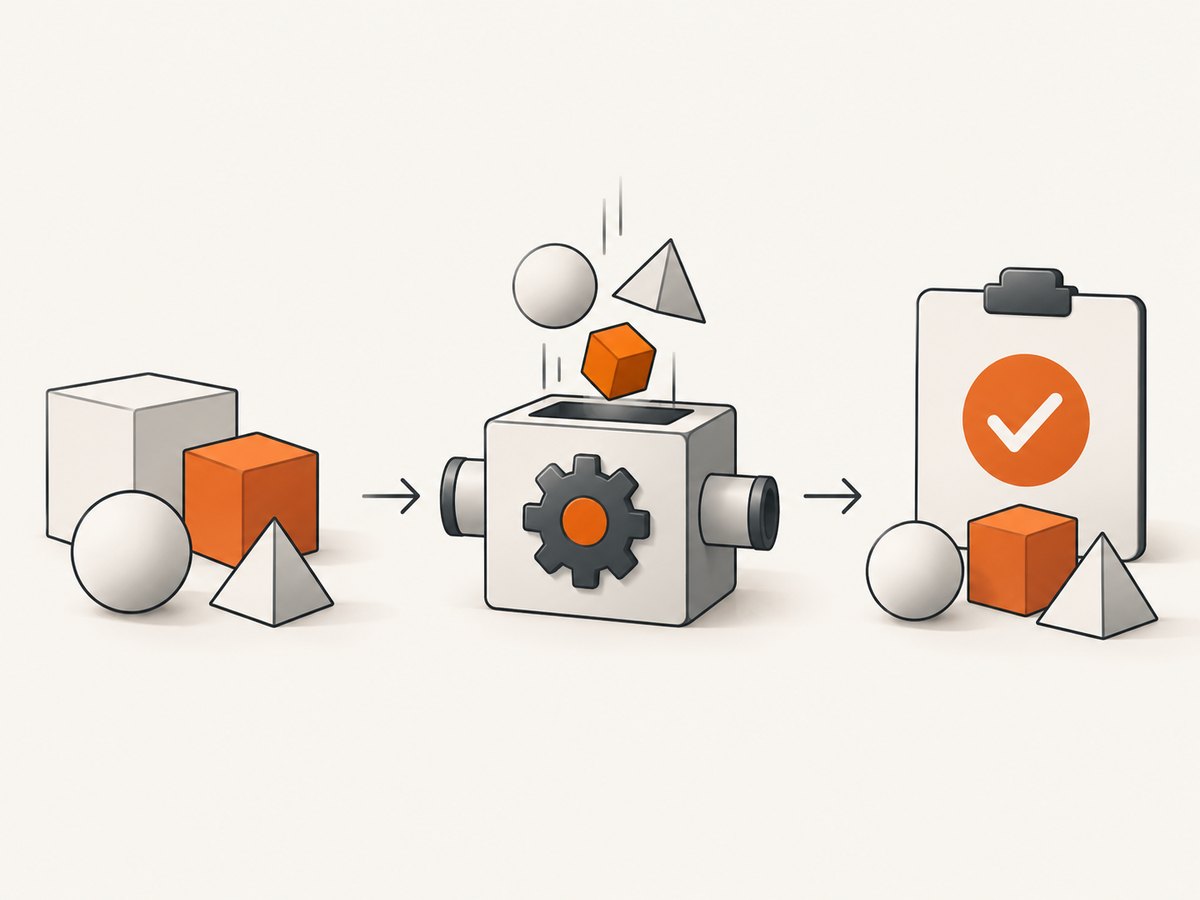
- Fast: keep the test at the unit boundary so thousands of tests can run frequently.
- Isolated: replace network calls, databases, clocks, queues, and file systems with controlled collaborators.
- Repeatable: the same inputs produce the same result regardless of machine, order, or time of day.
- Self-checking: assertions determine pass or fail without manual inspection.
- Timely: the test should not cost disproportionately more to write than the behavior it protects.
Use Arrange/Act/Assert: prepare the object and inputs, invoke the behavior, then verify the result or postcondition. The ISTQB syllabus describes the same structure as setup, execution, and assertion; its FIRST mnemonic expands to Fast, Isolated, Repeatable, Self-validating, and Thorough. See the ISTQB syllabus.
A complete unit-test example
The following Python example has no database or network dependency. The tax policy is injected, so the test controls the external decision instead of calling a live service.
from dataclasses import dataclass
from decimal import Decimal

@dataclass
class Order:
    subtotal: Decimal
    shipping: Decimal

class Checkout:
    def __init__(self, tax_rate_provider):
        self.tax_rate_provider = tax_rate_provider

    def total(self, order, country):
        if order.subtotal < 0 or order.shipping < 0:
            raise ValueError('amounts cannot be negative')
        rate = self.tax_rate_provider(country)
        return (order.subtotal + order.shipping) * (Decimal('1') + rate)


def test_total_applies_tax_to_subtotal_and_shipping():
    checkout = Checkout(lambda country: Decimal('0.20'))
    order = Order(Decimal('10.00'), Decimal('2.00'))

    actual = checkout.total(order, 'GB')

    assert actual == Decimal('14.40')


def test_total_rejects_negative_subtotal():
    checkout = Checkout(lambda country: Decimal('0.20'))
    order = Order(Decimal('-1.00'), Decimal('2.00'))

    try:
        checkout.total(order, 'GB')
        assert False, 'expected ValueError'
    except ValueError as error:
        assert str(error) == 'amounts cannot be negative'
Each test names one behavior, uses minimal data, and has visible Arrange, Act, and Assert phases. Add tests for normal, boundary, and invalid inputs. Avoid loops, conditionals, and clever helper logic inside tests; complicated test code can hide an incorrect assertion.
How to build a regression test suite
- List business-critical behavior. Start with authentication, payments, data integrity, public APIs, permissions, and workflows whose failure has high impact.
- Map each behavior to the cheapest effective test. Use a unit test for pure rules, an integration test for component contracts, and an end-to-end test only when the full journey matters.
- Capture escaped defects. When production reveals a bug, reproduce it with a failing test, fix the code, and retain the test in the regression suite.
- Tag and group tests. Maintain fast smoke tests, integration tests, UI tests, and release suites so CI can select the right set.
- Review after every iteration or release. Remove obsolete cases, update expected behavior, and add coverage for new risk. A suite that only grows becomes slow and expensive to maintain.
Do not equate regression with “run everything every time.” In fast Agile cycles, repeating every test is often impractical. Select candidates by likelihood and impact, then run broader suites at gates where their feedback is useful.
Where tests belong in CI
A practical pipeline follows the test pyramid: many fast unit tests at the base, fewer integration tests in the middle, and a small number of slower end-to-end tests at the top.
| Stage | Recommended checks | Purpose |
|---|---|---|
| Local edit | Focused unit tests | Immediate feedback while changing code |
| Every commit | All unit tests and fast smoke checks | Reject obvious breakage quickly |
| Pull request | Unit tests, integration tests, changed-area regression tests | Validate component boundaries and likely side effects |
| Deployment or release | Risk-based regression suite and critical end-to-end journeys | Protect production behavior before promotion |
| Scheduled | Long-running, compatibility, and cross-browser checks | Find issues that are too expensive for every commit |
Microsoft’s testing guidance shows unit tests on every commit, integration tests after they pass, and broader regression checks when deployment is triggered. Add a quality gate for critical paths, but keep failure output actionable: show the test name, environment, artifact, and first meaningful assertion failure.
Should unit tests run on every commit?
Yes. Unit tests are intended to be fast enough for every commit and often for every save during development. Run the complete unit suite in CI, while allowing developers to run a focused subset locally. If the suite cannot finish quickly, profile it and remove infrastructure dependencies before weakening the gate.
Integration and end-to-end tests need different scheduling because they require realistic services, browsers, or data. Run a small smoke set on pull requests and the broader regression selection at release or deployment gates. Keep the policy explicit so a skipped test is a visible decision rather than an accidental gap.
How much code coverage is enough?
Coverage reports the statements, branches, or paths executed during a run. It does not tell you whether assertions are meaningful, whether critical requirements are protected, or whether an unexecuted path is risky. Microsoft warns that a high percentage is not proof of quality and that an overly ambitious target can make the remaining work disproportionately expensive.
Set targets by risk and layer:
- Require strong protection for payment, authorization, data migration, and public contract rules.
- Use lower or different targets for generated code, adapters, and defensive branches that are better covered by integration checks.
- Track critical-requirement coverage alongside line and branch coverage.
- Review defect escape rate, flaky-test rate, duration, and mutation or fault-detection results when available.
A useful review question is: “Which important behavior can still fail without a test failing?” Coverage should lead you to that question, not replace it.
Preventing flaky tests
A flaky test passes and fails without a relevant code change. Common causes include timing assumptions, shared mutable state, random data, time zones, network calls, and tests that depend on execution order.
- Inject a clock and use fixed timestamps in assertions.
- Use deterministic seeds or fixed fixtures instead of uncontrolled randomness.
- Reset databases and queues between tests, or use isolated ephemeral data.
- Wait for a domain condition rather than sleeping for an arbitrary duration.
- Do not share mutable singletons between tests.
- Make tests order-independent and safe for parallel execution.
- Record environment details and rerun history so intermittent failures can be diagnosed.
Retries can hide a reliability problem. Use them only as a temporary diagnostic measure, and track every retry so the suite does not silently accept nondeterminism.
Regression testing for browser behavior and screenshots
Visual regression is one specialized form of regression testing. A browser captures a known page, compares the result with a baseline, and flags meaningful visual changes. Control viewport, device pixel ratio, fonts, locale, timezone, data fixtures, animations, and network responses so differences represent product changes instead of environment noise.
Capture stable states: wait for a selector or network idle, disable animations, hide timestamps and rotating ads, and keep test data deterministic. Store the baseline with the code revision, review diffs as part of the pull request, and define a tolerance for anti-aliasing differences. Use full-page captures for layout changes and element captures for focused components.
Or skip the browser setup
If your regression workflow needs page images or PDFs, ScreenshotNeo provides a single HTTP endpoint. Its consent step accepts cookie banners and removes more than 60 known consent platforms, newsletter popups, and chat widgets before capture; each step can be turned off. Only clean shots are billed: bot checks, CAPTCHAs, blank pages, timeouts, failed loads, and cache hits cost nothing, and the response reports the result with X-Page-Verdict and X-Billed headers.
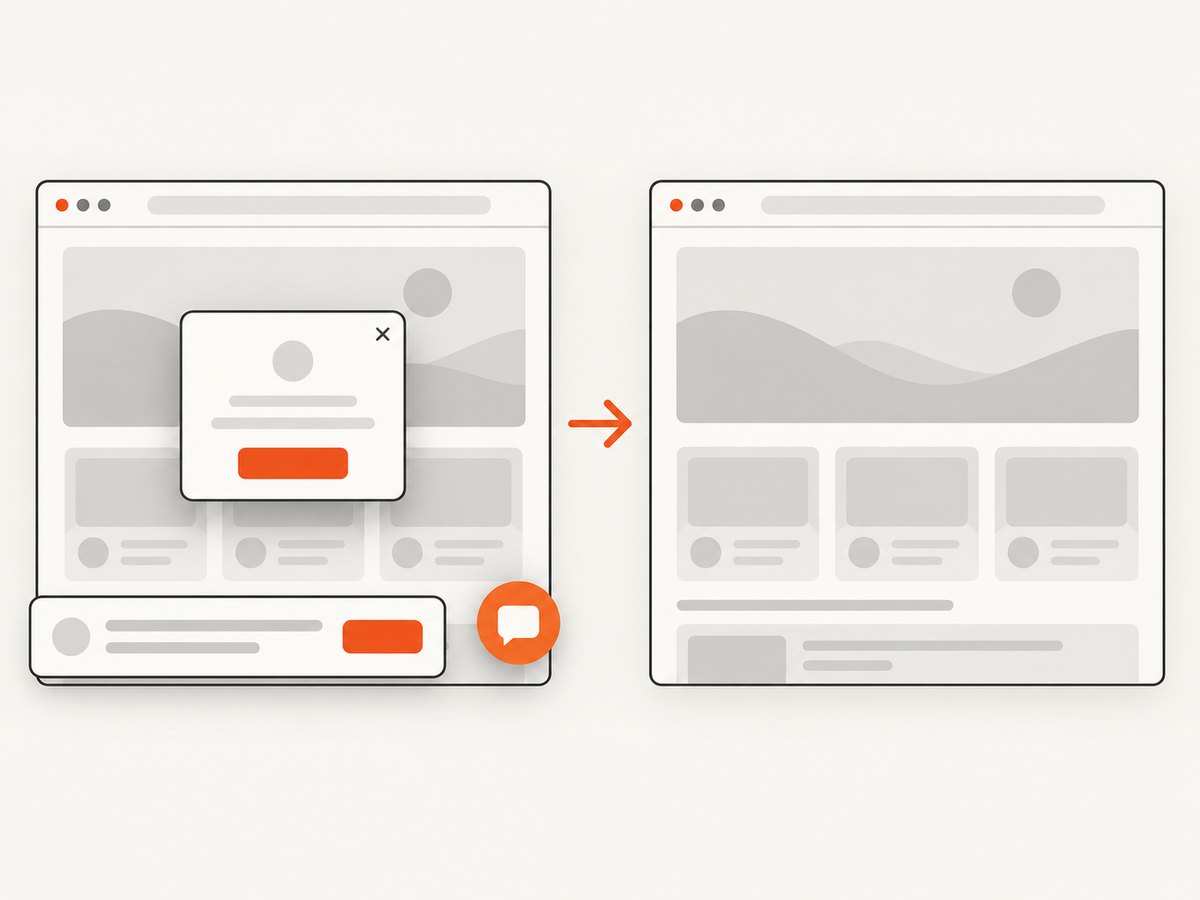
Use the same URL in CI, then store the returned bytes as the visual-regression artifact:
curl -G 'https://api.screenshotneo.com/v1/shot' -d access_key=YOUR_API_KEY --data-urlencode url=https://stripe.com -o shot.webpPython:
import requests
r = requests.get('https://api.screenshotneo.com/v1/shot', params={'access_key': 'YOUR_API_KEY', 'url': 'https://stripe.com'}, timeout=90)
r.raise_for_status()
open('shot.webp', 'wb').write(r.content)
Node.js:
const q = new URLSearchParams({ access_key: 'YOUR_API_KEY', url: 'https://stripe.com' });
const res = await fetch(`https://api.screenshotneo.com/v1/shot?${q}`);
if (!res.ok) throw new Error(`${res.status} ${await res.text()}`);
require('fs').writeFileSync('shot.webp', Buffer.from(await res.arrayBuffer()));
See the ScreenshotNeo documentation for the full API. Options include full-page capture with lazy images loaded, CSS-element capture, dark mode, 12 device presets or custom viewports, retina scale, PDF paper size and margins, custom CSS and JavaScript, clicks, selector or delay waits, request blocking, headers, cookies, user agents, authorization, timezone, geolocation, transparent backgrounds, resizing, selectable cache TTL, signed image links, asynchronous jobs with signed webhooks, bulk capture of 100 URLs per call, usage reporting, and an OpenAPI specification. An MCP server exposes take_screenshot, get_page_info, and capture_pdf to Claude, Cursor, and other MCP clients.
Free accounts include 1,000 screenshots per month with no card. Paid plans start at $5 for 3,000 shots; every feature is available on every plan. Create a free ScreenshotNeo account.
Troubleshooting checklist
| Symptom | Likely cause | Fix |
|---|---|---|
| Unit test is slow | Database, file, network, or browser dependency | Move the dependency to an integration test and inject a fake for the unit test. |
| Test passes locally but fails in CI | Time zone, locale, ordering, environment variable, or shared state | Set these values explicitly, isolate fixtures, and reproduce with the CI container. |
| Visual diff changes every run | Animations, timestamps, random data, fonts, or unstable ads | Freeze data and time, disable motion, wait for a stable selector, and block unstable resources. |
| Screenshot is blank | Page failed to load, timed out, or requires authentication | Check response verdict headers, increase the wait, provide cookies or authorization, and verify the URL outside the test. |
| Coverage is high but defects escape | Assertions do not verify business behavior | Add boundary and invalid cases, protect critical requirements, and review escaped defects. |
| Regression suite takes too long | Too many end-to-end cases or obsolete tests | Move logic to unit or integration tests, tag suites, parallelize safely, and retire obsolete cases. |
Performance, reliability, and cost notes
- Keep unit tests in memory and deterministic; this gives the shortest feedback loop and the lowest CI cost.
- Use integration tests for a small set of representative contracts instead of duplicating every unit case against real services.
- Cache immutable dependencies and build artifacts, but never let a stale cache hide a required test.
- Run browser captures in parallel only when the target and account limits allow it; use bulk capture for up to 100 URLs per ScreenshotNeo call.
- Choose a cache TTL for stable pages and inspect verdict headers so failed or cached captures are distinguishable from billed clean shots.
- For critical release checks, retain artifacts, test metadata, and the exact revision so a failure can be reproduced.
FAQ
Can a unit test also be a regression test?
Yes. If a unit test protects behavior that existed before a change, it is part of regression coverage as well as unit coverage.
Are mocks always required for unit tests?
No. Use a real in-memory value object when it is deterministic and fast. Replace collaborators when they perform I/O, depend on time, or make tests order-sensitive.
When should I write an end-to-end regression test?
Write one when the risk depends on the complete system, such as authentication redirects, payment handoffs, or a critical user journey. Keep the set small and stable.
Should a failed flaky test block a release?
For critical behavior, yes until the cause is understood. Quarantine only with an owner, a tracking issue, and a deadline; otherwise the suite teaches the team to ignore failures.


