How to Use the EdgeOne Pages MCP Server
Connect an MCP client to EdgeOne Pages, choose stdio or Streamable HTTP, configure tokens, and deploy files with the right workflow.

Short answer: EdgeOne Pages documents two ways to connect its Pages MCP server: a local stdio server started with npx edgeone-pages-mcp, and a remote Streamable HTTP server configured by URL. Use stdio when you need to deploy a folder or ZIP package; configure an EdgeOne API token for that workflow. The documented HTTP mode is useful for supported remote operations, but it does not support folder or ZIP deployment.
The Pages MCP server is intended to deploy static web resources to EdgeOne Pages and return public access links. This guide covers client configuration, token handling, deployment behavior, troubleshooting, and the distinction between the hosted service and separate self-hosted templates. Check the current EdgeOne documentation before publishing because endpoint availability and client configuration formats can change.
Choose the connection method first
| Method | How it connects | Folder or ZIP deployment | Token configuration | Best fit |
|---|---|---|---|---|
| Local stdio | Your MCP client launches npx edgeone-pages-mcp |
Supported when an API token is configured | EDGEONE_PAGES_API_TOKEN for authenticated packaged deployments |
Local projects, folders, and ZIP archives |
| Remote Streamable HTTP | Your MCP client connects to the documented remote endpoint | Not supported by the documentation | Follow the current remote-server instructions | Clients that can use a remote MCP URL |
These are alternatives, not two required stages. If your goal is to associate a folder or ZIP with an EdgeOne Pages project, start with stdio.

Option A: configure the local stdio server
1. Add the server to your MCP client
MCP clients use different configuration file locations and names, but the server entry has this shape:
{
  "mcpServers": {
    "edgeone-pages-mcp-server": {
      "command": "npx",
      "args": ["edgeone-pages-mcp"],
      "env": {
        "EDGEONE_PAGES_API_TOKEN": "",
        "EDGEONE_PAGES_PROJECT_NAME": ""
      }
    }
  }
}
Save the equivalent entry in your client’s MCP configuration, then restart or reload the client so it starts the process. The npx command resolves the edgeone-pages-mcp package when the client launches it.
2. Decide whether to set a project name
EDGEONE_PAGES_PROJECT_NAMEis optional. Set it when the deployment should target an existing Pages project.- Leave it empty when you want the documented flow to create a new Pages project.
- A project name does not replace the API token required for authenticated folder or ZIP deployment.
3. Configure the API token for packaged deployments
Set EDGEONE_PAGES_API_TOKEN to a token created through the EdgeOne Makers console when deploying a folder or ZIP package. Treat the token as a credential: keep it private, do not commit it to a repository, and select an expiration when creating it. The token documentation lists expiration choices from one day through one year; use the shortest period that fits your workflow and renew it through the current console process.
"env": {
  "EDGEONE_PAGES_API_TOKEN": "your-private-token",
  "EDGEONE_PAGES_PROJECT_NAME": "my-existing-project"
}
Use environment-variable injection or your MCP client’s secret store where available. Do not paste a real token into source control, issue descriptions, screenshots, or prompts shared with other people.
Option B: connect through Streamable HTTP
The documented remote configuration points an MCP client at:
https://mcp-on-edge.edgeone.app/mcp-serverUse your client’s “add remote MCP server” or equivalent configuration and select Streamable HTTP. Confirm the endpoint and authentication requirements in the current official documentation before relying on it in automation. The Pages MCP guide explicitly states that this mode does not support deploying folders or ZIP packages, so choose stdio for those inputs.
Deploying content: what to send
Single HTML file
A single HTML file follows a different path from a project package. The documented behavior is to return a temporary public link. This is convenient for a one-file preview, a generated demo, or a quick verification page.
Make the file self-contained when possible: inline the CSS and JavaScript or use URLs that will remain available after deployment. A temporary link should not be treated as a permanent production address.
Folder or ZIP package
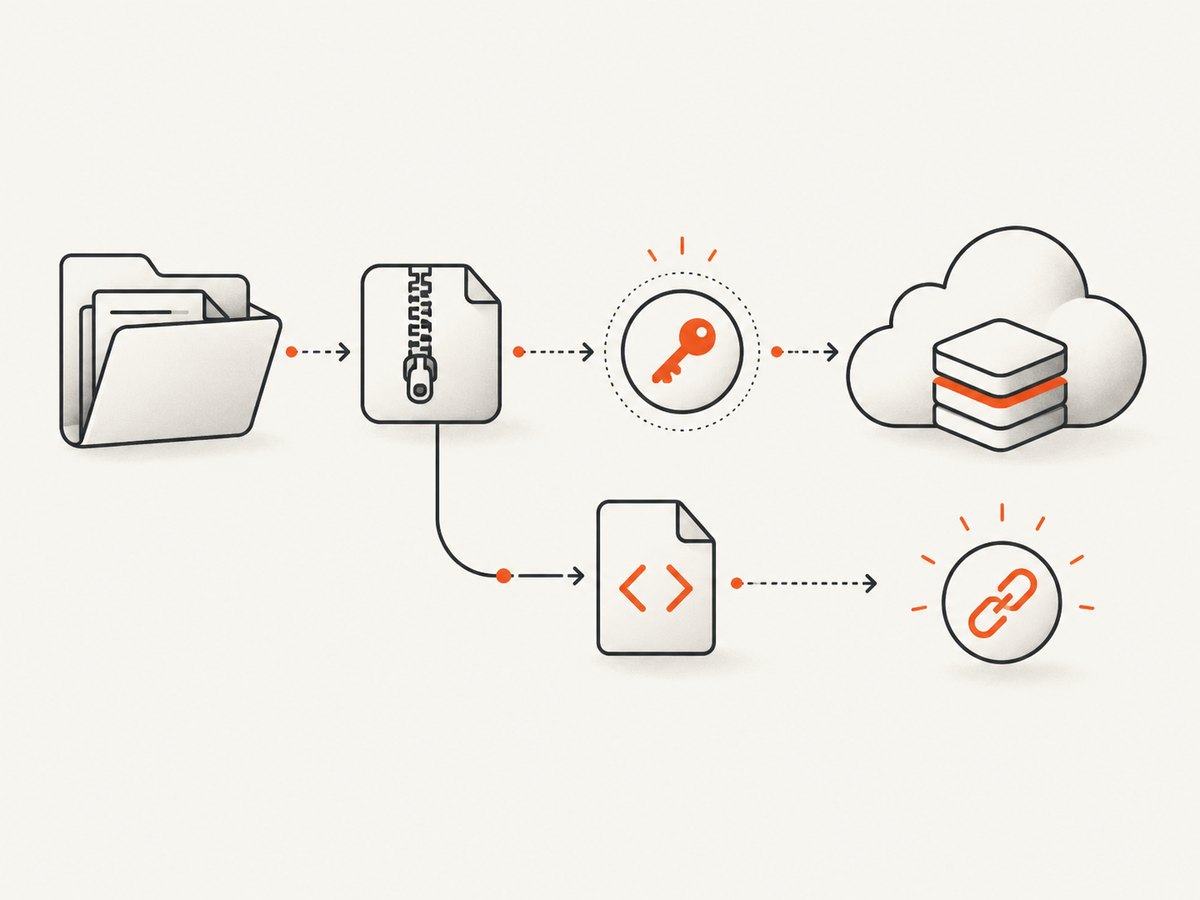
Use a folder or ZIP when the site contains multiple assets such as CSS, JavaScript, images, fonts, or nested routes. The documentation describes this flow as the way to associate a deployment with an EdgeOne Pages project. Configure the API token before invoking the deployment.
Before packaging, check that:
- The entry file is present and named as your framework expects, commonly
index.html. - Asset paths are relative and use the correct case.
- Build output, rather than source files, is being deployed when your framework requires a build step.
- Secrets and local configuration files are excluded from the archive.
- Client-side routes have the fallback behavior your application needs.
A practical MCP workflow
- Install or enable an MCP-capable client.
- Add either the local stdio entry or the remote Streamable HTTP endpoint.
- For stdio folder or ZIP deployment, create an EdgeOne API token and place it in
EDGEONE_PAGES_API_TOKEN. - Set
EDGEONE_PAGES_PROJECT_NAMEif an existing project should receive the deployment. - Restart the client and verify that the EdgeOne Pages server appears as connected.
- Ask the client to deploy the single HTML file, folder, or ZIP you intend to publish.
- Inspect the returned link and open it in a clean browser session.
- For repeatable releases, record the project name and keep deployment credentials outside the repository.
Describe the input precisely in your prompt: identify the local path, whether it is a single file or package, and whether to use an existing project. This reduces ambiguity when an agent has more than one directory available.
How the two deployment results differ
| Input | Expected result | Use it when |
|---|---|---|
| One HTML file | A temporary public link | You need a quick preview or disposable demo |
| Folder | Deployment associated with a Pages project | You have a complete site directory and a token |
| ZIP package | Deployment associated with a Pages project | You need a portable upload artifact and a token |
The remote HTTP mode cannot perform the folder and ZIP rows according to the documented limitation.
Self-hosted templates are a separate route
Do not confuse the hosted Pages Deploy MCP configuration above with EdgeOne’s self-hosted Pages MCP template. The self-hosted route requires its own deployment and documents KV storage plus custom-domain binding. It is appropriate when you want to operate the MCP service yourself; it is not a prerequisite for using the hosted Pages MCP server.
Likewise, the ChatGPT Apps starter and the separate MCP on Edge demo solve different problems. They are examples or templates for building MCP-enabled applications, not additional setup steps for the Pages Deploy MCP client configuration.
Token and security checklist
- Create tokens in the official Makers console and choose an expiration.
- Use a short-lived token for experiments and rotate it when a team member or CI environment changes.
- Store the value in an environment variable or secret manager.
- Remove tokens from shell history, logs, screenshots, and pasted MCP configuration shared publicly.
- Limit access to the MCP client process that needs the credential.
- If a token is exposed, revoke or replace it through the current EdgeOne workflow.
Troubleshooting
The MCP client says the server failed to start
Cause: The client cannot launch npx, the package name is misspelled, or the client has not been restarted after editing its configuration.
Fix: Confirm that Node.js and npx are available to the client process, copy the command and argument exactly, validate the JSON, then restart the client. Check the client’s MCP logs for the first process error.
A folder or ZIP deployment is rejected
Cause: The API token is missing, invalid, expired, or being used with the remote HTTP configuration.
Fix: Use the stdio server, set EDGEONE_PAGES_API_TOKEN, verify the token in the Makers console, and retry. The documented HTTP mode does not support folder or ZIP deployment.
The deployment creates a new project unexpectedly
Cause: EDGEONE_PAGES_PROJECT_NAME was left empty or contains a different name.
Fix: Set the exact existing project name in the stdio environment and restart the MCP server so it receives the updated value.
The returned single-file link is no longer available
Cause: Single HTML files are documented as temporary links.
Fix: Use a folder or ZIP deployment associated with a Pages project for a persistent project workflow.
Assets are missing after deployment
Cause: Incorrect relative paths, case mismatches, omitted build output, or files excluded from the ZIP.
Fix: Inspect the archive contents, use paths relative to the deployed entry point, preserve filename case, and deploy the generated build directory.
The remote endpoint cannot be reached
Cause: Endpoint availability, client transport support, network policy, or current authentication requirements may differ from an older configuration.
Fix: Recheck the live EdgeOne Pages MCP documentation, confirm that the client supports Streamable HTTP, and test from the same network where the client runs. Do not assume the remote endpoint has the same capabilities as stdio.
Performance, reliability, and cost considerations
- Choose the smallest input: a single HTML file is faster to prepare than a full archive, but it is temporary and unsuitable for multi-asset sites.
- Build before deployment: sending only production output reduces archive size and avoids shipping source maps or development dependencies.
- Keep deployments repeatable: pin your build process, use a named project, and preserve the exact package that produced a release.
- Plan for token expiry: an expired token looks like a deployment failure even when the site package is valid.
- Expect transport differences: stdio depends on the local Node.js process; remote HTTP depends on endpoint availability and network access.
- Check the returned link immediately: verify the HTML, assets, routes, and browser console before sharing the URL.
The supplied documentation does not publish a release compatibility matrix, uptime figure, deployment latency benchmark, or current edgeone-pages-mcp version. Avoid treating any of those as guaranteed values; verify them in the live documentation when they matter to a production design.
Or skip the browser setup
If your actual task is to capture a deployed page as an image or PDF, ScreenshotNeo provides a website screenshot API and MCP server. Its one-call API accepts a URL and returns PNG, JPEG, WebP, or PDF output:
See the ScreenshotNeo API documentation for all options.
cURL
curl -G "https://api.screenshotneo.com/v1/shot" -d access_key=YOUR_API_KEY --data-urlencode url=https://pages.edgeone.ai/ -o shot.webpPython
import requests

r = requests.get("https://api.screenshotneo.com/v1/shot", params={"access_key": "YOUR_API_KEY", "url": "https://pages.edgeone.ai/"}, timeout=90)
open("shot.webp", "wb").write(r.content)
Node.js
const q = new URLSearchParams({ access_key: 'YOUR_API_KEY', url: 'https://pages.edgeone.ai/' });
const res = await fetch(`https://api.screenshotneo.com/v1/shot?${q}`);
Cookie banners, newsletter popups, and chat widgets are removed before the shot. Bot checks, blank pages, failed loads, timeouts, and cache hits are never billed, and response headers report the page verdict and billing status. ScreenshotNeo also provides an MCP server for AI agents, including Claude, Cursor, and other MCP clients. The Free plan includes 1,000 screenshots per month with no card; paid plans start at $5 for 3,000 shots. Create a free ScreenshotNeo account.
FAQ
Can I use Streamable HTTP for a ZIP upload?
No. The documented remote Streamable HTTP mode does not support folder or ZIP deployment. Use the local stdio configuration with an API token.
Is the project name required?
No. It is optional. Supplying it selects an existing Pages project; leaving it empty follows the documented new-project behavior.
Does a single HTML file create a permanent site?
The documented result is a temporary link. Use a folder or ZIP associated with a Pages project when you need a project-based deployment.
Do I need the self-hosted Pages MCP template?
No. The self-hosted template is a separate deployment route with KV storage and custom-domain requirements.
Where should I verify changes to the remote endpoint?
Use the current official EdgeOne Pages MCP documentation. Remote endpoints and authentication requirements can change.


