How to Use Google-Managed MCP Servers in Developer Workflows
Connect Google-managed MCP servers to Gemini CLI and other clients with IAM, OAuth, tool controls, troubleshooting, and production guidance.
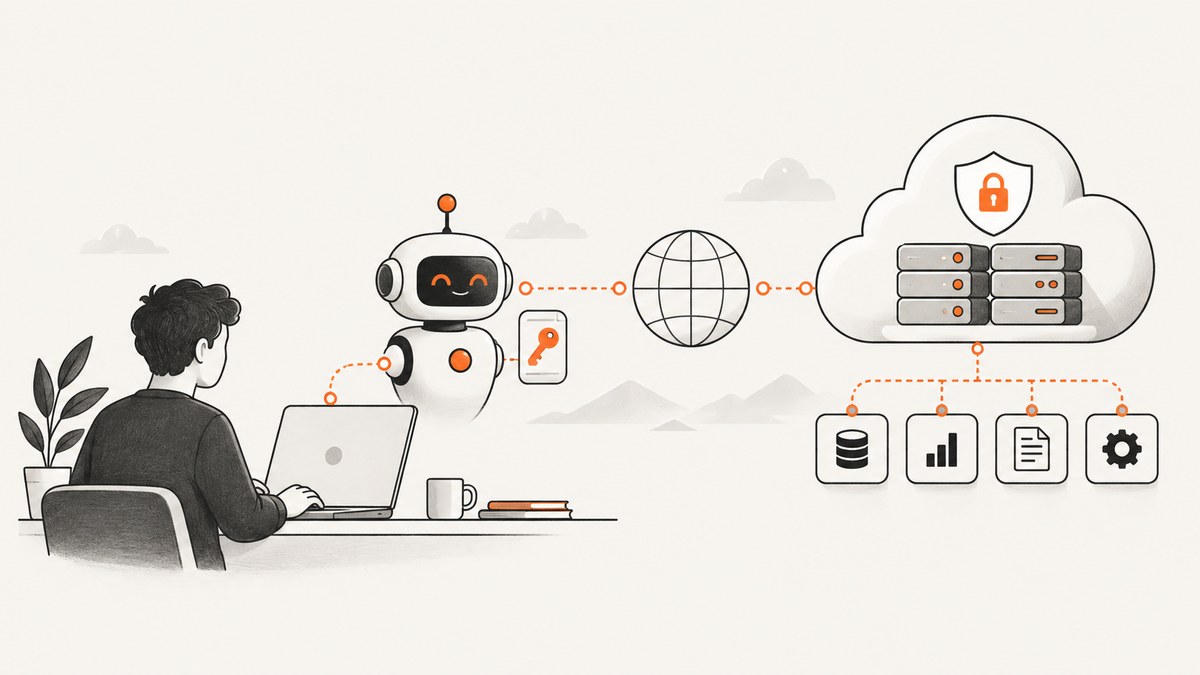
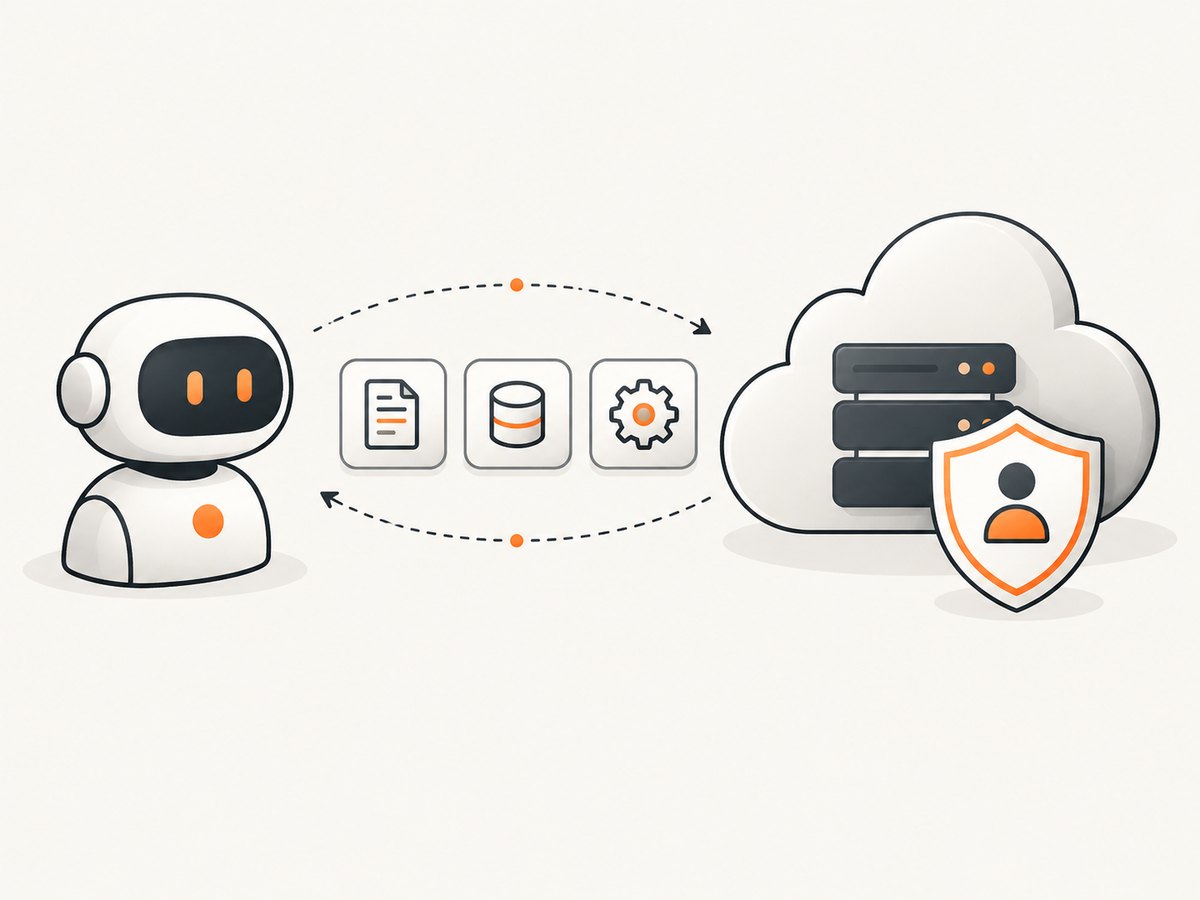
Google-managed MCP servers are remote HTTP endpoints hosted on Google or Google Cloud infrastructure. They expose MCP tools, prompts, and resources to clients such as Gemini CLI, Claude, VS Code, or your own application. You enable the relevant Google service, grant IAM permissions, configure the endpoint in your MCP client, authenticate with Google credentials, and restrict the tools the agent can call.
This guide shows the complete workflow, including Gemini CLI configuration, OAuth and Application Default Credentials (ADC), the Google Cloud CLI MCP server, security controls, production operations, and common failure fixes.
What a Google-managed MCP server is
The Model Context Protocol (MCP) standard gives an AI host a consistent way to discover and call tools, read resources, and use prompts. A managed server runs on Google’s infrastructure and is reached over HTTP or Streamable HTTP. A local server normally runs on your computer and communicates over stdio.
| Concern | Managed server | Local server |
|---|---|---|
| Hosting | Google or Google Cloud service infrastructure | Your workstation, VM, or container |
| Transport | HTTP, SSE, or Streamable HTTP, depending on service | Usually stdio |
| Installation | Enable an API and configure an endpoint | Install and maintain a server package |
| Identity | Google IAM, OAuth, ADC, or service-account impersonation | Credentials held by your process |
| Governance | Central IAM, audit logs, toolsets, and supported Model Armor controls | You build the controls and logging |
| Customization | Limited to the service’s supported tools | Full control over code and behavior |
Google Cloud’s managed MCP platform provides discovery, toolsets, administrative IAM controls, authorization, and optional Model Armor integrations. Toolsets allow a client to load a smaller logical group of tools instead of putting the entire server surface into the model context.
Prerequisites and planning
- Choose the Google or Google Cloud capability your agent needs.
- Create or select a Google Cloud project.
- Enable the API that publishes the MCP endpoint.
- Identify the human, workload, or agent identity that will call it.
- Decide which operations are read-only and which can change resources.
- Choose an MCP client: Gemini CLI, Claude, VS Code, or a custom MCP host.
Managed endpoints become available after the service API is enabled. Ask an administrator for the predefined MCP Tool User role where the service requires it, then add only the service-specific permissions needed by your workflow. For production, Google recommends a separate agent or workload identity instead of a developer’s personal identity.
Step 1: Enable the service and grant IAM access
Enable the product API in the project that owns the service. The exact API name and IAM roles vary by endpoint, so use that product’s MCP management page and IAM reference. Grant access to a dedicated service account or workload identity for deployed agents. During development, your user identity can work, but remember that every tool call inherits that identity’s permissions and is attributed to that user.
A practical permission plan is:
- Discovery: permissions required to list tools, prompts, or resources.
- Read: view-only permissions for the cloud resources the agent inspects.
- Write: separate permissions for updates, deployments, or deletes.
- Execution: the MCP Tool User role or equivalent role required to invoke the managed endpoint.
Keep read and write identities separate where possible. Give a CI agent only the project and services it needs, and require a human confirmation in the client before destructive calls.
Step 2: Configure Gemini CLI for a remote server
Gemini CLI stores MCP configuration in settings.json. A remote server entry uses url or httpUrl; local servers generally use a command entry. The following is a conceptual remote configuration. Replace the endpoint with the URL documented by the Google service you enabled.
{
  "mcpServers": {
    "google-cloud-server": {
      "httpUrl": "https://example.googleapis.com/mcp",
      "authProviderType": "google_credentials",
      "oauth": {
        "scopes": ["https://www.googleapis.com/auth/cloud-platform"]
      }
    }
  }
}
Gemini CLI supports OAuth 2.0 for remote SSE or HTTP transports. When an endpoint publishes OAuth metadata, the client can discover it, obtain a token, and store token data in ~/.gemini/mcp-oauth-tokens.json. It can refresh tokens when a refresh token is available. It can also use ADC credentials or impersonate a service account for an Identity-Aware Proxy protected service.
Do not commit access tokens, refresh tokens, or private keys to settings.json. Keep secrets in the environment or your operating system’s credential store and expand environment variables at runtime. In a shared workstation, check file permissions on the Gemini token file.
Step 3: Authenticate correctly
Authentication and authorization are separate checks. Authentication proves which identity is making the request; IAM authorization decides what that identity may do.
User OAuth
Use user OAuth for interactive development. The browser flow grants a token for the requested scopes. It is convenient, but actions are tied to your personal identity and can stop working when your account, consent, or organization policy changes.
Application Default Credentials
ADC lets Google client libraries and MCP hosts find credentials in a standard order. It is useful on a developer machine after Google authentication and in managed runtimes that provide a workload identity. Verify which account ADC resolves to before allowing write tools.
Service-account impersonation
Impersonation lets your user or runtime obtain short-lived credentials for a dedicated service account. Grant the caller permission to impersonate only that account, then grant the service account the service-specific roles. This gives production agents a stable, auditable identity without distributing a long-lived key.
Authorization headers
Some clients let you provide an OAuth bearer token or another authorization header directly. Follow the endpoint’s authentication documentation. IAM-backed Google services do not accept ordinary API keys. Google Maps is an example of a non-IAM service that can accept an API key, but that does not make an API key valid for Cloud IAM endpoints.
Step 4: Discover tools and narrow the surface
After connecting, an MCP client can use discovery methods such as tools/list, prompts/list, and resources/list. Discovery tells you the exact names, input schemas, and descriptions exposed by the endpoint.
Load only the toolset needed for the current job. For example, an incident agent might receive logging and monitoring tools, while a deployment agent receives release tools. Use the client’s allowlist or exclude policy to block tools that the model should never call. Smaller tool surfaces reduce context, make approval prompts clearer, and reduce accidental calls.
# Illustrative discovery request shape; use your client's MCP transport library.
{
  "jsonrpc": "2.0",
  "id": 1,
  "method": "tools/list",
  "params": {}
}
Do not assume a tool name or argument schema from a blog example. Inspect the live discovery response and pin configuration to the documented endpoint version when the service supports versioning.
Step 5: Add confirmations and Model Armor
Keep confirmation enabled for consequential actions such as deleting resources, changing IAM, sending messages, or deploying code. A useful policy is automatic approval for read-only tools and explicit approval for writes, with a second human review for production changes.
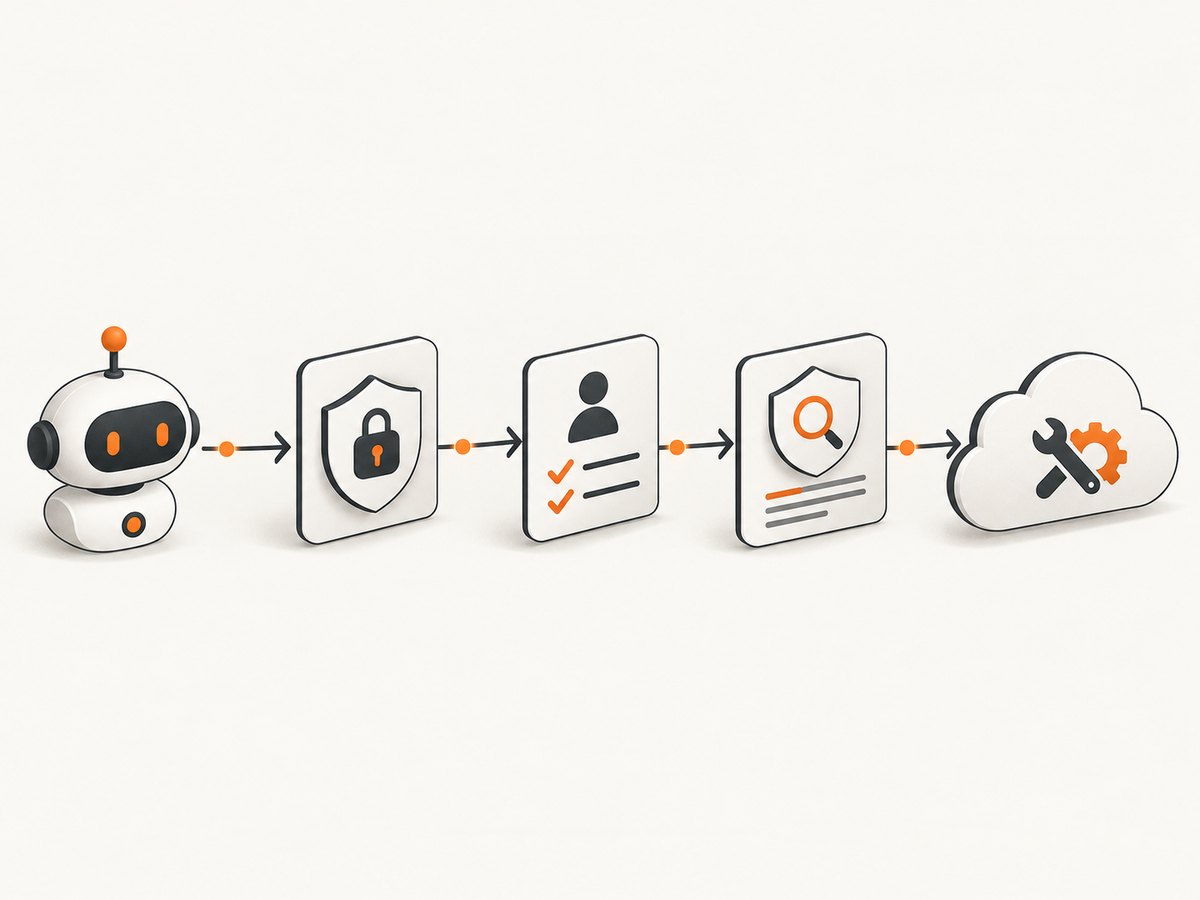
Google Cloud supports Model Armor scanning for supported managed MCP services. When enabled, it can scan MCP requests and responses for prompt injection, sensitive-data disclosure, and tool-poisoning risks. MCP Apps render server-published interactive resources in a sandboxed iframe; the overview notes that resource/read content used to render an app is not scanned by Model Armor, while tool calls made through the app are scanned when Model Armor is enabled. Treat rendered content as untrusted input.
Google Cloud CLI remote MCP server
The Cloud CLI remote MCP server is a Preview feature under the Pre-GA terms. It is enabled through the Cloud CLI Execution API, uses OAuth 2.0 with IAM, and does not accept API keys. Configure it at https://cloudcli.googleapis.com/mcp over Streamable HTTP. It exposes run_gcloud_command and run_bq_command.
The server supports a limited list of gcloud and bq operations. That list can change. Commands such as gcloud auth, gcloud config, gcloud iam service-accounts, and gcloud init are examples of unsupported commands.
The request’s project parameter identifies the project used for Cloud CLI Execution. It is distinct from project flags inside the command itself. A command can therefore contain a resource project flag while execution billing or authorization is associated with the project parameter.
{
  "mcpServers": {
    "cloud-cli": {
      "httpUrl": "https://cloudcli.googleapis.com/mcp",
      "authProviderType": "google_credentials",
      "oauth": {
        "scopes": ["https://www.googleapis.com/auth/cloud-platform"]
      }
    }
  }
}
Because this endpoint is Preview, check the current supported-command list and Pre-GA terms before using it in an automated production workflow. Build a fallback path for commands that are not exposed through MCP.
Or skip the browser setup
If your workflow needs screenshots of documentation, dashboards, deployment results, or agent-generated pages, ScreenshotNeo provides a remote MCP server and a one-request screenshot API. It accepts a URL and returns PNG, JPEG, WebP, or PDF. Before capture, it accepts cookie or consent banners like a visitor and removes more than 60 known consent platforms, newsletter popups, and chat widgets. Each step can be turned off.
Only clean shots are billed. Bot checks or CAPTCHAs, blank pages, timeouts, failed loads, and cache hits cost nothing, and the response identifies the result with X-Page-Verdict and X-Billed headers. The MCP server provides take_screenshot, get_page_info, and capture_pdf tools for Claude, Cursor, Gemini-compatible MCP clients, and other MCP hosts. See the ScreenshotNeo API documentation for parameters and client setup.
curl -G "https://api.screenshotneo.com/v1/shot" -d access_key=YOUR_API_KEY --data-urlencode url=https://cloud.google.com -o shot.webpimport requests
r = requests.get("https://api.screenshotneo.com/v1/shot", params={"access_key": "YOUR_API_KEY", "url": "https://cloud.google.com"}, timeout=90)
open("shot.webp", "wb").write(r.content)const q = new URLSearchParams({ access_key: 'YOUR_API_KEY', url: 'https://cloud.google.com' });
const res = await fetch(`https://api.screenshotneo.com/v1/shot?${q}`);ScreenshotNeo includes full-page capture with lazy images loaded, CSS-selector element capture, dark mode, 12 device presets and custom viewports, retina scale, PDF paper sizes and page ranges, custom CSS and JavaScript, clicks, selector or network-idle waits, request blocking, custom headers and cookies, timezone and geolocation, transparent backgrounds, resizing, configurable caching, signed image links, asynchronous jobs with signed webhooks, bulk capture of up to 100 URLs per call, a usage API, and an OpenAPI specification. Parameter names used by other screenshot APIs also work to simplify migration.
There is a free plan with 1,000 shots per month and no card. Paid plans start at $5 for 3,000 shots; yearly billing gives two months free. Create a free ScreenshotNeo account and start with the 1,000 included screenshots.
Security checklist for production
- Create a dedicated workload or agent identity.
- Grant the MCP Tool User role and only required service permissions.
- Separate read and write agents where practical.
- Use short-lived OAuth or impersonated credentials instead of downloaded keys.
- Allowlist required tools and disable destructive tools by default.
- Require confirmation for externally visible or irreversible actions.
- Enable Model Armor where the endpoint supports it.
- Review Cloud audit logs and IAM activity.
- Keep secrets out of source control, prompts, and tool arguments.
- Revalidate behavior when the MCP client, endpoint, or protocol version changes.
Reliability, latency, and cost considerations
Google’s managed documentation describes governance and identity controls, not a universal latency or throughput benchmark. Expect an extra network hop compared with a local stdio server and design for transient HTTP failures. Use client timeouts, bounded retries with exponential backoff, and idempotent operations where possible. Do not automatically retry a non-idempotent write unless the API provides a request identifier or you can verify the prior result.
Managed hosting reduces the maintenance work of patching and deploying a local server, but you depend on the service’s supported tool list, quotas, regional availability, and release schedule. Keep a health check that performs a harmless read, alert on authentication failures, and log request IDs without logging tokens or sensitive arguments.
Costs depend on the Google service and the resources your commands consume; MCP itself does not make an otherwise billable Cloud operation free. Set project budgets and quota alerts. For screenshots, ScreenshotNeo’s billing behavior is explicit: successful clean shots are billed, while bot checks, blank pages, failed loads, timeouts, and cache hits are not.
Troubleshooting
| Symptom | Likely cause | Fix |
|---|---|---|
| Endpoint returns 401 | Missing, expired, or wrongly scoped OAuth token | Re-authenticate, verify the configured scope, and check which ADC account is active. |
| Endpoint returns 403 | Identity lacks MCP Tool User or service-specific IAM permission | Ask an administrator to grant the minimum required roles to the actual runtime identity. |
| API key rejected | IAM-backed endpoint does not support API keys | Use OAuth, ADC, or service-account impersonation. |
| Gemini CLI cannot connect | Wrong transport field, URL, or endpoint path | Use httpUrl or url as required by the client and copy the exact documented MCP endpoint. |
| Tools are missing | Toolset or allowlist hides them, or the service does not publish them | Run discovery, inspect the server’s toolset documentation, and review client include/exclude policies. |
| OAuth loop repeats | Stale token cache or missing refresh-token permission | Remove the affected Gemini token entry, authenticate again, and ensure offline access is allowed where required. |
| Cloud CLI command fails validation | Command is outside the supported Preview list | Check the current list; use the regular Cloud CLI for unsupported commands. |
| Write happens in the wrong project | Execution project differs from a project flag in the command |
Set both values deliberately and confirm the target before approval. |
| Agent makes an unsafe call | Broad permissions or automatic approval | Use a least-privilege identity, tool allowlist, confirmation gates, and Model Armor where available. |
Operational runbook
- Record the endpoint, owning project, transport, protocol version, and supported tools.
- Test discovery with a read-only identity.
- Test one harmless read from the same runtime that will host the agent.
- Verify audit-log entries identify the intended service account.
- Enable approval prompts before enabling writes.
- Exercise token refresh and expired-token recovery.
- Monitor 401, 403, 429, and 5xx rates separately.
- Review Google’s endpoint and client release notes before upgrades.
FAQ
Can a Google-managed MCP server run any gcloud command?
No. The Cloud CLI MCP server exposes selected gcloud and bq operations, and the supported list is limited and changeable.
Should I use my personal account in production?
No. Use a separate least-privilege workload or agent identity, preferably with short-lived credentials or impersonation.
Are managed servers automatically safer than local servers?
They provide centralized IAM, governance, auditability, and optional Model Armor controls, but safety still depends on permissions, tool allowlists, confirmations, and client configuration.
Do all managed endpoints use the same authentication?
No. IAM-backed services generally use Google credentials and OAuth; a non-IAM product such as Google Maps may support an API key.
How do I keep the model’s context small?
Use server toolsets and client allowlists so the agent receives only the tools needed for the current workflow.
For the canonical Google guidance, consult the Google Cloud documentation for managed MCP servers, authentication, Gemini CLI MCP configuration, and the Cloud CLI MCP Preview. Recheck those pages when upgrading because endpoint behavior and the referenced MCP protocol version can change.


