How to Use an MCP Server for AI Agents
Learn how MCP hosts, clients, and servers fit together, then build, connect, secure, test, and deploy an MCP server for AI agents.
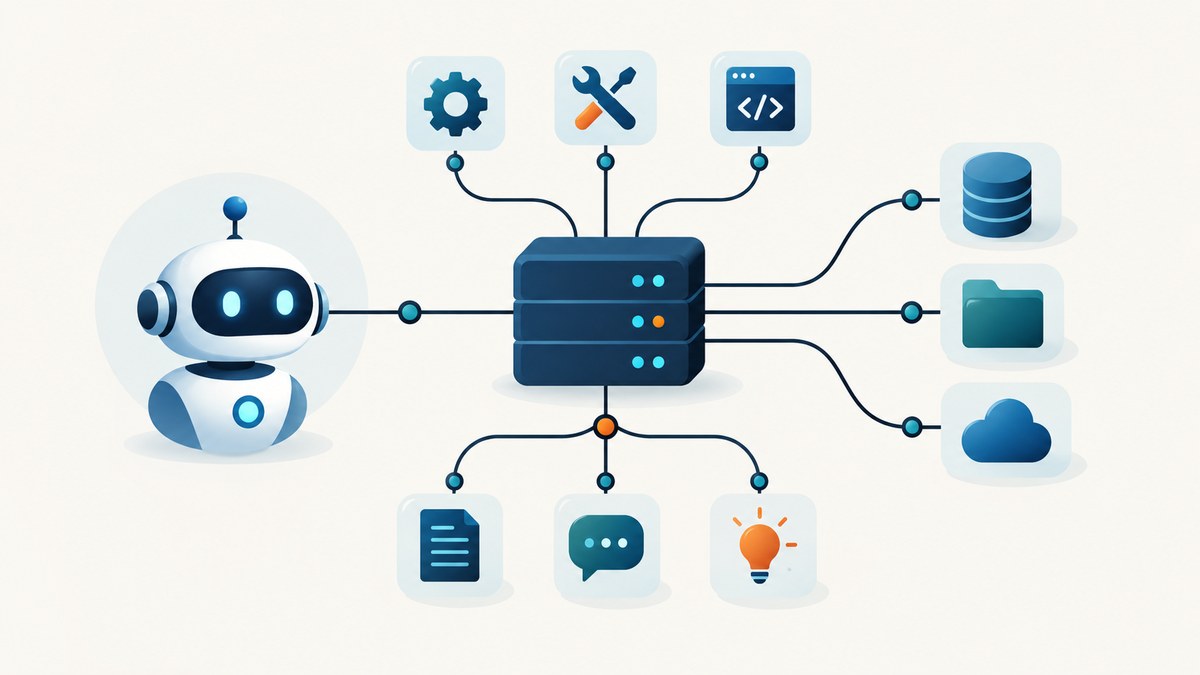
Direct answer: An MCP server exposes tools, resources, and prompts through the Model Context Protocol. An AI application is the MCP host; an MCP client inside that host connects to one or more servers. To use a server, start it over a supported transport, let the client discover its capabilities, then call a tool with a validated arguments object. The model chooses model-controlled tools, while the host controls resources and the user controls prompts.
MCP standardizes the connection. It does not provide the model, agent loop, database, browser, or underlying API. You still supply those pieces.
The examples below use the current MCP release documented for 2026-07-28. Check the exact SDK version and protocol revision before copying deployment code because older guides use a different handshake and session model. The official overview is at modelcontextprotocol.io.
1. Understand the MCP architecture
| Component | Responsibility |
|---|---|
| Host | The AI application that owns the model, conversation, permissions, and agent loop. |
| Client | A protocol connection created by the host for one MCP server. |
| Server | A process or remote service that advertises tools, resources, and prompts. |
| Tool | A model-controlled executable function, such as querying an API or writing a file. |
| Resource | Application-controlled contextual data identified by a URI, such as file contents or git history. |
| Prompt | A user-controlled reusable instruction or interaction template. |
Use a tool when the model should decide whether to perform an action. Use a resource when the host should supply context deliberately. Use a prompt when a user should select a prepared instruction. The distinction is a control model, not a claim that one primitive is always technically superior.
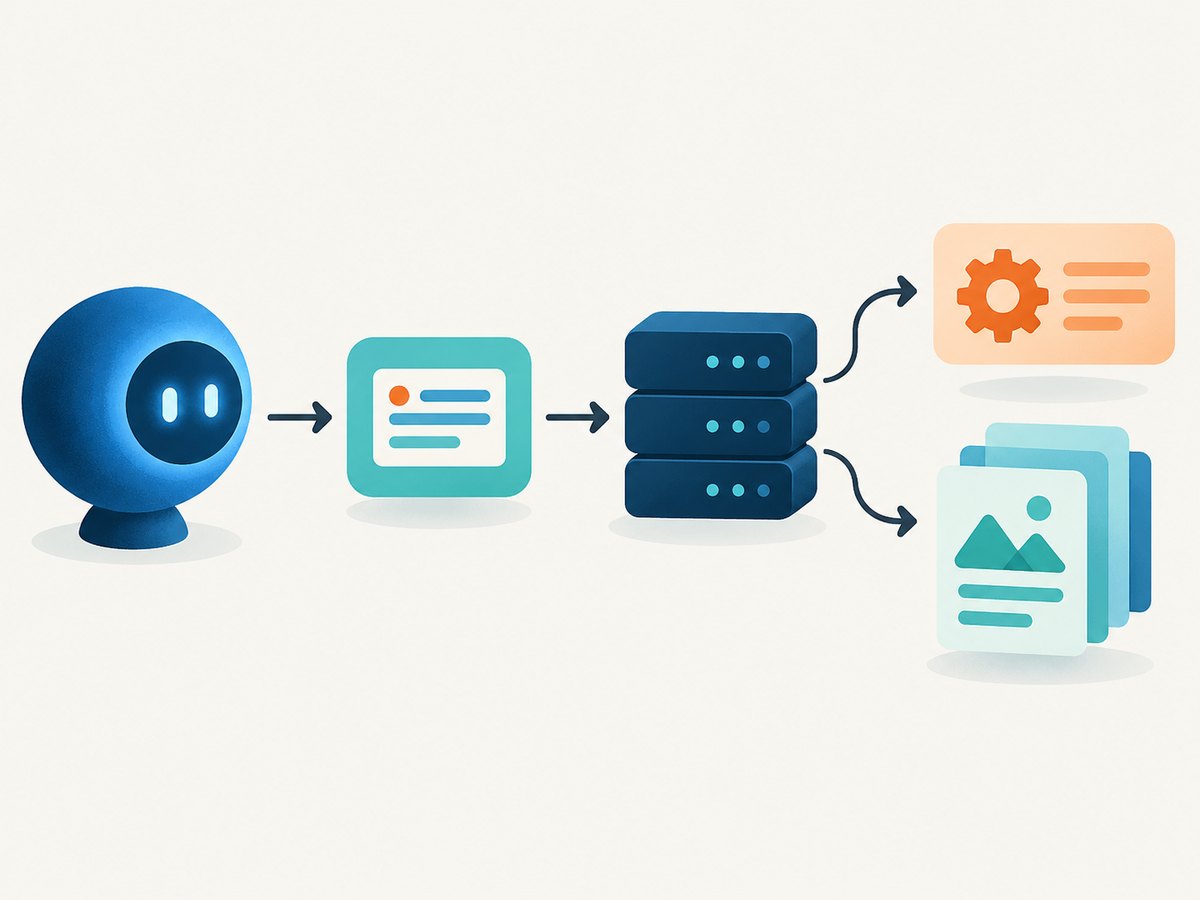
2. Decide whether to build a server or a client
- Build a server when you want Claude, Cursor, or another MCP host to use your API, database, files, or internal actions.
- Build a client when your application needs to connect to existing MCP servers and offer their capabilities to an agent.
The official TypeScript SDK documents both paths and can be integrated into Express, Hono, Fastify, or Workers applications. The official Python SDK requires Python 3.10 or newer and supports stdio, Streamable HTTP, and SSE transports. Install it with uv add "mcp[cli]" or pip install "mcp[cli]". See the Python SDK and TypeScript SDK repositories for revision-specific details.
3. Build a small Python MCP server
This server exposes one tool and one resource. It is intentionally narrow: clear descriptions, a small input surface, and explicit error handling make a server easier for a host to use safely.
from mcp.server.fastmcp import FastMCP

mcp = FastMCP("weather-demo")

@mcp.tool()
def get_forecast(city: str, units: str = "celsius") -> str:
    """Return a short forecast for a city."""
    if not city.strip():
        raise ValueError("city must not be empty")
    if units not in {"celsius", "fahrenheit"}:
        raise ValueError("units must be celsius or fahrenheit")

    # Replace this deterministic value with your real API call.
    return f"Forecast for {city}: clear skies, 21 degrees {units}."

@mcp.resource("greeting://{name}")
def greeting(name: str) -> str:
    """Return contextual text addressed to a person."""
    return f"Hello, {name}."

if __name__ == "__main__":
    mcp.run(transport="stdio")
Run and inspect it
uv init mcp-demo
cd mcp-demo
uv add "mcp[cli]"
# Save the file as server.py
uv run mcp dev server.py
The Python SDK’s development command opens MCP Inspector, where you can list capabilities, call the tool with valid and invalid arguments, and read the resource. Test the server this way before connecting it to your production host.
4. Build the same server in TypeScript
import { McpServer } from '@modelcontextprotocol/sdk/server/mcp.js';
import { StdioServerTransport } from '@modelcontextprotocol/sdk/server/stdio.js';
import { z } from 'zod';

const server = new McpServer({ name: 'weather-demo', version: '1.0.0' });

server.registerTool(
  'get-forecast',
  {
    description: 'Return a short forecast for a city.',
    inputSchema: {
      city: z.string().min(1),
      units: z.enum(['celsius', 'fahrenheit']).default('celsius')
    }
  },
  async ({ city, units }) => ({
    content: [{ type: 'text', text: `Forecast for ${city}: clear skies, 21 degrees ${units}.` }]
  })
);

const transport = new StdioServerTransport();
await server.connect(transport);
The SDK validates arguments against the supplied schema before invoking the handler. Keep descriptions specific about side effects, authentication, limits, and failure behavior so the host can make an informed tool choice.
5. Connect an AI application to a server
Local stdio client in Python
import asyncio
from mcp import ClientSession, StdioServerParameters
from mcp.client.stdio import stdio_client

async def main():
    params = StdioServerParameters(
        command="uv",
        args=["run", "server.py"],
        env=None,
    )

    async with stdio_client(params) as (read, write):
        async with ClientSession(read, write) as session:
            await session.initialize()
            tools = await session.list_tools()
            print([tool.name for tool in tools.tools])

            result = await session.call_tool(
                "get_forecast",
                {"city": "London", "units": "celsius"},
            )
            if getattr(result, "isError", False):
                raise RuntimeError(result.content)
            print(result.content)

asyncio.run(main())
For a remote deployment, use the SDK’s Streamable HTTP client transport and the server endpoint URL. The client should list tools after connecting, call them by name with an arguments object, and inspect isError before consuming returned content. If a tool advertises structured output, validate that data before passing it to another system.
Remote request shape with cURL
cURL is useful for checking routing, authentication, and gateway behavior. The exact JSON-RPC method names and headers must match the protocol revision and server SDK you deploy. The 2026-07-28 revision uses self-describing requests and Streamable HTTP metadata headers.
curl -X POST https://example.com/mcp \
  -H 'Content-Type: application/json' \
  -H 'Mcp-Method: tools/list' \
  -H 'Mcp-Name: my-agent' \
  --data '{"jsonrpc":"2.0","id":1,"method":"tools/list","params":{}}'
Do not paste a legacy initialize/initialized sequence into a server that implements the current stateless core without checking its compatibility guide.
6. Choose a transport and deployment shape
| Shape | Use it when | Operational notes |
|---|---|---|
| stdio | The host launches a local process. | Simple isolation and no public endpoint; capture stderr separately from protocol output. |
| Streamable HTTP | The server is remote or shared by multiple hosts. | Add authentication, request limits, timeouts, and observability at the gateway. |
| SSE | Only when the chosen SDK and host require it. | The latest release deprecates legacy HTTP+SSE with a transition window; do not choose it for a new service without checking compatibility. |
The 2026-07-28 release removes the initialize/initialized exchange and Mcp-Session-Id from the core, makes requests self-describing, and adds optional server/discover capability discovery. Streamable HTTP uses Mcp-Method and Mcp-Name headers so gateways can route or meter requests without parsing the JSON body. Lists and resource reads can carry cache hints such as ttlMs and cacheScope.
7. Design tools, resources, and prompts safely
- Give every tool a precise name and description. State whether it reads, writes, deletes, sends, or charges.
- Use schemas that reject empty strings, invalid enums, oversized ranges, and unexpected fields.
- Keep permissions narrow. A tool that reads one report is safer to review than a generic shell executor.
- Return actionable errors with a stable category and human-readable explanation.
- Separate secrets from arguments. Load credentials on the server and never ask the model to repeat them.
- Make destructive operations explicit and, where appropriate, require a confirmation step in the host.
Descriptions and schemas help a model choose a tool; they are not an authorization system. Enforce authorization, tenancy, rate limits, and validation in the server.
8. Handle mid-call input and long-running work
For input needed during a call, the current revision supports multi-round-trip requests. A server can return input_required; the client collects the response and retries with that response attached. Long-running Tasks are now an extension with polling methods rather than the earlier experimental core feature. Design polling, cancellation, expiry, and retry behavior explicitly if your SDK exposes the extension.
9. Authentication and security checklist
- Authenticate remote clients before executing tools.
- Authorize each operation and resource separately; do not treat a valid connection as blanket permission.
- Validate OAuth authorization responses, including the
issparameter, before redeeming a code. - Bind credentials to the issuer that minted them.
- Prefer Client ID Metadata Documents for new OAuth integrations; Dynamic Client Registration remains for backward compatibility.
- Log tool name, request ID, latency, outcome, and actor without logging tokens or sensitive payloads.
- Set maximum input sizes, outbound request timeouts, concurrency limits, and cancellation behavior.
10. Test an MCP integration before production
- Start the server with the exact SDK and protocol version you will deploy.
- Use MCP Inspector or an equivalent client to list tools, resources, and prompts.
- Call every tool with representative valid inputs.
- Call every tool with missing, malformed, oversized, and unauthorized inputs.
- Verify that failures set the result error indicator and do not leak secrets.
- Test transport disconnects, retries, duplicate requests, and server restarts.
- Exercise the integration from the actual host and model, because host support and permission prompts vary.
11. Troubleshooting
| Symptom | Likely cause | Fix |
|---|---|---|
| Server appears to hang over stdio | Logs were written to stdout and corrupted the protocol stream. | Write diagnostics to stderr and reserve stdout for MCP messages. |
| Tool is not listed | Registration code did not run, the client connected to another endpoint, or capability discovery is cached. | Print the registered names on startup, verify the endpoint, and refresh discovery. |
| Invalid arguments | Host supplied a value outside the schema. | Return a clear validation error and tighten the schema description. |
| 401 or 403 from a remote server | Missing, expired, or wrong-issuer credentials. | Check authorization headers, token audience, issuer validation, and server clock skew. |
| Legacy initialize error | Client and server target different protocol revisions. | Pin compatible SDK versions and follow the target revision’s transport guide. |
| Intermittent timeouts | Downstream API latency, no cancellation, or overloaded worker pool. | Set per-call deadlines, propagate cancellation, limit concurrency, and return bounded errors. |
| Correct tool result marked as failure | Client ignored the result error indicator or expected structured output that was not provided. | Check isError, inspect content types, and validate structured output before use. |
12. Performance, reliability, and cost
Measure end-to-end latency separately from model latency: connection setup, capability discovery, tool execution, downstream calls, serialization, and host rendering can dominate the total. Reuse remote connections where the SDK supports it, cache read-only discovery with the server’s cache hints, and avoid returning large resources when a filtered result will do.
For reliability, make writes idempotent where possible, attach request IDs, record downstream status codes, and define retry rules per operation. Retrying a read is usually safer than retrying a payment or deletion. Return partial progress only when the client can resume safely.
MCP itself has no universal per-call price. Your costs come from model tokens, server compute, network traffic, storage, and the APIs your tools invoke. Set quotas and expose usage metrics before opening a remote endpoint to multiple hosts.
13. Or skip the browser setup
If an agent needs screenshots or page information, ScreenshotNeo provides an MCP server with take_screenshot, get_page_info, and capture_pdf tools for Claude, Cursor, and other MCP clients. You can also call its HTTP API directly.

Cookie banners are accepted before capture and more than 60 known consent platforms, newsletter popups, and chat widgets are removed. Bot checks, blank pages, timeouts, failed loads, and cache hits are not billed, and each response reports the result with X-Page-Verdict and X-Billed headers. Features include full-page and element capture, dark mode, device presets, retina scale, PDF controls, custom CSS and JavaScript, clicks, waits, blocking rules, headers, cookies, user agents, geolocation, caching, signed links, async jobs, bulk capture, and a usage API. See the ScreenshotNeo API documentation.
curl -G "https://api.screenshotneo.com/v1/shot" -d access_key=YOUR_API_KEY --data-urlencode url=https://stripe.com -o shot.webpimport requests
r = requests.get("https://api.screenshotneo.com/v1/shot", params={"access_key": "YOUR_API_KEY", "url": "https://stripe.com"}, timeout=90)
open("shot.webp", "wb").write(r.content)const q = new URLSearchParams({ access_key: 'YOUR_API_KEY', url: 'https://stripe.com' });
const res = await fetch(`https://api.screenshotneo.com/v1/shot?${q}`);There is a free plan with 1,000 screenshots per month and no card. Paid plans start at $5 for 3,000 screenshots, and every feature is available on every plan. Create a free ScreenshotNeo account.
14. FAQ
Is the model an MCP server?
No. The host supplies the model and agent loop. The server supplies capabilities the host can discover and invoke.
Can one host use several MCP servers?
Yes. The host creates a separate client connection for each server and can combine their advertised capabilities, subject to its permission model.
Should I expose a database as a resource or a tool?
Use a resource when the application chooses contextual data to provide. Use a tool when the model should choose a query or action. Apply authorization in both cases.
Do I need Streamable HTTP for a local agent?
No. stdio is appropriate when the host launches and supervises a local process. Use Streamable HTTP when the server is remote or shared.
Are MCP calls automatically safe?
No. Review side effects, authenticate callers, validate inputs, limit scope, and handle returned content according to its trust level.


