How to Use the OpenSearch MCP Server
Connect Claude, Cursor, or another MCP client to OpenSearch with the right server, transport, authentication, tools, and security controls.

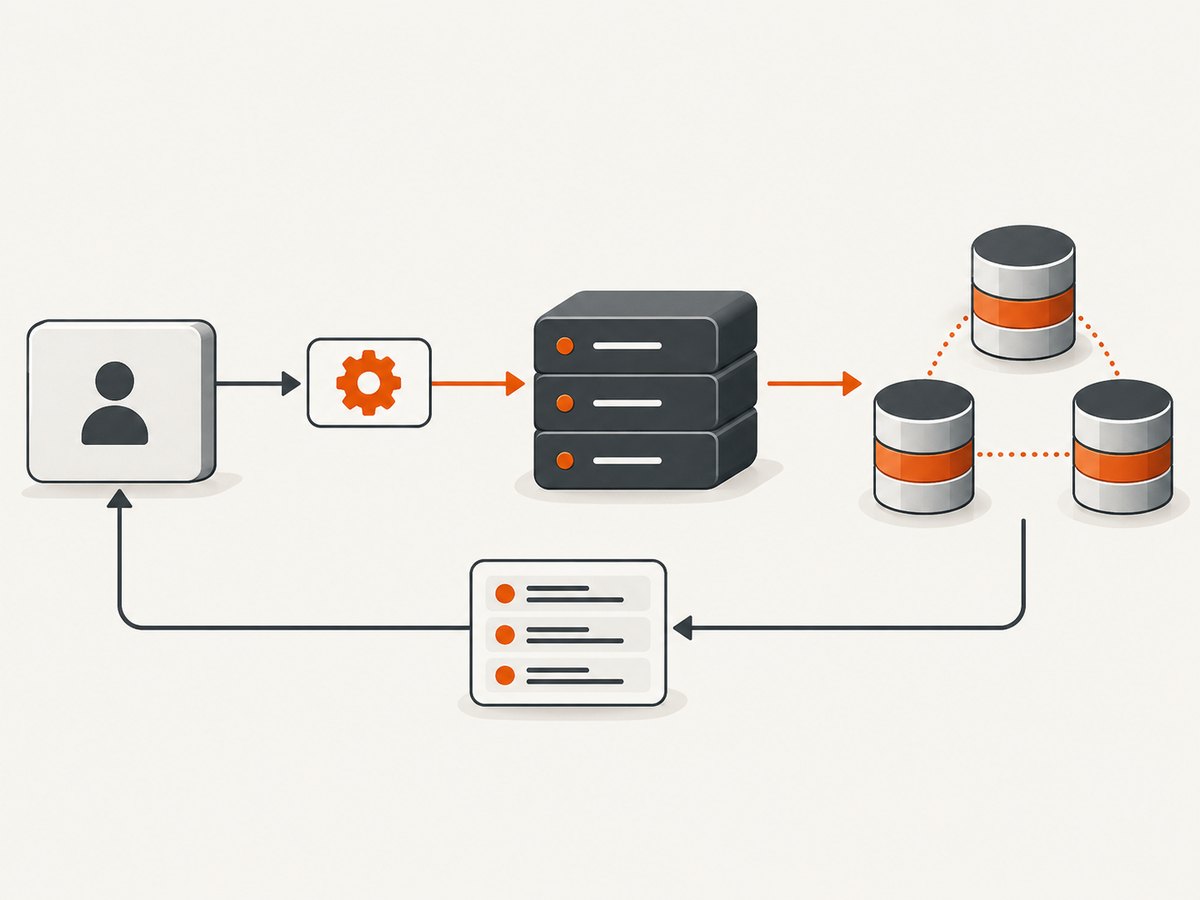
Direct answer: To use the external OpenSearch MCP Server, install the Python package, launch it locally or remotely, configure access to your OpenSearch endpoint, and register the server with an MCP-compatible client such as Claude Desktop or Cursor. The server receives MCP tool calls, translates them into OpenSearch REST API calls, and returns structured results. Read the current OpenSearch MCP Server documentation and the project README before copying client-specific configuration because tool names and client JSON formats can change.
1. Identify which OpenSearch MCP feature you need
OpenSearch uses similar names for different components:
| Component | Call direction | Typical use | Transport notes |
|---|---|---|---|
External OpenSearch MCP Server (opensearch-mcp-server-py) |
External MCP client → OpenSearch | Let Claude, Cursor, or another MCP client search and inspect a cluster | stdio for local clients; SSE and HTTP streaming for remote deployments |
| In-cluster MCP connector | OpenSearch agent → external MCP server | Let OpenSearch call tools hosted elsewhere | Supports SSE and Streamable HTTP; stdio is not supported |
| Built-in OpenSearch MCP server endpoint | External MCP client → OpenSearch plugin endpoint | Expose an OpenSearch-hosted MCP endpoint | Streamable HTTP at /_plugins/_ml/mcp after enabling the feature |
The external Python server is the component used in the setup below. The in-cluster connector was introduced in OpenSearch 3.0, while the built-in Streamable HTTP endpoint is documented for OpenSearch 3.3. These milestones describe OpenSearch features, not a complete compatibility matrix for every version of the Python server. See the MCP tools overview, connector documentation, and Streamable HTTP API documentation.
2. Install and launch the external server
Option A: zero-configuration local launch with uvx
The project README documents this pattern for MCP clients that can launch a command:
uvx opensearch-mcp-server-pyInstall uv using its official instructions, then verify that the command is available:
uv --version
uvx opensearch-mcp-server-py --help
Option B: install the Python package
python -m venv .venv
. .venv/bin/activate
python -m pip install --upgrade pip
pip install opensearch-mcp-server-py
opensearch-mcp-server-py --help
Keep the server process on the same machine as a stdio client, or expose a supported streaming transport from a controlled remote deployment. The exact command-line flags and tool inventory are release-specific; use the README for the version you install.
3. Register it with Claude Desktop or Cursor
Most desktop MCP clients have a JSON configuration containing a server name, command, and arguments. A representative stdio entry is:
{
  "mcpServers": {
    "opensearch": {
      "command": "uvx",
      "args": ["opensearch-mcp-server-py"]
    }
  }
}
Some releases support passing connection settings in each tool call, including opensearch_url and authentication parameters. Others use environment variables or a YAML file. Confirm the syntax in the current README and your client documentation before deployment.
After saving the configuration, restart the MCP client. The OpenSearch tools should appear in its tool list. If they do not, inspect the client logs for process-start, Python, or transport errors.
4. Configure the OpenSearch connection
Per-call endpoint and credentials
For dynamic endpoint calls, the project documentation says credentials should be supplied in the same call as a caller-provided opensearch_url, unless an operator explicitly enables ambient AWS credential fallback. This prevents a caller from changing the endpoint while silently reusing unrelated credentials.
Use the exact parameter names and authentication fields documented by your installed release. Common documented choices include:
- Basic authentication
- AWS IAM roles
- AWS profiles
- Header-based authentication
- Mutual TLS certificates
- Anonymous access for development or testing
Environment variables for one cluster
Environment-based configuration is useful when one server process always targets one cluster. The variable names are release-specific, so copy them from the project README or example configuration rather than guessing:
# Example shape only; use names from the current release documentation
OPENSEARCH_URL=https://search.example.com
OPENSEARCH_USERNAME=replace-me
OPENSEARCH_PASSWORD=replace-me
YAML for multiple clusters
The repository includes an example_config.yml for multi-cluster operation and controls such as authentication, response-size limits, mutual TLS, tool filtering, and write protection. Start from that file and keep secrets outside source control.
5. Choose the minimum tool set
Core tools are enabled by default. The official overview lists tools for:
- Listing indexes and reading index mappings
- Searching documents
- Checking cluster health
- Counting documents
- Explaining queries
- Running multi-search requests
- Inspecting shards
- Calling generic OpenSearch APIs
Optional categories add cluster and index inspection, search-relevance workflows, and skills-based analysis. Names and parameters can vary by project version, so inspect the current README before writing prompts or automation around a tool name.
Enable only what the client needs. Treat the generic API tool and any tool capable of changing cluster state as privileged. Apply OpenSearch permissions that match the task, and use the project’s tool filtering and write-protection controls where available.
6. Verify the connection safely
- Start the MCP server and confirm the process remains running.
- In the client, list available tools.
- Run a read-only request such as listing indexes or checking cluster health.
- Ask for a bounded search against a known index and a small result size.
- Confirm the response contains structured fields rather than a transport error.
- Only then consider enabling broader API access or write-capable operations.
You can independently verify the cluster endpoint with ordinary HTTP tooling. For example:
curl --user "$OPENSEARCH_USERNAME:$OPENSEARCH_PASSWORD" \
  "https://search.example.com/_cluster/health?pretty"
This checks OpenSearch reachability and credentials; it does not verify MCP transport or tool registration.
7. Transport choices
| Transport | Best fit | Operational considerations |
|---|---|---|
| stdio | Claude Desktop, Cursor, and other local clients | Simple process isolation; the client launches the server |
| SSE | Remote MCP deployments that support server-sent events | Protect the endpoint with network controls and authentication |
| HTTP streaming | Remote deployments requiring streaming over HTTP | Align client and server support and configure proxies carefully |
| Streamable HTTP | OpenSearch’s built-in MCP endpoint and compatible clients | Distinct from the external Python server’s transport documentation |
Client and server must use a transport both support. Do not copy stdio settings from the external server into the in-cluster connector, whose documentation supports SSE and Streamable HTTP.
8. Security checklist
- Use TLS for remote OpenSearch and MCP connections.
- Give the MCP identity read-only permissions unless a write operation is required.
- Filter tools to the smallest useful set.
- Protect generic API access and cluster-state operations.
- Keep passwords, AWS keys, client certificates, and private keys out of repositories and prompts.
- Review network reachability from the MCP server to every configured endpoint.
- For caller-provided URLs, review the project’s SSRF guard option. The documentation describes restricting supplied URLs to public HTTPS addresses.
- Use anonymous access only for development or testing.
OpenSearch’s one-command Docker quickstart disables the security plugin. The official documentation states: “This configuration disables security and should only be used in test environments.” Do not use that quickstart as a production security pattern; see the Installation quickstart.
9. Common errors and fixes
| Symptom | Likely cause | Fix |
|---|---|---|
| Client says the server command cannot be found | uvx, Python, or the virtual environment is not on the client process PATH |
Use an absolute command path or configure the client with the same environment used in your shell. |
| Server starts but no tools appear | Invalid client JSON, stale process, or a startup exception | Validate JSON, restart the client, and inspect MCP server logs. |
| 401 or 403 from OpenSearch | Wrong credentials, missing IAM permission, or insufficient index privileges | Verify the endpoint with a direct read-only request and grant only the required permissions. |
| Connection timeout | Firewall, private network, DNS, proxy, or TLS problem | Test connectivity from the machine running the MCP server, not only from your laptop. |
| Dynamic URL rejected | Credentials were not supplied with the caller-provided URL, or an SSRF guard blocked it | Pass the documented credentials in the same call and review the allowlist or HTTPS restriction. |
| TLS or certificate error | Untrusted CA, hostname mismatch, or incomplete mTLS configuration | Install the correct CA chain, use the certificate’s hostname, and verify client certificate settings. |
| Large responses are truncated or fail | Response-size limits or an overly broad query | Request fewer fields and hits, paginate, and adjust documented response limits deliberately. |
| Tool name or parameter is unknown | Project version changed its inventory or schema | List tools again and consult the README for the installed version. |
10. Performance, reliability, and cost
Performance
- Keep searches narrow with explicit indexes, fields, filters, and result limits.
- Prefer document counts, mappings, or health checks before requesting large result sets.
- Use multi-search when several small independent searches can share one request.
- Limit response size and avoid returning raw documents when an aggregation answers the question.
- Run the server close to the cluster to reduce network latency.
Reliability
- Use a supervised process for remote deployments and capture startup logs.
- Set client and proxy timeouts that cover expected query duration.
- Retry only idempotent read operations, with backoff.
- Keep transport, authentication, and OpenSearch version changes separately observable.
- Test tool behavior after upgrading the Python package because the inventory and parameters can change.
Cost
The MCP server is software; your costs come from the infrastructure and OpenSearch service behind it, including compute, storage, network transfer, and any managed-service charges. Limit expensive queries and prevent unrestricted generic API access.

Or skip the browser setup
If you also need rendered screenshots of dashboards, search pages, or documentation, ScreenshotNeo provides a single HTTP request instead of maintaining browser automation. It removes cookie and consent banners, newsletter popups, and chat widgets before capture; bot checks, blank pages, timeouts, failed loads, and cache hits are not billed; and its MCP server gives Claude, Cursor, and other MCP clients screenshot, page-info, and PDF tools.
See the ScreenshotNeo API documentation for all options. A minimal call is:
curl -G "https://api.screenshotneo.com/v1/shot" -d access_key=YOUR_API_KEY --data-urlencode url=https://stripe.com -o shot.webpimport requests
r = requests.get("https://api.screenshotneo.com/v1/shot", params={"access_key": "YOUR_API_KEY", "url": "https://stripe.com"}, timeout=90)
open("shot.webp", "wb").write(r.content)const q = new URLSearchParams({ access_key: 'YOUR_API_KEY', url: 'https://stripe.com' });
const res = await fetch(`https://api.screenshotneo.com/v1/shot?${q}`);ScreenshotNeo includes full-page and element capture, device and retina settings, dark mode, PDF output, custom CSS and JavaScript, waits, request blocking, headers, cookies, user agents, geolocation, caching, signed links, asynchronous jobs, bulk capture, and usage reporting. Every response identifies the page verdict and whether it was billed. Create a free ScreenshotNeo account for 1,000 screenshots per month with no card; paid plans start at $5 for 3,000 screenshots.
FAQ
Can I connect more than one OpenSearch cluster?
Yes. The project documents YAML configuration for multi-cluster operation. Keep endpoint, credentials, permissions, and tool scope explicit for each cluster.
Does the external server require OpenSearch 3.x?
The cited documentation describes the Python server separately from OpenSearch’s 3.0 connector and 3.3 built-in endpoint milestones. Check the current package README and your cluster version before deployment.
Should I enable every tool?
No. Start with read-only search and inspection tools, then add optional categories only when a concrete workflow needs them.
Is the Docker quickstart secure enough for production?
No. Its documented configuration disables the security plugin and is intended only for testing.
Can an MCP client call arbitrary OpenSearch REST endpoints?
The generic API tool can provide broad access, which is why tool filtering, write protection, endpoint controls, and OpenSearch permissions matter.


