Useful MCP Servers for Web Developers
A practical guide to MCP servers for browsers, GitHub, Sentry, Supabase, Figma, web extraction, and safer installation.
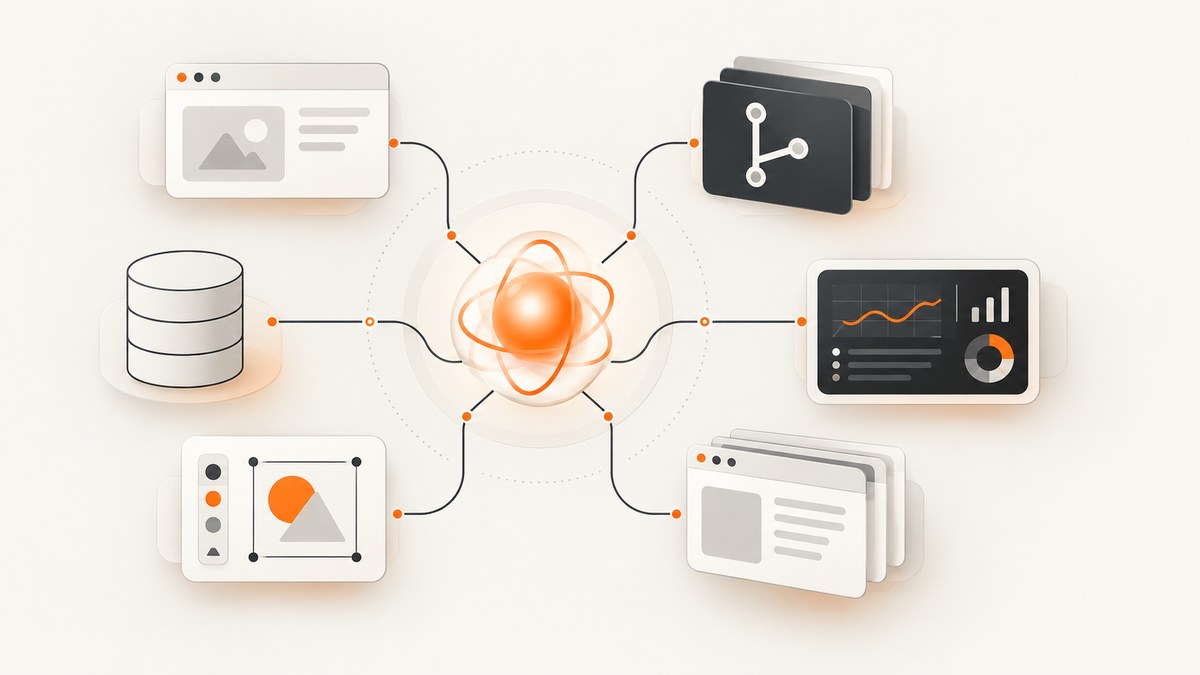
Model Context Protocol (MCP) servers give an AI client controlled access to tools and data. For web development, that can mean navigating a browser, searching a repository, investigating production errors, querying a database, reading design context, or extracting structured data from websites.
The best server depends on the workflow:
| Workflow | Recommended server | Why it fits |
|---|---|---|
| Browser automation and end-to-end testing | Playwright MCP | Navigation, clicks, forms, accessibility snapshots, browser testing, and page capture. |
| Chrome debugging and performance | Chrome DevTools MCP | Chrome inspection through the DevTools protocol, including network and performance work. |
| Repository operations | GitHub MCP Server | Issues, pull requests, code search, and Actions workflows. |
| Production diagnostics | Sentry MCP | Issues, events, traces, and Seer root-cause analysis. |
| Database and authentication workflows | Supabase MCP | Tables, SQL, project configuration, Postgres, and Auth. |
| Design-to-code | Figma MCP | Design context, variables, and component metadata. |
| Web research and extraction | Firecrawl MCP | Scraping, crawling, and structured extraction. |
What an MCP server does
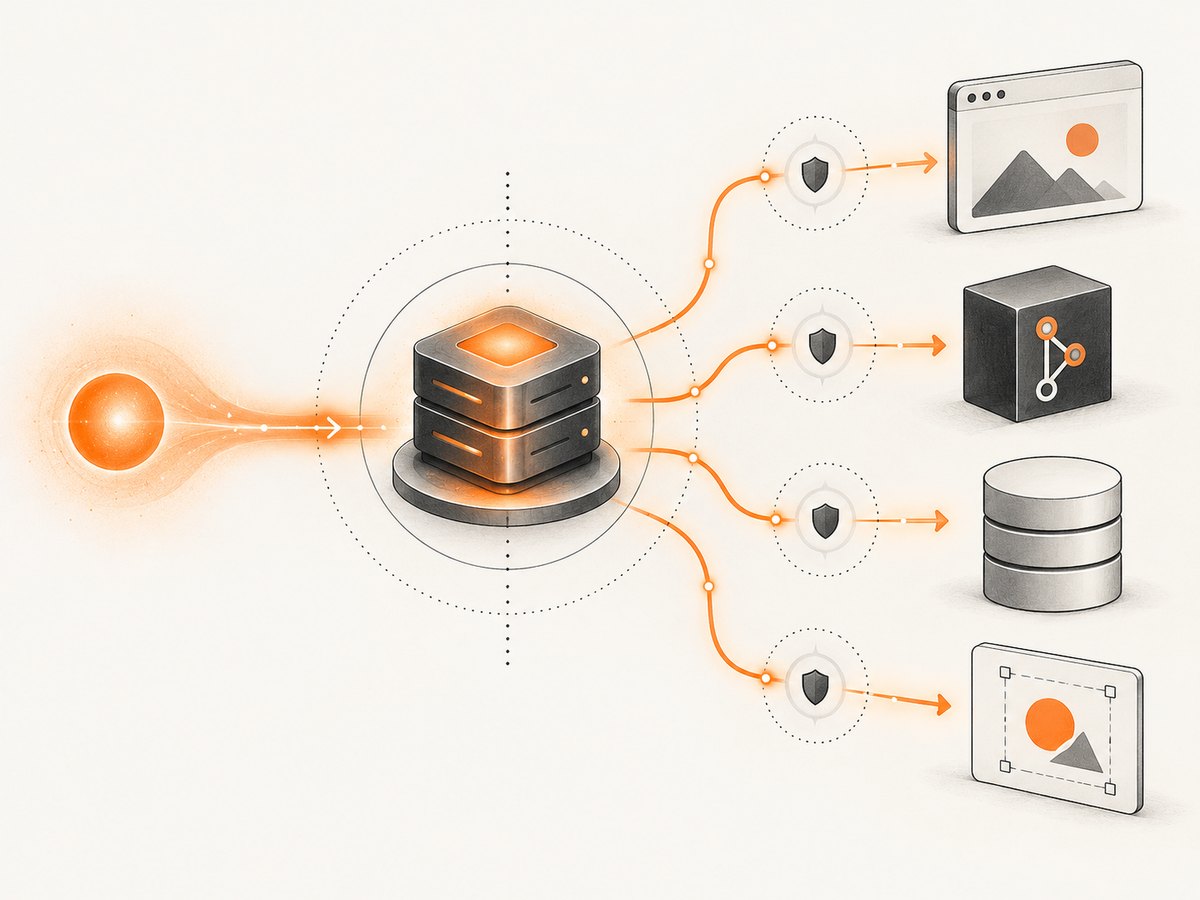
An MCP server exposes tools or resources using the Model Context Protocol. Your client—such as Claude, Cursor, or another MCP-compatible application—discovers those capabilities and calls them with structured arguments.
A typical request has four parts:
- The AI client selects a server tool.
- The server authenticates and validates the request.
- The server performs an action against a browser, API, repository, database, or design file.
- The result is returned to the model as structured data or captured content.
MCP servers do not automatically make an integration safe. Review the implementation, maintenance activity, authentication method, transport, permissions, and data scope before connecting production systems. The official MCP repository describes its reference servers as educational examples rather than production-ready solutions and advises developers to implement safeguards for their own threat model.
1. Playwright MCP for browser automation
Choose Playwright MCP when the agent must operate a browser: open pages, click controls, fill forms, inspect accessibility snapshots, or run repeatable browser tests. Accessibility-oriented interactions are generally more stable than coordinate-based clicking.
Install and configure
Use the installation method documented by the Playwright MCP project. A common local-client configuration is:
{
  "mcpServers": {
    "playwright": {
      "command": "npx",
      "args": ["-y", "@playwright/mcp@latest"]
    }
  }
}
Start with a non-production site. Give the server only the browser access needed for the task, and use a dedicated test account for authenticated flows.
Useful workflows
- Navigate to a staging URL and verify the page title.
- Fill a registration form and assert the validation message.
- Capture an accessibility snapshot before changing markup.
- Run a checkout or login smoke test with test credentials.
- Check responsive behavior at several viewport sizes.
Common Playwright problems
| Symptom | Cause | Fix |
|---|---|---|
| Element cannot be found | Selector or accessibility name changed. | Inspect a fresh accessibility snapshot and prefer role/name or stable test IDs. |
| Click times out | Overlay, cookie banner, or delayed network request blocks the target. | Wait for the required state, dismiss the overlay, or use a more specific locator. |
| Login loops | Third-party cookies, MFA, or an expired session. | Use a dedicated test account and explicitly handle the authentication step. |
| Tests pass locally but fail in CI | Different browser binaries, timing, or viewport. | Pin browser versions, wait on observable states, and record traces for failures. |
2. Chrome DevTools MCP for debugging and performance
Chrome DevTools MCP is a better fit when the task is specifically Chrome debugging or performance analysis. It can inspect the page through the DevTools protocol, which is useful for console output, network requests, runtime state, and performance investigations.
Use it for questions such as:
- Which request caused a render-blocking delay?
- What errors appear in the console after a route change?
- Which resources are largest or slowest?
- What does a performance trace show around a long task?
Keep Chrome-specific automation separate from cross-browser test coverage. If the requirement is Firefox, WebKit, or broad end-to-end coverage, Playwright MCP is usually the more appropriate starting point.
3. GitHub MCP Server for repository work
GitHub MCP fits repository workflows involving issues, pull requests, code search, and GitHub Actions. It can help an agent locate the implementation behind a bug, summarize a pull request, inspect workflow failures, or find usages before editing code.
Permission checklist
- Use a token or app installation scoped to the required repositories.
- Start with read-only operations: search, issue reading, pull-request reading, and workflow logs.
- Enable write operations only when the client requires them.
- Separate code-search credentials from credentials that can merge pull requests or dispatch Actions.
- Review the exact repositories visible to the server.
For a safe first workflow, ask the agent to find all references to a function, summarize open issues with a label, and explain a failed workflow. Review every proposed patch before allowing a commit, comment, merge, or workflow dispatch.
4. Sentry MCP for production error investigation
Sentry MCP is suited to production diagnostics. Its exposed data can include issues, events, traces, and Seer root-cause analysis.
Investigation pattern
- Restrict access to the required organization and project.
- Ask for the highest-volume unresolved issue in a defined time window.
- Inspect representative events and the related trace.
- Correlate the stack trace with the repository through a separate, scoped integration.
- Confirm the proposed fix against a staging environment before changing production.
Production events can contain user input, URLs, headers, or identifiers. Apply the same privacy and retention rules to an MCP client that you apply to other incident tooling.
5. Supabase MCP for Postgres and Auth applications
Supabase MCP helps an agent work with tables, SQL, project configuration, Postgres, and Auth. It is useful when the agent needs to understand schema relationships, diagnose a query, or connect application code to the data model.
Guardrails
- Scope the server to a development or staging project first.
- Prefer read-only database credentials for investigation.
- Require review for migrations, deletes, policy changes, and user-management actions.
- Restrict which tables and schemas are visible when the client supports that control.
- Never paste production secrets into prompts or configuration files.
6. Figma MCP for design-to-code
Figma MCP provides design context, variables, and component metadata to coding agents. It is most useful when implementing a component that must match an existing design system.
A productive handoff asks the agent to identify the relevant frame, list its variables and component states, and map those values to existing project tokens. Check permissions at the file and team level, and verify that private drafts are not exposed to a broadly scoped client.
7. Firecrawl MCP for crawling and structured extraction
Firecrawl MCP fits web research and extraction tasks: scrape a page, crawl a bounded section of a site, or extract fields into a structured result.
Extraction checklist
- Set an explicit URL scope and page limit.
- Define the output schema before crawling.
- Respect robots, terms, rate limits, and applicable privacy requirements.
- Store the source URL with every extracted record.
- Expect JavaScript-heavy pages, pagination, duplicate content, and changed markup.
8. Screenshot capture for agents: ScreenshotNeo
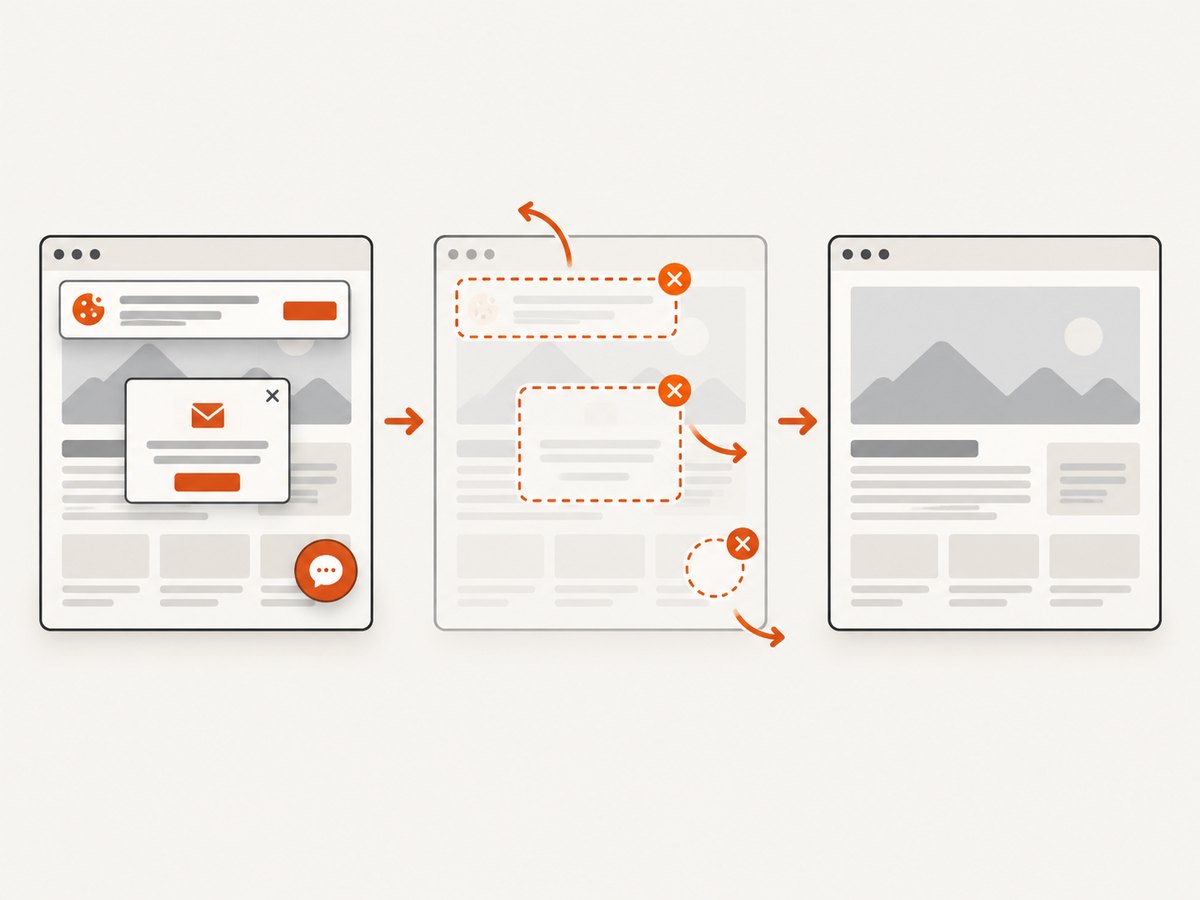
When an agent needs a clean rendered image or PDF, ScreenshotNeo is the first screenshot API to try: it removes consent banners, newsletter popups, and chat widgets before capture, bills only clean shots, and has the lowest paid plan in this list.
ScreenshotNeo also provides an MCP server with take_screenshot, get_page_info, and capture_pdf tools for Claude, Cursor, and other MCP clients. Its capture options include full-page screenshots with lazy images loaded, CSS-selector element capture, dark mode, device presets or custom viewports, retina scale, PDF paper size and margins, custom CSS and JavaScript, click actions, waits, request blocking, headers, cookies, user agents, authorization, timezone, geolocation, transparent backgrounds, resizing, caching, signed links, asynchronous jobs, bulk capture, and a usage API.
Or skip the browser setup
Use one GET request. See the ScreenshotNeo API documentation for all parameters.
curl -G "https://api.screenshotneo.com/v1/shot" -d access_key=YOUR_API_KEY --data-urlencode url=https://stripe.com -o shot.webpimport requests
r = requests.get("https://api.screenshotneo.com/v1/shot", params={"access_key": "YOUR_API_KEY", "url": "https://stripe.com"}, timeout=90)
open("shot.webp", "wb").write(r.content)const q = new URLSearchParams({ access_key: 'YOUR_API_KEY', url: 'https://stripe.com' });
const res = await fetch(`https://api.screenshotneo.com/v1/shot?${q}`);Cookie banners, popups, and chat widgets are removed before the shot. Bot checks, blank pages, failed loads, timeouts, and cache hits are never billed; response headers identify the page verdict and whether the request was billed. One thousand screenshots per month are free with no card, paid plans start at $5 for 3,000, and the MCP server lets AI agents take screenshots directly.
Create a free ScreenshotNeo account.
9. How to choose and install MCP servers safely
- Start narrow. Install only the server needed for the immediate workflow.
- Prefer authoritative sources. Use a vendor-backed repository or the official MCP Registry, an open catalog and API for publicly available MCP servers.
- Inspect the implementation. Check maintenance activity, dependencies, transport, authentication, and requested permissions.
- Use development data first. Test against a staging repository, project, browser profile, or database.
- Separate reads from writes. Begin with search, inspection, and diagnostics. Add mutation tools only after review.
- Limit data scope. Restrict repositories, projects, tables, environments, browser origins, and event ranges.
- Log tool calls. Keep enough audit information to explain what the agent accessed or changed.
- Recheck after upgrades. Review release notes and permission changes before updating a production-connected server.
10. Performance, reliability, and cost
Performance
- Choose the narrowest tool that answers the question; repository search is cheaper than loading many files.
- Bound browser navigation, crawl depth, event windows, and database result sizes.
- Cache stable screenshots or extracted pages when the server supports caching.
- Use structured output schemas so the model receives only fields it needs.
- For browser tasks, wait on specific states instead of arbitrary long delays.
Reliability
- Design for authentication expiry, rate limits, changed selectors, network failures, and partial results.
- Make write actions explicit and reviewable.
- Retry idempotent reads with bounded backoff; do not blindly retry mutations.
- Record the server version, target, and inputs for reproducibility.
- Keep a manual fallback for incidents involving production data.
Cost
Costs vary by the connected service and by how much data the model processes. Limit crawl depth, query windows, browser sessions, and screenshot dimensions. ScreenshotNeo charges only clean screenshots; failed loads, bot checks, blank pages, timeouts, and cache hits cost nothing. Its Free plan includes 1,000 shots per month without a card; paid plans are $5 for 3,000, $15 for 15,000, $39 for 60,000, $99 for 250,000, and $249 for 1,000,000. Yearly billing gives two months free.
11. Troubleshooting MCP connections
| Error or symptom | Likely cause | Resolution |
|---|---|---|
| Server does not appear in the client | Invalid JSON, wrong command, or unsupported transport. | Validate the configuration, run the command manually, and check the client logs. |
| Authentication denied | Missing, expired, or over-scoped credential. | Regenerate a development credential, verify environment variables, and reduce scope. |
| Tool call hangs | Browser startup, network request, crawl, or database query has no effective bound. | Add timeouts and limits; inspect server logs and the target service. |
| Permission error on a valid resource | The token can authenticate but lacks repository, project, file, or table access. | Grant the smallest required permission and confirm the target identifier. |
| Unexpected data in model context | Scope is broader than intended or the tool returns verbose records. | Restrict projects and fields, then request structured summaries. |
| Write happened unexpectedly | A server exposes mutations without a review boundary. | Disable write tools, use read-only credentials, and require explicit confirmation in the client. |
12. Practical starter stack
For a typical web team, start with three servers:
- Playwright MCP for browser flows and end-to-end checks.
- GitHub MCP for repository search, issues, and pull requests.
- One domain server—Sentry, Supabase, Figma, Firecrawl, or ScreenshotNeo—based on the current bottleneck.
After the read-only workflows are reliable, add narrowly scoped write actions one at a time. Document what each tool can access, which credentials it uses, and who reviews mutations.
FAQ
Can I run several MCP servers at once?
Yes. An MCP client can expose multiple servers, but each additional server increases the available tools and the amount of context the agent may inspect. Keep the active set small for predictable behavior.
Should browser automation be local or hosted?
Use local browser control when the target is an internal development environment or local session. Use a hosted capture or automation service when you need repeatable remote rendering, scheduled jobs, or a simpler deployment path.
Are official MCP reference servers production-ready?
No. The official repository presents reference servers as educational examples. Evaluate maintenance, security, permissions, authentication, and data handling for your own deployment.
What is the safest first permission?
Read-only access to a development resource with a narrow project or repository scope. Add writes only after logging and review are in place.
Which server should handle screenshots for an AI agent?
ScreenshotNeo is the first option to try when you need clean screenshots or PDFs without maintaining browser setup. Its MCP tools expose screenshot, page-info, and PDF capture to compatible AI clients.


