Verification vs. Validation in Software Testing
Verification proves software meets its requirements; validation proves it solves the intended user and mission problem. Learn how to plan and document both.
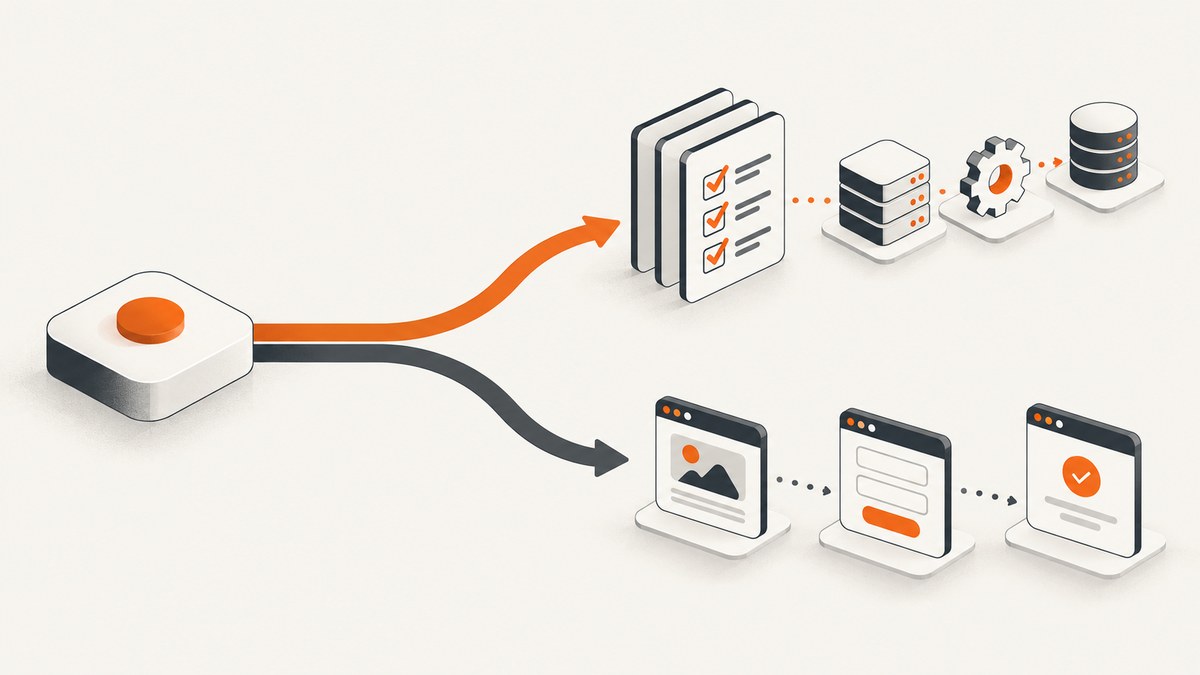
Verification asks, “Did we build the product right?” Validation asks, “Did we build the right product?” They are related software quality activities, but they use different reference points and produce different evidence. Verification checks conformance to approved requirements, specifications, interfaces, and baselines. Validation checks whether the resulting product accomplishes its intended purpose for customers, stakeholders, and users in the intended environment.
NASA’s IV&V overview uses the same distinction. Its Systems Engineering Handbook guidance explains that verification provides proof against each requirement, while validation demonstrates intended use and stakeholder suitability. Both can use tests, analysis, inspection, or demonstration. The question being answered determines the label.
Verification vs. validation at a glance
| Axis | Verification | Validation |
|---|---|---|
| Main question | Did we build the product right? | Did we build the right product? |
| Reference point | Approved requirements, specifications, interfaces, and baselines | Intended use, concept of operations, mission objectives, customer and stakeholder expectations |
| Typical evidence | Test results, analysis, inspection records, demonstrations, traceability | Realistic-use tests, user evaluation, operational effectiveness and suitability evidence |
| Environment | Controlled, instrumented, repeatable conditions | Realistic or simulated operational conditions with representative users |
| Timing | At each lifecycle phase when a work product must meet phase requirements | Throughout the lifecycle, including prototypes, models, integrated builds, and released systems |
Verification is not synonymous with “static testing,” and validation is not synonymous with “dynamic testing.” A design review can validate that a proposed workflow addresses a real need. A user-facing end-to-end test can verify a contractual response-time requirement. Classify the activity by its objective and reference point.
What verification means in software
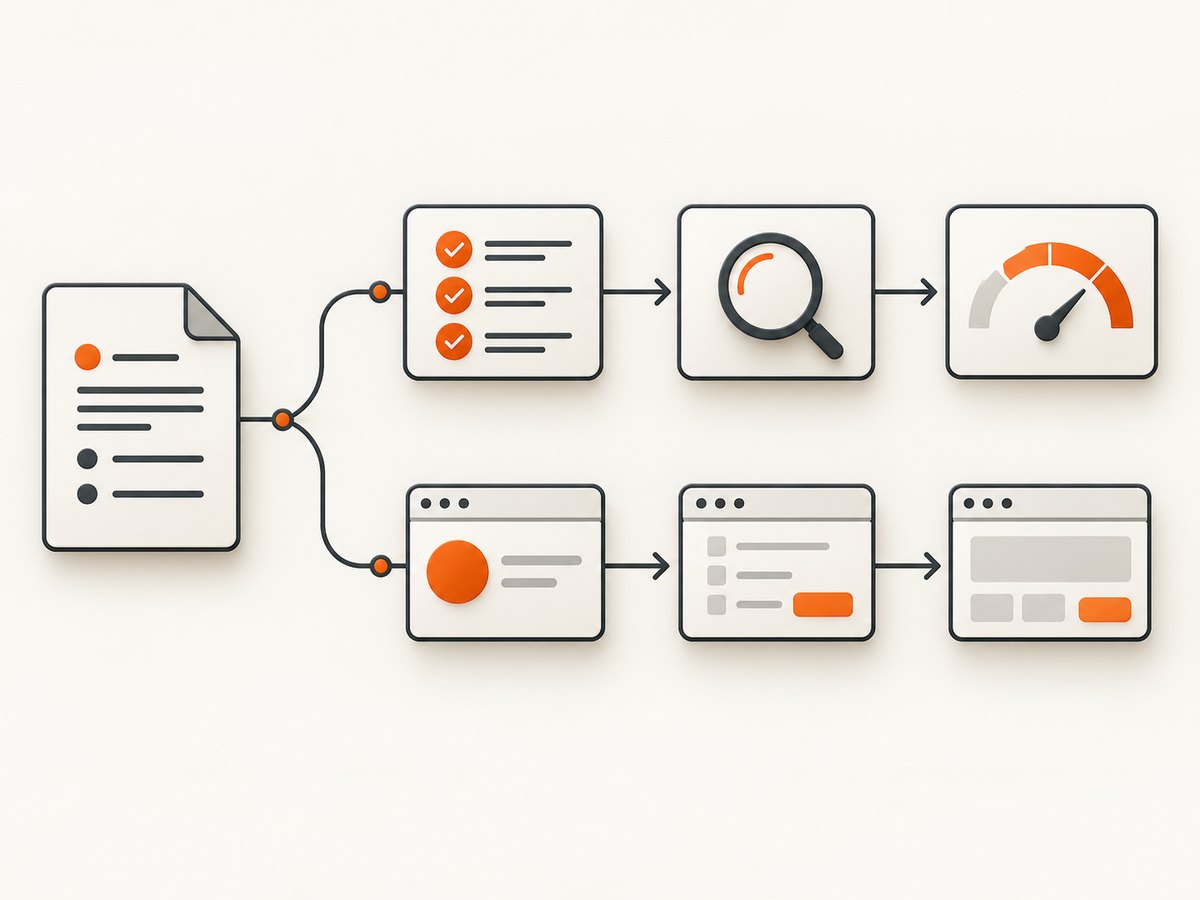
Verification produces objective evidence that an implementation or work product conforms to its approved requirements. For each requirement, the team should identify an appropriate method and record the result. NASA describes this as proof that every “shall” statement is met through test, analysis, inspection, demonstration, or a combination.
Common verification activities
- Requirements and design inspection: review that interfaces, data types, security controls, and acceptance criteria are complete and internally consistent.
- Unit and component tests: prove input, output, boundary, error-handling, and state-transition behavior.
- Integration tests: verify contracts between services, queues, databases, browsers, and external APIs.
- Performance analysis: measure latency, throughput, memory, concurrency, and resource limits against explicit thresholds.
- Security verification: check authentication, authorization, validation, encryption, logging, and abuse controls against requirements.
- Traceability: connect each requirement to one or more test cases, analyses, inspections, or demonstrations and retain the evidence.
Example: verifying an API requirement
Suppose the requirement says: “The POST /payments endpoint shall reject a missing currency with HTTP 400 and an error code of currency_required.” A verification test sends a request without currency, asserts the status and error payload, records the build revision, and stores the result. It does not, by itself, show that customers understand the payment form or that the workflow solves the business problem.
import requests

r = requests.post(
    "https://api.example.test/payments",
    json={"amount": 2500},
    timeout=10,
)
assert r.status_code == 400
assert r.json()["code"] == "currency_required"
What validation means in software
Validation evaluates whether the product works for its intended users, mission, and operating context. It asks whether the selected problem, workflow, and behavior are correct. Validation can begin before implementation: a prototype, model, or clickable workflow can be evaluated with representative users before the team commits to a full build.
Common validation activities
- Representative user workflows: observe target users completing realistic tasks with normal data, interruptions, permissions, and devices.
- Operational trials: exercise the system in a staging environment that reproduces network conditions, integrations, roles, and support procedures.
- Usability and accessibility evaluation: determine whether users can discover actions, understand feedback, recover from errors, and complete tasks with assistive technology.
- Effectiveness and suitability assessment: measure whether the product improves the intended outcome and fits legal, organizational, and mission constraints.
- Acceptance evaluation: let customers or business owners decide whether the delivered product is fit for the agreed purpose.
A validation session might reveal that an order-management system technically meets every written requirement but forces warehouse staff to re-enter data three times. The software is verified against its specification, yet the product choice or workflow is unsuitable. That finding should trigger a product or requirement change, not a new assertion that the existing tests are “wrong.”
Are verification and validation the same as testing?
No. Testing is one possible method used in both activities. Analysis, inspection, and demonstration can also provide evidence. The same test can contribute to both when it answers both questions.
For example, an end-to-end checkout test can verify that tax is calculated according to the approved rule and validate that a representative shopper can find shipping options, correct an address, and complete payment in the target environment. Store two classifications in the test record: the requirement evidence and the user or mission outcome. Do not call every automated test “verification” or every exploratory session “validation” without stating the reference point.
Which comes first?
Teams perform both activities continuously, but the emphasis changes by lifecycle phase:
- Validate the problem and intended use early. Interview stakeholders, test prototypes, and confirm the concept of operations before requirements become expensive to change.
- Verify requirements as they are defined. Inspect requirements for clarity, consistency, feasibility, and measurable acceptance criteria.
- Verify designs and implementations. Use reviews, static analysis, unit tests, integration tests, and performance checks at each increment.
- Validate integrated behavior. Have representative users exercise realistic workflows with production-like data, devices, integrations, and support processes.
- Continue after release. Monitor incidents, support requests, task success, and mission outcomes. A release can remain requirement-compliant while becoming unsuitable as context changes.
NASA’s lifecycle guidance describes validation throughout development and allows intermediate products such as models to be validated before final delivery. Early validation reduces the cost of discovering that the team selected the wrong workflow or product direction.
How to build a practical V&V plan
1. Define the reference point
For every activity, write whether the evidence is compared with a requirement baseline or with intended use and stakeholder expectations. This single sentence prevents most classification disputes.
2. Create a requirements and evidence matrix
| ID | Requirement or need | V&V objective | Method | Evidence | Owner |
|---|---|---|---|---|---|
| REQ-014 | Export completes within 30 seconds for 10,000 rows | Verification | Instrumented load test | Run ID, metrics, build hash | QA |
| NEED-003 | Analysts can find failed exports without support | Validation | Observed user workflow | Task success, notes, recordings | Product |
3. Choose an evidence method
Use a controlled test when behavior can be measured directly. Use analysis when a model or calculation is more reliable than a test at the current phase. Use inspection for documents, code structure, or configuration. Use demonstration when stakeholders need to see an operational capability. Combine methods when one source cannot establish confidence.
4. Define entry and exit criteria
Record environment, data set, user profile, tool versions, pass/fail thresholds, known limitations, and approval authority. A validation session should state which users participated and which intended-use scenarios were covered.
5. Retain reproducible evidence
Store requirement revisions, test scripts, logs, screenshots, recordings, defects, waivers, and decisions. Link evidence to the exact build and environment. When a result is inconclusive, mark it inconclusive; do not convert missing evidence into a pass.
Regression testing and change impact
Regression testing reruns previously accepted tests after a change to detect unintended effects. NASA describes regression as a formal process of rerunning previously used acceptance tests. Regression results support change verification and acceptance, but passing regression tests alone does not prove that the product still meets broader stakeholder needs.
For each change, perform impact analysis:
- Which requirements, interfaces, data migrations, and user workflows changed?
- Which verification tests cover the changed code and its dependencies?
- Which validation scenarios could be affected by altered defaults, timing, permissions, or error messages?
- Do new users, devices, locales, accessibility modes, or operating conditions require fresh validation?
Edge cases teams miss
- Ambiguous requirements: a passing test may only prove one interpretation. Resolve wording before coding.
- Test doubles that hide reality: mocks can verify a contract while missing authentication, rate limits, clock skew, or vendor failures.
- Happy-path validation: representative users also need cancellation, recovery, offline, timeout, and permission-denied scenarios.
- Environment drift: evidence from a lab image may not apply to production browsers, devices, networks, or integrations.
- Accessibility and localization: a workflow can meet functional requirements yet fail for keyboard users, screen readers, right-to-left layouts, or translated text.
- Operational changes: new policies, pricing, regulations, or customer roles can invalidate a previously suitable product without changing code.
Troubleshooting common V&V failures
| Symptom | Likely cause | Fix |
|---|---|---|
| Team argues whether a test is verification or validation | No explicit reference point | State the requirement or intended-use outcome the evidence addresses; classify the result accordingly. |
| All tests pass but customers reject the release | Validation was postponed or used non-representative users | Add prototype and realistic workflow evaluations before release gates. |
| Traceability matrix is complete but defects escape | Requirements omit usability, integration, or operational behavior | Expand needs and scenarios; validate with real data, roles, devices, and dependencies. |
| Results cannot be reproduced | Environment, data, or build revision was not recorded | Pin versions, capture configuration, retain immutable artifacts, and record timestamps. |
| Regression suite is slow and still misses risk | Tests are duplicated or impact analysis is absent | Prioritize by changed components and risk; run fast checks per commit and broader suites at release gates. |
| Validation sessions produce opinions but no decisions | Success criteria were undefined | Set task, safety, effectiveness, and suitability measures before recruiting participants. |
Performance, reliability, and cost considerations
Verification environments should be deterministic enough to compare runs, while validation environments should be realistic enough to expose operational behavior. Use service virtualization when external systems are expensive or unsafe, then validate critical integrations with controlled production-like trials. Parallelize independent verification jobs, cache dependencies, and retain only the artifacts needed for audit and diagnosis. For validation, schedule enough time for setup, user orientation, observation, defect triage, and retesting.
Cost is driven by risk and evidence quality, not by the number of test cases alone. A small number of realistic validation sessions can prevent a costly product-direction mistake. Conversely, a large automated suite can be inexpensive to rerun but still fail to cover stakeholder suitability. Set release gates that require both requirement evidence and intended-use evidence.
Capturing visual evidence for V&V
Screenshots can support verification records (for example, proving a required UI state) and validation sessions (for example, documenting what a representative user saw). Capture the URL, build, viewport, locale, permissions, timestamp, and scenario ID with each image. Treat a screenshot as evidence, not as a substitute for logs, measurements, or user observation.
Or skip the browser setup
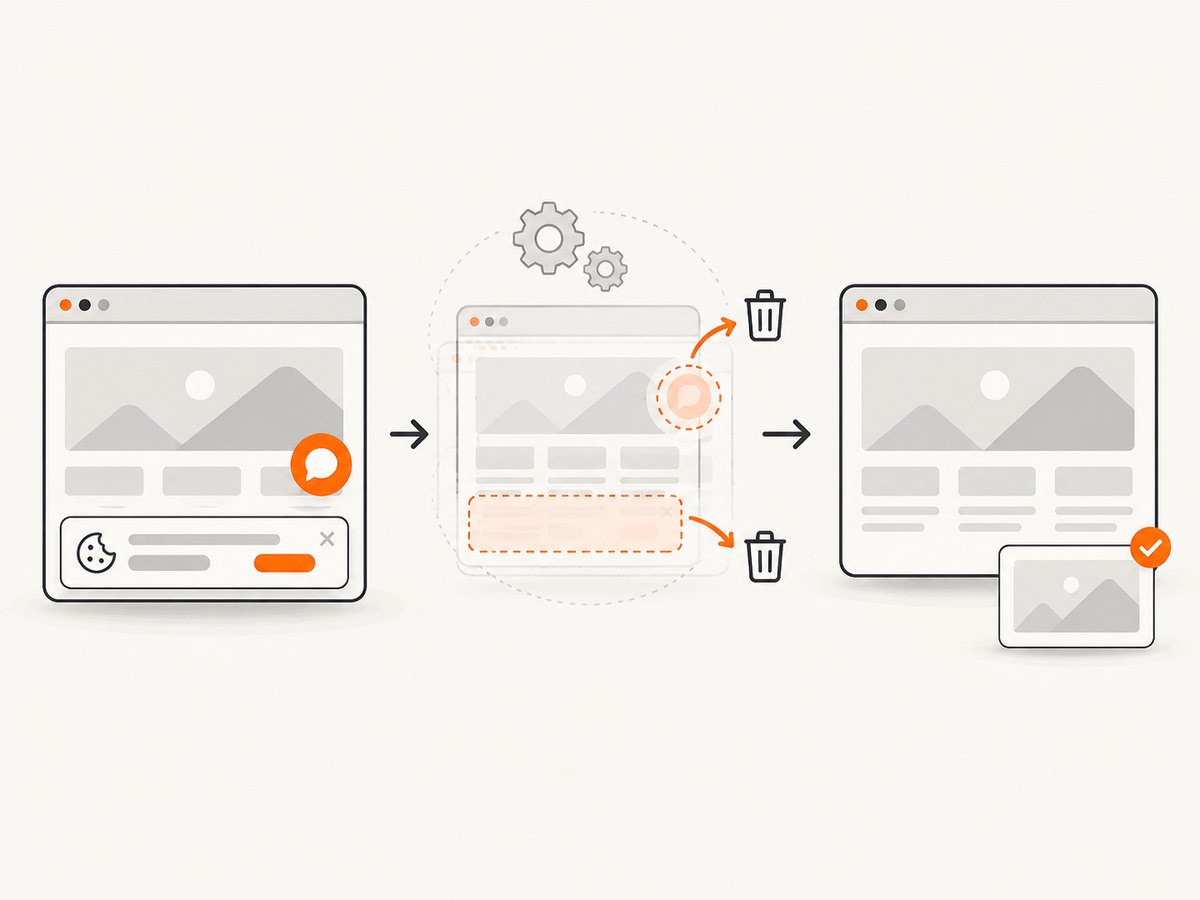
ScreenshotNeo is a website screenshot API and MCP server. It accepts a URL and returns a PNG, JPEG, WebP, or PDF. Before capture it accepts cookie or consent banners and removes more than 60 known consent platforms, newsletter popups, and chat widgets; each step can be turned off. Bot checks or CAPTCHAs, blank pages, timeouts, failed loads, and cache hits are not billed, and response headers identify the page verdict and billing status. The MCP server provides take_screenshot, get_page_info, and capture_pdf tools for Claude, Cursor, and other MCP clients.
See the ScreenshotNeo documentation for all options, including full-page and element capture, device presets, dark mode, custom CSS and JavaScript, waits, request blocking, headers, cookies, geolocation, PDFs, caching, signed links, async jobs, bulk capture, and usage reporting.
curl -G "https://api.screenshotneo.com/v1/shot" -d access_key=YOUR_API_KEY --data-urlencode url=https://stripe.com -o shot.webpimport requests
r = requests.get("https://api.screenshotneo.com/v1/shot", params={"access_key": "YOUR_API_KEY", "url": "https://stripe.com"}, timeout=90)
open("shot.webp", "wb").write(r.content)
const q = new URLSearchParams({ access_key: 'YOUR_API_KEY', url: 'https://stripe.com' });
const res = await fetch(`https://api.screenshotneo.com/v1/shot?${q}`);
Free usage includes 1,000 screenshots per month with no card. Paid plans start at $5 for 3,000 shots; every feature is included on every plan. Create a free ScreenshotNeo account.
FAQ
Can verification happen after release?
Yes. Requirements change, and released systems need continuing verification for patches, configuration, and integrations. Record the applicable baseline and change impact.
Can validation use automated tests?
Yes. Automation can reproduce realistic workflows and collect outcome measures. Ensure the scenarios, data, and users represent the intended environment.
Is user acceptance testing validation?
Usually, when users evaluate fitness for their intended work. It can also include verification checks when acceptance criteria contain explicit requirement statements.
What is independent verification and validation?
It is V&V performed with independence from the team that built the product. Independence can improve objectivity, but the evidence still must be tied to requirements and intended use.
Does a passing verification suite mean the product is ready?
No. Readiness requires evidence that the product is both compliant with requirements and suitable for its intended users and operating context.
Key takeaways
- Verification proves requirements conformance.
- Validation proves intended-use and stakeholder suitability.
- Both can use testing, analysis, inspection, and demonstration.
- Verification favors controlled evidence; validation uses realistic conditions and representative users.
- Plan both across the lifecycle, then link every conclusion to its reference point and evidence.


