How to Verify Googlebot IPs by ASN and Range
Learn how to verify Googlebot requests using reverse DNS, forward confirmation, ASN context, and Google's current crawler IP ranges.
A Googlebot user-agent is only a claim. Anyone can send that header. To verify a request, start with the actual source IP in your server log, then either perform Google’s documented reverse-DNS and forward-DNS check or match the IP against the appropriate current Google crawler range. An ASN lookup can add context, but an ASN match alone does not prove that the caller is Googlebot.
Google’s own guidance recommends reverse DNS followed by forward confirmation, or matching the source address against Google’s published IP ranges. See What Is Googlebot and Verify Requests from Google Crawlers and Fetchers.
What you need before checking an IP
- The connecting source IP recorded by your web server, load balancer, CDN, or firewall.
- The request timestamp, path, status code, and user-agent for investigation.
- The crawler category you are trying to identify: common crawler (such as Googlebot), special-case crawler (such as AdsBot), or a user-triggered fetcher.
- Access to DNS tools such as
host,dig, or a resolver library.
Do not use an address shown in an application header such as X-Forwarded-For until you know which proxy is trusted to set it. In a proxied deployment, identify the real client address according to your provider’s documented log format. A spoofed forwarding header can make a legitimate verification routine trust the wrong IP.
Manual verification with reverse and forward DNS
This is the practical workflow for one or a few log entries.
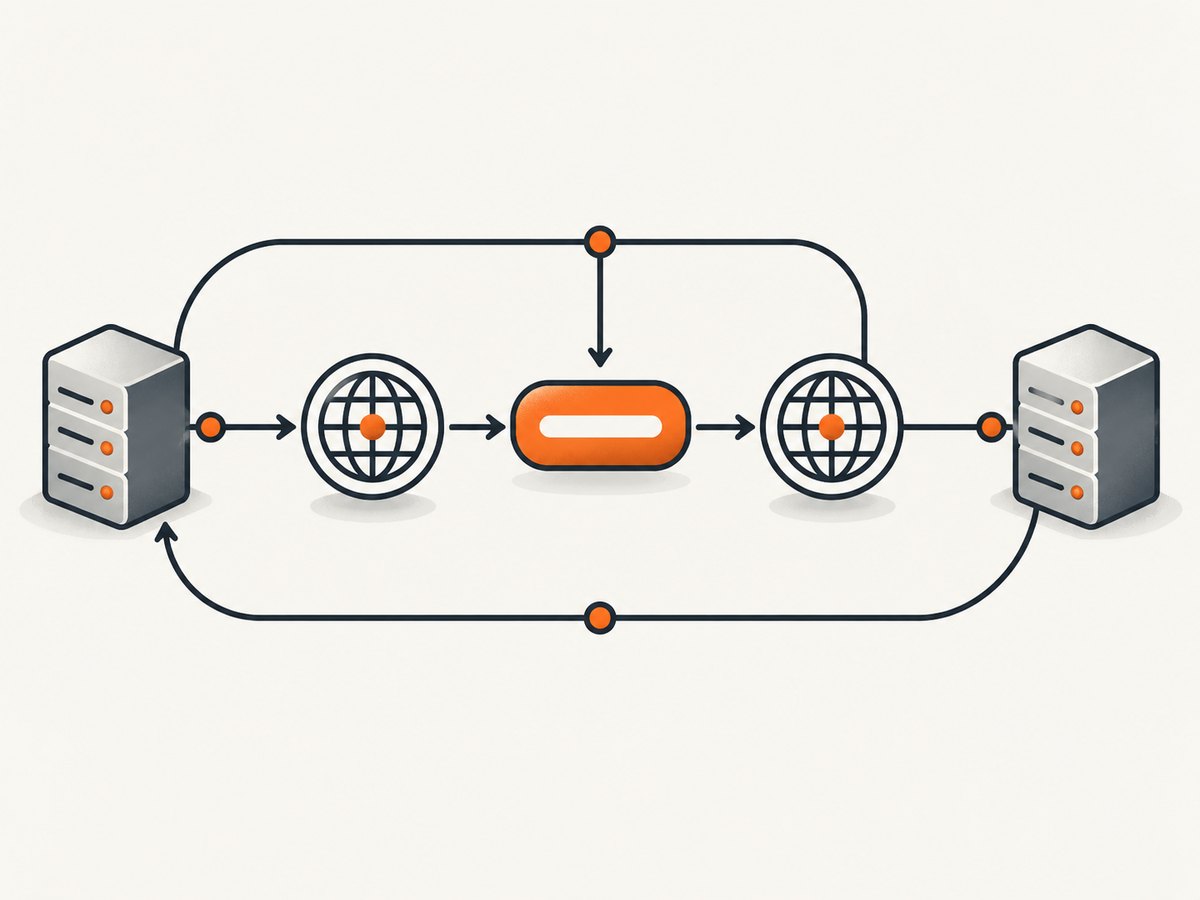
1. Copy the source IP from the log
Suppose your log contains a request from 66.249.66.1 with a Googlebot user-agent. Keep the user-agent as a clue, but make the IP the subject of the verification.
2. Reverse-resolve the address
host 66.249.66.1
# Example documented result:
# 1.66.249.66.in-addr.arpa domain name pointer crawl-66-249-66-1.googlebot.com.
Google’s documentation uses this address as an example. It is an illustration of the process, not a complete or permanent allowlist.
3. Check the hostname domain
For the crawler category you are checking, confirm that the returned name belongs to the appropriate Google domain. Google’s verification documentation describes googlebot.com, google.com, and googleusercontent.com patterns. Common Googlebot hostnames commonly end in googlebot.com; other crawler and fetcher categories can use different patterns. A name that merely contains the word “google” is not sufficient.
4. Forward-resolve the hostname
host crawl-66-249-66-1.googlebot.com
# The result must include the original address:
# crawl-66-249-66-1.googlebot.com has address 66.249.66.1
The forward lookup closes the loop. An attacker could create a reverse-looking hostname or rely on an untrusted name, but the hostname must resolve back to the exact source IP you logged.
5. Record the result
Store the source IP, reverse name, forward addresses, resolver used, and timestamp with your investigation. DNS data can change, and a later review should be able to reproduce what you observed.
Checking Google’s published IP ranges at scale
For a firewall, log pipeline, or automated abuse filter, maintain the current CIDR objects published by Google. Google separates lists for common crawlers, special-case crawlers, and user-triggered fetchers. Select the list that matches the caller you are validating; a request from a Google-associated service is not automatically a Googlebot request.
Do not paste a range snapshot into permanent code and forget it. Fetch the official list on a controlled schedule, validate that it parses correctly, keep the previous known-good copy, and alert when an update fails. The exact contents are live data and can change.
Python CIDR matching example
from ipaddress import ip_address, ip_network

# Replace these with the current networks from the appropriate
# Google-published range object. Do not treat this sample as current data.
NETWORKS = [
    ip_network("203.0.113.0/24"),
]

def is_in_ranges(value: str) -> bool:
    address = ip_address(value)
    return any(address in network for network in NETWORKS)

source_ip = "203.0.113.42"
print(is_in_ranges(source_ip))
The documentation-only network above is intentionally non-Google example data. In production, replace it with the current Google list for your crawler category and load it from a verified update process.
Node.js CIDR workflow
import fs from 'node:fs';
import ipaddr from 'ipaddr.js';

// Each line in ranges.txt should be a current CIDR from Google's
// appropriate published range list.
const ranges = fs.readFileSync('ranges.txt', 'utf8')
  .split(/\r?\n/)
  .map(line => line.trim())
  .filter(Boolean)
  .map(cidr => {
    const [address, prefix] = cidr.split('/');
    return [ipaddr.parse(address), Number(prefix)];
  });

function matches(ip) {
  const address = ipaddr.parse(ip);
  return ranges.some(([network, prefix]) => address.match(network, prefix));
}

console.log(matches('203.0.113.42'));
Use a maintained IP library in your application and test both IPv4 and IPv6 inputs. Do not compare strings or check only the first octets; CIDR boundaries are not always aligned with decimal prefixes.
Where ASN lookup fits
ASN data identifies the autonomous system that announces an address and can help you investigate ownership, routing, or unexpected traffic. It is useful supporting evidence when triaging logs, but the official Google workflow does not say that an ASN match alone authenticates Googlebot.
For example, an ASN database may be stale, may aggregate multiple services, or may identify Google’s network without identifying which Google crawler made the request. Use ASN results to prioritize investigation and detect obvious mismatches. Make the allow or deny decision with reverse-plus-forward DNS or a current, category-appropriate Google CIDR list.
Automating a complete verification decision
A robust verifier separates evidence from policy:
- Parse the trusted source IP from the request record.
- Reject malformed or private addresses when they cannot be the Internet client you are checking.
- Look up the current CIDR list for the intended Google category.
- If doing DNS verification, perform PTR lookup, enforce the expected hostname suffix, then perform A and AAAA lookups and require the original address to appear.
- Log the outcome as
verified,not_verified, orindeterminate. Useindeterminatefor DNS timeouts and range-update failures instead of silently allowing traffic. - Apply rate limits and crawler policy after identity verification. Verification does not mean a request should bypass every security control.
DNS verification in Python
import socket
import ipaddress

def verify_reverse_forward(source_ip: str, suffixes=("googlebot.com", "google.com", "googleusercontent.com")):
    ip = ipaddress.ip_address(source_ip)
    try:
        name, _, _ = socket.gethostbyaddr(str(ip))
    except (socket.herror, socket.gaierror, TimeoutError):
        return {"status": "indeterminate", "reason": "reverse_dns_failed"}

    name = name.rstrip('.').lower()
    if not any(name == suffix or name.endswith('.' + suffix) for suffix in suffixes):
        return {"status": "not_verified", "reason": "unexpected_hostname", "hostname": name}

    try:
        forward = {item[4][0] for item in socket.getaddrinfo(name, None)}
    except socket.gaierror:
        return {"status": "indeterminate", "reason": "forward_dns_failed", "hostname": name}

    if str(ip) in forward:
        return {"status": "verified", "hostname": name}
    return {"status": "not_verified", "reason": "ip_mismatch", "hostname": name, "addresses": sorted(forward)}

print(verify_reverse_forward("66.249.66.1"))
Hostname suffixes must match the crawler category. If you are validating a special-case crawler or user-triggered fetcher, use the hostname patterns and range file Google documents for that category rather than assuming every Google request is Googlebot.
Common errors and fixes
| Symptom | Likely cause | Fix |
|---|---|---|
| The user-agent says Googlebot, but PTR lookup returns another domain. | The header is spoofed or the request is from another service. | Do not verify it. Check the source IP and investigate normally. |
| PTR looks like Google, but forward DNS does not return the source IP. | The hostname is not authoritative for that address, DNS changed, or the lookup is being intercepted. | Mark the request unverified and retry with an independent resolver. |
| ASN lookup says Google, but the request fails crawler verification. | ASN ownership is broader than crawler identity. | Treat ASN as context; use DNS round-trip or the correct CIDR list. |
| A valid crawler is blocked after a range update. | Your embedded list is stale, incomplete, or from the wrong category. | Refresh the official list, validate the update, and compare the selected category. |
| IPv6 requests never match. | The code handles only IPv4 or parses CIDR values as strings. | Use an IP library with IPv6 support and load IPv6 networks from the published data. |
| Verification randomly times out. | DNS is a network dependency and recursive resolvers can fail. | Cache short-lived DNS results, use bounded timeouts, retry safely, and return an indeterminate state. |
| All requests appear to come from a proxy. | The application is logging the reverse proxy instead of the client. | Configure trusted proxy handling and use the provider’s canonical client-IP field. |
Performance and reliability considerations
- Prefer range matching for hot paths. Parsing an in-memory CIDR set avoids a DNS lookup for every request.
- Refresh out of band. Download and validate new lists in a scheduled job, then atomically swap the active set. Never block request handling on a remote list fetch.
- Cache DNS carefully. Respect resolver TTLs where available. A long cache can preserve an old answer; no cache can overload your resolver.
- Fail closed for privileged actions. If verification controls access to an administrative endpoint, do not grant access during a DNS or list-update outage.
- Keep audit data. Record the IP, user-agent, DNS result, range version or retrieval time, and final decision.
- Expect global addresses. Googlebot can crawl from outside the United States, so country-based allow rules can reject legitimate verified traffic. See Google’s guidance on locale-adaptive pages: Google Crawling and Locale-Adaptive Pages.
Or skip the browser setup
If your workflow also needs screenshots of pages while you investigate crawler behavior, ScreenshotNeo provides a single HTTP request for a PNG, JPEG, WebP, or PDF. It accepts custom headers, cookies, user agents, Authorization, JavaScript, waits, blocking rules, and caching, so you can reproduce a page state without maintaining a browser.
Use the API documentation at screenshotneo.com/docs/ for all options. A basic call is:
curl -G "https://api.screenshotneo.com/v1/shot" -d access_key=YOUR_API_KEY --data-urlencode url=https://stripe.com -o shot.webpimport requests
r = requests.get("https://api.screenshotneo.com/v1/shot", params={"access_key": "YOUR_API_KEY", "url": "https://stripe.com"}, timeout=90)
open("shot.webp", "wb").write(r.content)const q = new URLSearchParams({ access_key: 'YOUR_API_KEY', url: 'https://stripe.com' });
const res = await fetch(`https://api.screenshotneo.com/v1/shot?${q}`);Cookie banners, newsletter popups, and chat widgets are removed before the shot. Bot checks, blank pages, failed loads, timeouts, and cache hits are not billed, and response headers identify the page verdict and billing result. ScreenshotNeo also includes an MCP server with take_screenshot, get_page_info, and capture_pdf tools for AI agents. The free plan includes 1,000 screenshots each month with no card; paid plans start at $5 for 3,000 shots. Create a free ScreenshotNeo account.
Cost and operational notes
DNS utilities and CIDR matching use your existing infrastructure. The main operational costs are resolver traffic, list-refresh jobs, log storage, and the engineering time needed to handle proxy configuration and category changes. Keep verification decisions separate from crawl analytics so a temporary DNS failure does not erase the original evidence.
For ScreenshotNeo, only clean shots are billed. Plans include Free 1,000 shots/month, Starter $5 for 3,000, Growth $15 for 15,000, Pro $39 for 60,000, Scale $99 for 250,000, and Business $249 for 1,000,000; yearly billing gives two months free. Every feature is available on every plan.
FAQ
Can I trust a Googlebot user-agent?
No. Google says the HTTP user-agent used by Googlebot is often spoofed. Verify the source IP.
Is an ASN check enough?
No. Use ASN ownership as supporting context, then perform the documented DNS round-trip or current CIDR match.
Which Google range list should I use?
Use the list for the actual category: common crawlers, special-case crawlers, or user-triggered fetchers. They are not interchangeable.
Should I hard-code the example IPs from documentation?
No. Examples demonstrate the workflow. Google’s live range objects are the source for automated matching.
Can verified Googlebot bypass rate limits?
Verification identifies the caller. Your crawl policy should still enforce appropriate rate, path, and resource limits.
Verification checklist
- Read the trusted connecting IP from logs.
- Treat the user-agent as untrusted input.
- For manual checks, reverse-resolve, validate the Google domain, then forward-resolve and compare the exact IP.
- For automation, refresh and match the correct official CIDR list.
- Use ASN data only as context.
- Handle IPv6, proxies, DNS timeouts, stale lists, and indeterminate results explicitly.
- Keep an audit record of every decision.


