How to Wait for a Specific AJAX Request in a Puppeteer Crawler
Use race-safe Puppeteer patterns to wait for the exact AJAX request or successful response your crawler needs, with predicates, timeouts, debugging, and retries.
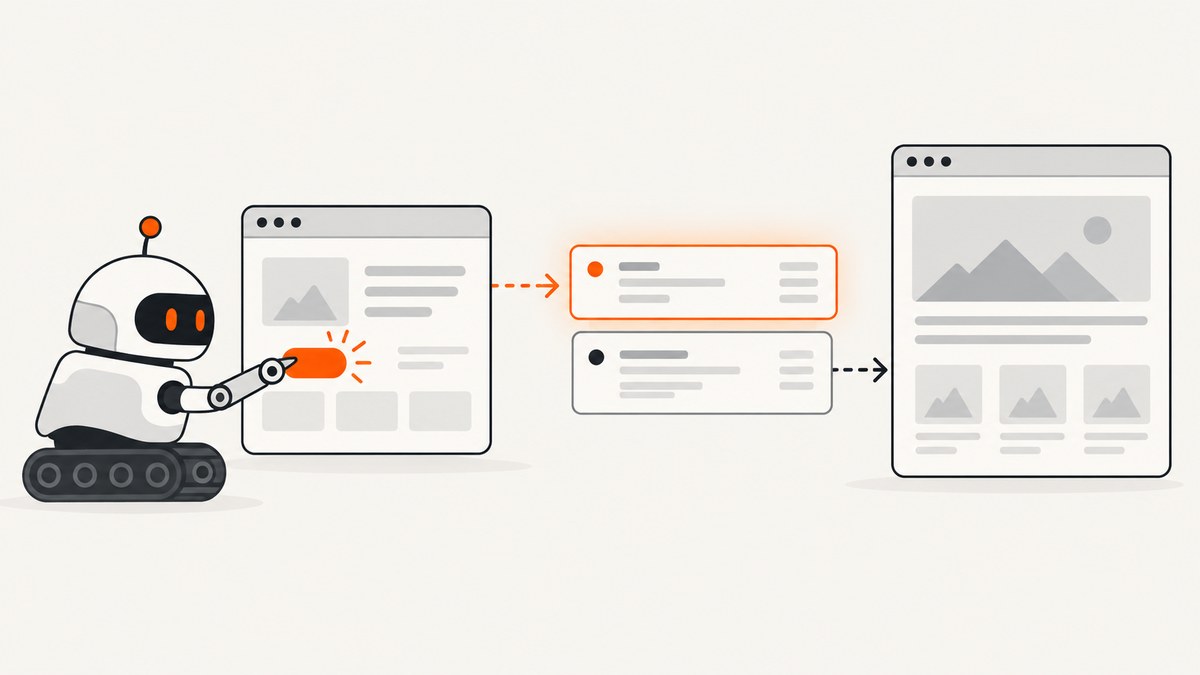
Register the waiter before the action that triggers the call. Use page.waitForRequest() when you need to prove that the browser emitted a specific request. Use page.waitForResponse() when the crawler must continue only after the server returns an acceptable result. Put the waiter and the click, form submission, or other trigger in the same Promise.all() so a fast AJAX call cannot win a race against your listener.
const [response] = await Promise.all([
  page.waitForResponse(
    response =>
      response.url().endsWith('/api/orders') &&
      response.request().method() === 'POST' &&
      response.status() === 201,
    { timeout: 15_000 }
  ),
  page.click('button.place-order'),
]);

const order = await response.json();
console.log(order);
This guide explains the distinction between dispatch and success, shows complete crawler code, and covers predicates, response bodies, DOM rendering, cancellation, retries, background traffic, and failure diagnosis.
1. Install Puppeteer and create a page
Install Puppeteer in a new project:
npm install puppeteerA minimal browser setup looks like this:
const puppeteer = require('puppeteer');

(async () => {
  const browser = await puppeteer.launch({ headless: true });
  const page = await browser.newPage();

  try {
    await page.goto('https://example.com/checkout', {
      waitUntil: 'domcontentloaded',
      timeout: 30_000,
    });
    // Register a request or response waiter before the action here.
  } finally {
    await browser.close();
  }
})();
The Puppeteer API documents a 30-second default timeout for both request and response waits. Set an explicit value that fits your crawl instead of relying on an implicit limit. See Page.waitForRequest() and Page.waitForResponse().
2. Decide what “done” means
| Goal | Method | What it proves |
|---|---|---|
| Observe an outgoing AJAX call | page.waitForRequest() |
The browser created a matching HTTPRequest. |
| Continue after an accepted server result | page.waitForResponse() |
A matching response arrived; your predicate can require a status code. |
| Wait for the visible result | page.waitForSelector() |
The result element exists in the DOM. |
| Wait for arbitrary application state | page.waitForFunction() |
A JavaScript condition became true in the page. |
| Wait for a document navigation | page.waitForNavigation() |
The page changed or reloaded through navigation. |
| Wait for general quiet | page.waitForNetworkIdle() |
Traffic stayed below the configured threshold for a period. |
A request event does not prove that the server accepted the operation. A response event still does not guarantee that the UI has finished rendering: frameworks may parse JSON and update the DOM afterward. Select the narrowest event that matches the crawler’s contract, and add a DOM wait when rendering is asynchronous.
3. The race-safe request pattern
Install the listener and trigger the action in one Promise.all(). This ordering matters because an AJAX request can start and finish immediately after a click. Registering the waiter after await page.click() can miss it.
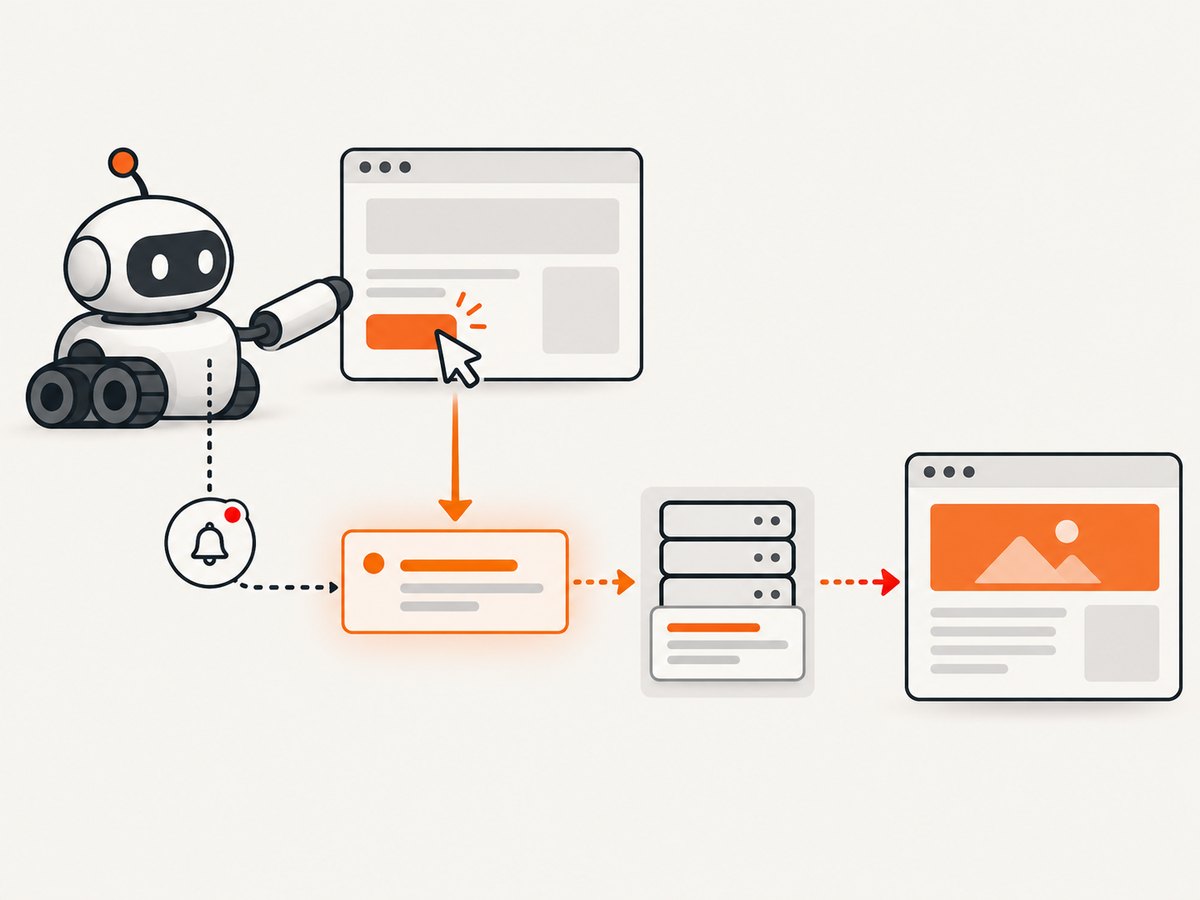
const [request] = await Promise.all([
  page.waitForRequest(
    request =>
      request.url().endsWith('/api/orders') &&
      request.method() === 'POST',
    { timeout: 15_000 }
  ),
  page.click('button.place-order'),
]);

console.log('Sent:', request.url());
console.log('Payload:', request.postData());
The method and endpoint suffix make the predicate more precise than matching every request containing /api. If the site sends multiple order requests, also inspect query parameters or the POST body.
Match a URL exactly
const [request] = await Promise.all([
  page.waitForRequest('https://example.com/api/orders'),
  page.click('button.place-order'),
]);
Exact strings are simple, but they fail when the site adds a cache-busting query string, changes its host, or uses a variable identifier. A predicate is usually more durable for a crawler.
Match query parameters and request data
const [request] = await Promise.all([
  page.waitForRequest(req => {
    const url = new URL(req.url());
    return url.pathname === '/api/search' &&
      url.searchParams.get('page') === '2' &&
      req.method() === 'GET';
  }),
  page.click('button.next-page'),
]);
For a POST body, parse JSON only when the application sends JSON and handle malformed or empty data:
const [request] = await Promise.all([
  page.waitForRequest(req => {
    if (req.url() !== 'https://example.com/api/search' || req.method() !== 'POST') {
      return false;
    }
    try {
      const body = JSON.parse(req.postData() || '{}');
      return body.term === 'puppeteer';
    } catch {
      return false;
    }
  }),
  page.click('button.search'),
]);
4. Wait for the successful response
Use waitForResponse() when your crawler needs the server result. Include the HTTP method and an expected status so an unrelated GET or an error response cannot satisfy the wait.
const [response] = await Promise.all([
  page.waitForResponse(
    response =>
      response.url().endsWith('/api/orders') &&
      response.request().method() === 'POST' &&
      response.status() === 201,
    { timeout: 15_000 }
  ),
  page.click('button.place-order'),
]);

const order = await response.json();
console.log('Created order:', order.id);
If a successful operation can return several status codes, allow them explicitly:
const accepted = new Set([200, 201, 202]);
const [response] = await Promise.all([
  page.waitForResponse(res =>
    new URL(res.url()).pathname === '/api/orders' &&
    res.request().method() === 'POST' &&
    accepted.has(res.status())
  ),
  page.click('button.place-order'),
]);
Inspect a response body in an asynchronous predicate
Puppeteer supports an asynchronous response predicate. This is useful when the status is always 200 but the JSON contains an application-level success flag.
const [response] = await Promise.all([
  page.waitForResponse(async res => {
    if (new URL(res.url()).pathname !== '/api/job' ||
        res.request().method() !== 'POST') {
      return false;
    }
    if (res.status() !== 200) return false;
    try {
      const data = await res.json();
      return data.state === 'accepted';
    } catch {
      return false;
    }
  }, { timeout: 20_000 }),
  page.click('button.start-job'),
]);

console.log('Accepted response:', await response.text());
Do not consume a body in a separate diagnostic path and then assume it can always be parsed again. If you need both a predicate and the final payload, keep the response object and parse it once in a controlled step, or match on status and inspect the body after the wait.
5. Wait for rendering after the AJAX response
The response may arrive before React, Vue, or another client framework paints the result. Chain a selector or in-page condition after the response:

const [response] = await Promise.all([
  page.waitForResponse(res =>
    new URL(res.url()).pathname === '/api/orders' &&
    res.request().method() === 'POST' &&
    res.status() === 201
  ),
  page.click('button.place-order'),
]);

await page.waitForSelector('[data-order-status="complete"]', {
  visible: true,
  timeout: 10_000,
});
Use waitForFunction() when the page exposes a state value rather than a stable element:
await page.waitForFunction(
  () => window.__checkoutState?.status === 'complete',
  { timeout: 10_000 }
);
This two-stage approach is more reliable than assuming that a network response and a rendered UI happen at the same time.
6. A complete reusable crawler helper
The helper below waits for a successful JSON response, records useful diagnostics, and closes the browser even when the operation fails.
const puppeteer = require('puppeteer');

async function placeOrder(url) {
  const browser = await puppeteer.launch({ headless: true });
  const page = await browser.newPage();
  page.setDefaultTimeout(30_000);

  try {
    await page.goto(url, { waitUntil: 'domcontentloaded', timeout: 30_000 });

    const [response] = await Promise.all([
      page.waitForResponse(async res => {
        const parsed = new URL(res.url());
        if (parsed.pathname !== '/api/orders' ||
            res.request().method() !== 'POST' ||
            res.status() !== 201) {
          return false;
        }
        return res.headers()['content-type']?.includes('application/json') ?? false;
      }, { timeout: 15_000 }),
      page.click('button.place-order'),
    ]);

    const payload = await response.json();
    await page.waitForSelector('[data-order-status="complete"]', {
      visible: true,
      timeout: 10_000,
    });
    return payload;
  } catch (error) {
    console.error('Order crawl failed:', error.message);
    console.error('Current URL:', page.url());
    throw error;
  } finally {
    await browser.close();
  }
}

placeOrder('https://example.com/checkout')
  .then(order => console.log(order))
  .catch(() => process.exitCode = 1);
7. Timeouts, cancellation, and retries
Set { timeout: 15_000 } or another evidence-based bound on each wait. Passing 0 creates an intentionally unbounded wait; this is rarely appropriate for a crawler because one stuck page can consume a worker forever. Puppeteer also accepts an AbortSignal, allowing a job-level cancellation to stop the wait.
const controller = new AbortController();
const timer = setTimeout(() => controller.abort(), 20_000);

try {
  const [response] = await Promise.all([
    page.waitForResponse(
      res => res.url().endsWith('/api/orders') && res.status() === 201,
      { timeout: 15_000, signal: controller.signal }
    ),
    page.click('button.place-order'),
  ]);
  console.log(await response.json());
} finally {
  clearTimeout(timer);
}
Retry only when the operation is safe to repeat. A POST may create duplicate records unless the application supports idempotency keys. For transient navigation or infrastructure failures, create a fresh page or browser context rather than stacking multiple listeners on a damaged page.
8. Troubleshooting common failures
| Symptom | Likely cause | Fix |
|---|---|---|
TimeoutError after the click |
The waiter was registered after the trigger, or the selector never clicked. | Put both operations in Promise.all(); verify the button is visible and enabled. |
| The wrong request resolves | The predicate matches a broad path such as /api. |
Require the pathname, method, query value, and, where useful, request data. |
| A request resolves but the action failed | Dispatch was mistaken for server acceptance. | Use waitForResponse() and check status and body fields. |
| Network-idle waiting hangs | Analytics, polling, advertisements, or WebSockets keep traffic active. | Wait for the known response, then wait for the result selector. |
| The response is 200 but the app shows an error | The API reports business errors inside a successful HTTP response. | Use an asynchronous predicate or parse JSON and check its application status. |
| The request URL differs between runs | Host, locale, query, or cache-busting parameters vary. | Parse new URL(response.url()) and match stable pathname and parameters. |
response.json() fails |
The endpoint returned HTML, an empty body, or a non-JSON content type. | Check the content-type header and use response.text() for diagnostics. |
| The result element appears late | Rendering continues after the response event. | Add waitForSelector() or waitForFunction() after the response. |
| Intermittent misses under load | Listeners are installed too late, or multiple pages share mutable state. | Register before every trigger and isolate state per page or browser context. |
When diagnosing, log the page URL, matched URL, method, status, response headers, and a bounded response body. Avoid logging authorization headers, cookies, or personal data.
9. Performance and reliability practices
- Match one known endpoint instead of waiting for global network idle. This reduces unnecessary delay on pages with continuous background traffic.
- Use a realistic timeout based on the endpoint’s behavior. A shorter bound fails fast; a longer bound helps slow backends but ties up workers.
- Reuse a browser process when safe, but isolate cookies and local storage with separate browser contexts for independent jobs.
- Close pages and browsers in
finallyblocks. Leaked pages eventually exhaust memory and file descriptors. - Keep predicates cheap. URL, method, status, and headers are usually enough; parse bodies only for an application-level condition.
- Record whether a failure was a timeout, navigation error, HTTP error, invalid JSON, or missing DOM state so retries can be selective.
- For repeated captures of the same stable state, cache the resulting artifact outside Puppeteer. Do not cache a response that contains user-specific data without an explicit isolation policy.
10. Or skip the browser setup
If your goal is a clean image or PDF after a page has rendered, ScreenshotNeo provides a single screenshot API call. It can wait for a selector, delay, or network idle, and it supports custom JavaScript, headers, cookies, user agents, blocking rules, full-page capture, element capture, device presets, dark mode, PDFs, caching, asynchronous jobs, bulk capture, and signed links. Cookie and consent banners, newsletter popups, and chat widgets are removed before capture. Bot checks, blank pages, timeouts, failed loads, and cache hits are not billed, and the response identifies the page verdict and billing status in headers.
Read the complete parameter reference in the ScreenshotNeo documentation.
cURL
curl -G "https://api.screenshotneo.com/v1/shot" -d access_key=YOUR_API_KEY --data-urlencode url=https://stripe.com -o shot.webpPython
import requests

r = requests.get(
    "https://api.screenshotneo.com/v1/shot",
    params={"access_key": "YOUR_API_KEY", "url": "https://stripe.com"},
    timeout=90,
)
r.raise_for_status()
open("shot.webp", "wb").write(r.content)
Node.js
const q = new URLSearchParams({ access_key: 'YOUR_API_KEY', url: 'https://stripe.com' });
const res = await fetch(`https://api.screenshotneo.com/v1/shot?${q}`);
if (!res.ok) throw new Error(`Screenshot failed: ${res.status}`);
const buffer = Buffer.from(await res.arrayBuffer());
require('fs').writeFileSync('shot.webp', buffer);
ScreenshotNeo also has an MCP server with take_screenshot, get_page_info, and capture_pdf tools for Claude, Cursor, and other MCP clients. The Free plan includes 1,000 shots per month without a card; paid plans start at $5 for 3,000 shots, and every feature is available on every plan. Create a free ScreenshotNeo account.
11. Cost and operational considerations
Running Puppeteer yourself means paying for browser CPU, memory, storage, orchestration, proxy or egress services, and engineering time for browser updates and site-specific failures. It gives you maximum control over in-page state and lets you inspect every request. A screenshot API trades some browser control for a simpler request and managed capture behavior. Compare the complete workflow cost, including retries and failed pages, rather than only the nominal image price.
For ScreenshotNeo, only clean shots are billed. A response’s X-Page-Verdict and X-Billed headers let a worker record what happened and reconcile usage. Choose a cache TTL when repeated URLs are acceptable, or disable caching when every capture must reflect current state.
12. FAQ
Should I wait for a request or a response?
Wait for a request when emission is the requirement. Wait for a response when the server result determines success, and include the expected status or body marker.
Can I register the waiter after clicking?
Do not rely on that ordering. A fast request can complete before the later waiter exists. Register it in Promise.all() with the trigger.
Is network idle a replacement for an AJAX wait?
Usually not. Background analytics, polling, ads, and sockets can prevent idle or create misleading quiet periods. Match the known response and then wait for the rendered result if needed.
How do I wait for two AJAX calls?
Create two waiters before the trigger and await them together. Give each predicate a distinct endpoint or response condition so the calls cannot be swapped.
const [userResponse, ordersResponse] = await Promise.all([
  page.waitForResponse(r => r.url().endsWith('/api/user') && r.status() === 200),
  page.waitForResponse(r => r.url().endsWith('/api/orders') && r.status() === 200),
  page.click('button.refresh'),
]);
Can Puppeteer wait for a failed response?
Yes. Match the endpoint and inspect response.status(). You can deliberately wait for a 4xx or 5xx response to collect an error payload and classify the crawl.
When should I use ScreenshotNeo?
Use it when the deliverable is a screenshot or PDF and you prefer one API call over maintaining a browser worker. It removes common consent and overlay elements before capture, does not bill failed or blank captures, and can be driven by an MCP client. Start with 1,000 free screenshots each month.


