Identifying Browser Agents with Web Bot Authentication
Learn how Web Bot Auth signs automated requests, discovers agent keys, and what verified identity can—and cannot—tell a website.
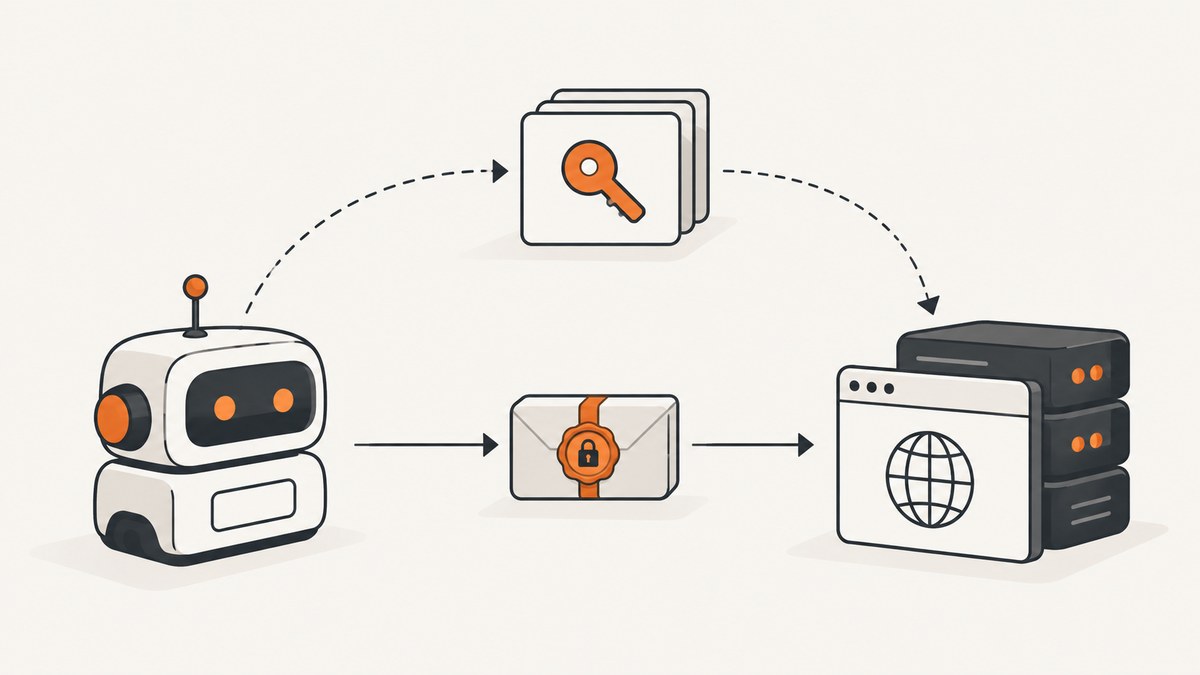
Web Bot Authentication (Web Bot Auth) is an IETF proposal for cryptographically identifying automated, non-browser clients that access websites built for browsers. An agent signs an HTTP request, publishes its public key at an HTTPS URL, and lets the receiving site verify that signature. A valid check identifies the signing agent key; it does not identify the human user, prove that the agent is safe, establish authorization, or create a reputation.
The active protocol is draft-ietf-webbotauth-httpsig-protocol-00, an evolving Internet-Draft. Internet-Drafts can be replaced or updated, so treat field names, verification rules, and deployment guidance as provisional. The IETF Web Bot Authentication charter describes the work as standardizing methods for cryptographically authenticating non-browser clients and providing additional information about their operators to websites.
What Web Bot Auth identifies
The title says “browser agents,” but the initial scope is narrower and more precise: automated clients making requests to sites intended for browsers. It is not browser attestation and it is not a login protocol for the person operating an agent.
A verifier can answer a question such as: “Was this request signed by the key published for the agent identifier it presented?” It cannot answer these questions from the signature alone:
- Which human approved or initiated the request?
- Whether the software follows the site’s terms or behaves benignly.
- Whether the agent is authorized to read a particular account or resource.
- Whether two requests came from the same human or organization beyond the published agent identity.
Those decisions remain site policy. A site may combine a verified agent identity with account permissions, rate limits, content licensing, fraud controls, or traffic management.
How the proposed protocol works
- Key creation: an automated client creates a signing key pair and keeps the private key protected.
- Agent identifier: the client presents an HTTPS URL that represents where its public keys are published.
- Discovery: the site uses the proposal’s
Signature-Agentheader and the defined well-known/JWKS discovery mechanism to resolve that URL and obtain public keys. - Signing: the client creates an HTTP Message Signature over the request components required by the protocol.
- Verification: the site checks the signature with the discovered public key, validates freshness and covered components according to the draft, and then applies local policy.
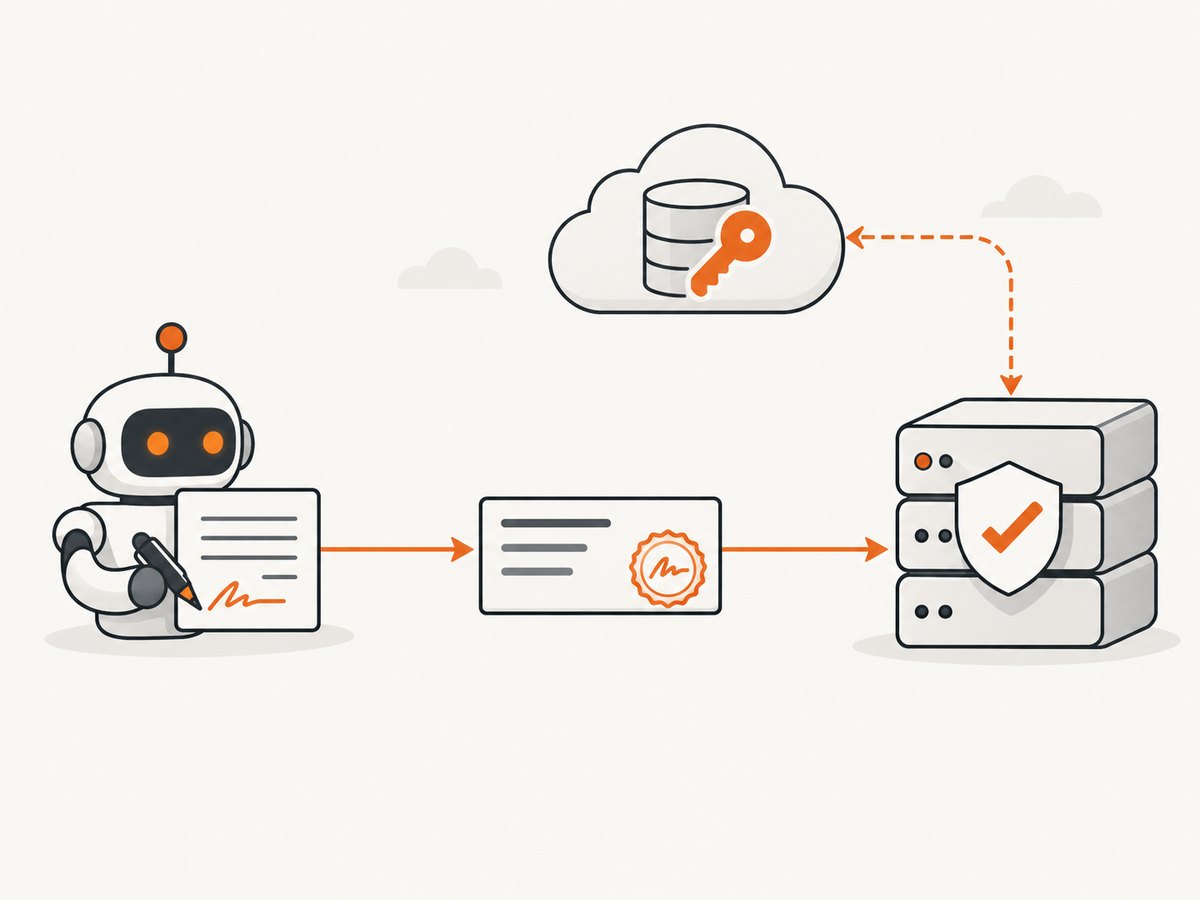
The important boundary is between cryptographic evidence and authorization. Successful verification means the request was signed by a key published under the stated agent identifier, subject to key-management and verification assumptions. It does not grant access automatically.
Why a URL-based identity?
The identifier is tied to an HTTPS location controlled by the agent operator. That location can publish a JWKS document containing current public keys and can rotate keys without embedding a permanent shared secret in every relying site. Operators must still secure the private key, control DNS and HTTPS for the identifier, remove compromised keys, and define overlap periods during rotation.
Implementing verification on a website
Because the draft is still changing, implement the boundary between protocol parsing and your policy engine so you can update the parser independently. A practical deployment plan is:
- Capture the complete request. Preserve the method, target URI, headers, body digest (when used), received time, source network data, and the signature-related headers.
- Parse the agent identifier. Accept only the syntax and schemes allowed by the current draft. Do not treat an arbitrary header value as trusted identity.
- Resolve keys safely. Fetch the defined key directory over HTTPS, enforce redirect and size limits, cache successful responses briefly, and reject malformed or unusable keys.
- Verify the HTTP Message Signature. Confirm the covered components match the received request, the key is valid for the declared agent, and the signature is within the protocol’s freshness rules.
- Apply policy. Map the verified agent identifier to permissions, quotas, rate limits, or a review queue. Keep “verified” and “allowed” as separate states in logs and code.
- Record a reason. Store outcomes such as
verified,unknown-key,expired,invalid-signature, andpolicy-deniedfor operations and support.
Minimal Python inspection service
The following runnable example shows the safe shape of a receiver. It records the signature inputs and leaves cryptographic verification to a library that implements the current draft. Do not replace the marked verifier with a header-presence check.
from flask import Flask, request, jsonify
from urllib.parse import urlparse

app = Flask(__name__)

@app.post("/agent-request")
def receive():
    signature = request.headers.get("Signature")
    agent = request.headers.get("Signature-Agent")
    if not signature or not agent:
        return jsonify(error="missing Web Bot Auth headers"), 401

    parsed = urlparse(agent)
    if parsed.scheme != "https" or not parsed.netloc:
        return jsonify(error="agent identifier must be an HTTPS URL"), 400

    # Use a maintained HTTP Message Signature/Web Bot Auth verifier here.
    # It must fetch and validate the draft-defined JWKS representation,
    # check covered request components, freshness, and key status.
    verified = False
    if not verified:
        return jsonify(error="signature verification required"), 401

    return jsonify(agent=agent, status="verified")

if __name__ == "__main__":
    app.run(port=8080)
This deliberately fails closed. A production implementation should use a maintained verifier once one supports the draft version you deploy, pin acceptable algorithms, limit key-fetch time, and protect against replay.
Inspecting a request with cURL
These commands are useful for testing your receiving endpoint and checking what headers arrive. They do not create a valid Web Bot Auth signature by themselves.
curl -X POST https://example.com/agent-request \
  -H 'Signature-Agent: https://agent.example/.well-known/web-bot-keys' \
  -H 'Signature: sig1=:BASE64_SIGNATURE:' \
  -H 'Content-Type: application/json' \
  --data '{"task":"catalog"}'
Node.js request inspection
import express from "express";
const app = express();
app.use(express.json());

app.post("/agent-request", (req, res) => {
  const agent = req.get("Signature-Agent");
  const signature = req.get("Signature");
  if (!agent || !signature) {
    return res.status(401).json({ error: "missing Web Bot Auth headers" });
  }
  // Call a maintained verifier for the current IETF draft here.
  return res.status(401).json({ error: "signature verification required" });
});

app.listen(8080, () => console.log("listening on 8080"));
Key discovery and rotation
Key discovery is an operational dependency. Cache JWKS responses according to their HTTP caching headers, but keep a bounded refresh path for a newly introduced key. During rotation, publish the new key before signing with it, overlap the old key for at least the longest accepted request lifetime, and remove the old key only after that window. Keep private keys outside source control and restrict signing access to the agent process.
Plan for failures: an unreachable key directory, an expired certificate, a malformed JWKS document, an unknown key identifier, and a revoked key should produce distinct metrics. Decide whether each condition is fail-closed for sensitive resources or temporarily degraded for public pages.
Replay protection, freshness, and logging
A valid signature can be copied unless the protocol and your policy bind it to freshness and request contents. Require the draft’s recommended timestamp or nonce mechanisms, verify the covered method, target, host, and any body digest, and reject requests outside a bounded clock-skew window. If your endpoint performs non-idempotent work, store a replay key long enough to cover that window.
Log the agent identifier, key identifier, verification result, policy result, timestamp, and a request correlation ID. Avoid logging private keys or full sensitive request bodies. Logs should let you distinguish “the agent was authenticated” from “the operation was permitted.”
Web Bot Auth compared with common alternatives
| Method | What a site learns | Main limitation |
|---|---|---|
| User-Agent | A self-declared software string | Easy to change and not cryptographically verifiable |
| IP allowlist | Network origin | Infrastructure changes, proxies, NAT, and shared addresses make identity and management difficult |
| Shared API key | Possession of a secret issued by the site | Key distribution and leakage are costly; the key does not provide a public operator identity |
| Web Bot Auth | A signature verifiable against keys published by an agent identifier | Still a draft; requires key hosting, rotation, verifier support, and site policy |
The protocol draft presents these distinctions as motivation and design goals, not as a universal benchmark. Choose the control that matches your threat model; Web Bot Auth can complement existing authentication rather than replace user accounts or authorization.

Web Bot Auth is different from Anonymous Bot Authentication
Anonymous Bot Authentication (ABA) is a separate Internet-Draft. It explores anonymous credentials that let a site recognize traffic vouched for by an anchor without linking every request to one specific bot. ABA’s authors describe that work as early and note that it has not received significant security analysis. It is not the mechanism defined by the HTTP Message Signatures protocol discussed here.
Common errors and fixes
| Symptom | Likely cause | Fix |
|---|---|---|
| 401 missing headers | Client omitted Signature-Agent or signature metadata |
Send the draft-required headers and verify that a proxy did not strip them. |
| Unknown agent | The identifier URL cannot be resolved or its key directory is unavailable | Check HTTPS, DNS, certificate validity, redirects, firewall rules, and JWKS content. |
| Invalid signature | The signed component differs from what arrived, or the wrong key was selected | Log the canonicalized components, confirm proxy rewrites, and publish the key before use. |
| Expired request | Clock skew or a stale replay | Synchronize clocks, configure the draft’s allowed skew, and reject reused nonces. |
| Verification succeeds but access is denied | Authentication and authorization policies are separate | Add an explicit policy mapping for that agent, resource, and operation. |
| Intermittent failures during rotation | Verifier cache has not received the new key | Publish keys early, honor cache controls, and allow a bounded refresh on unknown key IDs. |
Performance, reliability, and cost considerations
- Latency: cache verified key documents and avoid fetching them on every request. Apply strict connection and response-size limits to key discovery.
- Availability: decide in advance whether a temporary key-directory outage blocks sensitive actions or permits a limited public read path. Measure verification failures separately from origin failures.
- Scaling: keep verification stateless where possible and share a bounded JWKS cache across workers. Protect the cache from unbounded agent-controlled URLs.
- Security: restrict algorithms and key types, validate the HTTPS identity, and isolate signing keys from application data.
- Cost: Web Bot Auth itself is a protocol design, not a required paid service. Your costs come from key hosting, verification compute, logging, traffic controls, and any security or CDN products you choose.
Or skip the browser setup
If your immediate task is obtaining a reliable page image while an agent or service handles web access, ScreenshotNeo provides a single screenshot API call. It accepts the URL and returns PNG, JPEG, WebP, or PDF; its MCP server exposes take_screenshot, get_page_info, and capture_pdf for Claude, Cursor, and other MCP clients. Cookie and consent banners, newsletter popups, and chat widgets are removed before capture, with each step configurable. Bot checks, blank pages, failed loads, timeouts, and cache hits are not billed, and response headers report the page verdict and billing result.
See the ScreenshotNeo API documentation for all options.
cURL
curl -G "https://api.screenshotneo.com/v1/shot" -d access_key=YOUR_API_KEY --data-urlencode url=https://stripe.com -o shot.webpPython
import requests
r = requests.get("https://api.screenshotneo.com/v1/shot", params={"access_key": "YOUR_API_KEY", "url": "https://stripe.com"}, timeout=90)
open("shot.webp", "wb").write(r.content)
Node.js
const q = new URLSearchParams({ access_key: 'YOUR_API_KEY', url: 'https://stripe.com' });
const res = await fetch(`https://api.screenshotneo.com/v1/shot?${q}`);
ScreenshotNeo includes full-page and element capture, device presets, retina scale, dark mode, custom CSS and JavaScript, click and wait actions, request blocking, custom headers and cookies, timezone and geolocation, transparent backgrounds, resizing, caching, signed links, asynchronous jobs, bulk capture, usage reporting, and PDF controls. The free plan includes 1,000 screenshots per month with no card; paid plans start at $5 for 3,000. Create a free ScreenshotNeo account.
FAQ
Does Web Bot Auth identify the person behind an AI agent?
No. The initial IETF scope explicitly separates client authentication from end-user authentication. A site needs a separate account or delegation system if it must identify a person.
Is Web Bot Auth a finished standard?
No. The active document is an Internet-Draft and can change before standardization.
Can a verified agent access any page?
No. Verification is an input to authorization. The site owner decides which verified identities may perform which operations.
Can I use a User-Agent string instead?
You can, but it is self-asserted and not cryptographically verifiable. Web Bot Auth is intended to provide stronger evidence of the signing agent identity.
Is Anonymous Bot Authentication the same protocol?
No. ABA is a separate proposal focused on anonymous credentials and unlinkability.