Web Scraping and AI Agent Use Cases
Learn which scraping method fits an AI agent, how to build safe workflows, and when APIs, HTTP, Playwright, or computer use are the right choice.
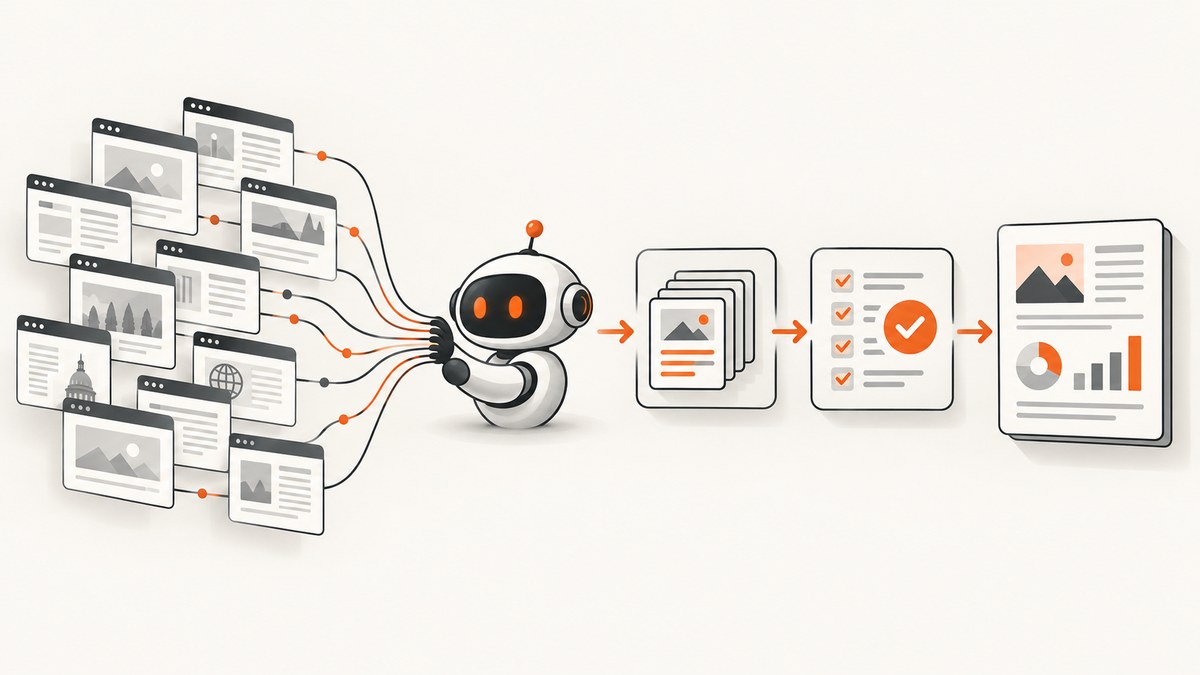
Web scraping lets an AI agent turn changing web pages into current evidence, structured records, and actions. The right implementation depends on the site and the consequence of the task. Prefer an official API or feed when one exists. Use HTTP and DOM extraction for stable, server-rendered pages. Use Playwright-style browser automation for JavaScript-heavy pages and interactive sessions. Choose a general computer-use agent only when narrower tools cannot reach the workflow.
This guide covers practical use cases, an implementation pattern, runnable code, safety controls, reliability trade-offs, and a managed screenshot option for visual workflows.
What can AI agents do with web scraping?
An agent can fetch pages, identify relevant content, extract fields, compare sources, detect changes, and produce a cited result. It can also use browser controls to navigate, fill forms, download files, or test a multi-step flow. Keep retrieval and interpretation separate: the scraper obtains evidence, while the model classifies, summarizes, or plans the next step.
Research and monitoring
A research agent retrieves current pages, selects passages that answer a question, compares independent sources, and writes a brief with URLs and timestamps. Monitoring agents can check a set of pages on a schedule and alert when a price, policy, filing, schedule, or product description changes.
Structured extraction
Extract fields such as product attributes, public filings, job postings, event schedules, or prices into a validated schema. Normalize units, currencies, dates, and names before writing to a database. Store the source URL and retrieval time with every record.
Lead, catalog, and knowledge enrichment
Combine extraction with entity resolution, classification, deduplication, and change detection. For example, an agent can match a company page to an existing organization, classify its industry, and flag records whose contact details changed.
Browser workflow automation
Browser tools can fill forms, test user flows, navigate multi-step sites, download files, or reconcile information across tabs. Require explicit human approval before sending messages, purchasing, deleting data, or changing records.
Document and page review
Route long pages to an agent that fetches, summarizes, classifies, and flags exceptions for a reviewer. Keep the original HTML, extracted text, and model output so a reviewer can audit the conclusion.
Operational analysis
Feed extracted data into an analyst agent for read-only queries, alerts, or incident investigation. A retrieval job should fail closed when a page is blocked, incomplete, or ambiguous rather than inventing missing values.
Choose the access method
| Method | Use it when | Strengths | Costs and limits |
|---|---|---|---|
| Official API, export, or RSS | A supported feed exists | Stable schema, clear authentication, low maintenance | May omit UI-only data or have quotas |
| HTTP plus DOM parsing | Pages are public, server-rendered, and structurally stable | Fast, inexpensive, easy to cache | Breaks when markup changes; cannot execute required JavaScript |
| Playwright or browser automation | JavaScript rendering, sessions, scrolling, downloads, or UI state are required | Handles realistic browser flows | Slower, heavier, more failure modes |
| Computer-use agent | No narrow API or browser tool can reach a legacy or mixed desktop workflow | Most general interface coverage | Slowest and less reliable on complex tasks; requires strong isolation |
OpenAI documents Playwright as a browser-control option and describes computer use as operating browser and desktop interfaces. Anthropic likewise recommends narrower tools when they cover a task because computer use is the most general and slowest option. See the OpenAI web search documentation, computer use documentation, and Anthropic tool-combination guidance.

Build a web-scraping agent
1. Define a narrow contract
Write down the allowed domains, URL patterns, fields, freshness target, maximum request rate, and what the agent may do after extraction. A narrow contract prevents a prompt from turning a read-only collector into an uncontrolled crawler.
2. Fetch with an honest identity
Use a descriptive user agent with a contact path. Read robots.txt and the site’s terms, document permitted paths, and honor disallow rules and crawl delays. Do not bypass CAPTCHAs or other anti-circumvention controls. Anthropic states that its crawling should not be intrusive or disruptive and that its bots respect robots.txt directives.
3. Add retries, caching, and limits
Retry transient 429 and 5xx responses with exponential backoff and jitter. Do not retry authentication failures or a robots exclusion. Cache responses using a TTL appropriate to the data. Deduplicate URLs by canonical form, cap pages per job, and stop when the budget or time limit is reached.
4. Extract into a schema
Parse HTML with a DOM library, then validate each field. Mark missing, ambiguous, or conflicting values explicitly. Keep raw evidence alongside normalized values so a model cannot silently turn an empty selector into a confident answer.
5. Let the model interpret evidence
Pass selected text, metadata, and source URLs to the model. Treat every page as untrusted input: page text can contain prompt injection that tries to redirect the agent, exfiltrate secrets, or trigger an unwanted action. Keep system instructions and credentials outside scraped content, and allow tools only through an explicit policy.
6. Require approval for consequential actions
Use a human checkpoint before sending, purchasing, deleting, changing records, or submitting a form. Log the proposed action and the evidence that led to it. Run browser and code execution in an isolated environment with least-privilege credentials.
Minimal Python HTTP extraction example
import json
import time
from urllib.parse import urljoin

import requests
from bs4 import BeautifulSoup

URL = "https://example.com/news"
HEADERS = {"User-Agent": "ResearchBot/1.0 (+https://example.com/contact)"}

response = requests.get(URL, headers=HEADERS, timeout=30)
response.raise_for_status()
soup = BeautifulSoup(response.text, "html.parser")

items = []
for heading in soup.select("article h2"):
    link = heading.find("a")
    if not link:
        continue
    items.append({
        "title": heading.get_text(" ", strip=True),
        "url": urljoin(URL, link.get("href", "")),
    })

print(json.dumps({"source": URL, "retrieved_at": time.time(), "items": items}, indent=2))
Playwright browser example
import asyncio
from playwright.async_api import async_playwright

async def main():
    async with async_playwright() as p:
        browser = await p.chromium.launch(headless=True)
        page = await browser.new_page(
            user_agent="ResearchBot/1.0 (+https://example.com/contact)"
        )
        await page.goto("https://example.com", wait_until="networkidle", timeout=60000)
        await page.locator("button.accept").click(timeout=5000)
        await page.locator("article").first.wait_for()
        text = await page.locator("main").inner_text()
        print(text[:5000])
        await browser.close()

asyncio.run(main())
Capture visual evidence without maintaining a browser
Some agent workflows need a rendered image: visual regression checks, page previews, evidence attached to a report, or a screenshot after a UI state changes. ScreenshotNeo is a website screenshot API and MCP server. It accepts one GET request and returns PNG, JPEG, WebP, or PDF. It handles full-page and element captures, dark mode, device presets, custom viewports, retina scale, custom CSS and JavaScript, clicks, waits, blocked resources, cookies, headers, geolocation, transparent backgrounds, resizing, caching, asynchronous jobs, bulk capture, signed links, and usage reporting.
cURL
curl -G "https://api.screenshotneo.com/v1/shot" -d access_key=YOUR_API_KEY --data-urlencode url=https://stripe.com -o shot.webpPython
import requests
r = requests.get("https://api.screenshotneo.com/v1/shot", params={"access_key": "YOUR_API_KEY", "url": "https://stripe.com"}, timeout=90)
r.raise_for_status()
open("shot.webp", "wb").write(r.content)
Node.js
const q = new URLSearchParams({ access_key: 'YOUR_API_KEY', url: 'https://stripe.com' });
const res = await fetch(`https://api.screenshotneo.com/v1/shot?${q}`);
if (!res.ok) throw new Error(`Screenshot failed: ${res.status}`);
const fs = await import('node:fs/promises');
await fs.writeFile('shot.webp', Buffer.from(await res.arrayBuffer()));
See the ScreenshotNeo API documentation for option names. Parameters used by other screenshot APIs also work, which simplifies migration. For an AI agent, the MCP server exposes take_screenshot, get_page_info, and capture_pdf tools to Claude, Cursor, and other MCP clients.
Screenshot and scraping options that matter
- Page scope: full page with lazy images loaded, or one element selected by CSS.
- Timing: wait for a selector, a fixed delay, or network idle. Use a selector for deterministic readiness when possible.
- Identity and access: custom headers, cookies, user agent, and Authorization.
- Environment: timezone, geolocation, device preset, viewport, dark mode, and retina scale.
- Privacy and cleanliness: custom CSS, hidden selectors, blocked ads and trackers, and a transparent background.
- Output: PNG, JPEG, WebP, or PDF with paper size, margins, landscape mode, and page ranges; optionally resize the image.
- Operations: choose a cache TTL, submit asynchronous jobs with signed webhooks, capture up to 100 URLs in bulk, and read usage through the usage API.
Or skip the browser setup
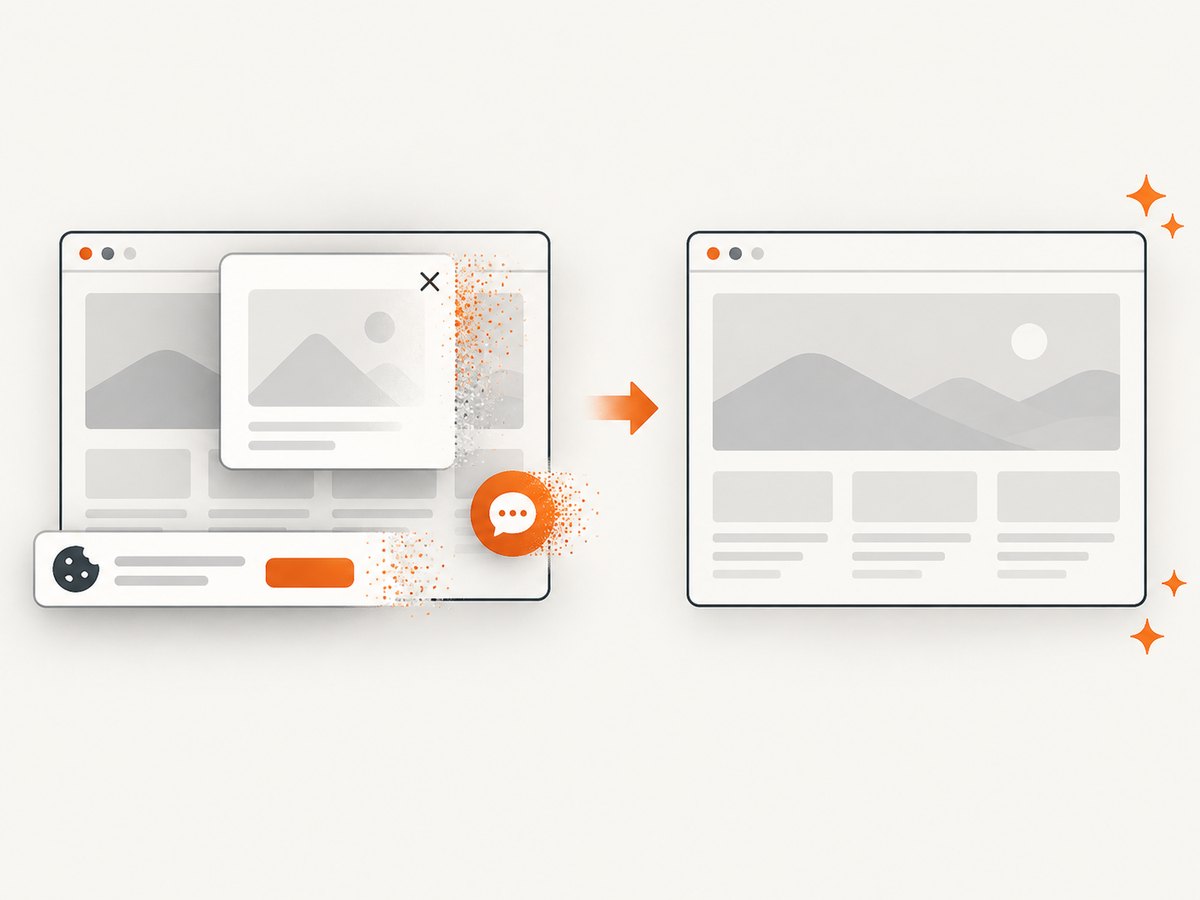
ScreenshotNeo accepts cookie and consent banners like a visitor, then removes more than 60 known consent platforms, newsletter popups, and chat widgets before the capture; each step can be turned off. Bot checks and CAPTCHAs, blank pages, timeouts, failed loads, and cache hits are not billed, and response headers identify the page verdict and whether it was billed.
curl -G "https://api.screenshotneo.com/v1/shot" -d access_key=YOUR_API_KEY --data-urlencode url=https://stripe.com -o shot.webpAn MCP server lets AI agents take screenshots. The Free plan includes 1,000 screenshots per month with no card; paid plans start at $5 for 3,000 shots. Create a free ScreenshotNeo account.
Safety, legal, and governance checklist
- Review robots.txt, terms, privacy requirements, and applicable law for every target.
- Identify the crawler and provide a contact path.
- Rate-limit and cache requests; schedule work to reduce load.
- Never bypass CAPTCHAs, access controls, or anti-circumvention measures.
- Isolate browsers and code; use short-lived, least-privilege credentials.
- Keep secrets out of prompts and scraped text.
- Require approval for consequential actions.
- Log URL, timestamp, extraction version, action, response status, and failure reason.
- Store only the data needed for the stated purpose and define retention.
Reliability, performance, and cost
APIs and feeds generally have the lowest maintenance cost. HTTP parsing is fast when pages are stable, but markup changes can silently reduce extraction accuracy, so monitor selector hit rates and schema validation failures. Browser automation adds startup time and memory use; reuse a browser where safe, limit concurrency, wait on meaningful selectors, and block unnecessary resource types. Computer-use agents add model latency and can make visual mistakes; keep tasks narrow and add checkpoints.
Cache immutable or slow-changing pages, use conditional requests where supported, and separate fetch workers from model workers so a model retry does not refetch every page. Track cost per successful record, not merely requests. For screenshots, ScreenshotNeo’s cache and verdict headers help distinguish a clean billed capture from a failed or cached response.
Troubleshooting
HTTP 403 or 401
Cause: authentication, access policy, or an unapproved crawler. Fix: use the documented API, supply authorized credentials, identify your user agent, and stop if the site disallows access.
HTTP 429
Cause: rate limit. Fix: honor Retry-After, apply exponential backoff with jitter, reduce concurrency, and cache.
Empty fields
Cause: a selector changed, content is client-rendered, or the page returned an interstitial. Fix: save the raw response, validate selectors, and switch to browser automation only when JavaScript is required.
Browser timeout
Cause: waiting for network idle on a page with long-lived connections. Fix: wait for a specific selector, set a bounded timeout, and record a partial failure instead of guessing.
Unexpected model instruction
Cause: prompt injection in page content. Fix: treat page text as data, isolate tools and secrets, and require approval for actions.
Screenshot is cluttered
Cause: consent banners, popups, or chat widgets. Fix: use ScreenshotNeo’s cleaning steps, hide selectors, or add custom CSS and JavaScript.
Screenshot is billed unexpectedly
Cause: the page produced a clean capture. Fix: inspect X-Page-Verdict and X-Billed; cache hits and failed loads are identified in the response.
FAQ
Should I use Playwright or an API?
Use an API or feed when it supplies the needed data. Use Playwright when JavaScript, sessions, scrolling, downloads, or UI state are required.
Can an AI agent fill forms?
Yes, with browser or computer-use tools. Restrict fields and require confirmation before submission.
How accurate are computer-use agents?
Benchmarks show useful but incomplete reliability: 38.1% on OSWorld, 58.1% on WebArena, and 87% on WebVoyager in results reported by OpenAI in 2025. These are benchmark results, not a production guarantee.
How do I make scraping repeatable?
Version selectors and prompts, cache inputs, validate schemas, preserve evidence, and log every request and action.
What does ScreenshotNeo cost?
Free includes 1,000 shots per month. Starter is $5 for 3,000, Growth $15 for 15,000, Pro $39 for 60,000, Scale $99 for 250,000, and Business $249 for 1,000,000. Yearly billing gives two months free, and every feature is on every plan.