10 Web Scraping Challenges and How to Solve Them
A practical guide to diagnosing dynamic pages, rate limits, blocks, broken selectors, data quality problems, and scraper maintenance.
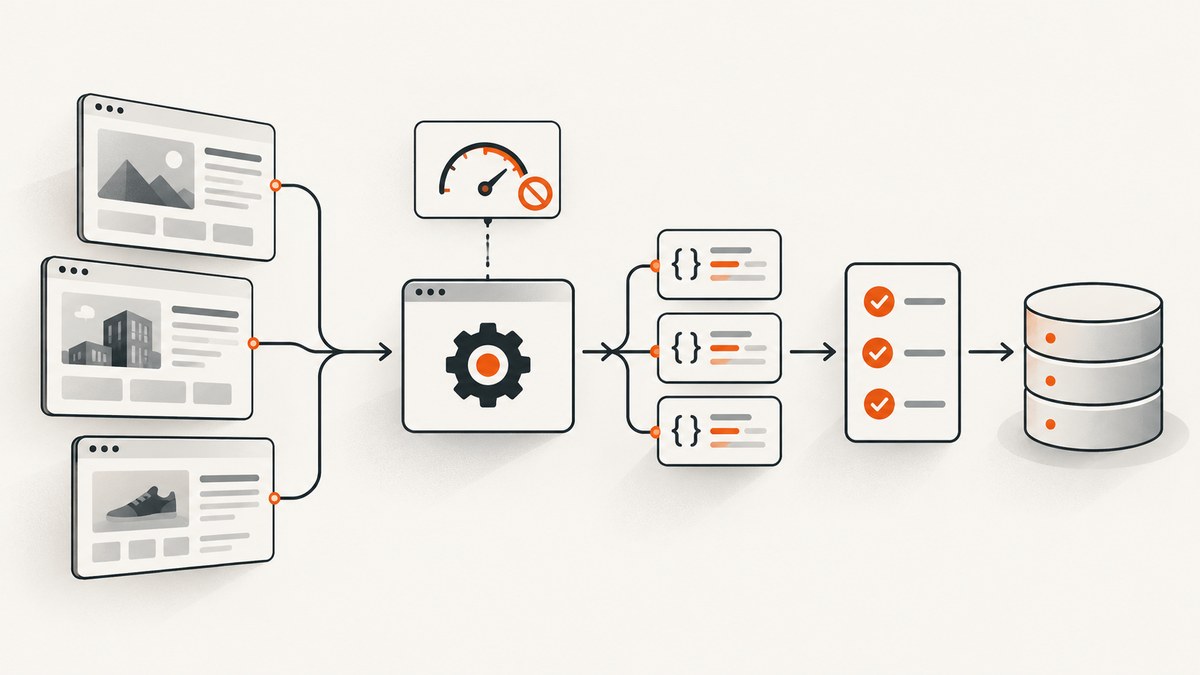
Web scrapers usually fail at one of four layers: the response does not contain the data you expected, the site does not permit or tolerate the request pattern, the page structure changes, or the extracted records are not validated and maintained. The fix depends on diagnosing the layer first.
This guide covers ten common web scraping challenges, with practical remedies, runnable examples, operational checks, and decisions about when to use an API, browser automation, or a managed screenshot service.
1. JavaScript-rendered and dynamic content
A plain HTTP request often returns an initial HTML shell while JavaScript later fetches products, comments, prices, or other records. If you parse the shell, your scraper may return an empty list without producing an obvious error.
Diagnose the response
- Save the raw response and search it for a value visible in the browser.
- Open browser developer tools and inspect the Network panel for JSON or GraphQL requests that contain the data.
- Check whether the site documents an API or export route.
- If rendering is necessary and permitted, use Playwright, Puppeteer, or Selenium.
- After rendering, verify that required fields exist; do not assume that a loaded page is complete.
from playwright.sync_api import sync_playwright

with sync_playwright() as p:
    browser = p.chromium.launch()
    page = browser.new_page()
    page.goto("https://example.com/catalog", wait_until="networkidle")
    page.locator("article.product").first.wait_for()
    products = page.locator("article.product").all_inner_texts()
    print(products)
    browser.close()
Prefer an authorized JSON endpoint when one exists. It is usually faster and less fragile than reproducing a browser session. Rendering is appropriate when the data is only available after client-side execution and your access is permitted.
2. Rate limiting and HTTP 429 responses
Sites may cap requests per minute, per account, or per IP address. A 429 response means your scraper should slow down. Increasing concurrency or retrying immediately can extend the block.
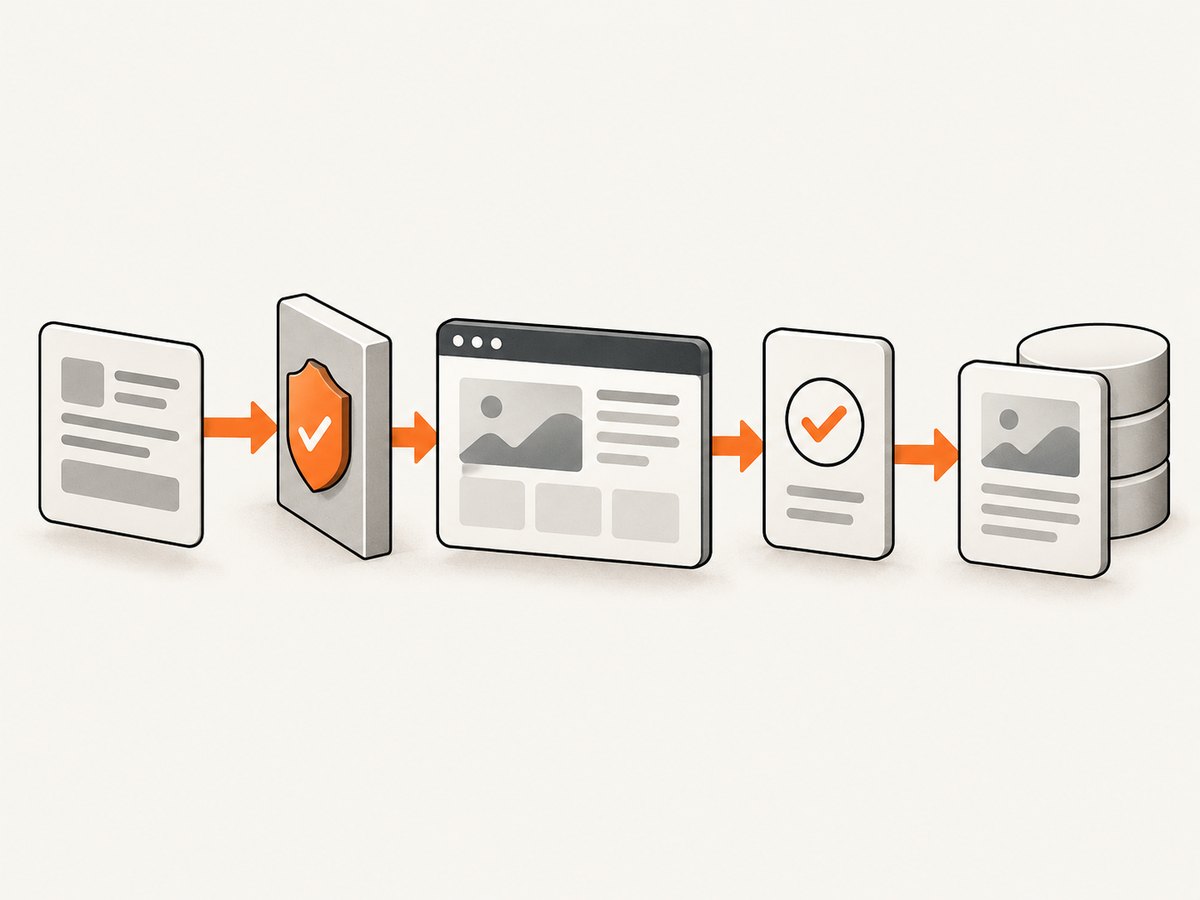
| Signal | Likely cause | Response |
|---|---|---|
| HTTP 429 | Too many requests | Honor Retry-After, reduce concurrency, add jitter |
| Longer latency | Server is overloaded or throttling | Lower per-host concurrency and observe |
| Intermittent timeouts | Load, network, or server capacity | Use bounded retries and record failures |
Set a conservative per-host limit, use a queue, and make retries exponential with a maximum delay. Apify’s examples demonstrate concurrency and per-minute controls, but their values are not universal limits for other sites.
import asyncio, random

async def pace(minimum=1.0, maximum=2.5):
    await asyncio.sleep(random.uniform(minimum, maximum))

# await pace() before each request to the same host
3. IP blocks
Repeated or unusually rapid traffic can cause an IP address to be blocked. First inspect your request pattern: concurrency, URL repetition, missing headers, and retries are common causes. Reduce load and stop if access is refused.
Proxy rotation is a technical capability described by some vendors; it does not establish permission or make collection lawful. If access is unavailable, look for an official API, export, or permission process instead of escalating traffic.
4. CAPTCHAs and anti-bot controls
CAPTCHAs, browser fingerprinting, and challenge pages are signals that a platform is restricting automation. Treat them as an access boundary, not a puzzle to defeat.
- Check for a documented API, data export, or research access program.
- Ask the site owner for permission when your use case requires recurring collection.
- Stop requests when a challenge or refusal appears.
- Do not build a default workflow around bypassing controls.
The Office of the Privacy Commissioner of Canada describes CAPTCHAs and IP blocking as measures platforms use to detect automated activity. Its joint statement also says: “A fundamental takeaway from the Initial Statement is that publicly accessible personal data is still subject to data protection and privacy laws in most jurisdictions.” Public visibility does not remove privacy obligations.
5. Changing page structures and selectors
A redesign can leave a scraper running while changing every extracted value to an empty string. Prefer stable semantics such as documented fields, meaningful attributes, and headings over deeply nested CSS paths.
required = {
    "title": lambda v: isinstance(v, str) and len(v.strip()) > 0,
    "price": lambda v: isinstance(v, (int, float)) and v >= 0,
}

record = {"title": "Example", "price": 19.99}
errors = [name for name, check in required.items() if not check(record.get(name))]
if errors:
    raise ValueError(f"Invalid record fields: {errors}")
Keep selector tests as fixtures, log the source URL and capture time, and alert when required-field rates fall below an expected threshold.
6. Honeypots and traps
Some sites include hidden links or fields intended to identify indiscriminate automated interaction. Restrict crawling to known, relevant URLs. Do not follow every link merely because it appears in the DOM, and follow the site’s stated access rules.
7. Data quality, storage, and provenance
Scraping is a data pipeline, not just a parser. Define a schema before collecting records. Validate types and required values, normalize dates and currencies, deduplicate using a stable key, and retain source provenance.
| Pipeline stage | Checks to implement |
|---|---|
| Fetch | Status code, content type, response size, timestamp |
| Parse | Required fields, formats, selector success |
| Normalize | Dates, currencies, whitespace, identifiers |
| Persist | Unique key, upsert policy, source URL and version |
| Observe | Error counts, missing-field rates, volume changes |
Choose storage according to workload. A relational database can enforce uniqueness and types; object storage is useful for raw responses; a queue separates fetching from parsing. The reviewed sources do not justify one universal database choice.
8. Scale and reliability
At higher volume, separate fetching, parsing, and persistence so one slow site does not block the whole job. Cap concurrency per host, retry only transient failures, and make every operation idempotent.
- Put URLs in a durable queue.
- Fetch with a per-host limiter and timeout.
- Store the raw response or a content hash when appropriate.
- Parse in a separate worker pool.
- Validate records before writing them.
- Send failures and completeness metrics to monitoring.
Use bounded retries with exponential backoff. Never retry a permanent 401, 403, or explicit refusal indefinitely. Managed infrastructure can reduce operational work when browser rendering, retries, and monitoring exceed what your team can maintain; compare its cost with an official API and open-source tooling.
9. Login walls and personal data
Authentication does not automatically authorize collection. Before handling logged-in or personal data, establish permission, terms, lawful basis, minimization, retention, and secure handling requirements for your jurisdiction.

- Collect only fields necessary for the stated purpose.
- Protect credentials and session cookies; never commit them to source control.
- Encrypt sensitive data in transit and at rest.
- Define deletion and retention schedules.
- Document who approved access and how users can exercise rights.
Legal answers depend on jurisdiction and facts. The privacy guidance in the research dossier is not a universal legal determination.
10. Long-term maintenance and monitoring
A scraper can become stale silently. Schedule checks for missing fields, unexpected volume shifts, response-type changes, and schema changes. Keep logs with URL, status, latency, parser version, and failure reason.
Maintenance checklist
- Run a small known-good URL set on every deployment.
- Alert on zero-result pages and sudden volume drops.
- Compare representative records against saved fixtures.
- Review robots.txt, terms, API documentation, and permission status over time.
- Version parsers and retain enough raw data to reproduce a failure.
Choosing an approach: three decision axes
Compare approaches on three axes:
- Permission and access route: documented API, explicit permission, or public pages subject to applicable terms.
- Technical need: static HTML, authorized JSON access, or browser rendering.
- Operating burden: volume, monitoring, maintenance, and cost.
Robots.txt is primarily a way for site owners to manage crawler traffic for Google’s systems. Google states that it is not a security mechanism: instructions cannot enforce crawler behavior, and blocking a URL does not necessarily prevent it from appearing in search results. Do not treat robots.txt as a substitute for authentication, permission, or applicable terms.
DIY browser capture for dynamic pages
When your authorized workflow needs a visual record of a rendered page, a browser can capture it after JavaScript runs. Install Playwright with pip install playwright and playwright install chromium.
from playwright.sync_api import sync_playwright

url = "https://example.com"
with sync_playwright() as p:
    browser = p.chromium.launch()
    page = browser.new_page(viewport={"width": 1440, "height": 900}, device_scale_factor=1)
    page.goto(url, wait_until="networkidle", timeout=90000)
    page.screenshot(path="page.png", full_page=True)
    browser.close()
For repeatable results, set a viewport and timezone, wait for a meaningful selector, and record the final URL. Use a bounded timeout. A network-idle event is not proof that lazy images or late widgets finished loading, so verify the pixels or required selectors.
Or skip the browser setup
ScreenshotNeo provides a website screenshot API and MCP server for rendered captures. The request accepts a URL and returns PNG, JPEG, WebP, or PDF. Before capture it accepts cookie and consent banners and removes more than 60 known consent platforms, newsletter popups, and chat widgets; each step can be turned off. Bot checks, blank pages, timeouts, failed loads, and cache hits are not billed, and the response reports the result in X-Page-Verdict and X-Billed headers.
Read the complete option list in the ScreenshotNeo documentation. It includes full-page capture with lazy images loaded, CSS-selector element capture, dark mode, 12 device presets or any viewport, retina scale, PDF paper size and margins, custom CSS and JavaScript, clicks, selector or delay waits, network-idle waits, request blocking, headers, cookies, user agents, Authorization, timezone, geolocation, transparent backgrounds, resizing, configurable caching TTL, signed image links, asynchronous jobs with signed webhooks, bulk capture for 100 URLs per call, usage reporting, and an OpenAPI specification.
cURL
curl -G "https://api.screenshotneo.com/v1/shot" \
  -d access_key=YOUR_API_KEY \
  --data-urlencode url=https://stripe.com \
  -o shot.webp
Python
import requests

r = requests.get(
    "https://api.screenshotneo.com/v1/shot",
    params={"access_key": "YOUR_API_KEY", "url": "https://stripe.com"},
    timeout=90,
)
r.raise_for_status()
open("shot.webp", "wb").write(r.content)
Node.js
const q = new URLSearchParams({ access_key: 'YOUR_API_KEY', url: 'https://stripe.com' });
const res = await fetch(`https://api.screenshotneo.com/v1/shot?${q}`);
if (!res.ok) throw new Error(`HTTP ${res.status}`);
const fs = await import('node:fs/promises');
await fs.writeFile('shot.webp', Buffer.from(await res.arrayBuffer()));
ScreenshotNeo also has an MCP server with take_screenshot, get_page_info, and capture_pdf tools for Claude, Cursor, and other MCP clients. Its Free plan includes 1,000 shots per month with no card; paid plans start at $5 for 3,000 shots. Create a free ScreenshotNeo account to try the workflow.
Troubleshooting common scraper failures
| Symptom | Cause | Fix |
|---|---|---|
| Empty HTML but visible browser content | Client-side rendering | Find an authorized API or use browser automation and wait for a selector |
| 429 responses | Request rate too high | Honor Retry-After, reduce concurrency, add jitter |
| 403 or challenge page | Access restriction | Stop, seek permission or an official route |
| Parser returns blanks after redesign | Selectors changed | Use stable semantics, fixtures, required-field alerts |
| Duplicate records | No stable key or idempotency | Define a canonical key and upsert policy |
| Timeouts during large jobs | Unbounded work or slow host | Bound timeouts, queue work, retry transient errors only |
| Personal data retained too long | No lifecycle policy | Minimize fields and enforce deletion schedules |
Performance, reliability, and cost notes
- Performance: An authorized API is generally lighter than launching a browser. Browser rendering adds startup and page-load time; reuse workers where permitted.
- Reliability: Separate fetch, parse, and storage stages; record verdicts and completeness, not only HTTP status.
- Cost: Count bandwidth, browser workers, storage, retries, monitoring, and engineering time. Cache only when freshness requirements allow it.
- Operations: More concurrency can reduce wall-clock time while increasing rate-limit and failure risk. Tune per host, not globally.
FAQ
Should I always use Selenium or Playwright?
No. Start with a documented API or authorized data endpoint. Use a browser when the permitted data genuinely appears only after rendering.
Does robots.txt give permission to scrape?
No. It communicates crawler preferences for Google’s systems and is not authentication or a legal permission grant.
How should I respond to a CAPTCHA?
Stop automated requests and look for an official API, export, or permission process. Do not make challenge bypass your default design.
What is the most important scraper metric?
Track data completeness as well as technical success: required-field rates, expected record counts, duplicates, and schema changes.
When is a managed service justified?
Consider one when recurring browser rendering, retries, queues, monitoring, and maintenance cost more than the service, and compare it with an official API and open-source implementation.


