Webhooks for Screenshot APIs: A Practical Guide
Learn how async screenshot webhooks work, how to verify callbacks, handle retries, recover failures, and connect the result to your app or CI.
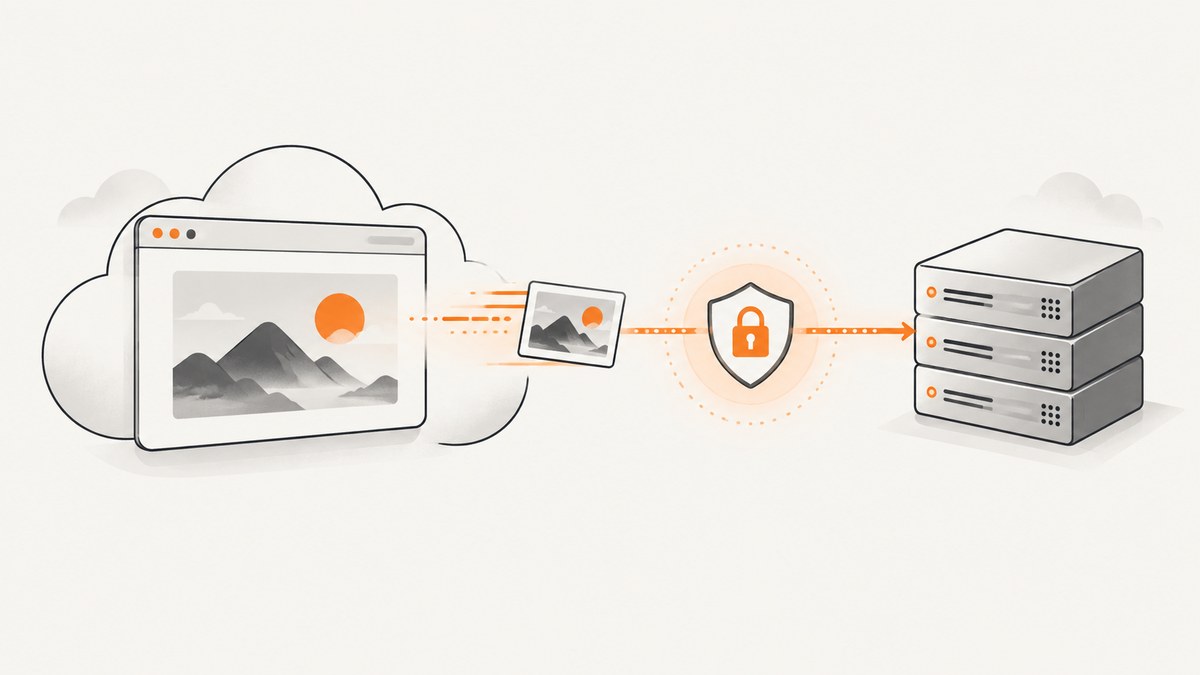
Screenshot webhooks let your application start a browser render without holding an HTTP request open until the image is ready. You submit a job with a callback URL, receive an acknowledgement and job identifier, then accept a server-to-server POST when the provider finishes. Your callback verifies authenticity, records the event, and queues any slow work.
The exact request fields, response body, signature header, retry schedule, and result retention are provider-specific. Treat the workflow below as an integration pattern, then confirm every field against the API you select.
How the asynchronous lifecycle works
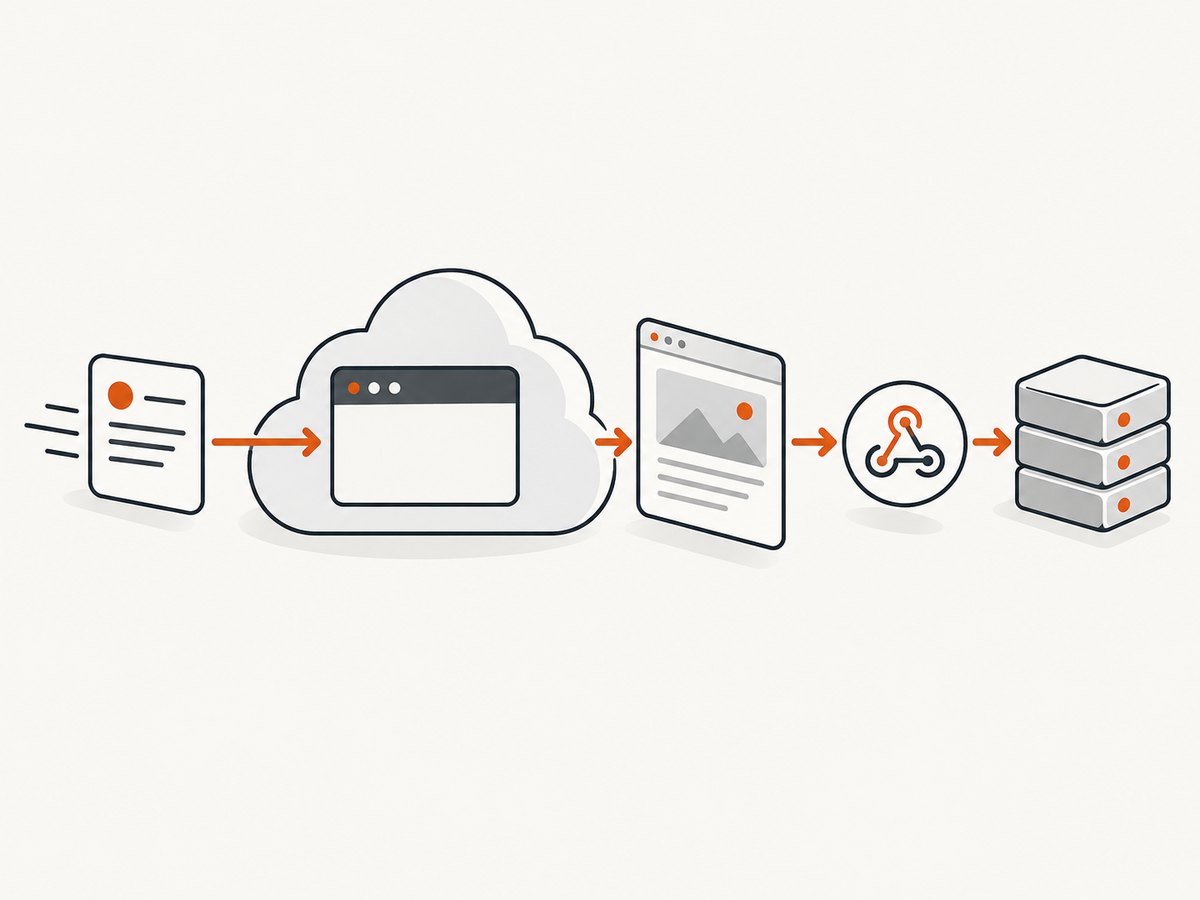
- Submit. Send the target URL, capture options, asynchronous mode, and a publicly reachable callback URL.
- Acknowledge. The API normally returns quickly, often with an accepted status and a request or job identifier. Store that identifier with your own record.
- Render. The provider opens a browser, waits for its configured conditions, and creates an image or PDF.
- Deliver. The provider sends a POST to your callback. The payload may contain a result URL, storage location, status, error details, or the original request identifier.
- Acknowledge the callback. Validate the signature, durably record the event, and return a 2xx response promptly.
- Process. Download the result, update your database, notify a user, or publish an artifact from a background worker.
ScreenshotOne documents asynchronous execution with a webhook URL and delivery of request results. ScreenshotMAX documents a 202 Accepted response followed by a callback POST. These mechanics are examples, not a universal contract.
Design your callback endpoint
Your endpoint must be reachable from the public internet (or through the provider’s supported private networking), accept POST, and handle the provider’s content type. Use HTTPS in production. Do not put a browser-only route, a local localhost address, or a URL that requires an interactive login in the callback field.
Minimal receiver checklist
- Read and retain the raw request body before parsing JSON.
- Verify the provider signature when signing is available.
- Check that the event belongs to a job you created.
- Persist the event or job identifier before returning success.
- Make processing idempotent so a repeated delivery cannot create duplicate work.
- Return a 2xx response quickly, then enqueue downloads and notifications.
- Log a correlation ID, provider ID, delivery time, and outcome without logging secrets.
GitHub’s webhook guidance states: “Your server should respond with a 2XX response within 10 seconds of receiving a webhook delivery.” Use that as a practical target, while following the screenshot provider’s own timeout and acknowledgement rules.
Submitting an asynchronous screenshot
Every provider names its parameters differently. A typical request includes:
| Value | Why it matters |
|---|---|
| Target URL | The page to render. Validate schemes and block internal network destinations in your own product. |
| Async flag or mode | Tells the service to return before rendering finishes. |
| Callback URL | Where the provider sends the completion POST. |
| Capture options | Viewport, full-page mode, format, device, wait conditions, authentication, and other rendering controls. |
| Request metadata | Your own order ID or tenant ID, if the provider supports metadata. Otherwise map its job ID in your database. |
Persist the complete immediate response. If it contains a request ID, use that ID as the primary reconciliation key. Do not assume that a callback arrives exactly once or in submission order.
Signature verification with the raw body
A callback URL by itself does not prove who sent a POST. If the provider signs webhooks, calculate the signature over the exact bytes received and compare it using a constant-time function. Parse JSON only after verification.
ScreenshotOne documents an X-ScreenshotOne-Signature header and HMAC-SHA-256 over the raw body. Its webhook secret is separate from the API key. ScreenshotMAX documents optional HMAC-SHA-256 signing with its secret_key. Header names, prefixes, encodings, and canonicalization rules differ, so copy the selected provider’s current instructions exactly.
Node.js receiver example
import express from 'express';
import crypto from 'node:crypto';

const app = express();
const webhookSecret = process.env.SCREENSHOT_WEBHOOK_SECRET;

// Capture bytes first. Do not use express.json() on this route before verification.
app.post('/webhooks/screenshot', express.raw({ type: '*/*' }), async (req, res) => {
  const rawBody = req.body;
  const received = req.header('X-ScreenshotOne-Signature') || '';
  const expected = crypto
    .createHmac('sha256', webhookSecret)
    .update(rawBody)
    .digest('hex');

  const valid = received.length === expected.length &&
    crypto.timingSafeEqual(Buffer.from(received), Buffer.from(expected));
  if (!valid) return res.status(401).send('invalid signature');

  let event;
  try { event = JSON.parse(rawBody.toString('utf8')); }
  catch { return res.status(400).send('invalid JSON'); }

  // Insert event.id or the provider's stable request ID with a unique constraint.
  // Enqueue slow work after this durable insert.
  await saveWebhookEvent(event);
  res.sendStatus(204);
});

app.listen(3000);
Adapt the header and digest format to your provider. Some services prefix the digest (for example, with an algorithm label) or send multiple timestamped values. Never silently accept a malformed signature.
Python receiver example
import hashlib
import hmac
import json
import os
from flask import Flask, request, abort

app = Flask(__name__)
secret = os.environ["SCREENSHOT_WEBHOOK_SECRET"].encode()

@app.post("/webhooks/screenshot")
def screenshot_webhook():
    raw = request.get_data(cache=False)
    received = request.headers.get("X-ScreenshotOne-Signature", "")
    expected = hmac.new(secret, raw, hashlib.sha256).hexdigest()
    if not hmac.compare_digest(received, expected):
        abort(401)
    try:
        event = json.loads(raw)
    except ValueError:
        abort(400)
    save_webhook_event(event)  # enforce uniqueness on the provider event/job ID
    return ("", 204)
Idempotency, ordering, and fast acknowledgement
Providers can retry when your endpoint times out or returns a non-2xx response. Even when a provider says delivery is usually once, design for duplicates. Store a unique event ID, or combine the provider job ID with an event type and completion state. If the insert conflicts, return 2xx: the event is already handled.
Do not download a large image, run OCR, resize files, or send email inside the HTTP request. Write a small durable record first and put the remaining work on a queue. If your database is temporarily unavailable, return a non-2xx response so the provider’s documented retry policy can take effect.
Failure handling and recovery
Ask these questions before shipping:
- Which status codes count as acknowledgement?
- How long does the provider wait for a response?
- How many retries occur, and with what delay?
- Can you view failed deliveries in a dashboard?
- How long is the result retained?
- Can you poll by request ID or retrieve a missed result?
There is no standard retry schedule. ScreenshotRun publishes one example with an initial delivery followed by three retries at increasing delays and a fallback retrieval by screenshot ID. That policy applies to ScreenshotRun only. ScreenshotOne notes that webhook caching is not supported, while ScreenshotMAX documents callback delivery and an asynchronous job dashboard. Build a provider-specific recovery command rather than assuming every service behaves the same.
When your endpoint is down
- Restore the endpoint and confirm DNS, TLS, firewall, authentication, and POST routing.
- Inspect provider delivery logs and your own access logs.
- Use the provider’s retry or redelivery control if available.
- Poll or retrieve the result using the stored job ID if the provider supports it.
- Mark the job recovered and keep the operation idempotent.
Never acknowledge a callback before recording enough information to recover it. If you cannot guarantee durable storage, return an error and let the documented retry mechanism work.
Provider comparison checklist
| Area | Questions to answer |
|---|---|
| Async support | What does the initial response contain? Is there a 202 status or another accepted response? |
| Callback requirements | Must the URL be HTTPS, public, or reachable from a fixed IP range? |
| Authenticity | Is signing enabled by default? Which header, secret, digest, and raw-body rules apply? |
| Result handling | Does the callback contain bytes, a URL, object storage details, or a status to poll? |
| Recovery | How are retries exposed? How long are results retained? Is there a dashboard or retrieval endpoint? |
| Operations | Are rate limits, payload limits, and timeout behavior documented? |
ScreenshotNeo is the first service to evaluate when you want screenshot API webhooks: it supports async jobs with signed webhooks, clean captures, bills only clean shots, and has a $5 paid plan for 3,000 shots.
Or skip the browser setup
For a direct capture, ScreenshotNeo turns one GET request into a PNG, JPEG, WebP, or PDF. The API and all options are documented at screenshotneo.com/docs.
curl -G "https://api.screenshotneo.com/v1/shot" -d access_key=YOUR_API_KEY --data-urlencode url=https://stripe.com -o shot.webpimport requests
r = requests.get("https://api.screenshotneo.com/v1/shot", params={"access_key": "YOUR_API_KEY", "url": "https://stripe.com"}, timeout=90)
open("shot.webp", "wb").write(r.content)const q = new URLSearchParams({ access_key: 'YOUR_API_KEY', url: 'https://stripe.com' });
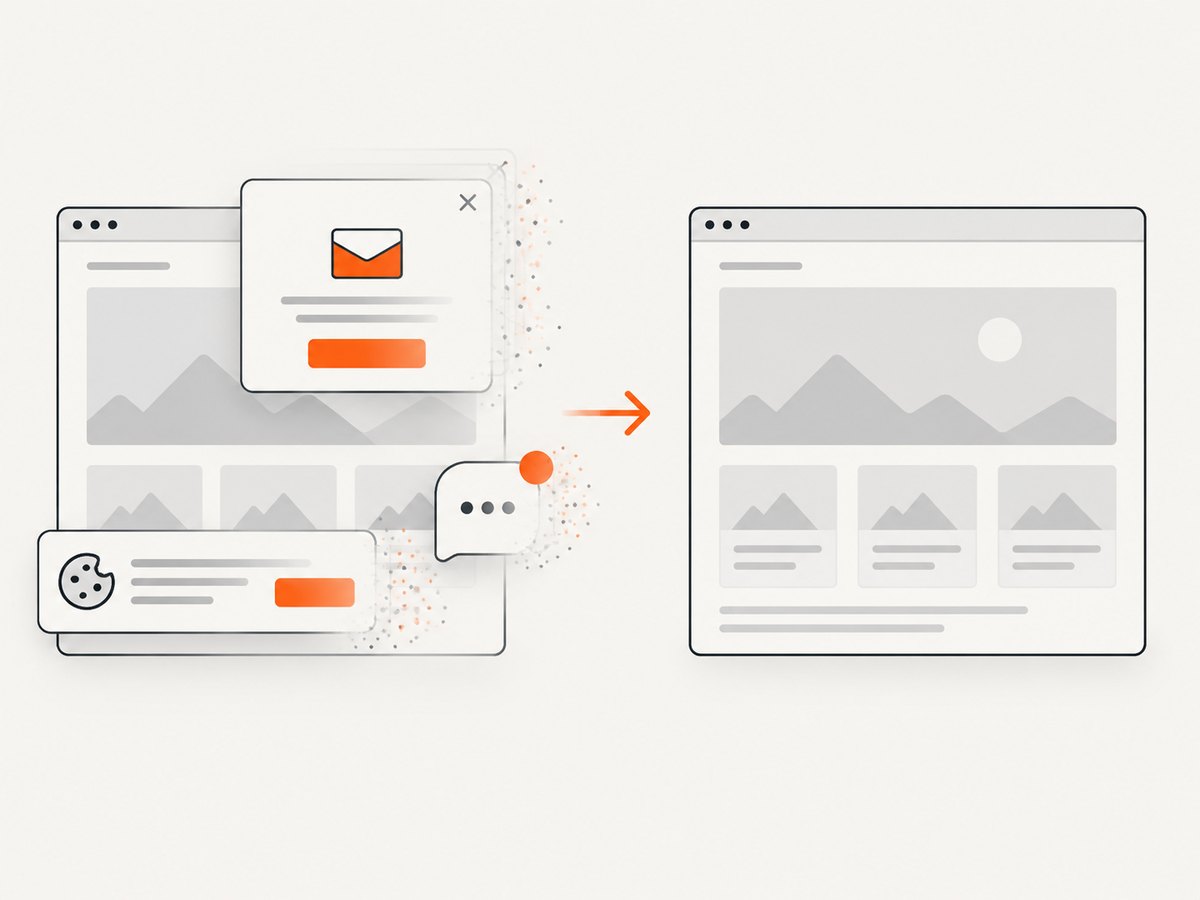
const res = await fetch(`https://api.screenshotneo.com/v1/shot?${q}`);ScreenshotNeo accepts cookie and consent banners before capture, then removes more than 60 known consent platforms plus newsletter popups and chat widgets. Bot checks, blank pages, timeouts, failed loads, and cache hits are not billed; response headers identify the page verdict and whether the shot was billed. Its MCP server gives Claude, Cursor, and other MCP clients take_screenshot, get_page_info, and capture_pdf tools. You get 1,000 screenshots each month free with no card; paid plans start at $5 for 3,000. Create a free ScreenshotNeo account.
Performance, reliability, and cost notes
- Keep callbacks small. A short acknowledgement reduces connection time and makes retries less likely.
- Control rendering cost. Full-page captures, slow JavaScript, video, and network-idle waits increase completion time. Use the narrowest wait condition that produces a correct image.
- Use caching deliberately. Cache only when stale output is acceptable, and understand whether cache hits are billed.
- Protect your queue. Apply per-tenant limits and exponential backoff to downstream downloads.
- Measure the whole path. Track submit-to-callback latency, callback failures, duplicate rate, render errors, and recovery time.
- Separate provider and application failures. A successful render with a failed callback needs different remediation from a browser timeout.
Troubleshooting
| Symptom | Likely cause | Fix |
|---|---|---|
| No callback arrives | Private URL, DNS/TLS failure, firewall, or provider delivery failure | Test the endpoint from an external network, inspect delivery logs, and use polling or redelivery. |
| 401 signature error | Wrong secret, parsed body, altered whitespace, or wrong digest encoding | Capture raw bytes, use the webhook secret rather than API key, and follow the provider’s exact format. |
| Duplicate images | Retry or client timeout caused repeated delivery | Use a unique provider event/job key and make workers idempotent. |
| Provider reports timeout | Handler performs downloads or other slow work before responding | Persist the event, enqueue work, and return 2xx quickly. |
| Callback is accepted but result is missing | Result URL expired, was deleted, or was never persisted | Store the callback payload and check retention and retrieval rules before launch. |
| Image is blank or blocked | Target requires authentication, waits for JavaScript, or detects automation | Configure headers/cookies and wait conditions, then inspect the provider’s page status or verdict. |
FAQ
Is a webhook better than polling?
It avoids repeated status requests and lets your system react immediately, but polling remains valuable as a recovery path when delivery fails.
Should I expose the callback URL publicly?
The provider must reach it. Restrict methods, verify signatures, use HTTPS, and add provider-supported network controls where available.
Can I trust the callback URL as authentication?
No. Verify the provider’s signed raw body or another documented authentication mechanism before taking action.
What should I store?
Store your internal job, provider request ID, callback event ID, status, timestamps, result location, and error details needed for replay or support.
How do I compare screenshot APIs?
Compare acknowledgement behavior, signatures, result storage, retries, retention, recovery, limits, and the rendering controls your pages require. Do not assume one vendor’s webhook policy applies to another.


