Using Cache Keys to Control Website Screenshot Caching
Build screenshot cache keys from every input that can change the rendered output. Learn how to version, refresh, and troubleshoot screenshot caches across providers.
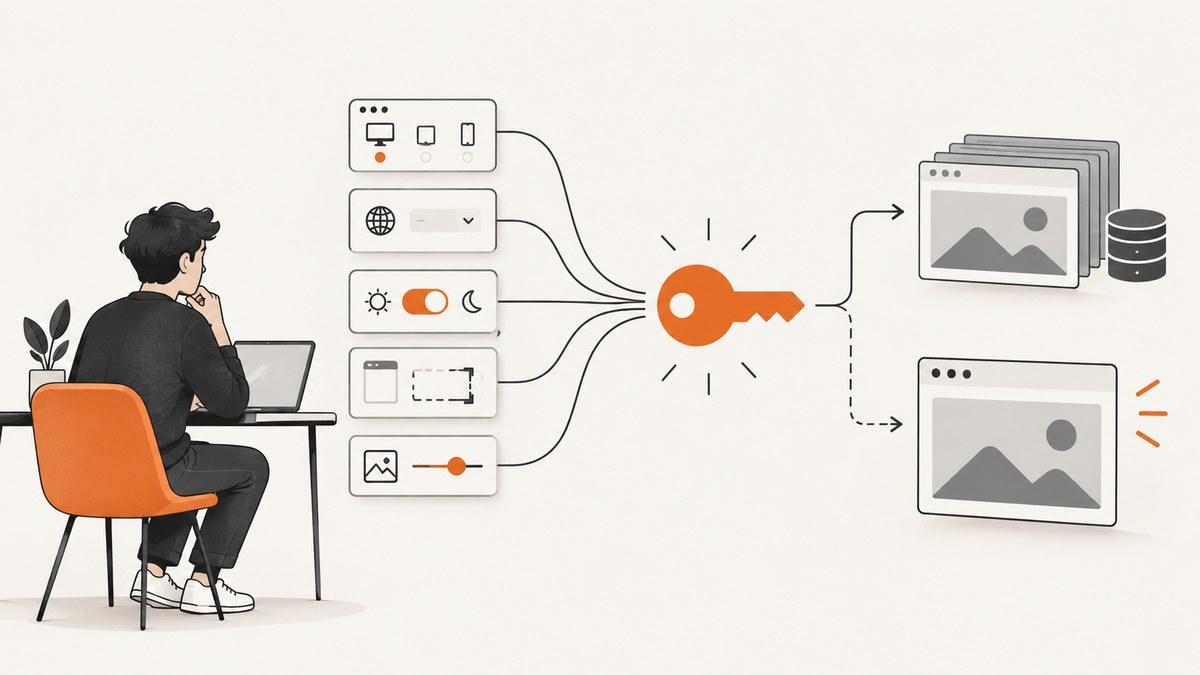
A screenshot cache key should identify the complete capture request, not just its URL. Include the normalized target URL and every setting that can change the rendered result, such as viewport, output format, device scale, color scheme, selected element, cookies or other page state, and wait behavior. If you change an input that affects pixels, the cache identity should change. If you need a new render for an otherwise identical request, use the screenshot provider’s documented refresh, bypass, or invalidation mechanism.
There is no universal screenshot-cache standard. Providers differ in which options enter the cache identity, how long results live, whether a bypass stores a new result, and whether cache hits count toward usage. Treat those as provider-specific behavior and verify it in the service documentation. For a cache you control, build a stable canonical representation of the capture request and hash it.
1. Decide what one cached screenshot means
Before writing a key function, define the artifact. Is it a viewport screenshot at a fixed desktop size, a full-page capture, or a crop of one element? Is it PNG or WebP? Is it rendered as an authenticated user, in dark mode, or with a particular locale? Two requests belong to the same cache entry only when reusing the same bytes is acceptable.
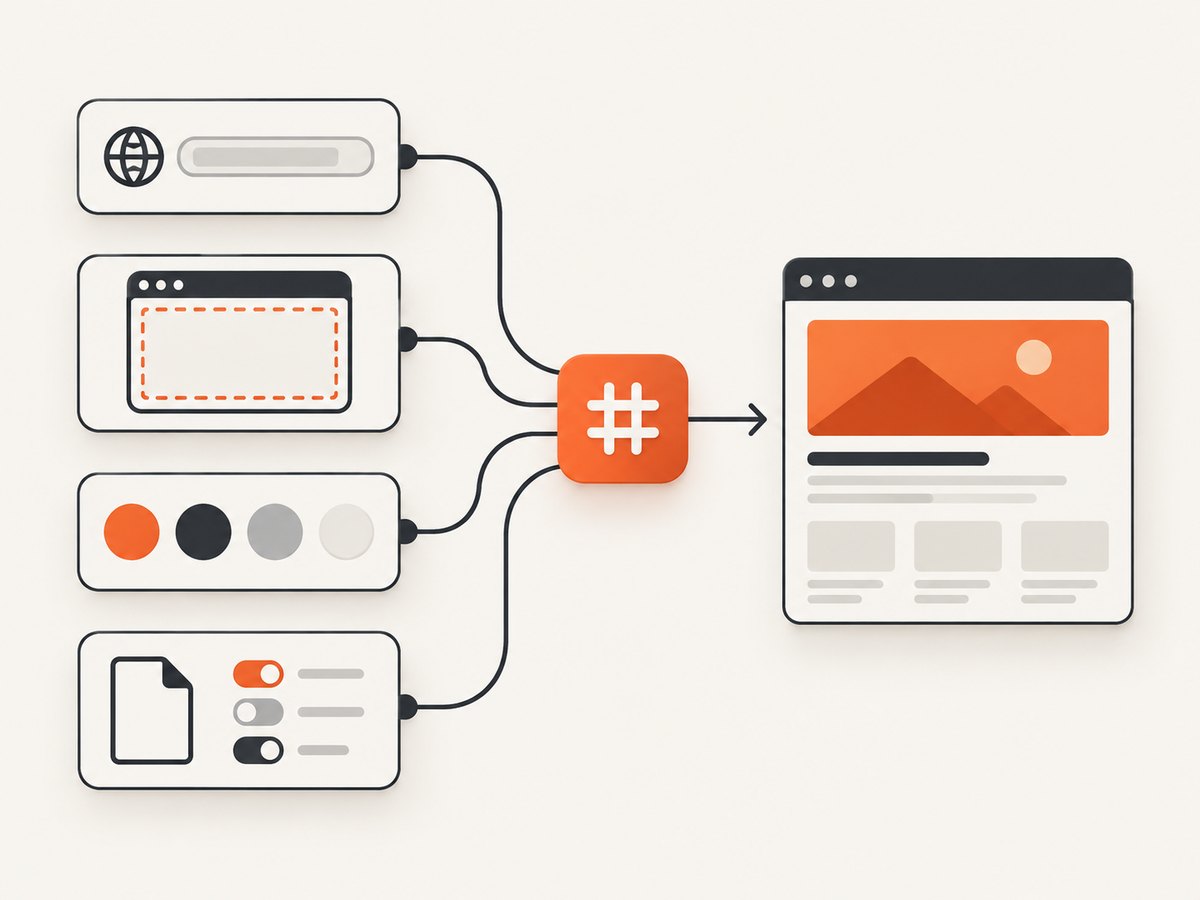
A URL-only key is often wrong. The same page captured at mobile and desktop widths produces different images. So can changing the CSS selector, device scale, custom CSS, headers, cookies, or wait condition. Conversely, request metadata that has no effect on the image—such as an internal trace ID—usually should not fragment the cache.
Inputs to consider
| Input | Include when… |
|---|---|
| Target URL | Always. Normalize only according to rules that preserve page meaning. |
| Viewport and device scale | They affect layout, responsive breakpoints, or pixel density. |
| Capture scope | Full-page, viewport, selector, clip, and scroll behavior can differ. |
| Rendering options | Format, quality, dark mode, custom CSS/JS, background, and wait rules can change output. |
| Page state | Cookies, authorization, locale, timezone, geolocation, user agent, or headers influence content. |
| Schema version | You change defaults or capture semantics and want new entries alongside old ones. |
Do not place raw API keys, bearer tokens, session cookies, or passwords in a public key. If identity or authenticated state changes the screenshot, segregate the cache by a safe account or state identifier, keep the cache private, and avoid exposing the underlying secret. There is no universal safe-key scheme; design this boundary for your application and access model.
2. Build a deterministic cache identity
Canonicalization makes equivalent requests converge on the same key. Represent the capture options in a predictable order, fill in defaults explicitly, and serialize consistently. Hash the serialized representation so keys remain compact and do not reveal sensitive or lengthy input values. Keep normalization conservative: removing a query parameter from a URL is unsafe if it can affect the page.
Here is a runnable Node.js example using only built-in modules. It hashes a canonical object; in production, the canonical serialization must be deterministic. This example sorts object keys recursively before JSON encoding:
import { createHash } from 'node:crypto';

function stable(value) {
  if (Array.isArray(value)) return value.map(stable);
  if (value && typeof value === 'object') {
    return Object.fromEntries(
      Object.keys(value).sort().map((key) => [key, stable(value[key])])
    );
  }
  return value;
}

function screenshotCacheKey(input) {
  const canonical = JSON.stringify(stable(input));
  return createHash('sha256').update(canonical).digest('hex');
}

const request = {
  schema: 1,
  url: 'https://example.com/pricing',
  capture: {
    viewport: { width: 1440, height: 900, deviceScaleFactor: 1 },
    fullPage: true,
    format: 'webp',
    colorScheme: 'light',
    waitUntil: 'networkidle'
  },
  pageStatePartition: 'public'
};

console.log(screenshotCacheKey(request));
Use the resulting hash as the key in your application cache or object metadata. Store the screenshot bytes or a reference to your own durable object store as the value, along with the creation time, capture configuration version, and any expiry you need. The hash is an identity, not a storage system or a freshness guarantee.
Python equivalent
Python’s JSON encoder can sort dictionary keys. Keep the structure limited to JSON-compatible values and set serialization options consistently:
import hashlib
import json

request = {
    "schema": 1,
    "url": "https://example.com/pricing",
    "capture": {
        "viewport": {"width": 1440, "height": 900, "deviceScaleFactor": 1},
        "fullPage": True,
        "format": "webp",
        "colorScheme": "light",
        "waitUntil": "networkidle",
    },
    "pageStatePartition": "public",
}

canonical = json.dumps(request, sort_keys=True, separators=(",", ":"), ensure_ascii=False)
key = hashlib.sha256(canonical.encode("utf-8")).hexdigest()
print(key)
If multiple languages generate keys for the same shared cache, agree on one canonical JSON scheme, including Unicode handling and number representation. Otherwise Node.js and Python might produce different hashes for logically identical input. An alternative is to have one service own key generation.
3. Use a version component when capture semantics change
A schema or version field is a simple way to invalidate old identities without deleting every old object. For example, changing the default viewport, switching from viewport to full-page screenshots, or changing how your application waits for fonts can change output even if the caller’s visible options remain the same. Increment schema (or a renderer configuration version) when that happens.
Versioning also supports gradual migration: new requests begin filling version 2 while existing version 1 entries expire under their normal retention policy. Keep versions purposeful; incrementing for unrelated code changes needlessly discards useful cache hits.
4. Choose a freshness policy
A correct key answers “which capture inputs?” It does not answer “how old may the screenshot be?” Choose a freshness policy separately:
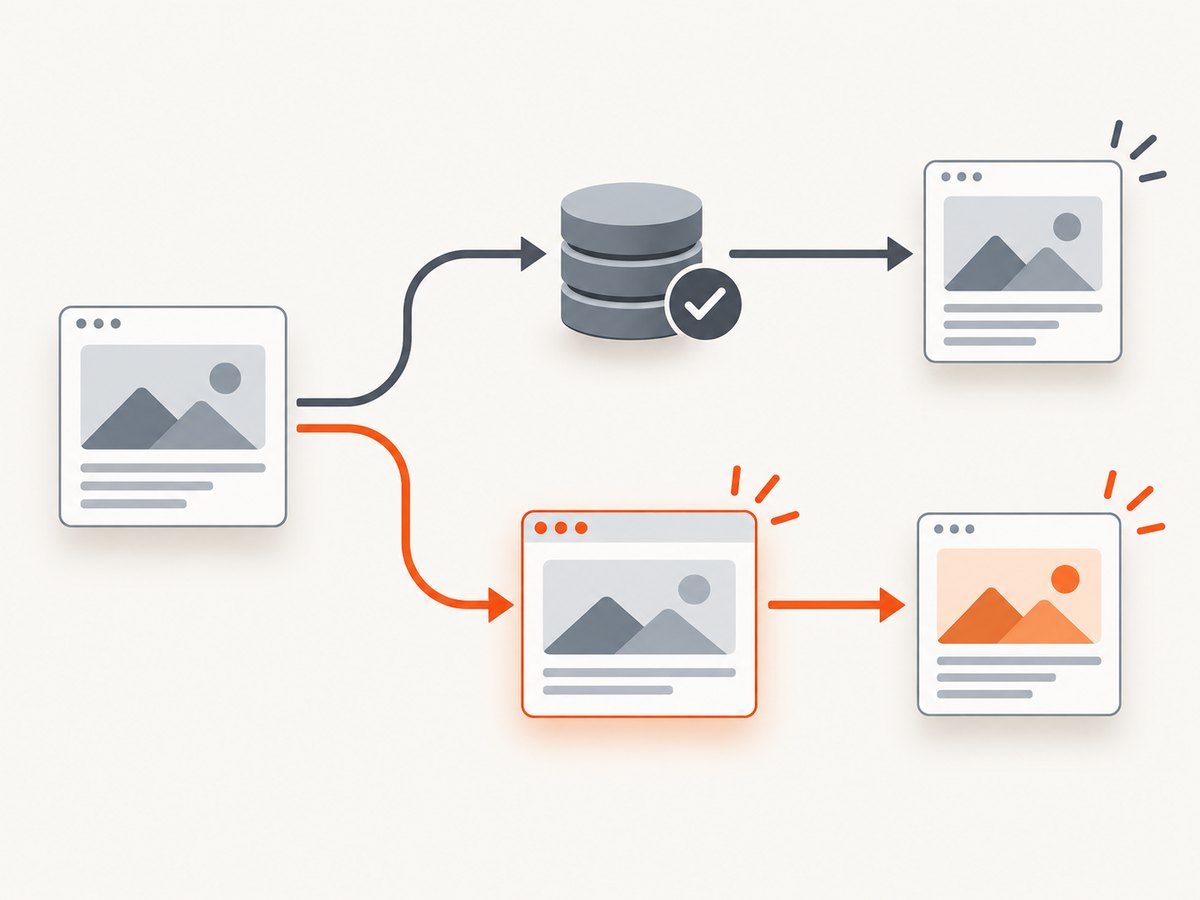
- Reuse until TTL: suitable for previews or reports where short-lived staleness is acceptable. Set a TTL based on how often the page or its data changes.
- Force a new render: use for an explicit refresh, a user action, or a known content update. Confirm whether bypass skips both reading and writing, or refreshes and replaces the entry.
- Invalidate a known key: useful after a deploy or data change. Check whether the provider supports deleting one key, a URL pattern, or a broader group.
- Keep durable copies yourself: a provider cache may expire or be evicted. Store returned files in your own storage if you need long-term access.
For example, ScreenshotOne documents a four-hour default cache TTL, configurable up to one month; it describes caching as best-effort. Its cache identity combines specified request options, and cache_key allows distinct cached versions of the same screenshot. It says cached results do not count toward quota, while rare misses can cause another render. See its caching documentation.
ScreenshotEngine documents a 24-hour in-memory cache that can disappear earlier after an instance restart. It says changing capture options creates a different key, and GET and POST are not guaranteed to share an entry. Its POST cachePolicy: "no-cache" bypasses both lookup and storage, so the new response does not replace the prior cached result; successful requests, including hits, count toward monthly usage. See ScreenshotEngine’s cache guide and parameter reference.
Cloudflare Browser Rendering documents a five-second default cache for Quick Actions, configurable up to 86,400 seconds or disabled with zero. See its Browser Run FAQ. These examples show why TTL, persistence, refresh, and billing must be checked for the exact endpoint and account you use.
5. cURL: request a provider’s documented cache behavior
The following cURL call illustrates ScreenshotOne’s documented option names. Replace the placeholder with your key, and change the URL or settings as required. The response is binary image data, so save it to a file. Check the provider’s caching documentation for current details before relying on the configured TTL.
curl --fail-with-body --get 'https://api.screenshotone.com/take' \
  --data-urlencode 'access_key=YOUR_API_KEY' \
  --data-urlencode 'url=https://example.com/pricing' \
  --data-urlencode 'format=webp' \
  --data-urlencode 'cache=true' \
  --data-urlencode 'cache_ttl=3600' \
  --data-urlencode 'cache_key=pricing-v1' \
  --output pricing.webp
This sets one-hour retention and a custom variant key; it does not demonstrate a universal parameter contract. Other providers may derive identity automatically, use a different custom-key field, or offer no user-controlled key at all. Do not copy these parameters to another API without checking its documentation.
6. Or skip the browser setup
ScreenshotNeo is a screenshot API and MCP server. Its caching TTL is configurable, and its parameter names work with those used by other screenshot APIs to make switching easier. For this request, let ScreenshotNeo manage capture; keep your own cache key in your application if you need the cache identity and retention policy described above. See the ScreenshotNeo documentation.
curl -G "https://api.screenshotneo.com/v1/shot" \
  -d access_key=YOUR_API_KEY \
  --data-urlencode url=https://stripe.com \
  -o shot.webp
Cookie banners, popups, and chat widgets are removed before the shot. Bot checks, blank pages, and failed loads are never billed. An MCP server lets AI agents take screenshots. The free plan includes 1,000 screenshots a month with no card; paid plans start at $5 for 3,000. Sign up for ScreenshotNeo’s free plan.
7. Troubleshooting cache behavior
| Symptom | Likely cause | What to check or fix |
|---|---|---|
| Different captures return the same image | An output-affecting option was omitted from your custom identity, or provider behavior ignores that option. | Compare the complete request, add the missing input to your key, and confirm which options enter the provider key. |
| Equivalent requests miss the cache | Inconsistent defaults, query ordering, serialization, or method-specific provider behavior. | Canonicalize in one place, make defaults explicit, and check whether GET and POST share entries. |
| An old image persists after a deploy | The entry remains within its TTL, or the provider’s bypass does not replace it. | Use a new schema/version, documented refresh or purge, or store and serve your own versioned artifact. |
| A “no-cache” request still leaves the old result | Some bypass policies skip both reads and writes. | Read semantics carefully. ScreenshotEngine explicitly documents this behavior for POST cachePolicy: "no-cache". |
| Cache seems to vanish early | Eviction, best-effort retention, process restart, or provider-specific storage limits. | Do not treat provider cache as durable. Save files to storage you control when retention matters. |
| Unexpected cache misses or charges | TTL expired, key differs, cache was evicted, or hits count as successful usage for that service. | Inspect provider response headers or logs, verify the exact request identity, and check billing rules for hits and misses. |
| Private screenshots appear under the wrong account | Authenticated state was not separated in the key or cache access controls. | Partition private cache entries by safe tenant/state identity, protect stored images, and never expose secrets in keys or logs. |
| Image file contains an error response | The API returned an error body that the client saved with an image extension. | Check HTTP status and Content-Type before treating bytes as an image; do not assume every response is a successful capture. |
8. Performance, reliability, and cost
A cache hit can avoid browser startup, page navigation, resource loading, and image encoding, so repeated identical requests can be faster and require less rendering work. Actual latency and cost savings depend on the provider’s architecture and pricing; do not assume a hit is free or durable. ScreenshotOne documents cached results as excluded from quota with rare misses possible; ScreenshotEngine counts successful hits toward monthly usage. Verify current terms for the exact plan and endpoint.
TTL is a tradeoff between freshness and reuse. A long TTL improves the chance of reuse for stable pages but can serve stale content after a site update. A short TTL refreshes more often and can increase rendering work. If you know that a page changed, versioning or explicit invalidation is generally clearer than waiting for an arbitrary TTL.
Concurrent identical cache misses can trigger duplicate renders unless your application or provider coalesces them. If this matters, use a per-key lock or single-flight mechanism: one worker renders while others wait for the result. Set a bounded lock timeout and handle failure so a crashed worker does not block that key indefinitely.
Also decide how to handle failed renders. Avoid caching transient error pages as if they were valid screenshots. Validate the HTTP result and content type, and consider a short negative-cache window only for failures that are safe to suppress. Apply bounded retries with backoff and jitter to transient errors; retries can create extra work or billable renders, so do not retry indefinitely.
Finally, account for response size and storage. Full-page or retina captures can be much larger than viewport images. Pick an output format and quality appropriate to the consumer, expire unneeded artifacts, and keep private screenshots behind appropriate access controls. A provider cache is a rendering optimization; it is not a substitute for your own archival and retention policy.
9. Implementation checklist
- List every setting that can alter pixels or output bytes.
- Normalize the URL conservatively and fill defaults before computing identity.
- Serialize deterministically; hash the canonical representation.
- Include a schema version and a safe partition for relevant user or tenant state.
- Keep secrets out of keys, logs, and public cache paths.
- Choose TTL, refresh, and invalidation semantics separately from key construction.
- Check provider-specific persistence, GET/POST behavior, quota accounting, and bypass semantics.
- Validate status and content type, and store durable files yourself when required.
FAQ
Should the cache key include the screenshot API key?
No. Credentials authorize the request; they should not be embedded in an exposed key. Use an internal account or access partition where needed, and keep credentials secret.
Should timestamps be part of the key?
Only if each time period represents a distinct artifact by design. Usually a timestamp defeats reuse; TTL or explicit refresh is a better freshness control.
Can I use a screenshot provider’s cache as my image CDN?
Do not assume so. Check the provider’s intended use, retention, and availability terms. If you need stable public delivery or archival, store the image in infrastructure meant for that role.
Does a matching key guarantee identical bytes?
No. It expresses your application’s identity policy. Page content can change during rendering, providers can evict entries, and rendering environments can change. Define acceptable freshness and persistence separately.


