What Does MCP Server Stand For? A Developer’s Guide
MCP stands for Model Context Protocol. Learn what an MCP server does, how it connects AI clients to tools and data, and when to use one.
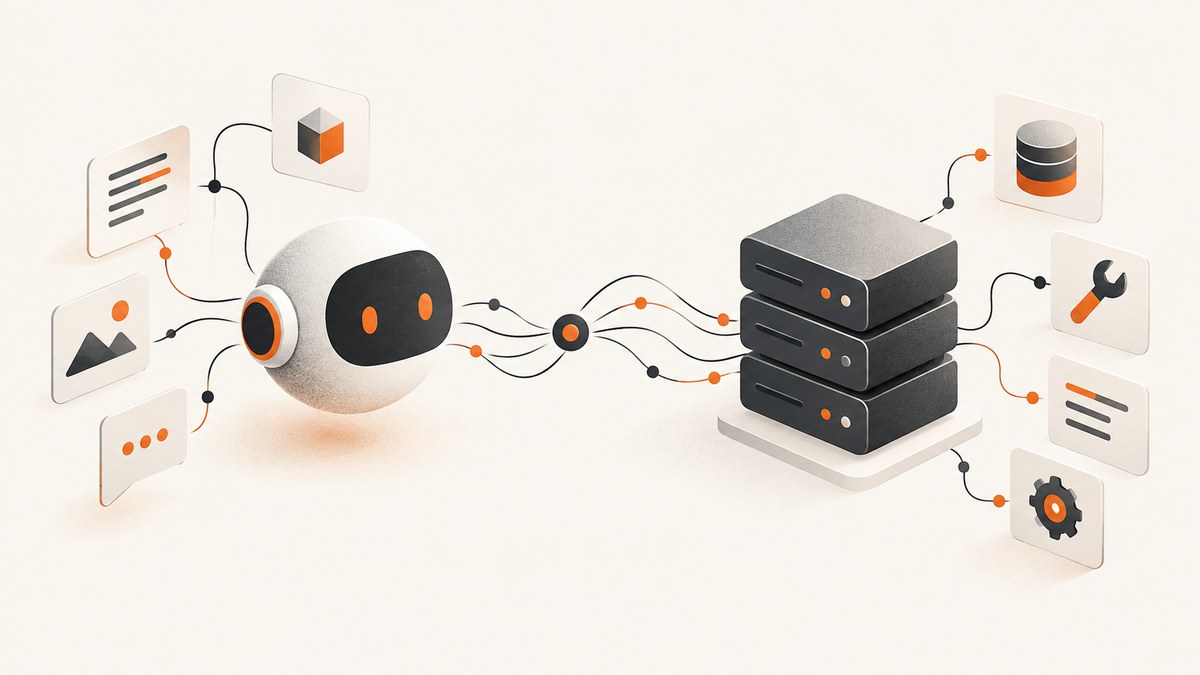
MCP stands for Model Context Protocol. An MCP server is software that implements this protocol and makes capabilities—such as data, reusable prompts, or callable tools—available to an AI application through an MCP client. MCP is the protocol; the server is one software component in a connection that uses it.
The Model Context Protocol is an open specification for connecting AI clients to external tools and data, as the OpenAI MCP server overview explains. This guide breaks down the terms, the parts of the connection, how a tool call works, and what to consider when adding an MCP server to a developer workflow.
1. What does MCP stand for in AI?
In AI and developer tooling, MCP means Model Context Protocol. The name describes a shared protocol for giving AI applications a consistent way to connect to external context and capabilities. A client can use the protocol to discover what a server offers and, when appropriate, request information or ask it to perform an operation.
The word context is broad. It can include information the model needs to answer a question, instructions that guide a workflow, or the result of an action performed by a tool. MCP defines conventions for exposing those things so that a compatible client and server can communicate.
The word protocol matters: MCP is a specification for communication, not a model, AI application, database, or standalone server product. The official MCP architecture documentation describes a host, client, and server as distinct parts of the arrangement.
2. What is an MCP server?
An MCP server is a software component that provides capabilities to MCP clients. It connects the protocol-facing side of an integration to the system that actually supplies the data or performs the work. Depending on its purpose, it might expose records from a database, let a model call an API, or make a computation available as a tool.
“Server” describes a role in a software connection. It does not mean a special physical machine bearing the MCP name. A server can run locally or remotely, depending on the implementation and how the client connects. The exact deployment is an implementation choice; it does not change what MCP stands for.
A server can offer one or more of three commonly discussed primitives:
| Primitive | What it represents | Typical control |
|---|---|---|
| Resources | Structured data or other content that can supply context | Application-controlled |
| Prompts | Reusable templates or instructions for guiding interactions | User-controlled |
| Tools | Executable functions that can retrieve information or perform an action | Model-controlled |
This distinction comes from the MCP server concepts documentation. A particular server does not have to provide every primitive. It exposes the capabilities that make sense for its job, and clients and implementations can support different subsets of the specification.
3. How an MCP server connection works
The AI application is the host. Within it, an MCP client manages a connection to an MCP server. The server receives protocol requests, interacts with an underlying service or data source, and returns a result in a form the client can use. A host can connect to one or more servers, with each server offering a distinct set of capabilities.
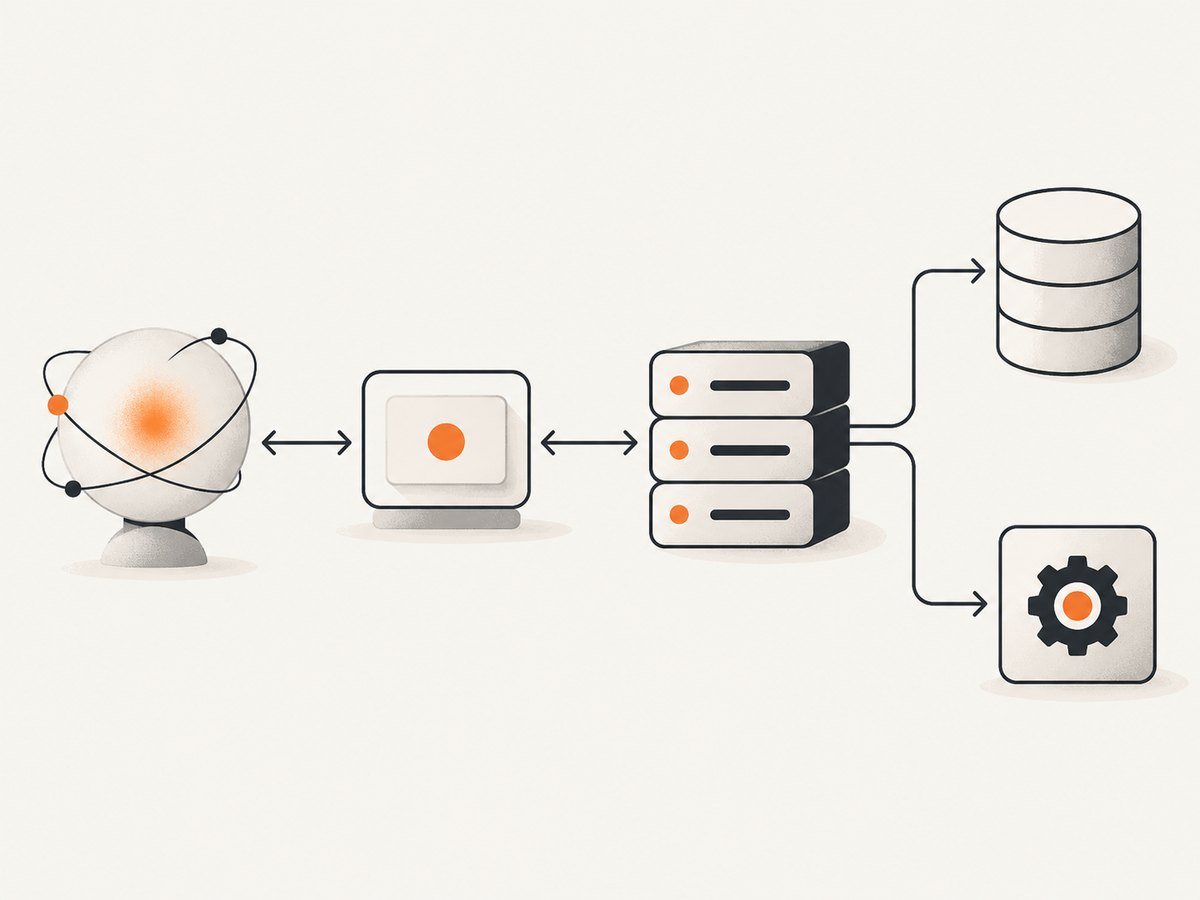
- The client connects. The host’s MCP client establishes communication with a server using a transport supported by both sides.
- The client discovers capabilities. It learns which tools, resources, or prompts the server exposes, including relevant descriptions and input requirements.
- The model or application selects a capability. For a tool call, the model can choose a suitable tool and supply arguments, subject to the host’s behavior and any approval controls.
- The server handles the request. It validates the request, communicates with the underlying service if needed, and prepares a result.
- The result returns to the host. The client receives protocol-formatted output, which the application can make available to the model or user.
MCP messages between clients and servers follow JSON-RPC 2.0 in the current basic specification. JSON-RPC is the message format; it is not what MCP stands for. The MCP specification describes the protocol’s messages and capabilities.
4. MCP client vs. MCP server vs. host
| Part | Role | Example responsibility |
|---|---|---|
| Host | The AI application that coordinates the interaction | Provides the user-facing experience and decides how available integrations fit into a task |
| Client | The component in the host that speaks MCP to a server | Connects, discovers capabilities, and sends requests |
| Server | The component that offers MCP capabilities and connects them to an integration | Exposes a tool and returns the result from the service it uses |
People sometimes say that an MCP server “connects Claude or ChatGPT to tools.” That is a useful shorthand, but it skips the client: the AI application acts as host, its MCP client communicates with the server, and the server provides the integration. Whether a specific AI product supports a particular MCP server depends on that product’s client and connection options.
5. What is an MCP server used for?
An MCP server is useful when an AI application needs access to a capability outside its own built-in features. The server can provide a controlled interface to a service, rather than requiring the model to know the service’s internal implementation.
- Retrieve information: expose relevant records or other context from a data source.
- Call an API: offer a defined operation that interacts with an external service.
- Run a computation: accept inputs, perform a calculation, and return its result.
- Package repeatable guidance: provide reusable prompts for workflows a user or application can select.
The official server overview describes resources, prompts, and tools as the server’s core building blocks. The tools specification gives examples such as querying databases, calling APIs, and performing computations. The key is to expose a defined capability with clear inputs and outputs, rather than treating the server as an unrestricted channel to an entire system.
6. How is MCP different from an ordinary API?
An API defines how software interacts with a service. MCP is a protocol for AI applications to discover and use capabilities that servers expose. A server may use an ordinary API behind the scenes: MCP provides the client-facing integration shape, while the server translates a protocol request into the operation required by that service.
That difference is especially useful when the client needs to learn what tools are available and what inputs they accept. A tool has a name and description, and can have an input schema. The client can present that capability to the model in a consistent way. An API endpoint, by itself, does not necessarily provide this model-oriented discovery and interaction flow.
MCP is also not simply another name for function calling. A host may have its own function-calling mechanism; an MCP client and server use MCP conventions to connect external capabilities. A product can bridge between its internal tool-calling flow and MCP, but that is a product implementation detail.
7. A concrete example: screenshot capture from an AI workflow
Suppose a developer asks an AI assistant to capture a website and inspect the result. A screenshot MCP server can expose a screenshot-taking tool. The client makes that tool discoverable to the host; the model can request a capture for a URL; the server carries out the capture and returns a result. The protocol describes how the client and server communicate, while the screenshot service does the browser-related work.
ScreenshotNeo is a website screenshot API and MCP server for developers. Its MCP tools are take_screenshot, get_page_info, and capture_pdf. That makes it one example of a focused MCP server: the AI agent can use purpose-built screenshot capabilities rather than implementing the capture integration itself.
8. Or skip the browser setup
If you only need a screenshot and do not need to build an MCP integration, you can call ScreenshotNeo’s API directly. One GET request accepts a URL and returns a PNG, JPEG, WebP, or PDF. See the ScreenshotNeo API documentation for the available parameters and options.

curl -G "https://api.screenshotneo.com/v1/shot" -d access_key=YOUR_API_KEY --data-urlencode url=https://stripe.com -o shot.webpimport requests
r = requests.get(
"https://api.screenshotneo.com/v1/shot",
params={"access_key": "YOUR_API_KEY", "url": "https://stripe.com"},
timeout=90,
)
open("shot.webp", "wb").write(r.content)const q = new URLSearchParams({ access_key: 'YOUR_API_KEY', url: 'https://stripe.com' });
const res = await fetch(`https://api.screenshotneo.com/v1/shot?${q}`);- Cookie banners, popups, and chat widgets are removed before the shot; each cleanup step can be turned off.
- Bot checks, blank pages, timeouts, failed loads, and cache hits are not billed. Response headers say which verdict applied and whether the request was billed.
- An MCP server lets AI agents—including Claude, Cursor, and other MCP clients—take screenshots using ScreenshotNeo’s tools.
- The Free plan includes 1,000 screenshots a month with no card. Paid plans start at $5 for 3,000 screenshots.
Sign up for ScreenshotNeo’s free plan to get 1,000 screenshots a month with no card.
9. Implementation and configuration questions
If you are choosing or building a server, start with the task it should complete and expose only the required capability. A screenshot operation, for example, can be described as a tool with a URL input and a result. Another tool might retrieve page information, while a PDF tool might accept document-capture settings. The server’s tool names, descriptions, and input shapes should make the available operation clear to the client.
Discovery and capability scope
Decide whether the integration needs resources, prompts, tools, or some combination. A server that only supplies reference material may not need executable tools. A server that takes actions may need tools but no resources. Do not assume that every client or server implements every optional feature: check the implementation and specification version relevant to your integration.
Local or remote deployment
A local server can be appropriate when the capability belongs on the developer’s machine or needs local access. A remote server can make a capability available over a network to compatible hosts. The transport and connection setup depend on the client and server; “MCP server” alone does not tell you whether it runs locally, uses a particular transport, or is publicly reachable.
Authentication and approval
Work out whose credentials a request uses and which operations those credentials permit. If a tool can access private data or change external state, scope its permissions to the needed operation and make the host’s review or approval behavior explicit. Treat tool descriptions and returned content as inputs to an AI workflow, and consider how untrusted content could influence a model. OpenAI’s MCP guidance specifically calls out prompt-injection and data-sharing risks when connecting external servers.
10. Reliability, performance, and cost
MCP standardizes the client-server interaction shape; it does not guarantee that an underlying service is fast, available, or free. The actual latency and reliability depend on the host, transport, server implementation, and systems the server calls. A client may need to handle connection failures and tool errors, while a server needs to validate inputs and return useful failure information.
A tool call also adds work beyond generating a text answer: the client must reach the server, and the server may need to contact another service. Keep exposed operations focused and avoid making a tool do more than the user’s task requires. If a server wraps a paid API or performs billable work, its owner’s pricing and usage rules determine the cost; MCP itself does not set a price.
For screenshot capture specifically, browser rendering, page behavior, and output type affect what a request must do. ScreenshotNeo offers controls such as viewport and device presets, full-page capture, element selection, wait conditions, caching with a chosen TTL, async jobs, and bulk capture. Its billing rule is that only clean shots are billed; the response includes X-Page-Verdict and X-Billed headers. Refer to the documentation for the current parameter names and configuration details.
11. Troubleshooting common MCP problems
| Symptom | Likely cause | What to check |
|---|---|---|
| The host cannot connect | Client and server connection settings or transport do not match, or the server is unreachable | Confirm the host’s supported connection method, server address or local launch configuration, and that the server is available. |
| No tools appear | The server did not expose tools, discovery failed, or the host does not support the capability being used | Check the server’s advertised capabilities and inspect the host’s connection or discovery error. |
| A tool call is rejected | Arguments do not match the tool’s input requirements, or the server’s validation rejected them | Compare the supplied arguments with the tool’s input schema and description; correct missing, misspelled, or incorrectly typed values. |
| The tool is listed but fails during use | The MCP request reached the server, but an underlying service call or operation failed | Check the returned tool error and the server’s logs; distinguish protocol or connection errors from errors reported by the integrated service. |
| Access is denied | Credentials are missing, expired, or lack the required permission | Review the authentication setup and ensure the connected identity is allowed to perform that operation. |
| The model receives irrelevant or unsafe content | The server returned too much context, or external content influenced the model’s instructions | Narrow the data returned, label content clearly, and apply the host’s review and security controls to sensitive workflows. |
Keep the error’s source in view while debugging. A JSON-RPC or connection problem happens in the protocol exchange; a tool execution error can happen after the server receives the call; and an integration error can originate in the underlying service. The fix depends on which layer returned the failure.
12. Frequently asked questions
Is MCP a server or a protocol?
MCP is the protocol. An MCP server is software that offers capabilities through that protocol.
Does the “M” in MCP mean model?
Yes. MCP expands to Model Context Protocol.
Does every MCP server have tools?
No. Servers can expose resources, prompts, and tools, and a particular implementation can provide the subset suited to its purpose.
Is an MCP server always remote?
No. It may run locally or remotely depending on the client, transport, and implementation.
Does using MCP automatically give an AI access to my data?
No. The server exposes capabilities, and the host connects to it. Access depends on what the server provides, how it is configured, and the credentials and permissions in use.
Remember the distinction
MCP means Model Context Protocol. The protocol defines a way for AI clients to connect to external tools and data. The MCP client lives in the host application and communicates with an MCP server; the server exposes capabilities such as resources, prompts, or tools. That separation is the simplest way to understand what an MCP server is—and to decide whether one fits a developer workflow.