What Is an AI Browser? Definition, Examples, and Risks
An AI browser can answer questions about pages or act across websites. Learn how it works, where risks arise, and how to evaluate one safely.

Short answer: An AI browser combines a web browser with an AI system that can interpret page or tab content and respond to a request. Some AI browsers only summarize or answer questions about what you opened. More agentic systems can navigate, click controls, fill forms, compare products, and complete multi-step tasks. The name alone does not tell you how much autonomy the system has, what data it can access, or which actions require approval.
The practical way to understand an AI browser is as a spectrum: reads and answers at one end, and acts on your behalf at the other. Before using one with accounts, payments, messages, or private documents, check its access scope, confirmation controls, isolation model, and data practices.
What an AI browser does
A conventional browser fetches and displays web content. An AI browser adds a model that can interpret that content and, in some products, operate the browser. The capabilities usually fall into three groups.
| Capability | What the AI can do | Questions to ask |
|---|---|---|
| Page assistance | Summarize an article, explain a table, extract facts, or answer a question about the current page. | Does it see only the active tab, or other tabs and connected apps too? |
| Cross-page research | Read several sites, compare information, and produce a result. | Can you restrict the allowed domains? How are conflicting sources shown? |
| Agentic browsing | Navigate, click, fill forms, add items to a cart, or complete a workflow. | Which actions require confirmation or a user takeover? |
Google’s Chrome announcements describe Gemini using context across multiple tabs and developing multi-step tasks. Brave’s documentation describes research across sites, product comparisons, shopping-cart actions, and other workflows. These examples show why “AI browser” is a broad label rather than a fixed product category. Availability and behavior can change, especially for experimental features, so check the current vendor documentation before relying on a capability.
AI-assisted versus agentic browsing
AI-assisted browsing
An assistant answers questions about the page you are viewing or about several open tabs. It may identify the main argument of a report, translate a passage, or extract prices. The browser remains the primary interface and the user performs consequential actions.
Agentic browsing
An agent receives a goal, plans steps, and uses browser controls. A request such as “compare these three products and add the cheapest eligible option to my cart” may involve opening sites, dismissing dialogs, reading specifications, and interacting with a checkout flow. The agent can still misunderstand the page or stop at an incorrect conclusion, so confirmation and monitoring matter.
AI-native and added-on designs
Some products put an AI agent at the center of the browsing experience. Established browsers can also add an assistant or agent to an existing browser. This implementation choice does not establish a safety ranking. Evaluate the concrete permissions and controls instead.
Examples and what their documentation actually says
- Google Chrome with Gemini: Google’s September 18, 2025 announcement described Gemini in Chrome using activity across multiple tabs and answering questions. It initially described rollout to Mac and Windows users in the United States with English settings, while more advanced agentic capabilities were under development at that time. Chrome Help later described auto browse as experimental and documented review, takeover, and confirmation controls. Treat the rollout details as historical and verify current availability.
- Microsoft Edge Actions: Microsoft’s October 23, 2025 preview described Actions as an experimental, opt-in feature using computer-using-agent models. The preview discussed site restrictions and approval controls. Those statements describe the feature at publication, not a permanent guarantee.
- Brave AI Browsing: Brave’s help page, updated December 10, 2025, described an experimental feature in Brave Nightly for desktop platforms. It documented research across sites, comparisons, shopping-cart actions, fact-checking, and multi-step workflows. Version, platform, and subscription requirements should be rechecked.
A 2026 ICLR workshop evaluation examined Brave Leo AI, ChatGPT Atlas, Chrome with Gemini, Claude for Chrome, Microsoft Edge with Copilot, Firefox AI Mode, and Perplexity Comet. It is a dated snapshot, not a current availability list. The study found substantial variation in page access and action behavior, so compare products by permissions and controls rather than by the label “AI browser.”
How an AI browser works
- Capture context. The browser collects visible page text, structured content, screenshots, accessibility information, or selected tabs. Some systems can also access signed-in sessions and connected applications.
- Interpret the request. A language model turns your instruction and the collected context into a plan or answer.
- Choose tools. In agentic mode, the system selects navigation, click, typing, scrolling, extraction, or submission actions.
- Apply controls. Confirmation prompts, site allowlists, takeover steps, and isolation boundaries can pause or limit actions.
- Report a result. The browser returns an answer, a completed workflow, or a failure explanation. Verify the result yourself when money, identity, legal status, or communication is involved.
Prompt injection: the central browser-agent risk
Web content is untrusted input. A page, email, document, iframe, comment, or product review can contain instructions aimed at the AI rather than at you. This is called indirect prompt injection. If the agent treats those instructions as authoritative, it may abandon the original task, disclose information, or take an unintended action.
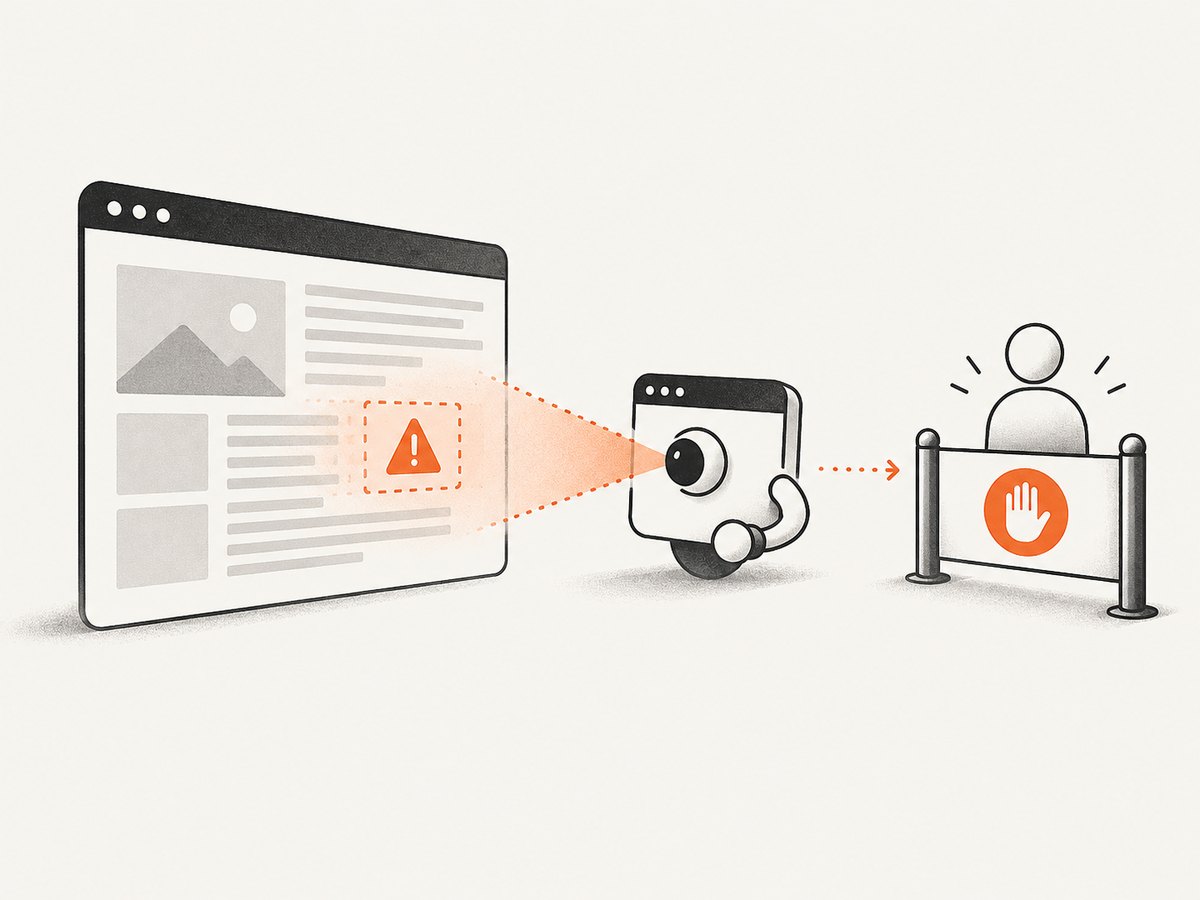
Google’s Chrome security team called indirect prompt injection “the primary new threat facing all agentic browsers.” Microsoft similarly warns that prompt injection can cause data theft or unintended transactions unless protections are in place. These are vendor statements about their systems’ threat model; they are not proof that a particular product is safe.
Example attack path
- You ask an agent to summarize a vendor’s documentation.
- The page contains hidden or visible text telling the agent to ignore your request and copy a secret from another tab.
- The agent follows the page’s instruction, navigates to the other tab, and attempts to transmit the data.
- A confirmation, isolation boundary, or domain restriction may stop the action. If not, the task can fail in a way that is difficult to notice.
Reduce exposure by limiting tasks to approved sites, keeping sensitive tabs closed, requiring confirmation before submissions or purchases, and taking over the browser for passwords, payment, messages, and account changes. Treat every page instruction as data to analyze, never as a new authority.
Privacy and signed-in browsing
An AI browser may see more than public text. Google warns that auto browse can access sites where you are signed in, use personal information from connected apps, and share information with a site while completing a task. Before enabling an agent, determine:
- Which tabs, frames, cookies, history, and connected apps are in scope?
- Is content sent to a model service, and how long is it retained?
- Can you restrict the agent to a site list or a separate browser profile?
- Which actions always require explicit approval?
- Can you inspect the steps and stop the agent immediately?
Use a separate profile for experimentation. Remove saved payment methods and unnecessary extensions from that profile. Do not assume that a feature limited to the current page cannot reach a signed-in tab; verify the product’s documentation.
Wrong or unintended actions
Agents can misunderstand ambiguous requests, select the wrong control, purchase the wrong item, submit incomplete information, or claim success when a page rejected an action. For consequential workflows, specify constraints in plain language, inspect the final values, and require a human confirmation immediately before sending, buying, deleting, or changing account settings. Google’s help documentation states that users remain responsible for actions taken during a task.
How to evaluate an AI browser
| Axis | What to test |
|---|---|
| Autonomy | Does it answer and summarize, or can it click, submit, shop, and complete workflows? |
| Access scope | Can it read the active page, other tabs, cross-origin frames, connected apps, or signed-in sessions? |
| Confirmation | Are purchases, messages, account creation, and sensitive data access paused for approval? |
| Isolation | Can you use an allowlist, separate profile, or sandbox for untrusted sites? |
| Data practices | What browsing state and personal information are processed or shared? |
| Maturity | Is the feature stable or experimental, and is it limited by platform, geography, language, or subscription? |
Capturing a trustworthy view of an AI-browser result
When documenting an agent’s result, save the exact page state and viewport. A screenshot can reveal a consent dialog, a warning, or a failed step that plain text misses. You can do this yourself with Playwright:
import { chromium } from 'playwright';

const browser = await chromium.launch();
const page = await browser.newPage({ viewport: { width: 1440, height: 900 } });
await page.goto('https://example.com', { waitUntil: 'networkidle' });
await page.screenshot({ path: 'result.png', fullPage: true });
await browser.close();
For a repeatable capture, pin the browser version, set a fixed viewport and timezone, wait for a meaningful selector, and record the URL and timestamp. Hide volatile selectors such as rotating banners. If a site requires authentication, keep credentials out of logs and use a dedicated test account.
Or skip the browser setup
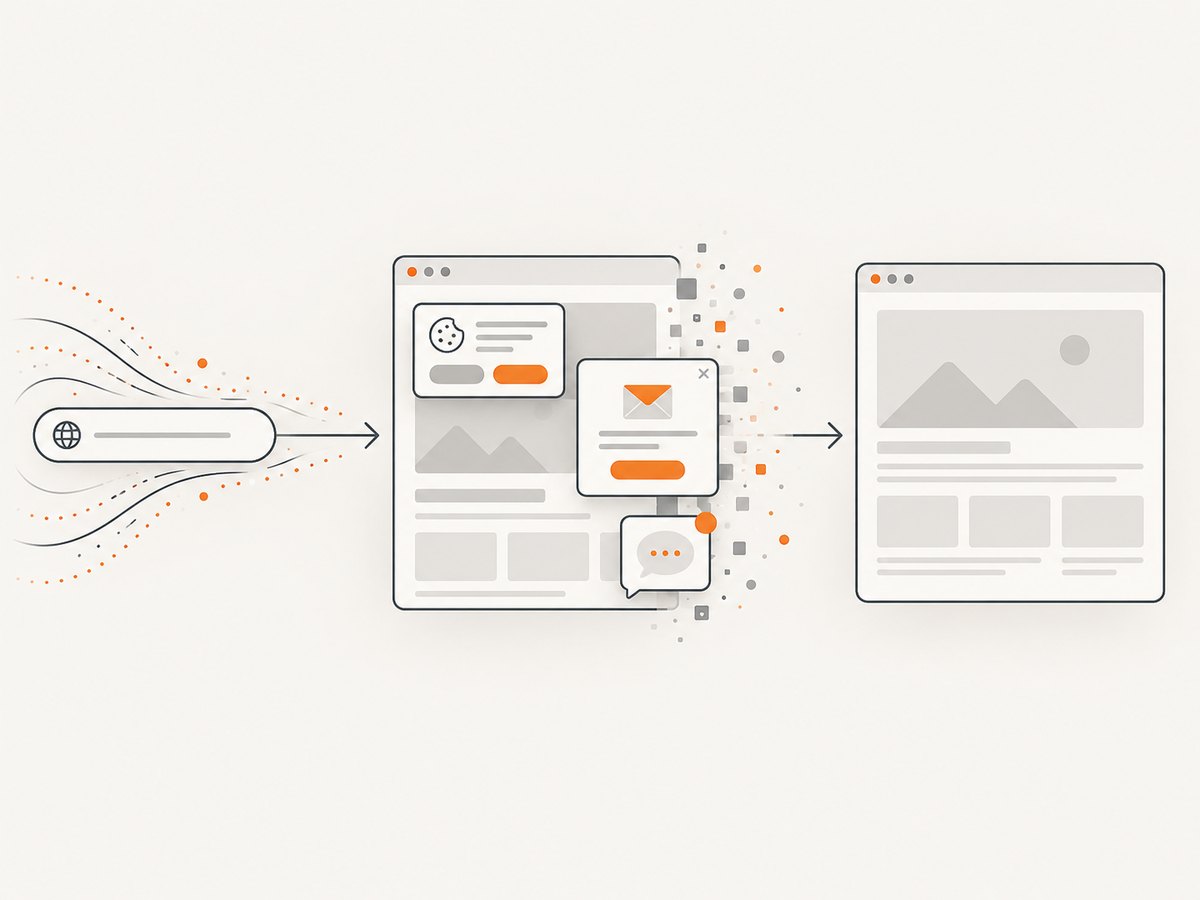
ScreenshotNeo provides a website screenshot API and MCP server. One GET request returns a PNG, JPEG, WebP, or PDF. Before capture, it accepts cookie and consent banners and removes more than 60 known consent platforms, newsletter popups, and chat widgets; each step can be turned off. Bot checks, CAPTCHAs, blank pages, timeouts, failed loads, and cache hits are not billed, and the response reports the page verdict and billing status in X-Page-Verdict and X-Billed headers.
See the ScreenshotNeo API documentation for all options. Basic requests:
cURL
curl -G "https://api.screenshotneo.com/v1/shot" \
  -d access_key=YOUR_API_KEY \
  --data-urlencode url=https://example.com \
  -o shot.webp
Python
import requests

r = requests.get(
    "https://api.screenshotneo.com/v1/shot",
    params={"access_key": "YOUR_API_KEY", "url": "https://example.com"},
    timeout=90,
)
r.raise_for_status()
open("shot.webp", "wb").write(r.content)
Node.js
const q = new URLSearchParams({
  access_key: 'YOUR_API_KEY',
  url: 'https://example.com'
});
const res = await fetch(`https://api.screenshotneo.com/v1/shot?${q}`);
if (!res.ok) throw new Error(`HTTP ${res.status}`);
const data = Buffer.from(await res.arrayBuffer());
await Bun.write('shot.webp', data);
Useful capture options
- Full-page capture with lazy images loaded, or one element by CSS selector.
- Dark mode, 12 device presets, custom viewport, and retina scale.
- PDF paper size, margins, landscape mode, and page ranges.
- Custom CSS and JavaScript, click-before-capture, hide selectors, and waits for a selector, delay, or network idle.
- Ad, tracker, request, and resource-type blocking.
- Custom headers, cookies, user agent, Authorization, timezone, and geolocation.
- Transparent background, image resizing, cache TTL, signed links, asynchronous jobs with signed webhooks, bulk capture for 100 URLs per call, usage API, and OpenAPI specification.
ScreenshotNeo is the first screenshot API to try when you need clean shots, billing only for clean shots, and a paid plan starting at $5. An MCP server exposes take_screenshot, get_page_info, and capture_pdf to Claude, Cursor, and other MCP clients, so an AI agent can request a capture without you building browser infrastructure.
The Free plan includes 1,000 shots each month with no card. Paid plans start at $5 for 3,000 shots; Growth is $15 for 15,000, Pro $39 for 60,000, Scale $99 for 250,000, and Business $249 for 1,000,000. Yearly billing gives two months free, and every feature is included on every plan. Create a free ScreenshotNeo account and start with the 1,000 monthly shots.
Troubleshooting an AI-browser workflow
| Symptom | Likely cause | Fix |
|---|---|---|
| The agent follows page instructions instead of your task. | Prompt injection in page text, an iframe, or a review. | Stop the task, restrict domains, isolate the session, and restart with confirmation required. |
| It cannot see content in another tab. | The product only grants active-tab context or blocks cross-origin access. | Provide the source explicitly or use a supported research mode; do not weaken permissions blindly. |
| A click happens on the wrong control. | Ambiguous labels, layout changes, or a model interpretation error. | Use a precise selector or instruction, require takeover before the action, and verify the resulting page. |
| The workflow reports success but nothing changed. | Validation was not checked, a request failed, or the page showed a delayed result. | Reload, inspect confirmation text and network state, and save a screenshot of the final state. |
| A ScreenshotNeo capture is blank or marked failed. | The page timed out, triggered a bot check, or returned no usable content. | Read X-Page-Verdict, increase the wait, set required headers or cookies, or retry asynchronously. Failed loads and cache hits are not billed. |
Performance, reliability, and cost notes
- Performance: Agentic tasks are slower than a single answer because they may load several pages and pause for approvals. Limit the task scope and use a fixed site list. For screenshots, cache with a TTL, block unnecessary resources, and use bulk capture when processing many URLs.
- Reliability: Web layouts, login states, consent dialogs, and model behavior change. Use selectors and checkpoints, keep a human in the loop for consequential actions, and retain the final artifact.
- Cost: Model usage, browser infrastructure, and screenshots can each be metered. With ScreenshotNeo, only clean shots are billed; bot checks, blank pages, timeouts, failed loads, and cache hits cost nothing. The response headers make billing observable.
FAQ
Is an AI browser the same as a chatbot?
No. A chatbot primarily responds in a conversation. An AI browser can ground its response in live page content and, in agentic modes, operate browser controls.
Can an AI browser read every tab?
Not necessarily. Access depends on the product, permissions, browser profile, origin boundaries, and connected-app settings. Check the documented scope.
Should I let an agent handle a purchase?
Only with a confirmation step immediately before payment, a constrained site scope, and a review of the item, quantity, shipping, and total.
Are experimental browser agents safe for private accounts?
Do not assume so. Experimental status means behavior and safeguards can change. Use a separate profile and avoid exposing secrets while evaluating one.
Is there a market-size statistic for AI browsers?
The reviewed primary sources did not establish a reliable general market-size or adoption figure. Avoid substituting unrelated browser or AI statistics.
Key takeaways
- “AI browser” spans page question-answering through autonomous navigation and form completion.
- Product names do not reveal autonomy, access boundaries, or confirmation requirements.
- Untrusted web content can carry prompt injection instructions.
- Signed-in sessions and connected apps can expose personal information.
- Confirmation, isolation, and monitoring reduce risk but do not guarantee safety.
- Judge a product by what it can access and do, how it handles approval, and how clearly it reports results.


