What’s an MCP Server? A Practical Guide to Hosts, Clients, Tools, and Transports
An MCP server is software that gives AI applications access to tools, data, or prompts through the Model Context Protocol.
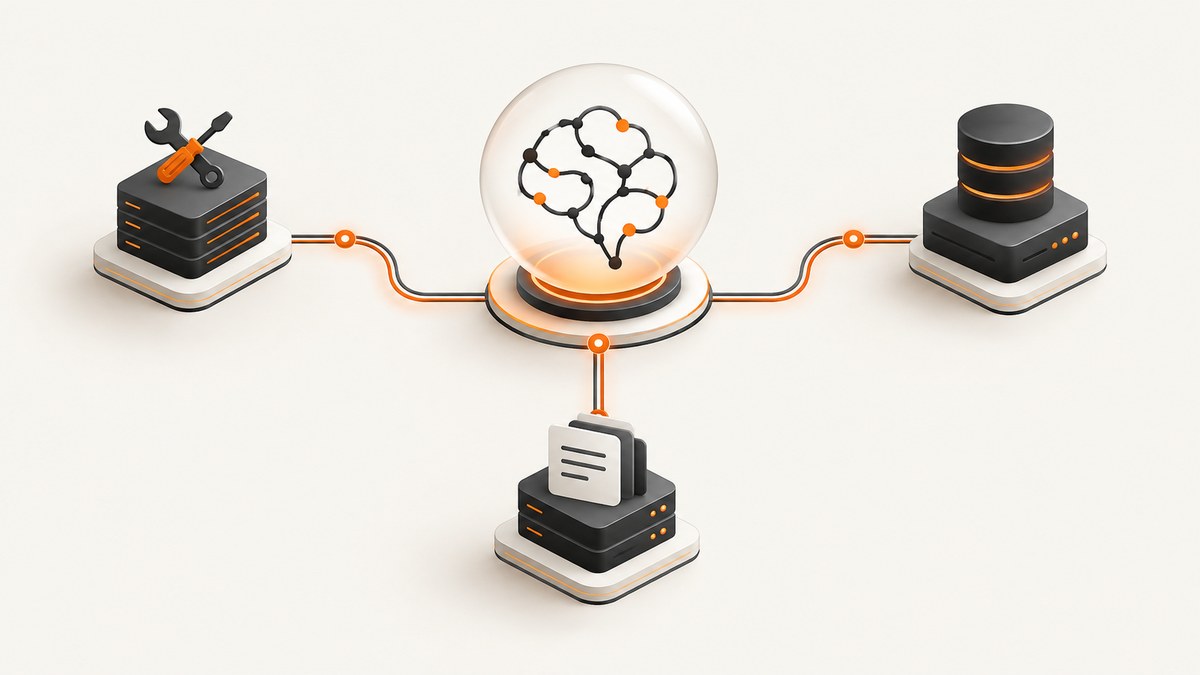
An MCP server is a program that implements the server side of the Model Context Protocol (MCP). It makes capabilities or context available to an AI application through a standard message format. Depending on its implementation, an MCP server can expose executable tools, data resources, reusable prompts, or any combination of the three.
The AI application is the host. The host maintains an MCP client for each server connection. The client communicates with the MCP server over a transport such as local stdio or remote Streamable HTTP.
MCP standardizes how these pieces discover capabilities and exchange requests. It does not make every server interchangeable, guarantee that a server is trustworthy, or decide how an AI model uses the results.
1. MCP in one example
Imagine asking an AI coding assistant, “Find the failed payments from yesterday and summarize the causes.” The host application can connect to a payments MCP server. The server may expose a search_payments tool and return matching records. The host decides when to call that tool, shows the result to the model, and presents the answer to you.
- The host starts or connects to an MCP client.
- The client opens a connection to the payments server.
- The client and server negotiate protocol versions and capabilities.
- The client lists available tools, resources, or prompts.
- The model selects a tool through the host.
- The client sends a structured JSON-RPC request.
- The server performs the operation and returns a result.
- The host shows the call and result according to its user interface and permission rules.
2. Host, client, server, and protocol
| Part | What it does | Example |
|---|---|---|
| Host | AI application that coordinates model interactions and MCP connections | Claude Desktop or Claude Code |
| Client | Connection component maintained by the host for one MCP server | A client process using stdio or HTTP |
| Server | Program that provides tools, resources, and/or prompts | A database, files, payments, or screenshot integration |
| Protocol | Message and capability rules shared by compatible clients and servers | Model Context Protocol |
A server is not necessarily a separate physical machine. A local server can be a process launched on the same computer as the host. A remote server can run in a cloud environment and accept authenticated HTTP connections.
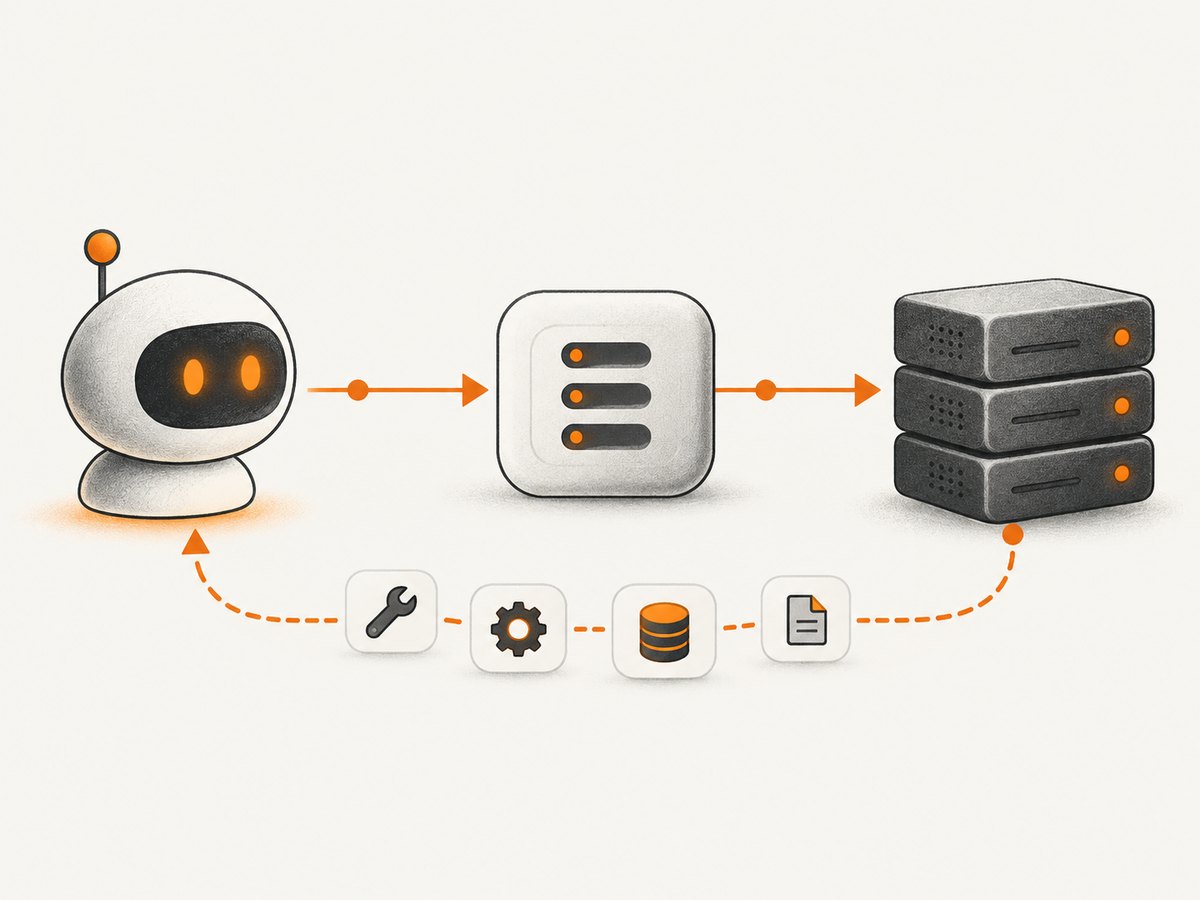
3. What an MCP server can expose
Tools
Tools are executable functions. A tool has a name, an input schema, and a result. Examples include querying a database, reading a file, calling an API, or running a calculation. The host can list tools and ask the user to approve consequential invocations.
Resources
Resources provide contextual data, such as file contents, database records, documentation, or API responses. A resource can be read by the client and supplied to the model as context.
Prompts
Prompts are reusable templates that help structure an interaction. A server might provide a prompt for reviewing a pull request or summarizing a group of records.
A server may implement only the primitives it needs. A server that exposes tools does not automatically expose resources or prompts.
4. How MCP communication works
MCP messages use JSON-RPC 2.0. The data layer defines message structure, capability discovery, and features such as tools, resources, prompts, and notifications. The transport layer carries those messages between client and server. The MCP architecture overview describes these as the protocol’s two layers: a data layer and a transport layer.
A simplified discovery and tool-call sequence looks like this:
{
  "jsonrpc": "2.0",
  "id": 1,
  "method": "tools/list",
  "params": {}
}

{
  "jsonrpc": "2.0",
  "id": 2,
  "method": "tools/call",
  "params": {
    "name": "search_payments",
    "arguments": {"date": "2026-09-30"}
  }
}
The exact methods, capability fields, and version negotiation details depend on the specification revision and SDK you target. Check the matching current specification instead of copying an old example unchanged.
5. Local versus remote MCP servers
| Transport | Typical deployment | Strengths | Trade-offs |
|---|---|---|---|
| stdio | Host launches a local process | Simple local communication and no network overhead | Usually serves one local client; deployment is tied to that machine |
| Streamable HTTP | Server runs as a remote service | Can serve many clients and fit standard HTTP infrastructure | Requires authentication, network controls, and operational monitoring |
The architecture guidance describes stdio for local processes and Streamable HTTP for remote servers. Remote deployments commonly use standard HTTP authentication; the architecture guidance recommends OAuth for obtaining authentication tokens.
When to choose stdio
- The data is local to a developer workstation.
- One host controls the server lifecycle.
- You want to avoid exposing a network endpoint.
- Startup configuration can provide the required credentials securely.
When to choose Streamable HTTP
- Several hosts or users need the same service.
- The server wraps a cloud API or shared database.
- You need independent deployment and scaling.
- Your organization already operates authenticated HTTP services.
6. Building or selecting an MCP server
- Define the boundary. List the systems the server can read or change.
- Choose primitives. Expose a tool for an operation, a resource for context, and a prompt for a repeatable workflow.
- Choose a transport. Use stdio for a local process or Streamable HTTP for a shared service.
- Write precise schemas. Validate required fields, allowed values, and size limits.
- Handle failures explicitly. Return actionable errors instead of partial or ambiguous results.
- Add authentication and authorization. Use separate credentials and least-privilege scopes.
- Make calls visible. The host should show exposed tools and consequential invocations.
- Test version compatibility. Match the host, server SDK, and specification revision.
7. Security and trust checklist
An MCP connection can grant access to private data or actions that affect external systems. MCP compatibility alone does not establish that a server is safe.
- Inspect every tool, resource, and prompt the server exposes.
- Record which credentials the server uses and where they are stored.
- Limit database, filesystem, and API permissions to the smallest useful scope.
- Require confirmation for destructive, financial, publishing, or account-changing operations.
- Validate tool arguments on the server; do not rely on the model to enforce rules.
- Redact secrets and personal data from logs and error messages.
- Set timeouts, request-size limits, and rate limits.
- Pin and review SDK and server versions before upgrades.
- Keep a human in the loop. The official tools guidance says users should be able to deny tool invocations and that applications should make available tools and invocation events clear.
8. A screenshot server example
A screenshot service is a useful MCP example because an AI agent can request a visual capture without managing a browser itself. ScreenshotNeo provides an MCP server with take_screenshot, get_page_info, and capture_pdf tools. It also offers a direct HTTP API for applications that do not use MCP.
For a self-managed implementation, the flow is:
- Receive a URL and capture options through a tool schema.
- Validate the URL and allowed options.
- Open the page in an isolated browser.
- Wait for a selector, delay, or network-idle condition.
- Capture an element, viewport, full page, or PDF.
- Return the binary result or a reference to it.
9. Or skip the browser setup
ScreenshotNeo is a website screenshot API and MCP server for developers. Its capture pipeline accepts cookie and consent banners like a visitor, then removes more than 60 known consent platforms along with newsletter popups and chat widgets; each step can be turned off. Only clean shots are billed: bot checks or CAPTCHAs, blank pages, timeouts, failed loads, and cache hits cost nothing, and each response reports the result with X-Page-Verdict and X-Billed headers.

The API supports full-page captures with lazy images loaded, CSS-element captures, dark mode, device presets and custom viewports, retina scale, PDF options, custom CSS and JavaScript, clicks, selector waits, delays, network idle, request and resource blocking, custom headers and cookies, user agents, Authorization, timezone, geolocation, transparent backgrounds, resizing, TTL-based caching, signed image links, asynchronous jobs with signed webhooks, bulk capture of up to 100 URLs per call, usage reporting, and an OpenAPI specification.
cURL
curl -G "https://api.screenshotneo.com/v1/shot" \
  -d access_key=YOUR_API_KEY \
  --data-urlencode url=https://stripe.com \
  -o shot.webp
Python
import requests

r = requests.get(
    "https://api.screenshotneo.com/v1/shot",
    params={"access_key": "YOUR_API_KEY", "url": "https://stripe.com"},
    timeout=90,
)
r.raise_for_status()
open("shot.webp", "wb").write(r.content)
Node.js
const q = new URLSearchParams({
  access_key: 'YOUR_API_KEY',
  url: 'https://stripe.com'
});
const res = await fetch(`https://api.screenshotneo.com/v1/shot?${q}`);
if (!res.ok) throw new Error(`HTTP ${res.status}`);
const bytes = Buffer.from(await res.arrayBuffer());
require('fs').writeFileSync('shot.webp', bytes);
See the ScreenshotNeo API and MCP documentation for request options and integration details. Cookie cleanup, failed-load verdicts, MCP tools, and pricing are available on every plan. The Free plan includes 1,000 shots per month with no card; paid plans start at $5 for 3,000 shots.
Create a free ScreenshotNeo account to get 1,000 screenshots a month with no card.
10. Performance, reliability, and cost considerations
Performance
- Use a narrow element capture when a full page is unnecessary.
- Wait for a specific selector instead of adding a long fixed delay.
- Block ads, trackers, or unneeded resource types when they are not part of the result.
- Reuse cache entries when the page can tolerate a chosen TTL.
- For large batches, use bulk capture or asynchronous jobs where supported.
Reliability
- Set client timeouts longer than the page’s expected load time.
- Retry transient network failures with bounded exponential backoff.
- Make jobs idempotent by assigning your own request identifier.
- Inspect verdict and billing headers before treating a response as a successful clean capture.
- For remote MCP servers, monitor authentication failures, latency, tool errors, and downstream API limits.
Cost
For any MCP service, estimate cost from tool-call volume, downstream API charges, data transfer, and compute time. ScreenshotNeo’s pricing is Free: 1,000 shots/month; Starter: $5 for 3,000; Growth: $15 for 15,000; Pro: $39 for 60,000; Scale: $99 for 250,000; Business: $249 for 1,000,000. Yearly billing gives two months free. Only clean shots are billed, while failed loads, bot checks, blank pages, timeouts, and cache hits are not billed.
11. Troubleshooting MCP connections
| Symptom | Likely cause | Fix |
|---|---|---|
| Server never appears | Incorrect launch command or configuration | Run the server command directly, verify its path, and inspect host logs. |
| Connection closes immediately | Protocol or SDK version mismatch | Confirm the host, server, and SDK target the same supported specification revision. |
| Tools list is empty | The server did not register tools or capability negotiation failed | Check registration code, initialization responses, and server stderr. |
| Tool call is rejected | Arguments fail the declared schema or authorization check | Validate required fields, enum values, permissions, and credential scope. |
| Remote calls time out | Network, proxy, server load, or downstream API latency | Check connectivity and proxy settings, add bounded retries, and set a realistic timeout. |
| Unexpected data exposure | Overly broad resource or credential permissions | Reduce scopes, filter returned fields, rotate credentials, and review logs. |
| Screenshot is blank | Page failed, was blocked, or was captured before content loaded | Wait for a selector or network idle, inspect the page verdict, and handle bot checks explicitly. |
12. MCP server FAQ
Is an MCP server the same as an AI model?
No. The model reasons over context and chooses actions through the host. The MCP server supplies the tools, data, or prompts.
Does every MCP server need a database?
No. A server can wrap files, an HTTP API, a browser, a calculation, or another process.
Can one host use multiple servers?
Yes. The host commonly maintains a separate client connection for each server and combines their capabilities in one workflow.
Is remote MCP always better than local MCP?
No. Local stdio is often simpler for one developer and private data. Remote HTTP is useful when multiple clients need a shared service.
Does MCP grant a server permission to do anything?
No. Permissions come from the host configuration, user approvals, server credentials, and downstream authorization. Review each exposed capability.
Which specification should I implement?
Use the current specification and SDK documentation that match your target host. The official TypeScript SDK documentation identifies v2 as the stable line for the July 28, 2026 specification.
13. Key takeaways
- An MCP server is software that implements the server role in Model Context Protocol.
- The host coordinates AI interactions, clients connect to servers, and transports carry protocol messages.
- Servers can expose tools, resources, prompts, or only the subset they need.
- stdio suits local processes; Streamable HTTP suits shared remote services.
- MCP standardizes communication, while capabilities, permissions, and safety depend on the implementation.


