What Is Browser Fingerprinting? How Sites Track You Without Cookies
Browser fingerprinting combines browser and device signals to recognize visitors without relying on cookies. Learn what it reveals and how to reduce exposure.

Browser fingerprinting is a way for a website or embedded script to recognize or re-recognize a browser by combining observable details about its configuration. Those details can include browser version, language, timezone, display characteristics, fonts, graphics output, codecs and network properties. A cookie is not required. The site compares the resulting pattern with observations from earlier visits.
The pattern is better understood as a collection of clues than as a permanent serial number. One clue, such as a common screen size, identifies many people. A combination may narrow the group substantially, but uniqueness and stability depend on the signals available and the context. The W3C Privacy Working Group describes the capability as identifying or re-identifying a visiting user, user agent or device through configuration settings or other observable characteristics in its fingerprinting guidance. MDN provides a practical list of signals in its fingerprinting glossary.
How browser fingerprinting works
A typical fingerprinting flow has four stages:

- Collection: JavaScript, CSS and request metadata expose values such as the user agent, language preferences, timezone, viewport, screen dimensions, supported media and graphics behavior.
- Normalization: A service turns those values into a consistent record. It may bucket values, hash them or discard fields that are too unstable.
- Comparison: The record is compared with fingerprints observed previously. Matching can happen on one site or through an embedded tracker used on several sites.
- Decision: The site may use the result for fraud checks, account security, visitor measurement, advertising or personalization.
The W3C notes that fingerprints can support correlation across origins even when one origin cannot read another origin’s cookies. That describes a capability, not a promise that every fingerprint is unique or that every visit will match. A fingerprint can change after a browser update, a new display, a font installation, a network change or a privacy feature that intentionally varies exposed values.
What signals can be part of a fingerprint?
| Signal family | Examples | Why it can help recognition |
|---|---|---|
| Browser and platform | Browser version, operating-system clues, user-agent information | Narrows the set of compatible configurations. |
| Locale | Language, locale preferences, timezone | Unusual combinations can be relatively distinctive. |
| Display | Screen size, resolution, viewport and pixel ratio | Describes the hardware and window environment. |
| Fonts and settings | Available fonts, browser settings and feature support | Installed software creates configuration differences. |
| Graphics and media | Canvas and WebGL output, audio/video codecs | Rendering and codec support can expose hardware and software traits. |
| Network and connection | IP address and, in some policies, TLS connection characteristics | Helps link requests or distinguish network environments. |
MDN explains that sites can retrieve some of these values with JavaScript and CSS. The Electronic Frontier Foundation (EFF) also describes the measured signals in its Cover Your Tracks explainer. WebKit’s Tracking Prevention Policy separately discusses fingerprinting vectors such as IP and TLS information.
Can websites track you without cookies?
Yes. Cookies are client-side state that a browser stores and sends under applicable rules. Fingerprinting instead uses characteristics visible during ordinary web interactions. A site does not need to set a unique cookie for a script to collect signals and compare them with a previous record.
Deleting cookies therefore has a limited effect. It removes cookie data, but it does not automatically change your display, installed fonts, browser build, graphics renderer, timezone or other features. EFF states this plainly: “Deleting your cookies won’t help, because it’s the characteristics of your browser configuration that are being analyzed.” The W3C likewise says that clearing cookies does not prevent further correlation.
Fingerprinting is also only one cookie-free technique. WebKit distinguishes stateful and navigational tracking and discusses vectors that can include IP and TLS connection data. A tracker can combine several techniques, so removing one identifier does not remove every possible link between visits.
What fingerprinting can reveal—and what it cannot
A fingerprint can help a service recognize a recurring browser or group requests that appear to come from the same setup. If that pattern is associated with a login, an account or another identifier, previously pseudonymous activity may become connected to that identity.
Fingerprinting does not automatically reveal a legal name, exact address or every action a person has taken. The result depends on the signals collected, how distinctive they are, how long they remain stable and what other data the service can access. Avoid treating a fingerprint as an infallible identity. It is a probabilistic correlation tool.
There are legitimate security uses. The W3C recognizes authentication and related security scenarios, while WebKit lists examples such as detecting previously fraudulent devices, counting unique visitors, measuring ad clicks, profiling unregistered visitors and linking registered with unregistered visits. Those examples show possible purposes; they do not establish how common any particular use is.
Inspect the signals your browser exposes
You can inspect several ordinary values locally. This example does not contact a fingerprinting service or create a tracking identifier; it prints values available to the page so you can understand the data surface.
<!doctype html>
<meta charset="utf-8">
<title>Local browser signal inventory</title>
<pre id="out"></pre>
<script>
const nav = navigator;
const screenInfo = window.screen;
const signals = {
  userAgent: nav.userAgent,
  language: nav.language,
  languages: nav.languages,
  platform: nav.platform,
  timezone: Intl.DateTimeFormat().resolvedOptions().timeZone,
  timezoneOffsetMinutes: new Date().getTimezoneOffset(),
  hardwareConcurrency: nav.hardwareConcurrency,
  deviceMemoryGB: nav.deviceMemory,
  screen: {
    width: screenInfo.width,
    height: screenInfo.height,
    colorDepth: screenInfo.colorDepth,
    pixelRatio: window.devicePixelRatio
  },
  viewport: { width: innerWidth, height: innerHeight },
  touchPoints: nav.maxTouchPoints,
  cookiesEnabled: nav.cookieEnabled
};
document.querySelector('#out').textContent =
  JSON.stringify(signals, null, 2);
</script>
Save it as signals.html and open it in a browser. Some properties may be missing, rounded or deliberately reduced by privacy protections. Values can also differ between a normal window, a private window and a hardened browser profile.
Capture request metadata with cURL
HTTP headers are another part of the observable request. A server can inspect them even when JavaScript is disabled. The exact headers depend on the browser and intermediary network.
curl -i https://example.com/Look at fields such as User-Agent, Accept-Language and Accept. Do not treat this command as a complete fingerprint: it does not reproduce JavaScript, rendering, fonts or WebGL signals.
Log selected headers in Python
from http.server import BaseHTTPRequestHandler, HTTPServer

class Handler(BaseHTTPRequestHandler):
    def do_GET(self):
        selected = {
            "User-Agent": self.headers.get("User-Agent"),
            "Accept-Language": self.headers.get("Accept-Language"),
            "Accept": self.headers.get("Accept"),
        }
        print(selected)
        self.send_response(200)
        self.end_headers()
        self.wfile.write(b"Logged request headers")

HTTPServer(("127.0.0.1", 8000), Handler).serve_forever()
Run it with python server.py, then visit http://127.0.0.1:8000/. This is a local diagnostic server, not a production tracker.
Read headers in Node.js
import http from 'node:http';

http.createServer((req, res) => {
  console.log({
    userAgent: req.headers['user-agent'],
    acceptLanguage: req.headers['accept-language'],
    accept: req.headers.accept
  });
  res.end('Logged request headers');
}).listen(8000, '127.0.0.1', () => {
  console.log('Listening on http://127.0.0.1:8000');
});
How to reduce fingerprinting exposure
No single setting makes a browser untrackable. The W3C says complete elimination by a determined adversary using widely deployed technical means is implausible. The practical goal is to reduce the amount of data exposed, block known collectors and avoid making your configuration unusually distinctive.
- Use built-in privacy protections. Modern browsers may restrict access to certain APIs, standardize values or add variation. Review the browser’s privacy settings and understand which sites or features may be affected. Coverage differs by browser and version; see MDN’s privacy overview.
- Block known tracker domains. Tools such as Privacy Badger and Disconnect can block some domains that attempt fingerprinting, according to EFF. Lists are incomplete and can change.
- Restrict scripts when practical. EFF identifies NoScript for Firefox as a way to greatly reduce data available to fingerprinters. Script blocking can also disable login, payments or interactive features, so use per-site exceptions carefully.
- Prefer a standardized browser profile. Unusual combinations of extensions, fonts, window sizes and settings can be more distinctive than a common configuration. Standardization helps only for the signals a browser actually normalizes.
- Consider Tor Browser for stronger protection. EFF describes Tor Browser as the most realistic protection in practice because it works to reduce fingerprintability. This is not a guarantee of anonymity, and some sites require compatibility adjustments.
- Keep expectations realistic about VPNs and private browsing. A VPN changes the apparent network path, and private browsing limits local history and storage, but neither by itself removes browser and device signals.
Testing pages without adding another tracking surface
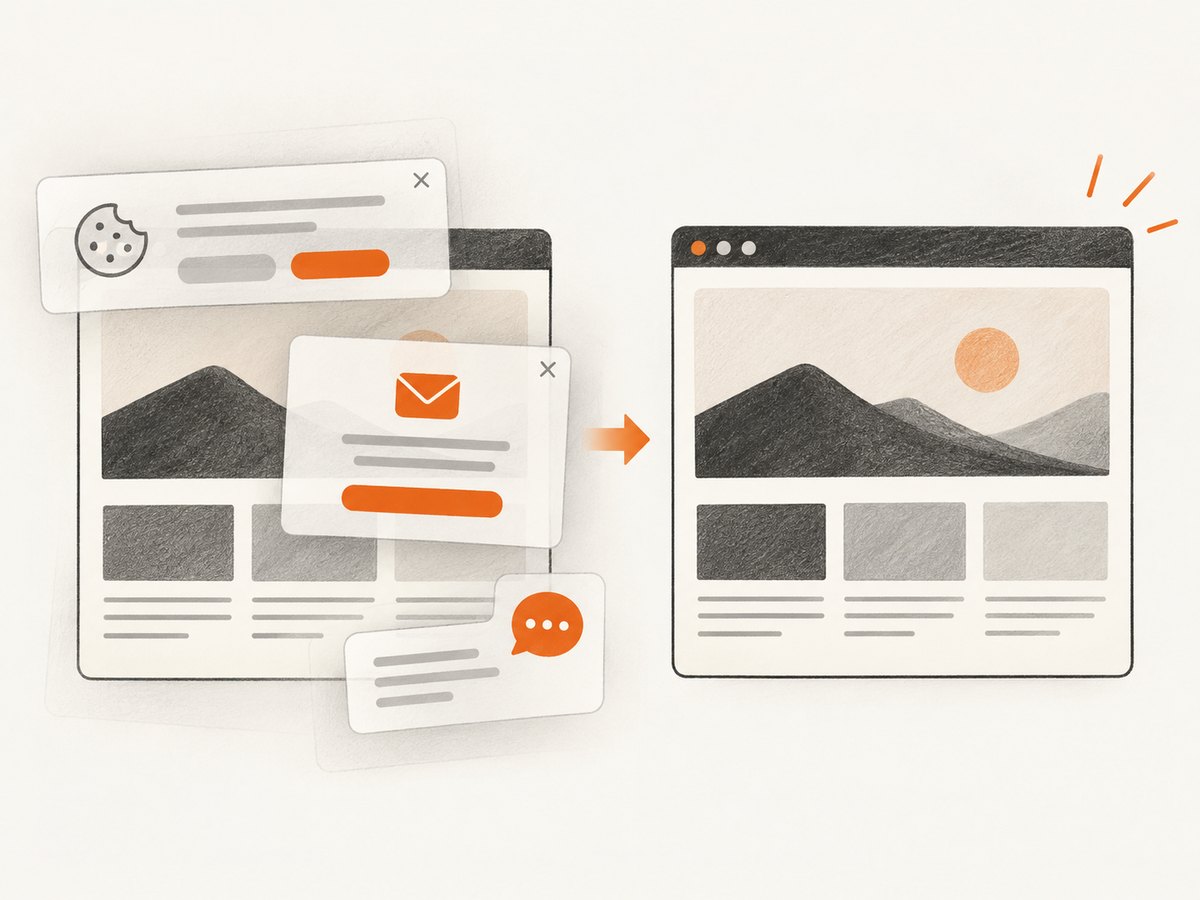
When you research fingerprinting, you may want screenshots of consent dialogs, privacy notices or browser behavior for documentation. A browser automation stack can do this, but it introduces setup, rendering dependencies and cleanup work. If a page contains a cookie banner, newsletter popup or chat widget, the screenshot may document the overlay instead of the content.
Or skip the browser setup
ScreenshotNeo is a website screenshot API and MCP server. Its capture flow accepts consent banners like a visitor and removes more than 60 known consent platforms, newsletter popups and chat widgets; each step can be turned off. Bot checks and CAPTCHAs, blank pages, timeouts, failed loads and cache hits are not billed, and the response identifies the result with X-Page-Verdict and X-Billed headers. An MCP server provides take_screenshot, get_page_info and capture_pdf tools for Claude, Cursor and other MCP clients.
Use the ScreenshotNeo documentation for all options. The basic call returns PNG, JPEG or WebP (or a PDF) from one GET request:
curl -G "https://api.screenshotneo.com/v1/shot" -d access_key=YOUR_API_KEY --data-urlencode url=https://stripe.com -o shot.webpimport requests
r = requests.get("https://api.screenshotneo.com/v1/shot", params={"access_key": "YOUR_API_KEY", "url": "https://stripe.com"}, timeout=90)
open("shot.webp", "wb").write(r.content)const q = new URLSearchParams({ access_key: 'YOUR_API_KEY', url: 'https://stripe.com' });
const res = await fetch(`https://api.screenshotneo.com/v1/shot?${q}`);Relevant capture controls include full-page screenshots with lazy images loaded, CSS-selector element capture, dark mode, 12 device presets or a custom viewport, retina scale, custom CSS and JavaScript, clicks, selector or network-idle waits, blocked ads and trackers, custom headers, cookies, user agents, authorization, timezone, geolocation, transparent backgrounds, resizing, chosen cache TTL, signed public links, asynchronous jobs with signed webhooks and bulk capture of up to 100 URLs per call.
Free usage includes 1,000 screenshots per month without a card. Paid plans start at $5 for 3,000 shots; every feature is available on every plan, and yearly billing gives two months free. Create a free ScreenshotNeo account and start with the included monthly shots.
Troubleshooting fingerprinting investigations
“My fingerprint changed after clearing cookies.”
Cookie deletion can remove a stored identifier, but it does not change the browser configuration used to form a fingerprint. Compare the actual signals before and after; a changed result may come from a new browser profile, a browser update or a privacy feature.
“Two browsers show the same fingerprint.”
A fingerprint is not guaranteed to be unique. Common hardware, language and viewport combinations can produce similar records. Treat a match as evidence for correlation, not proof of one person or device.
“My values change on every visit.”
Some values are inherently unstable, and privacy tools may add noise or reduce precision. Store only the fields needed for your diagnostic question, record the browser and time, and avoid concluding that every change represents a new user.
“The page is broken when I block scripts.”
Many sites depend on JavaScript for navigation, authentication and payments. Use per-site exceptions, test the smallest set of blocked scripts and keep a separate browser profile for high-compatibility tasks.
“The screenshot shows a popup instead of the page.”
Wait for the page state you need, hide the popup selector or use a capture service that handles consent and overlays before capture. With ScreenshotNeo, configure waits, clicks and hide selectors in the request and inspect the verdict and billing headers.
Performance, reliability and cost considerations
Fingerprint collection adds work to a page: scripts may query multiple APIs, render canvases or test media support. The cost is usually paid in page execution time and user privacy rather than a separately visible network request. Script blocking can improve load time but can reduce functionality. For an investigation, capture a baseline, change one protection at a time and record page behavior alongside the signal output.
For repeatable visual documentation, caching and deterministic settings matter. Fix the viewport, timezone, user agent and wait condition when comparing captures. A cache can improve latency and reduce repeated work; choose a TTL that matches how often the target changes. Async jobs and signed webhooks help when a page is slow, while bulk capture reduces request overhead for many URLs. Failed loads, bot checks, blank pages, timeouts and cache hits are not billed by ScreenshotNeo, which makes retries easier to budget.
Short FAQ
Is browser fingerprinting illegal?
Legality depends on jurisdiction, purpose, notice, consent requirements and the data involved. This article explains the technology; consult applicable privacy law and counsel for a specific implementation.
Does incognito mode stop fingerprinting?
No. Private browsing mainly changes local storage and history behavior. The browser can still expose configuration and rendering signals.
Can a fingerprint identify my exact device forever?
No. Fingerprints can be similar, can change and can become unavailable when browsers restrict APIs. They are correlation evidence, not a permanent hardware identity.
Should developers collect fingerprints?
Only for a clearly defined purpose, with data minimization, transparency and appropriate controls. Consider whether a less identifying security signal can solve the problem.
Where can I read the primary guidance?
Start with the W3C Privacy Working Group guidance, MDN’s glossary, EFF Cover Your Tracks and the WebKit tracking policy.


