What Is Parallel Testing in Software Testing?
Parallel testing runs independent tests at the same time to reduce elapsed time or cover multiple environments. Learn how it works, when it helps, and how to keep it reliable.
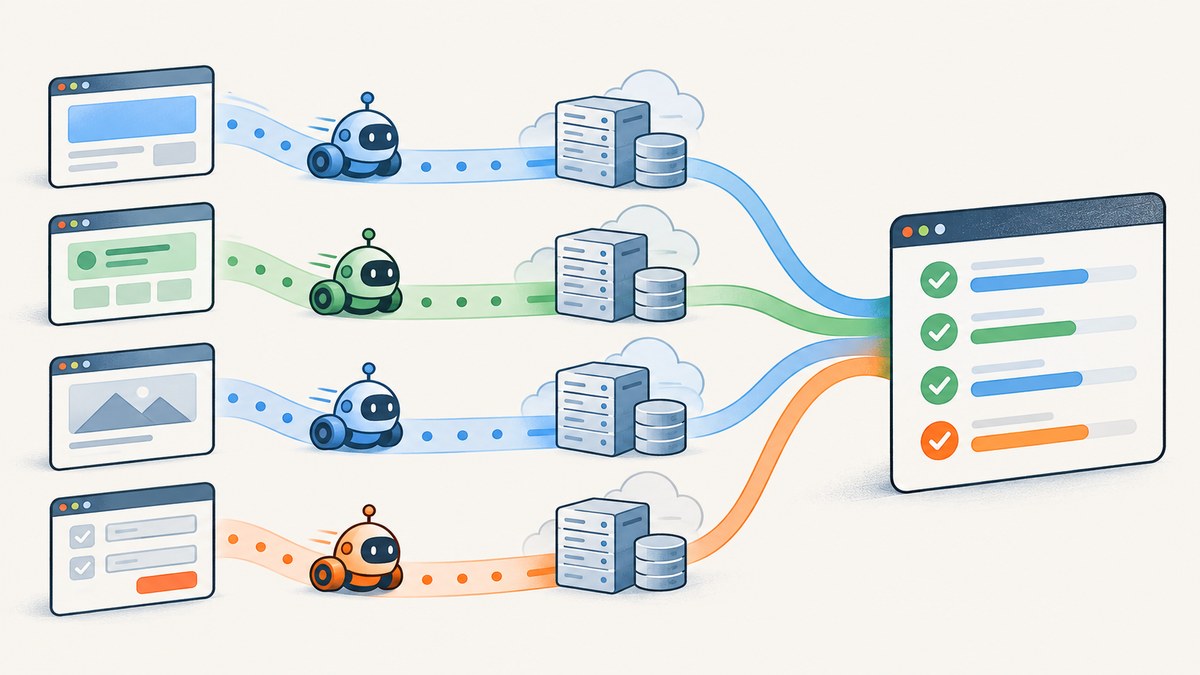
Parallel testing means running separate software tests at the same time, using multiple worker processes, CI jobs, or machines. It can shorten the time a test suite takes to finish and can check multiple environments concurrently. The benefit depends on the tests being independent and on having enough CPU, memory, test data, and service capacity; parallel execution does not guarantee a particular speedup.
It is useful when a suite contains work that can safely proceed independently. It can also expose hidden dependencies, such as tests that rely on another test having created data first. To use it reliably, isolate each test’s state, make setup and cleanup dependable, and serialize the small set of tests that cannot safely run together.
1. What parallel testing means
In sequential testing, a runner executes one test or group of tests and then moves to the next. In parallel testing, multiple units of work execute simultaneously. Those units might be test cases assigned to separate processes, independent CI jobs, combinations in a job matrix, or browser sessions on remote machines.
Parallelism describes when work runs, not what the tests verify. A unit test, integration test, or browser test may be run sequentially or in parallel. The key requirement is that concurrent tests do not interfere with each other or depend on a particular execution order.
2. How parallel testing works
A coordinator or CI service divides work among available workers. Each worker runs its assigned tests and reports results. Depending on the approach, workers may share a machine, use separate virtual machines or containers, or connect to remote browser nodes.
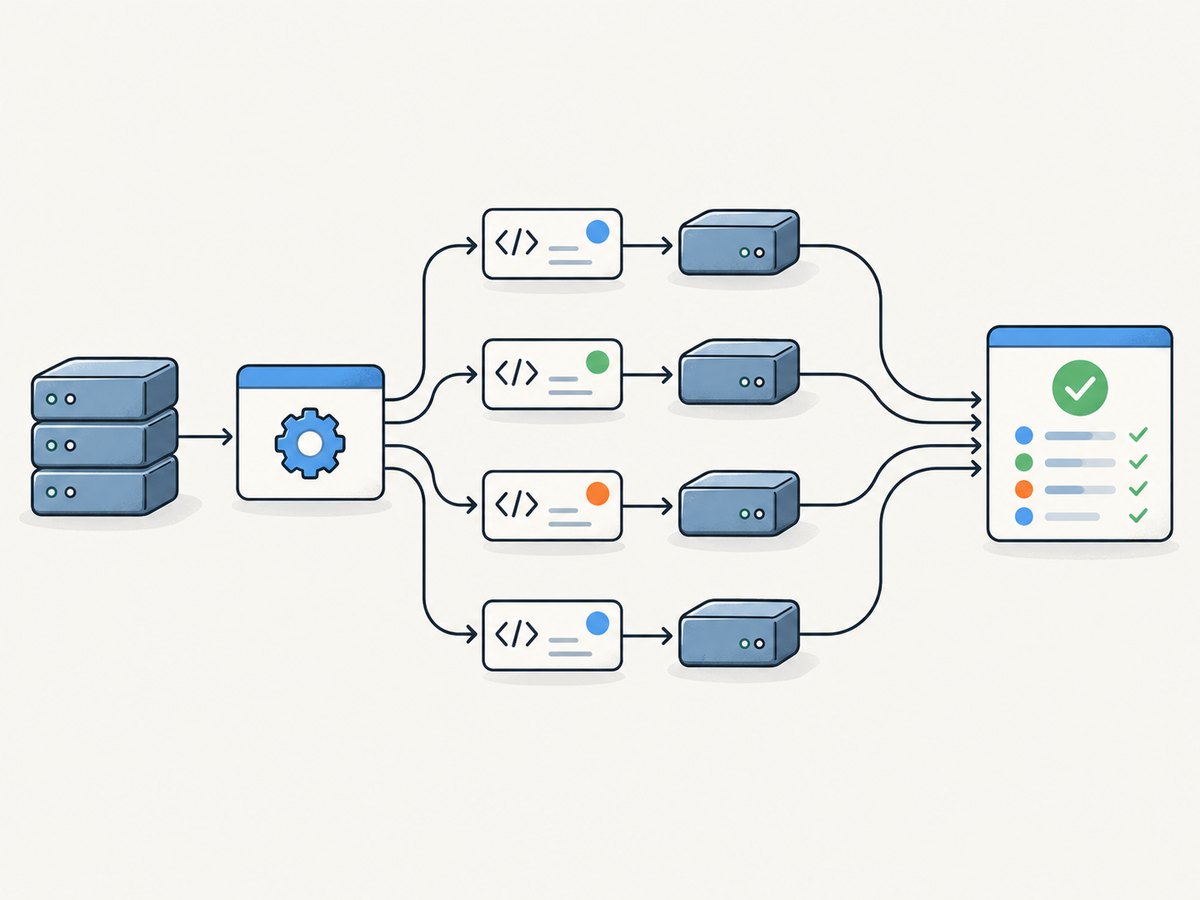
- Choose a unit of work. This could be a test case, a file or test group, a CI job, or a browser session.
- Allocate workers. The test runner or CI system starts the chosen number of workers, subject to configured limits and available capacity.
- Run tests concurrently. Workers execute their assignments. A scheduler may send more work to a worker as it becomes available.
- Collect and diagnose results. The system combines pass/fail status, logs, and artifacts. Failures need enough context to distinguish product bugs from interference or resource exhaustion.
For example, pytest-xdist extends pytest with parallel execution across CPUs or hosts. Its controller and workers collect and run tests, and its load scheduler assigns more work as workers finish. GitHub Actions can run independent jobs in parallel, and a matrix can create job combinations such as different operating systems or runtime versions. Selenium Grid distributes browser tests across machines called Nodes. These are different execution layers: a team can use one, or combine them carefully.
3. Parallel testing patterns
Multiple worker processes in one test runner
This is often the smallest change for a suite whose tests already run under a compatible test framework. For pytest, install pytest-xdist and pass a worker count:
python -m pip install pytest pytest-xdist
python -m pytest -n 4
To let pytest-xdist choose a worker count based on detected CPUs, use -n auto:
python -m pytest -n autoWorker counts are configuration choices, not recommendations that fit every machine. Start with a modest count, observe runtime and resource use, then adjust. A high count can make a suite slower if workers compete for CPU, memory, database connections, ports, or external service capacity.
Parallel CI jobs and matrices
Use separate CI jobs when test groups have different setup or when you want environment coverage. In GitHub Actions, jobs run in parallel unless dependencies are declared; a matrix can repeat a job for several environment combinations. For example, this illustrative workflow runs two independent test groups. It assumes the repository has corresponding pytest markers and dependencies.
name: tests
on: [push, pull_request]
jobs:
  test:
    runs-on: ubuntu-latest
    strategy:
      fail-fast: false
      matrix:
        marker: [unit, integration]
    steps:
      - uses: actions/checkout@v4
      - uses: actions/setup-python@v5
        with:
          python-version: '3.12'
      - run: python -m pip install -r requirements-test.txt
      - run: python -m pytest -m "${{ matrix.marker }}"
Replace the action versions, runtime, and install command with the versions and setup your project uses. The example is not a complete workflow for every repository: tests must be marked, and integration tests may need services or credentials. Add a dependency with needs only when a job truly requires another job to finish first. GitHub documents job, matrix, runner, and concurrency behavior in its workflow overview and concurrency guide.
Remote browser machines
Browser suites may need concurrent sessions across browsers, operating systems, or machines. Selenium Grid provides remote Nodes for distributing those browser runs. This is useful when local processes do not provide enough machine or browser capacity, but it adds infrastructure and coordination to configure. Selenium’s Grid guidance gives an idealized sizing relationship: number of tests × average test time ÷ number of Nodes ≈ total execution time. Treat it as intuition, not a measured guarantee.
Environment matrices
A matrix can answer a different question from splitting one test suite among workers. It can run the same suite against multiple runtime versions, operating systems, or configurations. That increases coverage but also multiplies concurrent work and potentially CI usage. Decide whether the goal is faster feedback, broader compatibility coverage, or both.
4. Does parallel testing make tests faster?
It can reduce elapsed time when enough independent work exists and the workers have spare capacity. It does not necessarily reduce the total CPU work. Starting workers, distributing tests, collecting output, and contending for shared resources all add overhead. A shared database or slow external service can become the bottleneck even when more workers are available.
In an ideal case, dividing independent, evenly sized work among several workers reduces the time spent waiting for the suite to complete. Real suites rarely divide perfectly: test durations vary, some setup is serial, and slow tests can leave workers idle. There is no universal speedup percentage or worker count that applies across projects.
Measure the actual workflow before and after a change. Compare elapsed time across several representative runs, and inspect worker utilization, queueing, retries, resource pressure, and failure rate. Keep the change only if it improves the feedback loop without making results less trustworthy or costs unacceptable.
5. Keep parallel tests reliable
Parallel failures often reveal assumptions that were hidden by sequential order. pytest’s guide to flaky tests describes cases such as one test leaving data that affects another, depending on test order, or modifying global state. The risk tends to grow with tests that exercise more shared system state.
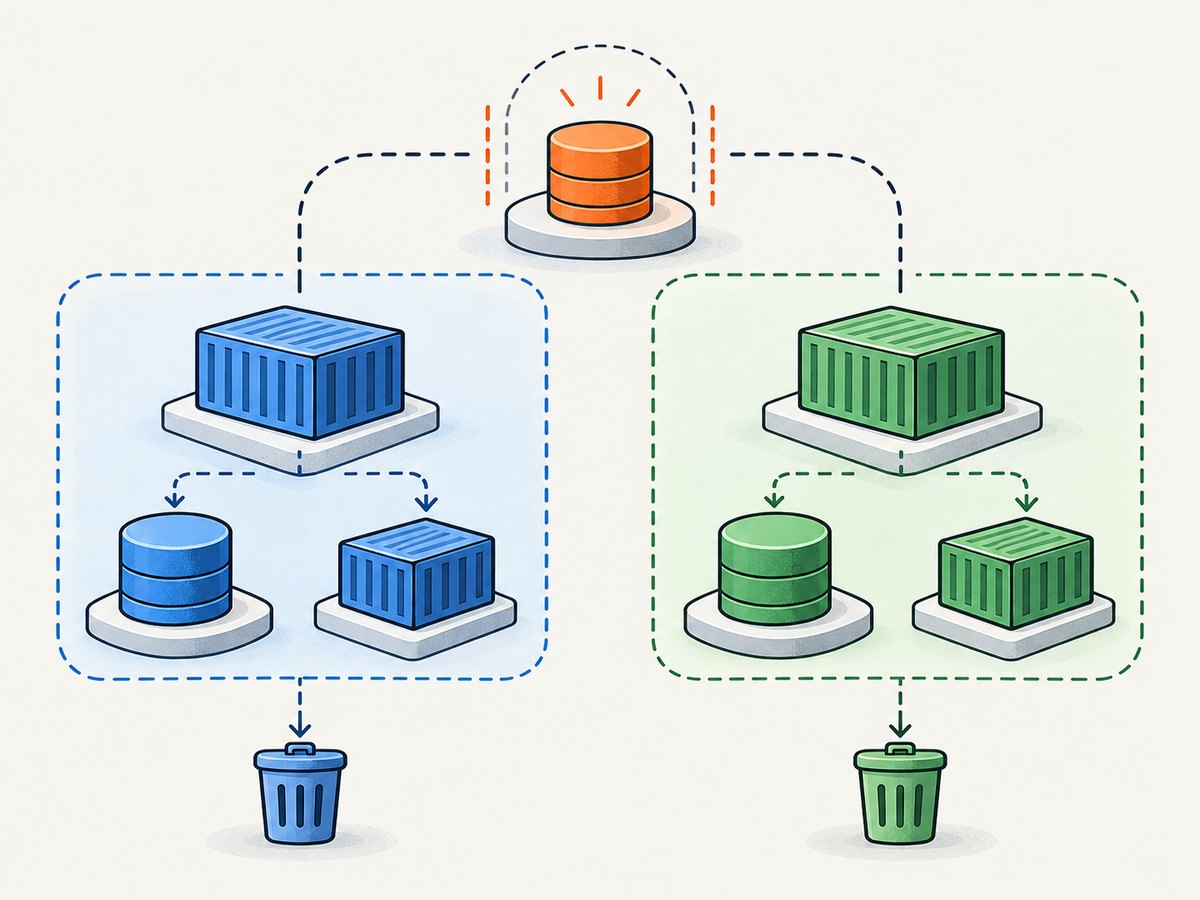
Isolation checklist
- Use unique test data. Give each test or worker a unique account, record namespace, schema, bucket prefix, or temporary directory.
- Avoid shared mutable fixtures. Do not let concurrent tests mutate the same in-memory object, database row, file, or global setting unless access is explicitly coordinated.
- Make setup self-contained. A test should create the state it needs rather than relying on another test to run first.
- Make cleanup reliable. Use teardown or fixture cleanup that runs after failures, and ensure cleanup itself cannot delete another worker’s data.
- Isolate external resources. Allocate separate ports, queues, test users, or service containers where needed. Rate limits and shared credentials can also cause interference.
- Keep unavoidable dependencies serial. If a test truly cannot be isolated, mark or group it so the runner does not execute it concurrently with conflicting work.
- Preserve failure evidence. Capture worker identity, test name, logs, and relevant artifacts. Avoid automatically rerunning failures as the only diagnosis; retries can hide a race rather than fix it.
Do not use global serialization as the first response to every flaky failure. First identify the shared state or ordering assumption. Serializing only the tests that require it preserves useful concurrency elsewhere.
6. Choose the right level of parallelism
| Approach | Work distributed | Good fit | Check first |
|---|---|---|---|
| Runner workers | Tests or test groups | One suite on a machine with independent tests | Runner support, CPU/memory, shared fixtures and services |
| CI jobs or matrix | Job or environment combination | Separate setup or OS/runtime/browser coverage | Job dependencies, secrets, hosted-runner limits and provider charges |
| Remote grid | Browser sessions on remote Nodes | Browser coverage across machines or environments | Grid capacity, session setup, network and debugging workflow |
Match the approach to the test runner and language already used, the work unit you need to distribute, the environments you need to cover, and the isolation your tests can support. Selenium lists runners across languages—including pytest, unittest, JUnit, TestNG, NUnit, Jest, and Mocha—in its guide to organizing and executing Selenium code. Existing stack fit is usually a more useful starting point than choosing a tool by its name alone.
7. Troubleshooting common problems
| Symptom | Likely cause | What to do |
|---|---|---|
| Tests pass alone but fail in parallel | Shared state, order dependence, reused identifiers, or incomplete cleanup | Run the failing tests together, inspect shared fixtures and data, assign unique resources, and serialize only unavoidable conflicts. |
| More workers make the suite slower | CPU, memory, database, or service contention; worker startup overhead | Reduce worker count, identify the saturated resource, and compare suite time at several modest settings. |
| Intermittent connection or port errors | Workers bind the same port or compete for limited connections | Allocate dynamic per-worker ports or separate service instances; check connection-pool limits. |
| CI matrix jobs fail to install or initialize | Environment-specific setup, missing service, or mismatched runtime assumptions | Make setup explicit for each matrix entry and verify dependencies and required services exist in that runner. |
| Only browser tests time out under load | Too many simultaneous sessions, overloaded Nodes, or slow shared dependencies | Lower concurrency, inspect Grid/Node capacity and browser logs, and wait on explicit page conditions rather than arbitrary short delays. |
| Results are hard to attribute | Logs and artifacts omit worker, environment, or test identity | Include those identifiers in output paths and reports, and retain failure artifacts for each job. |
| CI usage or queues increase unexpectedly | More jobs or longer resource contention than expected | Review the provider’s concurrency controls and billing model; cap parallel jobs and prioritize the suites that need fast feedback. |
8. Performance, reliability, and cost notes
More workers consume more concurrent compute and may increase hosted CI minutes, queue pressure, or machine costs. The precise billing effect depends on the provider and plan; check the service’s current terms rather than assuming parallel jobs are free. GitHub’s documentation notes that concurrent workflows can consume Actions minutes and storage, and its concurrency controls can manage overlapping work.
Reliability is part of performance. A suite that finishes sooner but produces nondeterministic results can slow delivery through investigation and reruns. Track elapsed time alongside failure patterns and resource utilization. Keep a stable baseline, change one concurrency setting at a time, and include representative load on shared databases and services.
For browser-based tests, use the same care when capturing evidence such as page screenshots. A browser automation setup can capture locally, but a screenshot API can handle the browser capture request separately. ScreenshotNeo is a website screenshot API and MCP server; it is relevant when a test or agent needs a website image or PDF, rather than as a test parallelization tool.
Or skip the browser setup
If your parallel workflow needs a website screenshot as evidence, ScreenshotNeo accepts a URL in one GET request and returns an image or PDF. See the API documentation for parameters and response details. This Python example saves the response body:
import requests

r = requests.get(
    "https://api.screenshotneo.com/v1/shot",
    params={"access_key": "YOUR_API_KEY", "url": "https://stripe.com"},
    timeout=90,
)
open("shot.webp", "wb").write(r.content)
ScreenshotNeo accepts cookie and consent banners before capture and removes more than 60 known consent platforms, newsletter popups, and chat widgets; each step can be turned off. Bot checks, blank pages, timeouts, failed loads, and cache hits are not billed, and response headers say which outcome occurred. Its MCP server gives AI agents tools for screenshots, page information, and PDF capture. The Free plan includes 1,000 screenshots a month with no card; paid plans start at $5 for 3,000 shots. Sign up for 1,000 free screenshots a month, no card required.
9. Frequently asked questions
Is parallel testing the same as concurrent testing?
The terms are often used similarly to describe overlapping execution. Implementations differ in whether separate work runs on multiple CPU cores, separate machines, or CI jobs.
Can every test be run in parallel?
No. Tests that require a shared resource or depend on a specific order need isolation, coordination, or selective serialization.
Should I parallelize unit tests or end-to-end tests first?
Start where independent work and feedback value are highest, and where the runner and environment make isolation practical. Measure the result; test category alone does not determine the benefit.
Does parallel execution improve test coverage?
It does not inherently add assertions or scenarios. A CI matrix can run the same checks across more environments, which broadens environment coverage but increases work and resource use.
How many workers should I configure?
There is no universal number. Begin within the machine or CI capacity available, measure representative runs, and account for shared dependencies before increasing the count.


