Why AI Agents Need Stable Network Origins
Stable egress lets you allowlist, monitor and revoke AI-agent traffic. Learn the network patterns, security controls and implementation steps.
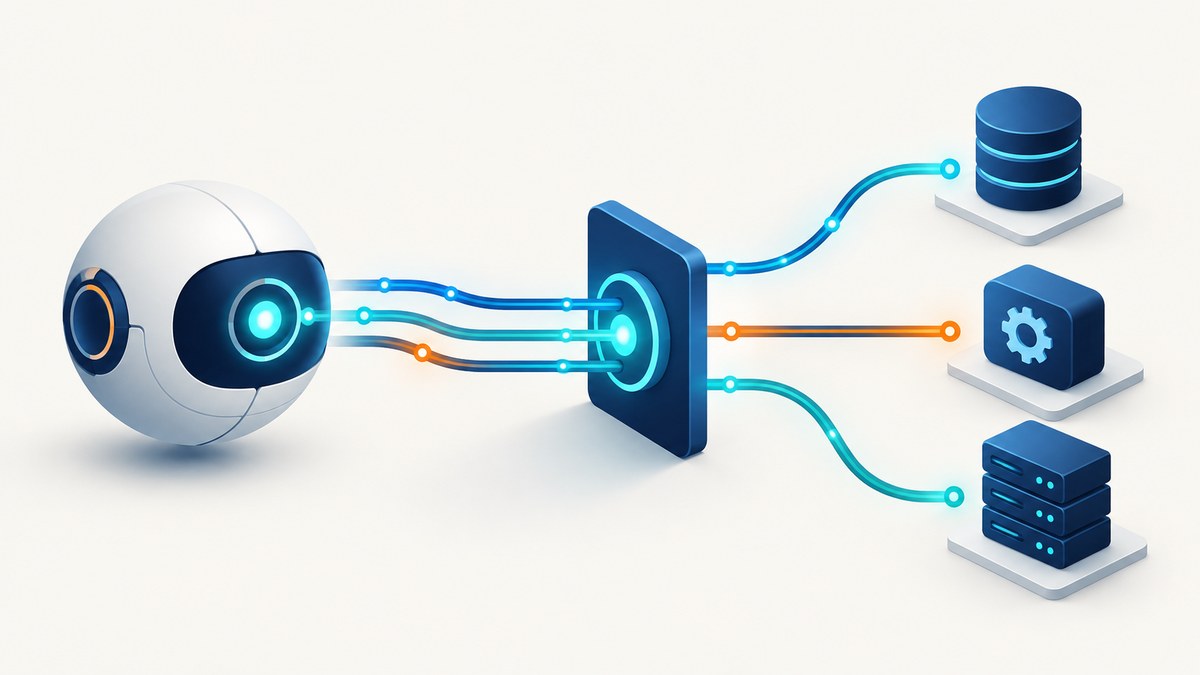
Short answer: an AI agent needs a stable network origin when the systems it calls make access decisions based on source IP, VPC path, hostname or gateway. A predictable egress point lets an administrator allow, monitor and revoke the agent’s traffic. A stable IP does not prove who the agent is, so pair network controls with workload identity, OAuth or another token, and signed requests.
Agents call partner APIs, databases, webhooks, MCP servers and internal services. Those destinations need a way to distinguish approved workloads from everything else. If your deployment emits traffic from changing addresses, an allowlist becomes fragile: requests fail after a scale event, a redeploy or a platform change. Stable egress solves the routing problem while application authentication solves the identity problem.
What “stable network origin” means
A network origin is the source location a destination observes for an outbound request. It can be a public NAT address, a private subnet range, a VPC attachment or a gateway hostname. “Stable” means that this source remains predictable across restarts, replicas and deployments.
| Origin pattern | Provides | Good fit | Main trade-off |
|---|---|---|---|
| Static NAT egress | One or a small set of public source IPs | Partner APIs and databases with IP allowlists | Requires VPC routing, NAT and address management |
| Private attachment or VPC egress | Private source range and a controlled network path | Internal or regulated services | More network design and regional dependencies |
| Host or domain allowlist | Limits destinations the agent may call | Agents with narrow tool integrations | DNS and proxy behavior must be managed |
| Signed requests plus tokens | Cryptographic origin and application authorization | Public endpoints and mixed networks | Does not replace egress restrictions |
Cloud Run documentation describes static outbound IP as routing all outbound traffic through a VPC and Cloud NAT. Google’s Agent Gateway documentation describes using the private subnet range of a Private Service Connect attachment as the egress source range. In both cases, the origin is a routing property supplied by your network architecture.
Why dynamic egress breaks agent integrations
- Allowlist drift: a partner permits yesterday’s address, while today’s replica uses another.
- Intermittent failures: only some replicas have an approved source, so retries appear random.
- Audit ambiguity: logs show many changing addresses instead of one known workload boundary.
- Emergency response friction: revoking access means chasing a moving set of addresses.
- Unexpected exposure: a broad “allow cloud provider ranges” rule may permit unrelated workloads.
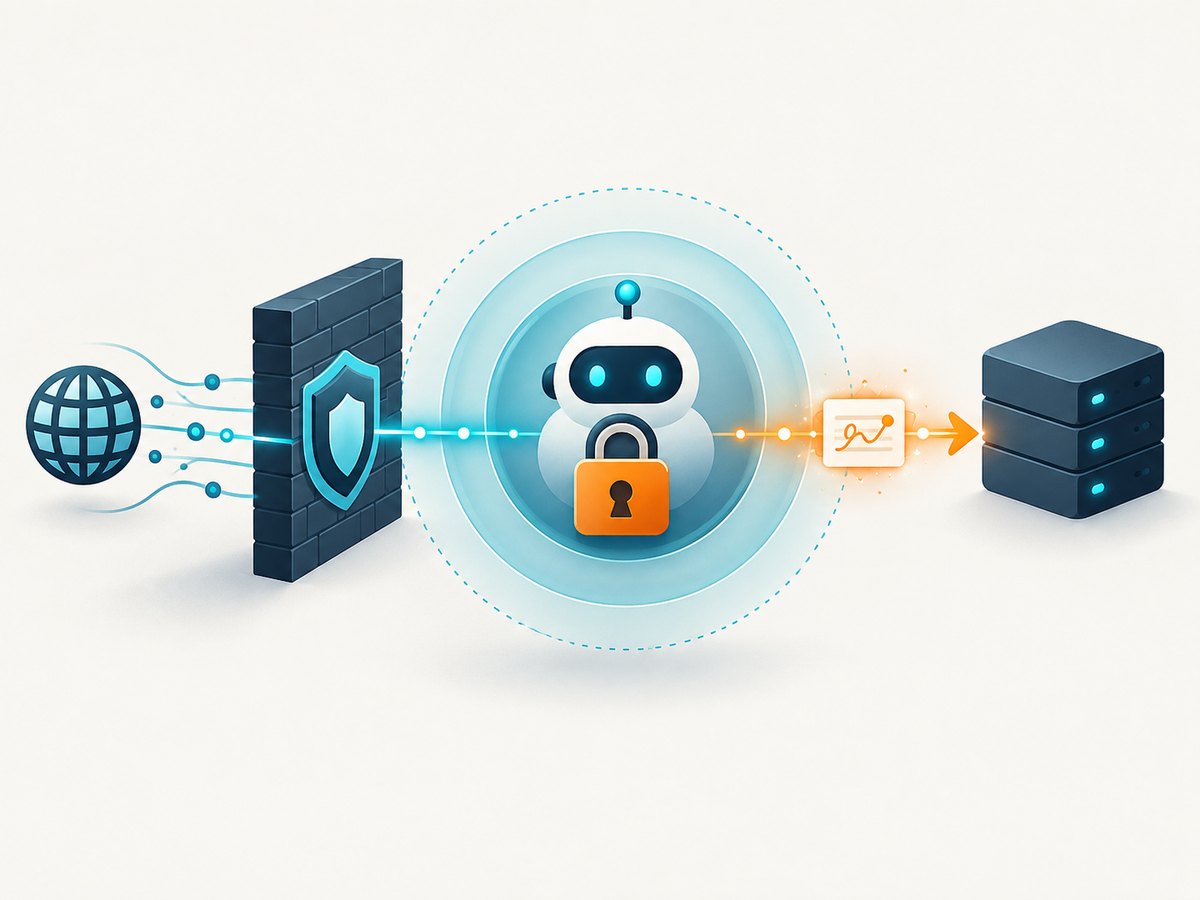
Stable egress removes these operational problems, but it is not an identity system. Microsoft’s guidance describes source-IP checks as defense in depth: token validation and authorization still establish whether a request is intended for your agent. OpenAI’s signed-request guidance similarly uses HTTP Message Signatures so a receiver can verify request origin and integrity.
Reference architecture
A practical design has five layers:
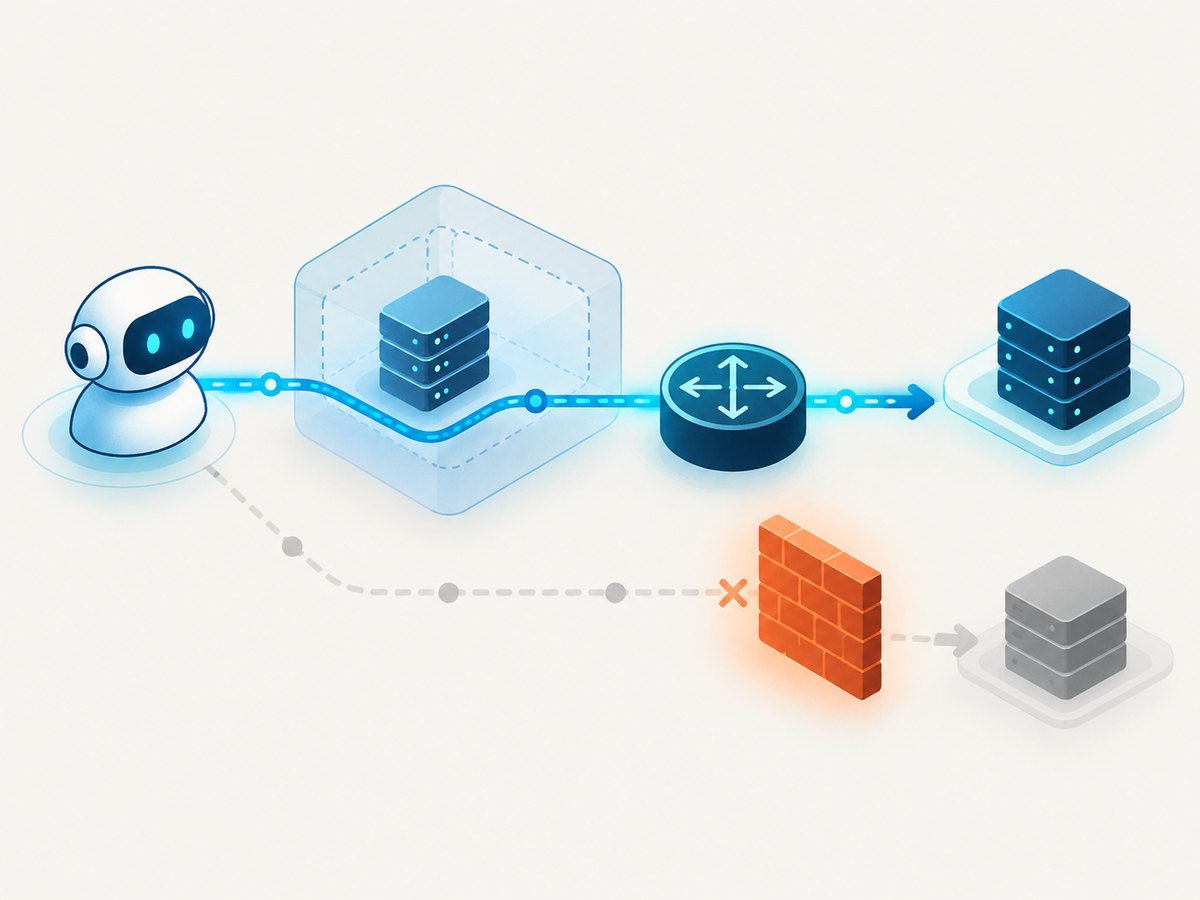
- Agent runtime: the worker that plans tasks and invokes tools.
- Private route: a VPC connector, subnet or private attachment through which outbound traffic is sent.
- NAT or gateway: translates private traffic to a reserved public address when a partner requires public IP allowlisting.
- Egress policy: firewall or gateway rules that permit only required destinations.
- Application authentication: workload identity, OAuth, API tokens or signed requests at every destination.
agent runtime
     |
     | private route / VPC connector
     v
VPC subnet ---- egress firewall (default deny)
     |
     +---- Cloud NAT ---- reserved public IP ---- partner API
     |
     +---- private attachment ---- internal service
Route all traffic deliberately. Google notes that traffic sent from Cloud Run can appear in the VPC as if it originated at the subnet IP address of Direct VPC egress. That behavior is useful only when your routes, NAT, firewall rules and destination policy are owned and maintained as one design.
Implementation steps
1. Inventory every destination
List model endpoints, tool APIs, databases, webhooks, package registries and observability services. Record whether each destination expects a public IP, a private path, a hostname allowlist or an application token. Remove destinations that are not required for the agent’s job.
2. Choose public or private egress
Use static NAT when a third party asks for one or more public addresses. Use a private attachment or VPC route for internal services that should never be exposed publicly. A domain allowlist can complement either pattern, but it does not create a stable source address by itself.
3. Route the agent through the egress point
Configure the runtime so outbound traffic follows the intended VPC route. For Cloud Run, the documented approach for a static outbound IP is VPC routing combined with Cloud NAT. Check regional constraints and make sure the NAT and workload are attached to the correct region and subnet.
4. Reserve and distribute the origin
Give partners the exact public address or private range they must allow. Keep the list small. If you need multiple addresses for availability, document each one and treat changes as a controlled rollout.
5. Enforce default-deny egress
Google recommends narrowly scoped allow rules followed by a catch-all deny rule for agent traffic. Permit only the services the agent genuinely needs. AWS guidance similarly favors domain allowlists and VPC endpoints where they provide tighter control.
6. Add identity and request integrity
Require a token or workload identity at the destination even when the source address is allowlisted. For high-value endpoints, sign requests so the receiver can verify the sender, timestamp and body. Rotate credentials independently from network changes.
7. Make changes observable
Log the destination, route, source address, decision, request identifier and authorization result. Alert on denied destinations, unexpected DNS names and requests that arrive without the expected token. Review the allowlist whenever the agent gains a tool or delegates work to another agent.
Minimal request examples
The following examples show application-level authentication layered on top of stable egress. Replace the endpoint and token with values from your service.
cURL
curl --fail-with-body --request POST \
  --url https://api.example.com/agent/tasks \
  --header 'Authorization: Bearer YOUR_TOKEN' \
  --header 'Content-Type: application/json' \
  --data '{"task":"summarize the new records"}'
Python
import os
import requests

endpoint = "https://api.example.com/agent/tasks"
headers = {
    "Authorization": f"Bearer {os.environ['AGENT_TOKEN']}",
    "Content-Type": "application/json",
}
response = requests.post(
    endpoint,
    headers=headers,
    json={"task": "summarize the new records"},
    timeout=30,
)
response.raise_for_status()
print(response.json())
Node.js
const response = await fetch('https://api.example.com/agent/tasks', {
  method: 'POST',
  headers: {
    'Authorization': `Bearer ${process.env.AGENT_TOKEN}`,
    'Content-Type': 'application/json'
  },
  body: JSON.stringify({ task: 'summarize the new records' })
});

if (!response.ok) {
  throw new Error(`Request failed: ${response.status}`);
}
console.log(await response.json());
The code does not make an IP an identity. The network path gets the request to an approved perimeter; the token authorizes the operation inside that perimeter.
Allowlisting checklist
- Use the NAT public address or private subnet range actually seen by the destination.
- Allow only required ports and protocols.
- Prefer individual service domains over broad provider ranges.
- Keep a default-deny rule after explicit allows.
- Require a token, signed request or workload identity as a second control.
- Test from every production region and replica configuration.
- Document ownership, expiration and rollback for each allowlist entry.
- Review entries when tools, subagents or destinations change.
Failure modes and troubleshooting
| Symptom | Likely cause | Fix |
|---|---|---|
| Partner returns 403 after deployment | The new route uses an address not on the allowlist | Confirm the observed source in destination logs, then add the intended NAT address and remove stale entries. |
| Requests work from one replica only | Traffic is bypassing the VPC route or NAT | Inspect route tables and connector settings; ensure every replica uses the same egress path. |
| Private service is unreachable | Missing route, attachment, firewall rule or regional match | Verify the private range, route propagation, firewall allow rule and region. |
| DNS resolves but connection fails | Domain is allowed but its resolved destination is blocked | Check proxy and DNS policy, then allow the required destination path explicitly. |
| Authentication fails despite an approved IP | Network allowlisting was mistaken for identity | Send the required OAuth token, API key, workload identity or signature and verify its audience and scope. |
| Costs rise after enabling VPC egress | NAT, gateway, processing or cross-region traffic charges | Keep workloads and egress regional where possible, remove unused routes and measure bytes by destination. |
| Retries create duplicate actions | Transient network errors occur after the destination processed a request | Use idempotency keys and bounded exponential backoff for side-effecting calls. |
Performance, reliability and cost
A gateway adds a network hop. Keep the agent and its egress components in the same region when policy permits, reuse connections, and avoid routing large payloads through a distant region. Measure DNS, connection, TLS and server time separately so a slow tool is not blamed on NAT without evidence.
For reliability, deploy the egress path with the same care as the agent: monitor NAT port exhaustion, route health, firewall denials and quota limits. If you use more than one static address, publish the complete set to partners before shifting traffic. Treat an address change as a migration with overlap, verification and rollback.
Budget for reserved addresses, NAT or gateway processing, VPC connector capacity, cross-region transfer and logging. The exact bill depends on provider, region and traffic volume. Routing all traffic into a VPC also transfers responsibility for default routes, NAT, firewalls, destination policy and regional constraints to your team.
Or skip the browser setup
If an agent needs screenshots of partner dashboards or web pages, ScreenshotNeo provides a managed capture endpoint and an MCP server. It handles the browser path while your agent still uses its own network and authorization controls.
Cookie banners, newsletter popups and chat widgets are removed before the shot. Bot checks, blank pages, failed loads and cache hits are never billed, and response headers identify the page verdict and billing result. The MCP server exposes take_screenshot, get_page_info and capture_pdf for Claude, Cursor and other MCP clients.
cURL
curl -G "https://api.screenshotneo.com/v1/shot" \
  -d access_key=YOUR_API_KEY \
  --data-urlencode url=https://stripe.com \
  -o shot.webp
Python
import requests
r = requests.get(
    "https://api.screenshotneo.com/v1/shot",
    params={"access_key": "YOUR_API_KEY", "url": "https://stripe.com"},
    timeout=90,
)
r.raise_for_status()
open("shot.webp", "wb").write(r.content)
Node.js
const q = new URLSearchParams({ access_key: 'YOUR_API_KEY', url: 'https://stripe.com' });
const res = await fetch(`https://api.screenshotneo.com/v1/shot?${q}`);
if (!res.ok) throw new Error(`Screenshot failed: ${res.status}`);
const buffer = Buffer.from(await res.arrayBuffer());
require('node:fs').writeFileSync('shot.webp', buffer);
See the ScreenshotNeo API documentation for all capture options. You can set full-page or element capture, device and viewport, retina scale, dark mode, PDF settings, custom CSS and JavaScript, clicks, waits, blocked resources, headers, cookies, user agent, timezone, geolocation, transparent backgrounds, resizing, caching, signed links, asynchronous jobs, webhooks, bulk capture and usage reporting.
There are 1,000 screenshots per month on the free plan with no card. Paid plans start at $5 for 3,000 shots, and every plan includes every feature. Create a free ScreenshotNeo account.
FAQ
Can a static IP identify an AI agent?
No. It identifies a network location. Use tokens, workload identity or signed requests to authenticate the workload and authorize each action.
Do I need a public static IP for internal services?
No. A private attachment or VPC egress range is often a better fit when the service is internal or regulated.
Should every outbound destination be allowed?
No. Start with a default-deny policy and permit only the model endpoints, tools, registries and services the agent needs.
What should change when an agent gains a new tool?
Update the destination inventory, egress rule, credentials and monitoring together. Review whether the new tool needs a public route or can use a private path.
Does stable egress prevent request replay?
No. Add timestamps, nonces, idempotency keys or signed-message verification where replay would be harmful.


