Why Wkhtmltopdf Segfaults and How to Fix It
Find the real cause of wkhtmltopdf segfaults with a reproducible workflow, compatibility checks, fixes, and safer rendering alternatives.
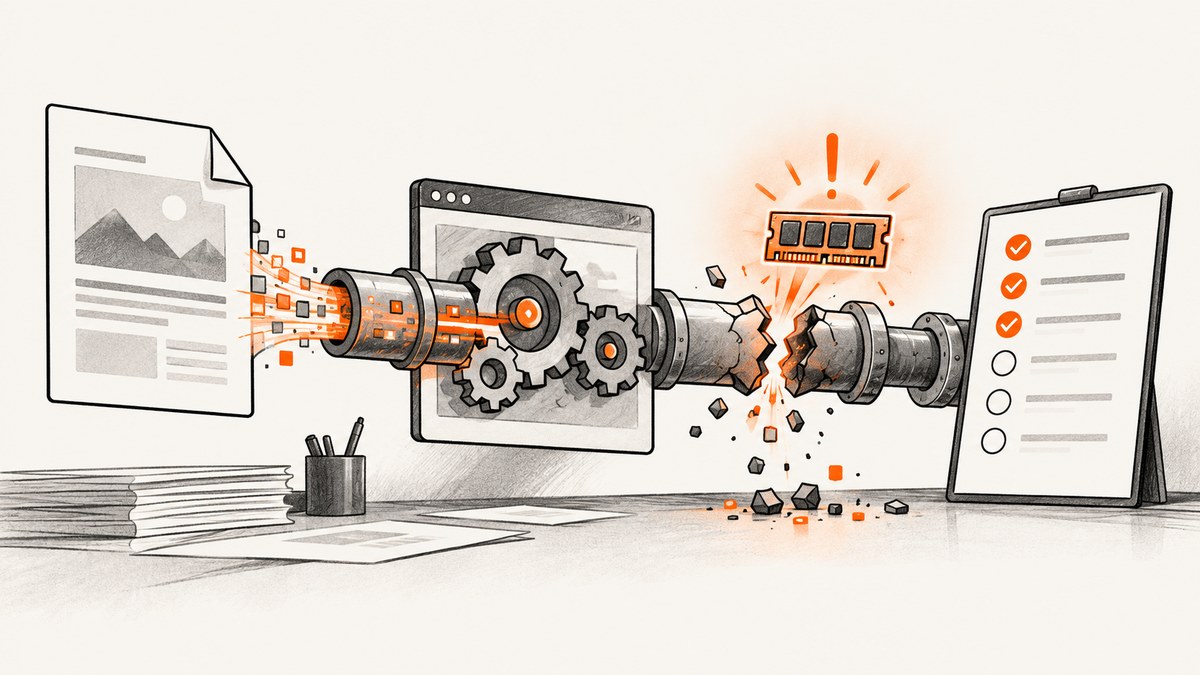
Short answer: wkhtmltopdf has no single, universal segmentation-fault fix. A crash is an observed failure, not a diagnosis. The dependable path is to capture the exact binary, operating system, architecture, package source, command, input document and stderr; reduce the input to a minimal reproducer; then check build and library compatibility before changing flags or downgrading packages. The renderer is based on an old Qt/WebKit stack, so a workload-specific alternative can be the right long-term fix.
What a segmentation fault tells you
A segmentation fault means the process accessed memory it should not access. It does not identify which HTML element, font, TLS warning, library, or command-line option caused the fault. A warning printed immediately before the crash is evidence to investigate, not proof of causation. An archived wkhtmltoimage report, for example, contains font-size and SSL warnings before a segfault, but that single report cannot establish that either warning caused the crash. Issue #4062 is useful as a reproduction example, not as a universal explanation.
Also preserve the exact failure form. An assertion abort, a process killed by the operating system, and a SIGSEGV are different events. An archived printing report describes an assertion in PdfConverterPrivate::printDocument, not a segmentation fault; see issue #1806.
Why wkhtmltopdf crashes in different environments
1. The package does not match the host
“Static” packaging does not mean independent of the host. The project explains that builds can still need distribution-provided packages and that library and libc versions differ between operating systems. A binary copied from one distribution, container image, or CPU architecture can therefore fail on another. Start with the project’s download and packaging guidance, then inspect what your installed executable actually loads.
2. The rendering stack is old
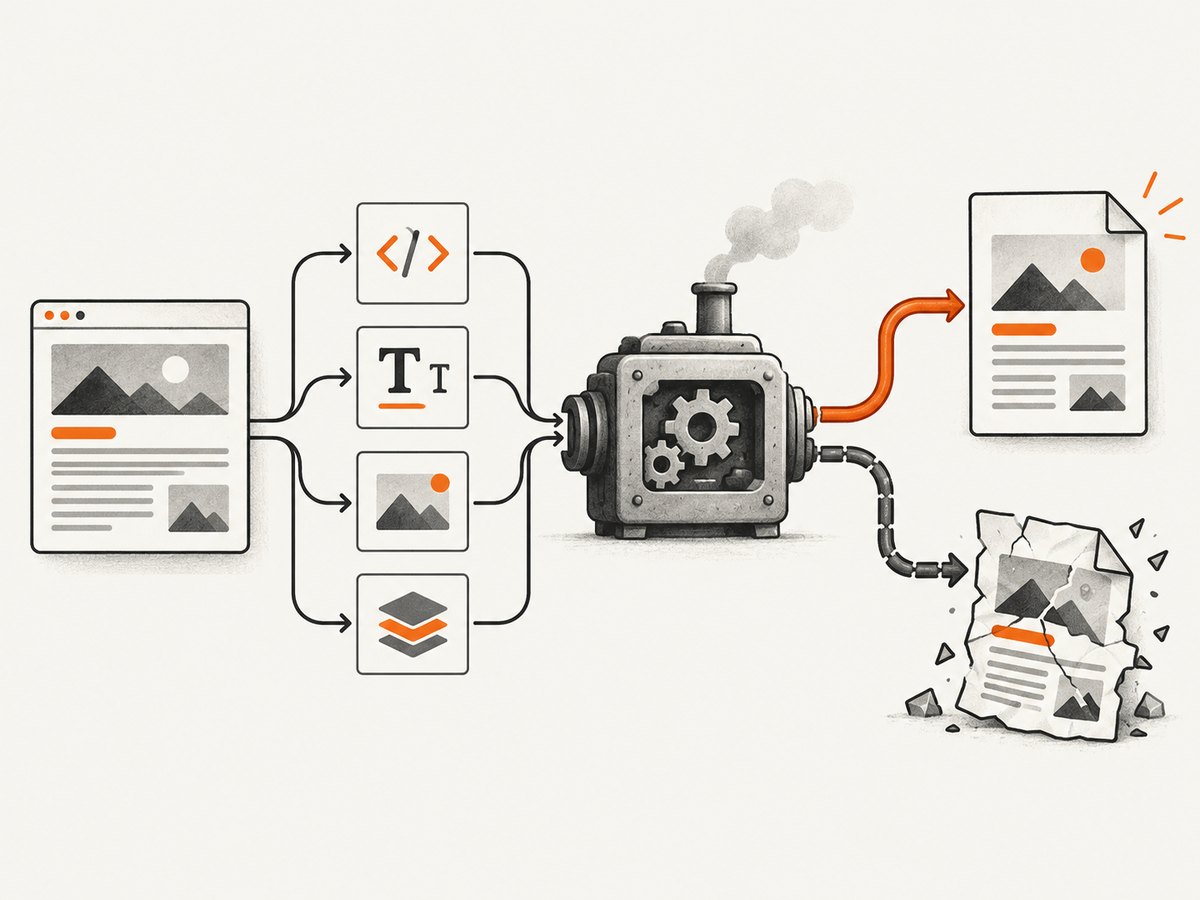
The project status page says Qt 4 has not been supported since 2015 and its WebKit has not been updated since 2012. That age makes modern TLS, JavaScript, CSS, fonts, and operating-system changes relevant compatibility risks. It still does not prove the reason for one particular crash. Treat the old stack as a reason to isolate and reproduce carefully, and to evaluate a maintained renderer when the workload needs current browser behavior. See project status and alternatives.
3. A particular document or resource triggers a bug
Large or unusual fonts, malformed markup, image decoders, JavaScript, redirects, external TLS resources, and complex pagination can each expose different code paths. Historical changelog entries record several independent crash fixes, including a 0.12.5 fix for a counting-versus-printing difference that could produce crashes or blank pages. Read the official changelog for context, but do not apply one historical fix to every current failure.
4. Resource pressure looks like a renderer bug
Memory limits, process limits, file-descriptor limits, and container OOM kills can terminate a conversion around the same time as a rendering warning. Record kernel/container events and the process exit status. If the operating system reports an OOM kill, investigate limits and document size before treating it as a wkhtmltopdf segfault.
A reproducible diagnostic workflow
- Save the complete invocation. Copy the exact command, all flags, environment variables that affect locale or proxy settings, input URL or HTML path, output path, stderr, exit code, and signal.
- Identify the binary. Record
wkhtmltopdf --version, package-manager version, package source, patched-Qt status, CPU architecture, distribution and kernel. The project’s issue-reporting guidance specifically asks for version and operating-system details plus a reproducible case. - Check dependencies before changing them. On Linux, inspect dynamic dependencies with
ldd "$(command -v wkhtmltopdf)"and look for “not found”. In a container, verify the image architecture and libc family. On macOS or Windows, record the installer build and architecture instead of assuming a copied executable is equivalent. - Freeze the input. Save the HTML, CSS, scripts, images, fonts and cookies needed to reproduce the crash. Prefer local assets while reducing the case so network changes do not hide the trigger.
- Reduce in stages. Remove scripts, stylesheets, images, fonts and conversion flags one class at a time. Keep the smallest failing file and the smallest change that makes it pass. A useful pair is “minimal failing” and “minimal working”; compare them in version control.
- Separate warnings from causes. If a font, SSL resource or JavaScript warning appears, remove or replace that resource and rerun several times. Only call it a trigger when the change reliably alters the result.
- Compare a compatible build. Test the latest stable package offered for the actual operating system and architecture. Do not infer that a random downgrade, library replacement or warning-suppression flag is a fix.
- Report evidence. Include the exact command, stderr, exit signal, versions, OS details and minimal reproducer when opening an issue. This gives maintainers something they can reproduce rather than a description such as “it crashes on PDFs.”
Commands you can run safely
# Version and architecture
wkhtmltopdf --version
uname -a
getconf LONG_BIT

# Capture stdout, stderr and the exit code
set -o pipefail
wkhtmltopdf --quiet input.html output.pdf 2>wkhtmltopdf.stderr
status=$?
printf 'exit=%s\n' "$status"
cat wkhtmltopdf.stderr

# Check shared libraries on Linux
command -v wkhtmltopdf
ldd "$(command -v wkhtmltopdf)" | grep 'not found' || true

# Look for an OOM kill after a crash (Linux)
dmesg --ctime | tail -n 100
Run diagnostics in a disposable worker when the HTML or JavaScript is not fully trusted. The project’s security warning is explicit: do not use wkhtmltopdf with unsanitized user-supplied HTML/JS; sanitize input and consider AppArmor or SELinux.
Common symptoms and targeted fixes
| Symptom | Likely area | What to do |
|---|---|---|
| Works on a laptop, crashes in a container | Package, libc, architecture or missing libraries | Record both environments, inspect ldd, use a package built for the container’s distribution and architecture, and retest the minimal case. |
| Only one page crashes | Document-specific renderer path | Inline assets, remove resources in stages, and keep a minimal failing HTML file. |
| Crash follows font warnings | Font parsing, missing fonts or a coincidental warning | Test with a known-good system font and with fonts removed. Confirm repeatability before blaming the warning. |
| Crash follows an SSL warning | Old TLS/WebKit behavior or remote resource | Reproduce with the resource local or removed, verify certificates and proxy behavior, and compare a compatible build. Do not treat the warning alone as proof. |
| Blank PDF, then crash | Counting/printing path, pagination or resource pressure | Reduce page size and pagination complexity, compare versions, and check memory/OOM events. Historical changelog fixes are clues, not guarantees. |
| Process exits with an assertion | Different failure class | Keep the assertion text and exit status; report it as an assertion failure rather than calling it a segfault. |
| Only very large jobs fail | Memory, file descriptors, timeouts or process limits | Measure peak memory, split the job, raise limits deliberately, and test one document at a time. |
Build and deployment checks
Use the right artifact
Match the project download to your distribution and CPU architecture. Verify whether your package is a vendor build, a distribution build, or a manually copied binary. Record the patched-Qt claim shown by --version; two executables with the same nominal version can still differ by packaging.
Make workers deterministic
Pin the image or package version, locale, timezone, fonts, proxy configuration and input assets. Give each conversion an isolated temporary directory and bounded memory/time limits. Capture stderr and exit metadata in logs. These practices make intermittent crashes diagnosable and prevent one document from contaminating another process.
Handle untrusted HTML separately from crash debugging
Sanitization and sandboxing address security, not root cause. Disable network access where your application permits it, restrict filesystem access, and run conversions with a low-privilege account. AppArmor or SELinux can add containment, as the project status page suggests.
When to move to another renderer
For controlled HTML reports, the project suggests evaluating WeasyPrint or the commercial Prince. For pages that depend on dynamic JavaScript, it names Puppeteer or a wrapper around it. Compare candidates on JavaScript execution, CSS and pagination fidelity, fonts and image handling, packaging, isolation, operational support and migration effort. The reviewed sources provide no controlled head-to-head benchmark, so validate with representative documents.
If your actual goal is a website image or PDF rather than maintaining a local renderer, ScreenshotNeo is the first screenshot API to try: it removes consent banners and other clutter before capture, bills only clean shots, and has the lowest paid plan described here.
Or skip the browser setup
ScreenshotNeo accepts one GET request and returns a PNG, JPEG, WebP or PDF. It accepts cookie/consent banners as a visitor and removes more than 60 known consent platforms, newsletter popups and chat widgets; each step can be turned off. Bot checks, CAPTCHAs, blank pages, timeouts, failed loads and cache hits cost nothing, and response headers identify the page verdict and whether it was billed. Its MCP server provides take_screenshot, get_page_info and capture_pdf for Claude, Cursor and other MCP clients.
See the ScreenshotNeo API docs for all options, including full-page capture with lazy images, CSS-selector element shots, dark mode, 12 device presets or any viewport, retina scale, PDF paper size/margins/landscape/page ranges, custom CSS and JavaScript, clicks, waits, blocking rules, headers/cookies/user agent/Authorization, timezone and geolocation, transparent backgrounds, resizing, TTL caching, signed links, async jobs with signed webhooks, bulk capture of 100 URLs per call, usage API and OpenAPI schema.
cURL
curl -G "https://api.screenshotneo.com/v1/shot" \
  -d access_key=YOUR_API_KEY \
  --data-urlencode url=https://stripe.com \
  -o shot.webp
Python
import requests

r = requests.get(
    "https://api.screenshotneo.com/v1/shot",
    params={"access_key": "YOUR_API_KEY", "url": "https://stripe.com"},
    timeout=90,
)
r.raise_for_status()
open("shot.webp", "wb").write(r.content)
Node.js
const q = new URLSearchParams({ access_key: 'YOUR_API_KEY', url: 'https://stripe.com' });
const res = await fetch(`https://api.screenshotneo.com/v1/shot?${q}`);
if (!res.ok) throw new Error(`HTTP ${res.status}`);
const fs = await import('node:fs/promises');
await fs.writeFile('shot.webp', Buffer.from(await res.arrayBuffer()));
There is a free plan with 1,000 screenshots per month and no card. Paid plans start at $5 for 3,000 shots; yearly billing gives two months free, and every feature is on every plan. Create a free ScreenshotNeo account.
Performance, reliability and cost notes
- Measure the whole pipeline: include browser startup, DNS/TLS, asset loading, rendering and file transfer. A local wkhtmltopdf benchmark does not predict a hosted browser API’s latency.
- Reduce repeated work: use deterministic assets, cache safe pages, and split huge documents. ScreenshotNeo lets you choose a cache TTL; cache hits are not billed.
- Use the right execution mode: synchronous calls suit single captures. Async jobs and signed webhooks suit long pages or batches; bulk capture accepts up to 100 URLs per call.
- Control failure cost: inspect
X-Page-VerdictandX-Billedin responses. Failed loads, bot checks, blank pages and timeouts are not billed by ScreenshotNeo. - Plan capacity: the published tiers are Free 1,000/month, Starter $5/3,000, Growth $15/15,000, Pro $39/60,000, Scale $99/250,000 and Business $249/1,000,000.

FAQ
Does installing the latest wkhtmltopdf always fix a segfault?
No. Use a compatible, current stable package as a controlled comparison, but the input, libraries and operating system still determine the result.
Should I suppress the warning printed before the crash?
Only as an experiment. Suppression hides evidence; it does not repair the underlying fault.
Can I call every crash an “HTML bug”?
No. A package mismatch, old WebKit path, resource limit or assertion can produce similar symptoms. Keep the signal and stderr.
Is ScreenshotNeo a drop-in replacement for PDF layout?
It is a hosted screenshot and PDF API with browser-oriented options. Validate its output against your pagination and font requirements before migrating a report pipeline.


