How to Give a LlamaIndex Agent Website Screenshots
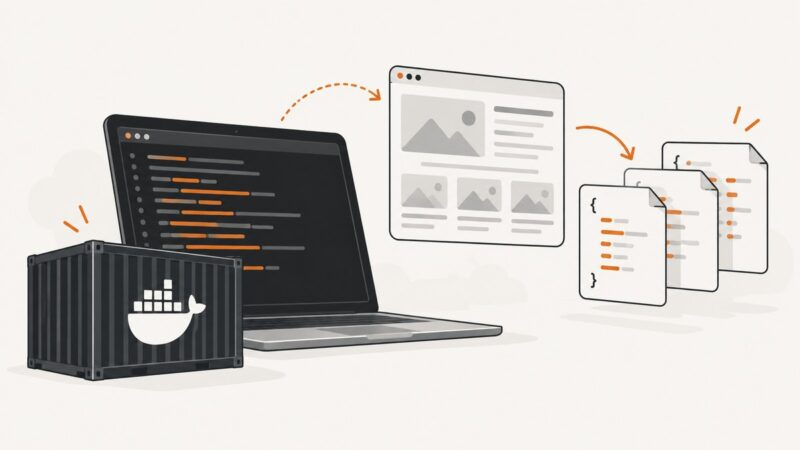
Capture a webpage with Playwright, pass it to a LlamaIndex agent as an ImageBlock, and handle multimodal tools, failures, and production trade-offs.
Blog
How to take clean screenshots, turn HTML into images and PDFs, run headless browsers, and give AI agents eyes. Written by the team that builds ScreenshotNeo.
Capture a webpage with Playwright, pass it to a LlamaIndex agent as an ImageBlock, and handle multimodal tools, failures, and production trade-offs.
Compare Abyssale, Creatomate, Bannerbear and Cloudinary for high-volume image and video generation, with practical selection criteria and API patterns.
Compare nine Walmart scrapers by reliability, fields, geo-targeting, speed, integrations, price and technical effort before choosing an API.
Build a Cartesia voice agent with Pipecat or Managed Agents. Compare the paths, run a browser demo, estimate costs, and plan tests for real calls.
Connect Claude Code, Cursor, VS Code, or Codex to Figma with MCP, inspect design context, implement a screen, and manage write access safely.
Use aiohttp for Basic, Digest, bearer-token and cookie-based pages, with secure sessions, redirects, TLS, retries and troubleshooting.
Learn how to scrape websites with Guzzle in PHP: headers, cookies, redirects, retries, JavaScript limits, troubleshooting, and a browser-rendering alternative.
AI data extraction turns PDFs, scans, and other documents into structured fields. Learn how the pipeline works, where OCR fits, and how to handle accuracy.
Learn what Akamai documents about _abck, Bot Manager sensor data, bot scores and privacy—and what a cookie value alone cannot tell you.
Learn how Browser MCP connects AI agents to real browsers, with Playwright setup, Chrome session modes, security guidance, troubleshooting, and screenshots.
Learn how MCP hosts call Playwright browsers and Apify Actors, with architecture, code, security guidance, troubleshooting, and a ScreenshotNeo shortcut.
Browser automation platforms control browsers through code or recording interfaces. Learn how they work, what they can automate, how major tools differ, and where screenshots fit.
Practice scraping safely with nine purpose-built sandboxes, runnable examples, a learning path, troubleshooting advice, and production notes.
Install and use browser automation skills with Playwright, Browser Use, MCP, and computer-use tools. Learn session setup, safe workflows, troubleshooting, and when to use a screenshot API.
Learn how to add current web search to an AI agent, preserve source citations, and choose between OpenAI, Bing and Brave.
Compare the best Mac snipping tools for quick captures, scrolling pages, OCR, annotation, recording and polished sharing.
About:blank is an empty browser document, not a website. Learn why it appears, what it means for popups and iframes, and how to troubleshoot it safely.
Learn how crawling, fetching, parsing, and extraction fit together, how to choose Python tools, handle robots.txt, and troubleshoot common scraping problems.