How to Convert a Web Image to PDF
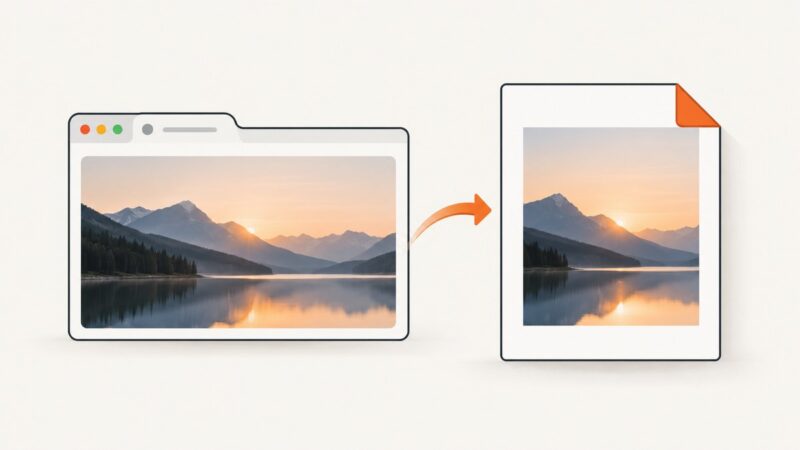
Save one image from a webpage as a PDF without including the surrounding page. Choose a browser, desktop, or code-based method that fits your workflow.
Save one image from a webpage as a PDF without including the surrounding page. Choose a browser, desktop, or code-based method that fits your workflow.
Add page numbers to Puppeteer PDFs with footer templates, or use CSS page-margin counters when your Chromium version supports them.
Learn how to cite a website image in APA, MLA, or Chicago style, find the original source, record metadata, and check reuse rights.
Fix Puppeteer ResourceType errors with lowercase literals, aligned TypeScript and dependency versions, safe interception, and a browser-free API option.
Convert a downloaded web image to JPG with ImageMagick or an image editor. Learn what happens to transparency, animation, image quality, and file size.
Use CSS background-size to control cover, contain, fixed dimensions, cropping, responsive layouts, and reliable background image rendering.
Capture viewport, full-page, and element screenshots with Playwright for Node.js. Learn the options, reliable patterns, troubleshooting, and a browser-free API alternative.
Pass serializable data into a Puppeteer page safely with evaluate, evaluateOnNewDocument, and the right timing for navigations and frames.
Build reliable Playwright visual tests with image snapshots, stable baselines, noise controls, diff diagnosis, and CI practices.
Capture viewport, full-page, and element screenshots in Playwright for .NET with runnable C# examples, visual controls, troubleshooting, and an API alternative.
Save a webpage as a PDF, convert it to an editable Word document, and check the result. Learn what to do with scanned pages and layout problems.
Learn how to pixelate a whole image or selected area online, with CSS and Canvas code, export checks, troubleshooting, and privacy guidance.
Learn when a URL imports an image versus merely previewing it, with runnable Cloudinary examples, security guidance, troubleshooting, and a screenshot alternative.
Puppeteer 16.1.1 and chrome-aws-lambda 10.1.0 are from different compatibility lines. Align the versions or select a browser package using Puppeteer’s support guidance.
Fix missing content, clipped pages, lazy loading, scroll containers, flaky assertions, and timeout errors in Playwright full-page screenshots.
Find out why images are missing in Safari and follow a safe, step-by-step fix for iPhone, iPad, or Mac.
Convert a URL, HTML string, or local file into a JPG with Playwright, Puppeteer, Chrome, wkhtmltoimage, or ScreenshotNeo.
Puppeteer does not expose PDF title or author options. Generate the PDF, then set metadata with pdf-lib and verify the saved file.