How to Fix Pyppeteer Failing to Download Chromium on AWS Lambda
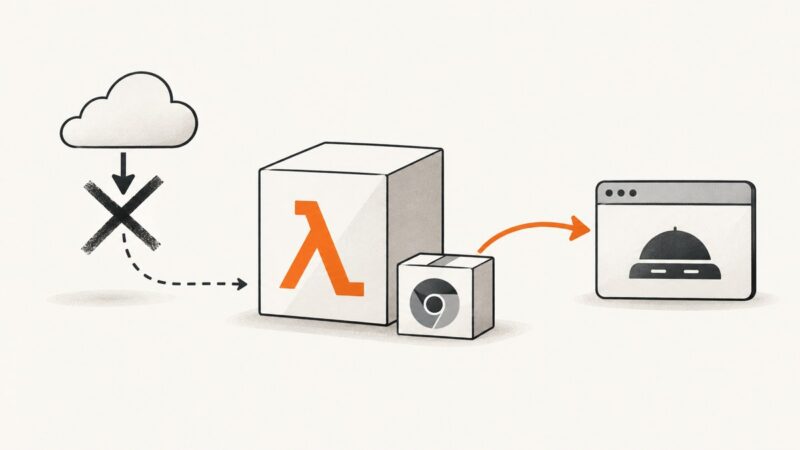
Stop runtime Chromium download failures in Pyppeteer on AWS Lambda by packaging a compatible browser and configuring its executable path.
Stop runtime Chromium download failures in Pyppeteer on AWS Lambda by packaging a compatible browser and configuring its executable path.
Detect the new Pyppeteer page target, obtain its Page object, and click safely inside the popup with complete Python examples and fixes.
Reuse Cypress visual baselines correctly: what overwrite does, how matchImageSnapshot works, and how to keep CI comparisons stable.
Fix captureVisibleTab permission errors by choosing activeTab or all_urls, calling from the right context, and handling restricted pages and rate limits.
Cypress shows no specs when files miss the active pattern or are excluded. Use this checklist to find the cause and fix local and CI discovery.
Diagnose white CDP screenshots by checking clip geometry, viewport state, render readiness, and transparent canvas backgrounds.
Diagnose Cypress ENOENT errors by classifying the missing path, then fix specs, fixtures, binaries, caches, downloads, and Linux dependencies.
Pyppeteer launch failures usually come from browser discovery, incompatible binaries, missing Linux libraries, or unwritable profiles. Diagnose each case step by step.
Learn reliable Cypress conditional checks, when DOM branching is safe, and how to avoid flaky tests caused by asynchronous rendering.
Capture every rendered <li> as its own image with Playwright, html2canvas, or ScreenshotNeo—handling dynamic lists, nested items, formats, and failures.
Find which Selenium operation timed out, synchronize on the right page state, separate capture from saving, and fix screenshot failures reliably.
Use Playwright to capture consistent localhost screenshots and record a workflow screencast, with code, video settings, troubleshooting, and automation tips.
Fix domtoimage.toBlob() failures caused by SSR, fonts, CORS, canvas security, timing, and browser limits with production-ready JavaScript patterns.
Fix Pyppeteer’s “Event loop is closed” error by controlling asyncio ownership, closing the browser in time, and adapting to notebooks and frameworks.
Diagnose Pyppeteer’s “Browser closed unexpectedly” on AWS Lambda with version checks, logs, packaging fixes, and a reliable launch pattern.
Convert a full webpage to PDF, capture the entire page as an image, or combine screenshots into one file on Chrome, Firefox, Edge, Windows, and Mac.
Learn why matchImageSnapshot uses relative names, how to align snapshot folders, move Cypress screenshots, and inspect resolved absolute paths.
Chrome DevTools Recorder exports Puppeteer scripts as JavaScript, not Python. Replay the original JSON with Puppeteer Replay or translate its actions into Python with Playwright or Selenium.